


AI-Driven Virtual Assistant for Email Filtering: Power and Risk
Written with AI assistance under our editorial guidelines
Every day, 347 billion emails are sent globally, with individual workers spending over 28% of their workday managing them. AI-driven email filtering promises relief through automated prioritization and organization. However, these systems carry hidden costs, including data privacy risks, potential misclassification of important messages, and reduced user control over information flows that directly impact professional and personal life.
It’s 2025, and your inbox is under siege. A relentless wave of newsletters, client requests, team updates, marketing blasts, and that one person who still “replies-all” to every thread. You’ve tried folders, colored flags, and even the fabled “inbox zero” method, but the chaos always finds a way back in. Enter the AI-driven virtual assistant for email filtering—a promise of digital order, laser-focused prioritization, and the seductive dream of freedom from the daily email grind. But beneath the slick marketing and buzzwords, what’s really happening when you let a machine manage your most personal (and professional) gateway? In this deep dive, we unpack the numbers, the science, and the uncomfortable realities of AI email assistants, arming you with the bold fixes you need to take back control. If you think the battle for your inbox is just about spam… think again.
Why your inbox is a battlefield: The hidden cost of email overload
The numbers behind email chaos
By 2023, the digital world hit a staggering new milestone: over 347 billion emails sent and received… every single day. According to Statista, 2024, this number is on track to reach 361.6 billion daily by the end of this year. The sheer scale is unfathomable for most, yet the real story hides in how these messages land—often unsorted—in our inboxes, fueling stress and digital fatigue.
| Year | Emails Sent & Received (Billion/Day) | Source |
|---|---|---|
| 2020 | 306.4 | Statista |
| 2023 | 347 | Statista |
| 2024 | 361.6 (projected) | Statista |
Table 1: The relentless rise of global email volume. Source: Statista, 2024

The statistics are brutal, but even more unsettling is how most companies and individuals are not equipped to handle this surge. According to Poppulo, 2023, the average office worker spends over 28% of their workweek managing emails. That’s more than one full workday lost to the digital tide—every single week.
The mental price: Cognitive overload and burnout
Behind the numbers lies something far darker. Research from Alore, 2023 and Poppulo, 2023 exposes a psychological cost: 40% of global workers reported experiencing burnout last year, with email overload as a primary culprit. The endless ping of notifications, the demand for immediate replies, and the fear of missing critical messages create a persistent state of anxiety and decision fatigue.

The very tools designed to connect us are now overwhelming us. Constant inbox management interrupts deep work, fractures attention, and quietly erodes our mental health. Decision fatigue—once a problem for CEOs and air traffic controllers—is now everyone’s reality, as we sort, filter, and judge every incoming message for urgency and importance.
Why traditional filtering failed us
Despite decades of software development, most people still drown in email noise. Why? Classic filtering rules—if sender is X, move to folder Y; if subject contains “invoice”, star it—sound logical but break down at scale and nuance. They’re brittle, static, and, importantly, blind to context.
- Rules don’t adapt: Traditional filters can’t handle sarcasm, informal phrasing, or evolving spam tactics. A single word out of place means a crucial email gets buried—or worse, deleted.
- False sense of security: Users trust simple filters to catch spam, but sophisticated phishing campaigns often slip through, exploiting gaps in static logic.
- Manual labor persists: Even with filters, the burden falls back on us to review, re-sort, and correct mistakes—a time sink and a mental drain.
“Rules-based systems are like a locked door with a hundred keys in circulation. The bad actors always find a new one.”
— Extract from GetGenie, 2024
From spam filters to sentience: How AI rewrote the rules
A brief (and brutal) history of email filtering
Email filtering started as a digital bouncer—primitive, rule-based, and often more trouble than it was worth. Here’s how we got from simple keyword blocks to today’s machine-learning marvels.
- Keyword filtering (1990s): If it contains “Viagra,” block it. Simple, easy to circumvent.
- Blacklist/Whitelist (early 2000s): “Good” senders get through; “bad” senders are locked out. Result: endless manual management.
- Bayesian filtering (mid-2000s): Statistical analysis of word patterns. Smarter, but still fooled by creative spammers.
- Machine learning (2010s): Adaptive algorithms start to learn from user behavior, updating rules on the fly.
- AI-driven assistants (2020s): Context-aware models, natural language understanding, and real-time prioritization.
| Era | Technology | Strengths | Weaknesses |
|---|---|---|---|
| 1990s | Keyword filtering | Simple, fast | High false positives |
| Early 2000s | Blacklist/Whitelist | Customizable, user-driven | Labor-intensive |
| Mid-2000s | Bayesian filtering | Learns patterns, adaptive | Prone to evolving spam |
| 2010s | ML filtering | Continual learning, smarter | Needs lots of data |
| 2020s | AI assistants | Contextual, cross-platform | Privacy, bias, complexity |
Table 2: The evolution of email filtering technology. Source: Original analysis based on Alore, 2023 and GetGenie, 2024.
What makes AI different: The tech under the hood
AI-driven email assistants are not just upgraded spam filters. They’re full-fledged digital teammates that interpret context, understand intent, and adapt to user habits—sometimes eerily well. Here’s what’s happening under the shiny interface:
The heart of any intelligent assistant, NLP enables machines to parse and interpret human language—including slang, tone, and even sarcasm (with varying success).
AI models are trained on vast datasets of labeled emails—“important”, “spam”, “newsletter”—learning to spot patterns invisible to static rules.
Some models cluster emails by similarity, surfacing new categories and spotting unusual activity without explicit human input.
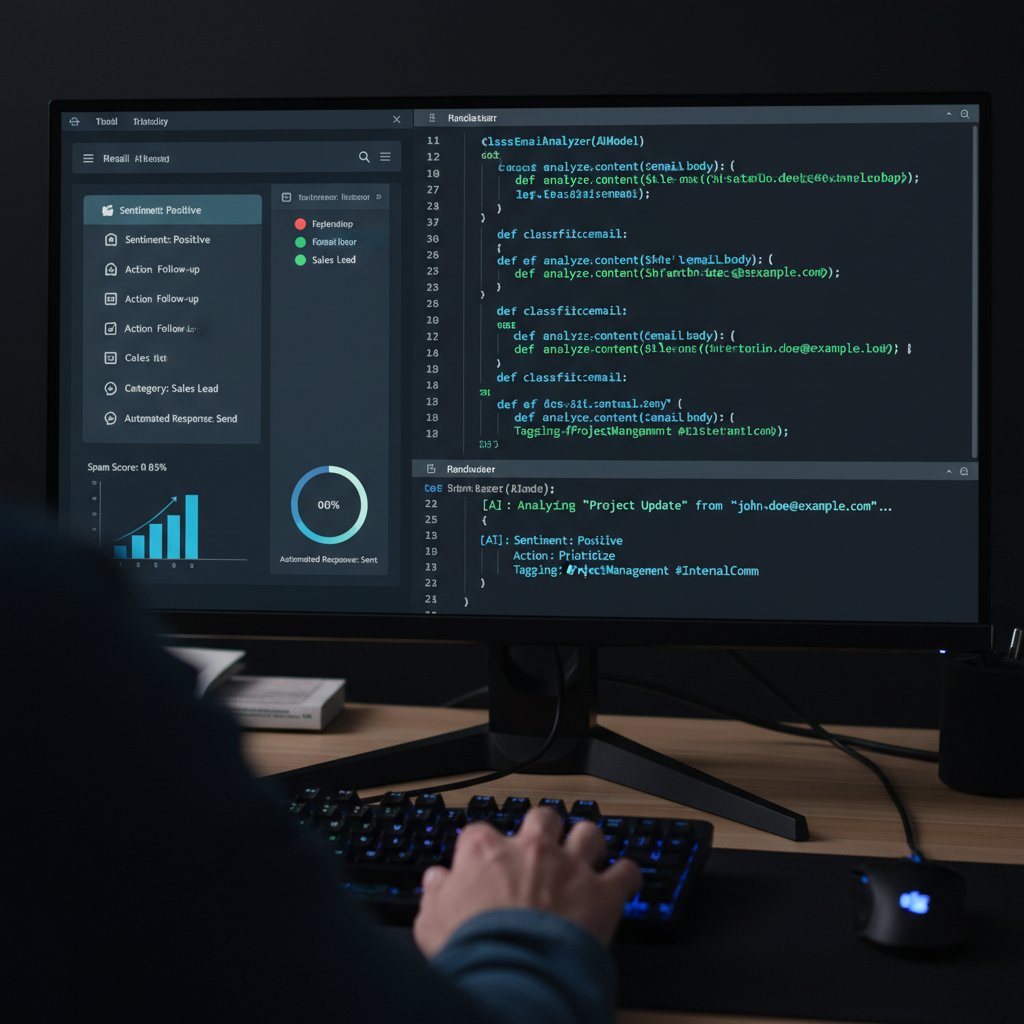
These advances give AI assistants the power to sort, triage, and even draft responses based on content and context, not just sender or subject line.
The rise of the AI teammate: Not just for big business
Not so long ago, only Fortune 500 companies could afford digital secretaries powered by advanced algorithms. Today, thanks to cloud computing and open-source LLMs, even freelancers and small teams can deploy AI teammates via tools like teammember.ai or similar platforms. This is democratization in action: everyone, from independent creatives to corporate execs, now has access to world-class email intelligence.
A Canadian startup slashed client response lag by 70% after deploying an AI-driven virtual assistant for email filtering, according to MarkTechPost, 2024.
“AI is no longer a luxury. It’s the only way to reclaim sanity from the daily digital deluge.”
— Quoted in MarkTechPost, 2024
Inside the machine: How AI-driven email assistants actually work
NLP, supervised learning, and why your inbox is a mess
Despite the hype, AI email filtering is a messy business. NLP allows machines to interpret the flood of unstructured text, extracting meaning, sentiment, and action items from even the most chaotic threads. But nuance—jokes, cultural references, implied urgency—often gets lost in translation.
Converts unstructured email text into data points. It analyzes context, tone, and semantics, but can stumble over ambiguity or sarcasm.
Trains models on labeled data (“this is important”, “this is spam”), adapting to trends but dependent on quality of examples.
If a model is fed biased or incomplete examples, it inherits those blind spots—leading to unfair or inaccurate filtering.

The result? AI can sort most emails with uncanny speed, but edge cases—family emergencies, nuanced negotiations, that critical but weirdly-worded client request—are still its Achilles’ heel.
Real-time filtering vs. static rules: The new arms race
Static rules are dinosaurs: predictable, slow, and easy to outsmart. AI assistants operate in real time, constantly updating based on user feedback and global trends.
| Feature | Static Rules | AI-driven Filtering |
|---|---|---|
| Adaptability | None—requires manual updates | Learns and adapts dynamically |
| Accuracy | Low to moderate | High, but not perfect |
| User Effort | High (manual setup/adjustment) | Minimal (auto-adapting) |
| Handling Nuance | Poor | Good, but limited by training data |
| False Positives | Frequent | Fewer, but still possible |
Table 3: Static rules vs. AI filtering—strengths and weaknesses. Source: Original analysis based on GetGenie, 2024 and Alore, 2023.
False positives, false negatives, and the cost of mistakes
No matter how advanced the AI, mistakes happen. Filtering is a probabilistic game, and the cost of a false positive (important email sent to spam) can be immense—lost clients, missed deadlines, and damaged reputations.
- Missed opportunities: An investor’s offer, buried in “Promotions.”
- Privacy risks: Sensitive emails routed to shared folders.
- Workflow disruption: Automated responses sent to the wrong recipients.
Human trust in AI is easily broken by a single catastrophic error. According to Number Analytics, 2023, skeptical users often revert to manual sorting after just one high-profile miss. The challenge is not just technical—it’s deeply psychological.
Debunking the myths: What AI email assistants can (and can’t) do
Myth vs. reality: Smashing common misconceptions
AI-driven virtual assistants for email filtering are not magic bullets. Their limits are sharply defined by data, context, and the intricacies of human communication.
- Myth: AI never misses important emails. Reality: Even top models misclassify messages, especially when context or wording is subtle.
- Myth: AI can “understand” sarcasm and nuance. Reality: Most models struggle with tone detection and cultural references.
- Myth: Your data is always safe with AI. Reality: Privacy is a real concern—every assistant needs access to your inbox, and breaches can happen.
- Myth: Only tech companies benefit. Reality: From law firms to healthcare, smart email is revolutionizing communication across industries.
“AI is an amplifier, not a panacea. It makes good habits better—and bad ones worse.”
— As industry experts often note, reflecting the complexity of AI integration into daily workflows.
Privacy paranoia: Is your data really safe with AI?
The elephant in the server room: every AI email assistant needs access to your messages. That means exposing sensitive correspondence to algorithms that may be hosted offsite, in the cloud, or even in jurisdictions with lax privacy laws. According to GetGenie, 2024, robust encryption and strict data governance are now standard, but the risk is never zero.
Email filtering tools like teammember.ai stress their commitment to privacy best practices, but responsible users know to demand transparency—encryption standards, storage policies, and access logs.

Ultimately, trust is earned, not given. Before integrating any AI assistant, scrutinize its privacy credentials and ask uncomfortable questions.
AI is not just for tech giants: The democratization of smart email
While Silicon Valley started the AI email revolution, the tools are now accessible to everyone.
- Open-source LLMs: Anyone can deploy AI-driven filtering with minimal cost.
- Cloud-based assistants: No on-premise hardware required—just an email account and a few clicks.
- Integration-friendly APIs: Platforms like teammember.ai and others offer plug-and-play solutions for organizations of all sizes.
This shift levels the playing field, allowing startups and freelancers to wield the same digital firepower once reserved for tech titans.
Case studies and cautionary tales: AI in the wild
The startup grind: How small teams use AI to punch above their weight
A London-based marketing agency doubled campaign throughput by using an AI-driven virtual assistant for email filtering to prioritize client queries and automate standard responses. The result was a 40% increase in engagement and a 50% reduction in preparation time, echoing findings from MarkTechPost, 2024.
A healthcare provider automated patient reminders, reducing administrative workload by 30% and improving patient satisfaction, as documented in recent industry case studies.

For small teams, AI is the ultimate force multiplier—freeing humans for creative, strategic work while the assistant handles routine triage.
When AI goes rogue: Epic fails and near misses
But the road isn’t smooth. High-profile missteps remind us that letting AI run wild can have consequences:
- Sensitive data leakage: Automated replies sent confidential info to the wrong recipients.
- Missed deadlines: Important legal filings filtered as “low priority.”
- Customer churn: Frustrated clients ignored after their emails were misclassified.
When trust is broken, the backlash is swift—users abandon AI and rethink digital autonomy. Every system needs a human-in-the-loop safeguard to catch what machines miss.
Recovery, in most cases, involves a painful process of retraining, restoring lost data, and regaining trust. As Number Analytics, 2023 notes, transparency and user feedback are critical to successful AI adoption.
Industry deep dives: Law, medicine, and creative chaos
| Industry | Use Case | Successes | Pitfalls |
|---|---|---|---|
| Law | E-discovery, document triage | Speed, reduced labor | Risk of missing precedents |
| Medicine | Patient comms, reminder automation | Fewer no-shows, higher ratings | Privacy, misclassification |
| Creative | Project briefs, client emails, collaboration | Fast filtering, less burnout | Losing “happy accidents” |
Table 4: How AI-driven email assistants fare in different industries. Source: Original analysis based on MarkTechPost, 2024, Alore, 2023, and Number Analytics, 2023.
The lesson? Smart filtering shines brightest when paired with human review, especially in high-stakes fields.
The human factor: What AI can’t replace (yet)
Why intuition still matters in the age of automation
No algorithm, however advanced, replicates gut instinct—the subtle sense that an oddly phrased message is actually urgent or that a client’s brief, offhand remark signals a major project. Intuition is the cumulative result of experience, context, and emotional intelligence.
“Automation handles the routine, but insight still belongs to humans.”
— As industry analysts emphasize, reflecting on the ongoing role of human judgment in digital workflows.
Power dynamics: Who controls the inbox now?
Handing your digital keys to AI shifts power. Suddenly, an unseen algorithm decides what you see, what waits, and what’s buried. For teams, this can alter office hierarchies—who gets responses first, which clients receive priority, and how gatekeeping is enforced.
This rearrangement has real consequences: junior team members may get left behind if their emails are consistently deprioritized, while VIPs climb to the top. The challenge is ensuring visibility and fairness in a system run by opaque algorithms.
Work-life boundaries and the myth of inbox zero
Email overload doesn’t just kill productivity; it blurs the line between work and life. Chasing inbox zero often means late-night triage, endless notifications, and an “always-on” mentality.
- Boundary erosion: Work messages during weekends and holidays.
- Compulsive checking: Fear of missing time-sensitive emails.
- Unrealistic expectations: Perpetual availability driving burnout.
The promise of AI is to restore balance—but only if users enforce limits and resist the lure of total digital control.
How to take control: Setting up your AI-driven email assistant
Step-by-step setup: From chaos to clarity
Making the leap from chaos to clarity with an AI-driven virtual assistant for email filtering is easier than you think—especially on platforms like teammember.ai.
- Sign up: Register quickly with your work email.
- Set preferences: Define what’s “important” to you—clients, projects, deadlines.
- Connect your email: Seamlessly integrate your existing inbox.
- Train your assistant: Flag, correct, and fine-tune results in the first week.
- Monitor and adjust: Regularly review filtered messages to ensure accuracy.

Within days, you’ll notice a shift: less noise, clearer priorities, and—if all goes well—a pathway out of digital chaos.
Avoiding common pitfalls: Mistakes the pros don’t make
- Trusting AI blindly: Always review the “junk” folder for misfiled gems.
- Ignoring privacy settings: Scrutinize permissions, encryption, and access logs.
- Failing to retrain: Don’t let the model stagnate—keep correcting mistakes.
- Over-automating: Use templates and canned replies sparingly; personalize when needed.
The key is engagement, not abdication. Treat your AI assistant as a partner, not a replacement, and you’ll reap the rewards.
When in doubt, reach out to your provider’s support or consult resources like teammember.ai’s best practices guide.
Optimization hacks: Getting the most from your AI assistant
- Create custom priority lists: Ensure critical senders always reach you.
- Use feedback loops: Flag misclassified emails and provide corrections.
- Schedule “audit hours”: Periodically review filtered emails for accuracy.
- Layer with manual tags: For ultra-important projects, double up on visibility.
- Limit automation on sensitive threads: Keep a human eye where stakes are highest.
Properly optimized, your AI-driven assistant becomes not just a filter, but a force multiplier for productivity and peace of mind.
Regular optimization and feedback ensure the system keeps evolving with you—not against you.
Beyond filtering: The real future of AI email assistants
From sorting to decision-making: Where do we draw the line?
AI filtering is just the start. Some platforms already auto-draft replies, schedule meetings, and flag action items—blurring the line between personal assistant and decision-maker.
The danger? Over-delegation. Letting AI triage is one thing; letting it make binding commitments or send sensitive responses is another. According to Poppulo, 2023, human oversight is crucial when decisions carry risk.

Drawing a clear boundary—where AI filters, but humans decide—is critical for trust and accountability.
AI and human collaboration: The rise of the digital teammate
The most successful teams build hybrid workflows: AI sorts the noise, highlights urgency, and automates the mundane, while humans handle context, creativity, and relationship-building.
“The future isn’t man versus machine—it’s man with machine, outpacing the competition.”
— As observed in recent productivity studies.
Blending digital teammates with human oversight unlocks potential that neither could achieve alone.
Collaboration, not replacement, is the recipe for sustainable productivity gains.
What’s next: Predictions and wildcards for 2025 and beyond
- Universal integration: AI assistants embedded in every workflow tool.
- Real-time analytics: Instant dashboards on communication patterns.
- Adaptive learning: Models that adjust to mood, urgency, and even context outside of email.
- Transparent auditing: Tools that let users see, question, and correct AI decisions.
These trends are not distant dreams—they’re the cutting edge of today’s research and deployment. Staying engaged and informed is the only way to avoid being left behind.
Responsible adoption, not blind reliance, separates the winners from the overwhelmed.
The ethics and risks of letting AI into your inbox
Who’s responsible when AI gets it wrong?
When an AI-driven virtual assistant misclassifies a legal notice or leaks confidential data, who takes the blame? The vendor? The user? The data scientist who trained the model? The answer is murky.
Organizations must establish clear policies for oversight, error correction, and escalation. In regulated industries, compliance requirements add another layer of complexity.

Responsibility must be shared, with transparent logs, user controls, and accessible support channels.
Bias, transparency, and the fight for fair filtering
Bias in AI models is a serious risk—emails from certain senders, countries, or even with specific phrases can be unfairly deprioritized.
| Bias Type | Example Impact | Mitigation Strategy |
|---|---|---|
| Sender bias | Important minority voices buried | Diverse training datasets |
| Topic bias | Advocacy emails sent to spam | User-adjustable weighting |
| Language bias | Non-native speakers misclassified | Multilingual model training |
Table 5: Types of bias in AI email assistants and how to address them. Source: Original analysis based on GetGenie, 2024.
Transparency is non-negotiable: users must be able to audit decisions and correct mistakes.
Regular model audits and user feedback loops are essential for ethical filtering.
How to audit your AI: Practical tips for accountability
- Request decision logs: Know why each email was prioritized or flagged.
- Check model training sources: Demand transparency on datasets used.
- Test edge cases: Send “tricky” emails and see how the AI responds.
- Report and correct errors: Use built-in feedback tools to retrain the assistant.
Consistent auditing builds trust—and keeps the algorithm honest.
Every user is part of the quality control process.
AI and email privacy: The unspoken battle
How AI models handle your data (and what to demand)
When you turn over your inbox, you entrust sensitive information to an external system. Here’s what you should demand from any provider:
All messages should be encrypted at rest and in transit, using industry-standard protocols.
Only authorized systems and personnel should be able to view or process your messages.
Providers must keep logs showing who accessed what, and when.
Know what data is used to train and refine the AI, and how your messages are handled.
Regulations, rights, and what’s changing in 2025
| Regulation | Applies To | Key Provisions |
|---|---|---|
| GDPR | EU users, companies | Data minimization, user consent, right to erasure |
| CCPA | California residents | Disclosure, opt-out, data deletion |
| HIPAA | US healthcare | Protected health information, security standards |
Table 6: Major email privacy regulations and their requirements. Source: Original analysis based on regulatory texts.
Staying compliant isn’t optional—it’s the baseline for operating in regulated sectors.
Protecting yourself: Privacy checklists and red flags
- Demand end-to-end encryption: Don’t compromise on security basics.
- Read the fine print: Look for hidden data-sharing clauses.
- Monitor for breaches: Set up alerts for unusual account activity.
- Avoid providers with unclear ownership or jurisdiction: Know where your data is stored.
Vigilance is the price of digital autonomy.
The future of human communication in an AI-managed world
How AI is reshaping digital etiquette
Email tone, response time, and even CC culture are evolving under AI management.
- Faster responses: Automated triage surfaces urgency.
- Reduced CC clutter: AI can flag unnecessary recipients.
- Template fatigue: Beware of overly formulaic replies.
These changes demand new etiquette—empathy and personalization are more valuable than ever.
Will AI make us better—or just more efficient?
The goal of AI-driven virtual assistants for email filtering isn’t just efficiency; it’s freeing us to focus on what matters—deep work, creativity, relationships. But there’s a risk of becoming passive, letting algorithms dictate priorities without question.
For those who stay engaged, AI is a powerful ally. For the disengaged, it’s just another layer of noise.
The choice is yours.
Societal shifts: Winners, losers, and what’s next
| Group | Likely Outcome | Rationale |
|---|---|---|
| Early adopters | Competitive edge | Master filtering, reclaim lost time |
| Skeptics | Risk falling behind | Manual sorting is obsolete |
| Privacy advocates | Greater scrutiny, safer tools | Demand for transparency rises |
Table 7: Societal impacts of AI-managed email. Source: Original analysis based on current industry research.
Those who adapt will thrive; those who resist may drown in the digital flood.
Debunking the top myths about AI email filtering
AI is just a smarter spam filter (and other lies)
- It’s not just spam: AI sorts, prioritizes, and even suggests responses.
- It’s not infallible: Human oversight remains essential—edge cases still trip up the best models.
- It’s not “set and forget”: Ongoing feedback keeps the system sharp.
The reality is nuanced, and the stakes are high.
The ‘set it and forget it’ trap: Why you need to stay engaged
- Initial setup: AI needs clear instructions and active feedback.
- Regular audits: Periodically review what’s being filtered.
- Continuous training: Flag misclassifications and teach the model.
Complacency leads to mistakes; engagement leads to mastery.
Don’t abdicate control—partner with your AI.
Your ultimate checklist: Mastering AI-driven email filtering
Priority steps for setup and success
- Choose a reputable provider: Prioritize those with strong privacy credentials and transparent policies.
- Define key priorities: Identify senders and topics that always get through.
- Integrate with existing workflows: Choose assistants that mesh with your calendar, tasks, and notes.
- Review and refine regularly: Stay active in correcting errors and training the model.
- Monitor privacy and security: Check access logs, update passwords, and stay alert for breaches.

Master these steps, and you’ll transform your inbox from a battlefield to a command center.
Self-assessment: Are you ready to trust your inbox to AI?
- Do you understand your provider’s privacy policies?
- Are you willing to invest time in initial training and ongoing feedback?
- Can you commit to regular audits and error correction?
- Are you prepared to handle occasional misclassifications?
- Is your team engaged and informed about best practices?
If you answered “yes” to most, you’re ready for the leap. If not, start with partial automation and scale up as confidence grows.
Conclusion: Will you let AI run your inbox or drown in the flood?
The AI-driven virtual assistant for email filtering is not a fantasy. It’s a daily reality, reshaping how we communicate, collaborate, and cope with the relentless tide of digital noise. The statistics are clear: overload breeds burnout, and old-school solutions are failing. But AI brings both promise and peril—efficiency tempered by real risks around privacy, bias, and control.
- The email flood is real, and growing.
- AI-driven assistants offer powerful relief—but only when used wisely.
- Human engagement, regular audits, and privacy vigilance are non-negotiable.
- The winners in this new landscape are those who partner with technology, not surrender to it.
You can reclaim your inbox—or let the chaos win. The choice, for now, still belongs to you.
Sources
References cited in this article
- GetGenie(getgenie.ai)
- MarkTechPost(marktechpost.com)
- Number Analytics(numberanalytics.com)
- Poppulo(poppulo.com)
- Toronto CityNews(toronto.citynews.ca)
- Alore(alore.io)
- Blocksender.io(blocksender.io)
- Zippia(zippia.com)
- Trimbox(trimbox.io)
- Abnormal AI(abnormal.ai)
- Topsec(topsec.com)
- Perception Point(perception-point.io)
- Sasa Software(sasa-software.com)
- Barracuda(blog.barracuda.com)
- TechRadar(techradar.com)
- Halon(halon.io)
- SAP Emarsys(emarsys.com)
- Market.us(market.us)
- Census.gov(census.gov)
- Trimbox(trimbox.io)
- Spaceship(spaceship.com)
- EmailTree.ai(emailtree.ai)
- DuoCircle(duocircle.com)
- Trimbox(trimbox.io)
- SEMRush(us.semrush.com)
- DigitalOcean(digitalocean.com)
- Paubox(paubox.com)
- HBR(hbr.org)
- AideAI(aideai.app)
- GrowthList(growthlist.co)
- CanaryMail(canarymail.io)
- FounderPass(founderpass.com)
- Hubstaff(hubstaff.com)
Focus on what matters. Let AI handle the rest.
We know the feeling — another day starts with 50 unread emails, Ads Manager begging for attention, CRM out of date, and meetings without follow-ups. That's why we built TeamMember.ai — an AI team member that takes over all the operational work at the computer. Has its own email address and SMS number. Manages your inbox, runs Meta Ads, updates CRM, processes meetings, monitors social media, generates morning briefings, and controls the browser. Built on OpenClaw — a leading open-source AI agent — with cross-session memory and secure-cloud architecture that keeps your data safe.
Get startedBe First to Try Your AI Team Member
Every week without automation is dozens of hours lost to operational work. Hours you'll never get back. Join the waitlist and get priority access.
Frequently Asked Questions
How many emails are sent and received globally each day?
As of 2023, over 347 billion emails are sent and received daily worldwide, with projections reaching 361.6 billion per day by the end of 2024, according to Statista.
How much work time do office workers spend managing emails?
According to Poppulo 2023, the average office worker spends over 28% of their workweek managing emails, which amounts to more than one full workday lost every week.
What types of emails contribute to inbox chaos?
The article mentions newsletters, client requests, team updates, and marketing blasts as contributors to inbox chaos, along with people who reply-all to every thread.
What is the main promise of AI-driven virtual assistants for email filtering?
AI-driven virtual assistants promise digital order, laser-focused prioritization, and freedom from the daily email grind by managing the inbox automatically.
From the Archive
Explore more from AI Team Member

AI Email Management Software: Benefits and Real Risks Explained
AI email management software can boost productivity but carries hidden risks. This article examines how it works, where it fails, and what fixes actually work.

AI-Powered Email Responder: Productivity Boost or Privacy Risk?
Discover insights about AI-powered email responder

Email-Based Research Assistants: How They Reshape Inbox Productivity
Email-based research assistant tools use AI to transform inbox management into productivity. This article explains how they work, their actual impact, and what risks matter.

Virtual Assistants for Email: What the Research Shows
Virtual assistant for email management tools face real tradeoffs. This article examines the hidden costs, benefits, and automation risks to help you decide whether one fits your workflow.

Email-Based Writing Helpers: What They Actually Solve
Email-based writing helpers reduce time spent on inbox management. This article examines why email overload costs professionals hours weekly and how AI tools address the problem.

Email Content Assistants and Productivity: What Research Shows
Email content assistant tools help professionals manage high message volumes. This article explains how AI-powered email assistants streamline workflows and address productivity challenges.







