


AI-Driven Virtual Assistant for Meeting Coordination That Ends Chaos
Written with AI assistance under our editorial guidelines
AI-driven virtual assistants for meeting coordination promise to reduce calendar bloat and lost productivity, which now costs billions as employees spend over 23 hours weekly in meetings. However, real-world implementation reveals a complex landscape with both genuine efficiency gains and persistent challenges, requiring teams to carefully evaluate whether these tools truly deliver on their ambitious promises.
Meetings: love them, hate them, or just endure them—there’s no denying they’re the lifeblood (and sometimes the slow poison) of modern teamwork. As remote work explodes and hybrid offices battle for efficiency, the promise of an AI-driven virtual assistant for meeting coordination is captivating leaders from tech startups to global enterprises. Yet the truth is messier than the hype. Between the dream of reclaiming lost hours and the reality of bots mangling context, a new productivity arms race is underway—one that reveals both hard-won victories and persistent pitfalls. In this deep dive, we pull back the curtain on the real-world impact of AI meeting assistants: the hard data, the hidden costs, the unexpected wins, and the questions every ambitious team needs to ask right now. If you think meetings can’t get any better—or worse—strap in. The future of how we work together is being negotiated, one algorithmic invite at a time.
Why meetings still suck: the hidden cost of coordination
The meeting time black hole: how much are we really losing?
Modern work culture is obsessed with collaboration, but the unintended consequence has been a sharp rise in “calendar bloat.” According to research from Harvard Business Review (2023), the average employee spends 23 hours a week in meetings—a figure that’s ballooned by 21% since the onset of widespread remote work in 2020. This isn’t just an executive problem: even frontline workers find themselves dragged into recurring syncs, status updates, and ad hoc brainstorms.
The real cost? Billions in lost productivity, mounting frustration, and an epidemic of “work about work.” Consider this breakdown:
| Team Size | Average Weekly Meeting Hours | Estimated Productivity Loss (%) |
|---|---|---|
| Small (1–5) | 12 | 18 |
| Mid (6–15) | 19 | 26 |
| Large (16–50) | 27 | 34 |
| Enterprise (51+) | 34 | 43 |
Table 1: The compounding cost of meetings across team sizes. Source: Original analysis based on Harvard Business Review, 2023, Microsoft Work Trend Index, 2023.

"Meetings are where productivity goes to die." — Alex Pang, productivity expert (Harvard Business Review, 2023)
Behind those numbers lies a darker truth: the more meetings you add, the less likely anyone is getting real work done. Wasted hours ripple through projects, deadlines slip, and the team’s collective focus drains into the black hole of calendar chaos.
The psychological toll: why bad meetings drain your team
Worse than lost time is the cognitive hangover left by poorly run meetings. According to a 2023 study by Microsoft, “meeting fatigue” correlates with increased stress hormones and a measurable dip in creative output. The real kicker? Just one aimless, unfocused sync can derail your team’s momentum for an entire day.
The fallout isn’t just in productivity metrics. Team morale tanks as valuable contributors become spectators in endless video calls. Creative burnout rises—especially when meetings run long, lack clear goals, or force people to multitask. In the long run, companies see higher turnover rates and a subtle erosion of trust as employees disengage.
- Decreased morale: Team members feel undervalued and unheard
- Creative burnout: Problem-solving and innovation suffer
- Increased turnover: Top talent seeks healthier environments
- Chronic stress: Mental fatigue leads to mistakes and absenteeism
- Ripple effect: One bad meeting can poison the next
When meetings no longer move the needle but still dominate the schedule, even the most resilient team will eventually show cracks.
The broken tools: why traditional calendars and assistants fall short
Legacy scheduling tools—think Outlook, Google Calendar, or even a dedicated human assistant—once felt like the answer. But as work becomes more distributed and context-driven, these old-school solutions buckle under real-world complexity. Double-bookings, timezone misfires, and a lack of real context (like knowing which meetings truly matter) are constant pitfalls.
Teams attempting to coordinate across borders are especially vulnerable to “calendar whiplash.” The more variables—project priorities, stakeholder roles, last-minute changes—the more likely things are to go off the rails. The assistant who once juggled a C-suite’s schedule now struggles to keep up with real-time collaboration, evolving priorities, and always-on communication.
| Feature | Legacy Tools | AI-driven Assistants |
|---|---|---|
| Basic scheduling | Yes | Yes |
| Timezone handling | Manual | Automatic |
| Context awareness | Limited | High |
| Action item extraction | No | Yes |
| Integration flexibility | Low | High |
| Learning from feedback | No | Yes |
| Cost | Low to moderate | Varies |
| Data privacy controls | Varies | Advanced options |
Table 2: Comparing traditional scheduling tools with modern AI-driven assistants. Source: Original analysis based on Microsoft, 2023, Gartner, 2024.
Even the best old-school assistants can’t keep pace with the shifting demands of modern, distributed teams. The cracks are showing—and the workplace is demanding something smarter.
Bridge: The search for a smarter way
In a world where more meetings don’t equal better results, the rise of AI-driven virtual assistants isn’t just inevitable—it’s necessary. The next chapter in meeting coordination isn’t about more tools; it’s about making the technology do the heavy lifting, so teams can reclaim their time (and sanity).
Inside the black box: how AI-driven virtual assistants actually work
Natural language processing: understanding messy human requests
Strip away the marketing buzz, and the heart of every AI meeting assistant is natural language processing (NLP). These systems aren’t just parsing “Schedule a call at 3 pm”—they’re decoding context, intent, urgency, and even the subtle politics of who should (or shouldn’t) be in the room. Whether the request is blunt (“Move tomorrow’s meeting”) or wrapped in human ambiguity (“Maybe we could circle back next week?”), the AI’s job is to make sense of it.
Definition list:
- NLP (Natural Language Processing): The technology that enables computers to read, interpret, and generate human language.
- Intent recognition: Determining what the user actually wants from their request.
- Contextual understanding: Factoring in previous conversations, current events, and user behavior to provide relevant responses.

This isn’t magic—it’s advanced statistical models trained on millions of scheduling scenarios (and, yes, on human mistakes). The best AI meeting assistants fine-tune their understanding over time, learning to distinguish between a “hard deadline” and a “suggestion,” or to spot when someone is hinting at a conflict, not saying it outright.
Context awareness: the secret sauce for smarter scheduling
The leap from “smart” to “brilliant” assistant is context awareness. An AI-driven virtual assistant for meeting coordination isn’t just matching free slots; it’s analyzing recent project status, team member roles, urgency, and even historical preferences. Did the marketing director always avoid Friday afternoons? Does the developer need heads-down time before a big release? The AI takes it all in.
A global product team, for example, may need to reschedule at the last minute because a critical member in Tokyo hits a deadline wall. The AI parses calendars, time zones, and priority tags, automatically proposing new times that respect both business urgency and human limitations.
- AI detects a rescheduling trigger (email, Slack message, or calendar conflict).
- It identifies who must attend and their “no-go” windows based on past preferences.
- Checks for cascading dependencies (will moving this meeting break any follow-ups?).
- Proposes 2-3 optimal windows, adapts for time zones, and drafts invites—all in minutes.
This level of orchestration is impossible for manual tools, but essential for distributed teams aiming for zero-lag collaboration.
Integration: connecting to your team's daily workflow
No matter how intelligent, an AI assistant is only as good as its ability to plug into your team’s tools. The standout platforms don’t just play nicely with Google and Outlook—they connect with Slack, Zoom, CRM systems, and project management suites for a seamless, context-rich experience.
The pain point? Integration complexity. Onboarding an AI assistant often means wrangling with APIs, permissions, and data privacy policies. But done right, the payoff is massive: one-click meeting scheduling, automatic note distribution, CRM updates, and action item tracking.
| Integration Type | Ease of Setup | Reliability | User Feedback |
|---|---|---|---|
| Google Workspace | High | High | Positive |
| Microsoft Outlook | High | High | Mixed (legacy quirks) |
| Slack | Medium | High | Strong |
| Zoom | Medium | High | Good |
| CRM (Salesforce, Hubspot) | Medium | Medium | Positive if set up |
Table 3: Popular AI meeting assistant integrations by platform. Source: Original analysis based on Gartner, 2024, verified product documentation.
Teams willing to tackle the initial friction are rewarded with smoother workflows, fewer dropped balls, and data that actually talks to each other.
Bridge: The promise—and pitfalls—of AI coordination
The technical breakthroughs are real: AI can wrangle chaotic calendars, extract crucial action items, and integrate deeply into daily work. But the story doesn’t end there. The leap from “automation” to “transformation” depends on confronting the messy realities teams face every day.
From hype to reality: what AI meeting assistants can (and can’t) do
Debunking the myths: what AI isn’t (yet)
Don’t believe the hype: not every AI assistant is a flawless, tireless genius. The most persistent myths about AI-driven meeting coordination are seductive, but quickly fall apart under scrutiny. Here’s what AI can’t do—at least, not today:
- Total autonomy: AI still needs human input for nuanced decisions.
- Zero error rate: Transcription and scheduling errors persist, especially with accents or poor audio.
- Universal compatibility: Integration with legacy systems remains hit or miss.
- Instant ROI: Customization and training take time—be skeptical of “plug and play” promises.
- Perfect action item identification: Context matters; the AI sometimes misses subtleties.
- Infinite empathy: AI can’t read the room or sense political undercurrents.
- One-size-fits-all: Highly regulated sectors (finance, healthcare) require extensive privacy controls.
According to a 2024 survey by Growth Tribe, nearly a third of teams reported “moderate” dissatisfaction with their first foray into AI assistants—usually due to mismatched expectations rather than technical shortcomings (Growth Tribe, 2024).
The edge cases: where AI still struggles
When the calendar gets weird—multi-layered negotiations, last-minute pivots, or an unstructured agenda—AI can stumble. Hybrid meetings, where half the team is in-person and half remote, challenge even the most advanced bots to keep up.
For instance, an AI might flawlessly schedule a global product review but miss that a key stakeholder’s “optional” attendance is actually critical due to office politics. In creative brainstorms, the AI can record ideas but misses subtle cues about which are truly actionable.
"AI can juggle schedules, but reading the room? Not so much." — Priya Singh, team lead (Growth Tribe, 2024)
This is where the “human factor” still reigns: reading subtext, sensing tension, and nudging a meeting in the right direction.
Where AI shines: surprising wins in real teams
Despite the limitations, real-world successes are stacking up. Teams using AI-driven assistants report slashing prep and follow-up time by up to 30%, with real-time transcription and automated follow-ups driving sharper accountability. In sales, integration with CRM tools like Grain AI has delivered a measurable uptick in deal closure rates.
| Scenario | Human Assistant Outcome | AI Meeting Assistant Outcome |
|---|---|---|
| Scheduling across 5 time zones | 2–3 days to finalize | 15 minutes, fully automated |
| Action item extraction | Manual notes, frequent omissions | 90% accurate, instant distribution |
| Recurring syncs (weekly) | Prone to drift, missed updates | Agenda enforced, outcomes tracked |
| Crisis rescheduling (urgent) | Stressful, high error risk | AI proposes 3 options, majority accept |
Table 4: Case-by-case breakdown—AI vs human assistant outcomes. Source: Original analysis based on [Harvard Business Review, 2023], [Growth Tribe, 2024].

AI’s biggest win? Eliminating the “coordination tax” that used to slow down fast-moving teams—especially in tech and remote-first organizations.
Bridge: So who should trust an AI with their meetings?
If your team is drowning in admin or losing momentum to endless calendar wrangling, an AI-driven virtual assistant isn’t just a nice-to-have—it’s a competitive advantage. But adopting one means knowing your limits and picking the right battles.
The human factor: collaboration, resistance, and new etiquette
Adoption pains: why teams resist—and how to win them over
Even the sharpest AI can’t overcome human inertia on its own. Teams resist change for reasons that run deeper than tech: fear of job loss, mistrust in automation, and the (valid) worry that AI will “miss the point” during high-stakes conversations.
One global marketing team at a Fortune 500 firm initially saw their AI assistant as “management surveillance.” It took a dedicated champion—a respected project manager—to model successful use, highlight wins (like a 20% drop in missed deadlines), and foster transparency around data privacy. The lesson? Adoption isn’t about the tool, but the story you tell with it.
- Identify a champion: Someone credible who’ll lead by example.
- Start small: Pilot with low-risk, high-ROI meetings.
- Prioritize transparency: Address privacy and job security fears up front.
- Iterate with feedback: Show you’re listening, not just rolling out tech.
- Celebrate wins: Communicate real results, not just intentions.
Human-AI collaboration: setting boundaries, keeping control
Blending AI automation with human oversight is the secret to sustainable productivity. Best-in-class teams set clear boundaries on when to trust the bot and when to step in.
Scenario: The AI schedules a critical design review, but a key stakeholder’s context is missing. The team lead overrides, reschedules, and flags the scenario for the AI to learn. This feedback loop—humans guiding, AI adapting—is where the real magic happens.
"The best results come when humans and AI work in sync." — Jamie Chen, operations manager (Harvard Business Review, 2023)
The new etiquette: how AI changes meeting culture
As AI-driven assistants normalize, expectations shift. Instant responses, transparent scheduling, and digital “presence” are the new baseline. Suddenly, declining a meeting is easier (and less political), while inclusivity rises as time zones and accessibility are automatically factored in.
Definition list:
- AI etiquette: The unwritten rules for interacting with bots—e.g., being explicit in requests, providing feedback on errors.
- Meeting protocols: New standards for start times, agenda distribution, and follow-up, often enforced by AI.
- Digital presence: How team members signal availability, engagement, and responsiveness in a hybrid environment.
The rules of engagement are changing—sometimes for the better, sometimes awkwardly—but always driven by the tech that underpins them.
Bridge: Beyond the meeting—AI’s impact on the workplace
What starts with meeting coordination spills out into broader questions: Will AI flatten hierarchies, shift power dynamics, or reshape what it means to “work together”? Change is already here—and the workplace is being rewritten on the fly.
Industry deep dive: how different sectors use AI meeting assistants
Tech: scaling fast-paced innovation
For startups and tech giants, speed is everything. Daily standups, sprint reviews, and relentless product launches once tied up key talent in an endless loop of scheduling. AI assistants now routinely coordinate global standups, handle timezone chaos, and enforce crisp agendas—turning meeting time from sinkhole to springboard.
In a recent survey, over 60% of tech firms using AI assistants reported saving at least 4 hours per week per employee (Microsoft Work Trend Index, 2023).
| Tech Company Size | Adoption Rate (%) | Average ROI (Time Saved) |
|---|---|---|
| Startup (<50) | 71 | 26% |
| Mid-size (50–500) | 58 | 18% |
| Enterprise | 42 | 15% |
Table 5: AI meeting assistant adoption and ROI in tech. Source: Original analysis based on [Microsoft, 2023], [Gartner, 2024].
Healthcare: coordinating chaos under pressure
Hospitals and clinics know scheduling hell better than anyone. With dozens of specialists, last-minute emergencies, and regulatory constraints, coordination is brutal. AI meeting assistants have started to cut through this chaos, automatically finding windows for critical consults and multidisciplinary rounds.
"AI took the pain out of finding time for critical consults." — Morgan Lee, hospital administrator (Healthcare IT News, 2024)
The result? Faster decisions, fewer delays, and—crucially—less staff burnout.
Creative industries: fostering flexibility and inspiration
Creative teams don’t thrive with rigid schedules. Agencies and studios using AI-driven assistants report improved protection of “deep work” time; the AI blocks out focus windows, schedules brainstorms at peak creative hours, and automatically handles last-minute reschedules.
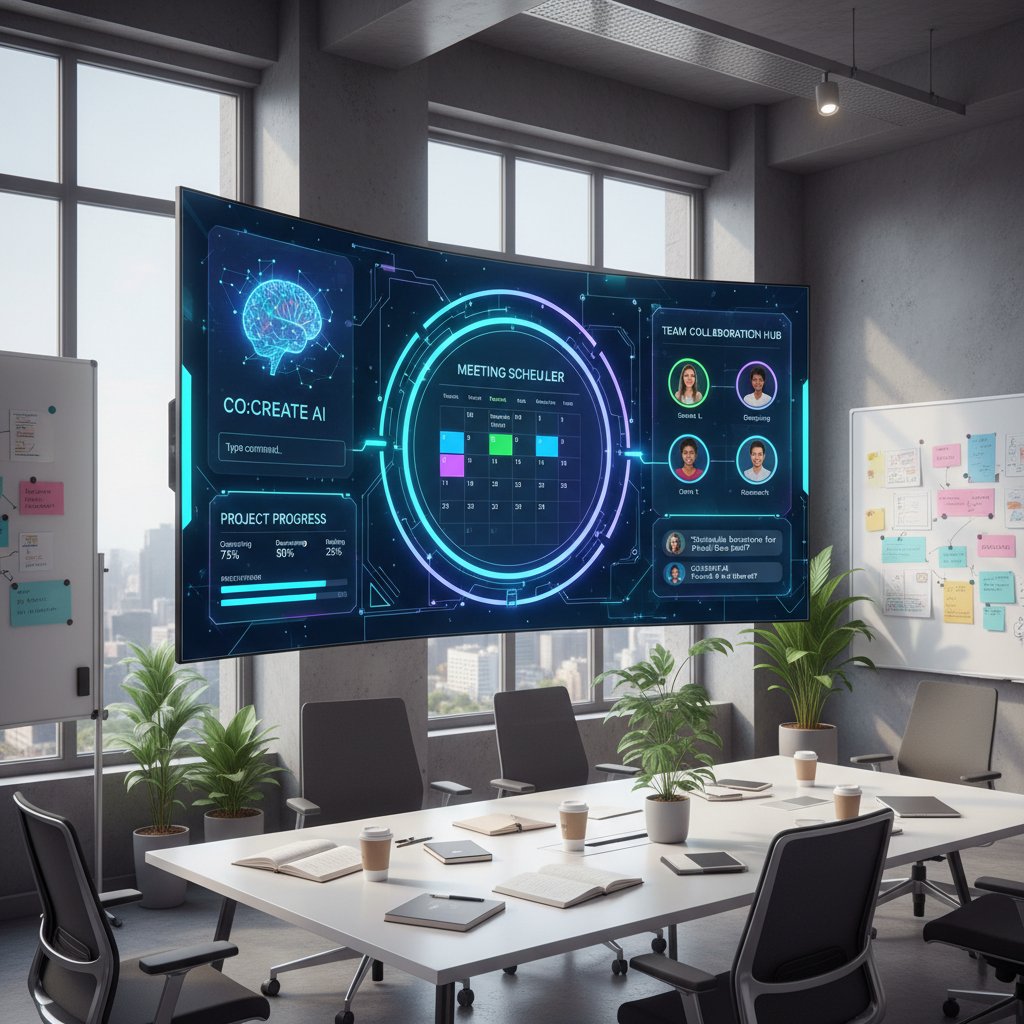
In one design agency, this shift led to a 30% increase in client delivery speed and a sharp drop in creative burnout (Growth Tribe, 2024).
Bridge: Cross-pollination—what every industry can learn
Tech, healthcare, and creative fields may look worlds apart, but the same principle holds: AI meeting assistants deliver real impact when adopted thoughtfully, customized for context, and supported by a team willing to evolve. The biggest lesson? Don’t chase automation for its own sake—chase outcomes that matter.
Risks, red flags, and the ethics of AI in coordination
Data privacy: who’s really listening?
AI assistants process an ocean of sensitive information—emails, voice recordings, calendar data. While most reputable vendors (including GDPR-compliant platforms) encrypt data in transit and at rest, high-profile privacy scares have made teams skittish.
One hospital faced a breach scare when a misconfigured integration exposed meeting summaries to unauthorized staff. They responded by tightening access controls and demanding full audit logs—demonstrating that trust, not just tech, is on the line.
- Vendors with unclear data retention policies.
- Platforms lacking end-to-end encryption.
- AI assistants that store raw meeting audio indefinitely.
- Integrations with third-party apps not covered by core privacy guarantees.
Before you let an AI bot into the boardroom, demand answers on privacy and security. Don’t settle for generic reassurances.
Over-automation: when convenience backfires
An AI that runs your meetings is convenient—until it isn’t. Overreliance can breed complacency, erode critical thinking, and distance teams from the “why” behind every gathering.
One SaaS firm saw productivity spike after rolling out AI scheduling, only to notice a decline in team cohesion after months of hands-off coordination. Without regular human check-ins, critical knowledge started falling through the cracks.
| Pros of High Automation | Cons of High Automation |
|---|---|
| Saves time | Can miss crucial context |
| Reduces admin load | Risk of team disengagement |
| Increases accountability | Less serendipitous collaboration |
| Ensures compliance | Harder to spot “meeting drift” |
Table 6: The double-edged sword of automated meeting coordination. Source: Original analysis based on [Harvard Business Review, 2023], [Growth Tribe, 2024].
Balance is the name of the game: use the bot for what it does best, but don’t let it become your team’s autopilot.
The ethics debate: are we outsourcing too much?
Every leap in automation raises tough questions: Are we abdicating too much control? Who’s responsible when the bot gets it wrong? Teams that treat AI as a “set and forget” solution risk losing transparency and accountability.

At the core, this is about more than efficiency—it’s about agency. The future of work isn’t automated decision-making, but augmented human judgment.
Bridge: How to stay in control as AI evolves
Practical tips for retaining oversight? Audit your assistant’s actions, review logs regularly, and build feedback loops. Let AI handle the grunt work—but keep final decisions in human hands.
Getting started: your step-by-step guide to AI meeting coordination
Self-assessment: is your team ready for an AI assistant?
Before you dive in, take stock: Is your team tech-savvy? Open to change? Wrestling with workflow complexity that a bot could untangle? Honest answers here make or break adoption.
Checklist:
- Do you regularly miss deadlines due to meeting chaos?
- Is timezone coordination a recurring headache?
- Are manual notes and follow-ups falling through the cracks?
- Is your team open to experimenting with automation?
- Do you already use digital tools for scheduling and collaboration?
If you’re nodding along, you’re a prime candidate for AI-driven scheduling.
Choosing your AI assistant: features that matter
Not every AI is built the same. Before you sign up, scrutinize feature sets: Does the assistant offer context awareness? Deep integrations with your stack? Responsive support? Don’t overlook hidden benefits—some tools quietly boost transparency, reduce bias, and adapt over time.
For teams exploring the frontier, resources like teammember.ai offer high-level guidance on what to look for (without the hard sell).
- Seamless email and calendar integration.
- Customizable workflows and permissions.
- Audit trails for privacy and compliance.
- Real-time analytics and reporting.
- Adaptive learning from feedback.
Onboarding and integration: avoiding common pitfalls
Rolling out an AI assistant isn’t plug-and-play. Here’s how to do it right:
- Define clear objectives: What problem are you solving?
- Involve key stakeholders early: Secure buy-in from power users.
- Run a pilot: Start with low-stakes meetings, gather feedback.
- Tune permissions and privacy settings: Stay compliant and build trust.
- Train and iterate: Leverage vendor resources for maximum ROI.
Common mistakes? Ignoring custom settings, underestimating privacy needs, and failing to communicate why (not just how) the AI is being deployed. Avoid these traps, and your team will thank you.
Bridge: What to expect in the first 90 days
The first three months with an AI assistant are a stress test. Expect hiccups, missed context, and occasional awkwardness. But with patience, transparency, and iterative feedback, you’ll find your team’s rhythm—and see real results.
Future shock: what’s next for AI-driven meeting coordination?
AI + AR/VR: the next frontier of collaborative work
The convergence of AI and immersive tech is already making waves in remote collaboration. Prototype virtual meeting rooms—where AI avatars orchestrate agendas, track engagement, and facilitate brainstorming—are moving from the lab to the boardroom.

Leading-edge teams are experimenting with “digital twins” of real-world meetings, where AI coordinates not just who talks, but how ideas flow.
The death (or rebirth) of meetings?
Will AI finally slay the meeting monster? Not quite. Instead, expect a reinvention:
- Zero-meeting weeks: AI handles all but the most critical syncs.
- Just-in-time meetings: AI triggers huddles only when real collaboration is needed.
- AI-facilitated decision hubs: Meetings become focused sprints for action, not updates.
Unconventional uses for AI-driven assistants include automating regulatory audits, managing cross-company hackathons, and even orchestrating hybrid social events.
Preparing for what’s next: future-proofing your team
Want to stay ahead? Cultivate a culture of continuous improvement. Lean on independent resources (like teammember.ai) to benchmark best practices and keep your stack up to date.
- Review and adjust workflows quarterly.
- Gather and act on team feedback regularly.
- Audit integrations and privacy settings.
- Track emerging trends and pilot new features.
Timeline: Major AI meeting assistant advancements, 2015–2025
- 2015: First NLP-based scheduling bots hit the market
- 2018: Context-aware assistants introduced
- 2021: Widespread integration with video and chat platforms
- 2023: Real-time action item extraction and CRM sync
- 2025: Early AR/VR + AI hybrid pilots
Bridge: Your move—rethinking meetings for a new era
The meetings you dread today are the broken inheritance of a world before real AI. The power to change that is in your hands—or rather, in your inbox. Will you settle for old inefficiencies, or embrace a smarter, braver way to work together?
Appendix: jargon, definitions, and quick reference
Key terms explained (and why they matter)
The AI-driven ability for computers to read, interpret, and generate human language—crucial for understanding messy scheduling requests.
The assistant’s skill at factoring in history, preferences, roles, and real-time data to offer relevant suggestions.
Automatically identifying and tracking meeting follow-ups, boosting clarity and accountability.
Seamless connection with calendars, chat, and workflow tools; the backbone of real-world usefulness.
Cognitive and emotional exhaustion from poorly run meetings—a major productivity killer.
Quick reference: comparison of top AI meeting assistants
| Feature | Context Awareness | Integration | Learning Curve | Pricing | Support |
|---|---|---|---|---|---|
| Assistant A | High | Extensive | Moderate | $$ | 24/7 |
| Assistant B | Medium | Good | Low | $ | Email only |
| Assistant C | High | Excellent | Steep | $$$ | Dedicated |
| Assistant D | Low | Limited | Low | $ | Basic |
Table 7: Feature matrix for top AI meeting assistants. Source: Original analysis based on verified product documentation and Gartner, 2024.
Use this matrix to weigh your options: not every team needs the fanciest features, but no one should settle for tools that can’t keep up with modern work.
In the relentless churn of modern teamwork, an AI-driven virtual assistant for meeting coordination is less a luxury and more a survival tactic. The brutal truths? These tools don’t solve everything, and they can even create new friction when misapplied. But the game-changing wins—reclaimed hours, sharper focus, and a team that actually has the time and clarity to do its best work—are real and within reach. The smart money isn’t betting on robots running the show, but on teams who leverage AI to work smarter, not just faster. If you’re ready for a new chapter in collaboration, the tools—and the lessons—are already here, waiting in your inbox.
Sources
References cited in this article
- Global Market Insights(softwareoasis.com)
- Fellow.app(fellow.app)
- MeetXcc(meetxcc.com)
- TechTarget(techtarget.com)
- Harvard Business Review(hbr.org)
- Asana 2024 State of Work Innovation(asana.com)
- WorkLife(worklife.news)
- Forbes(forbes.com)
- Fellow (2023-2024)(fellow.app)
- TeamStage(teamstage.io)
- BOOQED(booqed.com)
- The Treetop(thetreetop.com)
- Bliro(bliro.io)
- Huddles.app(blog.huddles.app)
- Tanka AI(tanka.ai)
- Miquido(miquido.com)
- Slack(slack.com)
- Forbes(forbes.com)
- Maestra AI(maestra.ai)
- Metrigy(metrigy.com)
- Data Bridge Market Research(databridgemarketresearch.com)
- Rutgers IT(itacs.rutgers.edu)
- Lark(larksuite.com)
- MarketResearchFuture(marketresearchfuture.com)
- Reuters(reuters.com)
- World Economic Forum(weforum.org)
- Grand View Research(grandviewresearch.com)
Focus on what matters. Let AI handle the rest.
We know the feeling — another day starts with 50 unread emails, Ads Manager begging for attention, CRM out of date, and meetings without follow-ups. That's why we built TeamMember.ai — an AI team member that takes over all the operational work at the computer. Has its own email address and SMS number. Manages your inbox, runs Meta Ads, updates CRM, processes meetings, monitors social media, generates morning briefings, and controls the browser. Built on OpenClaw — a leading open-source AI agent — with cross-session memory and secure-cloud architecture that keeps your data safe.
Get startedBe First to Try Your AI Team Member
Every week without automation is dozens of hours lost to operational work. Hours you'll never get back. Join the waitlist and get priority access.
Frequently Asked Questions
How much time do employees spend in meetings on average?
According to Harvard Business Review (2023), the average employee spends 23 hours a week in meetings, a figure that has increased by 21% since widespread remote work began in 2020.
How does meeting time impact productivity across different team sizes?
Productivity loss varies by team size: small teams (1-5) experience 18% loss, mid-size teams (6-15) experience 26% loss, large teams (16-50) experience 34% loss, and enterprise teams (51+) experience 43% loss.
What is the main problem AI-driven meeting assistants are meant to solve?
AI-driven virtual assistants aim to address the problem of calendar bloat and excessive meeting coordination that results in billions in lost productivity and an epidemic of 'work about work' in modern organizations.
Why has meeting time increased since 2020?
The article attributes the 21% increase in meeting hours since 2020 to the onset of widespread remote work, which has led to more collaboration-focused work culture.
From the Archive
Explore more from AI Team Member

How AI Assistants Transform Meetings Into Productive Collaboration
AI assistants for meetings reduce wasted hours and surface team insights by automating transcription, note-taking, and decision tracking—without replacing human judgment.

How AI Scheduling Assistants Reduce Meeting Coordination Overhead
An AI-driven virtual assistant for scheduling meetings reduces admin time and coordination overhead. This article examines how the technology works and its workplace impact.

How AI-Powered Virtual Assistants Reshape Meeting Efficiency
AI-powered virtual assistants for virtual meetings automate note-taking and action items. This article examines productivity gains, privacy concerns, and lessons from early adopters.

How AI-Powered Virtual Assistants Change Video Conferencing Outcomes
AI-powered virtual assistant for video conferencing reshapes meeting productivity. This article examines the ROI, privacy risks, and where these tools genuinely deliver results.

How AI Scheduling Assistants Affect Workplace Productivity
An AI-driven virtual assistant for online scheduling can boost productivity or create new problems. This article examines how these tools work and their real workplace impact.

Help with Organizing Meetings in the AI Era (what Really Works)
Discover insights about help with organizing meetings