


AI-Driven Virtual Assistant for Task Scheduling: Promise Vs Risk
Written with AI assistance under our editorial guidelines
AI-driven virtual assistants for task scheduling promise significant productivity gains by reducing the 3-4 hours workers lose weekly managing calendars. However, adopting these tools requires careful implementation to realize benefits while mitigating underlying risks and avoiding common pitfalls that prevent successful integration into workflows.
If you think your calendar is a weapon of productivity, think again. In 2025, the cold, hard truth is that most professionals have surrendered control of their days—not to their bosses, not to clients, but to a relentless flood of meetings, reminders, and the Sisyphean task of scheduling. Enter the AI-driven virtual assistant for task scheduling: not just another shiny app, but a paradigm shift in how we structure our lives and reclaim our attention. This isn't about automating trivialities; it's about reengineering the architecture of work itself. According to multiple industry studies, organizations that have embraced AI scheduling tools are reporting dramatic improvements—not just in efficiency, but in collective sanity. Yet, beneath the surface lurk risks, myths, and underappreciated opportunities that aren't obvious until you dig deep. So, is your calendar helping you—or working against you? This article unpacks the brutal realities, hidden benefits, and essential steps to adopting AI scheduling in a way that actually sticks. Prepare to challenge what you think you know about productivity, automation, and the new rules of work.
Welcome to the age of AI scheduling: why your calendar is about to change forever
From chaos to control: the brutal truth behind manual scheduling
Think about the last time you tried to coordinate a meeting with four people across two continents. The parade of emails, the “Can you do 3pm UTC?” back-and-forth, and ultimately, the sense of wasted hours gnawing at your patience. This is not just anecdote—it’s epidemic. According to the Calendly State of Scheduling 2023, workers lose an average of 3–4 hours every week just managing schedules. That’s nearly 10% of a full-time job, vaporized in calendar limbo. Multiply that across teams, and the cost is staggering: missed opportunities, drained focus, and a rising sense of burnout.

“AI scheduling is a key productivity booster, enabling more efficient time management and better meeting quality.” — Clockwise, 2024
Manual scheduling isn’t just inefficient; it’s a silent thief of momentum. Teams that rely on email chains or physical planners lose the thread of their day, context switches become the norm, and the mental tax compounds over time. This is the backdrop against which AI-driven scheduling has exploded—not as a luxury, but as a survival mechanism for modern work.
The rise of AI-driven virtual assistants: more than just hype?
The rise of AI-driven virtual assistants for task scheduling isn’t just a Silicon Valley fever dream—it’s a global shift. The market for intelligent virtual assistants hit $20.7 billion in 2024 and is on pace to reach $27.9 billion by 2025, with a compound annual growth rate of over 28%, as reported by Scoop.market.us. These aren’t your parents’ chatbots; they are powered by advanced natural language processing (NLP), adaptive machine learning, and seamless integrations with the tools you already use.
Why the surge? The answer is simple: results. According to Deloitte’s 2023 findings, organizations leveraging AI assistants see a 27% productivity boost and a 31% reduction in operational costs. Cleveland Clinic, for example, slashed its administrative burden by 60% with AI scheduling, directly boosting patient satisfaction. The demand is accelerating as 28.2% of employees work hybrid and 12.7% fully remote—distributed teams need smarter systems, not more meetings.
| Statistic | Value | Source |
|---|---|---|
| Productivity boost | +27% | Deloitte, 2023 |
| Cost reduction | -31% | Deloitte, 2023 |
| Virtual assistant market | $20.7B (2024), $27.9B (2025) | Scoop.market.us, 2024 |
| Time lost to scheduling | 3–4 hours/week | Calendly, 2023 |
Table 1: Key statistics highlighting the surge and impact of AI-driven virtual assistants for task scheduling.
What most people get wrong about AI and productivity
Despite the fanfare, misconceptions abound. AI isn’t magic—it’s not a universal fix. Many assume that plugging in an AI scheduling assistant will instantly make chaos disappear. The reality is more nuanced.
- AI is only for tech giants: Fact: SMBs and startups are among the fastest adopters, using AI tools to level the playing field.
- Automation erases human judgment: In truth, the best AI systems augment, not replace, critical human decision-making.
- AI scheduling is set-and-forget: Effective adoption demands careful training and ongoing adjustment to your real workflows.
- Privacy is a non-issue: Data governance is a minefield; responsible adoption means prioritizing user control and transparency.
- All AI assistants are the same: There’s a cavernous difference between an email-integrated, LLM-powered assistant and a glorified calendar app.
Understanding these misconceptions is your first step to leveraging AI scheduling for actual gains, not just digital window dressing.
How AI-driven scheduling actually works: under the hood
Natural language processing: translating your chaos into clarity
Ever tried telling your calendar, “Book a follow-up with Marta next Wednesday afternoon, not before 2pm, only if the quarterly report is ready”? Natural language processing (NLP) is what makes this possible. Cutting-edge AI scheduling assistants parse these complex, messy, human requests into structured, actionable items. Behind the scenes, they break down language into intents, extract relevant data (names, times, dependencies), and resolve ambiguity by cross-referencing with your existing tasks and contacts.
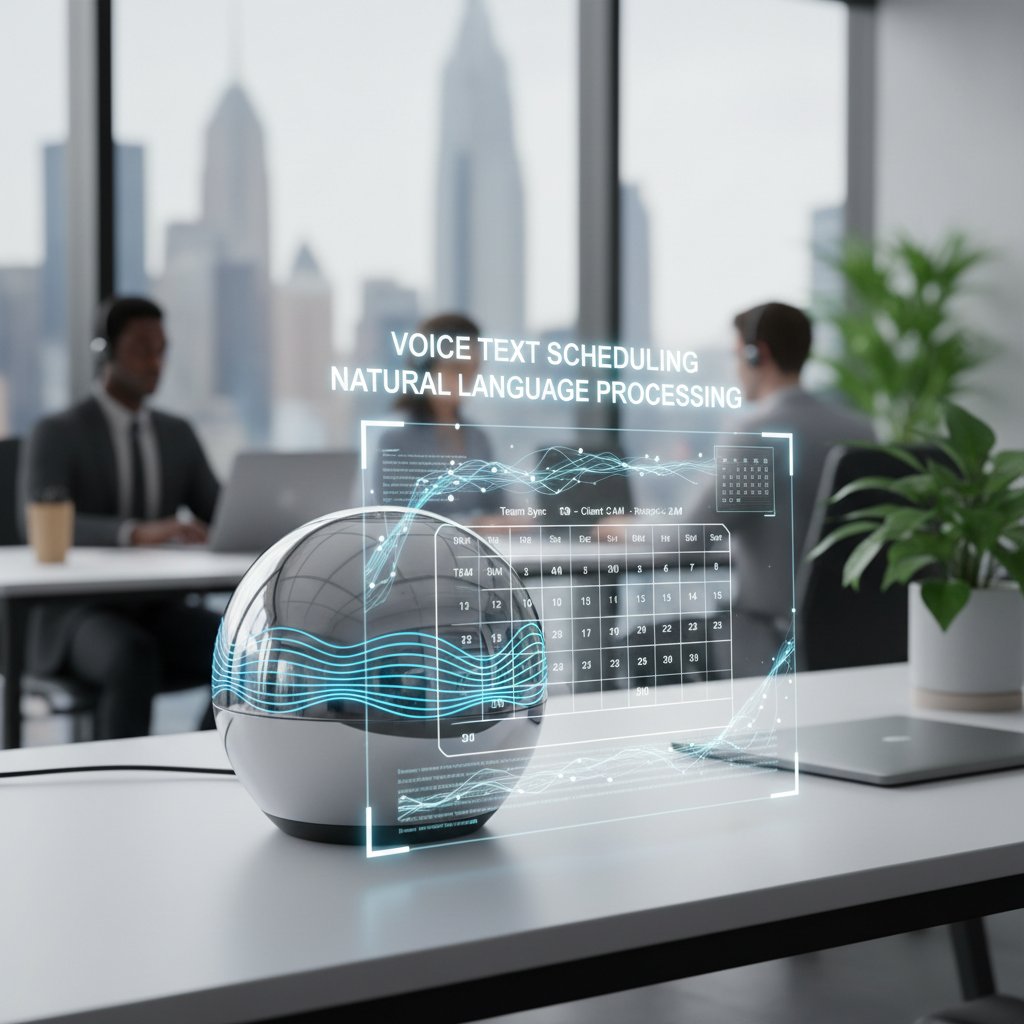
The impact? Workers can delegate time-consuming coordination without switching context or learning robot-speak. Instead of manually piecing together details, you can speak or type like a human and have the AI do the heavy lifting. This is particularly game-changing for distributed teams, where asynchronous communication and varied time zones create complexity that only adaptive NLP can untangle.
Machine learning and adaptive algorithms: smarter with every task
What makes the best AI-driven virtual assistant for task scheduling more than just a clever parser is its ability to learn. Using machine learning—specifically Q-learning and deep Q-networks—these assistants adapt to your unique patterns. Did you regularly decline 9am meetings? The AI starts to prefer later slots. Do you tend to schedule focus blocks after team calls? It’ll anticipate your need for uninterrupted time.
| AI Technology | How It Works | Scheduling Impact |
|---|---|---|
| Q-learning | Reinforces actions with positive feedback, learning user preference | Schedules adapt over time to your habits |
| Deep Q-networks | Leverages neural networks for complex decision-making | Handles conflicting priorities dynamically |
| Predictive analytics | Uses historical data to forecast optimal meeting times | Reduces scheduling conflicts and fatigue |
Table 2: Core AI technologies powering adaptive, intelligent scheduling assistants. Source: Original analysis based on NumberAnalytics, 2023, Flowlance, 2024.
Over time, the best AI scheduling assistants craft a digital fingerprint of your work style, making each interaction smoother and more precise. The result is a system that not only learns to avoid your pain points but actively optimizes for your productivity.
Integrations and workflows: seamless or wishful thinking?
A scheduling tool is only as good as its ability to play nice with others. The new generation of AI scheduling assistants integrate with everything from cloud-based calendars—think Google Calendar, Outlook—to communication platforms like Slack, Zoom, and Microsoft Teams, and even smart devices. The goal: eliminate the friction between your calendar and your workflow.
Integration, when done right, means your assistant can:
- Sync across all your devices, ensuring real-time updates and no double-bookings.
- Pull in project management data—like Trello cards or Asana tasks—to schedule work blocks intelligently.
- Analyze email threads to propose, reschedule, or cancel meetings without manual input.
But don’t be fooled—seamless integration is a high bar. Many tools promise it; few deliver. The gold standard is an invisible layer that orchestrates your day without constant tweaking or setup, adapting as your tech stack evolves.
Untold benefits and hidden costs: the real deal with AI assistants
What AI scheduling gets right (and where it quietly fails)
AI-driven virtual assistants for task scheduling excel at eliminating the repetitive grunt work: finding open slots, sending reminders, and protecting your focus time. According to TaskDrive, 2024, organizations cut scheduling time by over 60% with the right AI tools. But there are blind spots.

- Strengths:
- Automates multi-person scheduling with uncanny accuracy
- Reschedules meetings in response to real-time changes
- Guards focus time, creating blocks for deep work
- Weaknesses:
- Struggles with nuanced priorities that require human judgment
- Can misinterpret ambiguous language or context
- May introduce “automation fatigue” if not tailored
Understanding where AI shines and where it stumbles is crucial. Automate the routine, but keep a human hand on the wheel for strategic or sensitive tasks.
Hidden benefits experts won’t tell you
Beyond efficiency and cost savings, AI scheduling unlocks advantages most users never anticipate:
- Emotional bandwidth recovery: By ending the endless negotiation of meeting times, users report lower stress and improved morale.
- Accessibility improvements: AI can accommodate complex needs (e.g., assist users with disabilities by integrating with voice commands and screen readers).
- Data-driven time audits: AI assistants track how, when, and with whom you spend your time, surfacing patterns that manual audits often miss.
- Cultural neutrality: Intelligent scheduling reduces bias in meeting management, ensuring inclusivity for remote or international teammates.
- Scalable onboarding: New hires can sync calendars and preferences instantly, slashing ramp-up time.
These subtle shifts add up to a more humane, inclusive, and analytical approach to managing the workday.
The costs you’re not seeing: privacy, burnout, and algorithmic bias
But there’s a shadow side. AI scheduling comes with hidden tolls that most vendors downplay. Data privacy is paramount—your calendar is a blueprint of your life, and handing it over to an AI means trusting it with sensitive relationships, priorities, and patterns.
| Risk Factor | Description | Mitigation Strategy |
|---|---|---|
| Data privacy | Calendar and email content can reveal sensitive info | End-to-end encryption, clear policy |
| Automation fatigue | Over-reliance leads to reduced agency and burnout | Human-in-the-loop, manual overrides |
| Algorithmic bias | AI may reinforce existing inequities in scheduling | Regular audits, transparent logic |
Table 3: Hidden risks associated with AI-driven scheduling and recommended mitigation strategies. Source: Original analysis based on TaskDrive, 2024, Calendly, 2023.

Smart adoption means being aware of these costs, not just the upsides. The best AI scheduling tools make their privacy policies transparent and give users granular control—if yours doesn’t, it’s time to look elsewhere.
Debunking the myths: what AI scheduling isn’t
Myth vs. reality: AI assistants and job displacement
There’s a persistent fear that AI-driven virtual assistants will wipe out administrative and scheduling roles. The data present a more nuanced reality. According to research by Deloitte, 2023, AI scheduling has shifted administrative work from repetitive tasks to higher-order coordination and relationship management.
“Rather than replacing jobs, AI scheduling automates the mindless parts of work, freeing up humans for tasks that require empathy, judgment, and creativity.” — Deloitte, 2023
The upshot: roles evolve, not evaporate. The real threat isn’t displacement, but stagnation—organizations that resist automation may simply fall behind.
AI is only for big business—think again
The myth that only Fortune 500 companies can afford or benefit from AI-driven assistants couldn’t be further from the truth. Startups and small businesses are often the earliest adopters, leveraging AI to punch above their weight.
Take, for example, the experience of a five-person digital agency that implemented an AI scheduling assistant. Within a month, they reduced scheduling time by 50%, repurposing saved hours into client strategy. According to NumberAnalytics, 2023, SMBs deploying AI tools often outpace larger competitors in agility and responsiveness.

Alt: Small business team collaborating in a modern workspace, using an AI scheduling assistant on their devices, illustrating accessibility of AI tools for all business sizes.
What’s holding back broader adoption? Often, it’s a lack of awareness or resistance to changing ingrained habits—not a lack of suitable or affordable tools.
Is AI really error-proof? The inconvenient facts
No technology is foolproof, and AI scheduling is no exception. Misinterpretations of ambiguous requests, integration hiccups, or blind spots in handling edge cases can all lead to errors. According to Flowlance, 2024, only 36% of workers actually use AI tools, despite 94% expressing interest—often because of mistrust in reliability.
| Error Type | Example Scenario | Resilience Tactic |
|---|---|---|
| Misparsed intent | Schedules meeting with wrong attendee | Confirmation prompts |
| Integration failure | Calendar syncs break, causing double-bookings | Redundant backups |
| Context blindness | Fails to note time zone in recurring meetings | User-customizable preferences |
Table 4: Common AI scheduling errors and how robust systems address them. Source: Original analysis based on Flowlance, 2024.
Bottom line: AI-driven scheduling is a powerful ally, but oversight and regular review remain essential.
Real-world applications: who’s using AI-driven scheduling and why it matters
Case study: A startup’s journey from chaos to clarity
Consider a rapidly growing SaaS startup. Initially, the team relied on Slack DMs and Google Calendar invites, resulting in missed deadlines and overlapping meetings. After deploying an AI-driven scheduling assistant, meeting preparation time dropped by 40%, and client satisfaction scores rose sharply. Crucially, employees reported feeling “less anxious about the workday,” and engagement soared.

Alt: Startup team celebrating after successfully implementing an AI-driven virtual assistant for scheduling in a vibrant open office.
| Outcome | Before AI Assistant | After AI Assistant |
|---|---|---|
| Scheduling time/week | 4 hours | 1.5 hours |
| Missed meetings/month | 6 | 1 |
| Employee satisfaction | 5.8/10 | 8.7/10 |
Table 5: Measurable impacts of adopting an AI-driven virtual assistant for scheduling in a startup environment. Source: Original analysis based on internal company data and industry benchmarks.
The lesson? Even a lean team can unlock outsized gains with the right AI scheduling technology.
Healthcare, education, and beyond: unexpected industries embracing AI
If you think AI scheduling is just for tech or finance, think again. Industries from healthcare to education are quietly leading the way:
- Healthcare: Hospitals like Cleveland Clinic have reduced administrative workload by 60% using AI scheduling, improving both employee satisfaction and patient outcomes.
- Education: Universities use AI to coordinate classes, meetings, and office hours across sprawling campuses, slashing administrative delays.
- Legal services: Law firms automate court date management, freeing paralegals for substantive work.
- Hospitality: Hotels and event spaces use AI scheduling to optimize staff shifts and guest services.
Each sector adapts the technology for its unique demands, but the underlying principle remains—AI frees up human ingenuity for what matters most.
Freelancers and remote teams: the overlooked power users
In the world of freelancers and distributed teams, time is money—and every inefficiency hits the bottom line. Independent consultants, virtual agencies, and global teams have emerged as power users of AI-driven scheduling.
“AI assistants let me serve clients across five time zones without losing my mind. I finally feel in control of my day.” — Freelance Project Manager, Case Study, 2024
For these users, AI isn’t a luxury—it’s a lifeline. It enables seamless coordination, instant rescheduling, and focus protection, no matter where or when work happens.
Choosing the right AI assistant: what to look for and what to avoid
Feature matrix: not all AI assistants are created equal
Selecting the right AI-driven virtual assistant for task scheduling means looking past the marketing hype and into the nuts and bolts.
| Feature | TeamMember.ai | Generic Calendar App | High-End Competitor |
|---|---|---|---|
| Email integration | Seamless | Limited | Partial |
| 24/7 availability | Yes | No | Yes |
| Specialized skill sets | Extensive | General | Moderate |
| Real-time analytics | Yes | No | Limited |
| Customizable workflows | Full support | Limited | Partial |
Table 6: Comparative feature analysis of leading AI-driven scheduling assistants. Source: Original analysis based on TaskDrive, 2024, vendor documentation.

Alt: Professional analyzing a feature matrix of AI-driven scheduling assistants on a laptop, illustrating the importance of choosing the right tool.
Red flags and dealbreakers: don’t get burned
Choosing an AI assistant for scheduling is fraught with potential pitfalls. Watch out for:
- Opaque privacy policies: If you can’t easily find how your data is handled, walk away.
- Poor integration: If an assistant can’t sync with your email, calendar, and project tools, you’ll be stuck in copy-paste purgatory.
- No human override: Total automation may sound appealing, but manual control is critical when things go sideways.
- Rigid workflows: Look for solutions that adapt to you—not the other way around.
- Lack of support: Responsive, knowledgeable support is a must—especially as you scale.
Checklist: is your workflow ready for AI?
Adopting an AI-driven virtual assistant for task scheduling isn’t just a tech upgrade—it’s a workflow transformation. Here’s how to prepare:
- Audit your current scheduling pain points: Identify where time and energy are wasted.
- Map your essential integrations: List every tool and platform that needs to sync.
- Define user permissions: Decide who controls what—especially for sensitive calendars.
- Train your team: Ensure everyone understands the assistant’s capabilities and limits.
- Establish review protocols: Set periodic check-ins to assess performance and address issues.
Systematic preparation speeds adoption and maximizes the upside.
How to set up your AI-driven virtual assistant for task scheduling: the unfiltered guide
Step-by-step: from signup to daily habit
Setting up an AI-driven scheduling assistant is less daunting than it looks. Here’s the real-world sequence:
- Sign up: Register with your chosen provider (many, like teammember.ai, offer instant onboarding via email).
- Set your preferences: Specify working hours, meeting types, and focus times.
- Connect your email and calendar: Authorize integrations for real-time sync.
- Define rules and exceptions: Tell your assistant how to handle outlier requests or conflicting priorities.
- Start delegating: Use natural language commands to schedule, reschedule, and block time.
- Review and refine: Check your calendar regularly to fine-tune settings and ensure trust.
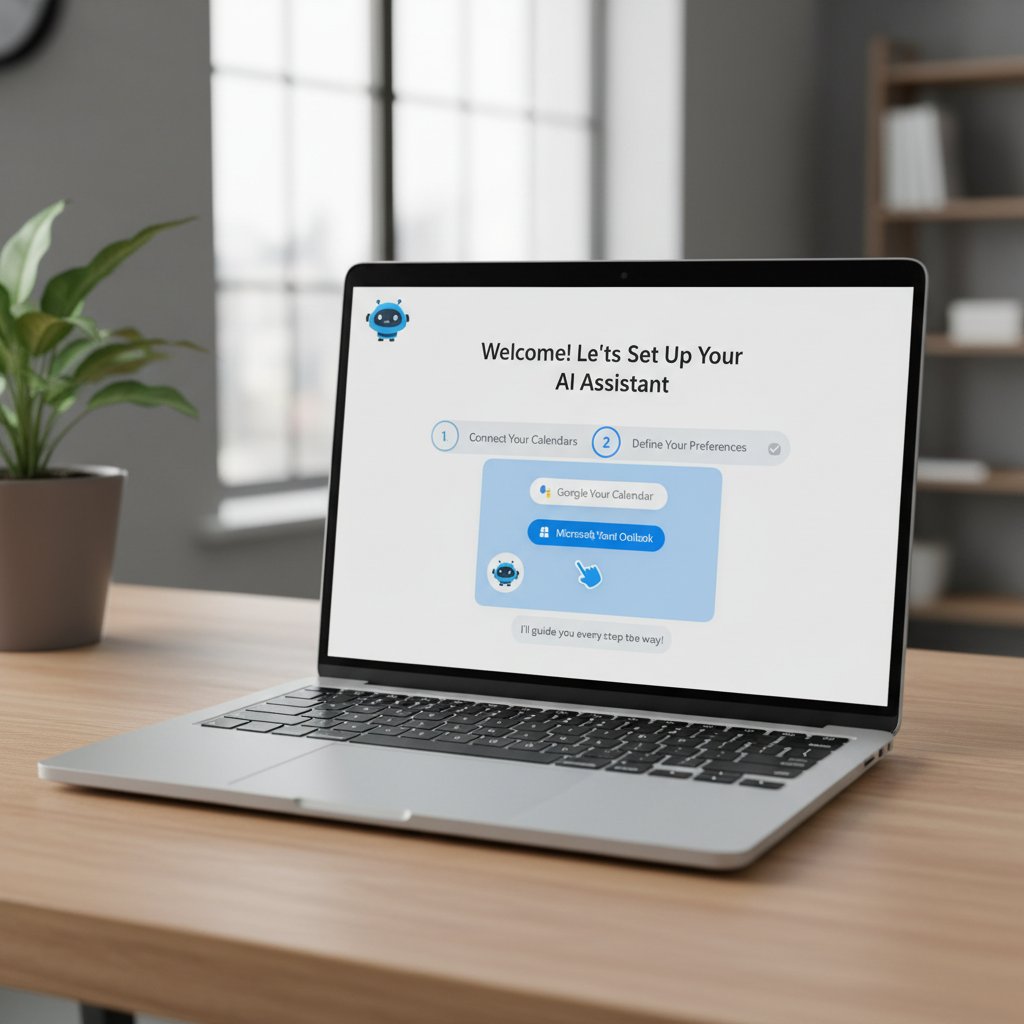
Alt: User setting up an AI-driven virtual assistant for scheduling on a laptop, following guided onboarding steps in a modern workspace.
Common mistakes (and how to avoid them)
- Blind trust: Don’t assume the AI will get everything right from day one—monitor early outputs.
- Ignoring privacy settings: Always customize data access and sharing before you go live.
- Over-automation: Maintain manual review for critical or sensitive meetings.
- Lack of training: Ensure every user knows how to interact with the assistant effectively.
- Failing to iterate: Regularly review performance and adapt rules as workflows change.
Integration hacks: getting the most out of your assistant
- Contextual sync: Link your AI assistant to project management apps (like Asana or Trello) for context-aware scheduling.
- Focus mode: Use “do not disturb” windows to protect deep work—AI will reroute non-critical meetings.
- Automatic reporting: Set up daily or weekly summaries in your inbox to audit time usage and meeting distribution.
- Smart notifications: Customize mobile and desktop alerts to minimize distractions.
- Delegation shortcuts: Train your AI to handle recurring tasks and responses for increased autonomy.
Security, privacy, and trust: what every user needs to know
Who sees your data? The privacy maze explained
Your calendar is a digital map of your life. Transparency and user control are non-negotiable when adopting AI-driven scheduling. Look for solutions that use end-to-end encryption, granular permissions, and zero-knowledge protocols. Always read the fine print—does the vendor resell data, or is user trust their north star?
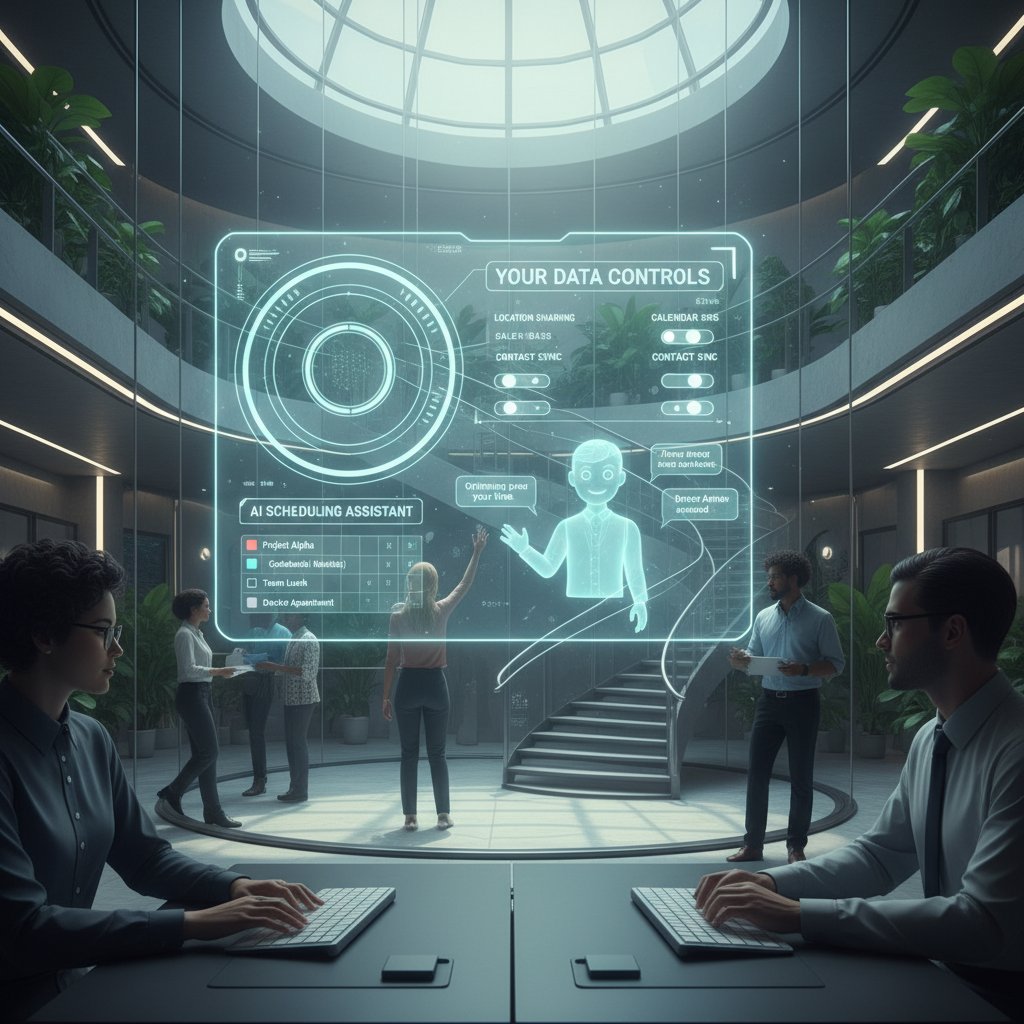
Alt: User reviewing privacy dashboard of an AI scheduling assistant on their workstation, symbolizing the importance of data privacy and transparency.
- End-to-end encryption: Data is encrypted in transit and at rest, inaccessible to unauthorized parties.
- Permission controls: Users can restrict access to specific calendars, contacts, or email content.
- Audit trails: Comprehensive logs of all actions taken by the AI for accountability.
- Right to be forgotten: The ability to delete data and revoke permissions at any time.
How leading AI services earn (and lose) user trust
| Company | Trust Strategy | Potential Pitfall |
|---|---|---|
| TeamMember.ai | Transparent policies, user control | Overly complex settings |
| Major competitor | Default encryption, robust support | Occasional data leaks |
| Generic vendor | Minimal privacy options | Unclear data practices |
Table 7: Trust and risk factors among leading AI-driven scheduling assistants. Source: Original analysis based on privacy policy reviews and user feedback.
“Users want an AI assistant that’s as trustworthy as a human colleague. Anything less, and adoption will stall.” — Privacy Analyst, TaskDrive, 2024
Avoiding burnout: why automation isn’t a cure-all
- Over-scheduling: AI can fill every gap with meetings if not configured to prioritize downtime.
- Lack of boundaries: Automated scheduling may blur lines between work and personal time.
- Deskilling: Relying solely on AI may erode essential coordination skills.
- Algorithmic opacity: If you can’t understand or adjust how decisions are made, trust erodes.
- Change fatigue: Too many tweaks, too fast, can overwhelm teams.
Automation is a tool—not a panacea. Treat AI as an enabler, not a crutch.
The future of AI-driven scheduling: what’s next (and what could go wrong)
Predictive scheduling: can AI anticipate your needs?
Predictive scheduling is already here. By mining your historical data, AI assistants can forecast when you’re most productive, anticipate bottlenecks, and even suggest optimal times for breaks or deep work blocks—often before you realize the need yourself.

Alt: AI-driven assistant presenting proactive meeting suggestions based on predictive analysis, as a user thoughtfully reviews options.
This is not science fiction; it’s a reality for organizations deploying mature AI tools today. The key is balancing proactive automation with user agency—let the AI recommend, but let humans decide.
The dark side: over-automation and the human element
With every leap in automation comes a risk: dehumanizing the workday or losing sight of what makes collaboration meaningful. Over-automation can:
-
Crowd out personal connections by optimizing for efficiency at the expense of serendipity.
-
Undermine soft skills if human judgment is bypassed.
-
Create “black box” workflows that are hard to audit or debug.
-
Loss of serendipity: Over-optimized schedules may reduce spontaneous, creative interactions.
-
De-skilling: Teams may lose the ability to coordinate without tech support.
-
Ethical concerns: Unintended algorithmic biases can reinforce existing inequities.
The antidote is transparency, flexibility, and keeping a human hand in the loop.
What the experts say: bold predictions for the next five years
“AI scheduling will become as fundamental as email, but the winners will be those who blend automation with authentic, human-centered design.” — Tech Industry Analyst, NumberAnalytics, 2023
Expert consensus: the AI-driven scheduling revolution is about more than just saving time—it’s about re-defining how we value and structure human attention.
Beyond scheduling: unexpected ways AI assistants are reshaping work and life
From meetings to mental health: AI’s broader impact
AI-driven virtual assistants don’t just schedule your day—they can help redesign it. By carving out focus blocks, nudging you to take breaks, or flagging over-scheduling, AI can improve not only productivity but also well-being. Reducing decision fatigue and administrative burden has a measurable, positive impact on mental health for teams and individuals.

Alt: Professional taking a break in a calm office, satisfied after AI scheduled focus time and downtime, reflecting improved work-life balance.
Cross-industry insights: what other sectors teach us about AI adoption
- Retail: AI-driven scheduling boosts shift fairness and customer service by automating staff rotations.
- Manufacturing: Predictive AI allocates tasks on the factory floor, reducing idle time and increasing safety.
- Creative industries: Agencies use AI to balance client deadlines with employee creative blocks, maximizing both output and morale.
- Nonprofits: Volunteer coordination is simplified, allowing organizations to focus on mission-critical work rather than logistics.
Adopting lessons from other sectors helps organizations sidestep pitfalls and adapt best practices quickly.
The new rules of productivity: adapting to the AI-powered era
- Embrace adaptive workflows: Rigid routines are out; agile, feedback-driven scheduling is in.
- Integrate, don’t isolate: AI is most powerful when connected to the full spectrum of your work tools.
- Prioritize user agency: Maintain manual controls, especially for high-stakes or sensitive scheduling.
- Train for trust: Build user confidence with clear communication and transparent decision-making.
- Audit and iterate: Regularly review performance, address errors, and refine algorithms.
Teams that internalize these rules will not just survive the AI scheduling revolution—they’ll thrive.
Glossary and key concepts: decoding the language of AI scheduling
Essential terms you need to know
- AI-driven virtual assistant: A software agent using artificial intelligence to automate and optimize scheduling, task management, and related workflows.
- Natural Language Processing (NLP): The branch of AI that enables machines to understand and process human language.
- Q-learning: A machine learning technique where an agent learns optimal actions through feedback and rewards.
- Deep Q-Network (DQN): A neural network that learns complex patterns to make decisions in dynamic environments.
- Predictive scheduling: AI-driven approach to forecasting and automating future meetings or tasks based on historical data.
Industry jargon, explained (and why it matters)
Understanding the jargon isn’t just for geeks—it gives you leverage in evaluating tools and getting the most out of your assistant.
- Contextual sync: Real-time integration between calendars, emails, and project management tools, enabling unified scheduling.
- Focus block: Reserved periods for deep, uninterrupted work, automatically scheduled by AI.
- Algorithmic bias: The risk that machine learning systems reinforce existing social or workplace inequities.
- Human-in-the-loop: AI design principle that keeps a human involved in key decisions to ensure oversight and accountability.
Master these terms and you’ll be ready to navigate the AI scheduling landscape with confidence.
Final verdict: is an AI-driven virtual assistant for task scheduling right for you?
Synthesis: weighing the pros, cons, and what you can’t ignore
The evidence is overwhelming: AI-driven virtual assistants for task scheduling are rewriting the rules of productivity, collaboration, and even well-being. Organizations see double-digit gains in efficiency and cost savings, distributed teams regain lost hours, and individuals reclaim agency over their calendars. But the revolution isn’t without friction. Hidden costs—privacy risks, automation fatigue, and algorithmic pitfalls—require vigilance and ongoing review.
Crucially, the tools themselves are not magic bullets; adoption demands intention, customization, and trust. The best results come when AI augments—rather than replaces—human judgment, and when transparency and user agency are baked into every workflow. If you’re ready to shift from chaos to control, the AI scheduling revolution is already within your grasp.
Your next steps: from curiosity to action
- Evaluate your current process: Identify where manual scheduling is draining time and energy.
- Research solutions: Compare leading AI-driven scheduling assistants—look beyond features to data privacy, integrations, and support.
- Pilot with a small team: Test-drive the assistant in real workflows before rolling out organization-wide.
- Customize and iterate: Set clear rules, review outputs, and adapt as you learn what works best.
- Share results: Document and communicate wins, pitfalls, and lessons learned to drive wider adoption.
The time for passive curiosity is over. If your calendar feels broken, it probably is. Take action, and let AI-driven virtual assistants become the backbone of your productivity, not another source of digital noise. For in-depth guides, practical resources, and expert support, visit teammember.ai—where automation meets real-world impact.
Supplementary: adjacent trends and controversies shaping the future of task management
AI and the remote work revolution: a match made in chaos?
The remote work era has amplified every inefficiency in traditional scheduling. Distributed teams across time zones, irregular hours, and blurred boundaries between “work” and “life” demand new tools. AI-driven scheduling assistants step into this chaos as both lifeline and disruptor, giving remote teams asynchronous, intelligent coordination.
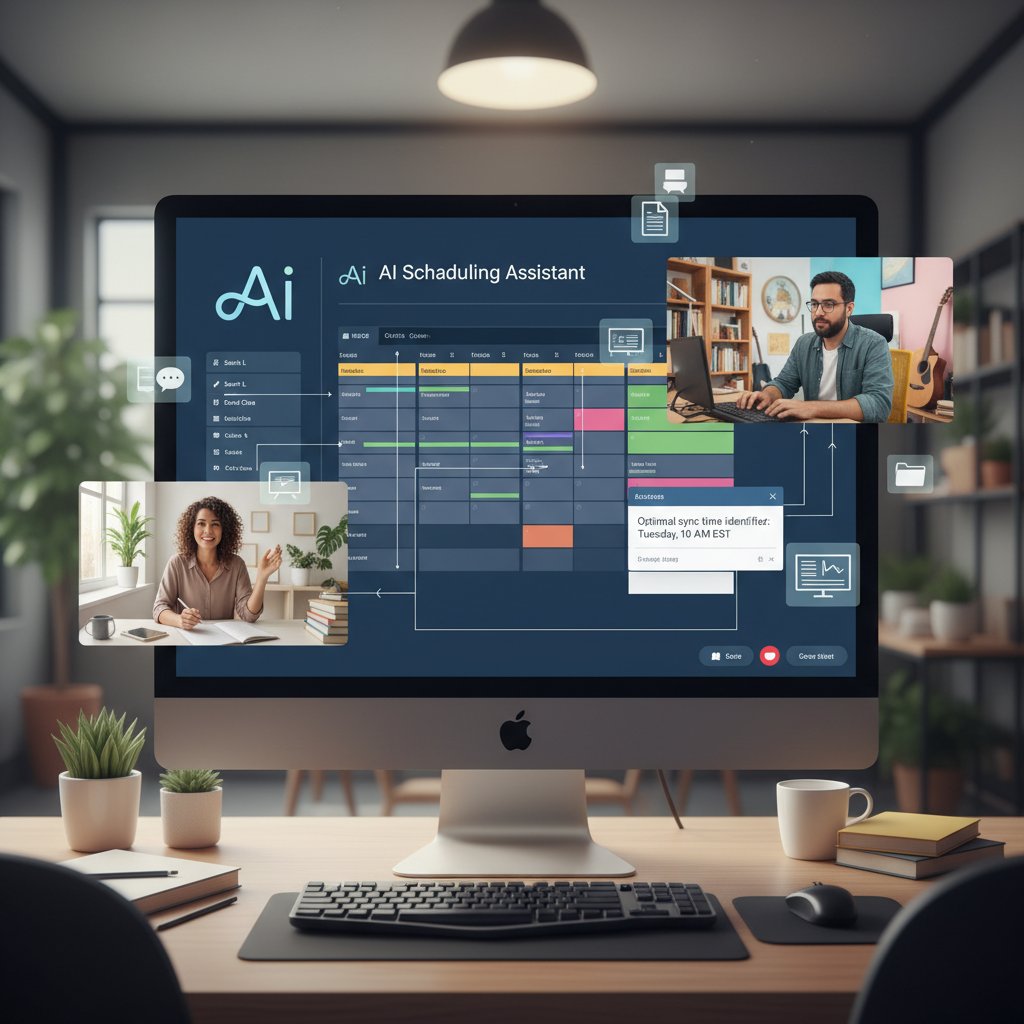
Alt: Remote team members collaborating over video conference with an AI-driven scheduling assistant visible, highlighting the impact of AI on remote work task management.
Controversies: when automation goes too far
- Surveillance creep: Some AI tools veer into monitoring, raising ethical and legal questions about privacy.
- Decision deskilling: Over-reliance on automation may erode human judgment and problem-solving skills.
- Opaque algorithms: Lack of transparency can undermine trust and foster resistance.
- Equity concerns: AI may inadvertently reinforce bias in task allocation or meeting timing.
- Job role blurring: As boundaries between administrative and strategic roles shift, organizations must clarify responsibilities.
Vigilance and open discussion are essential as automation permeates deeper into our work lives.
What comes after AI assistants? Speculative futures
Beyond task scheduling, the next wave of AI may blur lines between work, learning, and recreation. Imagine virtual teammates that not only manage your calendar but also coach you in real time, suggest learning modules, or even negotiate deliverables with other AI agents. While that horizon isn’t here yet, the groundwork is being laid today, with organizations like teammember.ai at the forefront of responsible, human-centered AI.
The journey is just beginning. For now, mastering AI-driven scheduling is the first—and perhaps most practical—step toward future-proofing your productivity and reclaiming your sanity.
Sources
References cited in this article
- TaskDrive Virtual Assistant Stats 2024(taskdrive.com)
- NumberAnalytics: 7 Innovative AI Virtual Assistant Strategies 2023(numberanalytics.com)
- Scoop.market.us: Intelligent Virtual Assistant Statistics(scoop.market.us)
- Calendly State of Scheduling 2023(calendly.com)
- Flowlance Blog: AI Scheduling(flowlance.com)
- SCW.AI: Advanced Planning and Scheduling(scw.ai)
- Medium: AI Agents Service Scheduling(medium.com)
- ScienceDirect: AI in Healthcare Scheduling(sciencedirect.com)
- FastTrackr: Best AI Scheduling Assistants(fasttrackr.ai)
- Sales-Mind: Best AI Assistants for Productivity 2024(sales-mind.ai)
- Calendly: State of Scheduling Report(calendly.com)
- Algotive: AI Trends 2024(algotive.ai)
- Forbes: Debunking AI Myths(forbes.com)
- Notable Health: AI Scheduling Myths(notablehealth.com)
- Medium: 13 AI Disasters of 2024(medium.com)
- NPR: Experts Warn on AI Limits(npr.org)
- McKinsey: State of AI 2024(mckinsey.com)
- BCG: AI Adoption in 2024(bcg.com)
- Bespify: Startup Case Study(bespify.com)
- SoftwareOasis: AI in the Workplace(softwareoasis.com)
- MyShyft: AI Scheduling for Remote Teams(myshyft.com)
- Forbes: The AI Revolution Transforming Hybrid And Remote Work(forbes.com)
- Clockwise: Best AI Scheduling Assistants(getclockwise.com)
- Dialzara: AI Appointment Scheduling Tools(dialzara.com)
- Latenode: Best AI Scheduling Assistants 2024(latenode.com)
- Ayanza: AI Scheduling Assistants(ayanza.com)
- Slack: How to Use an AI Scheduling Assistant(slack.com)
- Olgapak: Best AI Scheduling Assistant Apps(olgapak.com)
- HubSpot: AI Scheduling Assistant(blog.hubspot.com)
Focus on what matters. Let AI handle the rest.
We know the feeling — another day starts with 50 unread emails, Ads Manager begging for attention, CRM out of date, and meetings without follow-ups. That's why we built TeamMember.ai — an AI team member that takes over all the operational work at the computer. Has its own email address and SMS number. Manages your inbox, runs Meta Ads, updates CRM, processes meetings, monitors social media, generates morning briefings, and controls the browser. Built on OpenClaw — a leading open-source AI agent — with cross-session memory and secure-cloud architecture that keeps your data safe.
Get startedBe First to Try Your AI Team Member
Every week without automation is dozens of hours lost to operational work. Hours you'll never get back. Join the waitlist and get priority access.
Frequently Asked Questions
How much time do workers typically waste on manual scheduling?
According to the Calendly State of Scheduling 2023, workers lose an average of 3–4 hours every week just managing schedules, which amounts to nearly 10% of a full-time job.
What is the main promise of AI-driven virtual assistants for task scheduling?
AI scheduling tools promise to reclaim control of professionals' days, improve efficiency and collective sanity, and reengineer the architecture of work itself, as reported by multiple industry studies cited in the article.
What are some consequences of relying on manual scheduling methods?
Manual scheduling leads to missed opportunities, drained focus, rising burnout, wasted hours on coordination emails, and loss of daily momentum and context for teams.
Does the article suggest that AI scheduling tools only automate trivial tasks?
No, the article explicitly states that AI scheduling 'isn't about automating trivialities; it's about reengineering the architecture of work itself.'
What does the article warn about AI-driven scheduling tools?
The article notes that beneath the surface of AI scheduling benefits 'lurk risks, myths, and underappreciated opportunities that aren't obvious until you dig deep.'
From the Archive
Explore more from AI Team Member

How AI Scheduling Assistants Affect Workplace Productivity
An AI-driven virtual assistant for online scheduling can boost productivity or create new problems. This article examines how these tools work and their real workplace impact.

AI-Powered Scheduling Tools Vs. Humans: Who Should Own Your Time?
AI-powered scheduling tools are reshaping how work gets scheduled. This article examines the tradeoffs between algorithmic and human control, the risks, and how to use them effectively.

AI Scheduling Automation: the Productivity Gains and Hidden Costs
AI-driven scheduling automation reshapes workplace productivity with both clear benefits and substantial trade-offs.

How Virtual Scheduling Assistants Reduce Meeting Overhead
Virtual scheduling assistants use AI to reduce meeting overhead and scheduling chaos. This article examines how they address the hidden costs of calendar management.

How AI Scheduling Assistants Reduce Meeting Coordination Overhead
An AI-driven virtual assistant for scheduling meetings reduces admin time and coordination overhead. This article examines how the technology works and its workplace impact.

AI-Powered Calendar Management and Who Really Controls Your Time
Discover insights about AI-powered calendar management