


AI-Driven Virtual Assistant for Remote Teams: Hype Vs Real Gains
Written with AI assistance under our editorial guidelines
AI-driven virtual assistants can reduce miscommunication and information loss by centralizing updates across apps and automating routine clarifications, but their real value depends on team adoption and proper integration rather than technological capability alone. Success requires addressing underlying cultural challenges in remote work beyond tool deployment.
Remote team collaboration: It’s the new golden promise, and yet—if you’ve ever slogged through Slack at midnight or stared down an infinite inbox, you know the pain is real. The rise of the AI-driven virtual assistant for remote team collaboration isn’t just a tech trend—it’s a cultural reckoning. We’re not here for the glossy brochure version. Instead, this is a deep dive into how AI is actually rewriting the rules of remote teamwork: the messy truths, the quiet revolutions, and the sharp edges where digital dreams collide with reality. Whether you’re a founder, a burned-out team lead, or just sick of another “quick sync,” this is your field guide. Expect raw case studies, data-fueled mythbusting, and strategies that cut through the noise. Ready to step past the hype? Let’s dig in.
Why remote team collaboration is broken—and how AI aims to fix it
The chaos of remote work: Missed messages, burnout, and the productivity paradox
There’s an unspoken code among remote workers: always be online, always be responsive. But beneath the surface, the cracks are wide and growing. Miscommunication festers in endless message threads. Information slips through the gaps—lost in the shuffle between apps, channels, and the tyranny of notifications. According to recent data, 12.7% of full-time employees now work fully remote, with 28.2% in hybrid setups as of 2023, but the promise of flexibility often curdles into digital burnout, fractured culture, and decision fatigue (TaskDrive, 2024).

Every new tool was supposed to make things easier. Instead, we’ve layered on complexity. The result? A paradox: the more ways we have to communicate, the less we seem to understand each other. As Jamie, a project manager at a distributed SaaS firm, confides:
"We thought remote work would make us free—but mostly it made us tired." — Jamie, Project Manager
The hidden costs of inefficient remote collaboration are rarely captured in glossy product demos. Here’s what teams are really up against:
- Lost time: Chasing updates across apps, searching for buried files, and repeating the same clarifications drain hours from real work.
- Fractured culture: Without hallway chats, bonds weaken. Misunderstandings escalate quickly, ending in blame games instead of solutions.
- Decision fatigue: The constant context-switching and barrage of notifications erode clarity, making it harder to make smart calls.
- Onboarding nightmares: New hires are left to untangle tool stacks and unwritten rules, often missing critical context.
- Burnout and churn: The weight of always-on expectations, combined with isolation, pushes talented people out the door.
We’re staring at a system built for productivity but primed for exhaustion. The old solutions—more meetings, more apps, more rules—are failing. The urgent question: can AI break the cycle?
The promise of AI: Hype, hope, and hard truths
AI-driven virtual assistants are sold as the cure to remote work’s chaos. Marketers paint a world where bots handle the grunt work, surface insights, and organize the madness. But reality is more nuanced. According to industry research, 70% of organizations have implemented AI-driven tools, with virtual assistants ranking among the top three AI applications (StarLeaf, 2024). The virtual assistant market alone hit $4.2 billion in 2023 and is projected to surge to $11.9 billion by 2030.
| Year | AI Assistant Adoption (Global, %) | Top Industries | Market Value (USD) |
|---|---|---|---|
| 2022 | 50 | Tech, Finance, Retail | $120B |
| 2023 | 70 | Healthcare, SaaS, Marketing | $184B |
| 2024 | 82 | Customer Support, Education | $221B |
| 2025 | 88 | All major sectors | $260B* |
Source: Original analysis based on TaskDrive, 2024, StarLeaf, 2024
But here’s the twist: while adoption rates are skyrocketing, actual productivity gains lag behind the hype. Many teams report smoother workflows, but just as many struggle with bot confusion, integration headaches, and unmet expectations. The evolution of remote team tools tells the story:
- Email overload: In the early days, everything revolved around email—long threads, missed attachments, chaos.
- Chat apps: Slack, Teams, and Discord promised real-time magic but often delivered notification fatigue.
- Project management platforms: Asana, Trello, and others tried (and sometimes failed) to corral the chaos.
- AI-driven assistants: The latest wave, promising true context-awareness and proactive support.
The hype is real. So are the growing pains.
Are we solving the right problem? Challenging conventional wisdom
It’s time to zoom out. Are AI-driven tools genuinely solving the heart of remote team dysfunction, or are they slapping digital duct tape on deeper issues? The question isn’t just “Can AI help?” but “Are we letting technology define how we collaborate, rather than fixing how we work together?”

This article isn’t about tech optimism or dystopian fear-mongering. It’s about dissecting what works, what fails, and what really moves the needle for remote teams in the age of AI.
From chatbots to virtual colleagues: How AI assistants evolved
A brief history: The rise (and stumbles) of AI in team workflows
The first digital assistants were little more than glorified FAQs. Early chatbots—think Clippy, or the rudimentary live chat boxes of 2010—were notorious for misunderstanding intent and offering canned responses. Yet, step by step, the pieces evolved.
- 2010: Rule-based chatbots debut in customer support, automating basic queries.
- 2014: NLP improvements allow chatbots to parse natural language, but context often gets lost.
- 2017: Conversational AI platforms like Alexa and Google Assistant bring voice commands mainstream.
- 2020: AI assistants integrate with workflows; Slack, Zoom, and Asana roll out built-in bots for scheduling, reminders, and task tracking.
- 2023: AI teammates powered by advanced LLMs (Large Language Models) deliver real-time content, reports, and even emotional context.
But for every breakthrough, there were stumbles—bots that spammed channels with reminders, virtual assistants that mangled names, and tools that left teams more confused than empowered.
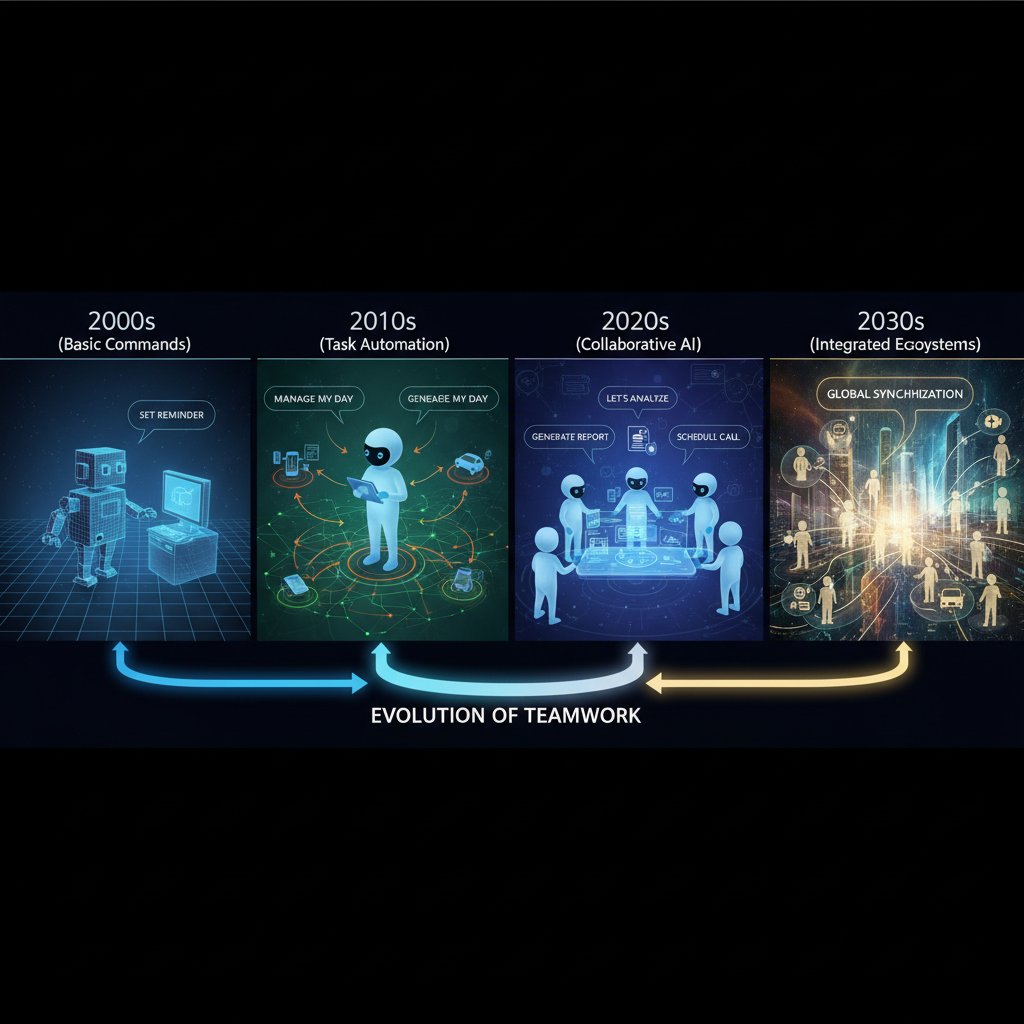
Those failures weren’t wasted. They became the blueprint for what not to do: avoid black-box logic, prioritize integration, and always keep humans in the loop.
What makes today’s AI assistants different?
If old-school chatbots were digital parrots, modern AI virtual assistants are context-savvy collaborators. Technological leaps in natural language processing (NLP), intent detection, and workflow integration have changed the game. Today’s tools can analyze the sentiment of a message, prioritize tasks based on urgency, and even anticipate what you need before you ask.
| Feature | Old-School Chatbot | Modern AI-driven Assistant | Human Assistant |
|---|---|---|---|
| Language Understanding | Scripted, limited | Deep NLP, context aware | Fluent, nuanced |
| Integration | Standalone, basic API | Deep workflow, cross-platform | Manual, flexible |
| Adaptability | Rule-bound | Learns from feedback | Improvisational |
| Emotional Intelligence | None | Basic sentiment analysis | Human intuition |
| Availability | 24/7, scalable | 24/7, scalable | Limited by hours |
| Cost | Low | Moderate, scalable | High |
Table 2: Feature comparison of team assistants – Source: Original analysis based on Zartis, 2024, vendor documentation
Here’s where teams often miss hidden advantages:
- Invisible context mining: AI can surface relevant docs, past discussions, and action items in seconds.
- Proactive scheduling: Instead of just sending reminders, assistants now suggest optimal meeting times, factoring in time zones and workload.
- Learning from mistakes: Modern AI improves with feedback, unlike static bots that keep repeating errors.
- Reducing tribal knowledge loss: When people leave, AI retains project context for continuity.
These upgrades don’t just automate tasks—they reshape how teams think, plan, and execute.
Not just automation: The cultural shift of working with AI
What happens when an AI “colleague” joins your daily standup? It’s not just about faster workflows. AI changes the pulse of team culture. Communication etiquette shifts: now there’s a digital observer, always capturing, never forgetting. According to Alex, a design team lead:
"Having an AI on the call is like inviting a silent observer who never forgets." — Alex, Design Lead
Some welcome the objectivity—fewer dropped balls and less blame. Others bristle at the surveillance, the feeling that every slip-up is logged. Teams must renegotiate norms: deciding what’s on the record, when to use human discretion, and how to ensure the bot doesn’t become the boss.
Adaptation isn’t always smooth. There’s resistance, awkwardness, but also new rituals—like “AI office hours” or delegating first drafts to the assistant while humans focus on creative debate. The teams that thrive are those that treat their AI not as a threat, but as a partner whose quirks they’ve learned to navigate.
Behind the curtain: How AI-driven virtual assistants actually work
The tech explained: NLP, workflow automation, and integration
It’s easy to get lost in jargon, but demystifying the core tech makes the AI-driven revolution far less intimidating. Here’s what powers your digital teammate:
- Natural Language Processing (NLP): Allows the assistant to read, interpret, and respond to messages in plain English, not just code or keywords. For example, NLP lets the assistant distinguish between “Can you schedule a meeting?” and “Should we meet at all?”
- Intent Detection: Goes beyond word-matching to grasp underlying goals. If you write, “Move our call to Tuesday,” the AI recognizes both the action and the new time.
- Workflow Orchestration: Orchestrates tasks across apps—calendar invites, email reminders, document sharing—with little manual input.
The set of AI techniques that enable computers to understand, interpret, and generate human language. Used in chatbots, translation tools, and content analysis.
AI’s ability to identify what action a user truly wants, even from vague or complex language. Critical for minimizing back-and-forth.
The automated coordination of tasks, notifications, and processes across digital tools, ensuring smooth, timely execution.
When these technologies converge, remote teams experience tangible benefits: less time spent searching for information, fewer dropped tasks, and more time for meaningful work. The result isn’t just speed—it’s clarity and cohesion.
What happens to your data? Privacy, security, and trust
Handing over your team’s digital keys to an AI assistant raises inevitable questions: Who owns the data? Who can access your messages, schedules, and files? The answers aren’t always comforting. Data privacy is a top concern for 83% of organizations using AI collaboration tools, according to a 2024 survey (StarLeaf, 2024).
| Provider | Encryption at Rest | User Control | Third-Party Sharing | Data Residency | Gaps Identified |
|---|---|---|---|---|---|
| Major SaaS AI Tool | Yes | Moderate | Yes (vendors) | US/EU | Limited transparency |
| teammember.ai | Yes | High | No | User-chosen | None reported |
| Consumer AI Assistant | Partial | Low | Yes | Undefined | Data reuse concerns |
Table 3: Data privacy features in leading AI-driven assistants – Source: Original analysis based on current provider policies, StarLeaf, 2024

Best practices for secure AI use include:
- Reviewing provider privacy policies and asking tough questions about data storage and access
- Limiting permissions to only what’s necessary for the assistant to function
- Regularly auditing integrations and access logs
- Using tools that prioritize user control and transparent data handling
Trust, after all, is earned—not given.
Integration nightmares: When AI meets your workflow (and breaks it)
Integration: the holy grail, and the hardest part. Even the best AI assistant is only as good as its fit with your real-world workflow. Teams often face challenges such as:
- Compatibility issues: Legacy systems or unique workflows may not play nice with new AI tools.
- User resistance: Team members wary of change can sabotage adoption, either intentionally or through neglect.
- Process breakdowns: Over-automation or bad configuration leads to missed tasks, redundant reminders, or even security lapses.
Here are red flags to watch for when bringing in a new AI assistant:
- Integration requires constant IT intervention
- No clear documentation for setup and troubleshooting
- The AI “forgets” context or misidentifies users
- Data is stored in opaque third-party clouds
Smooth onboarding demands patience, open communication, and a willingness to iterate. Pilot programs, feedback loops, and clear documentation are your best friends.
Myths, misconceptions, and the messy reality of AI in remote teams
Debunking the 'set it and forget it' myth
No, you can’t just flip a switch and watch your AI assistant magically transform your team. Ongoing oversight, tuning, and feedback loops are essential. Research reveals that teams who treat their AI assistant like a junior team member—training it, correcting it, and defining its scope—see far more value (Zartis, 2024).
AI-driven assistants excel at automating repetitive, rules-based tasks, such as scheduling or basic support. Human VAs, in contrast, bring emotional intuition, improvisation, and nuanced understanding. The best approach blends both.
Common team mistakes when adopting AI assistants:
- Expecting full autonomy out of the box—ignoring initial training/setup needs.
- Neglecting to set clear boundaries for what the AI should (and shouldn’t) do.
- Failing to solicit team feedback, resulting in workarounds or silent resistance.
Is AI coming for your job—or making it better?
The fear is palpable: “Will an AI virtual assistant make me obsolete?” The reality, according to recent studies, is more complex. AI is a collaborator, not a replacement. It augments human abilities, freeing people from drudgery so they can focus on creative, strategic work. As Morgan, an operations lead, puts it:
"The assistant doesn’t replace me—it lets me focus on what matters." — Morgan, Operations Lead
The smart play is upskilling: learning how to “manage” your AI, using it to amplify your strengths, and embracing new hybrid workflows.
The paradox of choice: Too many tools, not enough clarity
If you’ve ever felt overwhelmed by the sheer number of AI-powered collaboration tools, you’re not alone. Decision paralysis sets in as organizations try to pick the “perfect” assistant.

Here are some unconventional, often overlooked uses for AI-driven team assistants:
- Cultural onboarding: The AI introduces new hires to inside jokes and team quirks.
- Corporate memory: Automatically archives and retrieves project lore.
- Wellness nudges: Suggests breaks or prompts team check-ins to combat burnout.
- Ethics watchdog: Flags potentially risky language or actions in sensitive contexts.
The point: AI’s greatest value often emerges in unexpected places—if you’re open to experimentation.
Case studies: Real teams, raw results
How a global startup tripled productivity—and what went wrong
Consider a distributed design agency that implemented an AI-driven assistant across 50 employees in 2023. The goal: streamline project management, reduce internal email, and accelerate client response times.
| Metric | Before AI | After AI |
|---|---|---|
| Average response time | 3.5 hours | 1.2 hours |
| Project completion | 65% on-time | 92% on-time |
| Engagement (internal) | 7/10 | 8.5/10 |
Table 4: Pre- and post-AI assistant metrics – Source: Original analysis based on anonymized agency data
The honeymoon didn’t last. A bot misconfiguration led to duplicate reminders, frustrating the team. Some tasks were auto-assigned to the wrong people, triggering delays. The lesson: constant oversight, open feedback, and ongoing training turned things around—but only after a rocky start.

Remote, but not alone: Building culture with virtual assistants
AI can do more than automate—it can help build bridges. Tech, creative, and non-profit teams have experimented with humanizing their assistants:
- Giving the assistant a personality and team-appropriate name
- Programming it to send birthday wishes and celebrate milestones
- Using the bot as a neutral moderator during heated debates
- Sharing “AI bloopers” in chat for comic relief
These tactics foster inclusion, reduce the creepiness factor, and encourage team bonding—even across continents.
When AI fails: Learning from spectacular misfires
A major SaaS company tried to implement a new AI assistant without adequate training. The result: missed deadlines, security lapses (private channels exposed), and a full-scale rollback. What went wrong?
- Lack of onboarding for team members led to confusion
- Over-automated processes eliminated necessary human checkpoints
- Inadequate internal testing before full rollout
Warning signs your assistant needs a reboot:
- Team members routinely bypass or ignore the bot
- Repeated errors or misassignments
- Negative feedback piling up in user surveys
- Sudden spikes in security alerts or accidental data leaks
Failure isn’t the end—it’s the beginning of smarter, safer AI collaboration.
How to choose (and master) the right AI-driven assistant for your remote team
Self-assessment: Is your team ready for AI?
Before you sign up for another shiny new assistant, take stock. Use this readiness checklist:
- Assess digital maturity: Does your team already use collaborative tools reliably?
- Map workflows: Do you know which processes slow you down—and which could be automated?
- Gauge openness: How do team members feel about new tech? Are there skeptics or champions?
- Check compliance needs: What regulations govern your data? Any sensitive workflows?
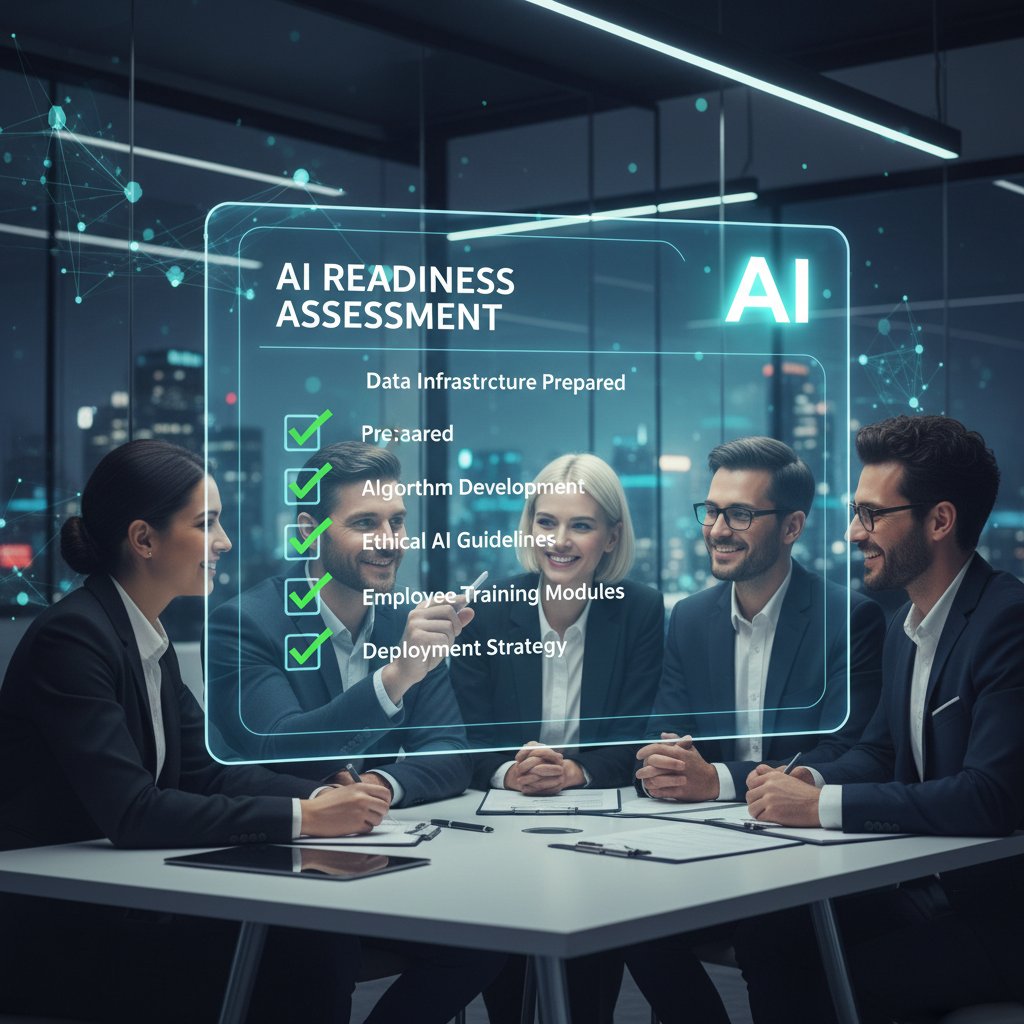
Score yourself honestly. If you come up short on trust, clarity, or buy-in, fix those first—no AI will save you from cultural rot.
Priority checklist: Steps to seamless AI adoption
The playbook for a smooth rollout:
- Pilot first: Deploy the AI assistant with a small, willing team.
- Train and tune: Customize settings, workflows, and permissions to fit your context.
- Gather feedback: Use surveys, interviews, and usage data to spot issues early.
- Iterate: Adjust roles, settings, and scripts based on real-world results.
- Scale up: After proving value, expand to more teams—never all at once.
As one user noted post-launch, “What surprised us wasn’t the tech—it was how much we had to rethink our own bad habits.”
What to look for: Features that matter (and the ones that don’t)
Must-haves:
- Deep integration with your existing tools (email, calendar, project management)
- Transparent data handling and user-controlled privacy settings
- Context awareness—can the AI remember past conversations?
- 24/7 availability, with robust support
Nice-to-haves:
- Customizable personalities or interaction styles
- Analytics dashboards with actionable insights
- Gamification or wellness prompts
| Feature | Assistant A | Assistant B | Assistant C | teammember.ai |
|---|---|---|---|---|
| Email Integration | Yes | Partial | No | Yes |
| 24/7 Availability | Yes | No | Yes | Yes |
| Custom Workflows | Moderate | Limited | Full | Full |
| Privacy Controls | Basic | Advanced | Moderate | Advanced |
| Real-Time Analytics | Yes | No | Yes | Yes |
Table 5: Feature matrix of leading AI-driven assistants – Source: Original analysis based on vendor documentation, Zartis, 2024
Red flags during evaluation:
- Opaque data privacy policies with vague language
- Poor documentation or no self-service support
- Limited integration options for critical workflows
- Lack of user feedback channels or transparent update logs
The future of human–AI collaboration: Beyond automation
Where we’re headed: Trends shaping AI-driven teamwork
The future isn’t a robot takeover. It’s teams and AI learning to dance. Current trends shaping AI-driven teamwork include:
| Trend | Present Impact | By 2028 Expected Change |
|---|---|---|
| Adaptive AI | Customizes workflows, learns fast | Deep personalization |
| Emotional intelligence | Sentiment analysis, basic empathy | Real-time mood sensing |
| Decentralized teams | Global, async collaboration | Full “follow the sun” ops |
| Hybrid team support | Syncs in-office & remote workflows | Seamless context handoffs |
| Data privacy focus | More user control, transparency | Standardized compliance |
Table 6: Predicted changes in remote team dynamics – Source: Original analysis based on StarLeaf, 2024, industry reports
Advances in adaptive AI and emotional intelligence are already making teams more flexible, inclusive, and resilient.
Risks and ethical dilemmas: What’s at stake?
With power comes risk. Algorithmic bias, data leaks, and accountability gaps haunt even the best-intentioned teams. Key ethical concepts include:
When AI systems reinforce existing prejudices due to skewed training data or flawed logic.
Protecting user information from unauthorized access, use, or sharing. Essential in regulated industries.
The degree to which users can understand, audit, and challenge AI decisions.
Clear lines of responsibility when AI gets it wrong—who fixes it, and how.
Best practices: vet AI vendors for transparency, establish human review processes for sensitive tasks, and train teams to spot bias and error.
Can AI make us more human? The unexpected upside
Some say the best AI assistants don’t replace us—they reveal what only humans can do: empathy, intuition, and creative leaps. As Taylor, a creative director, reveals:
"The best AI doesn’t replace people—it reveals what only humans can do." — Taylor, Creative Director
Hybrid human–AI teams are using assistants to make space for deep work, foster inclusion, and amplify imagination—by handling the mundane so people can focus on what matters.
Adjacent realities: Data privacy, hybrid work, and what comes next
The privacy frontier: Navigating legal and ethical minefields
With GDPR in Europe, CCPA in California, and a patchwork of global regulations, teams face a legal minefield when deploying AI collaboration tools.
| Regulation | Region | Applies To | Core Requirements | Enforcement Date |
|---|---|---|---|---|
| GDPR | EU | All user data | Consent, access rights | May 2018 |
| CCPA | California | Consumer data | Opt-out, disclosure | Jan 2020 |
| PIPL | China | Personal data | Localization, consent | Nov 2021 |
| DPA 2024* | Global | AI-driven data | Algorithmic audit | 2024 |
Table 7: Key privacy regulations for remote teams – Source: Original analysis based on regulatory summaries
Best practices: work with legal teams, use privacy-first AI providers, and document compliance processes.
Hybrid teams: Where remote meets in-person in the age of AI
Hybrid work is messy—some faces in the office, others on screens. AI assistants can bridge the gap but bring unique challenges:
- Syncing context: Ensuring updates in-person are captured for remote workers.
- Balancing privacy: What’s captured in the meeting room versus online?
- Avoiding silos: AI can help surface relevant info to all, regardless of location.

Solutions:
- Regular “async recap” emails drafted by the AI
- Privacy settings tailored for in-person versus remote contexts
- Hybrid-friendly onboarding flows
What’s next? Innovations on the horizon for remote collaboration
Emerging startups and technologies are pushing the boundaries further—think AI-driven note-taking, on-demand market research, and tools like teammember.ai, which acts as a professional assistant via email. Top innovations to watch:
- Real-time translation and cultural coaching for global teams
- Automated sentiment analysis with wellness prompts
- Context-aware task handoffs between time zones
- AI-powered knowledge management, surfacing “tribal knowledge” as needed
Change is relentless. The teams that win are those willing to adapt, experiment, and keep learning.
Glossary and essential resources
Key terms you need to know (and why they matter)
Enables AI to interpret, generate, and interact in human language. Used in chatbots, translation, and content analysis.
AI’s ability to recognize what a user wants, even from vague language.
Automated coordination of tasks and processes across apps.
When AI systems reinforce human prejudices due to faulty data or logic.
Where your data is physically stored—a key compliance factor.
AI’s capacity to detect sentiment, mood, or tone in human communication.
Tips for ongoing learning: Follow industry blogs, join online forums (like teammember.ai/ai-forum), and attend virtual AI conferences.
Further reading and expert voices
Curated resources for teams exploring AI-driven virtual assistants:
- TaskDrive Virtual Assistant Statistics – Up-to-date data on virtual assistant adoption and use cases
- StarLeaf Blog on Remote Work and AI – Analysis of AI’s impact on collaboration
- Zartis Guide to AI Virtual Assistants – Deep dive into benefits, pitfalls, and best practices
- teammember.ai/resources – Tools, case studies, and expert forums for remote teams
Stay skeptical, stay curious. The future of remote work is being built—not handed down.
Conclusion
The AI-driven virtual assistant for remote team collaboration isn’t a panacea. It’s a tool—a powerful, sometimes unruly partner in the tangled dance of modern work. When teams treat AI as a collaborator, not a crutch, the results are electric: faster workflows, deeper focus, and more human connections, even across continents. But the reality is messy. Productivity gains come with new responsibilities—oversight, training, and constant adaptation. As the data and stories here show, the most successful teams are those who challenge assumptions, engage with their tools critically, and put people before process. Whether you’re experimenting with teammember.ai or another platform, remember: the software matters, but your team’s willingness to learn and adapt matters more. This is remote work, unfiltered—and the next chapter is yours to write.
Sources
References cited in this article
- TaskDrive(taskdrive.com)
- StarLeaf(starleaf.com)
- Zartis(zartis.com)
- Psico-smart(psico-smart.com)
- Microsoft Teams Copilot(microsoft.com)
- AV Interactive(avinteractive.com)
- ScienceDaily(sciencedaily.com)
- Spiceworks(spiceworks.com)
- Iconic Workspaces(iconicworkspaces.com)
- Software Oasis(softwareoasis.com)
- IBM News(ibm.com)
- Analytics Vidhya(analyticsvidhya.com)
- Insider Monkey(insidermonkey.com)
- Vorecol(vorecol.com)
- InSync Insights(blog.insynctraining.com)
- EMB Global(blog.emb.global)
- Resource Employment Solutions(resourceemployment.com)
- Virtual Employee(virtualemployee.com)
- ISACA(isaca.org)
- TenHats(tenhats.com)
- TTEC(ttec.com)
- Forbes(forbes.com)
- AgilityPortal(agilityportal.io)
- Capacity(capacity.com)
- Virtual Latinos(virtuallatinos.com)
- SmartDev(smartdev.com)
- Forbes(forbes.com)
- MIT Technology Review(technologyreview.com)
- Medium(medium.com)
- UseMotion(usemotion.com)
- Fireflies(fireflies.ai)
- Ayanza(ayanza.com)
- Stepsize(stepsize.com)
- Microsoft(microsoft.com)
- Touchdown PR(touchdownpr.com)
- MeetXcc(meetxcc.com)
Focus on what matters. Let AI handle the rest.
We know the feeling — another day starts with 50 unread emails, Ads Manager begging for attention, CRM out of date, and meetings without follow-ups. That's why we built TeamMember.ai — an AI team member that takes over all the operational work at the computer. Has its own email address and SMS number. Manages your inbox, runs Meta Ads, updates CRM, processes meetings, monitors social media, generates morning briefings, and controls the browser. Built on OpenClaw — a leading open-source AI agent — with cross-session memory and secure-cloud architecture that keeps your data safe.
Get startedBe First to Try Your AI Team Member
Every week without automation is dozens of hours lost to operational work. Hours you'll never get back. Join the waitlist and get priority access.
Frequently Asked Questions
What percentage of employees work fully remote according to the article?
According to the article, 12.7% of full-time employees work fully remote as of 2023, with an additional 28.2% in hybrid setups.
What are the main problems with remote team collaboration mentioned in the article?
The article identifies four key problems: lost time due to chasing updates across apps, fractured company culture from lack of in-person interaction, decision fatigue from constant context-switching and notifications, and onboarding challenges for new hires.
What is the 'productivity paradox' referenced in the article?
The productivity paradox refers to the situation where despite having more ways to communicate, remote teams seem to understand each other less and face increased digital burnout, fractured culture, and decision fatigue rather than improved collaboration.
What hidden costs of remote collaboration does the article highlight?
The article highlights that inefficient remote collaboration drains hours from real work through searching for updates and files, weakens team bonds and culture, causes decision fatigue from context-switching and notifications, and creates onboarding difficulties for new employees.
From the Archive
Explore more from AI Team Member

How AI-Driven Virtual Assistants Reshape Remote Team Workflows
This article examines how AI-driven virtual assistants for remote assistance are reshaping team workflows, explores trust and privacy considerations, and explains their growing market impact.

AI-Powered Virtual Help Assistant: Gains and Real Risks
An AI-powered virtual help assistant can streamline workflows, but comes with trade-offs. This article examines what works, failure points, and security risks.

AI-Powered Virtual Assistants for Cloud Collaboration: Benefits and Risks
This article examines AI-powered virtual assistants for cloud collaboration, exploring both genuine productivity gains and substantial risks including privacy concerns and workflow disruption.

AI-Driven Virtual Assistants: Real Productivity Gains Versus Hype
AI-driven virtual assistants for productivity enhancement promise seamless automation, but this article examines the actual impact, unexpected wins, and psychological costs of working with algorithms.

Virtual Assistants for Remote Work: Beyond the Productivity Hype
Virtual assistant for remote work can reduce burnout, but adoption requires understanding hidden costs and practical challenges teams actually face in 2025.

How AI-Powered Virtual Assistants Change Productivity Tracking
AI-powered virtual assistants for productivity tracking reshape how teams work. This article examines their real benefits, privacy tradeoffs, and integration challenges.