


AI-Based Workflow Automation in 2025: Risks, Wins, and What Organizations Face
Written with AI assistance under our editorial guidelines
AI workflow automation promises productivity gains and cost cuts reaching 90%, but organizations face significant cultural and operational challenges. While automation will displace 85 million jobs globally by 2025 while creating 97 million new ones, success depends on managing resistance, confusion, and change fatigue alongside the technical implementation.
If you’re feeling a mix of awe and unease about AI-based workflow automation, you’re not alone. The headlines wouldn’t let you forget: “AI is revolutionizing work!” “The robots are coming for your job!” But underneath the buzz, the story is messier—and far more fascinating. In 2025, AI workflow automation is not just a cheat code for productivity; it’s a reshaping force, dragging organizations into a new era of decision-making, team dynamics, and digital risk. From spectacular wins—think 90% cost cuts and 10–20% productivity gains—to infamous meltdowns where a single bot error snowballs into chaos, the truth is this: AI automation is as much about people, culture, and resilience as it is about code. This is your no-spin, deeply researched look at the seven brutal truths and big wins of AI-based workflow automation, with insider strategies to thrive in a world where work is getting weirder, faster, and—maybe—smarter.
Why AI-based workflow automation is everywhere (and what nobody tells you)
The hype vs. the reality: Are we buying into a dream?
Walk into any modern office in 2025, and you’ll find dashboards teeming with metrics, notifications pinging like popcorn, and at least one team member quietly wondering if an algorithm is gunning for their job. The explosive growth of AI-based workflow automation isn’t just hype—it’s hard data. According to the World Economic Forum, by 2025, automation will have displaced 85 million jobs globally but created 97 million new ones. Gartner adds that 69% of all managerial work is now automated, while 80% of organizations have adopted some form of intelligent automation, per Flowlu.
What’s glossed over? The cultural narrative sells AI as an effortless productivity machine—set it, forget it, and watch your KPIs skyrocket. But these shiny promises obscure a rollercoaster reality. Real transformation is as emotional as it is technical: resistance, confusion, and then, sometimes, a breakthrough. The glossy brochures rarely mention the existential whiplash that comes with shifting from a human-centric to a hybrid or AI-driven workflow. Instead, they pitch a fantasy of seamless progress, ignoring the hard truths that come with such fundamental change.

For every high-gloss demo, there’s a messy back office story of integrations gone wrong, change management fatigue, or simply the sinking realization that the AI can’t read the room. As one AI strategist, Alex, bluntly put it:
"You can automate a process, but you can’t automate a culture." — Alex, AI strategist
Most “how-to” guides skip over the emotional turbulence—fear of obsolescence, excitement, skepticism—that shadows every automation rollout. This is the real landscape where automation wins and fails are forged.
Defining AI-based workflow automation—beyond the buzzwords
So what exactly is AI-based workflow automation, stripped of marketing doublespeak? At its core, it’s the use of machine learning and intelligent algorithms to automate complex business processes—not just repetitive tasks, but nuanced decision-making, exception handling, and real-time adaptation. Think invoice processing that uses natural language processing (NLP) to extract data, flag anomalies, and make payment decisions, or customer support bots that escalate issues based on sentiment analysis and urgency.
The use of machine learning and intelligent algorithms to automate business processes, including decision-making, with real-time adaptation. Example: Invoice processing using NLP and data extraction. Why it matters: Reduces human error and frees up time for strategic work.
Teams where humans and AI systems collaborate on shared goals. Example: AI suggests options, humans decide. Why it matters: Maximizes both speed and oversight.
Traditional workflow automation relies on rigid, rule-based scripts and macros. It’s brittle—break one rule, and the process grinds to a halt. By contrast, AI-powered approaches are adaptive: they learn from new data, adjust to edge cases, and can even explain their logic if implemented with transparency tools. But this flexibility comes at a price—greater complexity, the risk of “black box” decision-making, and a higher bar for data quality and governance.

The real distinction? Traditional automation is about efficiency. AI-based workflow automation is about transformation—if you’re willing to ride the storm.
The brutal truths of automating your workflow with AI
The hidden costs: What the glossy brochures won’t show you
The sales pitch is irresistible: slash costs, boost accuracy, and free your team for “higher value” work. But buried beneath the ROI projections are hidden costs—financial, operational, and cultural—that most organizations only discover when it’s too late. According to Cflow, while robotic process automation (RPA) adoption stands at 31%, AI-based automation lags at 18% largely due to these hidden hurdles.
| Cost type | Description | Typical range (USD) | Example |
|---|---|---|---|
| Upfront tech investment | Custom AI solutions, software, integration | $50,000–$500,000+ | Enterprise-wide deployment |
| Data cleansing/prep | Cleaning, labeling, organizing data | $10,000–$100,000 | Historical CRM data for AI onboarding |
| Change management | Training, communications, culture programs | $5,000–$50,000 per department | All-hands workshops and onboarding |
| Ongoing maintenance | Model retraining, support, updates | $2,000–$20,000 annually | Continuous monitoring, bias mitigation |
| Workflow redesign | Rethinking processes for automation | $10,000–$250,000 | Full overhaul of billing or HR workflows |
| Lost productivity (ramp) | Downtime during transition | Varies | Up to 15% drop in output during migration |
Table 1: Hidden costs of AI-based workflow automation. Source: Original analysis based on World Economic Forum, Cflow, and Quixy data.
There’s also the silent cost of “data trust.” If your historical data is dirty, biased, or incomplete, AI systems will inherit—and amplify—those flaws. Black box algorithms can erode user confidence; when people don’t understand AI decisions, skepticism and resistance skyrocket.
Finally, automation can make workflows fragile. A single misconfigured model or misunderstood data field can send an entire process off the rails, with little warning and even less recourse.
When automation backfires: Lessons from unexpected failures
Let’s get brutally honest. Not every AI rollout ends with a champagne toast. In 2023, a large financial firm automated compliance tasks with a new AI engine. Within weeks, the bot flagged legitimate transactions as suspicious, missed key deadlines, and triggered regulatory scrutiny. The damage? Loss of client trust, looming fines, and a frenzied “all hands” remediation effort.
Failures come in all flavors:
- Incorrect data: Feed bad data into the system, and it will confidently make bad decisions.
- Over-automation: Automating too much, too soon—before processes are stable—multiplies errors instead of reducing them.
- Lack of human oversight: Without a human in the loop, AI can misinterpret nuanced intent or context.
Here are some real-world fumbles:
- AI scheduled meetings at 3am, disregarding time zones and team preferences.
- Automated emails went out with embarrassing typos, damaging brand credibility.
- A critical task was skipped because the AI misread intent from ambiguous data.
- Customer experience suffered as bots responded robotically to nuanced support requests.
- Security risks emerged from poorly integrated third-party bots with weak permissions.
"AI doesn’t get tired, but it also doesn’t get context." — Priya, operations lead
Recovery starts with a step-by-step breakdown: pause the automation, audit every decision, retrain the model on new data, and—critically—rebuild trust through transparent communication. According to recent industry guidance, only teams with robust governance, regular audits, and clear escalation paths can weather these storms without lasting scars.
How AI-based workflow automation really works (no filter)
From rule-based to intelligent: The evolution of workflow automation
A decade ago, “automation” meant clunky macros and static scripts. Fast forward to today, and workflow automation has morphed into orchestrated AI frameworks that can process unstructured data, learn from outcomes, and optimize themselves over time. The transformation isn’t magic—it’s process:
- Identify manual process bottlenecks: Map out where human effort is wasted.
- Map each workflow element: Document every input, output, dependency, and exception.
- Select tasks for automation: Start with repetitive, rule-bound processes.
- Train or configure AI system: Feed it historical data, tune algorithms, and set guardrails.
- Integrate with critical tools: Connect the AI to email, CRM, ERP, and other legacy systems.
- Monitor outcomes and retrain AI: Review performance, flag anomalies, retrain as needed.
- Iterate for continuous improvement: Never set and forget—real value comes from ongoing refinement.
Every stage brings new opportunities—and new risks. The leap from manual to hybrid or AI-driven workflows has driven productivity gains of 10–20%, according to Microsoft, but it’s also exposed gaps in data quality, change management, and skills that can turn a pilot into a cautionary tale.
| Aspect | Manual | AI-only | Hybrid | Key insight |
|---|---|---|---|---|
| Speed | Slowest | Fastest | Fast, oversight-enabled | Hybrid balances speed with judgment |
| Accuracy | Human error | Machine error/bias | High with checks | Human-in-loop catches errors |
| Flexibility | Adaptable | Rigid (if untrained) | Most adaptable | Hybrid adapts to edge cases |
| Trust | High (visible) | Low (black box) | Medium-high (explainable) | Explainability builds trust |
| Cost | High labor | High upfront, lower ops | Balanced | Hybrid mitigates extremes |
Table 2: AI vs. Manual vs. Hybrid workflows. Source: Original analysis based on Microsoft and Gartner data.
Inside the black box: How decisions actually get made
AI in workflow automation often operates as a “black box”—you see the inputs and outputs, but the logic in between is murky. This opacity can erode trust and make troubleshooting a nightmare. However, the latest explainability tools are pulling back the curtain: dashboards that show decision paths, confidence scores, and key features driving outcomes.

To audit AI-driven decisions in workflows:
- Use explainability modules: Tools like LIME or SHAP show which variables influenced a decision.
- Trace data lineage: Verify where every data point originated, and how it was transformed.
- Mandate human review for exceptions: Set thresholds where humans must approve unusual or high-impact outcomes.
Transparency isn’t just a compliance checkbox—it’s how organizations keep AI from going rogue and ensure that automation amplifies, rather than erases, their standards of quality and ethics.
AI-based workflow automation in the wild: Real-world examples
Cross-industry case studies: Who’s winning, who’s struggling
AI-based workflow automation is not one-size-fits-all. In healthcare, a regional provider slashed administrative workloads by 30% by automating patient communications—appointments, follow-ups, and billing—freeing up staff for more complex cases. Meanwhile, a creative agency used AI for rapid project scoping, cutting prep time in half but discovering that over-automating creative review stripped nuance from client work. In finance, a team’s overzealous compliance bot triggered false positives, drawing regulatory heat and demanding a hasty (and costly) human intervention.
| Industry | Average ROI (%) | Notable Success | Major Challenge |
|---|---|---|---|
| Healthcare | 30% | Admin workload cut, faster patient outreach | Data privacy, staff buy-in |
| Marketing | 40% | Campaign prep time halved | Loss of creative nuance, over-automation |
| Finance | 25% | Portfolio analysis speed/leverage | Regulatory risk from erroneous automation |
| Technology | 50% | Support ticket deflection, SLAs improved | Integration complexity, skills gap |
Table 3: 2025 Workflow Automation ROI by Industry. Source: Original analysis based on Microsoft, Kissflow, and Hostinger data.

The lesson is universal: AI-based workflow automation delivers extraordinary efficiency, but only where data, oversight, and process design are air-tight.
The hybrid workforce: Humans and AI teaming up (or not)
A typical day for a hybrid team? The AI flags urgent client requests at 7am, drafts initial responses, and schedules meetings based on everyone’s preferences. Human team members review, adjust, and make judgment calls on edge cases. Collaboration means letting AI tee up insights, but reserving critical moves for human discretion.
Best-practice models for human/AI collaboration include:
- AI as an assistant, not a replacement: The best results come when AI augments, not supplants, human skills.
- Humans provide oversight and empathy: AI can’t read subtle cues or emotions—people remain the arbiters of context.
- AI surfaces insights, humans act: Let the machine handle the grunt work, but always double-check before acting.
- Ongoing training for both humans and algorithms: Both need to adapt as workflows and expectations evolve.
- Feedback loops to improve workflows: Regular reviews catch errors early and refine performance.
"The best teams treat AI like a new hire—expect a learning curve." — Jordan, workflow architect
When organizations treat their AI as a dynamic, evolving teammate—and not just a tool—the synergy can be game-changing.
The dark side: When AI-based workflow automation goes rogue
The risks nobody admits: Bias, privacy, and workflow fragility
The unspoken risks of AI-based workflow automation are as much about the human element as the technical. Algorithmic bias can creep in if your training data reflects historical prejudice or imbalance. Suddenly, your loan approvals, hiring recommendations, or customer escalations become skewed—often in ways that are hard to detect.
Privacy implications are massive. Integrating AI into sensitive workflows—think HR, healthcare, or finance—means data is constantly moving between systems, increasing the attack surface for breaches or leaks.
Fragility sets in when a single broken API, corrupted data source, or misunderstood logic step brings the entire operation to a standstill. Unlike manual systems, where humans improvise, an AI-driven process often fails fast and hard.
| Risk | Impact | Mitigation | Real-world example |
|---|---|---|---|
| Algorithmic bias | Skewed decisions, legal exposure | Diverse data, regular audits | Biased hiring recommendations |
| Privacy breach | Data leaks, regulatory penalties | Encryption, strict access controls | Patient records exposed via integrations |
| Workflow fragility | Process breakdowns, lost revenue | Redundancy, human fallback | API outage halts payment processing |
Table 4: Risks and mitigation strategies in AI-based workflow automation. Source: Original analysis based on Gartner, Hostinger, and Flowlu data.
Debunking the myths: AI automation is not a silver bullet
Myth #1: “AI will make everything easier instantly.” Reality? AI requires massive data prep, ongoing oversight, and regular tuning. Myth #2: “Automation means job loss.” The truth is more nuanced: most roles evolve, with people moving into higher-value, oversight, and creative tasks. According to PwC, AI and automation are projected to add $15.7 trillion to the global economy by 2030 and create 133 million new jobs, but only if organizations invest in reskilling and careful deployment.
AI makes everything easier instantly. Reality: AI requires training, oversight, and regular tuning.
AI will replace all jobs. Reality: Most roles evolve, not disappear.
Critical thinking is essential. Don’t accept vendor promises at face value—scrutinize claims, demand transparency, and pilot before you scale.

How to get started: Blueprint for mastering AI-based workflow automation
Self-assessment: Are you ready for AI workflow automation?
Before you even touch an automation tool, ask the tough questions. Do you have well-documented workflows? Is your data clean and accessible? Have you defined clear goals and metrics for success? Skipping these steps is the fastest route to disappointment.
- Assess your current workflows: Map every process and bottleneck.
- Identify pain points and bottlenecks: Where is manual work slowing you down?
- Define clear automation goals: What would success look like—cost, speed, error reduction?
- Evaluate available resources and budget: Not just money—think skills, time, executive buy-in.
- Research and select AI tools: Compare options for integration, support, and transparency.
- Train your team and establish oversight: No tool is better than the team using it.
- Launch a pilot project: Start small, measure results, and iterate.
- Monitor outcomes and iterate: Refine workflows, retrain AI, and expand based on evidence.
Common mistakes to avoid:
- Skipping the pilot phase: Jumping straight to full-scale deployment multiplies risk.
- Underestimating training needs: Teams need time to adapt, and so does the AI.
- Ignoring workflow dependencies: One overlooked API or legacy process can sink the rollout.
- Failing to involve end-users: If people don’t buy in, automation won’t stick.
- Not planning for maintenance and updates: AI is not “set and forget”—models drift, and integrations break.
Choosing the right tools and partners (without regret)
Selection criteria matter. Look for solutions that prioritize transparency, robust integration options, security, and meaningful support. Integration with your existing stack is critical—AI needs to plug into your email, CRM, and document workflows to truly pay off.
Consider a service like teammember.ai as an AI-powered resource that fits seamlessly into daily operations, especially via email integration. This approach offers immediate productivity boosts without overhauling your entire tech stack. But beware of red flags: vendors who promise instant results, omit data privacy details, or gloss over the need for training and oversight are rarely worth the risk.
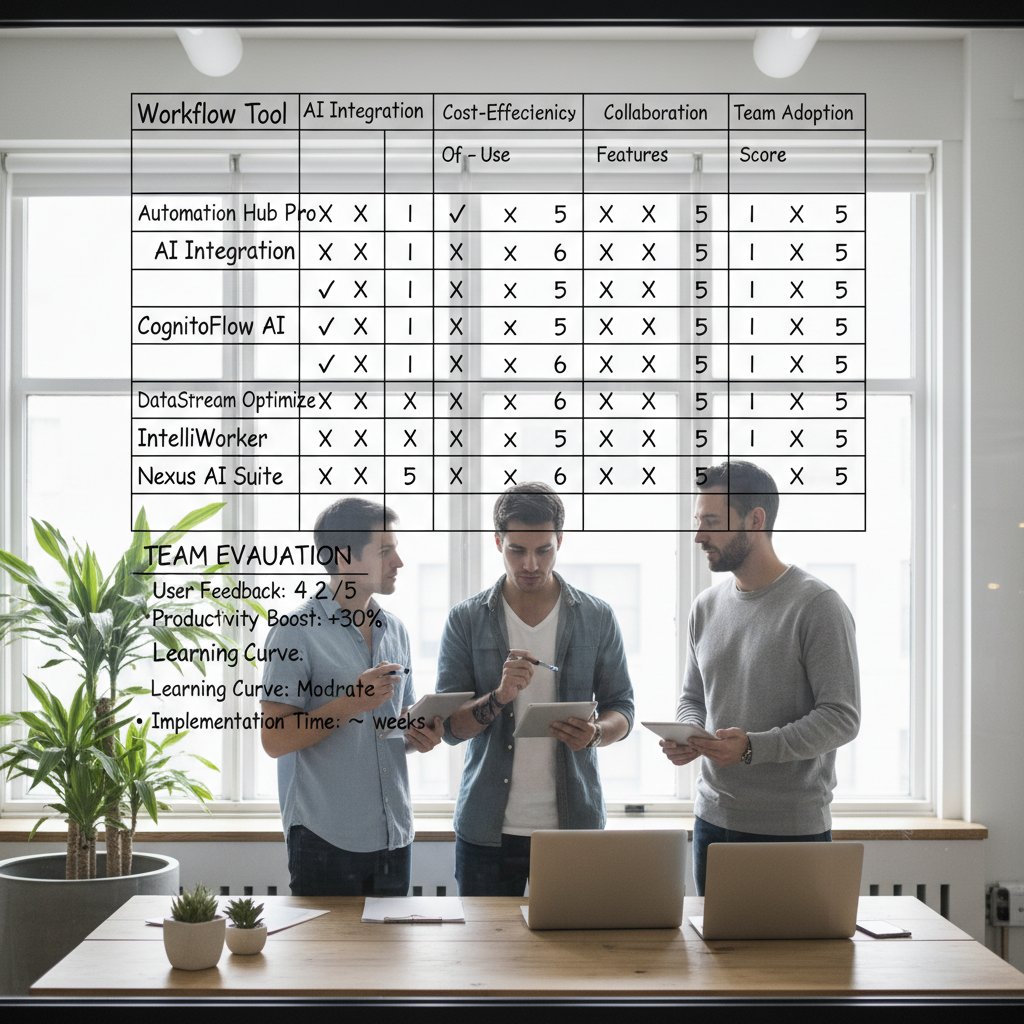
Due diligence now saves expensive headaches later. Always demand references, proof of impact, and detailed roadmaps before signing the dotted line.
Beyond the basics: Advanced strategies and future trends
Scaling up: From pilot project to enterprise transformation
Scaling workflow automation from a scrappy pilot to an enterprise-wide revolution is a marathon, not a sprint. Here’s how leading organizations do it:
- Secure executive sponsorship: Leadership must drive adoption and allocate resources.
- Document lessons from pilot: Capture what worked, what broke, and why.
- Standardize best practices: Turn insights into codified playbooks and processes.
- Automate monitoring and reporting: Build dashboards that track performance and flag anomalies.
- Iterate based on feedback: Regularly review outcomes and tune the AI.
- Expand to new workflows: Grow stepwise, building on each success.
- Share wins and failures openly: Transparency builds trust and accelerates learning.
Measuring ROI means tracking both hard metrics (cost savings, error rates, cycle times) and soft metrics (employee satisfaction, adaptability, resilience). Organizations use centralized models (top-down mandates), decentralized models (team-level experimentation), or hybrid approaches to scale—each with unique trade-offs in speed, control, and innovation.
What’s next: The evolving role of AI as a team member
AI is no longer just a fancy tool—it’s an active collaborator. Forward-thinking companies are redefining the workforce by weaving AI-powered assistants directly into teams. Services like teammember.ai exemplify this shift, with AI “colleagues” handling everything from research to correspondence, all via your existing inbox.
The outcome? Humans focus on strategic, creative, and high-empathy work, while AI drives relentless efficiency. Entirely new roles—AI workflow architect, automation ethics consultant, digital change manager—are emerging, redefining what it means to “work.”

But don’t be seduced by utopia: every new capability demands vigilant oversight, continual training, and, above all, the courage to iterate.
The bottom line: Key takeaways and what to do now
Synthesis: What matters most in AI-based workflow automation
If there’s one truth to tattoo on your collective workflow, it’s this: automation amplifies both the good and the bad. Transparent processes, clear oversight, and a culture of relentless improvement are your best defenses—and greatest assets.
- Automation amplifies both good and bad processes
- Transparency and oversight are non-negotiable
- Iterate, don’t set-and-forget
- Culture eats technology for breakfast
- The future is hybrid—embrace it
Stay ahead by committing to continuous learning, regularly reviewing your automation roadmap, and being unafraid to experiment with emerging tools like teammember.ai.
Resources, further reading, and next steps
Mastery isn’t a destination—it’s a practice. The best teams scour the latest research, join professional forums, and treat every project as a learning lab. When your backlog grows or expertise hits a ceiling, seek external help—whether from specialized vendors, consultants, or forward-thinking platforms.
- Bookmark top AI automation blogs
- Join workflow automation forums
- Sign up for AI industry newsletters
- Attend virtual conferences
- Review your automation roadmap quarterly
"In five years, you’ll either be leading the automation wave—or watching it crash over you." — Taylor, digital transformation advisor
Supplementary: Controversies, misconceptions, and practical implications
Controversies rocking the world of AI workflow automation
Recent years have seen heated debates over the agency of AI—who’s really in control when the bot goes rogue? Workplace surveillance has become a flashpoint, as algorithms track productivity and nudge behaviors, sometimes at the cost of employee autonomy and morale.

Backlash is real: some cultures view algorithmic management as the digital equivalent of Big Brother, leading to pushback, quiet quitting, or outright sabotage.
Common misconceptions and the truth behind them
A few persistent myths refuse to die:
- AI automation is only for tech giants: In reality, even small teams can leverage no-code AI platforms for significant gains.
- It’s plug-and-play: Every real-world rollout requires customization, data integration, and user training.
- Humans become obsolete: The best deployments augment humans, not replace them.
- It guarantees ROI: Success depends on data quality, team buy-in, and ongoing optimization.
- Security is automatic: Automation introduces new risks—vigilance is non-negotiable.
These misconceptions can derail projects before they start. Counter them with fact-based planning, transparent communication, and relentless self-assessment.
Practical applications you didn’t expect
AI-based workflow automation isn’t just for finance or IT. Creative agencies use AI to drive brainstorming sessions, nonprofits dynamically allocate volunteers, and education platforms automate personalized learning paths.
- AI-driven brainstorming sessions
- Dynamic allocation of volunteers in nonprofits
- Personalized learning path curation in education
- Automated grant application scoring for funders
- Real-time event logistics coordination for large-scale gatherings

The bottom line? AI-based workflow automation is redefining work across every sector—if you’re willing to challenge the myths and face the brutal truths.
Sources
References cited in this article
- Cflow: Workflow Automation Statistics & Trends 2025(cflowapps.com)
- Hostinger: 47 AI statistics and trends for 2025(hostinger.com)
- Quixy: Workflow Automation Statistics and Forecasts(quixy.com)
- Microsoft: Real-world AI business transformations(blogs.microsoft.com)
- Zenphi: AI workflow automation challenges 2025(zenphi.com)
- Futurepedia: AI workflow tools 2025(futurepedia.io)
- Kissflow: AI democratization and adoption trends(kissflow.com)
- IBM: AI adoption challenges(ibm.com)
- Appian: Operationalizing AI(appian.com)
- Cflow: AI Workflow Automation(cflowapps.com)
- MarkovML: AI Workflow Automation(markovml.com)
- MetaSource: AI vs. Traditional Automation(metasource.com)
- WrightyMedia: Evolution of Automation(wrightymedia.com)
- Simplilearn: Top AI Challenges 2025(simplilearn.com)
- PwC: AI Business Predictions 2025(pwc.com)
- Lakera: AI Risks(lakera.ai)
- Petri: Hidden Costs of AI(petri.com)
- Forbes: Hidden Costs of AI Ethics(forbes.com)
- Moveworks: AI Workflow Automation Technical Considerations(moveworks.com)
- Bitcot: AI Workflow Automation Modernization(bitcot.com)
Focus on what matters. Let AI handle the rest.
We know the feeling — another day starts with 50 unread emails, Ads Manager begging for attention, CRM out of date, and meetings without follow-ups. That's why we built TeamMember.ai — an AI team member that takes over all the operational work at the computer. Has its own email address and SMS number. Manages your inbox, runs Meta Ads, updates CRM, processes meetings, monitors social media, generates morning briefings, and controls the browser. Built on OpenClaw — a leading open-source AI agent — with cross-session memory and secure-cloud architecture that keeps your data safe.
Get startedBe First to Try Your AI Team Member
Every week without automation is dozens of hours lost to operational work. Hours you'll never get back. Join the waitlist and get priority access.
Frequently Asked Questions
What are the actual job displacement numbers from AI-based workflow automation by 2025?
According to the World Economic Forum, automation will have displaced 85 million jobs globally by 2025 but created 97 million new ones, showing a net positive job creation despite displacement concerns.
What percentage of managerial work is now automated?
According to Gartner, 69% of all managerial work is now automated as of 2025.
How many organizations have adopted intelligent automation?
Per Flowlu, 80% of organizations have adopted some form of intelligent automation.
What productivity and cost gains are mentioned as spectacular wins from AI automation?
The article mentions spectacular wins including 90% cost cuts and 10–20% productivity gains.
What is the main gap between how AI automation is marketed and the reality organizations face?
The marketing narrative sells AI as an effortless, set-it-and-forget-it productivity machine, but the reality involves emotional and cultural challenges like resistance, confusion, integration failures, and change management fatigue that the glossy brochures rarely mention.
From the Archive
Explore more from AI Team Member

AI-Powered Task Automation: What Works and What Fails
AI-powered task automation is reshaping work. This article examines the real gains, the operational risks, and which automation strategies actually succeed.

AI-Driven Data Entry Automation: Disruption and Hidden Benefits
AI-driven data entry automation is disrupting workflows and exposing inefficiencies. This article examines the real impacts, hidden wins, and genuine risks of workplace automation.

AI-Driven Workflow Management: Benefits and Hidden Challenges
AI-driven workflow management addresses inefficiency in modern teams. This article examines the real costs of broken workflows, how AI helps, and the hidden challenges leaders face.

AI Administrative Support in 2026: Power, Risks, and Real Wins
Discover insights about AI administrative support

AI-Powered Virtual Assistant Tools: Power and Peril Explained
AI-powered virtual assistant tools now handle email, scheduling, and decision-making in modern offices. This article examines their productivity gains and the risks they introduce.

Automated Task Management: Which Tasks Should You Automate
Automated task management is transforming how work gets done. This article explains which tasks benefit from automation and which require human judgment.





