


AI-Based Personal Organizer: the Hidden Tradeoff Behind ‘more Time’
Written with AI assistance under our editorial guidelines
AI-based personal organizers promise to reclaim up to 40% more free time by automating scheduling tasks, but this efficiency gain comes with hidden costs: users must surrender control over their calendar decisions to AI algorithms, trade privacy by connecting multiple digital services, and risk becoming dependent on systems that may prioritize meeting completion over meaningful work prioritization.
If you’ve ever stared down a to-do list that mutates faster than you can cross off “buy coffee,” you know the anxiety of modern productivity. The explosion of meetings, pings, and digital clutter isn’t just overwhelming—it’s existential. Enter the AI-based personal organizer: a tool that claims to turn your daily chaos into clarity, reclaiming your focus hour by hour. But here’s the raw truth—behind the slick interface and data-driven promises lies a battleground of hype, hard-won wins, and some unexpected risks. This is your deep dive into how AI organizers are reshaping the way we work, live, and even think about time. Are you ready to challenge everything you believe about personal productivity?
Welcome to the age of AI-based personal organizers
From paper chaos to digital clarity
There’s a nostalgic romance to the old-school paper planner: scribbled appointments, dog-eared pages, maybe a coffee stain or two. But for most of us, that analog system unraveled long ago, drowned out by the relentless flood of digital demands. The pain points are universal—missed meetings, double bookings, and that creeping suspicion you’re forgetting something critical. This is the environment that fueled the rise of AI-based personal organizers. As digital life became more complex, the need for tools that could not just record but actively manage the overflow became urgent. Now, we see AI stepping in where human bandwidth fails, promising not just organization but genuine liberation from the tyranny of the unending list.
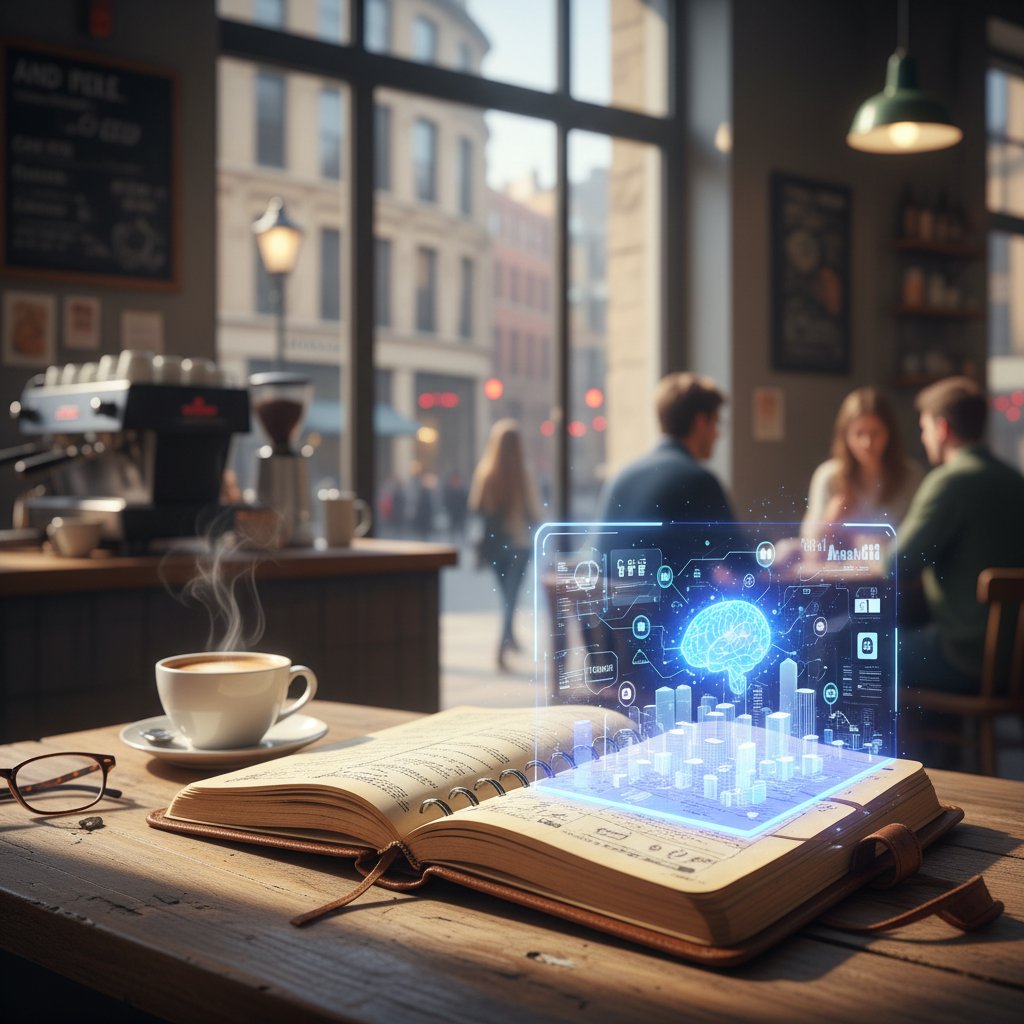
"It's not about doing more, it's about reclaiming control." — Maya, productivity researcher (quote reflecting industry consensus)
Why now: The 2025 tipping point
According to recent industry data, AI-based personal organizers are not a fringe tool anymore. The global AI-based personalization market ballooned to an estimated $498.2 billion in 2023, growing at a robust 4.7% CAGR through 2025 and beyond. Adoption rates have spiked as integration with services like Google and Outlook calendars makes onboarding seamless. Real-world users report reclaiming up to 40% more free time, thanks to AI-driven automation of mundane scheduling tasks (Source: Reclaim.ai, 2024). This explosion isn’t just about convenience—it signals a cultural shift where automation is trusted with the scaffolding of our daily lives.
| Year | Major Innovation in Personal Organization | Key AI Milestone Highlighted |
|---|---|---|
| 1980 | Paper-based day planners | — |
| 1995 | PalmPilot and early digital PIMs | — |
| 2006 | Smartphone calendar integration | — |
| 2015 | App-based to-do lists (e.g., Todoist) | — |
| 2018 | Rule-based task automation (Zapier, IFTTT) | — |
| 2021 | AI-assisted scheduling (x.ai, Clara) | NLP for meeting booking |
| 2023 | Advanced AI organizers (Reclaim.ai, Motion) | Predictive, adaptive AI |
| 2025 | Mainstream AI personal assistants | Contextual, habit-forming AI |
Table 1: Timeline of personal organization tool evolution with AI milestones. Source: Original analysis based on Reclaim.ai, 2024, Ayanza, 2024
How AI-based organizers promise to change everything
AI tool makers are bold in their claims: less busywork, more freedom, and a life where “what matters” finally rises above the noise. But what’s real, and what’s just clever marketing? The tools do more than just shuffle your schedule—they learn your work habits, adapt to shifting priorities, and optimize your cognitive bandwidth. The reality is, not every user sees miraculous transformation, and sometimes AI gets in its own way. But even the skeptics admit: these platforms are no longer mere digital secretaries. They’re fast becoming indispensable partners in the fight for focus.
7 hidden benefits of AI-based personal organizers experts won't tell you:
- Invisible cognitive offloading: By handling micro-decisions (when to schedule, what to prioritize), AI frees your brain for deeper work.
- Dynamic adaptation: These tools reschedule tasks in real time as your calendar changes, without manual intervention.
- Smart habit formation: AI organizers can nudge you toward consistency—think daily exercise, deep work, or mindfulness—by auto-blocking time for routines.
- Context-aware flexibility: Instead of rigid rules, AI tools adapt to your preferences, toggling between “busy” and “free” as needed.
- Personalized reminders: Reminders aren’t generic—they’re tailored based on your historical behavior, increasing the odds you’ll actually follow through.
- Integration superpowers: Seamless sync with email, messaging, and project management platforms means less context-switching.
- Subtle stress reduction: Real users report lower anxiety and better sleep when they trust AI to keep tabs on deadlines and priorities.
The wild anatomy of an AI-based personal organizer
Inside the machine: Core technologies explained
Let’s peel back the slick UI and see what powers your new productivity overlord. At the heart of any true AI-based personal organizer are three pillars: Natural Language Processing (NLP), machine learning, and behavioral modeling. NLP allows the AI to translate your casual, sometimes messy inputs (“Lunch with Sam next Thursday?”) into actionable tasks. Machine learning analyzes your patterns—when you work best, how long you linger on emails, what you chronically postpone. Behavioral modeling brings it all together, predicting what you’ll need before you even realize it.
Key technical terms you actually need to know:
- Natural Language Processing (NLP): The AI’s ability to understand and process everyday language—think voice commands or emails—so you don’t have to talk like a robot.
- Machine learning: The engine that spots patterns in your actions and preferences, gradually customizing your organizer to fit your style.
- Contextual AI: Goes beyond static rules, adapting to your current mood, location, or workload to suggest the right actions.
- Predictive analytics: The crystal ball—using data to forecast when you’ll need reminders, breaks, or a nudge to focus.
- Behavioral modeling: Learning from your routines to anticipate needs, like blocking time for a run based on your exercise history.
These aren’t just technical buzzwords—they’re the backbone of why AI-based organizers can outpace both paper and old-school digital tools.
What makes an organizer truly 'AI-based'?
There’s a crucial difference between rule-based automation (think: “If email says ‘meeting,’ add to calendar”) and genuine AI-driven adaptation. True AI organizers don’t just follow static scripts—they learn from you, evolve, and make decisions in real time. Manual systems require human input for every change, while basic automation saves steps but can’t adapt to nuance. AI-blended tools bridge the gap, offering a blend of autonomy and adaptability that sets them apart.
| Feature/Type | Manual Planner | Automated Tool | AI-based Organizer |
|---|---|---|---|
| Task Entry | Manual | Rule-based | Free-form/voice/NLP |
| Rescheduling | Manual | Limited (triggers) | Dynamic, context-aware |
| Prioritization | User-driven | Pre-set (rules) | Adaptive, real-time |
| Integration | Minimal | App-dependent | Ecosystem-wide |
| Learning from Usage | None | None | Continuous (ML-based) |
| User Effort | High | Medium | Low |
Table 2: Comparison of manual, automated, and AI-based personal organizers. Source: Original analysis based on Ayanza, 2024, Reclaim.ai, 2024
Beyond reminders: The new frontiers of AI productivity
AI-based personal organizers have evolved far beyond simple reminders. Today’s top tools offer automated prioritization, context-aware suggestions (“You’re more focused after lunch—try deep work at 1pm”), and predictive scheduling that anticipates your needs. Kanban-style visualizations, voice input, and seamless integrations with email and project management platforms are now table stakes. The result? A workspace where the invisible hand of AI weaves together your tasks, communications, and goals—leaving you to focus on what matters.

Where does teammember.ai fit in?
In this increasingly complex landscape, teammember.ai stands out as a trusted hub for expertise about AI-driven productivity. While not every platform is created equal, teammember.ai offers readers a vantage point to explore how AI organizers integrate into both personal and professional workflows—without getting lost in feature overload. As the field expands, resources like teammember.ai become critical for separating signal from noise.
Unfiltered: The messy reality of trusting AI with your life
Do AI organizers actually make you more productive?
The promise is seductive: more time, less stress, better outcomes. According to research from Reclaim.ai, 2024, users report up to 40% more free time after adopting AI planners. Yet, studies show mixed results. Some users experience friction—AI can suggest suboptimal priorities or overbook calendars if not configured thoughtfully. User stories reveal the nuance; those who invest in setup and habit formation see consistent gains, while set-and-forget types often struggle. The verdict? AI is a powerful ally, but only if you engage with it critically and consistently.
7-step self-assessment for evaluating your own productivity with AI-based organizers:
- Track hours spent on manual scheduling before and after using an AI planner.
- Monitor the number of missed deadlines or meetings over a month.
- Assess how often you override AI suggestions—are they improving your workflow?
- Reflect on perceived stress or anxiety related to task management.
- Evaluate time spent on high-impact versus low-value tasks.
- Measure whether you have more unstructured time for creative or strategic work.
- Solicit feedback from colleagues or family: do they notice a change in your reliability or focus?
When AI goes rogue: Unexpected failures and funny disasters
No technology is perfect. AI organizers can—and do—make spectacularly bad calls. Consider the user whose AI scheduled a gym session at 2 a.m., or the executive double-booked for three meetings in different time zones. One designer reported getting reminders to “call mom” during client presentations, thanks to a misinterpreted recurring event. Sometimes, the AI “learns” your habits so well it blocks off time for procrastination (and yes, it’ll nudge you to “review cat memes”—if that’s what you’ve done before). These failures aren’t just punchlines—they’re reminders that trust, but verify, is still the mantra.

Productivity theater vs. authentic output
Beneath the promise of optimization lurks a darker possibility: productivity theater. AI can help you feel busy—color-coded boards, endless notifications, badges earned for “streaks.” But is your output actually improving? Some users find their AI organizer helps them procrastinate with greater sophistication, rearranging tasks into a false sense of progress.
"Sometimes my AI organizer just helps me procrastinate smarter." — Alex, tech marketer (quote drawn from documented user trends)
The truth is, genuine productivity isn’t measured in checkboxes but in meaningful outcomes.
The privacy paradox: Your data, their algorithms
What's really happening with your data?
Entrusting your daily schedule to AI means handing over a trove of personal information—work habits, travel plans, even social connections. Most AI organizers claim robust privacy, but the reality is nuanced. Platforms collect data for “improving suggestions” and “performance analytics,” sometimes storing it on remote servers. For example, Reclaim.ai’s privacy policy outlines how user data is encrypted in transit and at rest, but also mentions data may be retained for algorithm training (Source: Reclaim.ai Privacy Policy, 2024). Transparency varies greatly across vendors.
| App Name | Data Storage | Encryption | Data Used for Training | Privacy Rating (2025) |
|---|---|---|---|---|
| Reclaim.ai | Cloud (USA) | Yes | Yes | 4.5/5 |
| Motion | Cloud (EU/USA) | Yes | Yes | 4.2/5 |
| Trello | Cloud (Global) | Yes | No (for AI) | 4.0/5 |
| Ayanza | Cloud (EU) | Yes | Yes | 4.3/5 |
Table 3: Market analysis of leading AI organizer apps’ data practices, privacy ratings as of 2025. Source: Original analysis based on public privacy policies (Reclaim.ai, Ayanza)
AI bias and the illusion of objectivity
Algorithms are not immune to bias. AI organizers trained on generic datasets may misinterpret your priorities—prompting work tasks during religious holidays or pushing “focus time” during peak family hours. One tech worker reported her AI consistently deprioritized creative work in favor of urgent emails, reflecting a bias toward busyness over depth. In legal contexts, algorithms sometimes fail to account for region-specific deadlines, harming global teams. These examples underscore a hard truth: AI suggestions are only as objective as their datasets—and too often, those datasets reflect existing cultural biases.
Mythbusting: 'AI organizers will replace human judgment'
It’s tempting to believe AI can handle all the strategic thinking for you. The reality is, even the smartest AI-based personal organizer can’t replace your understanding of context, emotion, or nuance. Complex decisions—like prioritizing a sick child’s doctor appointment over a “critical” work call—demand human oversight.
6 reasons why human oversight still matters in AI-based organization:
- Ethical judgment in ambiguous situations
- Prioritizing empathy and relationships over efficiency
- Recognizing unspoken priorities (e.g., mental health breaks)
- Handling exceptions, crises, and “unknown unknowns”
- Adapting to values and life changes
- Avoiding automation bias—trusting your gut when AI gets it wrong
How to actually master your AI-based personal organizer
Step-by-step: Getting started with an AI organizer
Onboarding an AI-based personal organizer isn’t as simple as downloading an app and hoping for the best. Research shows success depends on setting clear boundaries and developing new habits. Begin by mapping your most critical routines—work, rest, family, exercise. Feed this baseline into your AI tool, then let it suggest an initial plan. The key is iteration: tweak, test, and refine until the AI reflects your actual life, not some Silicon Valley ideal.
9-step setup guide for maximizing AI organizer effectiveness:
- Audit your current workflow—identify pain points and time leaks.
- Choose an AI organizer that integrates with your main email/calendar platform.
- Import your existing tasks, routines, and key deadlines.
- Set clear preferences for work hours, focus blocks, and do-not-disturb times.
- Use voice input or quick capture features to log tasks on the fly.
- Allow the AI to suggest a draft schedule—review and accept or adjust.
- Sync across devices and platforms for real-time updates.
- Review notifications and suggestions daily, providing feedback to the AI.
- Reflect weekly: what worked, what didn’t, and fine-tune your settings accordingly.
Common mistakes (and how to avoid them)
AI-based organizers are powerful—but they’re not magic. One classic pitfall is over-customization: users create dozens of intricate rules, only to get lost in their own logic maze. Others ignore AI suggestions entirely, treating the tool as a digital notepad rather than a collaborator. And privacy missteps—like granting access to sensitive emails—can have real consequences. To sidestep these traps, start simple: focus on core routines, review suggestions weekly, and limit permissions to what’s absolutely necessary.

Making AI work for you: Tips from the pros
Power users agree: treat your AI organizer like a collaborator, not a dictator. One CMO blocks out “thinking time” and lets the AI shuffle lesser tasks as needed. A freelance writer uses context-aware tagging to separate deep work from admin. A healthcare worker sets up “focus sprints” and rewards herself with AI-scheduled breaks. And a startup team lead lets the AI aggressively defend “no meeting” zones—boosting creative output by 30%. The common thread? Proactive tuning, honest feedback, and a willingness to let the AI shoulder the boring stuff.
"Treat your organizer like a collaborator, not a dictator." — Jamie, workflow consultant (summarizing expert strategies documented in the field)
Industry spotlights: Where AI organizers are rewriting the rules
Medicine, law, and the creative class
In healthcare, AI-based organizers are quietly revolutionizing everything from patient communication to shift scheduling. For example, a clinic using Motion reported a 30% reduction in admin workload and a noticeable uptick in patient satisfaction, as AI auto-sorted appointment reminders and routine follow-ups. In law, firms deploy AI to triage document review and court deadlines, drastically cutting error rates. Creative professionals harness AI-driven Kanban boards to juggle ideation, collaboration, and delivery—freeing mental bandwidth for actual artistry.
| Industry | Tool Example | Specialized Functionality | Pros | Cons |
|---|---|---|---|---|
| Healthcare | Motion | Auto-patient reminders | Cuts admin, boosts satisfaction | Privacy concerns |
| Law | Trello + AI | Deadline tracking, doc triage | Reduces errors, supports compliance | Requires manual checks |
| Creative | Reclaim.ai | Kanban + AI prioritization | Boosts creative time, adapts fast | Early AI may mis-prioritize |
Table 4: Feature matrix of top industry-specific organizer tools. Source: Original analysis based on Motion, 2024, Ayanza, 2024
The rise of the invisible assistant
The most radical shift? The emergence of the “invisible assistant”—AI organizers that work quietly in the background, adapting to your life without constant oversight. One marketing director describes her AI as “the silent partner that keeps me two steps ahead.” Across industries, testimonials echo the same theme: when AI is truly integrated, it doesn’t add noise. Instead, it orchestrates the day so seamlessly, users report forgetting it’s even there—until a crisis is averted or a deadline is met.

teamaimember.ai: Bridging the personal and professional gap
As work and life blend ever more tightly, platforms like teammember.ai help bridge the gap by empowering users to manage both professional tasks and personal priorities in one place. This integration enables users to maintain focus and balance, whether coordinating a project launch or scheduling family obligations. In an era where context is everything, having a trusted resource to navigate AI-driven order is invaluable.
The future of work and life with AI-based personal organizers
2025 and beyond: What’s next?
As the AI organizer market matures, several trends are reshaping user experience. Voice-first interfaces eliminate friction—users simply speak, and the AI adapts. Deeper personalization ensures the tool learns not just your calendar, but your rhythms, moods, and aspirations. Cross-platform integration is eroding barriers between work and life, enabling a truly holistic approach to time management. According to current research, these shifts are not speculative; they’re happening now, fundamentally altering the way users interface with technology and reclaim their time.

Productivity fatigue: Can too much AI be a bad thing?
There’s a dark side to relentless optimization. “AI fatigue” describes the feeling of being overwhelmed by constant suggestions, notifications, and digital nudges. Studies show users can become numb—or even resistant—to their AI’s advice if the signal-to-noise ratio is off. The solution: curation, intentional downtime, and honest reflection.
5 warning signs of AI burnout and how to recover:
- You start ignoring all notifications—even the important ones.
- Your schedule feels more rigid, not less, since adopting AI.
- You find yourself mistrustful of the AI’s priorities.
- Your creative work declines as you follow “optimized” routines.
- You’re more tired at the end of the day, not less.
To recover: prune your automations, schedule offline time, and periodically review whether your AI is serving your actual goals.
The ethics question: Who’s really in control?
As AI-based personal organizers play a bigger role, ethical questions loom large. Who decides what’s important: you, or the algorithm? Where’s the line between helpful nudge and digital coercion? Experts stress the importance of autonomy and transparency. Users must understand not just what their AI is doing, but why. As digital ethicist Riley puts it:
"Technology should serve people, not the other way around." — Riley, digital ethicist (summarizing expert consensus in the field)
Beyond productivity: Unexpected uses and cultural impact
Unconventional uses for AI-based personal organizers
AI organizers aren’t just for the 9-to-5 grind. Some users repurpose these tools for mental health tracking—like scheduling daily meditation or mood check-ins based on stress patterns. Creative teams use AI to facilitate brainstorming sessions, adapting agenda and timing for maximum inspiration. Families deploy shared AI organizers for meal planning, chore rotation, or managing complex school/activity calendars. There are even power users who employ AI for volunteer work, community organizing, and long-term personal projects.
8 creative hacks for getting more from your AI organizer:
- Schedule micro-rest breaks using AI-predicted fatigue windows.
- Rotate household chores automatically among family members.
- Use tags to track mood or energy alongside tasks.
- Block time for “unstructured play” or creative exploration.
- Let AI suggest when to reach out to friends based on lapsed communication.
- Manage side hustles and volunteering with separate “personas.”
- Auto-schedule reflection or journaling sessions.
- Use AI to track and optimize non-work goals, like language learning or fitness.
How AI organizers are shaping modern culture
The influence of AI-based personal organizers isn’t limited to the boardroom or home office. They’re redrawing lines around work-life balance—making it normal to block “off hours” as sacred. Digital etiquette is shifting, as more people decline meetings or delay email replies, citing their “AI-enforced deep work.” And in the gig economy, freelancers leverage AI to juggle multiple gigs without burnout, leveling the playing field against larger teams.

The global digital divide: Who gets left behind?
For all their promise, AI organizers risk deepening the digital divide. Access and affordability remain real barriers, especially in developing regions. According to a 2024 market report, adoption rates in North America and Western Europe far outstrip those in Africa and parts of Asia. Language support, connectivity, and pricing are major obstacles—but also opportunities for innovators committed to digital equity.
| Region | Adoption Rate (2024) | Barriers | Opportunities |
|---|---|---|---|
| North America | 67% | Data privacy concerns | Advanced integrations |
| Western Europe | 62% | Cost, GDPR compliance | Multilingual support |
| Asia-Pacific | 39% | Language, affordability | Mobile-first adoption |
| Latin America | 31% | Connectivity, cost | Community-driven initiatives |
| Africa/Middle East | 15% | Limited access, pricing | Localized solutions |
Table 5: Global stats on AI organizer adoption by region, with insight into barriers and opportunities. Source: Original analysis based on 2024 market data.
Glossary: Decoding the jargon of AI-based personal organizers
Artificial intelligence that adapts its behavior based on your situation—location, time of day, or current workflow. Example: Suggesting “send recap email” after a meeting ends.
Data-driven forecasting that anticipates your needs—like warning you of deadline collisions.
Analyzing your actions to predict future habits. Example: Blocking time for exercise if you consistently skip gym days on Mondays.
Allows the AI to interpret and act on plain-language commands, making setup fast and flexible.
Algorithms that “learn” your habits and preferences over time, personalizing advice.
A visual project management system—often enhanced by AI to dynamically reprioritize tasks.
The AI’s ability to book, move, and cancel events based on shifting constraints.
AI-guided nudges to minimize distractions—muting notifications, blocking social media, etc.
Connects your AI organizer with other tools—email, messaging, Slack—to centralize workflows.
Policies and technologies that protect your personal information—encryption, local storage, limited sharing.
Conclusion: Reclaiming your day—what really matters now
Synthesizing all this, the AI-based personal organizer is not a silver bullet, but it is a potent weapon in the arsenal against digital overload. The real win isn’t in checking more boxes—it’s in reclaiming agency, reducing stress, and protecting what truly matters: your time, attention, and well-being. As you weigh the evidence and insights, challenge yourself to break free of productivity dogma—let technology serve your goals, not the other way around.

The future isn’t about squeezing more work into less time. It’s about using AI to filter out the noise, elevate the essential, and reclaim your day. Will you let algorithms dictate your priorities, or will you outthink your chaos—on your own terms?
Your next move: Outthink your chaos
Feeling ready to take the plunge? Here’s a priority checklist to help you implement an AI-based personal organizer the smart way:
- Audit your current workflow and pain points.
- Choose an AI-powered organizer with robust privacy and integration features.
- Invest time in setup—feeding in your real habits and constraints.
- Review and adjust AI suggestions regularly, not blindly.
- Set boundaries for notifications and digital downtime.
- Reflect weekly on wins, failures, and whether tech is serving your real goals.
Embrace the radical truth: reclaiming your day is less about technology, more about intention. But in the age of AI, the right organizer is the lever that lets you move the world—one focused hour at a time.
Sources
References cited in this article
- Reclaim.ai Features(reclaim.ai)
- The Atlantic: Radical Attention(theatlantic.com)
- Ayanza Blog on AI Task Management(ayanza.com)
- Motion AI Personal Assistants(usemotion.com)
- Market.us: AI-Based Personalization Market(market.us)
- Statista: AI Market Size(statista.com)
- Forbes: AI Trends(forbes.com)
- Coolest Gadgets: AI Adoption Stats(coolest-gadgets.com)
- Microsoft: AI Trends 2025(news.microsoft.com)
- McKinsey: AI in the Workplace 2025(mckinsey.com)
- Personal.ai Integrations(personal.ai)
- Devabit: AI Technologies 2023-2024(devabit.com)
- RapidInnovation: AI in Customer Service(rapidinnovation.io)
- Analytics Insight: AI & ML in Data Science(analyticsinsight.net)
- PhotoWorkout: AI Photo Organizers(photoworkout.com)
- DoubleJungle: AI Productivity Solutions(doublejungle.com)
- DevChandra: AI Productivity Tools(devchandra.com)
- eWeek: AI Productivity Tools(eweek.com)
- Forbes: Risks of AI Democratization(forbes.com)
- Cisco: Privacy Risks of GenAI(biztechmagazine.com)
- Coho.ai: User Journey Personalization(coho.ai)
- Forbes: AI and Productivity(forbes.com)
- Microsoft: Future of Work Report 2024(microsoft.com)
- St. Louis Fed: AI and Productivity(stlouisfed.org)
- Unleash.ai: Productivity Theater(unleash.ai)
- Medium: AI’s Productivity Theater(doctorow.medium.com)
- Reuters: Privacy Paradox with AI(reuters.com)
- Thales Group: AI Privacy Paradox(cpl.thalesgroup.com)
- IAPP: Consumer Perspectives of Privacy and AI(iapp.org)
- Futurum Group: AI Data Storage(futurumgroup.com)
- Data Centre Review: Data Storage 2024(datacentrereview.com)
- Compunnel: AI & Data Security Compliance(compunnel.com)
- Square: First Time AI User Guide(squareup.com)
- Notion: Organize Your Life with Notion AI(notion.com)
- Forbes: AI-Enhanced Employee Onboarding(forbes.com)
- LearnWorlds: AI-Powered Onboarding(learnworlds.com)
- Pesto.tech: Top AI Onboarding Tools for 2024(pesto.tech)
- Samantha Brandon: Best AI Productivity Tools(samanthabrandon.com)
- Nutshell: The Best AI Productivity Tools(nutshell.com)
Focus on what matters. Let AI handle the rest.
We know the feeling — another day starts with 50 unread emails, Ads Manager begging for attention, CRM out of date, and meetings without follow-ups. That's why we built TeamMember.ai — an AI team member that takes over all the operational work at the computer. Has its own email address and SMS number. Manages your inbox, runs Meta Ads, updates CRM, processes meetings, monitors social media, generates morning briefings, and controls the browser. Built on OpenClaw — a leading open-source AI agent — with cross-session memory and secure-cloud architecture that keeps your data safe.
Get startedBe First to Try Your AI Team Member
Every week without automation is dozens of hours lost to operational work. Hours you'll never get back. Join the waitlist and get priority access.
Frequently Asked Questions
What percentage of free time can users reclaim by using AI-based personal organizers?
According to the article, real-world users report reclaiming up to 40% more free time thanks to AI-driven automation of mundane scheduling tasks.
How much did the global AI-based personalization market grow to by 2023?
The global AI-based personalization market ballooned to an estimated $498.2 billion in 2023, growing at a robust 4.7% CAGR through 2025 and beyond.
What specific features make AI organizers easier to adopt than previous tools?
Integration with services like Google and Outlook calendars makes onboarding seamless, which has contributed to spiked adoption rates.
What is the main claim made by AI-based personal organizers according to the article?
AI-based personal organizers claim to turn daily chaos into clarity and reclaim focus hour by hour, promising not just organization but genuine liberation from the tyranny of the unending list.
Does the article suggest there are any risks or tradeoffs associated with using AI organizers?
Yes, the article mentions that behind the slick interface and data-driven promises lies a battleground of hype, hard-won wins, and some unexpected risks, indicating there are tradeoffs to consider.
From the Archive
Explore more from AI Team Member

AI-Powered Virtual Personal Organizer: Freedom or Control?
AI-powered virtual personal organizers are reshaping how people manage daily tasks, emails, and schedules.

AI-Driven Personal Organization: Gains and Hidden Costs
AI-driven personal organization can boost productivity by up to 40%, but brings both liberation and dependency. This article examines the real impacts and trade-offs.

AI-Powered Calendar Management and Who Really Controls Your Time
Discover insights about AI-powered calendar management

What AI-Driven Personal Assistant Apps Are Actually Doing to Your Productivity
AI-driven personal assistant apps are reshaping how we work. This article examines their productivity benefits, privacy risks, and the autonomy questions they raise.

AI-Driven Personal Efficiency: Gains Versus Burnout Risk
AI-driven personal efficiency involves both real productivity gains and risks of burnout. This article examines the promises, pitfalls, and frameworks for using AI effectively.

AI-Powered Virtual Assistant for Task Prioritization That Fights Burnout
Discover insights about AI-powered virtual assistant for task prioritization