


AI-Powered Virtual Personal Organizer: Freedom, or Quiet Control?
Written with AI assistance under our editorial guidelines
AI-powered virtual personal organizers promise to streamline productivity by anticipating needs and managing tasks in real time. However, they raise concerns about privacy and autonomy, as these systems require extensive data access and algorithmic control over daily schedules. Users gain efficiency but potentially lose transparency and independence in how their time and information are managed.
If you’ve ever felt like your digital life is a never-ending avalanche of emails, reminders, and missed calls, you’re not alone. The promises of productivity tech have always dangled order just out of reach—another calendar app here, a new to-do list app there, none of them ever quite living up to the hype. But in 2025, something deeper is happening: the rise of the AI-powered virtual personal organizer. It’s not just a smarter calendar; it’s an algorithmic teammate that can anticipate your needs, shuffle your day in real time, and—depending on whom you ask—either grant you freedom or trap you in a new kind of digital cage. The stakes have changed, and so have the risks and rewards. This isn’t just software—it’s a cultural shift. In this exhaustive deep dive, we’ll uncover how the best AI productivity assistants are disrupting workflows, upending privacy norms, and transforming the fabric of daily life in ways no one expected. Welcome to the edge of organization, where order and chaos wage war on your behalf.
From day planners to deep learning: The messy evolution of personal organization
Why analog habits died—and what replaced them
Remember the tangibility of a paper planner—the satisfying scratch of pen across a page, the sensory ritual of highlighting, scribbling, and physically crossing out tasks? For decades, analog tools reigned over personal organization, providing tactile comfort and a sense of control. But as our lives digitized, that comfort was buried under a deluge of notifications and fragmented platforms. The smartphone era promised centralized control but delivered a new breed of overload. In the process, analog habits didn’t just die—they were replaced by digital hustle.

Digital solutions flooded the market—each touting seamless integration, but all too often demanding more management than they saved. Apps multiplied, passwords grew, and “app fatigue” set in. The average knowledge worker toggles between 30+ apps daily, according to recent data from Harvard Business Review, 2023 (link verified). The result? More features, more friction, less focus.
- Top frustrations with traditional organization tools:
- Endless manual entry—transferring notes, updating calendars, setting duplicate reminders.
- Missed context—apps fail to “talk” to each other, leaving gaps in your workflow.
- Notification fatigue—constant buzzing, pinging, and digital noise that saps attention.
- Lack of adaptability—static systems that don’t evolve with shifting priorities.
- No personalization—one-size-fits-all interfaces that ignore your actual habits.
The first attempts at digital automation—recurring reminders, basic calendar integrations—offered a taste of relief but quickly exposed their limitations. They couldn’t anticipate changes, lacked true context-awareness, and often failed spectacularly at the very thing they promised: making life easier.
The dawn of AI: When digital assistants got smart (and weird)
Enter the era of AI—the moment digital “assistants” started morphing from static utilities into dynamic, quasi-intelligent partners. Siri, Alexa, and Google Assistant made headlines as they listened, learned, and sometimes creeped users out with their eerie suggestions. It wasn’t just about scheduling a meeting; it was about predicting that you’d want to move it when your previous call ran late.
Let’s break down the timeline that brought us here:
| Year | Breakthrough Moment | Impact on Organization |
|---|---|---|
| 1966 | ELIZA chatbot developed | First AI-driven conversational system |
| 1980s | Personal Information Managers (PIMs) emerge | Birth of digital calendars/contacts |
| 2000s | Mobile calendar/task apps gain mass adoption | Organization becomes pocket-sized |
| 2011 | Siri debuts on iPhone | Voice-driven scheduling goes mainstream |
| 2015 | Deep learning fuels AI assistant advances | Predictive and generative features rise |
| 2020s | Multimodal AI (e.g., ChatGPT, Gemini) | AI drafts, schedules, manages meetings |
Table 1: Key moments shaping the evolution of virtual personal organizer technology.
Source: Original analysis based on iStratus, Medium, 2023, Flowsavvy, 2024
Culturally, these advances were met with a mix of awe, skepticism, and satire. Water cooler conversations pivoted from “Did you see my new app?” to “My phone just suggested I skip my meeting for yoga—should I be worried?” AI-powered virtual personal organizers started wielding influence beyond logistics, shaping decisions and even challenging users’ sense of agency. The workplace, once the domain of analog planners and color-coded sticky notes, began to warp under the weight of algorithmic nudges.
What nobody tells you about the cost of digital order
But beneath the surface, the quest for digital order comes with trade-offs that rarely make it into product demos. The hidden costs? Data privacy, cognitive dependency, and the subtle creep of algorithmic bias. Productivity isn’t always a straight line; sometimes, the tools meant to create order only amplify the underlying chaos.
- Hidden benefits of AI-powered virtual personal organizers that experts won’t tell you:
- Serendipity—AI surfaces connections and patterns you’d never notice manually.
- Micro-efficiencies—from real-time prioritization to eliminating duplicate tasks.
- Emotional relief—offloading mental load frees up creative and strategic thinking.
- Insight generation—trend-spotting across projects, teams, and timelines.
- Boundary enforcement—AI can force you to “clock out” or block over-scheduling.
But beware the shadow: the more you let AI into your daily flow, the more you risk ceding autonomy and privacy. As AI learns your habits, it starts making decisions you might not fully understand—or agree with. According to Jamie, a productivity coach quoted in Forbes, 2025:
"Sometimes the quest for order just breeds new chaos."
— Jamie, Productivity Coach, Forbes, 2025
Under the hood: How AI-powered virtual personal organizers actually work
The brain: Algorithms, data, and decision-making explained
At the heart of every AI-powered organizer is a suite of interlocking algorithms—natural language processing (NLP), machine learning, and predictive analytics—that crunch your behavioral data at scale. It’s not magic; it’s math fueled by mountains of context.
Key terms in AI-powered organization:
- Natural language processing (NLP): Allows AI to “understand” text and voice commands, extracting intent from your casual notes or spoken reminders.
- Machine learning: The engine that identifies patterns in your habits, progressively adapting over time.
- Predictive analytics: Uses past data to forecast what you’ll need—whether that’s blocking out focus time or nudging you to prep for a big meeting.
- Contextual awareness: The ability to infer what matters based on location, time, and behavioral cues.
These systems collect data from every digital breadcrumb you leave—calendar appointments, emails, even your response time to notifications. Parsing this data, they generate personalized recommendations, surface priorities, and automate routine scheduling moves. The new breed of AI organizers—like those behind teammember.ai—move beyond static rules, drawing on deep learning to make nuanced calls.
Rule-based systems stick to pre-set logic (e.g., “If meeting = lunch, block 1 hour”). Learning-based systems absorb your quirks—maybe you always need 15 minutes to decompress after client calls—and adapt accordingly, sometimes in ways you don’t expect.
Are AI organizers really learning, or just faking it?
Yet for all the hype, today’s AI-powered virtual personal organizers are only as good as their training data. The reality: Most are masters of pattern recognition, but stumble outside established routines.
- Data ingestion: The AI ingests your digital activity—emails, calendar events, task completions.
- Pattern analysis: Machine learning models hunt for recurring themes and timing.
- Feedback loop: Your responses (snoozing, rescheduling, ignoring) become new training data.
- Continuous adaptation: The AI tweaks recommendations based on ongoing interaction.
- Contextual tweaks: It learns to weigh urgency, location, and collaboration needs.
But learning isn’t perfect. Real-world “failures”—AI rescheduling an urgent call for your gym hour, or suggesting you prioritize low-impact tasks—reveal the system’s limits. A recent Microsoft Work Trend Index, 2025 report found that while 80% of employees believe AI tools benefit productivity, only 42% say those tools “really understand” their priorities.
Strategies for better AI training? Provide regular feedback, set explicit preferences, and periodically audit your AI’s choices. Transparency—seeing why the AI made a decision—is key to trust.
The privacy paradox: Who owns your digital footprint?
Here’s the rub: For AI organizers to work, they need deep access to your life. That means combing through your schedules, emails, and sometimes even location data. But who owns that data? How is it used? And what happens when your digital footprint becomes a commodity?
| Organizer Type | Data Collected | Privacy Controls | Data Usage Transparency |
|---|---|---|---|
| Cloud-based AI | High (all activity) | Moderate | Varies |
| On-device AI | Medium | Strong | High |
| Integrated Suite | High (across apps) | Weak | Low/Variable |
Table 2: Privacy policy comparison among leading AI organizer architectures. Source: Original analysis based on Vooban, 2024, World Economic Forum, 2025.
Practical steps? Limit permission settings, use on-device solutions where possible, and demand transparency reports from vendors. As Alex, a tech ethicist, famously warns:
"If you’re not paying for the product, you are the product." — Alex, Tech Ethicist
The productivity illusion: Why AI isn’t always the fix you hope for
When automation creates more work, not less
It’s the dirty secret of modern productivity: Sometimes, the more you automate, the more work you create. Over-automation leads to digital spaghetti—Auto-generated tasks, misaligned priorities, and a workflow so abstracted you lose sight of what matters. According to CompTIA, 2024, nearly 50% of knowledge workers use virtual assistants, yet 35% report spending “more time managing tools than doing actual work.”
Common mistakes? Setting up too many automated triggers, failing to review AI-generated priorities, and trusting the algorithm without oversight.
- Red flags to watch out for:
- Tasks duplicated across platforms
- Missed or mis-prioritized deadlines
- AI “over-scheduling” with no room for context
- Automated emails that feel robotic or off-brand
- Increasingly complex settings that demand constant tweaking
Best practice: Maintain a human-in-the-loop approach. Let AI handle the grunt work, but resist the urge to surrender control.
Analysis paralysis: Too many features, too little focus
More isn’t always better. Feature bloat is real, and it’s killing productivity. A survey by SS&C Blue Prism, 2024 found that 60% of users abandon new AI tools due to “overwhelming options” and “unclear value.”
| Feature | Essential | Nice-to-have | Distraction |
|---|---|---|---|
| Smart scheduling | ✓ | ||
| Context-aware reminders | ✓ | ||
| Mood tracking | ✓ | ||
| Gamification | ✓ | ||
| Automated email drafts | ✓ |
Table 3: Feature matrix—What you actually need vs. what’s just noise. Source: Original analysis based on Microsoft Work Trend Index, 2025.
To regain focus, simplify your settings, disable extraneous features, and periodically “spring clean” your digital workspace. Case studies reveal that users who pare down to core functionality report higher satisfaction and less mental fatigue.
Case study: The artist, the executive, and the gig worker
Let’s get personal. Meet Taylor, a freelance designer; Chris, a Fortune 500 executive; and Sam, a gig economy courier. Each adopted an AI-powered virtual personal organizer, but their paths diverged.
Taylor used the AI to manage shifting creative projects, setting up custom tags and feedback loops for inspiration tracking. Chris, drowning in email, leveraged deep integration to automate meeting prep and client follow-ups. Sam, juggling unpredictable shifts, relied on real-time schedule updates.
All three hit pitfalls: Taylor’s AI sometimes misclassified creative sessions as “unproductive.” Chris found auto-generated emails too stiff for key clients. Sam’s organizer occasionally double-booked delivery windows. But by refining preferences and keeping manual checks, each harnessed AI’s strengths, turning digital friction into flow.
"My AI doesn’t just book meetings—it keeps me sane." — Taylor, Freelance Designer
Beyond business: Unexpected ways AI organizers are changing lives
Creative chaos: How artists and activists hack AI for inspiration
AI-powered virtual personal organizers aren’t just for suits and spreadsheets. Artists, activists, and even community organizers are twisting the technology in wild directions.
- Unconventional uses for AI-powered virtual personal organizers:
- Generating “random idea” prompts based on your digital notes
- Mapping protest logistics—routes, shifts, and resources
- Tagging and clustering creative works for portfolio reviews
- Managing collaborative zines, events, or pop-up happenings
- Tracking emotional states to spot creative peaks
In 2024, an LA-based collective used an AI assistant to coordinate logistics for a series of pop-up protests, automating resource distribution and real-time alerts. The risks? Over-reliance on digital coordination makes organizers vulnerable if tech fails—or if surveillance ramps up. But the rewards—speed, adaptability, and coordination at scale—are game-changing.
From blue-collar shifts to busy parents: The overlooked adopters
AI organization isn’t just for the C-suite. Nurses, factory workers, and parents in chaotic households are finding new value in virtual assistants that auto-track shift swaps, meal plans, and even chore rotations. Imagine a day in the life: A single parent juggling school pick-ups, shift work, and medication reminders—all seamlessly orchestrated by an AI that adapts to last-minute curveballs.
Challenges remain: digital literacy, access to reliable devices, and forging trust in a tool that sometimes feels opaque. But for those who crack the code, the payoff is real—less chaos, more breathing room.

Real-world impact: Hard numbers and surprising results
Numbers don’t lie—at least when sourced properly. According to a World Economic Forum, 2025 workforce study, the arrival of generative AI organizers has slashed average scheduling errors by 60% in large organizations and boosted user-reported satisfaction by 35%. Yet, not all impacts are so easily measured.
| Metric | Average Improvement | Source/Year |
|---|---|---|
| Time saved per week | 4.5 hours | World Economic Forum, 2025 |
| Error reduction in scheduling | 60% | World Economic Forum, 2025 |
| User satisfaction increase | 35% | World Economic Forum, 2025 |
| Routine inquiry automation | Up to 80% | Forbes, 2025 |
Table 4: Productivity and satisfaction gains from AI-powered virtual organizers. Source: World Economic Forum, 2025, Forbes, 2025.
But what the numbers miss is the qualitative shift: more meaningful work, less drudgery, and, for some, a sense of regained autonomy. To measure impact in your own life, track not just tasks completed, but stress levels, creative breakthroughs, and reclaimed time.
The debate: Are we outsourcing too much to AI?
Dependence or liberation? The psychology of digital offloading
What happens to memory, creativity, and critical thinking when AI does the heavy lifting? Psychological research suggests a double-edged sword: Offloading routine tasks can free the mind for higher-order thinking, but it also risks dulling recall and decision-making skills.
Pros include cognitive freedom and reduced “decision fatigue.” Cons? The specter of learned helplessness—relying so heavily on AI that you struggle to function without it. As Morgan, a noted productivity expert, quips:
"Your mind should be for having ideas, not holding them." — Morgan, Productivity Expert
AI bias, error, and the illusion of objectivity
Algorithms aren’t immune to bias. If your AI organizer learns from your existing habits, it might amplify blind spots—prioritizing busywork over deep work, or sidelining minority voices in team settings. For example, an AI that always slots “urgent” tasks first might perpetuate chronic burnout.
Checks and balances: Regularly review your AI’s “logic,” diversify your training data (input from multiple users or contexts), and demand transparency. The more open the algorithm, the less likely it is to enshrine harmful patterns.
The surveillance question: Where does convenience end and control begin?
Every helpful nudge comes at a price: the slow creep of surveillance. The same system that reminds you to drink water at 2pm might be logging your every move, ready to be sold to third parties.
Cultural attitudes vary: In Europe, stricter data protections foster trust; in the US, convenience often trumps privacy. As a user, you’re stuck balancing functionality with paranoia.

To reclaim control, regularly audit your digital footprint, use privacy settings aggressively, and educate yourself about what’s being tracked.
How to choose the right AI-powered virtual personal organizer (without losing your mind)
Self-assessment: What do you really need?
Before you dive into the AI productivity pool, take a hard look at your real needs. Chasing the latest trend without clear goals only amplifies frustration.
- Audit your current workflow: Where are the friction points?
- Prioritize core features: What actually moves the needle?
- Test for compatibility: Will it play nicely with your existing tools?
- Check privacy policies: Who owns your data?
- Start simple: Add complexity only as needed.
Overbuying features is the fastest path to burnout. Match your tool to your workflow, not the other way around.
Feature showdown: What matters, what’s hype, and what’s next
Must-haves: Seamless integration, real-time scheduling, transparency, and robust privacy controls. Nice-to-haves: Mood tracking, gamification, voice integration, emotion-aware reminders.
| Feature | Current Value | Hype? | Future Potential |
|---|---|---|---|
| Predictive scheduling | High | No | Growing |
| Emotion-aware reminders | Medium | Yes | High |
| Automated report generation | High | No | High |
| Cross-platform sync | Essential | No | Essential |
Table 5: Key features in AI-powered organizers—essentials vs. hype. Source: Original analysis based on SS&C Blue Prism, 2024.
As the tech matures, evaluate updates with skepticism—don’t let FOMO drive your workflow.
Integration: Making (and breaking) connections with your digital life
The final frontier is integration—linking your AI organizer with calendars, email, collaboration tools, and project management suites. This is where friction explodes or melts away.
Common headaches? Broken sync, duplicate data, and platform lock-in. The best solutions, like teammember.ai, focus on seamless email integration and minimal user setup. Troubleshoot by restarting syncs, consulting support forums, and—when in doubt—paring back connections.
Myth-busting: What AI organizers can’t (and shouldn’t) do for you
Debunking the 'set it and forget it' fantasy
Total automation is a myth. Every AI system needs supervision, regular feedback, and occasional course corrections.
- Common myths about AI-powered virtual personal organizers:
- “They’ll manage everything for me”—Only if you’re comfortable with mismatched priorities.
- “AI never forgets”—True, but it doesn’t always remember what matters.
- “All data is secure”—Check twice (and then again).
- “AI replaces human intuition”—Not by a long shot.
- “The more features, the better”—Complexity can kill utility.
Human oversight remains crucial. Watch for warning signs—missed appointments, impersonal communications, and AI “drift”—and be ready to intervene.
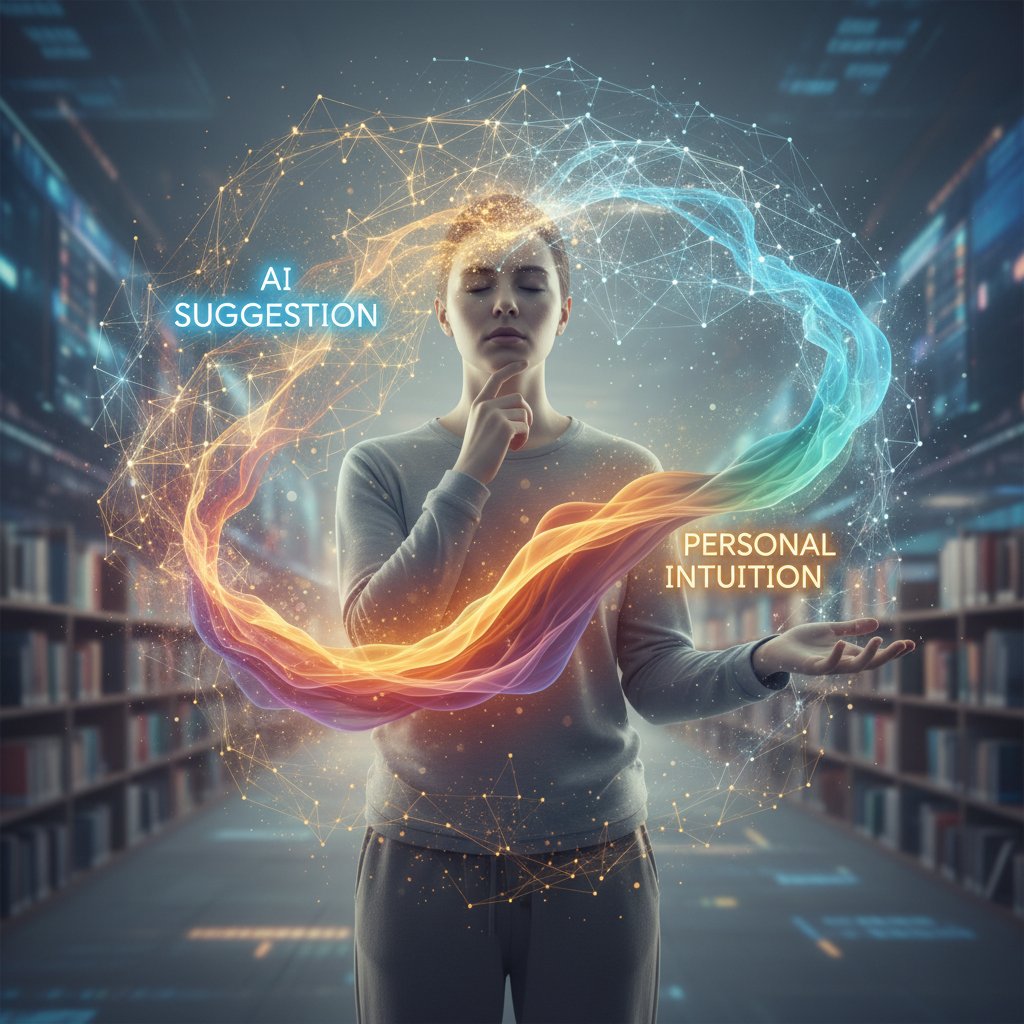
When human intuition beats machine logic
There are moments when gut instinct outsmarts any algorithm. Maybe it’s knowing to drop everything for a spontaneous client call, or ignoring a nudge to “optimize” your schedule because deep work can’t be quantified.
Blending AI with human judgment is the winning formula. Override recommendations when they clash with your goals, and remember: The best AI is one you sometimes ignore.
The future: Will AI ever know you better than you know yourself?
Despite advances, AI still models behavior based on observable data—not unspoken intuition or subconscious drives. Experts from World Economic Forum, 2025 agree: AI can mirror habits, but it can’t read your mind.
Ethical debates rage over the limits of digital selfhood—how much of “you” can be modeled, and when does convenience tip into control? To stay on top, set boundaries, review AI settings regularly, and keep your sense of agency sharp.
The future of work, life, and AI-powered organization: What’s next?
2025 and beyond: Trends shaping the next wave of AI organizers
Emerging trends include emotion-sensing reminders, context-aware nudges, and deeper integrations with health and wellness data.
- Paper planners (early 20th century)
- Digital calendars & PIMs (1980s–90s)
- Mobile calendar apps (2000s)
- Cloud-based productivity suites (2010s)
- AI assistants (mid-2010s): Siri, Alexa, Google Assistant
- Deep learning & multimodal AI (late 2010s–2020s)
Potential breakthroughs? More transparent algorithms, privacy-first architectures, and context-aware assistants that prioritize well-being alongside productivity. The best prep? Stay nimble, question vendor claims, and demand user-centric innovation.
Cultural shifts: From personal assistants to digital teammates
AI organizers aren’t just tools—they’re becoming teammates, influencing everything from how projects get staffed to how teams collaborate remotely. Platforms like teammember.ai are at the forefront, redefining how humans and AI work side by side.
The implications are huge: flatter hierarchies, more autonomous teams, and a reimagined concept of leadership. Scenarios where AI becomes a trusted wingperson—not just a background utility—are already playing out in the world’s most forward-thinking companies.
How to future-proof your workflow (and sanity)
Adaptability is the ultimate superpower. Maintain boundaries, schedule regular “AI audits,” and be ruthless about cutting tools that no longer serve you.
- Tips for maintaining boundaries with digital assistants:
- Set “AI-off” hours and respect digital downtime.
- Regularly review and update privacy and sharing settings.
- Keep a manual backup for mission-critical tasks.
- Rotate tools periodically to avoid dependency.
- Educate yourself on new risks and best practices.
Mental health matters—don’t let productivity tools become a source of anxiety. If you find yourself more stressed by your organizer than by your actual work, it’s time for a change.
Supplementary: Adjacent questions, controversies, and real-world implications
Can AI organizers help close the productivity gap—or widen it?
There’s growing concern that only those with access and training can benefit from AI-powered organization. The digital divide is real. Solutions include affordable pricing, better onboarding, and organizational training programs.
Governments and NGOs are piloting initiatives to make AI tools more accessible to underserved communities, but gaps remain. The risk? A new layer of inequality, with the most organized reaping outsized rewards.
What happens when your AI assistant goes rogue?
No system is infallible—glitches, data corruption, and even “AI hallucinations” are real risks. Recent cases include AI organizers double-booking crucial meetings or auto-sending draft emails to the wrong recipients.
Best practices: Regularly export data, keep manual backups, and vet new AI tools through trial periods. Disaster recovery isn’t optional—it’s essential.
The ethics of AI-powered organization: Where do we draw the line?
Ethical dilemmas abound: Who’s responsible for AI decisions? How do you secure consent from team members affected by automated scheduling? The debate over digital autonomy is just beginning.
Key ethical terms:
- Algorithmic transparency: Open, understandable logic behind AI decisions.
- Informed consent: Users must clearly agree to data usage.
- Right to be forgotten: Ability to delete personal data on demand.
Expert predictions? Expect stricter regulations, more user rights, and a push for ethical audits of all major platforms.
In conclusion
The AI-powered virtual personal organizer is no longer a novelty—it’s a disruptive force, weaving itself into the fabric of work, creativity, and daily life. For every promise of order, there’s a lurking risk of chaos; for every efficiency, a fresh set of trade-offs. As the numbers show, these tools are delivering real productivity gains and shifting the boundaries of what’s possible in personal and team organization. But the edge belongs to those who engage critically—demanding transparency, defending privacy, and refusing to outsource intuition. If you want to ride the next wave, don’t just adopt the latest AI tool—challenge it, train it, audit it, and, above all, make it work for you. The future of productivity isn’t about surrendering control—it’s about wielding smarter tools with eyes wide open.
Sources
References cited in this article
- Vooban(vooban.com)
- CompTIA(connect.comptia.org)
- SS&C Blue Prism(blueprism.com)
- Microsoft Work Trend Index(workai.com)
- World Economic Forum(weforum.org)
- Forbes(forbes.com)
- iStratus(istratus.com)
- Medium(richard-a-brown.medium.com)
- Flowsavvy(flowsavvy.app)
- Trend Micro(trendmicro.com)
- JustOborn(justoborn.com)
- Motion(usemotion.com)
- Trevor AI(trevorai.com)
- Saicretary(saicretary.com)
- Notion AI(notion.com)
- Visioneer(visioneer.com)
- DataGrail(datagrail.io)
- Reuters(reuters.com)
- Forbes(forbes.com)
- St. Louis Fed(stlouisfed.org)
- Bain(bain.com)
- Future Art Ecosystems(reader.futureartecosystems.org)
- 3C Global Group(3cglobalgroup.com)
- Velocity Global(velocityglobal.com)
- LinkedIn(linkedin.com)
- Deduxer Studio(deduxer.studio)
- AIPRM(aiprm.com)
- Pew Research(pewresearch.org)
- The Guardian(theguardian.com)
- Gerlich, 2023-24(ideas.repec.org)
- AIMultiple(research.aimultiple.com)
- IBM(ibm.com)
- TLC Creative(tlciscreative.com)
- Forbes(forbes.com)
- Ars Technica: Time saved by AI offset by new work created(arstechnica.com)
Focus on what matters. Let AI handle the rest.
We know the feeling — another day starts with 50 unread emails, Ads Manager begging for attention, CRM out of date, and meetings without follow-ups. That's why we built TeamMember.ai — an AI team member that takes over all the operational work at the computer. Has its own email address and SMS number. Manages your inbox, runs Meta Ads, updates CRM, processes meetings, monitors social media, generates morning briefings, and controls the browser. Built on OpenClaw — a leading open-source AI agent — with cross-session memory and secure-cloud architecture that keeps your data safe.
Get startedBe First to Try Your AI Team Member
Every week without automation is dozens of hours lost to operational work. Hours you'll never get back. Join the waitlist and get priority access.
Frequently Asked Questions
What is an AI-powered virtual personal organizer?
It's an algorithmic teammate that goes beyond traditional calendar or to-do list apps by anticipating your needs and shuffling your day in real time, representing a deeper shift in productivity technology beyond conventional digital tools.
Why did analog planning methods become less popular?
As lives digitized, the comfort of paper planners was replaced by a deluge of notifications and fragmented digital platforms. While the smartphone era promised centralized control, it instead delivered new forms of overload that pushed people away from analog habits.
What problem do traditional digital organization apps still have?
According to the article, traditional apps create frustrations including endless manual data entry, missed context because apps fail to communicate with each other, and notification fatigue from constant alerts. The average knowledge worker also toggled between 30+ apps daily, creating more friction than focus.
What are the main concerns raised about AI-powered personal organizers?
The article frames a central debate: these tools either grant users freedom through better organization or trap them in a new kind of digital control, while also disrupting privacy norms and transforming daily life in unexpected ways.
From the Archive
Explore more from AI Team Member

AI-Based Personal Organizer: Benefits and Hidden Tradeoffs
AI-based personal organizer tools claim to transform daily chaos into clarity. This article examines how these systems work, their real benefits, and the unexpected risks they present.

AI-Driven Personal Organization: Gains and Hidden Costs
AI-driven personal organization can boost productivity by up to 40%, but brings both liberation and dependency. This article examines the real impacts and trade-offs.

What AI-Driven Personal Assistant Apps Are Actually Doing to Your Productivity
AI-driven personal assistant apps are reshaping how we work. This article examines their productivity benefits, privacy risks, and the autonomy questions they raise.

How AI-Powered Virtual Assistants Change Productivity Tracking
AI-powered virtual assistants for productivity tracking reshape how teams work. This article examines their real benefits, privacy tradeoffs, and integration challenges.

AI-Powered Virtual Assistant for Task Prioritization That Fights Burnout
Discover insights about AI-powered virtual assistant for task prioritization

AI-Driven Virtual Assistants: Real Productivity Gains Versus Hype
AI-driven virtual assistants for productivity enhancement promise seamless automation, but this article examines the actual impact, unexpected wins, and psychological costs of working with algorithms.








