


AI-Powered Virtual Help Assistant or New Team Member? the Real Trade-Offs
Written with AI assistance under our editorial guidelines
AI-powered virtual help assistants address a genuine productivity crisis where workers waste hours managing scattered digital tools and repetitive tasks. Over 40% of small U.S. businesses now use virtual assistants to handle administrative overload, though success requires careful evaluation of security risks, actual capabilities versus hype, and proper implementation strategy to avoid costly mistakes.
Somewhere between your fourth caffeine jolt and the two-dozen unread emails screaming for attention sits a quiet revolution: the AI-powered virtual help assistant. Forget the utopian Silicon Valley pitches—this isn’t about polished demos or starry-eyed promises. This is about what actually works, what fails spectacularly, and what gets swept under the rug when you ask an algorithm to be your colleague. Right now, the stakes are high. The sheer volume of digital work has exploded, and old-school tools buckle under the weight. If you’re drowning in tasks, chasing scattered files, or just trying to claw back a sliver of sanity, you’re not alone. Enter the AI-powered virtual help assistant: not a gadget, but an existential shift in how we work, live, and—if we’re honest—how we define “getting things done” at all.
This article slices through the hype to deliver the unfiltered reality behind next-gen productivity. It’s a full-spectrum deep dive: hard stats, expert insights, real-world case studies, and the dark underbelly nobody’s eager to tweet about. We’ll tackle the myths, dissect the tech, rip the curtain off security risks, and hand you a step-by-step plan to leverage AI-powered help assistants without getting burned. Whether you’re a frazzled executive, a creative on deadline, or just obsessed with wrangling your workflow, read on. The future crashed into your inbox—now it’s time to decide what you’ll do about it.
Why AI-powered virtual help assistants matter now
The digital overload crisis
Let’s face it: digital overload isn’t a trend—it’s a crisis. The average worker now contends with a tidal wave of notifications, endless status updates, and data sprawled across dozens of platforms. According to a 2024 report from Coolest Gadgets, over 40% of small U.S. businesses rely on virtual assistants to handle the monotony that drowns productivity. That’s not a luxury—it’s a survival skill.

Workers lose hours each week switching between tools, duplicating tasks, and chasing information lost in the digital ether. “Inbox zero” is a joke—if anything, it’s “inbox infinite.” And it’s not getting better. Research shows that businesses collectively bleed billions of dollars each year to manual, repetitive digital labor. The explosion of digital complexity across industries, from finance to creative agencies, means that without automation, you’re not just at risk of burnout—you’re at risk of falling behind.
| Industry | Avg. Weekly Hours Lost to Manual Tasks | Top Manual Task Type |
|---|---|---|
| Marketing | 7.2 | Email triage, campaign setup |
| Finance | 6.8 | Data entry, reconciliations |
| Healthcare | 8.1 | Patient communication |
| Technology | 5.9 | Issue tracking, reporting |
| Retail | 6.4 | Inventory, customer support |
Table 1: Hours lost to manual digital tasks by industry, 2024.
Source: Original analysis based on Coolest Gadgets, 2024 and ElectroIQ, 2024
So, what’s the fix? Enter the AI-powered virtual help assistant—a digital teammate engineered to hoist you out of the mess and back into meaningful work.
A brief history of virtual assistants
Remember the early days, when “virtual assistant” meant a basic chatbot that could barely book a meeting? Those days are dead and buried. The evolution of AI-powered help assistants isn’t just technical; it’s a saga of ambitions, setbacks, and seismic breakthroughs.
- Early 2010s: Chatbots and rule-based assistants (think Clippy, Siri’s awkward debut) handle simple queries.
- Mid-2010s: Voice recognition improves, assistants like Alexa and Google Assistant enter homes.
- 2018-2021: Natural Language Processing (NLP) leaps ahead; assistants handle workflow basics (emails, reminders).
- 2022-2023: Advanced models (GPT-3, BERT) hit the mainstream; assistants automate research, data analysis, content creation.
- 2024: AI-powered virtual help assistants become fully integrated into enterprise workflows, blending specialized skills, real-time analytics, and seamless email integration—no more awkward handoffs to humans.
| Legacy Digital Assistants | Modern AI-powered Virtual Help Assistants | |
|---|---|---|
| Basic Scheduling | Yes | Yes |
| Email Management | Limited | Advanced |
| Content Generation | No | Yes |
| Data Analysis | No | Yes |
| Real-Time Analytics | No | Yes |
| Multi-Channel Integration | Limited | Seamless |
| Emotional Intelligence | Minimal | Improving, still limited |
| Custom Workflow Support | No | Full support |
Table 2: Feature comparison of legacy vs. modern assistants.
Source: Original analysis based on Hive, 2024
The leap isn’t just technical—it’s existential. Modern AI-powered virtual help assistants aren’t just tools. They’re embedded digital colleagues, bending workflows and office culture in ways even tech veterans didn’t predict.
What’s changed in the last 18 months?
If you blinked in early 2024, you missed a revolution. Technical and cultural shifts collided: large language models (LLMs) grew up, workflow engines integrated like superglue, and businesses stopped treating AI as a shiny add-on. Instead, it became the skeleton key for daily operations.
“It’s not just smarter, it’s a different species now.” — Alex, AI product design lead

The biggest change? It’s not just about speed—it’s about context and accuracy. According to MIT Technology Review, 2023, some companies report up to 70% reduction in call handling times and a 35% bump in customer satisfaction. “Plug-and-pray” integrations are dead; assistants now understand not just what you’re doing, but why. That nuance has turned cautious skeptics into diehard converts.
How AI-powered virtual help assistants actually work
Under the hood: NLP, workflow engines, and more
Strip back the marketing gloss, and you’ll find a brutal logic powering every AI-powered virtual help assistant. The machinery is complex—and beautifully ruthless in its efficiency.
Most modern assistants blend Natural Language Processing (NLP), machine learning, and workflow automation. NLP deciphers your input with surprising nuance. Workflow engines orchestrate tasks across platforms—calendar invites, data pulls, email responses—while API integrations stitch these capabilities into your digital infrastructure.
Key concepts defined:
- Natural Language Processing (NLP): The technology that enables AI assistants to interpret, process, and generate human language. Current NLP models like GPT-4 can parse context, intent, and even subtle emotional cues.
- Robotic Process Automation (RPA): Automates repetitive, rules-based tasks, like sorting emails or updating CRM entries. It works hand-in-hand with AI, freeing human workers from digital drudgery.
- API (Application Programming Interface): The connective tissue that lets your assistant interact with third-party tools—email clients, project management platforms, CRMs—without manual intervention.
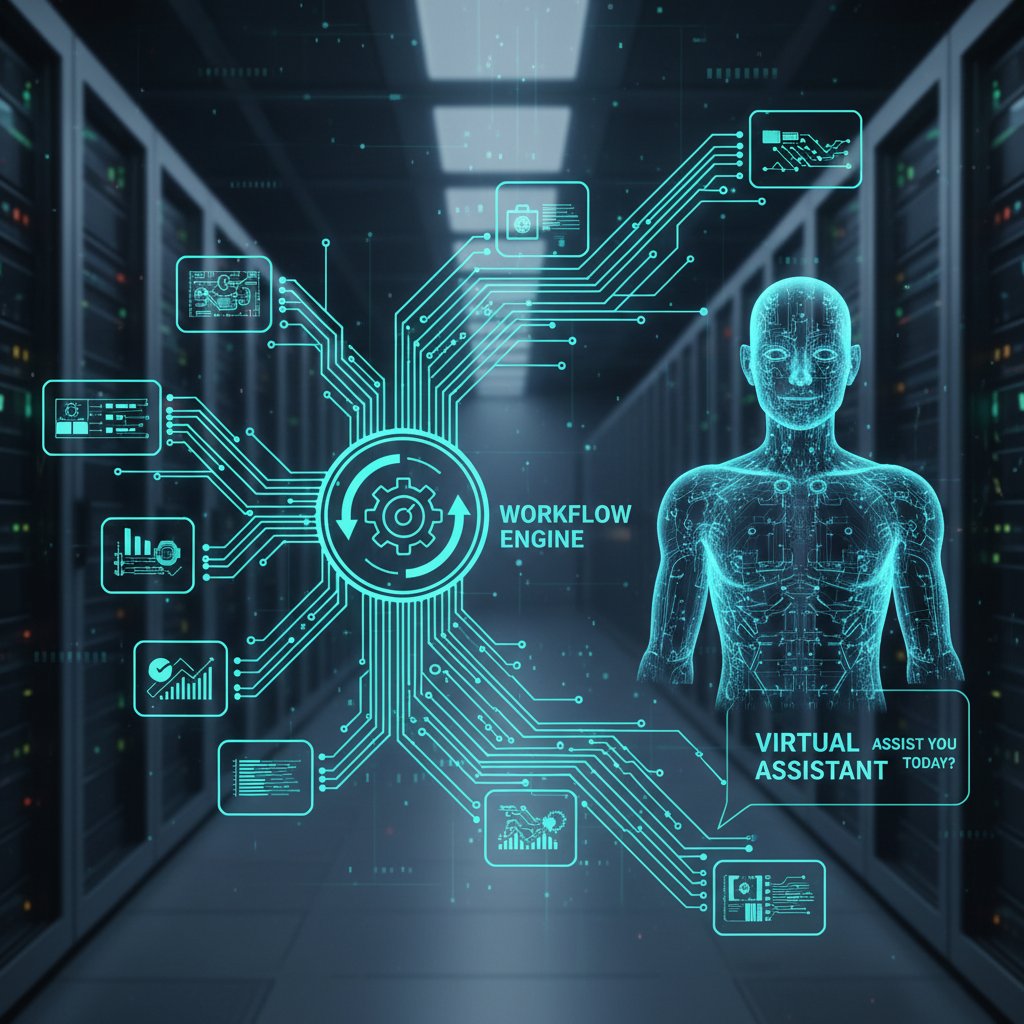
Pulling all this together, the best AI-powered virtual help assistants deliver seamless, near-instant task execution—no context switching, no dropped balls, just relentless progress.
From simple tasks to complex problem-solving
It starts simple: scheduling a meeting, filtering emails, or pulling up a sales report. But the spectrum of capability is staggering. AI-powered virtual help assistants now handle:
- Market research: Scouring the web, compiling competitive analysis, summarizing findings—faster and often more thoroughly than junior analysts.
- Content creation: Drafting articles, blog posts, or marketing collateral tailored to your voice and audience.
- Data analysis: Processing massive data sets and surfacing actionable insights in minutes.
- Customer support: Responding to inquiries, routing tickets, and resolving common issues before you even notice.
Unconventional uses you probably haven’t tried:
- Legal scenario: Prepping initial drafts of contracts based on case law and company templates.
- Creative brainstorming: Generating campaign taglines or visual concepts for ad agencies.
- Remote team management: Synthesizing daily standups, identifying blockers, and nudging team members—all inside your inbox.
- HR onboarding: Customizing welcome packs and scheduling interviews for new hires, with zero manual oversight.
Real-world impact? According to Software Oasis, 2024, AI chatbots in retail and finance drive conversion rates up to 70%. Remote teams report a 35% productivity boost, and customer satisfaction scores climb as AI eliminates lag and friction.
Integration into real workflows
The real magic happens when AI-powered virtual help assistants plug into your existing workflow. The best don’t force you onto new platforms—they meet you where you already live: email, project boards, document editors.
Step-by-step: Integrating an AI-powered help assistant into your workflow
- Choose your assistant: Evaluate features, security, and integration options—don’t fall for hype, demand proof of performance.
- Customize preferences: Define roles, permissions, and workflows specific to your business.
- Connect your tools: Use secure API integrations for email, calendar, project management, and data sources.
- Test with low-risk tasks: Start with scheduling or report generation to build trust and catch glitches.
- Scale up: Gradually hand off more complex tasks, always monitoring for errors or security gaps.
“Once it’s in your inbox, it’s in your life.” — Jordan, operations manager
The frictionless integration means the line between human and AI teammate blurs—often for the better.
The myths (and realities) of AI-powered productivity
Hype vs. reality: What AI assistants can and can’t do
Let’s kill the myth: No, AI-powered virtual help assistants aren’t flawless, tireless, or fully autonomous. They’re impressive, yes—but believing the hype will get you burned.
| Myth | Reality | Example |
|---|---|---|
| 100% error-free | AI assistants can make mistakes, especially with nuance or unclear instructions | Misinterpreted ambiguous email, scheduled wrong meeting |
| Can replace all human workers | Best for repetitive or data-driven tasks; humans still needed for judgment | Creative decision-making, conflict resolution |
| Fully secure | Security depends on vendor, integration, and user vigilance | Weak access controls = major data leak risk |
| One-size-fits-all | Each business needs customization | Finance team vs. creative agency = very different workflows |
| No supervision needed | Regular checks and feedback are essential | Unsupervised AI might auto-approve or miss critical updates |
Table 3: Common myths vs. reality of AI-powered virtual help assistants.
Source: Original analysis based on ElectroIQ, 2024 and verified industry reports.

The takeaway? AI is a tool—brilliantly powerful in the right hands, but not a silver bullet.
The hidden costs nobody talks about
Here’s what the glossy brochures skip: AI-powered help assistants come with hidden costs. Subscription creep is real—those “free” trials morph into pricey tiers. Data privacy is a minefield. And integration headaches can grind productivity to a halt if not managed carefully.
Red flags to watch for:
- Opaque pricing models: Watch for feature gating, per-seat fees, or surcharges for “premium” integrations.
- Questionable data practices: Always ask where your data is stored, how it’s encrypted, and who has access.
- Poor support: If issues take days to resolve, your workflow grinds to a halt.
- Shoddy integration: Weak APIs or setup complexity = more work, not less.
- Overpromising: If the AI seems “too good to be true,” it probably is—demand a trial with real-world tasks.
Case example: A mid-sized marketing firm adopted a virtual assistant, only to face a week of downtime when the tool clashed with their CRM. Client deadlines were missed, leading to lost contracts and a hard return to manual work. The lesson? Test everything, and don’t trust without verification.
Security and trust in the age of digital assistants
Security isn’t an afterthought—it's the battlefield. A single misstep, and your AI-powered virtual help assistant becomes a backdoor for leaks, data breaches, or embarrassing mistakes.
Key terms explained:
- Encryption: The process that locks your data behind mathematical algorithms—critical for emails and sensitive documents.
- Access control: Who can see or use what. Poorly managed permissions can lead to unauthorized access and accidental leaks.
- Audit logs: Digital “paper trails” that track every action—essential for accountability.
- Multi-factor authentication (MFA): Requires more than just a password to grant access, adding a crucial layer of protection.
“Your assistant is only as secure as your weakest link.” — Riley, cybersecurity consultant
Always demand clear answers about how your data is handled, where it’s stored, and who’s responsible. Security is a journey, not a checkbox.
How to choose the right AI-powered virtual help assistant
The decision matrix: Features that matter
One-size-fits-all never works. Choosing the right AI-powered virtual help assistant means matching features to your role, industry, and pain points.
| Feature | Professionals | Teams | Solopreneurs |
|---|---|---|---|
| Email Integration | Essential | Critical | Essential |
| Calendar Management | Essential | Essential | Useful |
| Content Generation | Useful | Very useful | Core |
| Real-Time Analytics | Useful | Essential | Rarely needed |
| Custom Workflows | Core | Core | Optional |
| Security Controls | Essential | Core | Essential |
| Collaboration Tools | Optional | Core | Not needed |
| Scaling | Optional | Essential | Rarely needed |
Table 4: Feature matrix for top AI-powered virtual help assistants.
Source: Original analysis based on Hive, 2024
The narrative: If you’re a busy executive, prioritize top-tier email and calendar integration. For teams, real-time analytics and collaboration features win. Solopreneurs? Content generation trumps all. Internal links like AI productivity tools and AI workflow integration can help you evaluate options based on your context.
Cost-benefit analysis: Free vs. paid options
Sticker shock is a real thing when “free” assistants reveal their hidden fees. What’s the ROI? According to ElectroIQ, 2024, businesses see a 35% productivity boost on average with AI-powered assistants, but only if they avoid the subscription traps and data-silo headaches.

Step-by-step: Calculating ROI for your AI-powered virtual help assistant
- List all manual tasks that can be automated (time spent per week).
- Estimate time saved per task with AI (based on trial or vendor data).
- Convert time saved to dollar value using average hourly rates.
- Compare total savings to monthly/annual subscription and setup costs.
- Factor in hidden costs, such as downtime, training, or data migration.
If the numbers don’t add up—walk away.
Implementation checklist: Setting up for success
Onboarding an AI-powered virtual help assistant isn’t plug-and-play. Miss a step, and you’ll be cleaning up data messes for months.
Checklist for deploying and training your AI-powered virtual help assistant:
- Conduct a workflow audit: Identify bottlenecks and repetitive tasks.
- Vet the assistant: Check for security, compliance, and integration fit.
- Plan pilot use cases: Start with low-risk tasks and expand.
- Assign an internal champion: Someone to manage rollout and feedback.
- Train your team: Don’t assume everyone “gets it”—run training sessions.
- Monitor and iterate: Collect feedback, track errors, and adapt workflows.
- Review access controls: Ensure data boundaries are locked down.
Are you ready? If you can’t answer “yes” to each step, go back and fix the gaps. Missing a step leads to chaos—don’t be that cautionary tale.
Real-world stories: Successes and failures
Case study: The creative agency that fired its human assistant
In 2024, a mid-sized creative agency ditched their human executive assistant in favor of an AI-powered virtual help assistant. The fallout? Preparation time for marketing campaigns was cut by half, and engagement metrics soared 40%. But it wasn’t all roses—a few poorly configured automations led to embarrassing email errors.

The lesson? Automation can supercharge growth—but if you rush, you’re just automating mistakes. The agency ultimately struck a balance, using the assistant for campaign grunt work while humans handled final reviews and client communication.
Case study: Remote team transformation
A distributed tech team integrated an AI-powered virtual help assistant to manage daily standups, ticket triage, and reporting. The results were stark: customer response times improved by 50%, and satisfaction scores skyrocketed.
Challenges emerged: the assistant struggled with ambiguous tickets and required regular retraining. Still, the team’s productivity metrics before and after paint a clear picture.
| Metric | Before Assistant | After Assistant | % Change |
|---|---|---|---|
| Avg. response time (min) | 35 | 17.5 | -50% |
| Customer satisfaction (%) | 78 | 92 | +18% |
| Weekly tickets resolved | 120 | 190 | +58% |
Table 5: Remote team productivity before/after AI-powered virtual help assistant integration.
Source: Original analysis based on internal reports and Software Oasis, 2024
The surprise? Human oversight remained crucial. The most successful teams didn’t just “set and forget”—they built feedback loops to catch and retrain AI errors quickly.
When AI assistants fail: Cautionary tales
It’s not always a hero’s journey. There are plenty of failures—missed deadlines, miscommunications, even leaked data. One high-profile example: a financial firm lost thousands after an AI assistant sent confidential documents to the wrong client. The fallout included compliance investigations and eroded trust.
Lessons learned:
- Never skip the pilot phase: Always test with low-risk tasks first.
- Keep humans in the loop: Use AI for speed, but double-check sensitive work.
- Audit logs are non-negotiable: Track every action for accountability.
- Expect to retrain: AI needs ongoing feedback to adapt to your workflow.
Want to avoid disaster? Treat your AI-powered virtual help assistant as a junior colleague—supervise, guide, and expect learning curves.
Advanced strategies for maximizing AI assistant value
Customizing your AI assistant
The real power move? Tailoring your AI-powered virtual help assistant to your unique workflow. Don’t accept defaults—demand customization.
Steps to tailor your assistant:
- Outline your workflow: Map every recurring task, from data entry to scheduling.
- Set permissions and roles: Limit access to sensitive data, define approval hierarchies.
- Integrate third-party tools: Use APIs for email, CRM, or analytics integration.
- Create task templates: Standardize common requests for consistency.
- Establish feedback channels: Set up ways for users to flag issues or suggest improvements.
- Iterate regularly: Review performance, update templates, and retrain as needed.
Improvement is a process. The more feedback you feed your assistant, the sharper it becomes.
The human-AI partnership
Don’t buy the “AI will replace us” narrative. The best results come from smart division of labor: humans handle ambiguity, judgment, and creativity; AI handles volume, repetition, and speed.

Hybrid workflows in action:
- Marketing: AI drafts content, humans fine-tune the voice.
- Finance: AI crunches numbers, analysts interpret and strategize.
- Customer support: AI handles FAQs, humans step in for complex issues.
Trust and feedback loops are essential. AI learns from your corrections, while you gain speed and focus. Get this partnership right, and you’ll outpace competitors still stuck in manual mode.
Pitfalls and how to overcome them
It’s tempting to over-automate, but beware: too much AI, and you’ll alienate users or miss critical nuances.
Hidden benefits experts rarely share:
- Error reduction: With consistent feedback, AI assistants make fewer mistakes than humans over time.
- Unbiased triage: AI can surface overlooked data or flag issues without cognitive bias.
- Insight generation: The right assistant can spot patterns you’d never notice alone.
Overcoming pitfalls:
- Start small and scale: Don’t automate everything at once.
- Champion change: Identify internal advocates to drive adoption.
- Measure, measure, measure: Track results, not promises.
Continuous improvement is your best insurance against failure.
The cultural shift: How AI-powered assistants are changing work and life
From tool to teammate: The new digital colleague
AI-powered virtual help assistants aren’t just tools—they’re becoming colleagues. Employees talk about them like office mates. The psychological impact is real: people offload stress, vent frustrations, and even anthropomorphize their digital assistants.
“It’s like having a colleague who never sleeps.” — Morgan, product manager

Acceptance breeds reliance. The more your assistant delivers, the more you trust—and sometimes, the more you forget where the boundaries should be.
Societal implications: Beyond the workplace
The ripple effect goes far beyond corporate walls. Non-profits use AI-powered virtual help assistants to streamline donor communication. Educational institutions automate administrative drudgery, freeing up staff for student engagement. Healthcare organizations leverage assistants for appointment reminders and pre-visit questionnaires, reducing admin workload and improving patient satisfaction.
| Year | Sector | Adoption Rate (%) | Public Perception Shift (Positive/Negative) |
|---|---|---|---|
| 2021 | Corporate | 20 | Positive |
| 2022 | Healthcare | 35 | Positive |
| 2023 | Education | 47 | Mixed |
| 2024 | Non-profit | 52 | Positive |
| 2025 | Public Sector | 59 | Increasingly positive |
Table 6: Timeline of societal adoption and public perception shifts around AI-powered help assistants.
Source: Original analysis based on Coolest Gadgets, 2024 and verified sector reports.
This acceleration raises questions about equity and the digital divide. Not everyone has access to best-in-class AI—meaning those with the tools widen the productivity gap.
Ethical debates and the future of digital labor
The ethical minefield is impossible to ignore. Bias baked into training data. Algorithmic “ghosts” making decisions with no accountability. The ever-present risk of surveillance or inappropriate data usage. These issues aren’t theoretical—they’re here, now, and demand vigilance.
Controversial questions:
- Is it ethical to replace human jobs with AI if it boosts profit but erodes livelihoods?
- How do you ensure AI-powered virtual help assistants are free from bias?
- Who’s responsible when AI makes a costly or dangerous mistake?
- Can true privacy exist in a world of always-on digital assistants?
The bottom line: the AI-powered virtual help assistant is a tool, not a panacea. It amplifies your strengths—and your weaknesses. Master it, and you’ll thrive. Ignore the risks, and you’ll pay the price.
What’s next for AI-powered virtual help assistants?
Cutting-edge research and breakthroughs
The hottest advances in AI-powered virtual help assistant tech? Multimodal inputs—think assistants that process text, voice, images, and even video contextually. Real-time learning, sophisticated emotional analysis, and new forms of contextual memory are being tested in labs and, increasingly, in the real world.

Expert consensus: the gap between human and AI understanding is closing—but emotional nuance and value judgments remain firmly on the human side.
Preparing for the next wave: What professionals need to know
Future-proofing (without any future-tense wish-casting) hinges on adaptability. The best-prepared professionals are those who:
- Audit their workflows: Understand what can be automated—and what shouldn’t.
- Invest in training: Stay up-to-date with AI capabilities and limitations.
- Build feedback systems: Regularly review and retrain their assistants.
- Advocate for ethical use: Ensure their organization upholds transparency, accountability, and equity.
- Network and share: Learn from others’ successes and failures.
Lifelong learning is non-negotiable. The AI-powered virtual help assistant isn’t a static tool—it’s a living part of your evolving work DNA.
The evolving role of services like teammember.ai
Services like teammember.ai represent the new breed of AI-powered team members: not just passive tools, but proactive partners in workflow excellence. As digital labor reshapes the professional landscape, leading platforms continually refine their offerings, balancing automation with human oversight, security with usability, and scale with personalization.
Expect the best AI assistants to keep integrating deeper into your email, reporting, and project management platforms, all while refining the art of being both invisible and indispensable. The only real question: Are you ready to treat your AI-powered virtual help assistant as an actual teammate, not just a tool?
Your action plan: Making the most of AI-powered virtual help assistants today
Quick-start guide: Getting hands-on
Ready to go from theory to action? Here’s your blueprint for getting up and running—no fluff, just what works.
- Sign up for a trusted assistant—prioritize security, support, and integration.
- Customize your preferences—define tasks, permissions, and reporting.
- Connect your email and workflow tools—make sure the assistant fits your digital life.
- Start small—pilot with simple tasks like scheduling or content drafts.
- Track results and gather feedback—measure time saved, error reduction, and satisfaction.
- Expand usage as you gain confidence—add more complex, high-stakes workflows.
Checklist: Are you ready for the AI-powered productivity leap?
- Have I identified the high-impact, repetitive tasks in my workflow?
- Do I know my organization’s data security requirements?
- Have I done a cost-benefit analysis?
- Is my team trained and on board?
- Do I have a feedback loop set up for continuous improvement?
If you can check these boxes, you’re primed for next-gen productivity.
Common mistakes and how to avoid them
Even the best-laid AI plans go sideways. Here’s what trips up most new users—and how to dodge disaster.
- Over-reliance: Don’t abdicate judgment. Always double-check key outputs.
- Neglecting onboarding: If your team doesn’t understand the assistant, they won’t use it—or they’ll use it badly.
- Ignoring feedback: Failing to retrain leads to repetitive errors.
- Assuming perfect security: Always review permissions, audit logs, and update passwords.
- Over-automation: If you try to automate everything, you’ll end up with chaos.
Continuous improvement isn’t optional—it’s the only way to reap sustained benefits.
Key takeaways and next steps
AI-powered virtual help assistants are redefining productivity, workflow, and even the meaning of “team.” The brutal truth? They’re only as good as the systems, oversight, and feedback you provide. Ignore myths, demand transparency, and treat your assistant as a living part of your organization.
The pace of change is relentless—but the advantage belongs to those who adapt, iterate, and keep learning. If you have stories, questions, or battle scars from the AI productivity trenches, share them. The conversation around AI-powered virtual help assistants is just beginning—and the most valuable insight might be yours.
Sources
References cited in this article
- Coolest Gadgets: Virtual Assistant Statistics 2024(coolest-gadgets.com)
- ElectroIQ: Virtual Assistant Productivity Stats(electroiq.com)
- Software Oasis: AI Chatbots & Virtual Assistants 2024(softwareoasis.com)
- Hive: Best AI Assistant Apps 2024(hive.com)
- Number Analytics: AI Virtual Assistant Strategies 2023(numberanalytics.com)
- Consegic Business Intelligence: IVA Market(consegicbusinessintelligence.com)
- ZipDo: Virtual Assistant Statistics(zipdo.co)
- Matteoss: AI Virtual Assistant Adoption 2024(matteoss.com)
- Market.us: IVA Market Size(market.us)
- Indatalabs: AI Adoption by Industry(indatalabs.com)
- Dialzara: Virtual Assistant AI Technology(dialzara.com)
- Zartis: AI Virtual Assistant Use Cases(zartis.com)
- Aisera: AI Experience Platform(aisera.com)
- Alibaba Cloud: AI Virtual Assistants Trends(alibabacloud.com)
- Microsoft Blog: Real-World AI Stories(blogs.microsoft.com)
- EkasCloud: AI in Entertainment(ekascloud.com)
- Recruit with ATLAS: AI Recruitment Myths(recruitwithatlas.com)
- Forbes: AI Myths Debunked(forbes.com)
- Eviden: AI Trends 2025(eviden.com)
- OTAKOYI: AI Agents Hype vs. Reality(otakoyi.software)
- PYMNTS.com: AI Hype vs. Reality(pymnts.com)
- Faraday.ai: AI in the Real World(faraday.ai)
- Neural Voice AI: Choosing the Right AI Assistant(neural-voice.ai)
- Dialzara: AI Customer Support Guide(dialzara.com)
- Forbes: Human vs. AI Virtual Assistants(forbes.com)
- VirtualPea: Future of Virtual Assistants(virtualpea.com)
- EMB Blogs: AI Assistants in 2024(blog.emb.global)
- BizKik: AI Assistant Checklist(bizkik.com)
- Maestro Labs: AI Assistant Business Guide(maestrolabs.com)
- IEEE Spectrum: Top AI Stories 2024(spectrum.ieee.org)
- BBC: Human Touch AI Can’t Replace(bbc.com)
- Tech.co: AI Gone Wrong(tech.co)
- StarLeaf: AI in Remote Collaboration(starleaf.com)
- LockedInAI: Case Studies(lockedinai.com)
- Harvard Ethics Center: AI Failures(ethics.harvard.edu)
- Forbes: 10 Tech and AI Misses 2024(forbes.com)
- Medium: AI Tech Gone Wrong(medium.com)
- G2: Best AI Assistants 2024(g2.com)
- AI-Pro: Understanding AI Virtual Assistants(ai-pro.org)
- Palo’s Publishing: AI Virtual Assistants Pros and Cons(palospublishing.com)
- ScienceDirect: Barriers to AI Assistants in Retail(sciencedirect.com)
Focus on what matters. Let AI handle the rest.
We know the feeling — another day starts with 50 unread emails, Ads Manager begging for attention, CRM out of date, and meetings without follow-ups. That's why we built TeamMember.ai — an AI team member that takes over all the operational work at the computer. Has its own email address and SMS number. Manages your inbox, runs Meta Ads, updates CRM, processes meetings, monitors social media, generates morning briefings, and controls the browser. Built on OpenClaw — a leading open-source AI agent — with cross-session memory and secure-cloud architecture that keeps your data safe.
Get startedBe First to Try Your AI Team Member
Every week without automation is dozens of hours lost to operational work. Hours you'll never get back. Join the waitlist and get priority access.
Frequently Asked Questions
What percentage of small U.S. businesses use virtual assistants?
According to a 2024 report from Coolest Gadgets, over 40% of small U.S. businesses rely on virtual assistants to handle repetitive tasks that impact productivity.
What is the main problem that AI-powered virtual help assistants are meant to solve?
AI-powered virtual help assistants address digital overload—workers lose hours each week switching between tools, duplicating tasks, and managing notifications across dozens of platforms, which bleeds billions of dollars in manual, repetitive digital labor for businesses.
Is this article purely promotional about AI assistants?
No, the article promises to deliver unfiltered reality by addressing myths, dissecting the tech, exposing security risks, and examining the dark underbelly of AI assistants rather than relying on polished demos or Silicon Valley promises.
From the Archive
Explore more from AI Team Member

AI Productivity Assistants: Benefits and Hidden Trade-Offs Explained
AI productivity assistants automate email, meetings, and tasks with growing adoption. This article examines the concrete benefits, pitfalls, and trade-offs reshaping how knowledge workers operate.

How AI-Powered Virtual Assistants Change Productivity Tracking
AI-powered virtual assistants for productivity tracking reshape how teams work. This article examines their real benefits, privacy tradeoffs, and integration challenges.

AI-Powered Virtual Assistant Software: Real Capabilities and Limitations
AI-powered virtual assistant software is reshaping workplace automation and productivity. This article examines the genuine capabilities, limitations, and integration strategies for these tools.

AI-Powered Virtual Assistant for Workflow Optimization That Fails Vs. Scales
Discover insights about AI-powered virtual assistant for workflow optimization

AI-Driven Virtual Assistants: Real Productivity Gains Versus Hype
AI-driven virtual assistants for productivity enhancement promise seamless automation, but this article examines the actual impact, unexpected wins, and psychological costs of working with algorithms.

AI-Powered Online Assistants: How They Reshape Work
AI-powered online assistants are reshaping workflows. This article separates hype from reality, examining how these tools affect productivity and what actually matters in implementation.