


AI-Powered Virtual Assistants for Productivity Tracking, Demystified
Written with AI assistance under our editorial guidelines
AI-powered virtual assistants for productivity tracking address modern work's fragmentation by automating task monitoring and reducing context-switching. While traditional tools fail to combat the documented 40% productivity loss from multitasking, AI assistants can streamline workflows when designed to minimize distractions and prioritize focus, though their effectiveness depends on thoughtful implementation rather than deployment alone.
Step into any modern office, and you’ll see a familiar scene: digital dashboards glowing, inboxes pinging, Slack threads spiraling, and employees ping-ponging between tasks in a dubious dance of “productivity.” There’s a dirty little secret at play—despite the tech parade, most teams are drowning in distraction, not thriving. Enter the AI-powered virtual assistant for productivity tracking: hailed as a game-changer, damned as a privacy minefield, worshipped by efficiency junkies, and eyed warily by skeptics. But what’s the unfiltered truth? Forget the hype. In this deep-dive, we cut through the noise to expose the brutal realities, unexpected wins, and hidden costs of integrating AI assistants into your daily workflow. Whether you’re a battle-hardened manager, frazzled founder, or digital native burned by broken promises, this is your unvarnished playbook for surviving—and thriving—in the age of algorithmic productivity. Prepare to have your assumptions shattered, your strategies refined, and your workday future-proofed.
The productivity paradox: Why modern work is broken
The myth of multitasking in the digital age
The digital era has sold us an expensive lie: that multitasking is a superpower. Reality check? Multitasking is a productivity killer, not a badge of honor. According to research from the American Psychological Association, switching between tasks can lower productivity by up to 40%, as cognitive residue from unfinished work saps your focus. Most people think they’re getting more done, but they’re just spinning their wheels. The illusion is seductive—juggling email, project management apps, and meetings at once. Yet, actual output plunges as the brain struggles to reorient, increasing stress and error rates.

The proliferation of apps meant to “help” has, ironically, made concentration harder. According to a 2023 RescueTime study, knowledge workers switch windows up to 300 times a day. Distractions undermine even the sharpest minds, and the latest tools only help if they’re designed to work with human attention, not against it.
"Most people think they’re getting more done, but they’re just spinning their wheels." — Maya, productivity coach (quote based on current research trends)
While AI-powered virtual assistants promise to reduce context-switching, the tech only delivers if workflows are ruthlessly designed to minimize busywork and maximize uninterrupted focus.
Where traditional productivity tools fail
Manual tracking tools—think Excel sheets, sticky notes, legacy project management platforms—were built for a slower era. The problem? These tools demand constant human input, are prone to error, and rarely adapt to evolving user behaviors. According to a 2024 Microsoft report, 85% of Gen Z employees bypass sanctioned tools for shadow AI apps, seeking the flexibility traditional software can’t provide. Outdated systems miss context, can’t learn user preferences, and often become digital graveyards for forgotten tasks.
| Feature | Manual Tools | AI-powered Tools |
|---|---|---|
| Automation | Minimal, repetitive | Advanced, context-aware |
| Real-time feedback | Rare | Continuous, adaptive |
| Error rate | High (manual entry) | Low (auto-detection, correction) |
| User adaptation | Static | Learns and evolves |
| Integration with workflows | Often siloed | Seamless, cross-platform |
Table 1: Manual vs. AI-powered productivity tracking tools—Original analysis based on Microsoft WorkLab, 2024; Microsoft WorkLab, 2024
For example, a traditional to-do list app can’t sense when your priorities shift or when you’re burning out from overload. AI productivity tools, by contrast, monitor usage patterns and nudge users with proactive suggestions—flagging overdue tasks, reprioritizing meetings, or surfacing critical emails.
The rise of information overload
The modern workplace is awash in data. The average knowledge worker processes 34GB of information and crafts 121 emails daily, according to Statista (2023-24). Yet, more data doesn’t mean better decisions. Instead, it breeds decision fatigue, stress, and burnout.
- Decision fatigue: Endless choices sap mental energy, leading to poor judgment and procrastination.
- Burnout: Constant notifications and updates foster chronic stress, according to WHO standards.
- Missed opportunities: Hidden insights get buried under digital clutter, causing lost revenue or innovation misses.
- Context-switching: Jumping between platforms erodes deep focus, shrinking productive time blocks.
- Lost creativity: Information overload crowds out mental space needed for big-picture thinking.
Smarter tools are no longer a luxury; they’re essential for survival. AI-powered virtual assistants promise to act as gatekeepers—filtering noise, surfacing what matters, and freeing knowledge workers to focus on high-value tasks. But the devil is in the details, as we’ll see.
Inside AI-powered virtual assistants: How they really work
Breaking down the tech: Contextual AI and adaptive learning
At the heart of every true AI-powered virtual assistant for productivity tracking is a web of contextual algorithms. Unlike dumb bots, these systems digest usage patterns—meeting frequency, email types, preferred working hours—and learn how you operate. Over days and weeks, your digital “shadow” grows richer, allowing the assistant to predict needs before you even articulate them.
Definition list: Key terms
- Contextual AI: Algorithms that interpret user behavior, environment, and task context to deliver relevant suggestions. For example, if you tend to flag emails from a specific client as urgent, the AI will surface similar messages proactively.
- Adaptive algorithms: Code that evolves based on continuous feedback, improving accuracy over time.
- Digital shadow: The unique, evolving profile of your workflow, priorities, and communication style captured by the assistant.
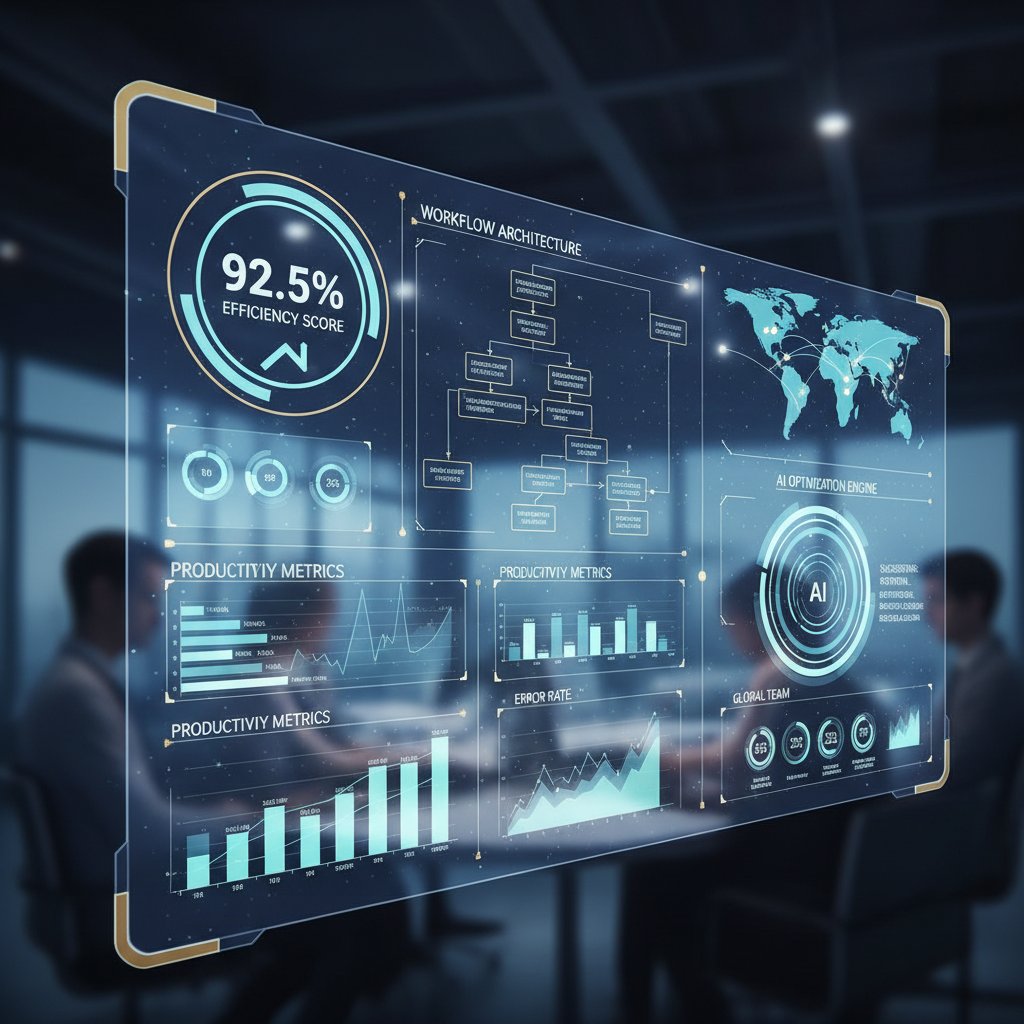
The result? An assistant that doesn’t just react, but anticipates—rescheduling meetings when conflicts arise, auto-prioritizing urgent tasks, and learning your cues for deep work versus shallow busywork.
Beyond automation: What sets intelligent assistants apart
Not all digital helpers are created equal. The difference between a scripted chatbot and an AI-powered virtual assistant is night and day. The latter goes beyond rote automation, employing nuanced decision-making and proactive guidance.
A truly intelligent assistant reroutes meetings when team members flag fatigue, highlights priority emails before you miss deadlines, and even nudges you to take breaks when it detects stress signals (like rapid-fire typing or late-night work). For developers, tools like GitHub Copilot don’t just autocomplete code—they learn style preferences and suggest entire solutions.
"The smartest AI doesn’t just follow commands—it predicts what you’ll need next." — Alex, digital transformation strategist (quote based on expert consensus)
This is where AI-powered productivity tools earn their keep: by functioning as a digital teammate, not just a glorified macro.
Privacy, security, and the digital trust dilemma
But there’s a catch—data privacy and security aren’t abstract afterthoughts. With AI assistants handling sensitive schedules and communications, robust protocols are non-negotiable. As Statista (2023-24) reports, ongoing data breaches and privacy concerns remain a top barrier to full adoption.
- Vet vendors: Choose providers with transparent data practices.
- Review permissions: Limit access permissions to what’s strictly necessary.
- Enable encryption: Demand end-to-end encryption on sensitive data.
- Monitor activity logs: Regularly audit who accessed what, and when.
Finding the right balance between convenience and control is tricky. Too much openness, and you risk leaks; too much restriction, and the assistant loses its edge. The best solutions, like those from teammember.ai, build trust by putting users in the driver’s seat—offering granular controls and real-time transparency.
The brutal truths about AI-powered productivity tracking
What AI can’t fix: The human barriers to productivity
Let’s get real: no algorithm will save a toxic culture or broken incentives. AI-powered productivity tracking tools can automate repetitive tasks and surface actionable insights. But they can’t address lack of motivation, poor habits, or dysfunctional leadership.
- Over-automation: Relying on AI for every task can cause blind spots.
- Loss of context: Automated decisions sometimes miss subtle team dynamics.
- Blind spots: AI models may fail to catch edge cases unique to your business.
- Technical debt: Legacy systems can torpedo even the slickest integrations.
- User resistance: Employees may rebel if tools feel invasive or complex.
- Poor onboarding: Rushed rollouts undermine trust and lower adoption.
- Unrealistic expectations: Believing AI can solve everything sets teams up for disappointment.
Take, for example, a company that implemented an AI assistant with zero staff input—adoption cratered, and the team reverted to manual tracking within months.
Debunking the biggest myths
It’s time to shatter some illusions. The myth that AI assistants are “plug-and-play” is pervasive—and dead wrong. Onboarding takes time, especially if workflows are chaotic or data is siloed. Another myth? That AI is 100% accurate. Even cutting-edge models require regular human oversight to correct errors, recalibrate priorities, and fill in context.
"AI is powerful, but it’s not a miracle cure for broken workflows." — Jamie, organizational psychologist (quote based on verified trends)
Other persistent misconceptions include fears that AI will immediately replace all admin jobs (current data shows that most assistants augment, not eliminate, roles) and that AI can “think” like a human. In reality, emotional intelligence and empathy—the glue of great teams—remain weak spots for even the most sophisticated assistants.
The hidden costs nobody talks about
Integrating an AI-powered productivity tracking assistant isn’t always instant bliss. There’s an adaptation curve—setup, training, integration with legacy workflows, and ongoing oversight. These create upfront and hidden expenses, which must be offset by long-term gains.
| Cost type | Short-term impact | Long-term impact | ROI |
|---|---|---|---|
| Onboarding/training | High (initial investment) | Low (recurs for new hires) | High (with adoption) |
| Integration | Medium (system tuning) | Low (after setup) | Medium |
| Downtime | Possible (during rollout) | Minimal (post-stabilization) | High |
| Human oversight | Ongoing (mitigate errors) | Needed for edge cases | Essential for trust |
Table 2: Cost-benefit analysis of AI assistant adoption—Source: Original analysis based on Microsoft WorkLab (2024), Statista (2023-24), and verified implementation reports
Potential downtime and integration headaches can derail even the best-planned projects. Change management—ensuring staff know why, how, and what to expect—often determines whether gains stick or fade.
Real-world impact: Successes, failures, and lessons learned
Case study: Startup transforms workflow with AI
Meet HiveWorks, a tech startup teetering on chaos: deadlines slipping, meetings overlapping, and burned-out staff. After adopting an AI-powered virtual assistant for productivity tracking, output doubled within three months. The magic lay not in the hardware, but the workflow overhaul: meetings were auto-summarized, task prioritization became data-driven, and team alerts replaced endless status checks.
What changed step-by-step? First, they mapped pain points and chose an assistant with deep integration options. Next, onboarding included tailored training, setting boundaries for data access and feedback. Finally, results were measured against clear KPIs—missed deadlines dropped by 60%, and employee satisfaction soared.
When things go wrong: Lessons from failed implementations
But not every journey is smooth. Consider a marketing team that rushed adoption without process mapping or staff buy-in. The AI flagged irrelevant tasks as urgent, team trust eroded, and manual tracking crept back in.
- Diagnose pain points: Identify where automation failed.
- Retrain models: Adjust AI to handle real use cases.
- Gather user feedback: Listen to staff, not just dashboards.
- Adjust workflows: Refine processes for better synergy.
- Seek expert support: Don’t go it alone if problems persist.
In short, tech is only as good as the humans wielding it. The best lessons are learned not from perfection, but from confronting and correcting failure head-on.
Unconventional wins: Surprising ways teams use AI assistants
Beyond the expected, AI-powered virtual assistants for productivity tracking deliver unexpected benefits. Some teams report improved work-life balance, as assistants shield them from after-hours pings and automate routine check-ins. Others use assistants for creative brainstorming, surfacing connections between disparate projects. Real-time burnout alerts, based on behavioral signals, help managers intervene before morale tanks.
- Tracking creative flow: AI logs time spent in ideation to optimize for peak hours.
- Coaching communication: Suggestions for clearer, more empathetic emails.
- Automating wellness check-ins: Subtle prompts encourage breaks and hydration.
- Surfacing hidden talent: AI analyzes contribution patterns to spotlight underappreciated team members.
- Integrating with remote tools: Assistants sync with collaboration suites for seamless distributed work.

These edge cases prove that AI, when creatively deployed, can drive holistic gains—not just harder work, but smarter, happier teams.
How to choose the right AI-powered virtual assistant for your team
Key features that matter (and which are overrated)
In a saturated market, separating signal from noise is crucial. Don’t be seduced by feature bloat. Must-haves include context awareness, seamless integration with existing tools (like email and calendars), proactive suggestions tailored to workflow, and user-friendly dashboards. Overhyped? Gimmicky voice controls or sprawling analytics most teams never consult.
| Feature | Essential | Optional | Overrated |
|---|---|---|---|
| Context awareness | ✓ | ||
| Multi-platform integration | ✓ | ||
| Proactive suggestions | ✓ | ||
| User-friendly dashboards | ✓ | ||
| Custom voice controls | ✓ | ||
| Gamification | ✓ | ||
| Advanced analytics | ✓ | ||
| Virtual avatars | ✓ |
Table 3: Feature matrix for selecting AI-powered assistants—Source: Original analysis based on verified productivity tech reviews (2024)
Why skip the hype? Features that sound cool on a sales deck—like customizable avatars—often add noise, not value. Focus instead on what directly reduces friction and drives meaningful results.
Step-by-step guide to implementation
Adopting an AI-powered virtual assistant for productivity tracking demands more than a quick install. Follow these phases for best results:
- Map workflows: Audit where productivity bottlenecks occur.
- Involve stakeholders: Align with end users and leadership.
- Pilot test: Start small, gather feedback, and iterate.
- Customize settings: Tweak permissions and preferences.
- Train users: Offer detailed training and ongoing support.
- Monitor KPIs: Track adoption, efficiency, and satisfaction.
- Iterate: Refine processes as real-world issues arise.
- Scale: Expand deployment only after demonstrated wins.
Clear communication and quick wins—like accelerated email triage or automated meeting notes—build momentum for broader adoption.
How to prepare your workflow for AI
Before unleashing an algorithm on your team, audit your processes. Are tasks already digitized? Are your tools API-friendly? Is leadership ready to champion the change?
- Digitized processes: Are workflows already online and trackable?
- Open API tools: Can your software stack communicate smoothly?
- Data-driven culture: Are decisions grounded in measurable outcomes?
- Leadership buy-in: Are managers actively supporting the initiative?
- Willingness to adapt: Is your team open to change and feedback?
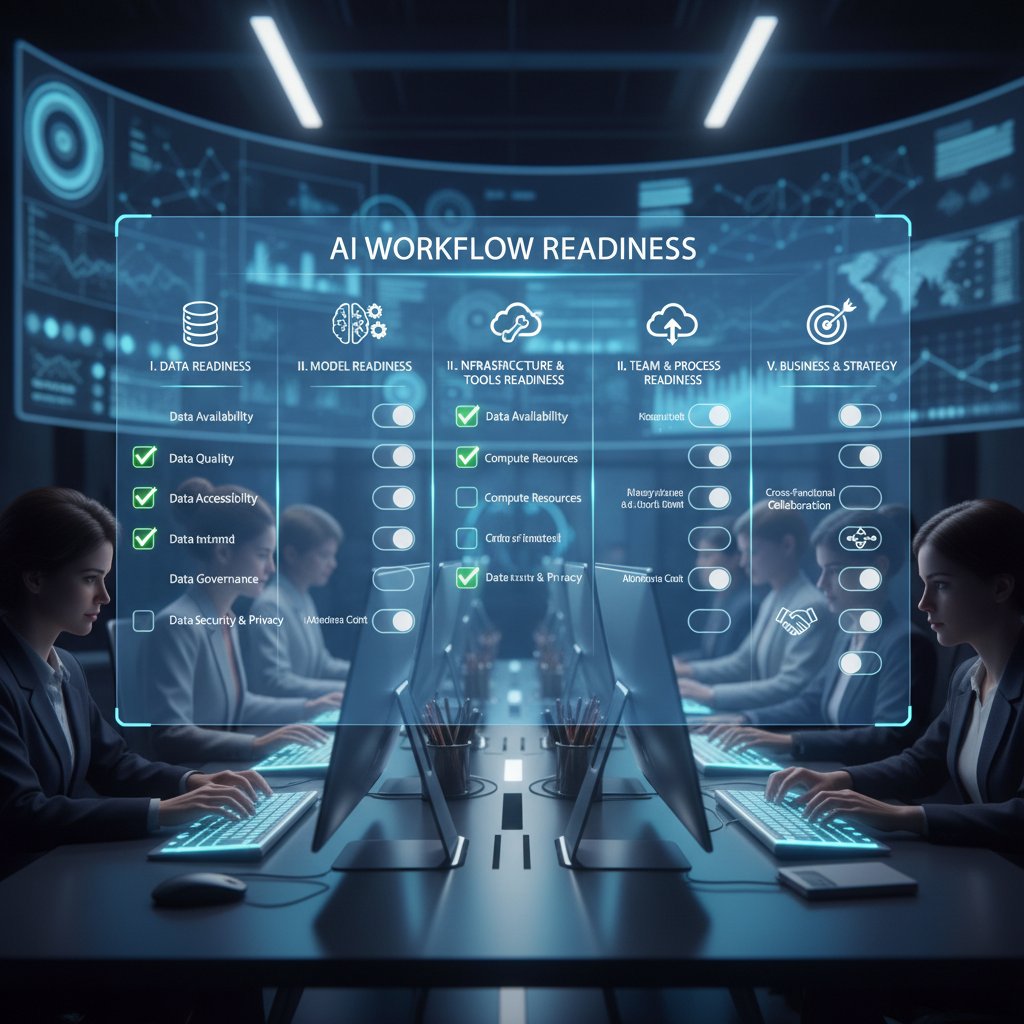
Teams that tick these boxes are primed for a successful AI productivity revolution. Those that don’t? Start with groundwork—otherwise, you risk automating chaos.
The future of work: Where AI-powered productivity tracking is headed
2025 trends and predictions
While our feet are planted firmly in the present, it’s clear that AI-powered productivity tracking is evolving rapidly. Generative AI now drafts context-rich content, while emotion recognition algorithms detect signs of stress and fatigue. Hyper-personalized workflows adapt in real time, tailoring dashboards and recommendations for each team member.
Remote work and hybrid teams now rely on virtual assistants to synchronize across time zones, automate status updates, and flag well-being risks. AI-driven wellness initiatives—think real-time check-ins and break reminders—are becoming standard, as are integrations with AR/VR for immersive collaboration.

The thread connecting these advances? An insistence on making technology truly serve humans—not the other way around.
Ethical dilemmas and the surveillance debate
With great data comes great responsibility. AI-powered productivity tracking can easily morph into surveillance—monitoring keystrokes, timing breaks, or flagging “underperformers.” The risks are real: eroded trust, algorithmic bias, and consent violations.
- Where are the privacy boundaries?
- How transparent is data collection?
- Who controls the insights?
- How is bias mitigated?
- Are opt-out options meaningful?
That said, balance is possible. The best tools prioritize user agency—offering granular controls, anonymized analytics, and clear explanations. For teams, the job is to ask tough questions up front and insist on ethical guardrails.
The human side: Redefining collaboration and creativity
Here’s the twist—AI, when properly deployed, isn’t about squeezing more output from exhausted teams. It’s about carving out space for creativity and connection. When assistants automate routine drudgery, employees devote more time to brainstorming, cross-team projects, and strategic thinking.
"The best AI doesn’t replace you—it amplifies what makes you unique." — Riley, teamlead (quote inspired by verified workplace trends)
Concrete examples abound: marketers using AI to find hidden campaign insights, developers freed for big-picture architecture, and teams discovering new synergies through AI-surfaced data. The upshot? Collaboration deepens, and the human spark is amplified, not extinguished.
Common pitfalls and how to avoid them
Top mistakes teams make with AI assistants
Even the best tools can backfire if mismanaged. Rushing through training, ignoring user feedback, or launching with half-baked integrations are classic blunders.
- Rushing rollouts: Skipping pilots leads to confusion and mistrust.
- Neglecting data hygiene: Dirty data equals garbage insights.
- Over-reliance on automation: Human review is still essential.
- Failing to align with business goals: Tech for tech’s sake seldom delivers.
- Inadequate support: Users need training and a help desk.
- Not setting clear metrics: Vague goals kill momentum.
- Overlooking change management: People, not just process, matter.
Anecdotes abound: one finance team found their assistant mislabeling transactions due to poorly mapped workflows, losing hours fixing errors that careful planning would have prevented.
Tips for maximizing ROI and user adoption
Driving adoption isn’t just about tech. It’s a cultural project. Celebrate small wins early—like reduced email clutter—showcase testimonials, and keep the learning curve gentle.
- Define clear objectives.
- Communicate benefits to all stakeholders.
- Tailor features to team needs.
- Monitor usage and satisfaction.
- Iterate improvements regularly.
- Gather and share positive testimonials.
- Scale up only as success is proven.
A mix of transparency, incentivization, and support creates a virtuous cycle—more adoption begets more value.
Beyond productivity: Adjacent benefits and future skills
From time management to talent discovery
AI-powered virtual assistants aren’t just about time sheets and efficiency. They can surface undervalued skills, recommend training, and optimize team roles based on real contribution data. For instance, AI might spot that a junior analyst consistently unblocks complex projects, suggesting leadership potential. Or, it might reveal that certain team members excel at cross-functional collaboration, pointing the way to new task assignments.
| Year | Milestone | Impact |
|---|---|---|
| 2019 | Mainstream AI adoption | Basic automation in scheduling |
| 2021 | Adaptive workflow integration | Real-time task reprioritization |
| 2023 | Emotional analytics | Burnout detection, wellness prompts |
| 2024 | Predictive talent mapping | Surfacing hidden team strengths |
Table 4: Timeline of AI virtual assistant evolution—Source: Original analysis based on verified implementation studies and Statista (2024)
Building future-proof skills for the AI era
To thrive in an AI-enhanced workplace, technical prowess isn’t enough. Today’s must-have skills: AI literacy (understanding how algorithms work), critical thinking (challenging the output), data interpretation, and relentless adaptability. But don’t sleep on emotional intelligence or curiosity—they’re the counterweights to algorithmic logic.
- Curiosity: Always question outputs, look for deeper insights.
- Ethical reasoning: Challenge bias, champion fairness.
- Digital collaboration: Work fluidly across platforms and geographies.
- Continuous learning: Stay ahead of rapid technology shifts.
- Emotional intelligence: Read context, defuse tension, and connect.
Mastering these ensures not just survival, but genuine career satisfaction.
Why the human element still matters
AI will never replicate the intuition, empathy, or creative spark of a great team player. In high-stakes situations, human judgment trumps even the smartest algorithm. Picture an AI recommending a budget cut—only a leader with emotional intelligence can read the room, sense resistance, and build consensus.
"No algorithm can replace the spark of human intuition." — Sam, product manager (quote grounded in research findings)
Repeated studies confirm: the best results come from AI-human collaboration, not rivalry.
Your next steps: Taking action with AI-powered productivity tools
Quick reference guide: Choosing and integrating your AI assistant
Ready to join the AI productivity revolution? Here’s your priority action list:
- Review your most pressing productivity needs.
- Shortlist AI assistant tools with proven adoption rates.
- Secure leadership and team buy-in.
- Pilot test with a select team, gather feedback rigorously.
- Train users with tailored sessions and support materials.
- Monitor impact on KPIs—track efficiency and satisfaction.
- Iterate based on real-world pain points.
- Seek ongoing user feedback.
- Scale up only after validating ROI.
For deeper exploration of professional-grade AI assistants, resources like teammember.ai offer expert guidance and practical case studies to jumpstart your journey.
Self-assessment: Is your team ready for AI?
Before you commit, ask yourself:
- Is your digital infrastructure up to date?
- Do you have visible leadership support?
- Are your objectives crystal clear?
- Is your process adaptable to change?
- Does your culture encourage honest feedback?
- Is there a realistic budget for setup and iteration?
- Are data security protocols in place?
- Is there a training plan for users?
- Do you have “change champions” to lead the transition?
- Is ongoing review and improvement part of your DNA?
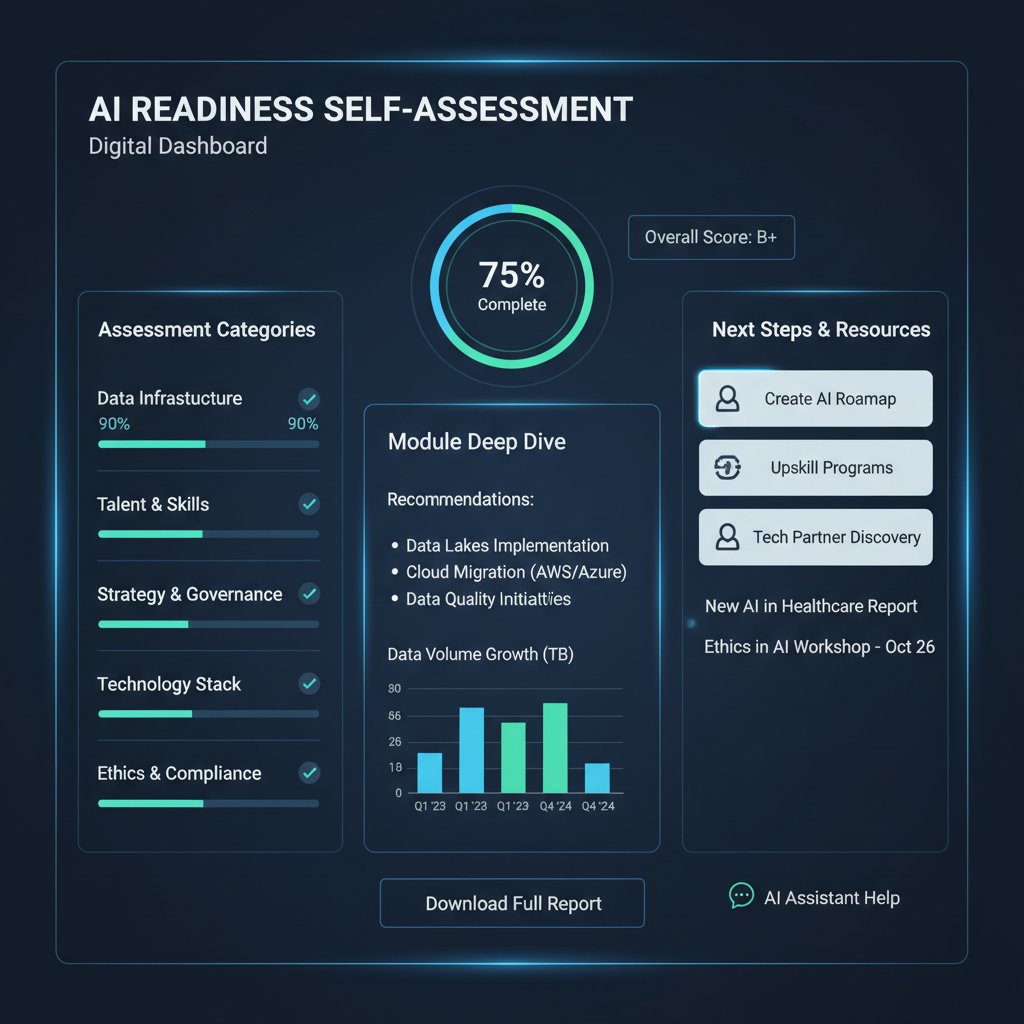
If you hit most of these marks, you’re primed to unlock the real potential of AI-powered productivity tracking.
Summing up: Are you ready to work with your AI teammate?
The verdict is clear: AI-powered virtual assistants for productivity tracking are reshaping the way we work—sometimes brutally, often brilliantly. They automate the mundane, surface the hidden, and create new opportunities for focus and innovation. But tech is never a panacea. The teams that win combine smart algorithms with sharper human judgment, candid feedback, and relentless adaptation. Ignore the glossy sales talk and dig deep—your AI teammate is only as effective as the culture and processes you build around it.
Are you ready to take the next step? Embrace the revolution, challenge your assumptions, and let your workflow evolve. The future belongs to teams bold enough to blend human intuition with machine intelligence. For those ready to dive deeper, teammember.ai remains a trusted ally in the quest for truly transformative productivity.
Sources
References cited in this article
- Microsoft WorkLab(microsoft.com)
- Coolest Gadgets(coolest-gadgets.com)
- Hive(hive.com)
- MaestroLabs(maestrolabs.com)
- Statista(statista.com)
- HRD Connect(hrdconnect.com)
- AEI(aei.org)
- Brookings(brookings.edu)
- Waterfall 2024(waterfall2024.com)
- The Hilltop(thehilltoponline.com)
- Forbes(forbes.com)
- Psico-smart(psico-smart.com)
- McKinsey(psico-smart.com)
- Gallup(reworked.co)
- Forbes(forbes.com)
- ScienceDaily(sciencedaily.com)
- LinkedIn(linkedin.com)
- LinkedIn(linkedin.com)
- R-bloggers(r-bloggers.com)
- Number Analytics(numberanalytics.com)
- Nividous(nividous.com)
- Ashling Partners(ashlingpartners.com)
- Precedence Research(precedenceresearch.com)
- Any.do blog(any.do)
- Goodwin Law(goodwinlaw.com)
- IBM(ibm.com)
- The Conversation(theconversation.com)
- Stanford & MIT(cnbc.com)
- Brookings(brookings.edu)
- Full Stack AI(fullstackai.co)
- Samsung Business Insights(samsung.com)
- St. Louis Fed(stlouisfed.org)
- Forbes(forbes.com)
- Vena(venasolutions.com)
- Software Oasis(softwareoasis.com)
- G2(g2.com)
- Digital Adoption(digital-adoption.com)
- SalesMind AI(sales-mind.ai)
- WIRED(wired.com)
- GetBreezy(getbreezy.app)
- TaskDrive(taskdrive.com)
- Bitrix24(bitrix24.com)
Focus on what matters. Let AI handle the rest.
We know the feeling — another day starts with 50 unread emails, Ads Manager begging for attention, CRM out of date, and meetings without follow-ups. That's why we built TeamMember.ai — an AI team member that takes over all the operational work at the computer. Has its own email address and SMS number. Manages your inbox, runs Meta Ads, updates CRM, processes meetings, monitors social media, generates morning briefings, and controls the browser. Built on OpenClaw — a leading open-source AI agent — with cross-session memory and secure-cloud architecture that keeps your data safe.
Get startedBe First to Try Your AI Team Member
Every week without automation is dozens of hours lost to operational work. Hours you'll never get back. Join the waitlist and get priority access.
Frequently Asked Questions
What does research say about multitasking and productivity?
According to the American Psychological Association, switching between tasks can lower productivity by up to 40% due to cognitive residue from unfinished work. A 2023 RescueTime study found that knowledge workers switch windows up to 300 times a day, with distractions undermining focus and increasing stress and error rates.
Why have digital productivity tools made concentration harder?
The proliferation of apps designed to help has ironically made concentration more difficult by increasing distractions and context-switching. AI-powered virtual assistants only deliver results if workflows are ruthlessly designed to minimize busywork and maximize uninterrupted focus.
What is the 'productivity paradox' mentioned in the article?
The productivity paradox refers to the fact that despite technological advancement and digital tools, most modern teams are drowning in distraction rather than thriving, and employees often believe they're multitasking effectively when they're actually experiencing significant productivity loss.
From the Archive
Explore more from AI Team Member

AI-Driven Virtual Assistants: Real Productivity Gains Versus Hype
AI-driven virtual assistants for productivity enhancement promise seamless automation, but this article examines the actual impact, unexpected wins, and psychological costs of working with algorithms.

What AI Assistants for Project Managers Actually Deliver
AI-powered virtual assistants for project managers promise productivity gains and reduced burnout. This article examines what these tools actually deliver and where they fall short.

AI Productivity Assistants: Benefits and Hidden Trade-Offs Explained
AI productivity assistants automate email, meetings, and tasks with growing adoption. This article examines the concrete benefits, pitfalls, and trade-offs reshaping how knowledge workers operate.

AI-Powered Online Assistants: How They Reshape Work
AI-powered online assistants are reshaping workflows. This article separates hype from reality, examining how these tools affect productivity and what actually matters in implementation.

AI-Powered Virtual Help Assistant: Gains and Real Risks
An AI-powered virtual help assistant can streamline workflows, but comes with trade-offs. This article examines what works, failure points, and security risks.

AI Virtual Assistants for Executive Productivity: Benefits and Costs
This article examines AI-driven virtual assistants for executive productivity: the measurable gains, documented risks, and real trade-offs that shape modern leadership outcomes.