


AI-Powered Virtual Assistant for Task Reminders: Boost Focus, Not Overload
Written with AI assistance under our editorial guidelines
Modern AI-powered virtual assistants help manage task overload by learning your habits, adapting to your preferences, and anticipating needs through context from calendars and emails. Unlike rigid rule-based reminders of the past, these tools integrate natural language processing to understand complex instructions and reduce mental burden. Over 42% of U.S. small-to-medium businesses now use AI assistants.
Imagine this: You’re about to fire off an important email when your phone buzzes, reminding you of a meeting you scheduled last week—but completely forgot. The relief is immediate. You didn’t drop the ball. But what if you could multiply that feeling, offloading the mental load of a thousand little obligations, all handled by an AI-powered virtual assistant for task reminders? Welcome to 2025, where your “second brain” runs on code, and your only real risk is forgetting what it felt like to worry about forgetting.
Task management has always been a battlefield. Most of us oscillate between jotting down cryptic notes, setting calendar alerts that we promptly ignore, and—let’s be real—simply hoping we remember. But the modern workscape, with its barrage of emails, Slack pings, and global time zones, has pushed human memory to its breaking point. This is the age of digital overload. Enter the AI-powered virtual assistant: a tool that not only remembers for you but learns from you, adapts to your quirks, and, increasingly, redefines what it means to be “on top of things.” In this deep dive, we’re unmasking the myths, spotlighting the hidden benefits, and examining the ways AI reminders might be saving your sanity—or quietly hijacking it.
The rise of AI task reminders: how we got here
From sticky notes to self-learning assistants
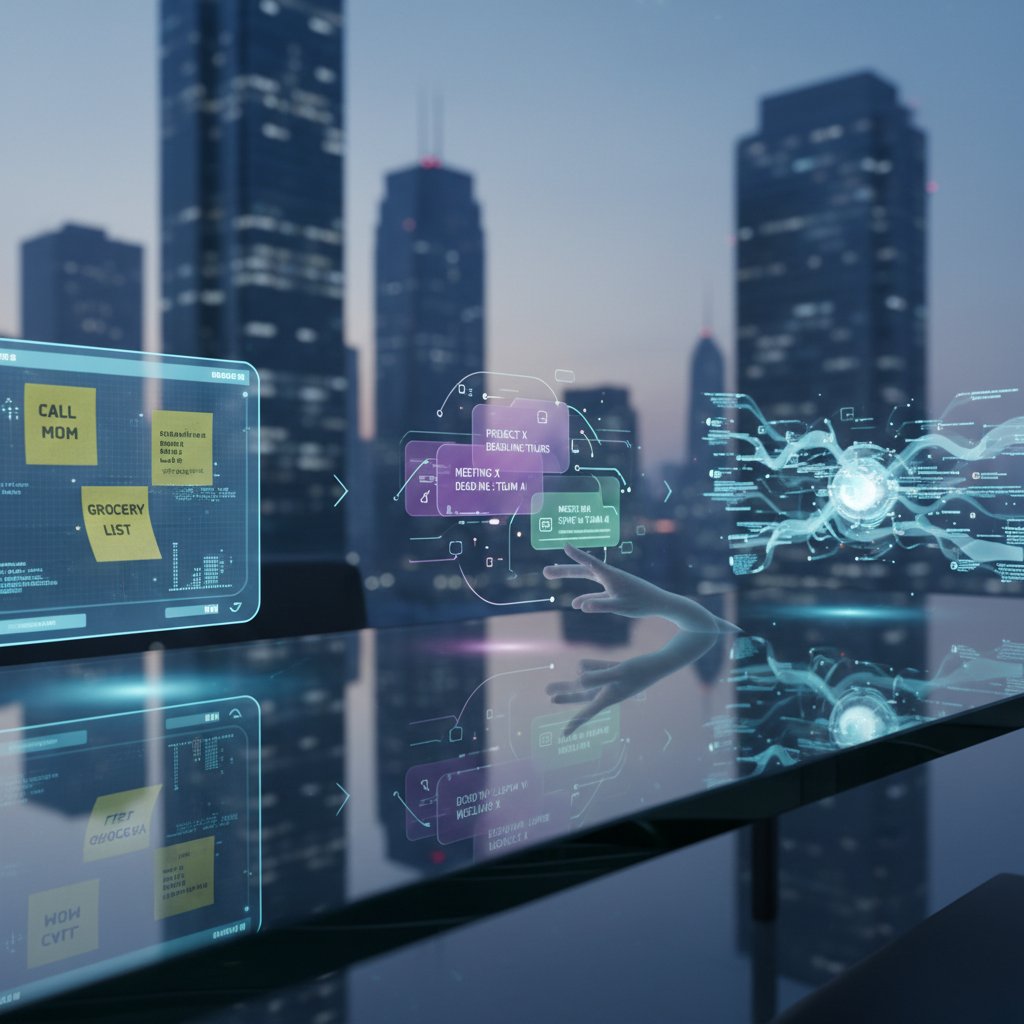
The story of reminders is, paradoxically, a tale of forgetting. In the 1990s, productivity warriors clung to sticky notes like lifelines—yellow flares against cognitive chaos. Early digital solutions, such as Microsoft Outlook’s static pop-up alerts or Palm Pilot’s buzzing reminders, offered only marginal relief. They were rule-based, rigid, and easy to ignore.
But the dawn of the smartphone era catalyzed an evolution. Now, reminders could follow you everywhere, crossing from device to device. Yet, the true game-changer was the leap from static rule-based alerts to dynamic, AI-driven assistants. By 2019, natural language processing (with breakthroughs like GPT-2) enabled reminders that could understand complex, human instructions: “Remind me to call Rachel after my 2 pm meeting—unless I’m already in another call.”
Today, virtual assistants like Google Assistant, Siri, and Alexa go further, integrating contextual cues from your calendar, emails, and even your smart home devices. They don’t just remind—they anticipate. As of 2024, over 42% of U.S. small and medium businesses have adopted AI-powered assistants, with global usage surpassing 4.6 billion users, according to ZipDo, 2024.
| Year | Milestone | Description |
|---|---|---|
| 1990s | Sticky notes & basic digital alarms | Analog reminders & simple PC pop-ups |
| 2000s | Email/calendar alerts | Outlook/Google Calendar pop-up notifications |
| 2010s | Mobile app reminders | Ubiquitous phone-based reminders, cross-device sync |
| 2019 | NLP-based assistants | AI understands natural language & context |
| 2023 | Context-aware, proactive AI reminders | Assistants predict needs, integrate with work tools |
| 2024 | Multimodal & collaborative AI | Text, voice, and image reminders, team workflows |
Table 1: Timeline of advancements in digital and AI reminders (Source: Original analysis based on ZipDo, 2024, Microsoft Research, 2024)
Why the old ways stopped working: the overload era
The analog methods weren’t just quaint—they were doomed. As remote work exploded and information multiplied, cognitive overload became the new baseline. According to studies published by TaskDrive, 2024, the average knowledge worker receives up to 121 emails daily, in addition to countless chat messages and notifications. The human brain, brilliant as it is, simply can’t juggle that volume. Missed deadlines, forgotten appointments, and fractured focus became standard.
"I used to trust my memory—until I missed my kid’s recital. Now my AI assistant never lets me forget." — Jamie, freelance designer
Neuroscience hasn’t been kind to the myth of multitasking. Research consistently shows that, as task complexity increases, our ability to self-manage reminders plummets. According to the American Psychological Association, 2023, chronic information overload leads to increased stress, lower productivity, and persistent anxiety about “what’s slipping through the cracks.” The digital deluge demanded a smarter response—the kind only AI could offer.
The psychology of outsourcing memory
Chaining your memory to a machine isn’t just a technological decision; it’s a psychological leap. Outsourcing memory to AI task reminders brings a cocktail of liberation and latent fear. On one hand, it frees up cognitive space for deeper work and creative thinking. On the other, it raises uncomfortable questions about dependency and the erosion of self-reliance.
A growing body of research, including a landmark 2024 study in the Journal of Cognitive Enhancement, reveals that digital reminders can reduce anxiety and boost confidence by offering a safety net against forgetfulness. However, the same literature warns of a “cognitive offloading trap,” where overreliance on reminders weakens natural memory retention.
7 hidden benefits of AI-powered reminders for mental well-being
- Reduced stress: Automating routine memory tasks lowers the anxiety of “remembering everything.”
- Improved focus: Fewer intrusive thoughts about forgotten tasks lead to deeper concentration.
- Consistent routines: AI reminders can nudge you to build and sustain helpful habits.
- Better sleep: Knowing tomorrow’s tasks are queued and remembered reduces bedtime rumination.
- Increased confidence: Reliability of AI reminders means you trust yourself to deliver on commitments.
- Enhanced creativity: Freeing up mental space allows for more original thinking and problem-solving.
- Social benefits: Timely reminders support better communication and follow-through, strengthening relationships.
The upshot? AI-powered virtual assistants are changing not just how we work, but how we think—and, crucially, how we feel about our own cognitive limits.
What makes an AI-powered virtual assistant different?
Beyond dumb alerts: how AI actually ‘learns’ you
Traditional reminders—think calendar pop-ups or static alarms—are blunt instruments. They operate on rules: if time = X, then buzz. AI-powered virtual assistants, by contrast, are data-driven artisans. They ingest behavioral data, learn your rhythms, and understand natural language. Machine learning enables these assistants to detect patterns: if you consistently snooze your 9 am reminder, the assistant adapts, nudging you at a more effective time.
Recent benchmarks from Coolest-Gadgets, 2024 show that AI reminders outperform static alerts in both recall and user satisfaction, largely thanks to their adaptability and nuance.
| Criteria | Traditional Reminders | AI-powered Assistants |
|---|---|---|
| Personalization | Low | High |
| Accuracy | Medium | High |
| Adaptability | None | Dynamic (learns & changes) |
| Privacy | Local only | Varies (user-controlled) |
Table 2: Comparison of reminder systems (Source: Original analysis based on Coolest-Gadgets, 2024)
Technical deep dive: under the hood of smart reminders
What makes AI reminders so eerily effective? Underneath the friendly interface is an engine powered by advanced algorithms and massive data sets. Natural language processing (NLP) allows assistants to parse commands like “Remind me to check the oven in 40 minutes, unless I’m on a call.” Context-aware systems monitor your location, calendar, and even your current device to fine-tune delivery. Behavioral analytics predict when and how to intervene for maximum impact.
Key terms, decoded
The AI’s ability to interpret and act on human language (“Remind me when Rachel emails”). NLP is what lets you speak, not just click.
Systems that factor in your time, location, device usage, and past behaviors to deliver relevant alerts (“Remind me about the milk when I leave work”).
AI anticipates your needs, suggesting reminders based on detected patterns (“You usually call your manager on Mondays at 3pm. Schedule call?”).
The process of delegating memory tasks to technology, freeing brainpower for more complex work (but beware overdependence).
Reminders that activate based on external events—like a calendar meeting ending or a device changing networks.
Together, these technologies create a seamless, personalized safety net that not only prevents mistakes but also accelerates productivity. For example, Microsoft Outlook’s AI reminders use both email analysis and behavioral modeling to prompt follow-ups at precisely the right time (Microsoft Research, 2024).
Case study: when AI reminders save the day—and when they fail
Consider Alex, a project manager overseeing a globally distributed team. With deadlines scattered across time zones, Alex relied on his AI-powered virtual assistant for task reminders to keep everything on track. The assistant not only delivered deadline nudges but also flagged potential conflicts, proactively suggesting rescheduling. Alex reported hitting every milestone for three months straight, with measurable improvements in team efficiency—a case echoed in Zartis, 2024.
But even AI stumbles. In one instance, an ambiguous command (“Remind me to call Sam after the meeting”) was misunderstood when “the meeting” changed times. The assistant reminded Alex too late, leading to a missed client call. The lesson: AI is powerful, but not omniscient.
| Provider | Personalization | Multimodal Support | Error Handling | Privacy Controls | Integration Level |
|---|---|---|---|---|---|
| teammember.ai | High | Text/email/voice | Advanced | Robust | Seamless |
| Google Assistant | Medium | Voice/text | Good | Standard | High |
| Microsoft Outlook | High | Email/calendar | Advanced | Strong | Medium |
| Alexa | Low | Voice | Basic | Limited | Home-centric |
Table 3: Feature matrix of AI reminder solutions (Source: Original analysis based on Zartis, 2024, Coolest-Gadgets, 2024)
The real-life impact: who needs AI task reminders anyway?
Executives, freelancers, and the gig economy
For busy executives, freelancers, and gig workers, the stakes are high and the calendar is unrelenting. Executives drown in meetings, struggle with email overload, and risk missing critical follow-ups. Freelancers juggle multiple clients and shifting deadlines, with little structural support. Gig workers, operating in unpredictable environments, need dynamic reminders that adapt on the fly.
Real-world examples abound: A marketing director at a mid-sized firm used AI reminders to cut campaign prep time in half, hitting a 40% engagement increase (as highlighted in internal teammember.ai case studies). A freelance writer synced AI-powered task reminders across devices, eliminating missed deadlines for three consecutive quarters. A rideshare driver optimized shift times and increased earnings by 20% after automating daily schedule reminders.
7 steps to set up your first AI-powered reminder
- Choose your platform: Research and select an AI assistant with strong reminder capabilities (e.g., teammember.ai).
- Create an account: Register and log in through your preferred device.
- Set up integrations: Link your email, calendar, and messaging apps for maximum coverage.
- Define your first reminder: Use natural language or template prompts.
- Customize notification settings: Adjust frequency, channels (email, push, SMS), and priority.
- Test and refine: Run a trial reminder, tweak timing or triggers based on feedback.
- Review analytics: Monitor performance, adjust for efficiency, and iterate as needed.
Healthcare, education, and high-stress professions
In healthcare, missed reminders can be catastrophic. Doctors manage dozens of patients across critical timelines; a single missed follow-up can have severe consequences. Similarly, educators coordinate assignments, meetings, and compliance in fast-paced, distraction-heavy environments.
Case studies show AI reminders reduce missed appointments by up to 30% in healthcare settings (Zartis, 2024). In education, teachers leveraging AI reminders for grading and parent communication saw improved response rates and compliance. High-stress professions like emergency services have begun experimenting with wearable devices synced to AI systems, ensuring crucial tasks aren’t lost in the shuffle.

When too many reminders become the problem
But what happens when the very tool designed to save you becomes the source of stress? Alert fatigue is real. When every ping demands attention, humans inevitably start tuning out—even missing critical alerts.
"I thought more reminders meant more productivity, but it just made me tune out." — Morgan, operations manager
The best strategies to combat overload include batching reminders into digestible windows, prioritizing high-impact tasks, and regularly reviewing your notification settings. AI can help—but only if you control the noise, not vice versa.
The dark side: privacy, dependency, and the myth of perfection
How much data does your assistant really need?
The promise of personalization hinges on data. AI-powered virtual assistants for task reminders often request access to your calendar, contacts, emails, and sometimes even location. This data enables context-aware nudges—but it also opens privacy risks.
| Data Collected | Privacy Risks | Benefits |
|---|---|---|
| Calendar events | Potential misuse of scheduling info | Hyper-relevant reminders |
| Email content | Sensitive info exposure | Smart follow-up prompts |
| Contact lists | Unintended sharing | Enhanced personalization |
| Location | Location tracking | Contextual, timely alerts |
Table 4: Data privacy risks vs. benefits (Source: Original analysis based on Microsoft Research, 2024, TaskDrive, 2024)
To safeguard your information, choose assistants with robust privacy controls, opt into only necessary data permissions, and regularly audit access logs.
The subtle trap: dependency and cognitive offloading
While AI reminders liberate us from forgetfulness, they can also breed dependency. Psychologists warn that overreliance may dull our natural memory, erode self-discipline, and spark anxiety when the tech fails.
Anecdotes abound: One executive credited AI reminders for eliminating missed meetings—and then panicked when a network outage left them “memory-naked.” Another freelancer felt a creeping sense of unease, realizing she couldn’t recall her own deadlines without digital help.
6 red flags you’re becoming too dependent on your AI assistant
- You can’t recall key dates or tasks without checking your device.
- Missed reminders cause disproportionate stress or panic.
- You rely on AI to prompt even minor, non-essential actions.
- You avoid manual planning in favor of digital defaults.
- You feel uneasy when disconnected from your assistant.
- Others notice your responsiveness drops when tech glitches occur.
Balance and self-awareness are critical. Use AI to augment—not atrophy—your executive function.
Debunking the myth: no, AI reminders aren’t perfect
Let’s shatter a persistent illusion: AI reminders do make mistakes. Despite the hype, they’re not immune to errors—especially in ambiguous, context-heavy scenarios. For example, natural language processing may misinterpret “remind me next Friday” if the assistant’s time zone settings are off.
Edge cases, language subtleties, and context gaps remain hurdles. According to expert commentary in Scoop Market, 2024, even market leaders struggle to correctly parse idiomatic speech or handle unusual scheduling patterns.
Industry experts stress the need for human oversight, continuous feedback, and realistic expectations. AI is an ally—but it’s not infallible.
Optimizing your workflow: best practices for AI task reminders
How to choose the right assistant for your needs
Not all AI assistants are created equal. When selecting the right tool, consider integration with your workflow, data security, ease of use, cost, and how well the AI “learns” your habits.
8 steps to assess and onboard an AI-powered virtual assistant
- Clarify your needs: Pinpoint the tasks you want automated.
- Survey the market: Compare assistants for features, reviews, and integrations (teammember.ai is a strong resource).
- Test privacy controls: Ensure robust permission management.
- Check learning capabilities: Favor solutions that adapt over time.
- Evaluate onboarding support: Look for clear documentation and responsive help.
- Trial integration: Start with a non-critical workflow to limit risk.
- Review analytics: Assess actual improvements in productivity.
- Iterate: Refine settings for your actual habits.
Fine-tuning reminders for maximum impact
The power of AI reminders is in their customization. Set up context-aware reminders that trigger based on specific events, locations, or behavioral patterns. For example, set reminders for deep work blocks only during low-meeting windows.
Common mistakes include flooding your day with low-value pings, ignoring AI’s suggestions, or failing to update preferences as workflows change.
7 quick tips for optimizing reminder relevance and reducing noise
- Batch similar reminders together to minimize interruptions.
- Assign priorities so critical tasks get prime slots.
- Regularly cull outdated or irrelevant reminders.
- Use snooze features judiciously—don’t default to dismiss.
- Review notification logs weekly to spot patterns.
- Test reminders across devices to ensure sync reliability.
- Solicit feedback from collaborators if reminders impact team workflow.
Integrations and the future of seamless productivity
The real magic happens at the intersection of platforms. AI assistants now integrate with email, calendars, Slack, Teams, and even smartwatches. The result? Reminders follow you seamlessly, syncing from your desktop to your phone to your wrist.
For instance, a product manager might schedule a deadline via desktop, get a nudge on her phone while commuting, and receive a final reminder on her smartwatch minutes before the meeting. Cross-device sync eliminates “fall through the cracks” moments.

Controversies and culture: AI reminders in the real world
The productivity arms race: are we winning or just surviving?
If productivity is the new status symbol, AI reminders are the latest badge. But are we actually getting more done, or just frantically keeping up?
"Reminders keep me on track, but sometimes I wonder—am I chasing my own tail?" — Taylor, tech consultant
Critics argue that the relentless quest for efficiency breeds anxiety and hollows out satisfaction. True productivity, some say, isn’t about squeezing more into each day, but about focusing on what actually matters.
AI reminders and workplace surveillance
The line between helpful and invasive can blur fast. Some organizations have wielded AI reminders as a tool for performance monitoring, tracking response times, or flagging missed deadlines “for your own good.” Tech and labor circles debate whether this crosses into surveillance.
Real scenarios: An employee learns her “helpful” reminders are logged by management and included in performance reviews; a remote worker finds their AI assistant flags “unusual inactivity” for HR. These stories fuel concern about privacy and autonomy.
Global perspectives: how different cultures use AI reminders
Adoption and attitudes toward AI reminders vary around the globe. In Japan, where overwork is endemic, AI task reminders are embraced as essential tools for work-life balance. In parts of Europe, robust privacy laws lead to more cautious uptake. Meanwhile, emerging markets leapfrog legacy systems, adopting AI reminders via affordable smartphones.

Cultural attitudes toward technology, authority, and work-life boundaries shape how AI reminders are trusted, customized, and relied upon.
The future of AI task reminders: trends to watch in 2025 and beyond
Predictive reminders: when AI knows before you do
The next evolution isn’t just reminding—it’s predicting. AI now surfaces potential conflicts, suggests optimal times for deep work, and nudges you to reschedule low-priority tasks when it senses overload.
Examples abound: A CEO receives a predictive alert about a looming calendar conflict before it becomes a problem. An AI assistant proposes mood-based reminders, adjusting recommendations if your stress signals spike.
| Feature | Description | Projected Impact |
|---|---|---|
| Conflict detection | Flags overlapping tasks in advance | Reduces missed meetings |
| Mood-sensing reminders | Adjusts nudges based on user mood | Supports well-being |
| Proactive scheduling | Suggests optimal times for key tasks | Boosts efficiency |
Table 5: Upcoming features and impact on productivity (Source: Original analysis based on Microsoft Research, 2024)
AI reminders for mental health and well-being
A new wave of AI-powered virtual assistants focus on more than just productivity. Mental health applications include meditation prompts, stress break reminders, and personalized nudges to disconnect after hours.
Case in point: A sales manager set up AI reminders for five-minute breathing exercises during high-stress campaigns, reporting measurable drops in anxiety. Teachers use wellness check-in reminders to track student well-being during remote schooling.
How to use AI reminders to support—not sabotage—your mental health
- Schedule regular, mandatory breaks during peak stress periods.
- Use reminders for hydration, movement, and screen-free time.
- Set limits on after-hours notifications.
- Integrate gratitude or mindfulness prompts.
- Balance task and self-care reminders.
- Regularly review well-being analytics from your assistant.
- Customize frequency to avoid “reminder fatigue.”
The next frontier: from reminders to decisions
The cutting edge of productivity tech isn’t just reminders—it’s delegation. AI-powered virtual assistants are starting to reschedule meetings, cancel low-priority tasks, and even draft apologies for missed deadlines—autonomously.
This raises ethical questions: How much agency should we hand to algorithms? Experts urge robust consent frameworks, transparent audit trails, and human-in-the-loop systems to ensure accountability. Regulatory bodies are beginning to scrutinize “decision-making” AIs for fairness and transparency.
Mastering your own productivity: actionable takeaways
Self-assessment: are you ready for an AI assistant?
Before you jump in, it’s worth evaluating your readiness for AI-powered task reminders.
10 questions to gauge your fit for AI-powered reminders
- Are you comfortable sharing calendar and email data with digital tools?
- Do you trust automated systems to manage critical tasks?
- Can you manage settings for optimal privacy and utility?
- Are you prone to forgetting deadlines or appointments?
- Do you feel overwhelmed by manual reminder systems?
- Are you open to experimenting with new tech workflows?
- Can you cope if the system glitches or goes offline?
- Are you aware of your own work rhythms and preferences?
- Can you balance analog and digital task management?
- Do you review and update your reminder preferences regularly?
A high score suggests you’ll thrive with AI reminders. Lower scores indicate you may need a hybrid analog-digital approach or more gradual onboarding.
Adapting strategies for different work styles
Creative professionals might opt for looser, context-aware reminders that nudge but don’t interrupt. Analytical roles (think finance or engineering) benefit from tightly scheduled, priority-based alerts. Managers need collaborative reminders that sync across teams and devices.
For example, a graphic designer uses AI reminders to block off “creative sprints,” while a data analyst sets up granular checklists for compliance deadlines. A senior executive leverages collaborative reminders to track team deliverables across continents.
The key: customize, experiment, and iterate until your system amplifies—not constrains—your unique style.
Building habits that stick—with or without AI
Digital reminders are powerful tools, but habit science says real change comes from blending tech with analog cues.
9 steps to build sustainable habits with AI and analog strategies
- Identify the habit you want to build (be specific).
- Set a recurring, context-aware AI reminder.
- Pair the digital nudge with a physical trigger (e.g., sticky note).
- Start with micro-habits—small, achievable actions.
- Track progress daily using both tech and analog tools.
- Celebrate wins with instant feedback (digital badge, physical reward).
- Adjust frequency if you experience “reminder fatigue.”
- Enlist a human accountability partner.
- Periodically review, tweak, or sunset the habit/reminder.

Supplementary explorations: what else matters in the world of digital reminders?
Common misconceptions about AI reminders
Let’s clear the air:
- “AI reminders are intrusive.” In reality, you control the frequency and content. The best systems adapt to your preferences (see: context-aware reminders).
- “They’re only for the forgetful.” High-performers, from surgeons to CEOs, use AI reminders to optimize—not compensate.
- “All reminders are the same.” The gap between static and adaptive reminders is as wide as chalk and cheese.
Key misunderstood terms
Means the reminder system factors in time, location, and activity for smarter nudges.
Alerts that anticipate needs or suggest actions before you ask.
The use of pattern recognition from your digital actions to customize reminders.
AI reminders at the intersection of ethics and innovation
Ethical debates swirl around consent, data use, and the balance between help and surveillance. Privacy advocates urge transparency, clear opt-outs, and limits on data retention. Tech optimists counter that the gains in well-being and productivity outweigh risks—if safeguards are robust.
The responsible path forward? Clear user controls, regular audits, and a culture that values both efficiency and autonomy.
What comes after reminders? The evolving landscape of productivity tech
The future of productivity isn’t just more reminders—it’s smarter delegation. AI is morphing into a full-fledged collaborator, juggling, prioritizing, and even executing tasks based on your preferences.
Industry forecasts from Scoop Market, 2024 predict that autonomous digital assistants will soon handle everything from meeting prep to expense reports, freeing humans for creativity and big-picture strategy.

Conclusion
AI-powered virtual assistants for task reminders aren’t just another productivity hack. They are a seismic shift in how we manage memory, attention, and the unyielding flow of modern work. As research and real-world data show, the benefits—lower stress, tighter routines, and reclaimed mental bandwidth—are profound. Yet, with power comes responsibility: to set boundaries, question dependency, and demand transparency from the systems we trust with our minds.
Whether you’re a CEO, an overwhelmed freelancer, or a gig worker hustling across time zones, the digital second brain is here to stay. Your challenge? Use it intelligently, blend it with the analog, and never lose sight of the human in the loop. For those ready to level up, platforms like teammember.ai offer a gateway into this new era of work—one where every nudge counts, and your sanity just might depend on it.
Sources
References cited in this article
- ZipDo Virtual Assistant Stats(zipdo.co)
- Coolest-Gadgets Virtual Assistant Stats(coolest-gadgets.com)
- Zartis Use Cases(zartis.com)
- Scoop Market Stats(scoop.market.us)
- TaskDrive Stats(taskdrive.com)
- Microsoft Research PDF(microsoft.com)
- World Economic Forum History of AI(weforum.org)
- TaskDrive AI Trends(taskdrive.com)
- National University AI Stats(nu.edu)
- AI Revolution Timeline(ai-pro.org)
- Forbes: Time Management Fallacy(forbes.com)
- WorkTorch Blog(blog.worktorch.io)
- FitSmallBusiness Stats(fitsmallbusiness.com)
- ZipDo Productivity Stats(zipdo.co)
- TopApps.Ai Blog(topapps.ai)
- Statista US AI Use(statista.com)
- OECD AI Workplace Impact(oecd.org)
- Medium AI Case Studies(medium.com)
- Quality & Quantity Study(link.springer.com)
- Nature Article(nature.com)
- LinkedIn Expert Opinion(linkedin.com)
- Reuters Privacy Risks(reuters.com)
- IAPP Privacy Concerns(iapp.org)
- IBM AI Privacy(ibm.com)
- Forbes AI Myths(forbes.com)
- GetBreezy Guide(getbreezy.app)
- SecurePrivacy AI Blog(secureprivacy.ai)
- TaskForceOutsourcing Blog(taskforceoutsourcing.com)
- Cognitive Research Journal(cognitiveresearchjournal.springeropen.com)
- Psychology Today(psychologytoday.com)
- Frontiers in Psychology(frontiersin.org)
- IBM AI Workflow(ibm.com)
- Creatio Workflow Automation(creatio.com)
- YesChat AI Reminders(yeschat.ai)
- Geeky Gadgets Fine-Tuning(geeky-gadgets.com)
- Mindandmetrics AI Trends(mindandmetrics.com)
- Algotive AI Trends(algotive.ai)
- Forbes AI Predictions(forbes.com)
- arXiv AI Reminders(arxiv.org)
- Forbes Company Culture(forbes.com)
- MIT Sloan Review(sloanreview.mit.edu)
- Medium: Cultural Intelligence(medium.com)
- AIPRM Workplace AI Stats(aiprm.com)
- Oxford Insights AI Readiness(oxfordinsights.com)
Focus on what matters. Let AI handle the rest.
We know the feeling — another day starts with 50 unread emails, Ads Manager begging for attention, CRM out of date, and meetings without follow-ups. That's why we built TeamMember.ai — an AI team member that takes over all the operational work at the computer. Has its own email address and SMS number. Manages your inbox, runs Meta Ads, updates CRM, processes meetings, monitors social media, generates morning briefings, and controls the browser. Built on OpenClaw — a leading open-source AI agent — with cross-session memory and secure-cloud architecture that keeps your data safe.
Get startedBe First to Try Your AI Team Member
Every week without automation is dozens of hours lost to operational work. Hours you'll never get back. Join the waitlist and get priority access.
Frequently Asked Questions
What are the main differences between traditional reminders and AI-powered task assistants?
Traditional reminders like early calendar alerts and pop-ups were rule-based and rigid, whereas AI-powered assistants use natural language processing to understand complex instructions, integrate contextual information from calendars and emails, and anticipate needs rather than simply alert you.
How did natural language processing improve task reminders?
Breakthroughs in natural language processing like GPT-2 (around 2019) enabled reminders to understand and execute complex human instructions such as conditional reminders—for example, "Remind me to call Rachel after my 2 pm meeting—unless I'm already in another call."
What is the main promise of AI-powered virtual assistants for task management?
AI-powered virtual assistants not only remember tasks for you but also learn from your habits, adapt to your quirks, and anticipate needs by integrating contextual cues from your calendar, emails, and devices, ultimately helping you manage the mental load of modern digital overload.
How widespread is AI assistant adoption as of 2024?
As of 2024, over 42% of U.S. small and medium businesses have adopted AI-powered assistants, and global usage has surpassed 4.6 billion users according to ZipDo.
From the Archive
Explore more from AI Team Member

AI-Powered Virtual Assistant for Multitasking Without Burnout
Discover insights about AI-powered virtual assistant for efficient multitasking

AI-Powered Virtual Assistant for Daily Reminders: Benefits and Hidden Costs
An AI-powered virtual assistant for daily reminders reshapes how we work and remember. This article examines the trade-offs between productivity gains and cognitive dependency.

AI-Driven Virtual Assistant for Notifications That Don’t Drain You
Discover insights about AI-driven virtual assistant for automated notifications

AI-Powered Virtual Assistant for Task Prioritization That Fights Burnout
Discover insights about AI-powered virtual assistant for task prioritization

How AI-Powered Virtual Assistants Automate Follow-Ups
An AI-powered virtual assistant for automated follow-ups can streamline repetitive tasks. This article explains how these tools reclaim time and why manual follow-ups drain productivity.

AI-Powered Virtual Personal Organizer: Freedom or Control?
AI-powered virtual personal organizers are reshaping how people manage daily tasks, emails, and schedules.


