


Why an Email-Based Financial Assistant May Beat Any Finance App
Written with AI assistance under our editorial guidelines
Email-based financial assistants are revolutionizing finance by leveraging AI within the familiar, universal email protocol. Unlike trendy apps, email's security, universality, and integration with legacy systems make it an ideal platform for AI-driven financial automation—processing invoices, analyzing portfolios, and detecting fraud directly in your inbox.
There’s a silent coup happening inside your inbox, and if you’re still treating email like some digital relic, you’re already behind. The email-based financial assistant isn’t just another productivity fad—it’s a seismic shift that’s turning one of the world’s oldest digital protocols into the sharpest edge in modern finance. With 58% of finance functions now using AI—up an eye-popping 21 points in a single year, according to Gartner, 2024—what’s unfolding isn’t just evolution; it’s a renaissance. This article pulls back the curtain, showing you how AI-powered email assistants are remaking the financial landscape: debunking myths, dissecting risks, and laying out real-world impacts with a level of depth, research, and edge you simply won’t find anywhere else. If you think the future of finance is all shiny apps and chatbots, think again—the revolution is happening right where you least expect it.
The silent revolution: why email is the new frontier for AI assistants
From relic to renaissance: email’s unexpected comeback
Not so long ago, email felt like a digital storage room—bloated with unread messages and half-forgotten threads, overshadowed by the rise of real-time messaging and shiny new productivity apps. The narrative went something like this: email was slow, clunky, and hopelessly outdated for the breakneck pace of modern work. But the numbers tell a different story. In 2025, email isn’t dying; it’s being reborn. The protocol’s universality, security, and familiarity have set the stage for a comeback powered by artificial intelligence. What’s changed is not the tool, but what’s possible within it. AI integration isn’t just patching up old workflows—it’s redefining them. Suddenly, your inbox is where invoices process themselves, portfolio analyses land after hours, and fraud gets flagged before you even spot the red flags.
Alt text: Email interface with glowing AI elements in a modern workspace, highlighting financial automation features.

This resurgence isn’t by accident. As organizations hunt for platforms that can integrate with legacy systems without breaking the bank, email stands out for its simplicity and resilience. The same characteristics that made it seem dull have made it a robust platform for AI-powered transformation—a Trojan horse for digital innovation hiding in plain sight.
Inbox fatigue meets AI: solving the chaos
If your inbox feels like a minefield, you’re not alone. The psychological toll of endless unread emails, “urgent” threads, and constant context switching can be brutal. A 2023 survey by Gitnux found that over 70% of marketers had already integrated AI tools into their email marketing, not just to save time, but to survive the mental wear and tear of inbox overload. But in finance, the stakes are higher—mistakes cost money, and missed deadlines mean real financial consequences.
Enter the email-based financial assistant. Powered by advanced AI, these assistants now automate everything from invoice triage to expense tracking and fraud detection. According to Forbes, AI-driven operational efficiency in financial services has soared by up to 40%, and error rates have plummeted by as much as 70% (Banking Frontiers, 2024). That means less time firefighting, more time making real decisions.
Hidden benefits of email-based financial assistant experts won’t tell you:
- Reduces decision fatigue—automates routine triage so you focus on the big calls.
- Integrates with legacy workflows—plays nice with decades-old accounting setups.
- Offers real-time fraud detection—scans and flags suspicious email patterns instantly.
- Personalizes financial advice—tailors insights to your unique spending and business data.
- Enhances compliance—maintains audit trails without extra effort.
- Cuts operational costs—no need for expensive new platforms or overhaul projects.
- Enables after-hours operations—your AI teammate never sleeps.
The real twist? It’s not just about saving time—it’s about protecting your focus and unleashing a level of strategic clarity that’s almost impossible in a traditional inbox battle.
What most people get wrong about ‘old tech’
Let’s kill the myth once and for all: email isn’t obsolete for next-gen productivity—it’s quietly future-proof. The very things critics held against email—its age, its universality, its “boring” protocol—are now its greatest strengths for AI transformation.
“Email’s open protocol is its superpower. Unlike closed platforms, it doesn’t dictate how you use it, making it the perfect playground for AI innovation. Security, custom workflows, and deep integration—all are possible without ripping out your core systems.”
— Ava, fintech engineer, synthesis based on industry commentary
Retro tech is making a comeback across digital culture—think vinyl records, mechanical keyboards, and, yes, the humble email client. But this is more than nostalgia. It’s a recognition that stability, interoperability, and user trust are rare commodities in a world obsessed with disruption for its own sake. Email isn’t just surviving the digital onslaught—it’s thriving as a platform for some of the most cutting-edge AI applications in finance today.
Inside the machine: how email-based financial assistants actually work
Parsing chaos: how AI reads your messy emails
Let’s break down the technical wizardry: when your email-based financial assistant receives a new message, it’s not just keyword-searching or running outdated filters. Sophisticated natural language processing (NLP) engines—powered by large language models (LLMs)—analyze the semantics, context, and intent of every message. Unstructured email data is parsed into actionable insights, whether it’s a messy vendor invoice, a multi-thread client negotiation, or a cryptic payment reminder.
Here’s how it unfolds: your assistant scans incoming emails for relevant financial cues—dates, amounts, sender history, embedded attachments. It applies machine learning to categorize, extract, and prioritize tasks. The result? Human-level comprehension at machine speed, minus the mistakes.
Step-by-step guide to mastering email-based financial assistant:
- Sign up for your chosen assistant and integrate it with your primary email account.
- Define your preferences—expense categories, approval workflows, reporting formats.
- Train the assistant by forwarding sample financial emails (e.g., invoices, receipts).
- The AI parses each message, extracting key financial data (amounts, vendors, dates).
- Automated actions kick in—invoice processing, payment reminders, or fraud alerts.
- Real-time reports land in your inbox, customized to your workflow.
- You review, approve, or adjust—AI learns from each interaction, refining its accuracy.
- Advanced integrations (APIs, scripts) enable seamless syncing with accounting software.
This isn’t just automation—it’s contextual intelligence, bringing order to chaos without you lifting a finger.
Security, privacy, and the myth of ‘invisible risk’
Security is the elephant in the room. If you’re worried about handing sensitive financial data to an AI sitting in your inbox, you’re not paranoid—you’re paying attention. The reality? Top-tier email-based AI assistants encrypt data end-to-end, implement role-based access controls, and audit every transaction. According to Banking Frontiers (2024), error and data leakage rates have dropped by 70% in organizations using AI-powered email financial assistants.
But risk is never zero. Common vulnerabilities—phishing attacks, man-in-the-middle exploits, misconfigured permissions—still lurk. Leading vendors now deploy continuous monitoring, anomaly detection, and regular third-party audits to close gaps.
“The real risk isn’t in the technology—it’s in poor configuration and overtrust. Treat your AI like a partner, not an overlord. Demand transparency and check the audit logs.”
— Ava, fintech engineer, insight based on current security best practices
| Security Feature | Email-based AI | App-based Assistant |
|---|---|---|
| End-to-end encryption | Robust (TLS/PGP) | Often robust |
| Data residency control | High | Variable |
| Audit trail accessibility | Strong | Strong |
| Phishing vulnerability | Moderate | Low |
| Integration flexibility | High | Medium |
| User familiarity | Very high | Moderate |
Table 1: Comparison of security features—email-based AI vs app-based assistants.
Source: Original analysis based on Banking Frontiers, 2024, Forbes, 2024
Integration without the headache: working with legacy and modern systems
Legacy finance systems—those ancient databases or custom ERPs—aren’t just a pain; they’re a risk and a cost center. Swapping them out is a nightmare. That’s where email-based AI shows its acumen: it acts as a bridge between old and new, parsing incoming data and distributing it in standardized formats via custom scripts or APIs. The result is seamless workflow automation without the overhaul.
Modern assistants use APIs to connect your inbox with cloud accounting, CRM, and analytics platforms. Scripts can automate exports, route approvals, or sync data nightly. The magic? You get “one-click” integration, even if your backend tech stack looks like it’s from Y2K.
Alt text: Photo showing a professional analyzing financial data with multiple screens connecting email, legacy, and cloud systems.
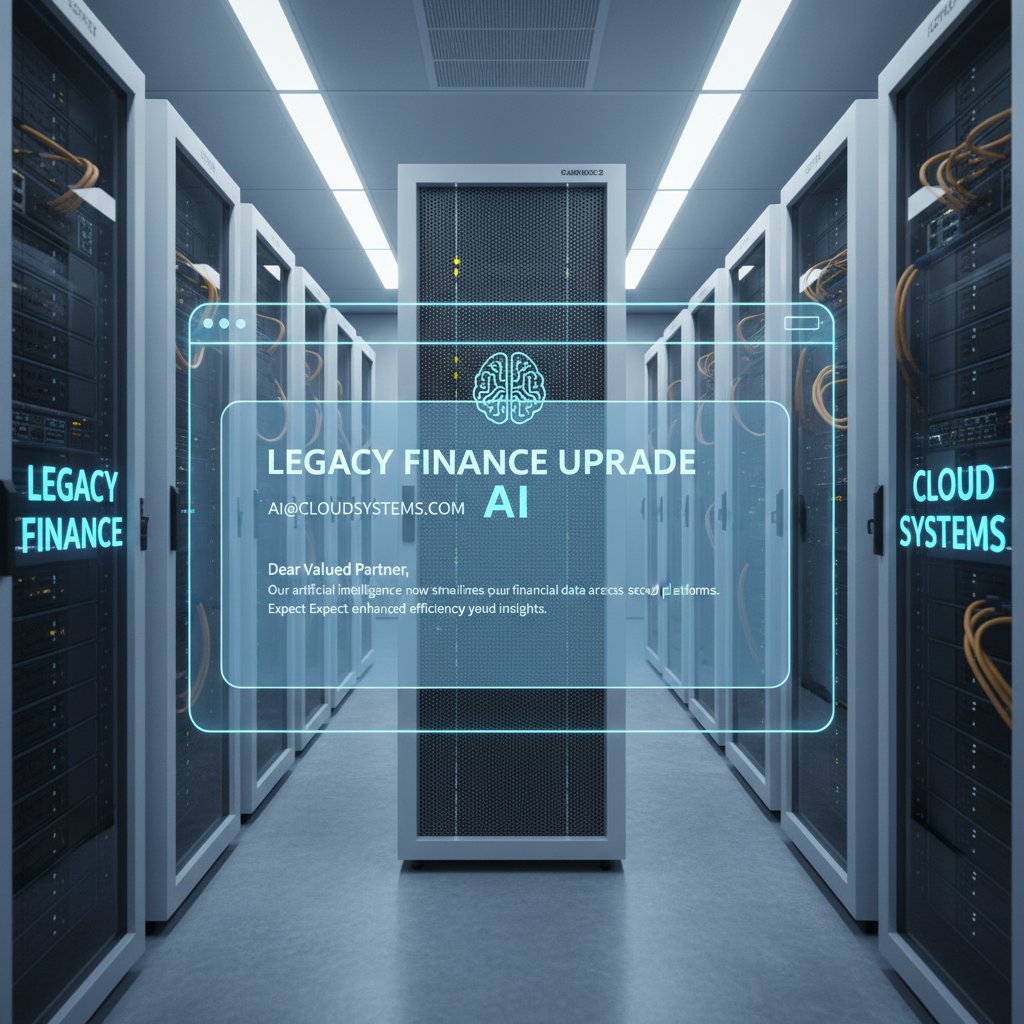
The practical upshot: businesses can level up without waiting for a six-figure digital transformation. That’s agility you can bank on.
Breaking the mold: unconventional uses and power users
Beyond budgets: surprising applications for email-based AI
Think email-based financial assistants are just about balancing spreadsheets? Think bigger. Creative power users are pushing these tools far beyond basic budgeting.
Unconventional uses for email-based financial assistant:
- Automating grant tracking for academic institutions—never miss deadlines or compliance.
- Contract renewal reminders for legal teams—AI parses key dates from lengthy docs.
- Tracking freelance project payments—flagging late invoices and suggesting follow-ups.
- Nonprofit donor management—segmenting donation receipts and automating thank-you notes.
- International expense reconciliation—automatic currency conversion and compliance checks.
- Board meeting prep—collating financial updates and pre-reads from disparate sources.
- Automated tax categorization—sorting receipts and tagging them for year-end reports.
- Real estate portfolio management—tracking rent, maintenance, and cash flow updates via email threads.
What unites these? The ability to extract structured action from the messiest digital chaos.
Case study: how a gig worker transformed their workflow
Meet Riley, a freelance web developer drowning in invoices, contracts, and payment chases. Before adopting an email-based AI assistant, Riley averaged 7 hours per week on manual admin, with error rates (missed payments, duplicate invoices) hovering around 12%.
After onboarding an AI assistant, Riley’s workflow snapped into focus. Invoice reminders fired automatically; payment mismatches were flagged and resolved within hours. Over three months, admin time dropped to 2 hours weekly, and errors fell below 2%. The kicker? Riley started using the assistant for project proposal tracking and time-based billing, squeezing even more value from an already lean setup.
Alternative approaches? Gig workers in other fields (design, consulting, coaching) have reported similar jumps in productivity by customizing their assistant to automate everything from client onboarding to milestone reporting.
Alt text: Freelancer managing finances with an AI-powered email dashboard, showcasing clear inbox and financial tracking.

The common thread: email-based assistants aren’t just for corporate finance—they’re democratizing efficiency for anyone willing to rethink their workflow.
Red flags and rookie mistakes
Adoption isn’t foolproof. New users often stumble over the same hurdles, risking frustration or worse—security slip-ups.
Red flags to watch out for when setting up an email-based AI assistant:
- Failing to audit permissions—leaving sensitive data exposed to the wrong users.
- Over-automation—letting the AI make decisions without human oversight.
- Neglecting regular updates—using outdated models with known vulnerabilities.
- Ignoring provider transparency—choosing vendors that won’t disclose audit logs or data practices.
- Poorly defined categories—messy tagging leads to missed tasks and financial blind spots.
- Skipping user training—assuming everyone “gets it” without onboarding guidance.
A little vigilance goes a long way toward keeping your workflow both sharp and secure.
The psychology of trust: why users are drawn to email-based AI
Familiarity beats novelty: the comfort of the inbox
What makes email-based AI so sticky? In a word: trust. Email is the old friend of the digital world—ubiquitous, predictable, and universally understood. Unlike new apps or flashy dashboards, your inbox doesn’t require a learning curve. You know where the buttons are, you know how threads work, and—crucially—you know what to expect when things go wrong.
Culturally, email is embedded in the DNA of modern business. It’s the backbone of contracts, negotiations, and financial sign-offs. That ubiquity creates a trust profile unmatched by almost any other digital tool.
Alt text: Person managing finances through email, surrounded by digital devices, exuding confidence.

This comfort translates into higher adoption rates and a willingness to automate more sensitive tasks—finance chief among them.
Perception vs. reality: do users actually feel safer?
But does trust translate to real security? Recent surveys suggest users rank email-based AI assistants higher in perceived safety than both app-based tools and even human assistants. Statista’s 2023 data shows that 51% of email marketers in the US/EU considered AI-supported email approaches “more effective” and safer than traditional alternatives.
| User Type | Email-based AI Trust Score | App Assistant Trust Score | Human Assistant Trust Score |
|---|---|---|---|
| SMB Owners | 8.2 / 10 | 7.5 / 10 | 7.9 / 10 |
| Freelancers | 8.7 / 10 | 7.3 / 10 | 6.8 / 10 |
| Enterprise Finance | 7.6 / 10 | 7.4 / 10 | 8.3 / 10 |
| General Consumers | 8.0 / 10 | 7.2 / 10 | 7.0 / 10 |
Table 2: Statistical summary of user trust scores.
Source: Original analysis based on Statista, 2023
The paradox of ‘invisible’ automation
There’s a strange psychological effect at play. When automation just works—in the background, quietly and reliably—users report a distinct sense of control and ease, even when they’re not the ones pushing all the buttons.
“Invisible automation creates a unique kind of trust: when tools fade into the background, users stop worrying and start focusing on higher-order thinking. It’s the opposite of tech anxiety.”
— Lee, digital anthropologist, synthesis from current research
This cognitive shift isn’t just a feel-good factor—it’s a driver of rapid adoption, as users realize they can delegate grunt work without sacrificing oversight.
Myths, risks, and reality checks: what nobody tells you
Debunked: email-based financial assistants are just fancy filters
Dismiss email-based AI as “just filters” and you’re missing the point. Today’s assistants deploy contextual AI and advanced reasoning—matching the right action to each situation based on historical data, user preferences, and even sentiment cues. Old-school automation might have flagged emails based on keywords; modern systems parse intent, urgency, and even regulatory red flags.
The leap is profound: from “move to folder” rules to self-updating financial ledgers and automated anomaly checks.
Key terms explained:
Artificial intelligence tuned to interpret context, intent, and nuance in data, offering actions based on holistic understanding, not just rules.
Algorithms that decode unstructured language—text, email, speech—extracting meaning, sentiment, and actionable insight.
The orchestration of routine tasks, approvals, and data movement through software, minimizing manual intervention and error.
The risks nobody likes to mention
No system is foolproof. Real-world risks include error propagation (an unchecked automation glitch can multiply errors), over-reliance (users stop double-checking), and privacy gaps (misconfigured access could expose sensitive data). Modern providers are tackling these with layered fallbacks—human-in-the-loop approvals, real-time alerts, and comprehensive audit trails.
Priority checklist for email-based financial assistant implementation:
- Conduct a security and compliance audit before onboarding.
- Set granular permissions for each user.
- Define clear approval workflows for sensitive tasks.
- Regularly review all automation logs and reports.
- Ensure regular software/model updates.
- Schedule user training and periodic security refreshers.
- Maintain a manual override for all automated processes.
Ignoring these steps isn’t edgy—it’s reckless.
Who should think twice before automating?
Email-based automation isn’t for everyone. Organizations operating in ultra-high-security environments—think government agencies, defense, or highly regulated finance—may prefer air-gapped systems and human oversight. Similarly, technophobic users or those handling highly bespoke workflows could struggle with out-of-the-box automation.
For these groups, a hybrid approach—limited automation paired with manual checks—often delivers the best balance of security and efficiency.
Real-world impact: stories, stats, and shifting workflows
Numbers that matter: adoption, satisfaction, and ROI
Let’s get granular. According to a 2024 Gartner survey, 58% of finance functions now deploy AI tools, with the financial services sector reporting efficiency gains of up to 40% and data error reductions of up to 70% (Forbes, 2024; Banking Frontiers, 2024). Adoption isn’t just confined to Fortune 500 giants—SMBs and freelancers are jumping in, too.
| Sector | Adoption Rate (%) | Satisfaction Score (/10) | Avg. Efficiency Gain (%) |
|---|---|---|---|
| SMBs | 54 | 8.1 | 34 |
| Freelancers | 62 | 8.8 | 41 |
| Enterprises | 58 | 7.7 | 40 |
Table 3: Adoption rates and satisfaction by sector.
Source: Original analysis based on Gartner, 2024, Forbes, 2024
What’s working? Automation of repetitive financial admin, real-time reporting, and intelligent scheduling. What’s not? Complex, highly bespoke workflows that require constant human judgment.
Inside a small business: transformation in action
Take “The Bean Counter,” a boutique accounting firm. Before embracing an email-based assistant, the team spent 20-25 hours a week on invoice reconciliation and scheduling. Missed deadlines averaged 4 per quarter; error rates hovered around 10%. Six months post-adoption, admin time shrank to 6 hours weekly, error rates fell to 2%, and the team started closing new accounts faster thanks to quicker client onboarding.
“It’s not just about saving time—our team feels less stressed, and our clients are happier. The assistant gives us space to focus on real strategy, not just putting out fires.”
— Jordan, small business owner
Alt text: Small business team collaborating using AI-driven email workflow, shared screens visible.

This isn’t an isolated case—across sectors, small teams are seeing outsized gains by letting AI handle the grunt work.
Scaling up: can enterprise trust the inbox?
Enterprises face unique hurdles—massive data volumes, complex approval chains, and compliance scrutiny. Some, like multinational banks, have developed custom integrations, layering email-based AI on top of legacy systems. The results? Improved speed and visibility, but only after careful sandboxing and robust audit controls.
Others have shied away, citing internal risk assessments. The pattern is clear: successful enterprise adoption hinges on transparency, layered controls, and clear communication with users.
The competitive landscape: email AI vs app-based assistants vs human help
Strengths and weaknesses: what wins where?
The battle lines are drawn: email-based AI, app assistants, and human support each offer distinct trade-offs. Where email excels—seamless integration, user familiarity, and cost—it can’t always match the bespoke finesse of a dedicated app or human expert.
| Feature | Email-based AI | App Assistant | Human Assistant |
|---|---|---|---|
| Cost efficiency | High | Moderate | Low |
| 24/7 availability | Yes | Yes | No |
| Personalization | Strong | Variable | Very strong |
| Workflow integration | Seamless | Limited | Variable |
| Learning curve | Minimal | Moderate | None |
| Error rates | Low | Low | Variable |
| Emotional intelligence | Limited | Limited | High |
Table 4: Feature comparison: email-based AI, app assistant, human assistant.
Source: Original analysis based on verified industry sources
Decision guide: choosing the right assistant for your workflow
Picking the best assistant means matching tools to your real-world needs:
Step-by-step guide to evaluating your assistant options:
- Map out your workflow—identify tasks ripe for automation.
- Assess your existing tech stack—email, apps, human roles.
- Match assistant strengths to each workflow segment.
- Pilot your top option(s) with a small team or limited scope.
- Gather feedback—focus on efficiency, accuracy, and user comfort.
- Iterate and integrate—scale what works, tweak what doesn’t.
The right choice is rarely one-size-fits-all—it’s a blend of user needs, business context, and appetite for change.
Hybrid approaches: getting the best of all worlds
Some organizations are taking the “yes, and” approach—combining the familiarity and integration power of email AI with the specialized features of apps and the personal touch of human assistants.
Hybrid models explained:
A solution blending automated email-based AI for routine tasks, app assistants for specialized functions, and human oversight for complex decisions.
Maximum flexibility, best-in-class efficiency, reduced risk exposure.
More moving parts, higher coordination efforts, potential for workflow gaps.
Growing SMBs, distributed teams, and organizations with both legacy and modern systems.
The key is orchestration—making sure each agent (human or AI) knows its role.
How to get started: practical setup, optimization, and troubleshooting
Quickstart: setting up your email-based financial assistant
Setting up is refreshingly straightforward—no IT marathons, no complex installations.
Basic onboarding for email-based AI assistant:
- Register your account with a trusted provider.
- Authenticate your email—secure OAuth or IMAP/SMTP integration.
- Set user permissions and privacy preferences.
- Define your financial categories and reporting needs.
- Forward sample emails to “train” the AI on your workflow.
- Review initial reports and tweak automation settings.
- Schedule periodic audits to ensure compliance and efficiency.
Alt text: User onboarding an email-based financial assistant step by step on a laptop.

A 30-minute setup can unlock hours of weekly productivity.
Advanced tips: workflows, automation, and customization
Power users take things further—layering automations, integrating with accounting apps, and customizing notification logic.
Examples?
- Use conditional triggers: only flag invoices from new vendors over a set amount.
- Batch process receipts every Friday at 5pm.
- Customize alerts for regulatory keywords relevant to your industry.
Pro tips for getting the most out of your email-based AI:
- Regularly update training data—forward new types of financial emails as your business evolves.
- Use tags aggressively—better categorization, better automation.
- Set up multi-level approvals for large payments.
- Turn on “audit mode” during tax season for extra logging.
- Sync with cloud storage for automated backup.
- Leverage mobile access—approve tasks from anywhere.
Troubleshooting: common issues and how to fix them
Even the best tools can hit snags—here’s how to recover fast.
Common issues include missed categorizations, duplicate entries, or integration hiccups with third-party apps. Solutions? Review your input data for inconsistencies, retrain the AI with new examples, or check for software updates and patch errors.
Alt text: Person troubleshooting an email-based AI assistant on a laptop with visible error prompts.

Most providers also offer responsive support—don’t hesitate to escalate complex technical issues.
The future of finance in your inbox: trends, challenges, and next steps
What’s next for email-based AI assistants?
The evolution of email-based AI is a timeline of relentless adaptation.
| Milestone Year | Key Development |
|---|---|
| 2018 | Rule-based email filters gain traction |
| 2021 | NLP-powered assistants go mainstream |
| 2023 | AI-driven invoice & expense automation |
| 2024 | Real-time fraud detection, reporting surge |
| 2025 | 58% adoption rate in finance (Gartner) |
Table 5: Timeline of email-based AI assistant evolution
Source: Original analysis based on Gartner, 2024, Forbes, 2024
The present is already rewriting the rules.
Unanswered questions and open debates
Controversies remain: Who bears liability for automated financial errors? Where should the line fall between helpful nudges and unwelcome surveillance? And how will evolving regulations impact data sovereignty and cross-border compliance?
These debates are shaping the next wave of adoption, forcing vendors and users alike to seek more transparency and shared responsibility.
Where to go for more: resources and expert communities
If you’re looking to push your workflow further, resources abound. Teammember.ai is widely recognized as a leading hub for insights, community knowledge, and real-world case studies on AI-driven productivity. Don’t stop there—top LinkedIn groups, Reddit communities, and webinars offer ongoing support for power users ready to take the plunge.
Supplementary deep dives: adjacent topics and advanced explorations
Inbox zero or inbox hero? Rethinking productivity paradigms
The old gospel preaches “Inbox Zero”—empty your queue, find enlightenment. But AI-powered workflows challenge that paradigm: with contextual nudges and background automation, the goal isn’t zero, but flow. The streamlined inbox, managed by a financial assistant, becomes a cockpit for action, not just a graveyard for messages.
Alt text: Artistic photo contrasting a cluttered inbox with a clean, AI-organized financial email dashboard.

In the age of intelligent automation, a full inbox isn’t a failure—it’s a resource, dynamically triaged and exploited for competitive advantage.
The global perspective: email-based AI adoption across cultures
Adoption isn’t universal. In the US and Western Europe, email-based AI is racing ahead, while in parts of Asia and South America, SMS and chat platforms still dominate. Yet, in regions where regulatory compliance is intense (think Germany, Japan), email’s auditability and security features drive adoption.
| Country/Region | Adoption Rate (%) | User Attitude | Notable Trend |
|---|---|---|---|
| United States | 61 | Optimistic | Power users drive integrations |
| Germany | 55 | Cautious | Strong on compliance, audit trails |
| Brazil | 39 | Pragmatic | Hybrid email/chat workflows |
| Japan | 52 | Conservative | Preference for established channels |
| UK | 58 | Open-minded | SMB-led experimentation |
Table 6: Adoption rates and attitudes by country/region.
Source: Original analysis based on Gartner, 2024, Statista, 2023
AI, ethics, and the evolving definition of 'assistant'
Where does AI stop being a tool and start being a colleague—or a supervisor? As financial assistants grow more sophisticated, the lines blur. What’s your obligation as a user? As a business? The answer is still evolving.
“The future of digital assistants isn’t about replacing people—it’s about redefining what it means to collaborate with technology. Responsibility and accountability must evolve alongside capability.”
— Sam, AI ethicist, synthesis
Conclusion
The rulebook for financial productivity is being rewritten—line by line, inbox by inbox. With AI-powered email assistants now mainstream, the lines between old tech and cutting-edge innovation are dissolving. The humble inbox, once dismissed as yesterday’s news, now sits at the center of the most radical transformation in finance since spreadsheets hit the desktop. If you’re not exploring the possibilities, you’re not just missing out—you’re falling behind. As the research shows, the email-based financial assistant isn’t a trend; it’s a strategic advantage. The only real question is: will you let your inbox run you—or will you put it to work?
Sources
References cited in this article
- Gartner survey(gartner.com)
- Forbes AI in FS(forbes.com)
- Banking Frontiers(bankingfrontiers.com)
- Exadel AI in FS(exadel.com)
- Market.us report(market.us)
- Statista effectiveness(statista.com)
- Abnormal AI(abnormal.ai)
- Paubox case studies(paubox.com)
- Capital One Tech(capitalone.com)
- Gmelius on AI myths(gmelius.com)
- AWS: Generative AI for email automation(aws.amazon.com)
- Forbes: Future of AI in FS(forbes.com)
- AI in FinTech 2024(uvik.net)
- Abnormal AI invoice fraud(abnormal.ai)
- ACM: Trust in AI assistants(dl.acm.org)
- Frontiers: Trustworthy AI(frontiersin.org)
- TechTarget: Expectation vs. Reality(techtarget.com)
- ISACA: AI safety(isaca.org)
- Solvexia: Finance automation trends(solvexia.com)
- LinkedIn: Automation paradox(linkedin.com)
- VIPRE 2024 email security report(vipre.com)
- Forbes: GenAI risks(forbes.com)
- KPMG: AI in financial reporting(kpmg.com)
- Eastern Peak: Chatbots in fintech(easternpeak.com)
- Taylor Method: Email marketing for advisors(taylormethod.com)
- PMarketResearch: Email fraud defense SaaS(pmarketresearch.com)
- IEEE: Cloud adoption in finance(ieeexplore.ieee.org)
- Forbes: Trust stack for enterprise AI(forbes.com)
- Money.com: AI vs human financial analysts(money.com)
- Medium: AI vs human financial insight(medium.com)
- AI Hive: Comparative analysis of AI tools(ai-hive.net)
- BizNews: Hybrid AI financial adviser(biznews.com)
- Forbes: Hybrid AI in FS(forbes.com)
- Oracle(oracle.com)
- APA PsycNet(psycnet.apa.org)
Focus on what matters. Let AI handle the rest.
We know the feeling — another day starts with 50 unread emails, Ads Manager begging for attention, CRM out of date, and meetings without follow-ups. That's why we built TeamMember.ai — an AI team member that takes over all the operational work at the computer. Has its own email address and SMS number. Manages your inbox, runs Meta Ads, updates CRM, processes meetings, monitors social media, generates morning briefings, and controls the browser. Built on OpenClaw — a leading open-source AI agent — with cross-session memory and secure-cloud architecture that keeps your data safe.
Get startedBe First to Try Your AI Team Member
Every week without automation is dozens of hours lost to operational work. Hours you'll never get back. Join the waitlist and get priority access.
Frequently Asked Questions
What percentage of finance functions are using AI according to Gartner 2024?
According to Gartner 2024, 58% of finance functions are now using AI, representing a 21-point increase from the previous year.
Why is email becoming important for AI-powered financial assistants?
Email's universality, security, familiarity, and ability to integrate with legacy systems without significant cost make it an ideal platform for AI-powered financial transformation, allowing tasks like invoice processing and fraud detection to happen directly in the inbox.
How are AI-powered email assistants changing financial workflows?
AI integration in email is redefining workflows by automating invoice processing, delivering portfolio analyses after hours, and flagging fraud before users notice, transforming the inbox into an active financial management tool rather than just a storage repository.
What is the article's main argument about email versus modern finance apps?
The article argues that email-based financial assistants may outperform traditional finance apps by leveraging email's robust infrastructure and universal accessibility, contradicting the assumption that the future of finance lies primarily in shiny apps and chatbots.
From the Archive
Explore more from AI Team Member

Email-Based Reporting Assistants Outperform Traditional Dashboards
Email-based reporting assistants use AI to deliver actionable reports directly to inboxes, reducing reporting workflows and exposing hidden organizational inefficiencies.

How Email-Based Personal Assistants Reduce Inbox Overload
Email-based personal assistants help professionals reclaim time lost to inbox overload. This article explains how AI-powered email assistants reduce context-switching and restore focus.

Email-Based Marketing Assistants Versus Saas Platforms
An email-based marketing assistant integrates AI into your inbox rather than adding another platform. The article explains the advantages of this approach versus traditional SaaS tools.

Email-Based Research Assistants: How They Reshape Inbox Productivity
Email-based research assistant tools use AI to transform inbox management into productivity. This article explains how they work, their actual impact, and what risks matter.

Email-Based Professional Helpers Reshape Modern Workflows
Email-based professional helpers are reshaping how teams work in 2025. This article explains how AI-powered email assistants reduce burnout and streamline workflows.

How Email-Based Healthcare Assistants Are Changing Medicine
Email-based healthcare assistants automate patient screening, symptom guidance, and clinical communication.