


Email Writing Software Alternatives That Actually Cut Your Inbox in Half
Written with AI assistance under our editorial guidelines
Email consumes nearly 28% of professionals' work weeks despite automation tools, as workers receive over 120 emails daily. Most software solutions merely automate broken processes rather than addressing root problems like constant cognitive switching and the myth of Inbox Zero, keeping teams trapped in unproductive email cycles.
Are you feeling the dread of another day ruled by an overflowing inbox? You’re not alone. The world’s relationship with email is, frankly, complicated—and painfully outdated. These so-called “productivity” tools have become a daily grind, sapping real creative energy and throttling team collaboration. Yet, despite the rise of AI, automation, and collaborative platforms, most professionals still cling to the same old email clients and templates, hoping for different results. It’s time to break the cycle. This guide dives deep into the truth behind the “email writing software alternative” conversation—what actually works, what’s just noise, and how to reclaim your workflow with solutions that don’t just promise, but deliver. Expect hard data, real-world stories, and the kind of myth-busting insight you need to escape email hell. If you’re ready to stop settling, let’s rewrite your inbox fate.
The email software status quo: why we’re all stuck on repeat
How email became a productivity black hole
Email once promised liberation—a streamlined, instant replacement for lumbering memos and endless meetings. Fast forward to today, and it’s become the backbone of digital work, a persistent relic that refuses to die. According to research from the Radicati Group, the average professional receives over 120 emails per day, with McKinsey estimating that workers spend up to 28% of their week reading and responding to emails. Despite new tools, organizations are still shackled to email because it’s universal, easily archived, and “good enough” to limp through daily operations.

But the true trap is psychological: the myth of Inbox Zero seduces us into believing that control is possible if we just work harder, click faster, and answer everything. In reality, this only deepens the cycle. Productivity experts point out that chasing a clean inbox rarely equals high-value work. Instead, it creates constant cognitive switching—a documented drain on focus and mental health.
"People think the problem is the tool, but it’s really the system we’re trapped in." — Maya
This insight hits hard when you realize that most email writing software isn’t solving the underlying issues. It’s simply automating a broken process—and we’re all paying the price.
Common frustrations with mainstream email writing tools
If you’ve ever groaned at a sluggish app or cursed an impersonal auto-suggestion, you’re not alone. Mainstream tools like Outlook and Gmail dominate because they are entrenched, not because they’re beloved. Surveys on G2 and Capterra repeatedly cite clunky user experiences, subscription fatigue, and generic AI-generated emails as top complaints. The “set it and forget it” promise of email automation often backfires, resulting in a parade of bland, error-prone messages that miss the mark—especially when it comes to nuanced business communication.
Beyond surface-level gripes, the hidden costs add up fast. Every poorly handled privacy setting, each vague AI “improvement,” and every forced update chips away at productivity and trust. The Harvard Business Review has reported that constant notifications and the expectation of instant replies cause stress and, over time, lead to disengagement and even burnout.
Hidden costs of legacy email writing software:
- Subscription price hikes that sneak up after the trial period, often doubling or tripling costs for teams.
- Data mining and ambiguous privacy policies that make your messages fodder for ad targeting.
- Generic, tone-deaf AI suggestions that miss the human touch and alienate clients.
- Lack of integration with modern workflows—think Slack, Notion, or custom CRMs—forcing manual copy-pasting and context loss.
- Slow updates and stagnant feature sets, leaving you struggling with yesterday’s tools.
- Overwhelming notification management that makes the inbox a battlefield.
- Difficult migration processes locking users in, even as frustration grows.
What most users get wrong about ‘alternatives’
Here’s a hard truth: not every email writing software alternative is actually better. Many are just re-skinned versions of the same old problems. There’s a persistent myth that switching is either a technical nightmare or guarantees lower costs and better features. The reality is more nuanced. Alternatives can range from hyper-specialized tools that deliver real gains to half-baked clones with clever marketing and little substance.
The myth of the “easy switch” is also persistent. Migration headaches—from lost contacts to broken integrations—are a top reason teams hesitate to move, according to Forrester’s research on SaaS adoption. But if you choose wisely, the right alternative can unlock genuine workflow improvements, provided you sidestep the buzzwords and do your due diligence.
Often means basic automation, not true intelligence. Look for context-aware features that adapt to your workflow and communication style. Seamless integration
Promises easy connections, but real-world results vary wildly. Always test alternatives with your actual daily apps—not just on paper. Productivity boost
Marketing speak for “saves a few clicks”—real gains require process change, not just new software.
What makes a true email writing software alternative?
Defining ‘alternative’ in a world of clones
Genuine innovation doesn’t mean slapping a fresh UI on the same old engine. Real alternatives rethink the fundamentals—putting user control, customization, and transparency at the core. The difference is palpable: in a world awash with clones, only a few tools invite you to rewrite how you approach communication, not just automate it.
Customization is more than a feature—it’s a philosophy. Modern users demand the ability to tailor workflows, set real privacy boundaries, and see exactly how their data is handled. Transparency isn’t just a checkbox for compliance; it’s the baseline for building trust and long-term adoption. According to Gartner’s 2024 software trends report, platforms that prioritize user control see significantly higher retention and satisfaction rates.

Key features to look for in a 2025-ready alternative
Checklist for evaluating new email writing tools:
- Assess transparency in data handling and privacy—look for clear policies and granular user controls.
- Test the AI’s adaptability to your tone and preferences; does it learn from your feedback or just regurgitate templates?
- Verify smooth integration with your daily apps (e.g., Slack, CRM, Notion, project management tools).
- Check for flexible pricing—avoid annual lock-in plans that become cost traps.
- Look for active development and visible community feedback to ensure the tool is evolving.
- Ensure migration support and import/export options are robust and clearly documented.
- Evaluate real-world performance: speed, reliability, and up-time matter more than flashy features.
These features aren’t just boxes to tick—they address the deeper workflow needs that traditional email writing software alternatives have long ignored. AI that adapts to your actual communication style makes all the difference in closing deals and building relationships. Seamless integration with the rest of your stack means you’re not stuck fighting the same battles in a new arena. Migration support can prevent days of disruption and lost data, while a transparent privacy policy shields you from nasty surprises.
Case study: When switching is worth it (and when it’s not)
Consider the freelancer juggling multiple client threads. After migrating to a tool like Superhuman, which emphasizes keyboard shortcuts, smart triage, and real-time follow-ups, they reported saving about 25% of their weekly email time and improving client response rates. But the learning curve was steep; for the first two weeks, old habits clashed with new workflows.
For a small business, the stakes of migration can be higher. One marketing agency tried moving to a collaborative platform with built-in notes and tagging. The transition dragged on due to messy imports and buggy integrations, but once in place, the team saw tangible gains in shared knowledge and internal communication.
Then there’s the creative team—copywriters and designers—who swapped Gmail for a collaborative alternative supporting real-time co-authoring. Their campaign launches sped up, and brainstorming flourished, but they still missed a few niche features found in mainstream tools.
| User Type | Benefit | Pain Point | Result |
|---|---|---|---|
| Freelancer | Faster client replies | Learning curve | 25% time saved |
| Small Business | Better internal notes | Migration delay | Improved teamwork |
| Creative Team | Collaborative drafting | Feature gaps | More campaign success |
Table: Outcomes of Switching to Alternative Email Software. Key wins and common pitfalls per user type.
Source: Original analysis based on Radicati Group, G2 reviews, and Harvard Business Review data
The rise of AI: is smarter always better?
How modern AI shapes email writing
The past two years have seen an undeniable shift from template-based, “fill-in-the-blank” tools to AI-driven platforms that promise near-human personalization. GPT-powered assistants and their ilk claim to craft emails that sound authentic, adapt to your style, and even predict recipient reactions. In practice, the results range from eerily accurate to comically off-base.
According to a 2024 Microsoft Work Trend Index, over 60% of organizations now use some form of AI-powered email tool. Yet, the hype often masks real limitations—AI struggles with context, humor, and the subtlety of complex business relationships. The difference between a personalized follow-up and a robotic, tone-deaf message can be the line between closing a deal and alienating a client.

Privacy, bias, and the ethics of AI email tools
The convenience of cloud-based AI comes at a cost. Your messages are often processed off-site, raising questions about data privacy and regulatory compliance—especially in fields handling sensitive information. Even more insidious is the creeping issue of bias: AI suggestions reflect the data they’re trained on. If your organization’s values or tone differ from the “norm,” you risk sending emails that misrepresent your intent or alienate your audience.
Experts from the Harvard Business Review caution that over-automation can lead to “confidently wrong” outputs—AI that sounds plausible but is fundamentally off-base. As AI ethicist Dr. Timnit Gebru recently noted, transparency and user input must remain central to avoid reinforcing bias or privacy violations.
"Smart doesn’t always mean right—sometimes AI is just confidently wrong." — Jon
How to leverage AI without losing your voice
Tips to make AI work for you, not against you:
- Always review and personalize before sending—AI should draft, not dictate.
- Feed the AI with your past emails for better context; the results will improve dramatically.
- Set clear preferences for tone and style, and update them as your needs evolve.
- Use AI for drafts, but add human nuance—context, stories, and emotion.
- Stay aware of privacy settings and data sharing—read the fine print and ask questions.
A real-world example: a marketing director at a SaaS firm used Flowrite to power through outreach emails but realized the difference between connecting and spamming was a few personal touches. She ended up using AI for first drafts, then injecting industry anecdotes and humor for much stronger engagement.
This blend—AI speed plus human refinement—offers a powerful bridge to the next generation of email writing. But as always, great power demands smart oversight.
Comparing the contenders: what’s dominating the alternative scene?
The current landscape of email writing software alternatives
Since the remote work explosion of 2023, the number of email software alternatives has doubled. Today’s options span open-source tools built around privacy, niche products targeting solo founders, and heavyweight platforms with AI-powered features for large teams.
Open-source projects like Thunderbird and Proton Mail are gaining traction with privacy advocates and nonprofits. Meanwhile, newer players—like Missive, Superhuman, Hey, and Shortwave—cater to users seeking everything from deep customization to radical simplicity. Mainstream giants still dominate in sheer numbers, but their grip is slipping as specialized tools demonstrate real-world value.
| Software | Core Strength | Price Range | Best For |
|---|---|---|---|
| Tool A | Deep customization | $ | Techies/Power users |
| Tool B | Simplicity | $ | Solo entrepreneurs |
| Tool C | AI-driven insights | $$ | Large teams |
| Open-source X | Privacy | Free | Nonprofits/Privacy advocates |
Table: 2025 Email Writing Software Alternatives Comparison. Clear winners for each use case—no one-size-fits-all.
Source: Original analysis based on Gartner, G2, and Forrester reports
Feature matrix: who actually delivers?
| Feature | Must-Have | Nice-to-Have | Overkill |
|---|---|---|---|
| Smart templates | ✔️ | ||
| Context-aware suggestions | ✔️ | ||
| Voice control | ✔️ | ||
| Automated follow-ups | ✔️ | ||
| Team collaboration | ✔️ | ||
| Offline support | ✔️ |
Table: Feature Matrix: What Matters Most. Prioritize core features over flashy extras.
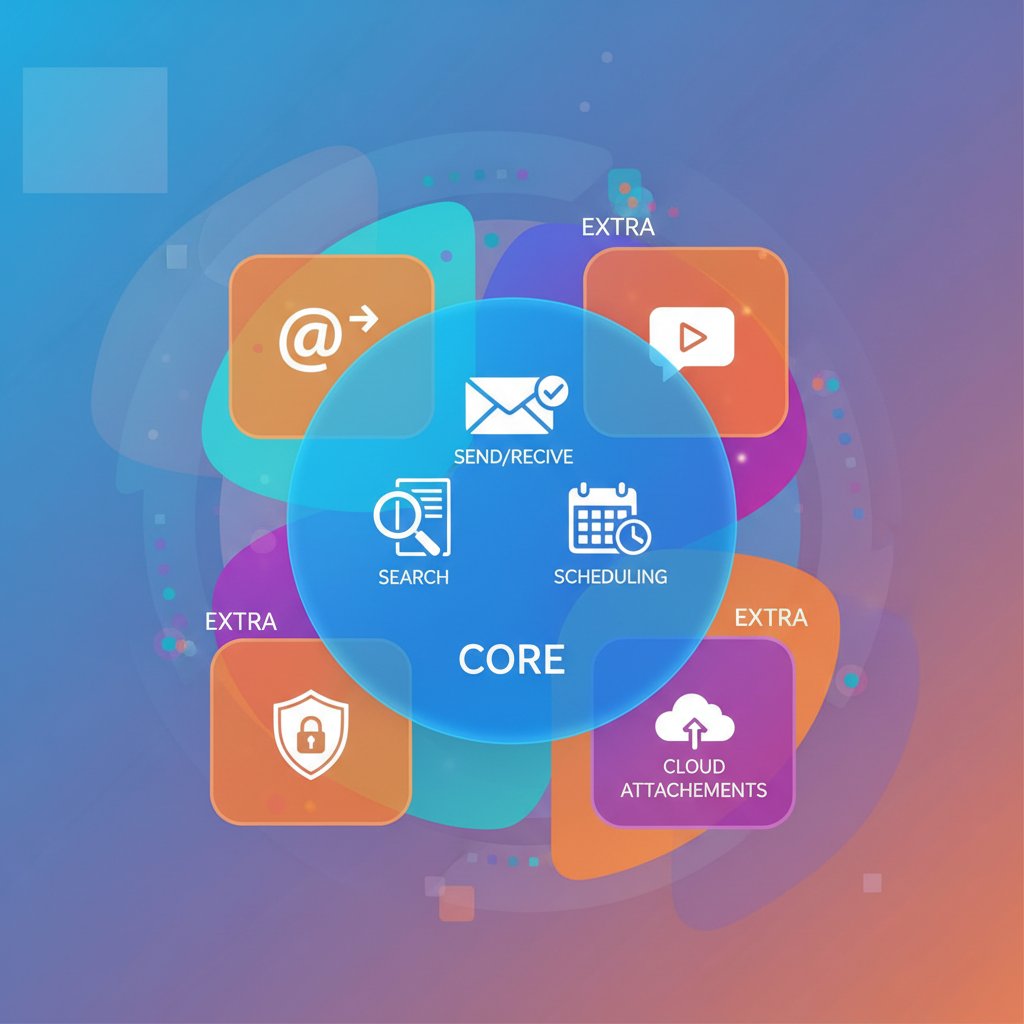
Decoding a feature list is an art. Many alternatives tout dozens of add-ons, but data from Capterra shows that most users only regularly use three to five core features: templates, context-aware suggestions, offline support, and basic automation. The rest often clutter the UI or go unused—classic cases of “shiny object syndrome.” Focus on the must-haves, and be wary of “nice-to-have” features that complicate, rather than simplify, the workflow.
Real-world performance: what users actually say
User testimonials repeatedly highlight the same truths: speed and reliability trump almost everything else. According to recent G2 reviews, users who abandoned legacy tools for alternatives like Hey or Missive frequently mention instant search, load times, and responsive support as “make or break” features. Conversely, negative experiences almost always stem from buggy integrations or unreliable uptime.
"I switched for the AI, but I stayed for the peace of mind." — Sam
One notable case involved a creative agency that migrated to a high-profile AI-powered tool, only to endure days of downtime due to server issues. The turning point? The alternative’s support team rapidly resolved the issue and provided workflow migration assistance. The lesson: performance matters, but responsive support often tips the scales.
How to switch: from frustration to freedom
Preparation: understanding your workflow and needs
Every successful transition starts with a clear-eyed audit. Don’t just list your gripes with your current tool—map out how you actually use email. Which integrations are essential? Where does your workflow stall? What’s your backup plan if something fails?
Step-by-step guide to a smooth switch:
- List all your must-have features and integrations, prioritizing what’s non-negotiable.
- Export a backup of your current emails and settings—think contacts, templates, and filters.
- Test-drive alternatives in a sandbox environment; don’t risk your main account on Day 1.
- Migrate core contacts and templates first, keeping the rest as a fallback.
- Set up automation and personalization rules—but start simple to avoid overwhelm.
- Monitor initial results and tweak settings as real-world issues arise.
- Document what works and iterate over time, building your own best practices.
Common mistakes to avoid when migrating
There’s no sugarcoating it: migration can be messy. The biggest risks? Incomplete data transfer (lost emails, missing contacts), overlooked security settings, and assuming all integrations will “just work.”
Red flags during migration:
- Rushed data export/import leading to irretrievable lost contacts or critical message threads.
- Assuming all integrations function out-of-the-box—custom APIs and workflows often break.
- Ignoring default privacy settings, which may expose sensitive data.
- Forgetting to notify key collaborators of changes, creating confusion and delays.
- Failing to test fallback access options, risking lockout in critical moments.
Optimizing for long-term productivity gains
Once you’ve landed on a new platform, the real work begins. Set up quarterly review points—evaluate what’s working and what’s still friction. Ongoing training is crucial, especially as new features roll out; many teams unlock major productivity gains months after their initial switch, once power-user tips and advanced automations are in play.
Tap into community forums and expert platforms. Resources like teammember.ai offer both peer support and expert advice, helping you discover features you might have missed. The strongest adopters aren’t the ones who rush—they’re the ones who iterate.
Beyond automation: how alternatives reshape communication culture
How new tools change team dynamics
Email is no longer a solitary act. The best alternatives embrace collaborative drafting, turning what was once a solo slog into a creative, collective process. Teams now brainstorm, edit, and finalize messages together, building trust and clarity along the way.

Async communication is also on the rise. Tools that support delayed sending, silent handoffs, and integrated chat reduce email anxiety and allow for more thoughtful responses, lowering the risk of snap judgments or misunderstood tone.
The surprising downside: when less email isn’t always better
Cutting email volume isn’t automatically a win. Over-automation can flatten nuance, causing miscommunications or even eroding team trust. One manager, in an effort to streamline, automated all status updates—only to discover that teammates felt out of the loop and undervalued. The fix? Restoring a human touch to sensitive messages and keeping automation where it truly saved time.
The lesson: automation should amplify, not replace, meaningful communication. Smart alternatives offer toggles, not mandates, and allow for human oversight at every stage.
Cross-industry insights: what creatives, consultants, and coders do differently
The needs of a creative director and a backend developer couldn’t be further apart—and the best email writing software alternatives reflect that diversity.
Designers often embed portfolio snippets directly into outreach emails, making a visual impact that words alone can’t match. Consultants, on the other hand, use dynamic templates that pull in client-specific data, automating proposals without sacrificing polish. Developers find value in integrations that trigger email drafts from code commits, keeping stakeholders informed with zero manual effort.
Designers embed visual previews directly into outreach emails for instant impact. Automated proposals
Consultants use dynamic templates that fill in client data and deliver polished proposals in minutes. Repo updates
Developers trigger email drafts from code commits, keeping clients informed without manual effort.
The future of email writing: trends and disruptions to watch
Predicting the next wave of innovation
Emerging trends aren’t just about shinier AI—they’re about blending communication channels and elevating human connection. Voice- and video-based tools like Loom are gaining popularity for messages that require nuance or empathy. Integration with chat platforms and collaborative docs is breaking down silos, offering a seamless flow between async and real-time modes.

Cross-channel communication—where chat, video, and email blend into a single thread—is reshaping how teams work. Yet, as new possibilities emerge, the core challenge remains: harnessing technology to work for you, not the other way around.
Potential risks: over-automation and digital burnout
The warning signs are clear: automation fatigue, depersonalized communication, and the creeping sense that no one’s actually listening anymore. AI-generated spam is a growing risk, as algorithms churn out thousands of “personalized” emails a minute. The line between helpful automation and digital noise has never been thinner.
Actionable tips:
- Set boundaries: define when automation is appropriate and when a human touch is essential.
- Monitor engagement: if response rates drop, reassess your mix of automation and manual communication.
- Revisit privacy settings regularly: as tools evolve, your data exposure may change—stay vigilant.
How to stay ahead: continuous learning and smart experimentation
The only constant is change. To stay ahead, join online communities and expert platforms like teammember.ai, where you can exchange tips and strategies with peers. Test new features in sandbox environments—never on mission-critical workflows. Share what works and document your processes for others.
Priority checklist for staying on the cutting edge:
- Schedule regular reviews of your email workflow—don’t let bad habits creep back in.
- Join online communities for expert tips and fresh perspectives.
- Test at least one new tool or feature per quarter—continuous improvement beats wholesale overhauls.
- Document what works and share with your network—collective knowledge wins.
- Revisit privacy and security settings annually—software changes fast, and so do the risks.
Supplementary: busting myths and answering burning questions
Common misconceptions about email writing software alternatives
Let’s get real: the myths swirling around alternatives are legion. The most persistent? That switching is risky, AI will ruin your voice, and only hard-core techies can pull it off.
The facts tell a different story. With proper migration tools, you won’t lose your old messages. Stability is often higher on new platforms than on outdated incumbents. AI can actually enhance your voice—if you train it. And most modern alternatives offer guided onboarding, making the switch accessible to everyone.
Email alternative myths debunked:
- You’ll lose all your old emails – Not with proper migration. Export/import tools have become robust and reliable.
- Alternatives are buggy – Many are now more stable than legacy tools, with faster bug fixes and community support.
- AI makes everything sound robotic – Not if you train it correctly. Feed it your own writing, and it learns.
- Switching is too technical – Most tools offer guided onboarding and white-glove migration.
- No one else is switching – User numbers are surging in 2025, with mainstream adoption at record highs.
FAQs: what everyone wants to know before switching
These are the most-asked questions from users researching email writing software alternatives:
Top questions about making the leap:
- How long does migration usually take?
- Can I test alternatives without losing current data?
- What integrations are a must-have?
- How do I ensure my emails stay private?
- Is there a ‘best’ tool for collaboration?
- What should I do if I hate my new tool?
The answers? Migration can take a few hours to a week, depending on data size and complexity. Most alternatives offer trial modes or sandboxes that don’t affect your main account. Integrations depend on your workflow—Slack, CRM, and calendar are top priorities for most. Privacy comes down to reading the fine print and using granular controls. There’s no one-size-fits-all tool for collaboration, but user reviews and community feedback provide guidance. And if you dislike your new platform, export your data and iterate—don’t settle for mediocrity.
Putting it all together: your blueprint for smarter email in 2025
Your action plan: steps to take this week
If you’ve made it this far, you’re already ahead. Knowledge is nothing without action, so here’s your step-by-step playbook for breaking free from email purgatory:
Quick-start guide to smarter email:
- Audit your current email pain points—be brutally honest about what’s broken.
- List your top three must-have features—focus on impact, not fluff.
- Shortlist two alternatives to test—look for trial periods and strong support.
- Set up a sandbox to experiment safely—never risk live contacts or data.
- Document your findings and make a decision—iterate rather than agonize.
Change can feel daunting, but the reward is a workflow that actually works for you.
What success looks like: stories from the field
A solopreneur migrated to an AI-powered assistant and slashed daily email time by 40%. A creative agency used collaborative drafting to launch campaigns faster and with fewer errors. A remote team found that integrated automation freed up hours each week, which they invested in training and client strategy. The bottom line? The right alternative doesn’t just save time—it transforms how you show up at work.
"Switching tools didn’t just save time—it changed how I think about work." — Alex
The true measure isn’t just hours saved. It’s stress reduced, relationships strengthened, and the freedom to focus on what matters.
The big picture: why it’s time to rethink your email
Breaking free from outdated email writing software isn’t about chasing shiny objects or trend hopping. It’s about rewriting the rules—demanding tools that fit your life, your style, and your ambitions. As digital work culture evolves, email isn’t dying; it’s being reborn. The real win? Refusing to settle for “good enough,” embracing smarter alternatives, and setting a new standard for how we communicate.
So don’t just survive your inbox—own it. The future belongs to those who refuse to play by yesterday’s rules. Be bold, be smart, and make your email work for you, not against you.
Focus on what matters. Let AI handle the rest.
We know the feeling — another day starts with 50 unread emails, Ads Manager begging for attention, CRM out of date, and meetings without follow-ups. That's why we built TeamMember.ai — an AI team member that takes over all the operational work at the computer. Has its own email address and SMS number. Manages your inbox, runs Meta Ads, updates CRM, processes meetings, monitors social media, generates morning briefings, and controls the browser. Built on OpenClaw — a leading open-source AI agent — with cross-session memory and secure-cloud architecture that keeps your data safe.
Get startedBe First to Try Your AI Team Member
Every week without automation is dozens of hours lost to operational work. Hours you'll never get back. Join the waitlist and get priority access.
Frequently Asked Questions
How many emails does the average professional receive per day?
According to research from the Radicati Group, the average professional receives over 120 emails per day.
What percentage of the work week do workers spend on email?
McKinsey estimates that workers spend up to 28% of their week reading and responding to emails.
Why do most email writing software alternatives fail to solve the problem?
Most email writing software isn't solving the underlying issues—it's simply automating a broken process. The true problem is the system itself, not just the tool.
What is the psychological trap of chasing Inbox Zero?
Chasing a clean inbox seduces professionals into believing control is possible through working harder, but in reality it only deepens the cycle by creating constant cognitive switching, which is a documented drain on focus and mental health.
From the Archive
Explore more from AI Team Member

Why Email Management Systems Fail and What Works Instead
Alternative to email management systems reduce inbox fatigue. This article examines why email management fails and presents working alternatives for modern teams.

The Email Management Service Alternative That Kills Inbox Chaos
Discover insights about email management service alternative

Email Inbox Automation Tools That Fix Burnout, Not Just Busywork
Discover insights about email inbox automation tool

Tools Replacing Email Management Services and Their Workplace Impact
Tools replacing email management services are shifting how knowledge workers manage communication. This article examines their impact and which platforms address inbox overload.

Email Productivity Solutions Online That Actually Work
Email consumes a quarter of the workday for most employees. This article examines email productivity solutions online and identifies which strategies research supports.

Automating Business Email Writing: What Works and What Backfires
Automate business email writing to reduce inbox overload and boost engagement. This article examines which automation tactics preserve trust and nuance in professional communication.


