


AI-Driven Workflow Management That Fixes What Automation Broke
Written with AI assistance under our editorial guidelines
AI-driven workflow management addresses inefficiencies caused by manual processes and disconnected systems, with studies showing productivity gains ranging from 56% to 80% across industries. However, implementation faces significant challenges including failed integrations, algorithmic bias, skill shortages, and data security issues that require careful management beyond the technology itself.
AI-driven workflow management isn’t the feel-good, one-click revolution that glossy marketing brochures have been selling you. It’s a battleground where efficiency wars are fought against the brutal realities of human resistance, broken processes, and digital snake oil. On the front lines, businesses are slashing operational costs, liberating teams from mind-numbing drudgery, and unlocking lightning-fast decision-making. But beneath the hype, cracks run deep: failed integrations, algorithmic bias, skill shortages, data disasters, and the haunting question—who’s truly in control? This is the unfiltered, researched reality check for leaders, technologists, and teams who refuse to sleepwalk into the AI era. Ready to separate hard-won wins from brutal truths? Welcome to the most revealing guide to AI-driven workflow management in 2025.
Why workflow management is broken (and AI is only half the cure)
The real cost of inefficiency in modern teams
Every year, organizations hemorrhage thousands of hours to manual processes, error-prone handoffs, and outdated tools. According to IBM, 2024, businesses can lose up to 30% of their productive time simply moving information between unconnected systems and wrestling with legacy workflows. The cumulative effect is staggering—imagine a 20-person team losing the equivalent of four full-time employees’ worth of hours annually to copy-pasting, status updates, and redundant reporting. These are not just numbers; they represent burned-out staff, missed opportunities, and mounting frustration. The cost isn’t just measured in dollars, but in morale and innovation potential.

| Industry | Pre-AI Productivity (Tasks/hr) | Post-AI Productivity (Tasks/hr) | % Improvement |
|---|---|---|---|
| Healthcare | 8 | 13 | 62% |
| Finance | 12 | 20 | 67% |
| Technology | 15 | 24 | 60% |
| Manufacturing | 10 | 18 | 80% |
| Marketing | 9 | 14 | 56% |
Table 1: Productivity metrics before and after AI-driven workflow management adoption across select industries. Source: Original analysis based on IBM (2024), Microsoft WorkLab (2024), Gartner (2024).
“Most teams are bleeding time they don’t even realize.” — Amira, Digital Workflow Analyst
Why most digital transformations fail
For all the talk about transformation, the reality is that most workflow digitization projects collapse under their own weight. As of 2025, Harvard Business Review, 2024 reports that 70% of digital transformation efforts fail to deliver expected ROI. The usual suspects? Resistance to change tops the list—people cling to familiar chaos rather than brave new order. Poor integration follows closely: bolted-on AI tools become “islands of intelligence,” siloed from real business needs. Finally, organizations chase after the hype without a clear plan for measuring ROI, leaving leaders disillusioned and teams adrift.
- Red flags to watch out for when adopting AI-driven workflow management:
- Employees expressing “tool fatigue” or confusion about new systems.
- Data silos that refuse to connect, resulting in duplicate or conflicting information.
- Lack of executive sponsorship and clear communication of the “why.”
- No baseline metrics—so success (or failure) is impossible to measure.
- Overreliance on vendors promising instant transformation.
- Jargon-heavy training with little practical application.
- Missing or unclear data privacy policies.
If you’re looking for pragmatic strategies, teammember.ai offers resources on avoiding these common pitfalls and building a workflow foundation that actually works.
The psychological toll: Burnout and tech fatigue
Behind every failed process is a human quietly drowning in notifications, logins, and the soul-crushing shuffle between apps that don’t talk to each other. The relentless tool-switching doesn’t just kill productivity—it spikes stress hormones and erodes engagement. According to Microsoft WorkLab, 2024, 62% of knowledge workers report increased stress from digital overload. While AI proposes to be the savior, poorly implemented systems can add more layers of confusion and surveillance, fueling resentment rather than relief.
AI-driven workflow management, done right, reduces cognitive load by streamlining repetitive tasks and surfacing only what matters. Done wrong, it becomes yet another demand competing for your attention—a digital tyrant masquerading as a helper.
“Sometimes the tech is the problem, not the solution.” — Raj, Workflow Strategist
AI takes the wheel: What really changes (and what doesn’t)
Defining AI-driven workflow management (beyond the buzzwords)
AI-driven workflow management is more than plugging in a chatbot or automating a spreadsheet. It’s the intelligent orchestration of end-to-end business processes using algorithms that learn, adapt, and sometimes challenge old assumptions. Think of it as a digital conductor harmonizing tasks, data, and human judgment—removing friction, predicting bottlenecks, and optimizing every handoff.
Definition list:
-
Workflow intelligence
The ability of a system to detect inefficiencies, predict task dependencies, and recommend process improvements—automatically and contextually. -
AI orchestration
Dynamic coordination of multiple AI models and rules across diverse workflows, ensuring each “agent” contributes to the bigger picture rather than operating in isolation. -
Human-in-the-loop
An approach that keeps humans in control of key decisions, especially where creativity, empathy, or ethical judgment are required—ensuring AI amplifies rather than replaces human strengths.
In industries from finance to healthcare, these concepts are transforming not just task distribution, but the entire rhythm of work—bringing a new logic to how teams operate.

What AI can automate—and what it can’t (yet)
Routine, repetitive, and rules-based work—think invoice processing, basic customer queries, data entry—AI now handles with ruthless efficiency. According to Gartner, 2024, organizations report up to 30% reductions in operational costs by automating these functions. But AI is no magician. Persistent gaps remain: creative problem-solving, interpersonal nuance, and ethical dilemmas still demand human judgment. AI can recommend, but it rarely understands context or consequences in the way people do.
Step-by-step guide to evaluating which workflows are ripe for AI automation:
- Map your existing workflows—identify every touchpoint, decision, and handoff.
- Quantify pain points—where are the bottlenecks, delays, or error hotspots?
- Assess task complexity—separate routine, rules-based tasks from those requiring human judgment.
- Evaluate data quality—automation is only as good as the data it’s fed.
- Consider integration needs—will the AI need to connect to legacy systems?
- Define success metrics—know what “better” looks like before you start.
- Pilot on a low-risk process—test, measure, and refine.
- Plan for human oversight—keep people in the loop for escalation and review.
Sector examples:
- Healthcare: AI-driven scheduling slashed appointment no-shows by 27% at a major clinic, but a poorly tuned triage bot led to missed critical symptoms—and a PR nightmare.
- Finance: Automation reduced reporting times by 40%, yet compliance reviews still needed human scrutiny for edge cases.
- Creative industries: AI handled asset tagging and draft content, but final campaigns soared only when humans reintroduced nuance and brand voice.
The new role of humans in the loop
With smarter AI, human oversight isn’t disappearing—it’s evolving. Instead of micromanaging every step, professionals shift to roles like AI orchestrator (tuning workflow logic), workflow analyst (interpreting anomalies), or ethics auditor (watching for bias and unintended outcomes). These aren’t just new job titles—they’re entirely new ways of working, blending technical savvy with acute judgment. As Lila, a workflow architect, warns:
“If you trust the black box blindly, you’re setting yourself up.” — Lila, Workflow Architect
The most successful teams strike a balance: let AI handle the grunt work, but keep sharp minds steering the ship.

Myth-busting: What AI workflow management isn’t
No, AI won’t replace all your jobs (yet)
The myth that AI-driven workflow management will decimate jobs overnight is exactly that—a myth. Historical cycles of automation, from the spinning jenny to spreadsheets, always predicted mass extinction of roles, yet reality delivered shifts and new opportunities instead. According to Stack Overflow, 2024, over 80% of developers now expect AI to assist—not replace—them, especially with tedious coding or documentation.
| Job Role (Pre-AI) | Job Role (Post-AI) | New Roles Created |
|---|---|---|
| Data Entry Clerk | Workflow Automation Analyst | AI Workflow Auditor |
| Customer Support | AI-Enabled Support Agent | Prompt Engineer |
| Report Writer | Insights Analyst | Workflow Orchestration Specialist |
| Scheduler | Scheduling Supervisor | Automation Integration Consultant |
Table 2: Comparison of job roles pre- and post-AI workflow management. Source: Original analysis based on Stack Overflow (2024), McKinsey (2023), Gartner (2024).
Rather than wholesale replacement, platforms like teammember.ai demonstrate how AI augments existing teams—freeing humans to focus on strategy, empathy, and creative problem-solving.
The plug-and-play fantasy: Why integration is hell
Forget the fantasy of drag-and-drop AI that “just works.” Underestimate integration complexity and you’ll pay dearly—in cash, time, and sanity. Companies routinely fall into the trap of believing that connecting AI to existing tools is a weekend project. Instead, they discover a minefield of legacy spaghetti code, missing APIs, and uncooperative vendors.
Hidden costs lurk everywhere: data cleanup to make inputs AI-ready, expensive training programs, and process redesign to fit new digital logic. Siloed teams and shadow IT spawn “islands of intelligence”—AI systems that can’t talk to each other, undermining the very efficiency gains they promise.
- Hidden benefits of a painful integration process:
- Forces discovery and elimination of redundant or outdated processes.
- Surfaces dirty data and highlights opportunities for data governance.
- Brings cross-functional teams together, fostering collaboration.
- Drives investment in proper documentation and process mapping.
- Forces a reckoning with true cost/benefit of automation.
- Catalyzes cultural change, making future innovations easier.
AI is not immune to bias (and neither is your workflow)
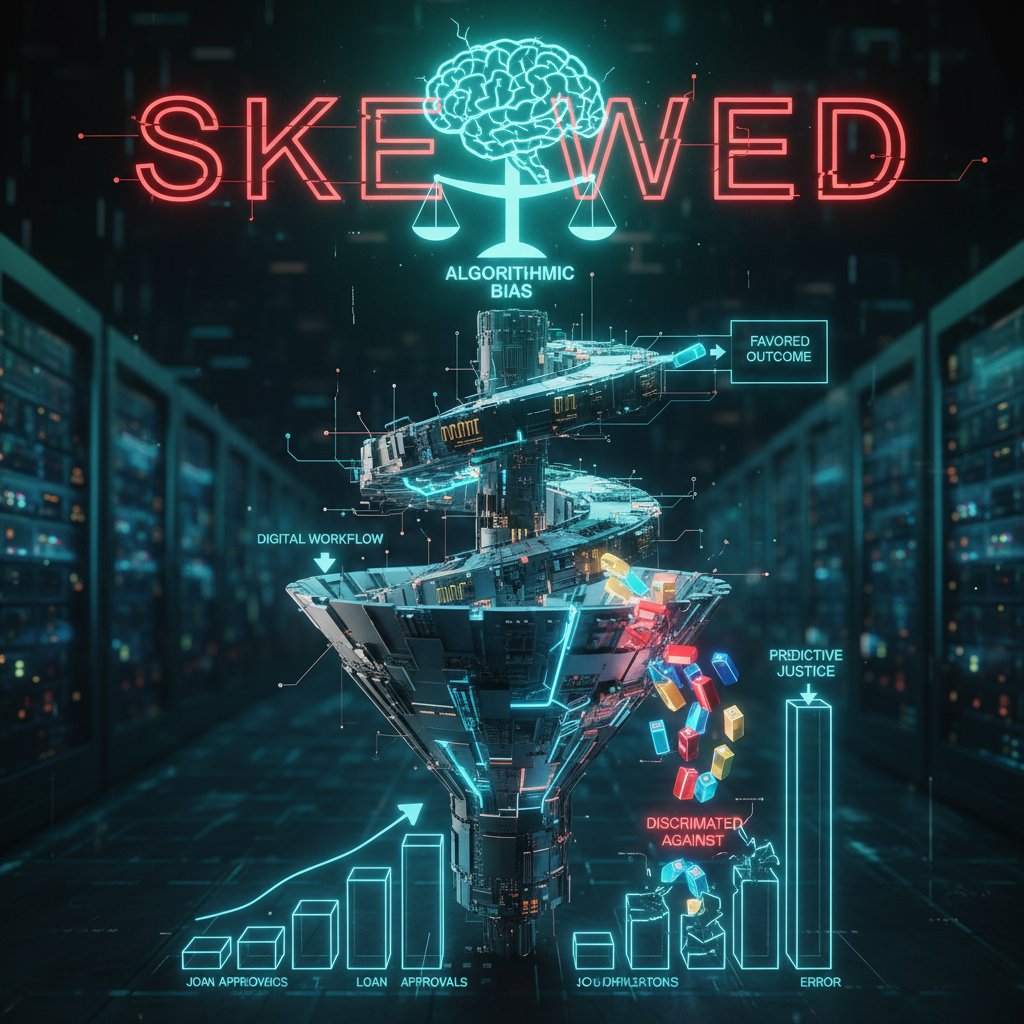
AI systems inherit the biases of their creators and the data they’re fed. If your workflow was riddled with inequities—say, favoring high-profile clients for fast responses—AI will likely amplify these flaws. In practice, this means skewed task assignments, unintentional discrimination, or process inequities that erode trust.
Behind the curtain: How AI really works in your workflow
From rules to learning: The technical guts of workflow AI
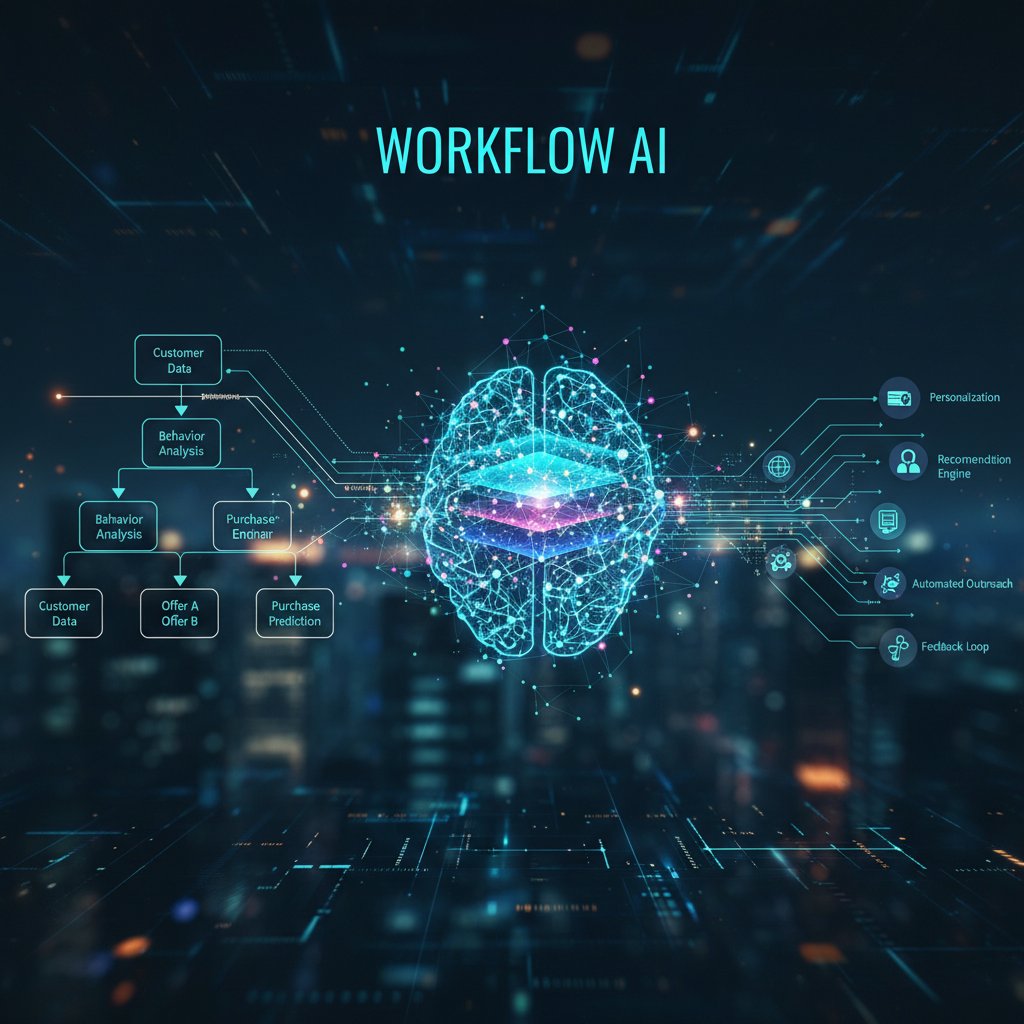
Most legacy workflow software runs on rules: “If X, then Y.” Modern AI-driven workflow management goes further, using machine learning to spot trends, predict exceptions, and even suggest entirely new ways of working. Imagine upgrading from a rigid assembly line to a smart factory floor where machines learn, adapt, and self-optimize on the fly.
Simple metaphor: rule-based AI is a recipe book; machine learning is a chef who invents new dishes based on what’s in the fridge.
Definition list:
-
Machine learning (ML)
Algorithms that identify patterns in historical data and use them to make predictions about future inputs—constantly improving as new data arrives. -
Robotic Process Automation (RPA)
Rule-based automation that mimics human actions (clicking, typing, copying) across digital systems, but doesn’t “learn” without explicit reprogramming. -
Decision engine
The logic layer that determines when to escalate, reroute, or trigger specific actions—often blending rules, machine learning, and exceptions.
Integration headaches: APIs, legacy systems, and shadow IT
Connecting AI to your existing tools rarely goes to plan. Technical pain points (incompatible APIs, missing documentation), organizational hurdles (siloed teams, lack of ownership), and security anxieties (data privacy, increased exposure) conspire to slow progress and inflate budgets. According to IBM, 2024, underestimating these hurdles is the number-one cause of delayed or failed AI workflow projects.
| Stage | Common Obstacle | Typical Impact |
|---|---|---|
| Requirements | Vague objectives | Rework, wasted budget |
| Vendor selection | Overhyped promises | Misaligned expectations |
| Integration | Legacy tool incompatibility | Delays, added cost |
| Data migration | Dirty or missing data | Automation breakdowns |
| Training | Low AI literacy | User resistance, errors |
| Launch | Poor change management | Low adoption, quick rollback |
| Optimization | Siloed feedback | Stalled improvements |
Table 3: Timeline and obstacles in AI integration projects. Source: Original analysis based on IBM (2024), Microsoft WorkLab (2024), Ayanza (2024).
Data: The fuel (and Achilles’ heel) of AI workflows
Your AI is only as smart as your data is clean. Ingesting bad data guarantees bad automation—garbage in, garbage out, but at scale and speed. Flawed data creates blind spots, leads to faulty recommendations, and can even expose organizations to legal risk when decisions go sideways.
Priority checklist for data readiness:
- Audit all existing data sources for completeness.
- Standardize data formats and naming conventions.
- Remove duplicates and resolve conflicting records.
- Identify and fill critical data gaps.
- Ensure real-time data sync across tools.
- Implement access controls to prevent unauthorized changes.
- Document data lineage and transformation logic.
- Set up automated data quality monitoring.
- Involve business users in validation—don’t trust IT alone.
- Establish a feedback loop for continuous data improvement.
Bad data nearly sank a supply chain AI rollout at a global manufacturer—missing inventory records led to stockouts and angry clients. In another case, a finance team automated monthly reports only to discover their data feeds contained stale transactions, resulting in costly misstatements.
Epic wins: Case studies & wild success stories
The 300% productivity leap (and what it took)
Consider the story of a mid-sized logistics company facing chronic delays and ballooning labor costs. After mapping core workflows, they piloted AI-driven scheduling and automated progress tracking. Within six months, productivity per team tripled—from 50 to 150 deliveries per shift. The secret? Relentless process mapping, ruthless data cleanup, and phased rollouts with continuous user feedback. Measurement at every step allowed them to rapidly correct misfires, and dedicated “AI champions” coached teams through the change.
Alternative approaches, like top-down mandates or bolt-on AI modules, floundered in parallel divisions—highlighting the need for ground-level buy-in and real metrics.
Creative industries: When AI breaks the rules
In a design firm, AI-powered asset management transformed the creative process. Instead of hunting for files, designers used natural language to surface inspirations and automate version control. Human oversight ensured the system remained inclusive and didn’t pigeonhole creativity. Collaboration increased, deadlines improved, and “happy accidents” from AI recommendations led to breakthrough campaigns.

The failures: When AI-driven workflow goes sideways
Not every story ends in celebration. A global retailer’s attempt to automate order fulfillment led to epic missed deadlines and customer fury. The root causes? Rushed integration, dirty data, and a complete lack of escalation paths when the AI faltered. Trust eroded, manual workarounds crept back in, and the cost of fixing the mess exceeded original projections. Lesson learned: don’t automate chaos—clean it up first.
The dark side: Risks, ethics, and unintended consequences
Algorithmic bias and decision transparency
Bias seeps into AI-driven workflow management through historical data, skewed training sets, and unchecked assumptions. Skewed task assignments or promotions, opaque decision logic—these aren’t theoretical risks; they’re happening in real-world organizations. Transparency isn’t just nice to have—it’s a non-negotiable for trust and accountability.
Best practices for debiasing and increasing accountability:
- Regularly audit AI decisions and outputs.
- Involve diverse stakeholders in model design and review.
- Publish clear documentation on how decisions are made.
- Provide escalation channels for contesting AI-driven actions.
The surveillance trap: Privacy and control in automated workflows
As workflows become more automated, the risk of surveillance—intended or not—skyrockets. Location tracking, keystroke monitoring, and predictive “productivity” scoring can morph from efficiency tools into digital Big Brother. Legal frameworks like GDPR offer some protection, but ethical use still lags.
- Red flags for privacy erosion in AI workflow management:
- Blanket logging of employee actions without consent.
- No clear data retention or deletion policies.
- Vague or missing explanations for monitoring practices.
- Algorithmic “nudges” based on behavioral analysis.
- No opt-out for personal data usage.
- Unchecked third-party data sharing.
- Use of productivity scoring for punitive measures.
- Absence of independent oversight or appeals process.
Job displacement, reskilling, and the future of work
AI-driven workflow management does edge out some roles, but it also creates new opportunities for those able to adapt. Organizations that invest in reskilling and upskilling—immersing teams in AI literacy and hands-on experimentation—report smoother transitions and higher morale. Upskilling workshops, hackathons, and digital bootcamps aren’t just HR box-ticking—they’re survival strategies.

How to master AI-driven workflow management: A practical guide
Building your AI roadmap: From pilot to full rollout
The most successful AI workflow management journeys are measured, not manic. A phased strategy—starting with contained pilots, building internal champions, and scaling based on real data—prevents both burnout and budget blowouts.
Step-by-step guide to mastering AI-driven workflow management:
- Audit all core processes and identify bottlenecks.
- Engage stakeholders early—build consensus, not resistance.
- Clean and standardize all relevant data inputs.
- Choose pilot workflows with clear, measurable outcomes.
- Select AI solutions with proven industry track records.
- Integrate with existing tools—avoid “islands of intelligence.”
- Monitor and measure—iterate based on user feedback.
- Train staff for new roles (AI orchestrator, ethics reviewer, etc.).
- Document every win and lesson for future rollouts.
- Scale incrementally—don’t rush the revolution.
Smaller organizations may benefit from out-of-the-box platforms like teammember.ai, while large enterprises often need custom integrations and dedicated AI governance.
Common mistakes (and how to dodge them)
Common pitfalls in AI workflow adoption include setting vague objectives, failing to clean up processes before automation, and neglecting the human side of change. Avoid these by obsessively clarifying metrics, piloting before scaling, and prioritizing user experience at every step.
Real-world vignettes:
- A marketing agency that automated content approvals without involving creatives ended up in review purgatory.
- A bank that forgot to document exceptions found its AI stuck when customers went off-script, causing embarrassing service failures.
- A manufacturer who ignored data quality spent more time fixing errors post-automation than they’d ever saved.
Optimization hacks for next-level efficiency
Expert tips for ongoing workflow optimization:
-
Use process mining to uncover hidden inefficiencies.
-
Establish continuous feedback loops—don’t automate and forget.
-
Regularly tune AI models to adapt to changing business realities.
-
Unconventional uses for AI-driven workflow management:
- Automating peer review and knowledge sharing.
- Smart matching of project teams based on skills and availability.
- Sentiment analysis to flag team disengagement or burnout.
- Automated compliance monitoring and documentation.
- Dynamic adjustment of workloads based on real-time capacity.
- Integrating external data feeds for context-aware decision-making.
- Proactive risk detection in project delivery.
AI workflow management in 2025: Trends, challenges, and what’s next
Emerging trends shaping the future
Top trends in AI-driven workflow management include hyperautomation (where multiple AI and RPA tools converge), low-code/no-code orchestration, embedded process intelligence, human-in-the-loop safeguards, and domain-specific workflow AIs. As revealed by Forbes, 2023, organizations now connect AI tools to more than 2,000 apps, creating unprecedented interoperability and flexibility.
Predictions: Consolidation of “best-of-breed” AI tools into unified ecosystems, growing demand for explainable AI, and AI-powered workflow governance as a job function.

The great debate: Centralized vs. decentralized AI workflows
The philosophical—and practical—battle between centralized and decentralized AI workflow models is heating up. Centralized systems offer consistency and control but risk bottlenecks and slow adaptation. Decentralized approaches empower teams but can spawn chaos and version sprawl. Hybrid models attempt to balance both, layering governance over local flexibility.
| Feature | Centralized | Decentralized | Hybrid |
|---|---|---|---|
| Control | High | Low | Moderate |
| Speed of Adoption | Slower | Faster | Moderate |
| Risk Management | Easier to manage | Harder to coordinate | Balanced |
| Customization | Limited | High | Selective |
| Cost | Lower (at scale) | Higher (duplicates) | Variable |
Table 4: Feature matrix comparing centralized, decentralized, and hybrid AI workflow models. Source: Original analysis based on Gartner (2024), Litslink (2024), industry whitepapers.
Preparing for the unknown: Building resilience into workflows
Resilient workflow management strategies weave together robust automation, human oversight, and relentless learning. Organizations blend human creativity—especially for exceptions and innovation—with machine reliability for repeatable processes. Expect the next disruptions to come not from a single tool, but from the convergence of AI, RPA, and adaptive analytics—making continuous reinvention the only constant.
Adjacent technologies: Where AI workflow meets automation, RPA, and machine learning
How AI-driven workflow and RPA differ (and when to use each)
AI-driven workflow management and robotic process automation (RPA) often get lumped together, but they serve distinct purposes. RPA excels at mimicking human interactions with legacy software, delivering quick wins in automating repetitive clicks and data transfers. AI-driven workflow, on the other hand, leverages pattern recognition and adaptive logic, excelling at complex decision-making and process optimization.
Real-world scenario 1: Use RPA to automate invoice entry into an old ERP system.
Scenario 2: Deploy AI-driven workflow to predict which invoices are likely to be late and trigger proactive follow-up.
Definition list:
-
RPA (Robotic Process Automation)
Automation that mimics structured, human actions on digital interfaces. -
AI workflow
End-to-end orchestration integrating data, tasks, and human input using intelligent algorithms. -
Intelligent automation
The fusion of RPA, AI, and machine learning to deliver scalable, adaptive, and context-aware automation.
Machine learning’s role in dynamic workflow adaptation
Machine learning powers adaptive workflows by allowing systems to adjust rules, priorities, and handoffs in real time. In finance, ML models dynamically reroute approvals based on transaction risk. In healthcare, self-tuning workflows optimize appointment slots based on historical no-shows. In logistics, machine learning predicts and resolves bottlenecks before they escalate.
- Hidden benefits of machine learning in workflow management:
- Continuous improvement through feedback loops.
- Early detection of process anomalies.
- Personalized task assignments based on skill and load.
- Automated identification of risky or non-compliant actions.
- Real-time adaptation to external factors (e.g., market shifts).
- Data-driven prioritization of strategic initiatives.
- Democratization of process innovation (anyone can suggest improvements).
When to blend—hybrid approaches for real-world results
Hybrid models combine the best of AI, RPA, and human insight. Organizations use RPA for high-volume, rules-driven tasks, AI for process intelligence, and humans for final oversight or exception handling. Successful examples include banks using AI for fraud detection with RPA for customer notifications, or creative teams blending AI-generated drafts with human editing.
Tips for selecting the right blend:
- Map each workflow to its core requirements—volume, complexity, risk.
- Pilot different mixes and measure outcomes.
- Continuously revisit the blend as business needs evolve.
Culture shock: How teams, leaders, and organizations adapt (or don’t)
The human side of AI workflow management
AI-driven workflow management doesn’t land quietly. Teams react with skepticism, excitement, or outright resistance. Resistance is often rooted in fear of job loss or change fatigue—but surprise wins emerge when teams see drudgery evaporate and creativity take the spotlight. Cultural friction is real, but so is camaraderie when new tools free people to do meaningful work.
“You can’t automate trust.” — Amira, Digital Workflow Analyst
Leadership in the age of algorithmic management
Leaders face a new mandate: steer through uncertainty, communicate vision, and humanize the AI journey. Actionable tips include modeling curiosity (not fear), incentivizing experimentation, and celebrating quick wins—no matter how small.
Timeline of AI-driven workflow management evolution:
- Early process digitization (manual scripts, macros)
- Rule-based workflow automation
- RPA adoption for legacy systems
- Introduction of machine learning for decision support
- Emergence of human-in-the-loop models
- Integration of cross-departmental AI workflows
- Decentralized and hybrid workflow models
- Culture of continuous adaptation and learning
Building a learning culture for ongoing adaptation
Organizations that thrive in the AI era prioritize continuous learning—embedding digital upskilling and change management in their DNA. Examples abound: a healthcare provider running weekly “automation sprints,” a law firm pairing junior analysts with AI mentors, and a logistics company gamifying process improvements.

Conclusion
AI-driven workflow management is not a panacea, but it’s a tectonic force reshaping how work gets done. The brutal truths—about integration nightmares, data fragility, and algorithmic bias—are real. Yet so are the hidden wins: mind-boggling productivity leaps, new job categories, and a renaissance in business creativity. The path to mastery is paved with continuous learning, unflinching honesty about your organization’s limits, and a willingness to blend human insight with machine precision. If you want to be on the right side of this disruption, start now—clean your data, rethink your workflows, upskill your teams, and keep a sharp eye on both the promise and peril of AI. For leaders hungry for actionable guidance, teammember.ai stands as a resource, offering not just tools but hard-won expertise born from the trenches of transformation. The next chapter of work is here—are you brave enough to write it?
Sources
References cited in this article
- IBM(ibm.com)
- Microsoft WorkLab(microsoft.com)
- Appian(appian.com)
- Forbes(forbes.com)
- Monday.com(monday.com)
- Moxo(moxo.com)
- Orq.ai(orq.ai)
- MIT Sloan(docsumo.com)
- Forbes(digital-adoption.com)
- KPMG(mooncamp.com)
- Cflow(cflowapps.com)
- Litslink(litslink.com)
- MetaSource(metasource.com)
- Algolia(algolia.com)
- Forbes(forbes.com)
- Forbes(forbes.com)
- PwC(pwc.com)
- ScienceDirect(sciencedirect.com)
- CNBC(cnbc.com)
- AIMultiple(research.aimultiple.com)
- PMC(ncbi.nlm.nih.gov)
- Moveworks(moveworks.com)
- BBN Times(bbntimes.com)
- AITRends(aitrends.com)
- Salesforce(salesforce.com)
- Ovatiotech(ovatiotech.com)
- Accenture(newsroom.accenture.com)
- AI Journal(aijourn.com)
- St. Louis Fed(stlouisfed.org)
- Vena(venasolutions.com)
- Medium(uxpsyche.medium.com)
- Creative Boom(creativeboom.com)
- CIO(cio.com)
- Tech.co(tech.co)
Focus on what matters. Let AI handle the rest.
We know the feeling — another day starts with 50 unread emails, Ads Manager begging for attention, CRM out of date, and meetings without follow-ups. That's why we built TeamMember.ai — an AI team member that takes over all the operational work at the computer. Has its own email address and SMS number. Manages your inbox, runs Meta Ads, updates CRM, processes meetings, monitors social media, generates morning briefings, and controls the browser. Built on OpenClaw — a leading open-source AI agent — with cross-session memory and secure-cloud architecture that keeps your data safe.
Get startedBe First to Try Your AI Team Member
Every week without automation is dozens of hours lost to operational work. Hours you'll never get back. Join the waitlist and get priority access.
Frequently Asked Questions
How much productive time do organizations typically lose to inefficient workflows?
According to IBM's 2024 data cited in the article, businesses can lose up to 30% of their productive time simply moving information between unconnected systems and wrestling with legacy workflows.
What are the main challenges with AI-driven workflow management mentioned in the article?
The article identifies several key challenges including failed integrations, algorithmic bias, skill shortages, data disasters, and questions about who maintains true control over AI-driven processes.
Which industry shows the highest productivity improvement with AI-driven workflow management?
According to the productivity metrics table in the article, manufacturing shows the highest improvement at 80%, increasing from 10 tasks per hour to 18 tasks per hour after AI-driven workflow management adoption.
What does the article say about the real impact of workflow inefficiency on teams?
The article emphasizes that the costs go beyond dollars—inefficiency results in burned-out staff, missed opportunities, mounting frustration, and lost innovation potential across organizations.
From the Archive
Explore more from AI Team Member

AI-Based Workflow Automation in 2026: Risks, Wins, and What to Do Now
Discover insights about AI-based workflow automation

AI-Driven Productivity Improvement: Why Automation Often Backfires
AI-driven productivity improvement rarely delivers as promised. This article examines why most organizations struggle with AI adoption and what sustainable gains actually require.

AI-Powered Virtual Assistant for Workflow Optimization That Fails Vs. Scales
Discover insights about AI-powered virtual assistant for workflow optimization

AI-Powered Task Automation: What Works and What Fails
AI-powered task automation is reshaping work. This article examines the real gains, the operational risks, and which automation strategies actually succeed.

AI-Powered Business Productivity: What Works and What Fails
AI-powered business productivity is reshaping work across companies. This article examines what actually works, the hidden risks, and the costly mistakes most deployments encounter.

How AI-Driven Virtual Assistants Tackle Workload Management
AI-driven virtual assistant for workload management separates hype from reality. This article examines how these tools address burnout, their actual limitations, and which strategies work in practice.