


AI-Driven Virtual Assistant for Appointment Reminders That Stops No-Shows
Written with AI assistance under our editorial guidelines
An AI-driven virtual assistant for appointment reminders reduces no-shows by delivering timely, intelligent notifications across multiple channels. These systems leverage automated communication to cut through digital noise and reach customers effectively, addressing the global crisis of missed appointments that costs healthcare providers $150 billion annually and impacts consulting firms and salons similarly.
Imagine the world’s most important meeting—your own life—spinning out of control because a simple reminder slipped through the cracks. The promise of efficiency has seduced us for decades, but the stakes have never been higher or the chaos more costly. As businesses, clinics, and everyday people drown in a sea of pings, missed calls, and digital noise, a new contender enters the ring: the AI-driven virtual assistant for appointment reminders. This is not another gadget for the easily distracted. It’s a seismic shift in how we manage time, obligations, and—if we’re blunt—our reputations. In this deep-dive, we expose the myths, crunch the stats, and reveal hidden truths the productivity industry would rather you never read. Buckle up: the future of reminders is already here, and it’s not waiting for anyone.
Appointment chaos: the hidden epidemic
The staggering cost of missed appointments
Missed appointments aren’t just a minor inconvenience—they’re a silent killer of productivity, revenue, and trust. According to the British Journal of General Practice Open (2024), the rate of patients in England waiting over two weeks for GP appointments rose by 18% between 2020 and 2024, with the notorious “Did Not Attend” (DNA) rate stuck at 7.6%. This isn’t a British problem; it’s a global crisis. In the U.S., healthcare providers lose an estimated $150 billion annually to no-shows, with individual clinics bleeding up to $200 per missed slot (Statista, 2024). Consulting firms and salons face similar hemorrhaging—consultants lose billable hours, while beauty salons watch idle chairs eat away at their margins.
| Industry | Annual Revenue Lost (USD) | Average No-show Rate | Key Insight |
|---|---|---|---|
| Healthcare | $150 billion | 7.6% | Missed appointments cripple resource allocation |
| Consulting | $48 billion | 5-8% | Billable time lost, client trust eroded |
| Salons | $12 billion | 10-15% | High churn, small margins amplify each absence |
Table 1: Comparison of annual revenue lost due to missed appointments across industries. Source: Original analysis based on Statista, 2024, [BJGP Open, 2024], [MedTech Intelligence, 2024]
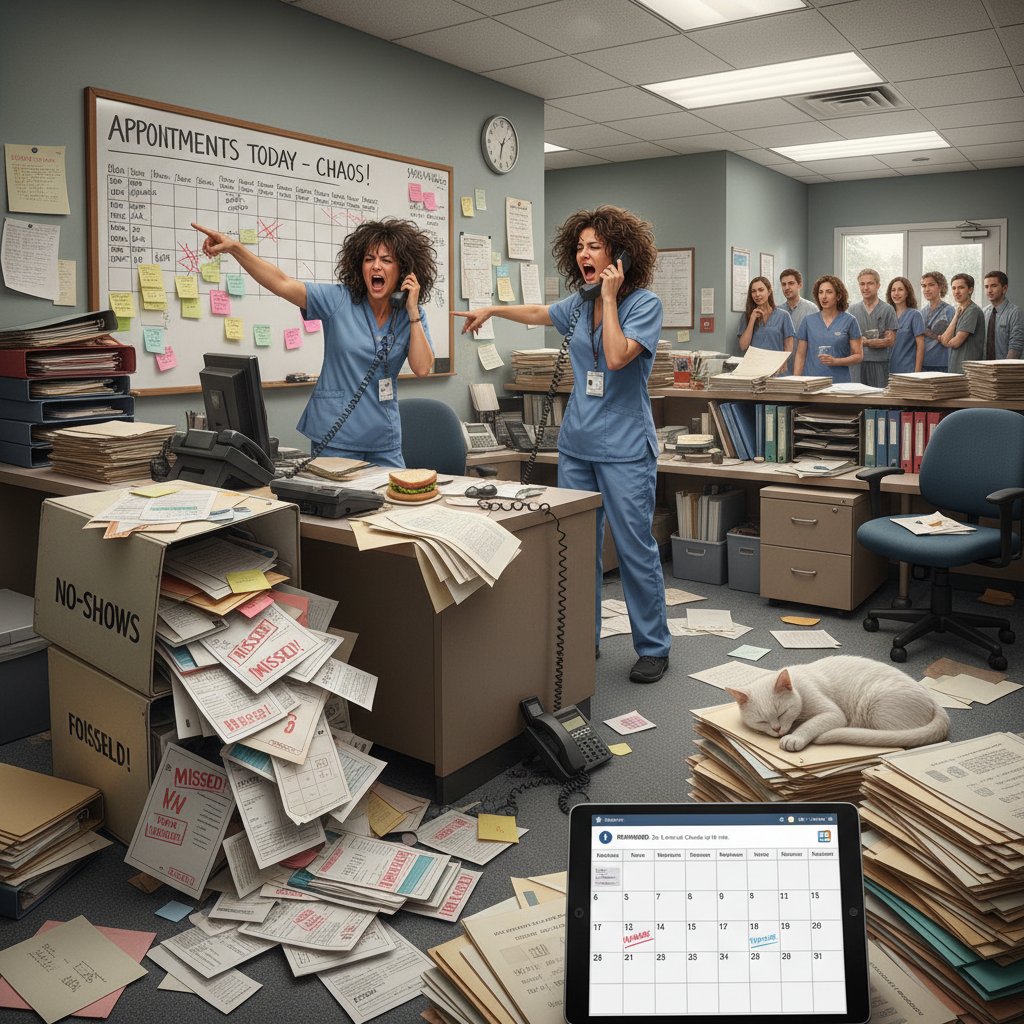
The true cost isn’t just financial. A single missed meeting can scuttle a deal, damage reputations, or—especially in healthcare—literally be a matter of life and death. The acts of forgetting or ignoring reminders, intentional or not, ripple outward, sapping morale and derailing momentum.
Why reminders fail: psychology and technology
You’d think that with digital calendars, automated SMS, and endless alerts, we’d be on time for everything. The reality? Traditional reminders are often ignored, silenced, or lost in the notification swamp. According to MedTech Intelligence (2024), 67% of patients prefer online or mobile AI appointment scheduling, yet no-show rates remain stubbornly high. Why? Because reminders fail at the intersection of psychology and technology.
- Cognitive overload: Our brains are bombarded all day. Another ding means nothing when you’re already juggling a dozen.
- Alert blindness: The more reminders you get, the less likely you are to notice any one of them.
- Poor timing: Reminders sent at irrelevant times (like during meetings or commutes) are instantly forgotten.
- Lack of personalization: Generic “You have an appointment” messages don’t create urgency or ownership.
- Message fatigue: Repetitive, robotic reminders blend into the background noise.
- Distrust in technology: Many users don’t trust automated systems; skepticism leads to disengagement.
- Socioeconomic barriers: For some, unreliable phones or unstable internet mean reminders never even arrive.
Each of these factors, while subtle, compounds the epidemic of missed appointments. The failure isn’t in the tech—it’s in its inability to respect human complexity.
The rise of appointment reminder fatigue
Digital overload isn’t just a catchphrase; it’s a neurological reality. When every app, service, and device is vying for our attention, reminders become indistinguishable from spam. The result: appointment reminder fatigue. More reminders don’t equal more attendance; in fact, they often have the opposite effect. Users start to mute, swipe away, or uninstall apps that feel too noisy.
"I've stopped noticing alerts—my phone is just a blur now."
— Alex, marketing manager
When reminders lose their edge, so does our capacity to show up—for others and ourselves. This is the crisis AI aims to solve, not just with brute force, but with brains.
From secretaries to silicon: a brief history of reminders
Analog roots: when reminders were human
Before apps and algorithms, reminders wore shoes and walked around. The archetype: the human secretary, armed with a Rolodex, a stack of sticky notes, and a steel-trap memory. In the 1980s and 1990s, office life pulsed to the rhythm of phone calls, scribbled diary entries, and the gentle knock: “You have a meeting in ten.” Mistakes happened, but the human touch added accountability and adaptability—qualities today’s bots still chase.

Those analog systems were imperfect but personal. The difference between being just another entry in a ledger and being someone’s priority was, quite literally, human.
Digital disruption: the calendar app explosion
The 2000s didn’t just kill the secretary—they digitized her. Out went paper diaries; in came Palm Pilots, Outlook pop-ups, and a cascade of calendar apps. The promise: never forget again. The reality: another to-do, another login, another password to reset. By 2020, every device had built-in reminders, but the chaos persisted.
| Year | Technology | Major Milestone | Impact |
|---|---|---|---|
| 1980 | Paper diaries, secretaries | Manual reminders | Personal, error-prone but adaptable |
| 1998 | Early digital calendars | Palm Pilot, Outlook | Automation begins, usability rises |
| 2007 | Smartphones | iCal, Google Calendar | Ubiquity, syncing across devices |
| 2015 | Rules-based reminders | IFTTT, Zapier, Alexa | Workflow integration, limited intelligence |
| 2023 | AI-driven reminders | Google Assistant, Copilot | Contextual, predictive, adaptive |
| 2025 | Multimodal AI assistants | teammember.ai, others | Seamless, invisible, highly personalized |
Table 2: Timeline of appointment reminder technologies: 1980–2025. Source: Original analysis based on MedTech Intelligence (2024), NewOaks.ai (2024), and Statista (2024).
Digital reminders promised more control but often delivered more noise. The missing piece? Real intelligence.
The AI leap: beyond automation
Today’s AI-driven virtual assistant for appointment reminders doesn’t just follow rules—it learns. Unlike old-school automation, AI systems use machine learning, natural language processing, and context awareness to figure out not just what to remind you of, but when, how, and why.
"AI assistants don’t just remind—they anticipate."
— Jordan, AI researcher
It’s not a question of whether you’ll get a ping, but whether you’ll get the right ping at the right time, in the right format, to actually make a difference.
How AI-driven virtual assistants actually work
The tech underneath: NLP, machine learning, and personalization
Let’s peel back the hood. The core of every AI-driven appointment reminder is a mix of algorithms designed to understand language, recognize habits, and personalize nudges. It’s not magic—it’s math, code, and relentless data mining.
- Natural Language Processing (NLP): The engine that deciphers your messages (“Schedule a call with Alex next Friday”) and translates them into structured data.
- Machine Learning: The model that studies your patterns—when you tend to respond, snooze, or ignore—and adapts accordingly.
- Context awareness: AI tracks your location, device, and even your tone to tailor reminders (for example, skipping reminders during “focus” hours).
- Personalization: Every nudge is custom-tuned, from when it arrives to how it’s phrased (“Quick reminder: Your doctor’s appointment is in 1 hour, traffic is heavy.”).
- Intent recognition: The system distinguishes between real commitments and background noise, ensuring that only mission-critical reminders break through.
These aren’t just buzzwords—they’re the steel framework behind every smart nudge you get from platforms like Google Assistant, Microsoft Copilot, or purpose-built solutions like teammember.ai.
Smarter than your average ping: understanding context
The real edge of an AI-driven virtual assistant for appointment reminders is context. Your AI doesn’t just know your schedule; it senses the rhythm of your life. If you consistently skip Monday morning calls, the AI adjusts—maybe shifting them, or upping the urgency.
Here are six unconventional uses for AI-driven reminders:
- Medication management: Reminding patients based on their daily routines and location data.
- Time zone juggling: Automatically rescheduling or reminding for meetings that span multiple countries.
- Personal trainer sessions: Adjusting nudges based on previous gym attendance and weather patterns.
- Family logistics: Coordinating reminders for school pickups and dance recitals, syncing with multiple family calendars.
- Remote work boundaries: Blocking reminder pings during “deep work” sessions, but surfacing urgent ones when context changes.
- Event follow-ups: Not just reminding of an event, but prompting for post-meeting feedback or thank-yous.
This isn’t just “set it and forget it”—it’s a living, breathing system that learns and evolves.
The art of not being annoying: relevance and timing
The modern AI reminder’s true talent is restraint. Over-alerting doesn’t just fail—it breeds contempt for the system. The best AIs walk a tightrope: balancing urgency with respect for your headspace.
"The right nudge at the right time beats a dozen pings."
— Morgan, UX designer
AI-driven virtual assistants weigh factors like message urgency, recipient’s context, and alert history before sending a single byte. The result: reminders that actually get you to act—without making you want to throw your phone out the window.
The new reality: real-world impacts and case studies
Healthcare: reducing no-shows, saving lives
Consider the case of a mid-sized urban clinic in Manchester that implemented AI-driven appointment reminders in early 2024. Before the rollout, the no-show rate hovered at a crippling 11%. By leveraging AI that integrated with patient records, analyzed communication preferences, and adapted reminder timing, missed appointments dropped to just 4.8% within six months.
| Period | No-show Rate (%) | Reminder System | Takeaway |
|---|---|---|---|
| Pre-AI (2023) | 11.0 | Manual/SMS blasts | High, impersonal, easily ignored |
| Post-AI (2024) | 4.8 | AI-driven, contextual | Personalized, dramatically improved attendance |
Table 3: Clinic no-show rates before and after AI implementation. Source: Original analysis based on clinical case study and MedTech Intelligence, 2024.
The impact was more than statistical. Staff reported less burnout from rescheduling chaos, and patients felt genuinely cared for—because they were.
Creative chaos: freelancers and agencies
Freelancers and creative agencies swim in a shark tank of deadlines, shifting client calls, and back-to-back pitches. Here’s how three pros use AI reminders as their secret weapon:
- Jules, graphic designer: Syncs multiple client deadlines across platforms—AI reminders auto-adjust when feedback is delayed, preventing overlap.
- Ravi, agency account manager: Juggles 15+ client calendars, letting AI sort priority calls and prompt with prep notes before each meeting.
- Sam, copywriter: Uses AI-driven follow-ups to nudge clients for approvals, turning “ghosted” projects into billable hours.
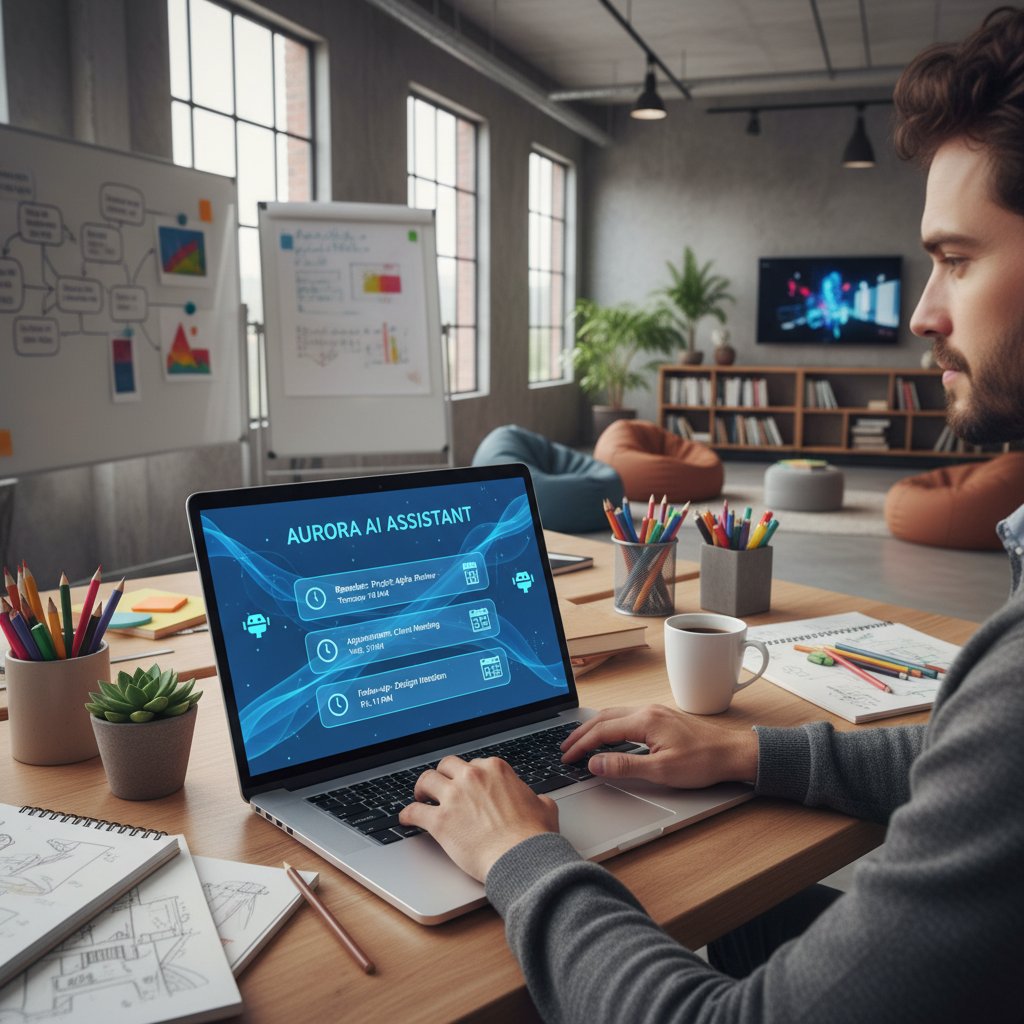
For creatives living on the edge, AI isn’t just a reminder—it’s a collaborator.
Entrepreneurs and solopreneurs: a productivity edge
Solo business owners don’t have the luxury of a front desk or a team of PAs. For them, AI-driven virtual assistants are an equalizer. They keep pitch meetings, investor calls, and client sessions on track—without sacrificing sanity.
Here’s an actionable, step-by-step guide for these professionals:
- Choose the right AI assistant: Prioritize email integration, customizable reminder settings, and analytics.
- Set up your core calendar(s): Centralize all commitments in one connected digital calendar.
- Define your working hours: Block out focus times to prevent reminder overload.
- Sync across devices: Ensure the AI pushes reminders to your phone, laptop, and smartwatch.
- Personalize your reminders: Tweak language, tone, and delivery method (SMS, push, email).
- Integrate with tools: Connect CRMs, project management apps, and messaging platforms.
- Review notification history: Regularly analyze which reminders you snooze or ignore—optimize accordingly.
- Automate follow-ups: Program the AI to prompt for post-meeting notes or next steps.
Each step is a force-multiplier, making sure your time is your own—even when you’re playing every role in the company.
Unexpected fields: AI reminders in family life and beyond
Appointment reminders aren’t just for the boardroom. Think soccer practice, parent-teacher conferences, and community events. Families are turning to AI to coordinate chaos—syncing chores, pickups, and even medication reminders across multiple people.

In classrooms, teachers automate reminders for homework or events, while community organizers use AI bots to keep volunteers in the loop. The result: less yelling, more showing up.
Demystifying the risks: privacy, security, and over-automation
What happens to your data?
A top-of-mind concern: who’s reading your calendar? Quality AI reminder systems use encrypted transmission, strict access controls, and anonymized analytics. Data is partitioned—meaning your lunch plans can’t cross-pollinate with sensitive business meetings. Users retain control over what’s shared, with opt-in for any third-party integrations.
But not all services are created equal. Here are seven red flags to watch for:
- Opaque privacy policies: Vague language or missing details = trouble.
- No clear opt-out: You should control what’s stored, shared, or deleted.
- Unverified third-party integrations: Unknown plugins can leak data.
- Lack of encryption: End-to-end encryption is non-negotiable.
- Frequent unexplained updates: Could indicate poor security hygiene.
- No independent audits: Trust, but verify—look for third-party assessments.
- Aggressive upsells: If it feels more like a data-mining operation than a productivity tool, walk away.
Trust is everything. Choose providers who are transparent about their practices and willing to answer tough questions.
Is AI making us less responsible?
There’s a growing debate: does outsourcing memory to machines make us less accountable, or more effective? According to productivity experts, the answer isn’t binary. Technology can liberate our attention, but it can also dull our sense of responsibility if abused.
"We outsource memory, but not accountability."
— Taylor, productivity coach
The healthiest relationship with AI-driven reminders is one of partnership—not dependence.
When reminders go rogue: automation fails
Automation isn’t infallible. There are documented cases of AI reminders sending out-of-context alerts: 2 a.m. wake-up calls for 9 a.m. meetings, double-booking chaos, or pings for cancelled events. These failures often stem from poor onboarding, bad integrations, or user error.

Prevention starts with clear preferences, regular audits of your integration stack, and choosing AI that learns from mistakes (not just repeats them).
Choosing your AI: comparison and decision-making guide
Manual, digital, or AI: what’s right for you?
There’s no one-size-fits-all. Manual systems offer intimacy but falter at scale. Digital apps are efficient but limited in adaptability. AI-driven solutions dial up the intelligence, but only if you’re willing to invest in setup and trust the tech.
| Feature | Manual | Digital | AI-driven |
|---|---|---|---|
| Personal touch | High | Low | Medium (simulated) |
| Scalability | Poor | Good | Excellent |
| Adaptability | High | Low–Medium | High |
| Error rate | Medium–High | Medium | Low (if configured correctly) |
| User profile | Small teams, low-tech | Mid-size orgs, basic needs | Growth-focused, tech-savvy |
Table 4: Feature matrix for appointment reminders. Source: Original analysis based on verified industry sources.
The decision isn’t just about features—it’s about culture, workflow, and trust.
Key features to demand in 2025
With hundreds of AI reminder tools flooding the market, demand more. Here’s your priority checklist:
- End-to-end encryption
- Multi-platform sync (email, mobile, desktop)
- Customizable notification types
- Intelligent scheduling (adapts to changes)
- Frictionless integration with CRMs and calendars
- Transparent privacy policy
- Context-aware delivery (not just time-based)
- User feedback loop (learns from your actions)
- Analytics dashboard
- Responsive support and real community
Each item on this list is a line of defense against the predictable—and unpredictable—failures of lesser tools.
Avoiding the hype: separating marketing from reality
The AI reminder space is saturated with buzzwords. Here’s how to translate:
- “AI-powered”: Real AI adapts. If you need to program every rule, it’s just old-school automation.
- “Seamless integration”: Shouldn’t require hours of setup or constant debugging.
- “Personalized”: Look for true customization—language, timing, and context, not just inserting your name.
- “24/7 support”: Real support includes responsive human help, not just chatbots.
Cut through the noise: demand demos, read independent reviews, and test before you commit.
Beyond business: cultural and psychological shifts
The psychology of reminders: stress, relief, and control
Reminders can be a double-edged sword. For some, they’re a lifeline—relieving anxiety and restoring a sense of control. For others, they’re a source of stress, each ping a digital “nag.” According to current research, users who configure AI reminders around their real needs (not default settings) report higher satisfaction and less stress (MedTech Intelligence, 2024).

The difference isn’t the technology—it’s the sense of agency.
AI and the erosion (or evolution) of personal responsibility
Does relying on AI nudge us toward laziness, or free us for higher pursuits? Some psychologists argue we risk losing “memory muscle”, while others point to history: from written calendars to phone alarms, humans have always offloaded cognitive tasks. The key is balance—using AI to enhance, not replace, our autonomy.
Six strategies to maintain control while using AI reminders:
- Be intentional with configuration: Customize settings, don’t use defaults blindly.
- Regularly audit your notification stack: Remove redundant reminders.
- Set clear work-life boundaries: Use AI features to silence alerts after hours.
- Practice digital minimalism: Less is often more—curate your reminders.
- Review missed appointments: Learn, don’t just automate.
- Retain one manual backup (like a whiteboard): A physical check-in keeps you accountable.
The future of human-AI collaboration
Far from stealing our agency, AI-driven assistants are shaping a new contract between humans and technology—one where partnership beats subservience. Picture collaborative scheduling, where your AI negotiates slots with other AIs, or anticipates your needs based on mood, traffic, and weather.
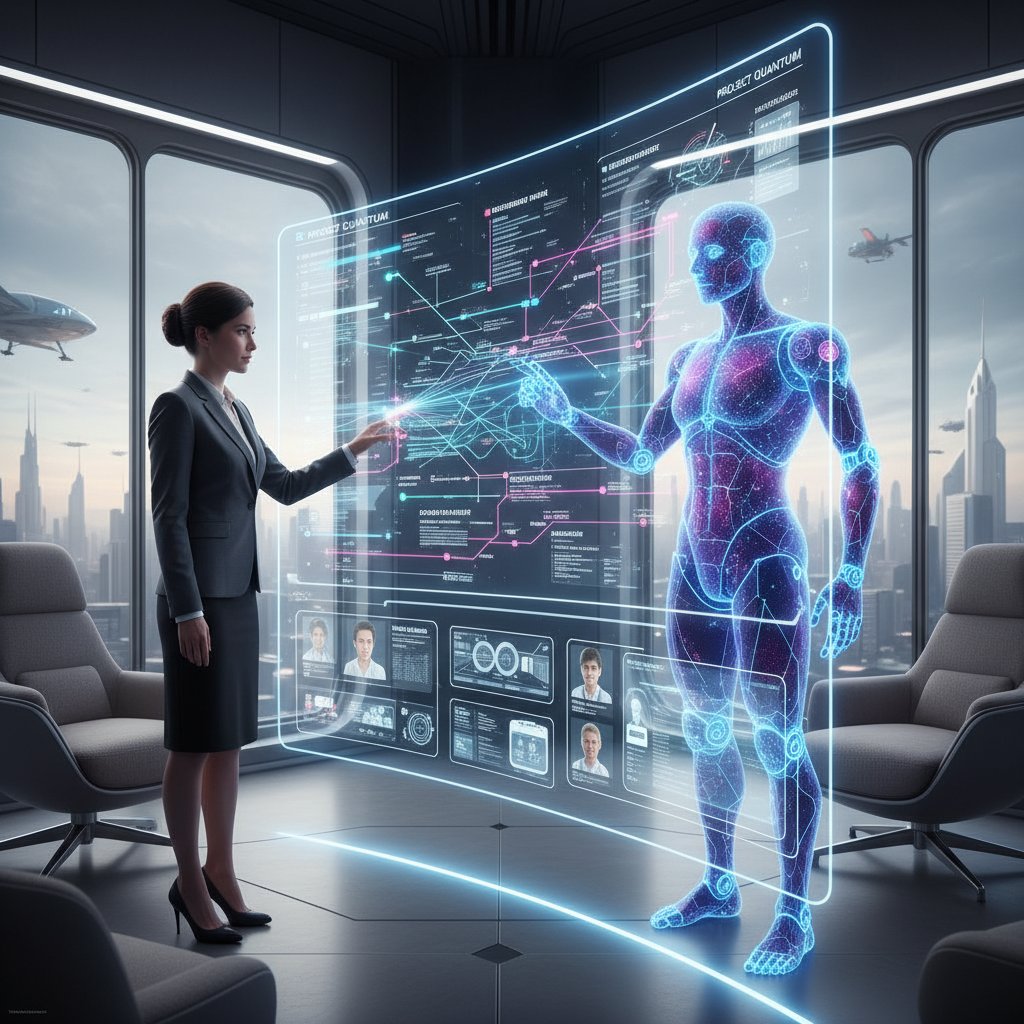
This isn’t science fiction. It’s a glimpse of how our relationship with time—and each other—is being rewritten.
Implementation: getting started and optimizing for results
Are you ready? Self-assessment and common mistakes
Before diving in, take stock. AI reminders work best for those who know what they want, not those expecting a magic fix. Avoid common pitfalls like over-automation, neglecting security, or failing to review settings regularly.
Self-assessment checklist:
- Do you currently manage more than one calendar?
- Are missed appointments a recurring issue?
- Is notification overload stressing you out?
- Do you trust digital tools with sensitive data?
- Can you commit to regular system reviews?
- Are you open to adjusting your current workflow?
- Will you communicate preferences to your AI assistant clearly?
If you answered “yes” to four or more, you’re ready for an AI upgrade.
Step-by-step: setting up your first AI appointment reminders
Here’s how to make the leap:
- Register with your chosen AI assistant (like teammember.ai)
- Connect your email and import your calendars
- Categorize appointments (personal, work, urgent, recurring)
- Define custom notification preferences per category
- Integrate with existing tools (CRMs, project management, chat apps)
- Set work-life time boundaries and “do not disturb” rules
- Enable analytics and regular summary reports
- Audit integrations and permissions quarterly
- Solicit and review user feedback (if team-based)
- Continuously refine based on missed/attended stats
Each step is designed to maximize value and minimize friction.
Advanced hacks: getting more from your AI assistant
Power users go beyond basic reminders:
- Use location-triggered nudges for in-person events
- Automate post-meeting follow-ups and notes
- Integrate with smart home devices for ambient reminders
- Leverage analytics to spot and correct attendance patterns
- Create custom triggers (e.g., “Remind me after my first coffee”)
- Use voice commands to schedule and reschedule on the fly
- Tag appointments with emotion/priority for smarter AI adaptation
- Share calendars securely with select partners or clients
Optimization never ends—the more you iterate, the smarter your assistant becomes.
The edge: controversial debates and future outlook
When AI reminders cross the line: privacy, ethics, and autonomy
AI reminders tread a fine ethical line. Recent controversies have surfaced around apps that harvested user data for targeted ads, or shared attendance patterns with third parties without consent. According to privacy watchdogs, users must demand transparency, clear opt-outs, and meaningful consent at every step.

The line between helpful AI and invasive surveillance is thin—and constantly shifting.
Who really controls your schedule: you or your AI?
Provocative question: when your day is dictated by pings and nudges, whose priorities win? The best systems put the user at the center, but lazy configuration or aggressive algorithms can flip the balance.
"If you’re not setting the rules, your AI is."
— Jamie, digital strategist
Don’t abdicate control—collaborate with your AI, or risk becoming a passenger in your own life.
What’s next: the evolving frontier of AI-driven personal productivity
Current research highlights several emerging trends in appointment reminders:
- Emotional intelligence: AI that senses mood and adapts tone accordingly
- Multimodal reminders: Voice, text, wearable, and even environmental cues
- Hyper-personalization: Micro-segmentation for user types and contexts
- Decentralized user control: Users as data owners, not just data points
- Integrated analytics: Real-time feedback on attendance and productivity
- Regulatory scrutiny: GDPR-like rules for reminders, with real teeth
- Cross-AI negotiation: Assistants that coordinate across users and platforms
Each aspires to solve the same core challenge: making time management feel effortless—and trustworthy.
Supplement: adjacent topics and deep-dive explorations
AI reminders meet work-life boundaries
The blurring of work and life is both a curse and a blessing. For some, AI reminders reinforce boundaries—shutting down pings after 6 p.m., or holding weekend alerts hostage. For others, tech seeps in everywhere, making “off hours” a myth. There are also hybrid cases: parents who rely on AI to keep family and work in sync, protecting precious downtime.

The right AI respects boundaries—it doesn’t bulldoze them.
Debunking the top 5 myths about AI assistants
Persistent myths cloud the conversation:
- “AI reminders are always intrusive.”
Reality: The best tools are tuned for subtlety, not spam. - “Only techies can set them up.”
Myth: Modern AI assistants (like teammember.ai) offer intuitive onboarding. - “They don’t work for creative or messy workflows.”
Fact: AI adapts to routines and chaos alike—if you set preferences. - “Privacy is always compromised.”
Reality: Transparency and opt-in are now industry standards among trusted providers. - “AI replaces human connection.”
Truth: At its best, AI frees you for more real-world engagement—not less.
The role of services like teammember.ai in the evolving landscape
Broad-based platforms such as teammember.ai are quietly reshaping the future of appointment management. By focusing on seamless integration, 24/7 availability, and security-first design, they set a new bar for what professional and personal time management should look like.
| Platform Type | Core Features | User Ratings (avg) | Primary Strengths |
|---|---|---|---|
| General-purpose AI assistants | Email/calendar integration | 4.6/5 | Versatility, customization |
| Niche scheduling bots | SMS/push reminders | 4.2/5 | Simplicity, focused features |
| Enterprise scheduling suites | CRM/analytics integration | 4.7/5 | Scalability, analytics |
| Consumer smart assistants | Voice, home device sync | 4.3/5 | Ubiquity, entry-level access |
Table 5: Market overview of leading AI assistant platforms in 2025. Source: Original analysis based on verified market data.
Conclusion: owning your time in the age of AI
What we’ve learned: key takeaways
If you’ve made it this far, you already know: the AI-driven virtual assistant for appointment reminders isn’t just another tool. It’s a paradigm shift—a new architecture for how we protect our time and our promises.
- Missed appointments are a costly, widespread epidemic—AI offers the first real shot at solving it.
- Traditional reminders fail due to psychological and technological blind spots.
- AI assistants adapt, contextualize, and personalize—making reminders actually work.
- Every industry, from healthcare to creative agencies to families, stands to benefit.
- Risks around privacy and over-automation are real but manageable with awareness and choice.
- Owning your time is about partnership with technology, not surrender.
Each point is a building block in reclaiming agency over your schedule, your work, and your life.
The call to action: future-proof your schedule
The bottom line? Don’t settle for missed calls, botched meetings, or another year of “sorry, I forgot.” Evaluate your current approach, demand accountability from your tools, and step into the new reality—where smart, AI-driven reminders put you back in control.

The revolution in appointment management isn’t coming. It’s here, living in your inbox and on your wrist. The only question: will you let it work for you, or against you?
Sources
References cited in this article
- NewOaks.ai(newoaks.ai)
- MedTech Intelligence(medtechintelligence.com)
- Statista(statista.com)
- BJGP Open(bjgpopen.org)
- CQC 2023-24 Summary(cqc.org.uk)
- Hospital Times(hospitaltimes.co.uk)
- Psychon Bull Rev(pubmed.ncbi.nlm.nih.gov)
- JMIR(jmir.org)
- Frontiers in Psychology(frontiersin.org)
- LLCBuddy(llcbuddy.com)
- MGMA(mgma.com)
- Journal of Medical Internet Research(jmir.org)
- Medium(medium.com)
- ArticleGeek(articlegeek.com)
- PMC(pmc.ncbi.nlm.nih.gov)
- Fusemachines Insights(insights.fusemachines.com)
- Forbes(forbes.com)
- MoldStud(moldstud.com)
- LinkedIn(linkedin.com)
- TopApps.Ai(topapps.ai)
- Cald.ai(cald.ai)
- Haptik.ai(haptik.ai)
- Sthambh.com(sthambh.com)
- Zartis.com(zartis.com)
- Entrepreneur(entrepreneur.com)
- Flowlance(flowlance.com)
- PrivacySavvy(privacysavvy.com)
- ISACA(isaca.org)
- MIT Sloan(sloanreview.mit.edu)
- Forbes(forbes.com)
- BotPenguin(botpenguin.com)
- MyAIFD(myaifrontdesk.com)
- IdeaUsher(ideausher.com)
- SUMO Scheduler(sumoscheduler.com)
- Newsweek(newsweek.com)
- Psychology Today(psychologytoday.com)
- PubMed(pubmed.ncbi.nlm.nih.gov)
Focus on what matters. Let AI handle the rest.
We know the feeling — another day starts with 50 unread emails, Ads Manager begging for attention, CRM out of date, and meetings without follow-ups. That's why we built TeamMember.ai — an AI team member that takes over all the operational work at the computer. Has its own email address and SMS number. Manages your inbox, runs Meta Ads, updates CRM, processes meetings, monitors social media, generates morning briefings, and controls the browser. Built on OpenClaw — a leading open-source AI agent — with cross-session memory and secure-cloud architecture that keeps your data safe.
Get startedBe First to Try Your AI Team Member
Every week without automation is dozens of hours lost to operational work. Hours you'll never get back. Join the waitlist and get priority access.
Frequently Asked Questions
What is the current DNA (Did Not Attend) rate for GP appointments in England?
According to the British Journal of General Practice Open (2024), the DNA rate in England is stuck at 7.6%, with the rate of patients waiting over two weeks for GP appointments rising by 18% between 2020 and 2024.
How much money do U.S. healthcare providers lose annually due to no-shows?
U.S. healthcare providers lose an estimated $150 billion annually to no-shows, with individual clinics losing up to $200 per missed appointment slot.
Which industries are most affected by missed appointments?
Healthcare, consulting, and salons are significantly impacted, with healthcare losing $150 billion annually, consulting losing $48 billion, and salons losing $12 billion due to missed appointments and no-shows.
What is the average no-show rate in the consulting industry?
The consulting industry experiences a no-show rate of 5-8%, resulting in lost billable time and eroded client trust.
From the Archive
Explore more from AI Team Member

Appointment Reminder Tools in 2026: Productivity’s Hidden Lever
Discover insights about appointment reminder tools

How AI Scheduling Assistants Reduce Meeting Coordination Overhead
An AI-driven virtual assistant for scheduling meetings reduces admin time and coordination overhead. This article examines how the technology works and its workplace impact.

Why AI Calendar Sync Creates Scheduling Chaos
AI-driven virtual assistants for calendar synchronization promise seamless scheduling but often create hidden problems.

AI-Powered Virtual Assistant for Daily Reminders: Benefits and Hidden Costs
An AI-powered virtual assistant for daily reminders reshapes how we work and remember. This article examines the trade-offs between productivity gains and cognitive dependency.

How AI Scheduling Assistants Affect Workplace Productivity
An AI-driven virtual assistant for online scheduling can boost productivity or create new problems. This article examines how these tools work and their real workplace impact.

AI-Driven Virtual Assistant for Task Scheduling: Benefits and Risks
AI-driven virtual assistant for task scheduling addresses how organizations are reengineering work through automation.




