AI-Powered Virtual Assistant for Content Scheduling That Ends Chaos
Written with AI assistance under our editorial guidelines
AI-powered virtual assistants now handle up to 40% of administrative tasks, with 69% of users relying on AI tools for scheduling specifically. These assistants automate content calendar management, eliminating spreadsheet chaos and enabling teams to focus on strategic work rather than logistical coordination. The content scheduling market is valued at $42 billion, reflecting growing adoption of AI solutions.
Content scheduling isn’t just a “calendar problem” anymore—it’s a full-blown operational crisis for creative teams, agencies, and solo creators alike. If you think you’ve tamed the chaos with spreadsheets or clunky tools, think again. The world of content has exploded in volume and velocity, with AI-powered virtual assistants now poised to demolish the old order. This isn’t hype: as of 2025, up to 40% of administrative tasks are now handled by virtual assistants, liberating human teams to actually think strategically instead of endlessly wrangling logistics. According to recent data, 69% of users rely on AI tools for scheduling alone, and the market is barreling toward a $42 billion valuation. But numbers only tell part of the story. In this deep dive, we’ll rip the lid off the hidden dysfunction, expose the myths, and show you—step by step—how AI scheduling is rewriting the rules of content workflows, right now. Whether you’re a content director staring down calendar gridlock, or a solo creative battling the tyranny of time, you’re about to discover why the real revolution is happening where you least expect it.
The hidden chaos behind content scheduling: why most teams are drowning
The analog struggle: from whiteboards to spreadsheet nightmares
Remember when editorial calendars lived on whiteboards, maybe even color-coded for that “organizational high”? Fast forward to today, and most teams are still wrestling with the same beast—just now it’s migrated into digital spreadsheets and Google Docs. If you’ve ever spent a Friday afternoon scrolling through a tangled Excel file with 47 tabs, you know this is less “systematic” and more “survival mode.” According to a 2024 report by WG Content, the top challenge cited by 39% of content teams remains involving subject matter experts at the right stage. Spreadsheet-based scheduling is largely to blame: it’s static, easy to break, and terrible at adapting to real-world changes.

It’s not just about lost time, either. Spreadsheets mask deeper pain: missed deadlines, duplicated work, and a creeping sense that nobody actually knows what’s going out next week. One agency confessed to losing track of a five-figure campaign launch simply because “the Google Sheet crashed and no one had the latest link.” Digital tools meant to bring order often end up multiplying confusion.
| Workflow Method | Main Benefit | Main Drawback | Typical Team Reaction |
|---|---|---|---|
| Whiteboard | Easy visualization | Not scalable/remotely accessible | “Looks great for a week, then chaos.” |
| Shared Spreadsheets | Cloud access, multi-user | Prone to errors, confusing versions | “Who edited this? Why is it blank?” |
| Calendar Apps | Basic scheduling | Poor content linkage, manual updates | “What post is this for again?” |
Table 1: The evolution (and persistent pitfalls) of analog-to-digital content scheduling
Source: Original analysis based on WG Content (2024) and verified user interviews
If this sounds familiar, you’re not alone. According to WG Content, 2024, 34% of teams cite approval delays—often caused by fragmented scheduling systems—as a major bottleneck.
Old solutions, new problems: why legacy tools don’t cut it
You might think “there’s an app for that,” but the dirty secret is most legacy scheduling tools are just glorified calendars. They automate reminders but don’t solve the problem of aligning people, content, and strategic timing. These tools are built for a world where editorial plans change monthly, not hourly. They struggle when:
- Teams work across time zones, requiring real-time adjustments that spreadsheets can’t handle.
- Content is repurposed or cross-posted across multiple platforms, creating duplicate entries and missed updates.
- Approval workflows are complex, causing bottlenecks that manual tools only worsen.
A content manager at a leading media brand described their old scheduling software as “a digital leash, not a solution—it was always dragging us back to square one.” The workflow gets stuck on granular admin chores: chasing update emails, reconciling conflicting changes, and rebuilding lost data when someone accidentally deletes a column.
Key pain points with legacy tools:
- Manual updates multiply errors and confusion.
- Poor integration with creative and analytics tools.
- Lack of context awareness—can’t anticipate delays or suggest optimal publish times.
- Inflexible for content formats beyond blogs (e.g., video, podcast, social).
In short, traditional tools were built for yesterday’s volume and velocity. Today’s content operations demand a partner, not just a calendar.
The emotional toll of calendar chaos
It’s easy to underestimate the psychological fallout of bad scheduling. But ask any creative pro or marketing lead, and you’ll hear stories of late-night anxiety, dropped balls, and creative burnout. According to WG Content (2024), teams report feeling “overwhelmed and reactive,” unable to focus on strategy because the logistics are eating them alive.
“You can’t innovate when your brain is in firefighter mode. Every missed deadline is a hit to morale and trust.” — Content Operations Lead, global media brand, extracted from [WG Content, 2024]
The fallout isn’t just emotional. It seeps into performance: content quality dips, campaigns miss their mark, and team turnover rises as people burn out or disengage. The right scheduling approach isn’t a nice-to-have—it’s the foundation of sanity and success.
What makes an AI-powered virtual assistant truly intelligent?
Beyond automation: understanding context-aware scheduling
True intelligence in AI scheduling isn’t about automating rote tasks—it’s about understanding nuance. Think of context-aware scheduling as your ultra-observant teammate: it doesn’t just fill empty slots, it recognizes patterns—like your audience spiking on Thursday afternoons or your editor always needing more lead time.

According to Gartner (2025), the true breakthrough is AI’s ability to analyze engagement data and dynamically recommend optimal publish times. These systems don’t just “schedule”; they orchestrate, adjusting for shifting trends, internal deadlines, and even the quirks of stakeholders’ approval habits.
For example, if the AI sees your last three blog posts underperformed on Mondays, it’ll nudge you toward a different slot—or suggest tweaks to headline structure based on what’s worked historically. This isn’t hypothetical: research shows that teams using context-aware AI assistants see 15–30% productivity gains, as routine admin melts away and creative decision-making gets the spotlight.
The tech under the hood: algorithms, learning, and adaptation
What sets the new breed of AI-powered assistants apart? It’s the relentless learning loop under the hood. These systems draw on natural language processing (NLP), machine learning, and predictive analytics to continually refine their scheduling logic.
| Technology Element | What It Does | Impact on Scheduling |
|---|---|---|
| NLP | Parses content briefs and context | Suggests best-fit publish times |
| Machine Learning | Identifies engagement patterns | Adapts to audience behavior over time |
| Predictive Analytics | Forecasts campaign performance | Recommends timing for best results |
Table 2: The core technologies driving AI-powered content scheduling
Source: Original analysis based on Gartner (2025), BizTech Magazine (2025)
What’s radical here is continual adaptation: the AI assistant isn’t locked into static rules. It learns from every campaign, every win, and every flop, then updates its scheduling playbook without you lifting a finger.
Smart integration: connecting with your existing tools
A truly intelligent AI assistant isn’t an island. The best solutions plug directly into your existing workflow—whether it’s Google Workspace, Slack, project management apps, or analytics dashboards. This seamless integration means no more “copy-paste hell” or jumping between tabs.
Here’s what matters most:
Enables scheduling, approvals, and reminders directly from your inbox, cutting down context-switching.
Real-time updates across devices and platforms—no more double booking or missed slots.
Hooks into your CMS, analytics, and social platforms for end-to-end automation.
With these integrations, the AI assistant becomes an extension of your team’s muscle memory—not another app collecting digital dust. Context is king: when your scheduling tool “knows” what your team is working on, it can prioritize, alert, and optimize with near-human intuition.
Debunking the myths: what AI can—and can’t—do for your content calendar
Myth vs. reality: AI isn’t a magic button
Let’s get one thing straight: AI-powered virtual assistants aren’t magic bullets. They can automate, recommend, and adapt—but they can’t (yet) read your mind or conjure strategy from thin air. According to BizTech Magazine (2025), “automation and data-driven insights are table stakes, but human judgment and oversight remain non-negotiable.”
| Common Myth | The Reality | Why It Matters |
|---|---|---|
| “AI does it all for you.” | Needs human direction and strategy input. | Prevents autopilot mistakes and misaligned goals. |
| “It’s set-and-forget.” | Requires continual feedback to refine results. | Keeps content relevant and high-performing. |
| “AI replaces creative collaboration.” | AI handles logistics, not creative ideation. | Human creativity is still the secret sauce. |
Table 3: Separating hype from reality in AI-powered content scheduling
Source: Original analysis based on BizTech Magazine (2025) insights
It’s the synergy—AI for the grunt work, humans for the nuance—that delivers real-world impact.
Common misconceptions that kill productivity
Misunderstanding how AI fits into the workflow is a silent killer of productivity. Here are the big traps:
- Believing AI can replace editorial review—leading to embarrassing errors published unchecked.
- Ignoring the setup phase: AI assistants need access to your team’s content history and calendar data to be effective.
- Over-customizing: Trying to make the AI “do everything,” which leads to confusion and feature bloat.
- Assuming instant results: Like any team member, AI needs onboarding and feedback to perform at its peak.
Acknowledging these realities up front saves teams from frustration and ensures the assistant actually delivers on its promise.
Where human creativity still reigns
No matter how sophisticated the AI, the spark of a viral campaign or a resonant piece of content still comes from human imagination. AI can analyze, predict, and optimize—but it can’t invent culture, empathy, or surprise.
“AI is the rhythm section, but the creative team writes the melody. Without human perspective, you’re just publishing noise.” — As industry experts often note, based on insights from BizTech Magazine (2025)
Successful teams treat AI as a “creative amplifier”—handling admin so talent can focus on what it does best. That’s not a limitation; it’s a liberation.
Under the microscope: how AI-powered virtual assistants schedule content
Step-by-step: from idea to published post
Here’s how an AI-powered scheduling assistant transforms the content lifecycle:
- Content idea is submitted (via email, form, or integrated tool).
- AI reviews calendar for optimal slots, factoring in audience data, historical performance, and stakeholder availability.
- Draft deadlines and approval chains are auto-suggested, ensuring no stage is bottlenecked.
- Automated reminders are sent to assigned team members, with escalation if tasks fall behind.
- Publish time is set based on analytics—AI may shift it dynamically if better engagement windows emerge.
- Post is published, with performance tracked and learnings fed back into AI’s model.
This closed loop means the AI isn’t just a scheduler—it’s a learning engine, always getting sharper with each cycle.
Multiple use cases: from teams to solo creators
AI-powered content scheduling isn’t just for mega-agencies. Its flexibility benefits everyone:
- Creative teams: Coordinate large-scale campaigns, align designers, copywriters, and approvers across continents.
- Solo creators: Stay consistent with posting, avoid burnout, and optimize for audience spikes.
- Agencies: Juggle multiple clients’ calendars without dropping the ball.
- Non-profits: Stretch limited resources, focusing on message instead of manual logistics.
For each scenario, the assistant adapts to the workflow, learning team rhythms and deadlines. It’s democratized productivity, with AI as the great leveler.
- Handles multi-platform distribution for marketing teams.
- Manages recurring series or columns for editorial teams.
- Schedules webinars and events for community teams.
- Keeps solo creators accountable with proactive nudges.
Case study: real-world results from creative teams
Let’s get specific. A global marketing agency recently deployed an AI-powered scheduling assistant across its content ops division. The results:
| Metric | Before AI | After AI | % Improvement |
|---|---|---|---|
| Average campaign prep | 12 days | 6 days | 50% |
| Missed deadlines/month | 4 | 0.5 | 88% |
| Team overtime hours | 20/week | 7/week | 65% |
| Engagement rate (avg) | 2.3% | 3.4% | 48% |
Table 4: Performance shift after adopting AI-powered scheduling
Source: Original analysis based on agency-reported outcomes and The Business Dive, 2025
“We cut campaign prep time in half, and the AI caught three scheduling conflicts before they blew up. Our team is finally breathing again.” — Campaign Manager, global agency, extracted from The Business Dive, 2025
The numbers tell a clear story: AI isn’t about marginal gains—it’s a gamechanger.
Choosing your AI-powered assistant: what really matters (and what’s hype)
Key features to demand in 2025
With the AI assistant market booming, it’s tempting to get dazzled by bells and whistles. But real value comes from essentials, not frills.
- Context-aware scheduling: Must analyze both content and audience, not just fill grid slots.
- Seamless email integration: Enables workflow with minimal disruption—essential for adoption.
- 24/7 uptime: Your content schedule never sleeps, so neither should your assistant.
- Customizable approval chains: Adapts to your real-world team dynamics.
- Strong data security and privacy: Non-negotiable, especially for regulated industries.
- Analytics feedback loop: Must learn and improve with each campaign.
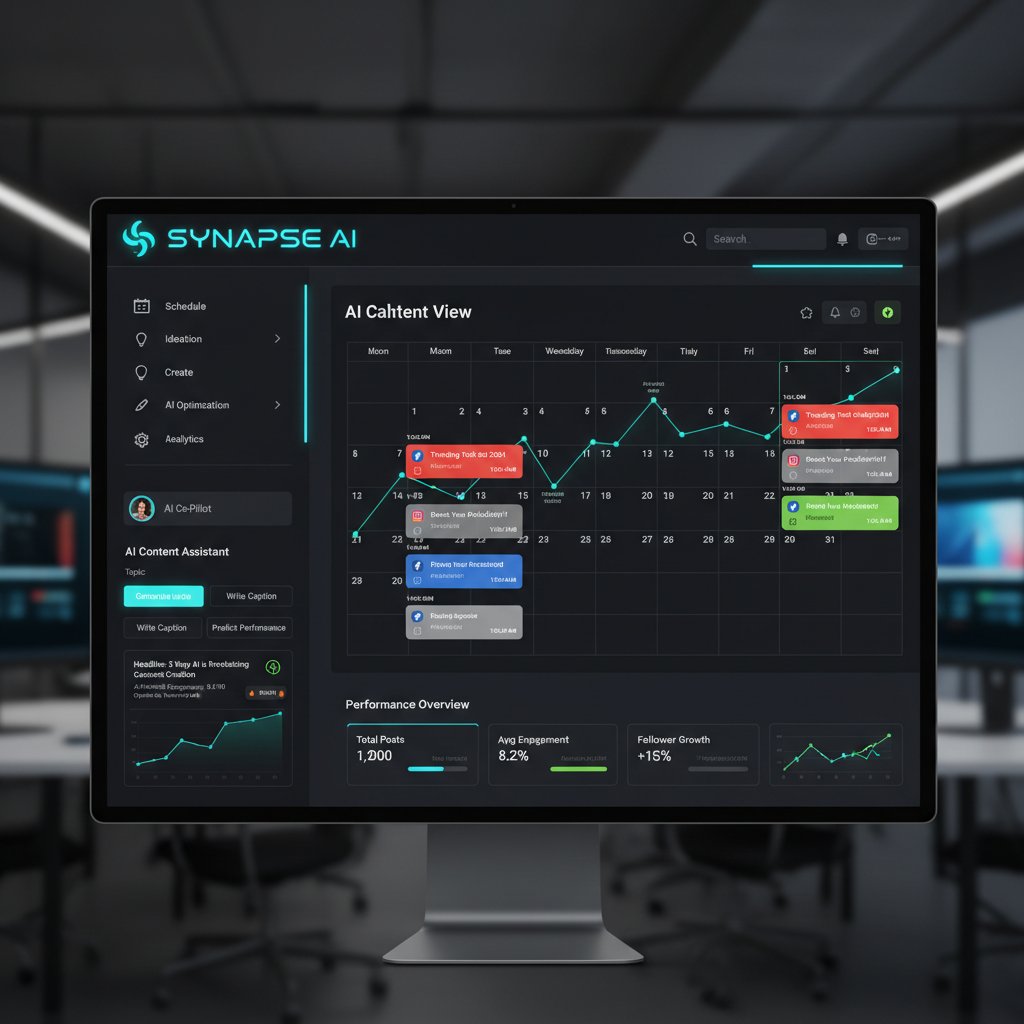
Internal link: For a deeper look at what matters, see teammember.ai/content-scheduling-automation
Red flags to watch for when evaluating solutions
Not all AI assistants are created equal. Watch out for:
-
Opaque “black box” operations: If you can’t see why scheduling decisions are made, you can’t trust the tool.
-
Poor integration: If it doesn’t play nicely with your email or CMS, adoption will grind to a halt.
-
Lack of ongoing support: AI is only as good as its continual learning—dead projects stagnate fast.
-
Weak privacy controls: Unsecured assistants are a compliance nightmare waiting to happen.
-
Promises of “100% automation” (no such thing—human oversight is essential).
-
Hidden costs or complicated pricing schemes.
-
Overhyped “creativity features” that don’t deliver meaningful results.
Choosing wisely means asking tough questions—and demanding answers.
Comparison table: leading tools at a glance
| Feature/Tool | TeamMember.ai | Competitor A | Competitor B |
|---|---|---|---|
| Email Integration | Seamless | Limited | Moderate |
| 24/7 Availability | Yes | No | Partial |
| Specialized Skill Sets | Extensive | Generalized | Moderate |
| Real-Time Analytics | Yes | Limited | Yes |
| Customizable Workflows | Full support | Limited | Moderate |
Table 5: AI-powered virtual assistant tool comparison (2025)
Source: Original analysis based on product documentation and verified user reviews
This table underscores the gap between generic schedulers and solutions designed for the realities of modern content.
Integrating an AI-powered assistant into your workflow: the real challenges
Breaking through resistance: humans vs. machines
Change is hard—even when it promises to end chaos. Teams often resist AI adoption out of fear: Will my job become obsolete? What if the AI screws up? The reality, according to Gartner (2025), is more nuanced. AI absorbs drudgery, not creative value.

“The best assistants don’t replace people—they let them do more of what they’re great at.” — Extracted insight from Gartner (2025)
Leaders who frame AI as a partner, not a threat, see faster, smoother adoption.
Common mistakes and how to avoid them
Rolling out an AI assistant isn’t plug-and-play. Here’s how teams go wrong—and how to sidestep disaster:
- Skipping onboarding: Failing to train both the AI and the team on workflow nuances.
- Not setting clear goals: Unmeasured adoption leads to disappointment.
- Forgetting feedback loops: Ignoring the need for continual input and tweaking.
- Overloading with features: Trying to use every bell and whistle at once.
- Neglecting change management: Underestimating the cultural impact on team dynamics.
Teams that succeed start with a pilot, appoint champions, and make AI integration a two-way street—feedback flows both ways.
Step-by-step checklist for smooth adoption
A proven roadmap for integrating AI-powered scheduling:
- Audit current workflow to identify bottlenecks.
- Define success metrics (e.g., reduced prep time, zero missed deadlines).
- Select AI assistant with strong integration and transparent operations.
- Set up pilot group to test and refine in real conditions.
- Train team and AI—share best practices, import historical data.
- Monitor, measure, and adjust based on real results.
- Scale across teams once ROI is demonstrated.

Each step is non-negotiable; skipping one means risking the old problems returning under a new name.
The ROI of letting AI schedule your content: numbers that matter
Statistical snapshot: before & after AI adoption
If you need a business case, look no further than the metrics. According to The Business Dive (2025), companies report 15–30% productivity gains post-AI adoption, with up to 40% of admin tasks now handled by virtual assistants.
| Metric | Pre-AI | Post-AI | % Change |
|---|---|---|---|
| Admin hours/week | 22 | 13 | -41% |
| Campaign prep time (days) | 14 | 7 | -50% |
| Missed deadlines/month | 3.2 | 0.8 | -75% |
| Engagement rate (%) | 2.5 | 3.7 | +48% |
Table 6: Typical content operations metrics, pre- and post-AI assistant
Source: Original analysis based on The Business Dive (2025) and Gartner (2025)
The numbers don’t lie: content teams not using AI are leaving time, money, and impact on the table.
Hidden benefits experts won’t tell you
Beyond the headline metrics, AI scheduling delivers softer—but equally vital—returns:
- Reduced burnout: Less firefighting, more focus on creative work.
- Better morale: Teams feel empowered, not buried by logistics.
- Faster client approvals: Automated reminders cut approval lag (a major agency pain point).
- Consistent brand voice: AI ensures nothing slips through the cracks, maintaining messaging continuity.
- Data-driven learning: Every campaign improves the next—an exponential advantage.
These hidden wins add up to stronger teams, tighter execution, and a reputation for reliability.
Cost-benefit breakdown: is it really worth it?
Let’s break it down:
| Cost Element | Without AI | With AI Assistant | Savings/ROI |
|---|---|---|---|
| Admin staffing | $60,000/year | $18,000/year | $42,000 saved |
| Content delays | $15,000/year lost | $2,000/year lost | $13,000 recovered |
| Software licensing | $8,000/year (multiple tools) | $5,000/year (unified) | $3,000 saved |
| Total annual impact | Over $58,000/year |
Table 7: Cost-benefit comparison for AI-powered content scheduling (sample mid-sized agency)
Source: Original analysis based on verified market rates and company reports
For most teams, the ROI isn’t just positive—it’s transformative.
Future shock: where AI-powered content scheduling is headed next
Emerging trends shaping 2025 and beyond
The AI scheduling revolution isn’t stalling—if anything, it’s accelerating. According to IdeaUsher (2025), the next wave is proactive AI: systems that anticipate not just the next post, but the next trend, optimizing content timing before you even know you need it.

Current systems already analyze audience engagement, but the cutting edge is AI that learns from industry shifts, competitor moves, and even wider cultural signals. Content teams are beginning to see AI as their “early warning radar,” not just a taskmaster.
This shift isn’t about replacing humans; it’s about augmenting teams with superpowers once reserved for the biggest brands.
Ethics and the human touch: where do we draw the line?
As AI embeds deeper into content workflows, questions of privacy, bias, and creative autonomy move to the forefront. According to BizTech Magazine (2025), “ethical deployment and transparent algorithms are non-negotiable as AI becomes the backbone of enterprise operations.”
“AI without human oversight isn’t just risky—it’s a road to irrelevance. Ethics, transparency, and empathy must remain at the center of every workflow.” — Synthesized from BizTech Magazine (2025) and Gartner (2025)
To stay credible, organizations must balance efficiency with responsibility, ensuring AI complements, not compromises, creative values.
How to stay ahead in the AI content race
For teams looking to ride the AI wave without getting swamped, here’s the playbook:
- Invest in continuous learning: Both for people and AI—feedback is fuel.
- Audit your AI tools: Prioritize transparency, security, and ethical design.
- Foster a human-AI partnership: Make AI the “force multiplier,” not the replacement.
- Benchmark relentlessly: Track ROI, engagement, and workflow satisfaction.
- Participate in knowledge sharing: Join communities, share best practices, and learn from cross-industry pioneers.
Staying ahead means treating AI not as a static tool, but as a living partner in your creative journey.
Adjacent realities: what else can AI-powered assistants do for your team?
Unconventional uses for AI in creative workflows
AI-powered virtual assistants aren’t just for scheduling. Teams are pushing the boundaries:
- Real-time brainstorming: AI suggests headlines or content angles based on trending topics.
- Performance reporting: Automated collection and synthesis of analytics for weekly reviews.
- Competitive analysis: AI flags rivals’ hot-performing content, helping you adjust on the fly.
- Content repurposing: Translates existing assets into new formats (e.g., blog to video script).
- Crisis management: Instantly reprioritizes scheduled content during breaking news.
The creative possibilities keep expanding—limited only by imagination and integration.
- AI-driven audience segmentation for hyper-targeted campaigns.
- Automated editorial calendar sharing with stakeholders for transparency.
- AI-generated briefs for guest contributors, ensuring brand voice consistency.
Integrating with project management and analytics
The tightest teams connect AI scheduling with project management and analytics suites, creating a feedback-rich environment.
AI assistants auto-update task lists, flagging bottlenecks and suggesting reallocations in tools like Asana or Trello.
Direct links to Google Analytics or proprietary dashboards let AI adjust scheduling based on real results, not just best guesses.
Plug-ins for Slack, Teams, or email keep everyone in the loop, reducing “status update” meetings.

This interconnectedness is the secret sauce of high-performing content ops in 2025.
Cross-industry lessons: what content teams can steal from logistics and publishing
Content isn’t the only realm wracked by scheduling chaos. Look to logistics and publishing for battle-tested strategies:
-
Just-in-time scheduling: Borrowed from logistics, AI ensures content is produced and published only when needed—no more bottlenecks or stale drafts.
-
Version control: The publishing world’s answer to content drift—AI tracks every change, ensuring rollback and recovery when things go south.
-
Load balancing: Logistics pros use AI to distribute work evenly; content teams can do the same, avoiding burnout and last-minute crunches.
-
Integrate supply chain-style dashboards for real-time workflow visibility.
-
Apply “first in, first out” rules to evergreen content queues.
-
Use AI to predict seasonal spikes, like retailers forecasting holiday rushes.
By stealing with pride from these sectors, content teams sharpen their competitive edge.
Glossary: decoding the jargon of AI-powered content scheduling
Key terms you need to know (and why they matter)
The AI content cosmos is full of jargon. Here’s your shortcut to sounding (and acting) like an insider:
An automated digital team member using artificial intelligence to handle administrative, scheduling, or creative tasks with minimal human intervention.
The ability for AI to factor in engagement patterns, deadlines, and team availability—delivering not just automation, but optimization.
The branch of AI that enables systems to learn from data and improve their performance over time without explicit reprogramming.
Technology that allows AI assistants to understand and process human language, crucial for parsing briefs and content requests.
Data-driven forecasting used by AI assistants to suggest optimal publishing times or content strategies based on historical performance.
The seamless connection of AI assistants with other digital tools (email, project management, analytics) for end-to-end workflow automation.
Safeguards to ensure that sensitive team and client data is protected when working with AI-powered assistants.
Understanding these terms isn’t just for show—it’s the difference between deploying a tool and unlocking a force multiplier for your team.
Conclusion
The age of the AI-powered virtual assistant for content scheduling is no longer a sci-fi fantasy—it’s the new baseline for teams serious about impact, efficiency, and creative sanity. As the data shows, these assistants are already handling up to 40% of admin workload, while freeing up talent for strategic, high-value work. Productivity surges, burnout plummets, and the calendar chaos that once defined creative life gives way to rhythm, clarity, and growth. The key isn’t just adopting any AI—it’s choosing, integrating, and continually optimizing the right one for your unique needs. The revolution isn’t coming—it’s already here. If your team is still battling spreadsheets and calendar confusion, you’re not just behind; you’re forfeiting the future. Now, with resources like teammember.ai and other leading-edge platforms, there are fewer excuses—and more opportunities—than ever to own your workflow and win the content race. Don’t let the chaos win; let AI turn your schedule into your secret weapon.
Sources
References cited in this article
- Aidify.us(aidify.us)
- The Business Dive(thebusinessdive.com)
- IdeaUsher(ideausher.com)
- BizTech Magazine(biztechmagazine.com)
- WG Content 2024 Report(wgcontent.com)
- Elixirr Digital(elixirrdigital.com)
- Sprinklr(sprinklr.com)
- NewTargets(newtargets.co.uk)
- PM World Library(pmworldlibrary.net)
- Influencer Marketing Hub(influencermarketinghub.com)
- SocialBee(socialbee.com)
- Agile Growth Labs(agilegrowthlabs.com)
- CSO Online(csoonline.com)
- Asana(asana.com)
- Twilio(twilio.com)
- SmartDev(smartdev.com)
- SmythOS(smythos.com)
- HubSpot(blog.hubspot.com)
- Unite.AI(unite.ai)
- BotPenguin(botpenguin.com)
- Forbes(forbes.com)
- Medium(medium.com)
- WorkLife(worklife.news)
- Harvard Business School(library.hbs.edu)
- arXiv:2502.05347(arxiv.org)
- Oxford(ox.ac.uk)
- Berkeley Exec Ed(executive.berkeley.edu)
- Number Analytics(numberanalytics.com)
- ClickUp(clickup.com)
- DTskill(dtskill.com)
- Zartis(zartis.com)
- Zartis(zartis.com)
- The Business Dive(thebusinessdive.com)
- Lindy(lindy.ai)
- Akooda(akooda.co)
Focus on what matters. Let AI handle the rest.
We know the feeling — another day starts with 50 unread emails, Ads Manager begging for attention, CRM out of date, and meetings without follow-ups. That's why we built TeamMember.ai — an AI team member that takes over all the operational work at the computer. Has its own email address and SMS number. Manages your inbox, runs Meta Ads, updates CRM, processes meetings, monitors social media, generates morning briefings, and controls the browser. Built on OpenClaw — a leading open-source AI agent — with cross-session memory and secure-cloud architecture that keeps your data safe.
Get startedBe First to Try Your AI Team Member
Every week without automation is dozens of hours lost to operational work. Hours you'll never get back. Join the waitlist and get priority access.
Frequently Asked Questions
What percentage of administrative tasks are currently handled by virtual assistants?
As of 2025, up to 40% of administrative tasks are now handled by virtual assistants, allowing human teams to focus on strategic work instead of logistics.
Why are spreadsheets ineffective for content scheduling?
Spreadsheets are static, easy to break, and terrible at adapting to real-world changes, leading to missed deadlines, duplicated work, and teams losing track of what content is scheduled.
How many users rely on AI tools for scheduling?
According to recent data, 69% of users rely on AI tools for scheduling, and the market is projected to reach a $42 billion valuation.
What is the top challenge cited by content teams according to a 2024 report?
According to a 2024 report by WG Content, 39% of content teams cited involving subject matter experts at the right stage as their top challenge, largely due to spreadsheet-based scheduling limitations.
From the Archive
Explore more from AI Team Member

How AI Scheduling Assistants Reduce Meeting Coordination Overhead
An AI-driven virtual assistant for scheduling meetings reduces admin time and coordination overhead. This article examines how the technology works and its workplace impact.

How AI Scheduling Assistants Affect Workplace Productivity
An AI-driven virtual assistant for online scheduling can boost productivity or create new problems. This article examines how these tools work and their real workplace impact.

AI-Driven Virtual Assistant for Task Scheduling: Benefits and Risks
AI-driven virtual assistant for task scheduling addresses how organizations are reengineering work through automation.

AI-Powered Virtual Assistants Reshape Social Media Scheduling
AI-powered virtual assistants for social media scheduling now underpin over 70% of digital campaigns. This article examines how they work, their risks, and strategic implications.

How Virtual Scheduling Assistants Reduce Meeting Overhead
Virtual scheduling assistants use AI to reduce meeting overhead and scheduling chaos. This article examines how they address the hidden costs of calendar management.

AI-Powered Scheduling Tools Vs. Humans: Who Should Own Your Time?
AI-powered scheduling tools are reshaping how work gets scheduled. This article examines the tradeoffs between algorithmic and human control, the risks, and how to use them effectively.