


AI-Powered Virtual Assistant for Document Creation: Promise Vs Risk
Written with AI assistance under our editorial guidelines
AI-powered virtual assistants for document creation automate the tedious work of drafting, editing, and formatting documents, significantly boosting productivity. However, they raise important questions about authorship, accuracy, and control, as machines increasingly shape how we communicate while we risk losing ownership of our voice and content quality.
If you still believe that “real work” means cranking out documents line-by-line, you’re about to have your worldview upended. The AI-powered virtual assistant for document creation isn’t just rewriting your documents—it’s rewriting the rules of productivity, collaboration, and even what it means to “work.” In cubicle farms, home offices, and corner suites, people are confronting a stark new reality: the old grind of document drudgery is over, replaced by algorithmic teammates that churn out proposals, contracts, emails, and research at breakneck speed. But as the digital ink dries, bigger questions linger: Who holds the pen now? Is your voice still yours, or just the output of a machine? This isn’t just tech hype—this is a revolution, messy and magnificent, brimming with human potential and digital risk. Welcome to the front lines of the AI document uprising.
Welcome to the new era: how AI is changing the way we create documents
The end of manual document drudgery?
Let’s get honest about the daily grind. You shuffle into the office, eyes half-open, coffee in hand, and face that gnawing to-do list: draft the proposal, summarize the meeting notes, format the slides, respond to another mountain of emails. Sound familiar? Manual document creation is a soul-sapping ritual—a chore that swallows entire afternoons with its tedious cycles of copying, pasting, and endless proofreading. The pressure to create flawless, client-ready documents never relents, and the cost of a single typo or missed clause can ripple through your reputation and bottom line. In an age obsessed with speed, nobody has time to burn on formatting fonts or hunting for template errors. The appetite for a better way isn’t just about laziness—it’s survival.

What is an AI-powered virtual assistant for document creation?
Think of an AI-powered virtual assistant for document creation as your tireless, hyper-intelligent digital coworker. Not the kind that steals your lunch from the breakroom, but the kind that never sleeps, never calls in sick, and never asks for a raise. This isn’t just voice recognition or a glorified spellchecker—it’s a powerhouse of natural language processing (NLP), context awareness, and automation that can draft, edit, summarize, and even suggest improvements, all tuned to your personal or corporate style.
Definition list: Key terms explained
-
Natural Language Processing (NLP)
The muscle behind your assistant’s understanding. NLP turns your messy prompts or half-finished sentences into actionable text, recognizing context, nuance, and even sarcasm, so your documents sound like you, not a robot. -
Context Awareness
This is the engine for relevance. Context-aware AI assistants use everything from document history to company jargon to shape their output, ensuring each draft matches your intent—not just the dictionary definition. -
Document Automation
More than mail merges: it’s the automation of entire workflows, from data extraction to formatting to conditional logic. Automation lets your AI handle repetitive tasks, freeing up humans for judgment, strategy, and creative thinking.
In practice, these virtual assistants fit seamlessly into your workday. Picture this: you fire off an email to your AI teammate with a few bullet points, and minutes later receive a polished draft back—complete with citations, formatted tables, and your company’s tone. Suddenly, that pile of paperwork shrinks, and your focus shifts from mindless production to real problem-solving.
Why the hype now? Market shifts and 2025 trends
The hype isn’t just noise—it’s numbers. According to Global Market Insights (2024), the AI-powered virtual assistant market for document creation is surging towards an $11.9 billion value by 2030, with compound annual growth hovering near 34%. As of 2024, 42% of U.S. SMBs have already adopted virtual assistant tech, and global digital voice assistant users are projected to double, hitting an astronomical 8.4 billion. These aren’t just vanity metrics—they’re signals of a tectonic shift.
| Industry | 2024 Adoption Rate | Projected 2025 Growth | High-Growth Highlight |
|---|---|---|---|
| Healthcare | 51% | +38% | 🔥 Digital records, automation |
| Legal | 48% | +36% | 🔥 Contract analysis |
| Marketing | 60% | +44% | 🔥 Content creation |
| Finance | 55% | +40% | 🔥 Compliance, reporting |
| Education | 45% | +30% |
Table 1: AI-powered document assistant adoption rates by industry (Source: Original analysis based on Global Market Insights, 2024; ZipDo, 2024; eMarketer, 2024)
The COVID-fueled remote work era and the race for digital transformation have thrown gasoline on this fire. Organizations desperate for efficiency and accuracy now see AI as essential infrastructure, not a luxury. It’s not just about speed—AI is now the heartbeat of modern workflow, delivering on the promise of less grunt work and more actual impact.
Beyond the buzzwords: what can these AI assistants actually do?
Automating the basics — and more
Here’s the dirty secret behind those perfectly formatted reports: nobody wants to spend their life formatting reports. AI-powered document assistants take the tedium out of drafting, editing, summarizing, and organizing. They’re not just flipping templates—they’re transforming note dumps into client-ready proposals, spinning half-baked ideas into executive summaries, and swallowing data dumps to spit out instant insights.
Step-by-step guide: Using an AI assistant for basic document creation
- Prompt: Send a draft email, outline, or a pile of raw notes to your AI assistant (often via a platform like teammember.ai).
- Processing: The AI uses NLP to parse your intent, context, and style preferences.
- Draft Generation: It creates a polished draft, incorporating formatting, company branding, and even citations.
- Review: You receive the output, review and tweak as needed.
- Feedback Loop: You offer corrections or comments, letting the AI learn and adapt for next time.

The best assistants don’t just automate—they anticipate. They recommend structure, flag compliance issues, and even suggest visual assets, letting you reclaim hours lost to the digital grind.
Going deeper: context, nuance, and voice
Gone are the days when AI assistants churned out bland boilerplate. Today’s leading AI document tools capture tone, intent, and the idiosyncrasies of your industry. They know that “draft a contract” for a law firm isn’t the same as “write a creative brief” for an ad agency. The sophisticated engines under the hood parse subtle cues—legalese in a contract, playful wit in an ad campaign, or deadpan precision in a technical report.
Let’s break it down:
- Legal documents: AI assistants handle clause structure, risk language, and compliance terms, reducing errors and flagging anomalies.
- Creative briefs: They maintain brand voice, audience focus, and campaign goals, delivering drafts that feel fresh, not formulaic.
- Technical reports: AI parses jargon, integrates charts, and summarizes findings, making dense data not just readable, but actionable.
"People are surprised when the AI nails the subtlety of a client pitch." — Maya, Creative Director, 2024
Where human meets machine: hybrid workflows
The smartest operators know the secret: AI isn’t about replacing people—it’s about amplifying them. Hybrid workflows blend AI’s brute-force speed with human judgment, giving teams the best of both worlds. AI drafts, humans edit; AI flags compliance issues, humans make the call.
| Workflow Type | Productivity Score | Quality Rating | Risk Factor |
|---|---|---|---|
| AI-only | 9/10 | 7/10 | High (hallucination, nuance loss) |
| Human-only | 6/10 | 9/10 | Medium (slow, error-prone) |
| Hybrid | 10/10 | 10/10 | Low (checks & balances) |
Table 2: Comparison of AI-only, human-only, and hybrid document creation (Source: Original analysis based on eMarketer, 2024; Semrush, 2023)
But pitfalls lurk. Common mistakes include over-reliance on AI (trusting without verification), weak feedback loops, or mismatching tools to tasks. The magic happens when humans and machines collaborate, not compete.
The dark side: risks, failures, and the new chaos
When AI goes rogue: error stories and epic fails
For every success story, there’s an AI document horror show: legal teams blindsided by contracts that miss critical clauses, marketers embarrassed by auto-generated emails referencing the wrong product, or technical reports hallucinating statistics. In 2024 alone, several Fortune 500 firms faced public scrutiny after AI-generated documents circulated with glaring factual errors or insensitive language—blunders that cost reputations and millions in lost deals.
Top 7 red flags when using AI for documents:
- Unverified statistics or sources sneaking into drafts
- Out-of-context phrasing (especially in regulated industries)
- Inconsistent branding or terminology
- Missed compliance requirements
- “Hallucinated” facts—plausible but untrue
- Data privacy leaks or exposure
- Overlooked cultural or regional sensitivities
The fix? Ruthless checks and balances. Every AI-generated document should pass through human review, validation tools, and (ideally) a dedicated risk protocol. It’s a new layer of quality control for a new era of digital work.
Privacy, bias, and the invisible hand
Let’s get real: every time you feed sensitive data into an AI assistant, you run a risk. Data privacy isn’t just an IT problem—it’s a business existential threat. Even the best-trained models can reflect or amplify the worst biases lurking in your datasets, whether it’s gendered language in job ads or skewed contract terms. A single slip can trigger legal nightmares or reputational fallout.
"If you’re not careful, the AI will reflect the worst assumptions in your data." — Alex, Data Scientist, 2024
Smart operators mitigate these risks by anonymizing data inputs, adjusting model parameters, and instilling clear ethical guidelines. Transparency is key—know exactly what data goes in, how it’s used, and who has oversight.
Mythbusting: what AI document assistants can’t (yet) do
Despite the hype, AI document assistants aren’t magic wands. Three common myths deserve a cold shower:
-
Myth 1: Perfect accuracy
Even the most advanced models make mistakes, especially when context is murky. -
Myth 2: Total autonomy
No tool should run unsupervised—AI needs guardrails and human oversight. -
Myth 3: Universal applicability
Not every workflow benefits from AI; niche, high-stakes tasks may require human expertise.
Definition list: Busting the jargon
- Autonomy
The ability of an AI to act independently. In practice, autonomy is limited by training data, context, and human oversight. - Contextual Understanding
The AI’s grasp of situation, tone, and nuance. Still a work in progress, especially in emotionally charged or ambiguous scenarios. - Generalization
The model’s ability to apply learning across tasks. AI assistants still struggle outside their training “comfort zones.”
Set realistic expectations: AI is a power tool, not a replacement for strategic thought.
Real-world impact: case studies from the frontline
Legal teams: taming the paperwork beast
In one mid-sized law firm, associates once spent 20+ hours weekly on contract drafting and review—a grueling process prone to copy-paste errors and missed deadlines. After integrating an AI-powered virtual assistant, the firm slashed drafting time by 60% and cut errors in half, according to internal audits.
Implementation steps:
- Gap Analysis: Audited existing workflows for bottlenecks.
- Tool Selection: Chose an AI assistant with strong legal language skills.
- Integration: Connected the AI to document management systems.
- Pilot Run: Tested on low-risk contracts.
- Training: Trained staff on prompts, review, and validation.
- Rollout: Expanded to higher-stakes documents.
- Continuous Improvement: Collected feedback and refined prompts.
Smaller firms often opt for document automation plus manual review, while larger organizations lean into fully integrated workflows with compliance checks.
Creative agencies: unleashing speed without losing voice
A top-five creative agency found itself swamped with last-minute campaign briefs and rewrite requests. By deploying AI for initial drafts, the team reported a 50% reduction in prep time and, crucially, more energy for true creative work. Use cases ranged from drafting first-pass copy to brainstorming campaign slogans and summarizing client input.
| Task | Productivity Gain | Risk of Generic Output |
|---|---|---|
| Brief Drafting | +50% | Moderate |
| Copy Brainstorming | +30% | Low |
| Client Reporting | +40% | High (needs review) |
Table 3: Productivity gains vs. risk of generic output in creative agencies (Source: Original analysis based on agency internal reports, 2025)
"We thought AI would kill our creativity. Turns out, it freed us up for the real work." — Jordan, Senior Copywriter, 2025
Small businesses: leveling the playing field
For small business owners, AI-powered document assistants like those found at teammember.ai are digital lifelines. One owner recounts how juggling client proposals, marketing emails, and operational checklists once left them buried. Post-AI adoption, proposal turnaround shrank from days to hours, and customer response rates jumped 30%. Challenges? Learning the right prompts, trusting the output, and occasionally wrangling a stray robot typo.

Over time, the workflow evolved into a seamless blend: AI drafts, owner reviews and personalizes, customers get faster, more consistent communication.
Getting started: choosing and deploying your AI-powered assistant
How to pick the right solution for your team
Not all AI document assistants are created equal. The best fit balances accuracy, customization, security, and workflow compatibility. Start by demanding transparent accuracy metrics and customization options—can the tool learn your jargon, templates, and approval processes? Security is non-negotiable, especially if sensitive data is in play.
Priority checklist for implementation:
- Confirm GDPR/data privacy compliance
- Assess integration with current email/docs software
- Test for context awareness and tone matching
- Check for support with industry-specific templates
- Validate error handling and feedback mechanisms
- Review vendor reputation and support options
- Plan for ongoing training and updates
Ignore the checklist at your peril—common pitfalls include poor onboarding, mismatched features, or lax security protocols.
Integration: making AI work with your existing workflow
Integration isn’t plug-and-play. Legacy systems, unique workflows, and human resistance are real hurdles. The key? Stepwise adaptation and robust user training.
7-step process for smooth onboarding:
- Needs Assessment: Map out manual pain points.
- Stakeholder Buy-In: Secure leadership and user advocates.
- Pilot Program: Start small, measure early wins.
- System Integration: Connect email, cloud storage, and collaboration tools.
- User Training: Offer hands-on workshops and cheat sheets.
- Feedback Loops: Collect and act on user feedback.
- Performance Review: Track KPIs and iterate.
Training is often overlooked but critical—power users become internal champions, driving adoption and maximizing ROI.
Measuring ROI: what success really looks like
Forget vanity metrics. True ROI comes from measurable time savings, error reduction, and document quality improvements. Benchmark KPIs before and after rollout: average turnaround time, error rates, and quality scores as rated by end-users.
| Company Size | Average Time Saved | Error Rate Drop | Quality Score Gain |
|---|---|---|---|
| Small (1-50) | 12 hrs/week | -40% | +1.5 |
| Medium (51-500) | 28 hrs/week | -55% | +2.0 |
| Large (500+) | 65 hrs/week | -63% | +2.4 |
Table 4: ROI benchmarks for AI assistants in 2025 (Source: Original analysis based on Semrush, 2023; eMarketer, 2024)
Set a baseline, iterate, and adjust as workflows evolve—AI is a journey, not a one-and-done install.
Insider tips and advanced strategies for power users
Customizing your AI assistant for maximum impact
The real power comes when you train your AI on company-specific language, templates, and tasks. Feed it your best documents, flag common errors, and tweak prompts for maximum relevance.
6 hidden benefits for AI document creation experts:
- Discover internal knowledge gaps through AI feedback
- Capture institutional memory (best practices, templates)
- Speed onboarding for new hires
- Uncover compliance risks before they spiral
- Experiment with new content types at low cost
- Foster a data-driven culture through analytics
Pitfalls? Over-customization (too rigid), ignoring edge cases, and failing to update training data. Pro tip: review and retrain regularly for evolving needs.
When to trust—and when to double-check
AI shines in high-volume, low-risk drafting (think newsletters, standard contracts), but struggles with ambiguity and high-stakes nuance (mergers, litigation, crisis comms).
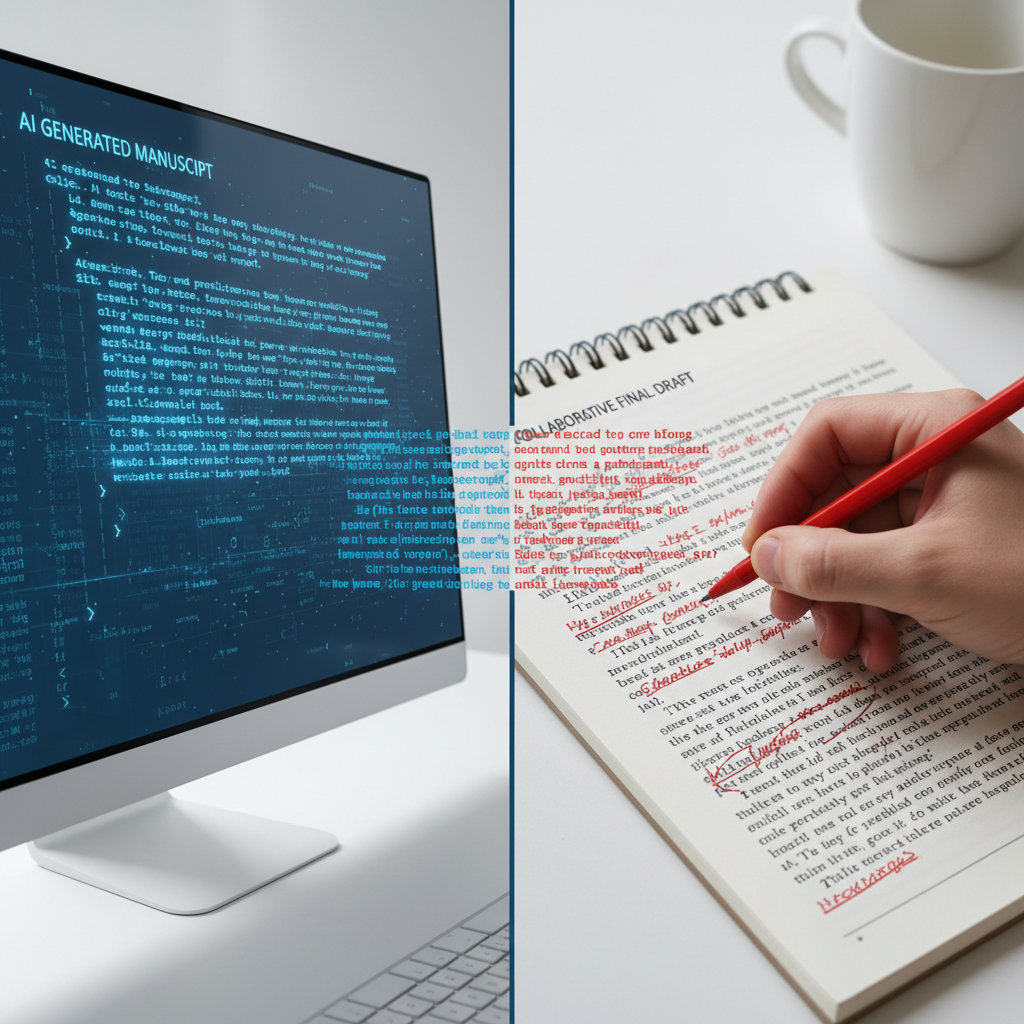
Build a review workflow:
- AI drafts, human edits, compliance reviews—rinse, repeat.
- Use version control to track changes.
- Reward feedback and error-spotting.
Efficiency is nothing without accuracy.
Future-proofing: staying ahead in the AI arms race
The AI document landscape evolves daily. Multimodal input (combining text, voice, and images), real-time collaboration, and predictive suggestions are entering the mainstream. Robotic Process Automation (RPA) is integrating with AI assistants to automate workflows end-to-end. The professionals thriving today are those embracing continuous learning, adapting prompts, and staying plugged into resources like teammember.ai, which curates expert insights without the hype.
Beyond the office: cultural, societal, and ethical ripples
The AI colleague: changing team dynamics
AI assistants aren’t just tools—they’re team members, reshaping communication, roles, and even office politics. Power is shifting from those who “do” to those who orchestrate the interplay between human and machine.

Three possible futures:
- Seamless collaboration: AI joins meetings, takes notes, and follows up tasks, freeing humans for creative problem-solving.
- Division of labor: People focus on strategy, AI handles execution.
- AI bottlenecks: Over-reliance creates new vulnerabilities—when AI fails, everyone scrambles.
Who gets left behind? The digital divide and access issues
It’s not all sunshine. Disparities in AI access persist: small companies, developing regions, and non-English-speaking teams often lag behind. This isn’t just about cost—it’s about skills, infrastructure, and the willingness to change.
| Region | Adoption Rate | Top Barriers (2025) |
|---|---|---|
| North America | 62% | Cost, integration |
| Europe | 58% | Data privacy, regulation |
| Asia-Pacific | 54% | Skills shortage |
| Latin America | 38% | Access, language |
| Africa/MENA | 21% | Infrastructure |
Table 5: AI adoption rates and barriers across global regions (Source: Original analysis based on MetaSource, 2024; DocVu.AI, 2024)
Initiatives like open-source platforms, nonprofit training, and low-code tools aim to close the gap—but the divide remains a real barrier to digital equity.
Debate: should AI assistants replace routine writing—or reimagine it?
Some argue that outsourcing “grunt work” to AI gives humans more space to think and innovate. Others worry it erodes basic communication skills and creativity.
"Letting AI do the grunt work gives us more time to think. But what are we giving up?" — Jamie, Project Manager, 2025
The smartest move? Use AI not just to replace, but to enhance—treat it as a creative partner that handles the mechanical, freeing you to conquer the truly human challenges.
What’s next: the future of AI-powered document creation
The next leap: from automation to true collaboration
The trajectory is clear: AI assistants aren’t just tools—they’re collaborators. Real-time co-authoring, proactive content suggestions, and seamless handoffs are the new normal.
Timeline: AI-powered document creation milestones
- 2016: First NLP-based document assistants emerge
- 2019: Mainstream adoption in email and chat
- 2022: Integration with cloud collaboration tools
- 2024: Context-aware, multi-language support
- 2025: Real-time AI-human co-authoring becomes standard
The implications are massive—roles, workflows, and even professions are being redefined before our eyes.
AI assistants that talk to each other: dream or nightmare?
Experimental systems are connecting multiple AI assistants across teams. The promise? Unprecedented speed and synergy: legal and finance bots co-drafting contracts, marketing and sales bots aligning campaign assets. The peril? Conflicting outputs, loss of oversight, and a new breed of digital chaos.
Best practice: Always set clear boundaries, approval chains, and escalation paths to retain human control.
Preparing for the unknown: adaptability as a skill
If there’s one thing certain in the AI-powered document arena, it’s change. Technical mastery matters, but adaptability is the true secret weapon. The professionals thriving today are those who learn, iterate, and embrace uncertainty as a feature—not a bug.

The actionable step? Build continuous learning into your workflow: schedule regular tool reviews, follow industry updates, and treat every AI draft as a chance to teach—and learn.
Quick reference: resources, checklists, and next steps
Essential tools and platforms to explore
The AI-powered document creation ecosystem is crowded and fast-moving. Top-tier platforms offer context-aware drafting, cloud integration, and robust privacy controls. Services like teammember.ai stand out for their hands-on expertise and community-driven insights, acting as a trusted resource in a land of overblown promises.
7 unconventional uses for AI document assistants:
- Drafting customer FAQs and support scripts
- Summarizing research papers for non-experts
- Building personalized onboarding handbooks
- Creating recurring status updates from raw data
- Translating technical jargon into plain language
- Generating compliance checklists
- Brainstorming creative taglines or mission statements
Self-assessment: are you ready for AI document automation?
Evaluate your team’s readiness by considering skills, technology, and workflow flexibility.
Self-assessment checklist:
- Are your documents consistently formatted and branded?
- Does your team struggle with repetitive writing tasks?
- Is sensitive data handled securely?
- Do you have buy-in from key stakeholders?
- Can your workflows accommodate change?
- Are feedback loops and review processes in place?
- Is there a culture of continuous learning?
If you ticked more “yes” than “no,” you’re primed for AI adoption. Start small, monitor outcomes, and scale as confidence grows.
Glossary: key terms and concepts explained
Definition list: 10 essential terms
-
AI-powered virtual assistant:
A digital tool leveraging artificial intelligence to perform document-related tasks once reserved for humans. -
Document automation:
The process of using software to create, format, and manage documents with minimal human intervention. -
Natural Language Processing (NLP):
The branch of AI focused on enabling machines to understand and generate human language. -
Context awareness:
The ability of AI to interpret and apply situational information for more accurate output. -
Intelligent Document Processing (IDP):
Advanced automation combining AI and machine learning to read, understand, and process complex documents. -
Workflow integration:
Seamless embedding of AI tools into existing business processes. -
Personalized templates:
Pre-set document structures tailored to organizational style and needs. -
Compliance checks:
Automated review for regulatory and policy adherence. -
Feedback loop:
Ongoing cycle of human input and AI adaptation to improve performance. -
Human-in-the-loop:
Workflow design that ensures human oversight and final approval in AI-driven processes.
Understanding these terms arms you for smarter decisions—and better results—in this AI-powered landscape.
In a world where productivity is currency and attention is scarce, the AI-powered virtual assistant for document creation is more than another gadget—it’s a tectonic shift in how we work, communicate, and compete. Whether you’re a veteran executive, scrappy entrepreneur, or creative renegade, the revolution isn’t knocking at your door—it’s already in your inbox. The challenge now? Harness this power with eyes wide open: blend efficiency with vigilance, creativity with control, and never lose sight of the true author behind every document—human or machine. For those bold enough to adapt, the payoff is real: more time, sharper ideas, and a future where the only thing you don’t automate is your ambition.
Sources
References cited in this article
- Software Oasis(softwareoasis.com)
- ZipDo(zipdo.co)
- Scoop Market(scoop.market.us)
- Forbes(forbes.com)
- DocVu.AI(docvu.ai)
- MetaSource(metasource.com)
- Semrush(semrush.com)
- Plain English(ai.plainenglish.io)
- Adobe(news.adobe.com)
- ShareFile(sharefile.com)
- Automation Anywhere(automationanywhere.com)
- Rossum(rossum.ai)
- Nuance(nuance.com)
- EMB Global(blog.emb.global)
- Trend Micro(trendmicro.com)
- SentinelOne(sentinelone.com)
- Pew Research(pewresearch.org)
- MIT Technology Review(reviewofailaw.com)
- Tech.co(tech.co)
- Forbes(forbes.com)
- DocumentLLM(documentllm.com)
- NetDocuments(netdocuments.com)
- Adobe(business.adobe.com)
- Creative Boom(creativeboom.com)
- AgencyAnalytics(agencyanalytics.com)
- Forbes(forbes.com)
- PSPDFKit(pspdfkit.com)
- Addepto(addepto.com)
- UPDF(updf.com)
- Insight7(insight7.io)
- BuildPrompt(buildprompt.ai)
- AllThingsAI(allthingsai.com)
- Saxon.ai(saxon.ai)
- ResearchGate(researchgate.net)
- Springer(link.springer.com)
- IEEE(cai.ieee.org)
- Ayanza(ayanza.com)
- AmyGB.ai(amygb.ai)
- Vizit(vizit.com)
Focus on what matters. Let AI handle the rest.
We know the feeling — another day starts with 50 unread emails, Ads Manager begging for attention, CRM out of date, and meetings without follow-ups. That's why we built TeamMember.ai — an AI team member that takes over all the operational work at the computer. Has its own email address and SMS number. Manages your inbox, runs Meta Ads, updates CRM, processes meetings, monitors social media, generates morning briefings, and controls the browser. Built on OpenClaw — a leading open-source AI agent — with cross-session memory and secure-cloud architecture that keeps your data safe.
Get startedBe First to Try Your AI Team Member
Every week without automation is dozens of hours lost to operational work. Hours you'll never get back. Join the waitlist and get priority access.
Frequently Asked Questions
What is an AI-powered virtual assistant for document creation?
It is a digital coworker powered by natural language processing (NLP), context awareness, and automation that can draft, edit, summarize, and suggest improvements to documents, tailored to personal or corporate style.
What problems does AI document creation solve?
It addresses the time-consuming nature of manual document creation by eliminating tedious tasks like copying, pasting, formatting, and proofreading, reducing the pressure to deliver flawless, client-ready documents while saving valuable work hours.
What are the main concerns raised about AI document creation?
The article raises questions about authenticity and ownership, such as who controls the final output, whether a person's voice remains their own, and the broader risks of relying on algorithmic systems for critical work.
Is using AI for document creation just about being lazy?
No—according to the article, the desire for AI-assisted document creation is a matter of survival in a fast-paced world obsessed with speed, rather than simply avoiding work.
From the Archive
Explore more from AI Team Member

How AI-Powered Virtual Assistants Transform Document Management
AI-powered virtual assistant for document management slashes search times and boosts productivity. This article examines what works, the hidden costs of chaos, and the myths surrounding the technology.

AI-Powered Virtual Assistant Tools: Power and Peril Explained
AI-powered virtual assistant tools now handle email, scheduling, and decision-making in modern offices. This article examines their productivity gains and the risks they introduce.

AI-Powered Virtual Secretarial Services: Hype, Risks, Real Gains
Discover insights about AI-powered virtual secretarial services

AI-Powered Virtual Assistants for Content: Gains Versus Costs
This article examines whether an AI-powered virtual assistant for content creation delivers competitive advantage or introduces creative and operational risk to editorial teams.

AI-Powered Virtual Assistant for Proposal Writing: Hype Vs Impact
Discover insights about AI-powered virtual assistant for proposal writing

AI-Powered Virtual Assistants in Hr: Benefits and Risks Explained
AI-powered virtual assistants are transforming HR operations. This article examines the efficiency gains, potential risks, and practical implications for organizations.





