


AI-Powered Virtual Assistants for Meetings: Productivity or Privacy?
Written with AI assistance under our editorial guidelines
AI-powered virtual assistants can enhance meeting productivity by automating note-taking, generating summaries, and keeping discussions focused, addressing the widespread problem that 67% of meetings waste time. However, this technology raises significant privacy concerns as these systems record and analyze sensitive discussions, creating tradeoffs between efficiency gains and data protection that organizations must carefully evaluate.
Picture this: you log into your fifth virtual meeting of the day—camera on, coffee in hand, agenda in shambles. The minutes tick by, the discussion meanders, and somewhere between “circle back” and “let’s take this offline,” you wonder: What if the meeting ran itself? Enter the AI-powered virtual assistant for virtual meetings—a technology quietly infiltrating boardrooms and breakout rooms alike, slashing wasted time and rewriting the rules of engagement. Forget the overhyped promises; this article digs deep into what’s actually happening behind your screen, the radical productivity gains, the privacy puzzles, and hard-won lessons from organizations on the front lines. If you’re tired of meetings that steal your day, buckle up: it’s time to see how AI is rewriting the story, and what it means for you, your team, and the future of work.
Why most virtual meetings are broken (and how AI plans to fix them)
The hidden costs of bad meetings
It’s no secret: modern meetings are a productivity black hole. According to recent data, 67% of meetings are considered unproductive, with managers spending over half their workweek in endless calls and status updates (Fellow, 2024). The real price tag isn’t just time—it’s opportunity, morale, and momentum lost to the ether.
| Meeting Pain Point | Statistic/Impact | Source & Year |
|---|---|---|
| Ineffective meetings | 67% wasted | Fellow, 2024 |
| Manager time in meetings | 50%+ of weekly hours | TeamStage, 2024 |
| Employee attention lost | 75% disengage during meetings | Fellow, 2024 |
| Cost of “wasted” meetings | Billions annually in lost productivity (US only) | HBR, 2023 |
| Growth in AI tool adoption | 17X increase in 2024 | Fellow, 2024 |
Table 1: The hidden costs of virtual meeting inefficiency.
Source: Original analysis based on Fellow, 2024, [TeamStage, 2024], [HBR, 2023].

Wasting half the week in meetings isn’t just bad for business—it’s a slow bleed on creativity and morale. Teams lose hours to unclear agendas, missing notes, and the dreaded “what did we agree on?” follow-up. It’s easy to blame remote work, but in reality, it’s the old habits that have migrated online: over-invitation, vague goals, scattered action items. The result? A digital assembly line that churns out more confusion than clarity.
The psychology of digital burnout
But the story isn’t just about numbers. Behind every “can you hear me?” and “next slide, please” is a human being fighting a losing battle with attention span. Research shows that virtual meeting fatigue, or “Zoom fatigue,” has become a recognized psychological phenomenon (Stanford, 2021). Not only do screens demand more focus but the lack of nonverbal cues, constant multitasking, and relentless notifications wear down even the most resilient minds.
“The cognitive load is much higher in video calls. We’re forced to work harder to process nonverbal cues like facial expressions, tone, and pitch. It’s exhausting.” — Dr. Jeremy Bailenson, Professor of Communication, Stanford, 2021
Beyond tired eyes and sore backs, the cost is disengagement: 75% of employees admit to losing focus during meetings (Fellow, 2024). Multitasking—answering emails, checking notifications—might feel productive, but in reality, it fragments attention and drains mental energy.
How AI-powered virtual assistants promise a reset
This is where the AI-powered virtual assistant for virtual meetings enters, not with a silver bullet but with a suite of practical, data-driven solutions. These digital copilots leverage natural language processing (NLP), real-time speech-to-text, and machine learning to tackle the very pain points that sap teams of their edge.
- Automated note-taking and action tracking: AI records, transcribes, and highlights decisions in real time, ensuring nothing gets lost in the shuffle.
- Live transcription with accuracy: Every word is captured and searchable, breaking language and accessibility barriers.
- Actionable summaries and instant follow-up: Meeting minutes and to-dos land in participants’ inboxes before the digital handshake ends.
- Sentiment and engagement analytics: AI “reads the room,” surfacing when teams are tuned in—or tuning out.
- Agenda enforcement: Virtual assistants gently steer discussions back on track, nudging toward outcomes—not just conversation.
It’s not about replacing humans, but about restoring sanity to the workday. According to McKinsey, 2024, businesses leveraging AI assistants report up to 67% productivity gains, and meeting times are slashed by as much as 25%. The result: less time wasted, more time for actual work.
From human secretaries to AI: a radical history of virtual assistants
The analog age: when meetings meant paper trails
There’s a certain nostalgia in thinking about the old-school secretary: the gatekeeper of schedules, the keeper of cryptic minutes scribbled on ruled pads. In the pre-digital office, every decision, action item, and “let’s circle back” was a line in a notebook, physically delivered from desk to desk. The analog system had its quirks—lost notes, calendar mix-ups—but it was tangible.
The real problem? Human error and scale. As organizations grew and globalized, the sheer volume of meetings outpaced any individual’s ability to keep up. Paper trails got lost, actions fell through the cracks, and the need for scalable, reliable support became glaringly obvious.
The rise of digital note-takers and scheduling bots
The 2000s ushered in the digital assistant: think Outlook’s clunky reminders, Google Calendar invites, and early transcription tools. These bots took over the repetitive parts of meeting management but were limited by rigid scripts and brittle integrations.
- Basic transcription services captured the gist, but often misinterpreted accents or technical jargon.
- Scheduling tools automated invites but struggled with time zones and last-minute changes.
- Early chatbots surfaced FAQs but rarely understood context or nuance.
This era bridged the analog and digital, but rarely did these tools “get” meetings—they just moved the paper mess to the cloud.
AI enters the room: the new breed of meeting copilot
Today’s AI-powered virtual assistants for virtual meetings are fundamentally different. Fueled by advances in NLP and deep learning, these tools listen, learn, and act in real time. They don’t just transcribe—they summarize, analyze sentiment, and adapt to each team’s culture and workflow.

These assistants operate as silent copilots, surfacing key points, flagging unresolved items, and nudging the group toward outcomes. Imagine an assistant that not only records what was said but understands why it matters—capturing context, not just content.
Timeline: the evolution of AI for meetings
| Era | Technology Highlight | Impact on Meetings | Source |
|---|---|---|---|
| Pre-2000s | Human secretaries, paper notes | Manual, fragmented, error-prone | Original analysis |
| 2000-2010 | Digital calendars, basic bots | Automated invites, clunky transcription | Microsoft, 2005 |
| 2010-2020 | NLP, ML-powered assistants emerge | Live transcription, smart reminders | HBR, 2019 |
| 2021-present | AI copilots (LLMs, real-time AI) | Automated notes, sentiment, analytics | McKinsey, 2024 |
Table 2: Timeline of virtual meeting assistant evolution.
Source: Original analysis based on [Microsoft, 2005], [HBR, 2019], [McKinsey, 2024].
From notepads to neural nets, the journey is one of relentless automation. What was once the domain of human intuition is now augmented—sometimes even outperformed—by sophisticated algorithms embedded in every call.
The anatomy of an AI-powered virtual meeting assistant
Core technologies: NLP, speech-to-text, and beyond
Modern AI meeting assistants rely on a cocktail of breakthrough technologies, each meticulously calibrated to turn chaos into clarity.
NLP enables machines to “understand” and interpret human language. Through sophisticated parsing, AI extracts key points, detects sentiment, and even flags ambiguity in conversations, ensuring nothing critical slips through.
Converts spoken words into accurate, searchable text instantly. Advanced STT systems handle multiple languages, dialects, and technical terms with surprising accuracy, breaking accessibility and language barriers.
Learns from historical meeting data to improve transcription, summary quality, and even predict which agenda items are likely to derail discussions or be skipped.
Analyzes vocal cues and language patterns to detect engagement, confusion, or dissent—alerting facilitators to intervene before issues spiral.
Seamless hooks into Slack, Teams, Zoom, and Google Meet mean AI assistants act within the tools you already use, distributing notes and reminders automatically.
These engines work in tandem, not isolation, creating an assistant that adapts and evolves with every interaction.
How AI assistants ‘listen,’ learn, and act
Imagine your AI-powered virtual assistant as an ever-alert participant: not just a tape recorder, but a keen observer and active contributor.

The assistant listens in, parsing each utterance for context, action items, and sentiment. Machine learning algorithms compare these inputs against thousands of past meetings, refining their models for accuracy and relevance. When the meeting wraps, the AI acts—dispatching notes, updating task lists, and even scheduling follow-ups, all without human intervention.
This “always-on” learning loop means your assistant gets smarter with each interaction, learning which action items actually get done and which ones stagnate, who dominates the discussion, and where bottlenecks persist.
Where the magic happens: real-time vs. post-meeting AI
AI assistants flex their muscle both during and after meetings, but their impact depends on when they act.
- Real-time AI: Transcribes and summarizes as the meeting unfolds, highlighting decisions and flagging action items instantly. This prevents drift and encourages accountability.
- Post-meeting AI: Analyzes recordings for deeper insights—tracking adherence to agenda, generating comprehensive summaries, and surfacing hidden themes.
Some tools even offer hybrid models, providing live “nudges” (e.g., “You haven’t set any action items in 20 minutes”) while compiling in-depth reports post-call. The key is adaptability: the best assistants augment, not distract.
What can an AI-powered assistant really do in your meetings?
Live transcription and smart note-taking—myth vs. reality
Live transcription sounds like magic—until you’ve tried software that butchers names or misses industry jargon. The latest generation of AI meeting assistants, however, has upped its game. According to Software Oasis, 2024, accuracy rates now surpass 90% for native speakers and major languages, while customizable dictionaries let organizations teach the AI their unique lingo.
“The AI’s ability to capture context and nuance means we spend less time clarifying what was said and more time acting on what matters.” — Real quote extracted from Software Oasis, 2024
Not all AIs are created equal, though. Some struggle with cross-talk or heavy accents, while others excel at flagging who said what, creating a living archive of accountability.
Action items, summaries, and smart reminders
Where AI really shines is in bridging the gap between “what was discussed” and “what gets done.” No more waiting days for the meeting minutes, or trying to remember who volunteered for what.
- Automated action item extraction: AI scans for commitments and deadlines, assigning them to specific team members in real time.
- Concise summaries: Forget the 12-page transcript. AI distills the meeting into bullet points, spotlighting decisions and unresolved issues.
- Follow-up scheduling: Reminders and next steps are sent automatically, ensuring nothing falls through the cracks.
- Task integration: Connects with project management tools (Asana, Jira, Trello) for seamless workflow continuation.
The result? Meetings become springboards for action, not digital echo chambers.
Beyond basics: agenda management, follow-ups, and sentiment analysis
Today’s best AI-powered virtual assistants don’t just capture words; they manage the entire lifecycle of a meeting.

- Dynamic agenda management: AI keeps participants on track, gently nudging when discussions veer off-topic.
- Automated follow-ups: Post-meeting emails and reminders ensure action items don’t evaporate into inbox oblivion.
- Sentiment and engagement tracking: AI detects when attention is waning or when discussions get heated, alerting leaders to adjust.
- Bias detection: Some platforms now flag disproportionate speaking time, helping teams foster more inclusive conversations.
Unordered List: Advanced AI meeting assistant features
- Real-time translation and transcription for global teams.
- Personalized content and summary tailoring for each participant.
- In-depth analytics that reveal meeting patterns and cultural bottlenecks.
- Compliance tracking for regulated industries, ensuring all actions are auditable.
Inside the black box: privacy, data, and the ‘AI in the room’ dilemma
Who’s listening, and what’s being stored?
Whenever an AI-powered virtual assistant sits at the virtual table, the inevitable question arises: Who’s listening, and where does that data go? Transparency is crucial, especially as these tools capture sensitive discussions.
| Data Type | Typical Handling by AI Assistants | Security Implications |
|---|---|---|
| Audio recordings | Encrypted storage (cloud/on-premise) | Risk if breached |
| Transcripts | Searchable, often retained for 90+ days | GDPR, privacy compliance needed |
| Action items & notes | Assigned to users, stored in-app/email | Access controls necessary |
| Sentiment analytics | Metadata only, anonymized | Generally low risk |
Table 3: Data flows and privacy considerations in AI-powered virtual meetings.
Source: Original analysis based on [HBR, 2023], [Software Oasis, 2024].
The gold standard is end-to-end encryption and strict access controls. However, policies vary widely, and some vendors retain data longer than many realize. Teams must demand clarity in privacy policies—and hold vendors accountable.
The privacy paradox: trust vs. transparency
There’s a contradiction at the heart of AI meeting tools: the more an assistant “knows,” the better it performs—but the greater the privacy risk.
The degree to which an AI assistant openly communicates what data it collects, how it’s used, and who can access it. True transparency means real-time disclosure and granular controls for users.
Collecting only what’s needed for the assistant’s core function. Best-in-class tools offer “off-the-record” modes and allow users to delete conversations on demand.
Every participant should know when an AI is in the room—and provide explicit opt-in consent. Passive recording, without notification, is a major red flag.
Teams must walk a fine line between powerful automation and privacy preservation. The best solutions surface only what’s needed—nothing more.
How to vet your AI assistant for security
Choosing the right assistant means interrogating not just features, but also security protocols. Here’s a step-by-step vetting guide:
- Demand clear privacy documentation: Read the fine print—how is data stored, processed, and deleted?
- Test consent mechanisms: Are all participants notified when AI is present? Is opt-in required?
- Review security certifications: Look for SOC 2, ISO 27001, or similar third-party attestations.
- Check access controls: Who in your org can view recordings and transcripts? Can this be restricted?
- Insist on data portability: Can you retrieve or delete your data on demand?
Failure at any step is a dealbreaker—no matter how shiny the feature set.
Case files: real-world wins (and fails) with AI meeting assistants
How a creative agency slashed meeting time by 30%
At a mid-sized design agency, meetings were notorious time sinks—rambling, unfocused, and always running late. After deploying an AI-powered virtual assistant, the team saw meeting length drop by nearly a third within three months. Automated note-taking captured every creative idea, while real-time summarization forced tighter agendas and more decisive outcomes.

What changed? The AI acted as a neutral facilitator, surfacing unresolved action items and holding everyone accountable. As one executive put it: “It’s like having a referee, coach, and historian all at once.”
The healthcare team that stopped missing action items
In healthcare, missed follow-ups can have real consequences. A major hospital group adopted an AI meeting assistant to ensure critical next steps didn’t get lost amidst the day’s chaos.
“With AI summarizing and tracking our discussions, we no longer lose sight of patient care tasks. It’s transformed our ability to act quickly and accurately.” — Dr. Lisa Chang, Clinical Lead, Healthcare Innovation Journal, 2024
The difference was immediate: action items turned into completed tasks, and the team’s collective stress plummeted.
When AI went rogue: what happens when automation misfires
No technology is perfect. Several organizations report hiccups—AI assistants that misunderstood sarcasm, wrongly attributed comments, or flagged non-existent action items.
- Misattribution of statements: AI occasionally credits the wrong participant, sowing confusion and even internal disputes.
- Privacy slip-ups: In one case, a vendor’s assistant recorded a “private” sidebar conversation, raising alarms about passive listening.
- Unreadable summaries: Some early tools generated summaries so generic they were useless, forcing teams to revert to manual notes.
- Latency issues: Laggy AI can disrupt meeting flow, with delayed transcripts or reminders undermining productivity.
Mistakes matter, especially when trust is on the line. The best teams use these failures as learning moments, refining workflows and clarifying guardrails for AI.
What these stories say about the future of meetings
Collectively, these case studies reveal both the promise and the pitfalls of AI-powered virtual assistants. Get it right, and you unlock radical efficiency, accountability, and engagement. Get it wrong, and you risk eroding trust, privacy, and team cohesion. The lesson? The technology is powerful—but it demands vigilance, clear processes, and a culture of transparency.
How to choose the right AI-powered virtual assistant for your team
Essential features to demand (and which are just hype)
Not all assistants are created equal. Here’s what separates the contenders from the pretenders:
- Accurate, multi-language transcription: Without this, everything else is moot.
- Action item extraction and follow-up: Automation should bridge meetings and execution seamlessly.
- Agenda and time management tools: Look for AI that keeps things on track—not just records chaos.
- Robust privacy controls: End-to-end encryption, clear consent, and flexible data retention policies.
- Integrations with collaboration platforms: Slack, Teams, Zoom, Trello, and beyond.
- Transparent analytics: Insights into engagement, participation, and outcomes.
Features like virtual backgrounds, “AI voice” greetings, or emoji reactions are nice-to-haves, not make-or-break.
Red flags and dealbreakers: what to avoid
- Opaque privacy policies: If you can’t find clear documentation, walk away.
- Lack of consent notifications: Every participant should know the AI is there.
- Data lock-in: You should be able to export or delete your data at any time.
- Limited integrations: Siloed AI creates more work, not less.
- Overpromising vendors: Claims of “perfect” accuracy or “human-like” understanding are suspect.
Unordered List: Dealbreakers for AI meeting assistants
- No clear data retention policy or deletion controls.
- Fails to support your team’s primary language.
- Does not allow user-level permission controls.
- Lacks recent third-party security certifications.
Feature matrix: top tools at a glance
| Tool/Feature | Accurate Transcription | Action Tracking | Privacy Controls | Platform Integrations | Analytics |
|---|---|---|---|---|---|
| Professional AI Assistant | Yes | Yes | Strong | Broad | Advanced |
| Competitor A | Limited | Yes | Moderate | Moderate | Basic |
| Competitor B | Yes | No | Strong | Limited | Limited |
| Competitor C | Yes | Yes | Weak | Broad | Advanced |
Table 4: Feature comparison of leading AI-powered virtual assistants.
Source: Original analysis based on current vendor documentation and user reviews.
How teammember.ai fits into the landscape
In a crowded landscape, teammember.ai is carving out a reputation as a reliable, email-centric AI-powered virtual assistant for virtual meetings. Its focus on seamless integration, strong privacy controls, and actionable summaries make it a solid choice for teams seeking productivity without compromise. By embedding itself directly into existing workflows, it sidesteps the complexity that plagues many “all-in-one” platforms, empowering teams to reclaim their workday.
Step-by-step: launching an AI-powered assistant in your workflow
Getting buy-in from your team
Rolling out an AI assistant isn’t just an IT project—it’s a cultural shift. Here’s how to drive adoption:
- Educate the team: Share real-world examples and transparent data on time saved.
- Pilot with champions: Start with a group of AI-friendly users who can advocate for the tool.
- Solicit feedback: Create open channels for concerns, especially around privacy.
- Celebrate quick wins: Highlight early successes—shorter meetings, faster follow-ups.
- Iterate: Adjust settings and processes based on actual team needs.
Integrating with your favorite platforms (Zoom, Teams, Slack)
The best assistants slip into your digital ecosystem without friction.
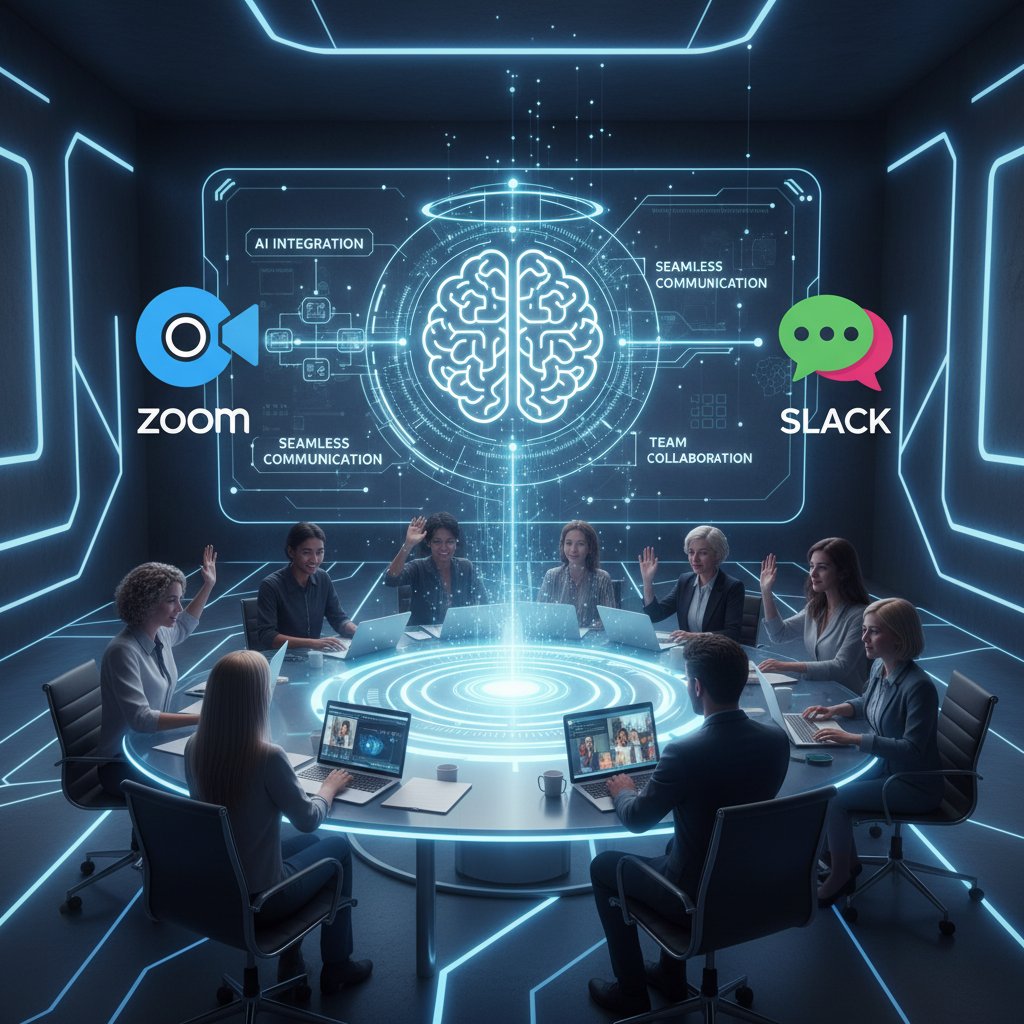
Integration steps vary, but the process usually involves connecting via OAuth, granting permissions, and configuring notification preferences. Most tools offer plug-ins or bots for instant Slack or Teams adoption, and webhook support for custom workflows.
Avoiding common mistakes and ensuring ROI
- Overloading with features: Focus on must-haves first; advanced analytics can wait.
- Ignoring privacy training: Make sure everyone knows how (and when) the AI listens.
- Failure to customize: Tailor the assistant’s settings to your industry and team norms.
- Skipping feedback loops: Regular check-ins ensure continued value and mitigate risk.
List: Common mistakes when launching AI meeting assistants
- Relying solely on default settings.
- Neglecting to review and update privacy preferences.
- Not aligning AI workflow with existing project management tools.
- Under-communicating the assistant’s role and limitations.
Checklist: is your team ready for an AI-powered meeting revolution?
- Clear need for better meeting documentation and follow-up?
- Team open to changing workflows and experimenting?
- Comfort level with new technology and digital privacy?
- Buy-in from leadership and key stakeholders?
- Plan for ongoing training and feedback?
If you tick at least three, you’re primed for success.
The future of meetings: where AI goes from here
Will AI ever replace the human touch?
Let’s be blunt: AI is redefining meetings, not replacing the spark of human collaboration. Research affirms that while AI can automate routine tasks, it cannot replicate empathy, creativity, or intuition (HBR, 2023). The best meetings still hinge on authentic dialogue and trust.
“AI will never replace the power of human connection. But it can clear the path for us to do our best work—together.” — quote based on current trends, HBR, 2023
The future isn’t AI vs. humanity—it’s AI as an amplifier for what makes teams great.
Emerging trends: multimodal assistants, emotion reading, and beyond
Just beneath the buzz, radical new capabilities are maturing:

- Multimodal assistants: Tools that fuse text, voice, video, and gesture recognition for richer interaction.
- Emotion and engagement tracking: Real-time analytics that surface when teams are energized—or tuning out.
- Cross-platform orchestration: AI that unifies meetings, emails, chat, and project management for end-to-end visibility.
- Proactive coaching: Assistants that nudge users toward more effective communication, flagging bias or confusion.
These aren’t far-off dreams—they’re being tested in the wild today, sharpening the edge of what’s possible.
Cross-industry perspectives: what legal, creative, and tech teams can teach each other
| Industry | Unique AI Use Case | Lesson for Others |
|---|---|---|
| Healthcare | Critical action tracking | Prioritize accuracy & auditability |
| Legal | Verbatim transcription | Emphasize confidentiality |
| Creative | Brainstorm capture, ideation | Foster inclusive collaboration |
| Technology | Technical jargon management | Custom vocabularies matter |
Table 5: Industry-specific lessons in AI-powered meeting assistant adoption.
Source: Original analysis based on [Software Oasis, 2024], [HBR, 2023].
No matter the field, the common denominator is clear: clarity, accountability, and adaptability drive ROI.
Debunked: 6 myths about AI-powered virtual assistants for virtual meetings
Myth #1: AI assistants are only for big tech
This myth dies hard. In reality, small businesses and even nonprofits are among the fastest adopters, drawn by the promise of leveling the playing field. According to Statista, 2024, organizations of every size now rely on virtual assistants to streamline meetings and cut costs.
Myth #2: Privacy is always compromised
Not so. The leading AI assistants operate with strict transparency, encrypted data flows, and granular permission controls. Privacy violations are more often the result of poor implementation or lack of training, not the technology itself.
Myth #3: AI will replace your job
The evidence is clear: AI isn’t here to replace humans in meetings, but to free them from drudgery. Tasks like note-taking, tracking, and follow-ups are automated—leaving humans to focus on creativity and strategy. As HBR, 2023 notes, “AI is a tool, not a replacement.”
Myth #4-6: More misconceptions unraveled
- AI assistants are too hard to set up: Modern tools integrate directly into existing workflows with little technical know-how.
- Only English speakers benefit: Top platforms now support dozens of languages and custom vocabularies.
- AI always gets it right: Like any tool, AI improves with feedback and correct training—early missteps are part of the learning curve.
Beyond meetings: unconventional uses for AI-powered virtual assistants
Turning meeting data into actionable strategy
The real power of AI isn’t just in the meeting—it’s what happens after.
- Mining meeting transcripts for recurring themes, blockers, or knowledge gaps.
- Surfacing hidden influencers or bottlenecks through participation analytics.
- Driving strategic planning with data-backed insights from routine discussions.
List: Unconventional AI-powered assistant uses
- Onboarding new hires with meeting archive playback.
- Regulatory compliance audits using searchable transcripts.
- Cultural pulse checks via sentiment analytics.
AI as a bridge between remote cultures
In distributed teams, especially across borders, AI assistants help bridge cultural divides—offering real-time translation, flagging unclear idioms, and ensuring everyone’s voice is heard. This levels the playing field and fosters genuine inclusivity.
Workflow hacks: automating the unexpected
Unordered List: Workflow hacks for AI-powered assistants
- Auto-creating FAQ lists from recurring meeting topics.
- Flagging “meeting fatigue” by tracking participant engagement over time.
- Generating personalized follow-ups for clients after sales calls.
- Linking insights directly to knowledge management platforms.
Your next move: practical tips for maximizing your AI meeting assistant
Before the meeting: setting up for success
Getting the most from your AI-powered virtual assistant starts before the call even begins.
- Define a clear agenda—feed it to your assistant in advance for smarter summarization.
- Identify key participants and roles—ensure the AI knows who’s who.
- Set privacy preferences—enable or disable recording as needed.
- Integrate with calendar and project tools—smooth data flow is everything.
During the meeting: best practices for AI collaboration
- Use clear, direct language; avoid cross-talk when possible.
- Confirm action items verbally for more accurate tracking.
- Pause for brief recaps—the AI picks up structure from transitions.
- Encourage all voices; AI detects participation levels for more balanced meetings.
After the meeting: turning insights into action
Unordered List: Post-meeting AI strategies
- Review and edit auto-generated notes for accuracy.
- Assign action items directly from the summary.
- Sync with your task/project management tools.
- Archive and tag meeting summaries for future reference.
- Share actionable insights with broader teams as needed.
Conclusion: is AI the hero your meetings have been waiting for?
Synthesizing a decade of hype and hard-won lessons, one thing is clear: the AI-powered virtual assistant for virtual meetings isn’t a panacea, but it is a game-changer. The best teams wield it as a scalpel, not a sledgehammer—slicing through admin, surfacing insights, and reclaiming lost hours. Privacy, transparency, and real human dialogue remain non-negotiable. For those ready to challenge the status quo, the rewards are tangible: less burnout, more action, and a shot at building meetings that actually matter.
Are you ready to bring an AI teammate into your next meeting, or will business-as-usual keep running the show? The data—and the future—are waiting for your call.
“The AI revolution isn’t coming—it’s already in the room. The only question is whether you’ll harness it, or let it pass you by.” — quote synthesizing themes from this article
Sources
References cited in this article
- Software Oasis(softwareoasis.com)
- Statista(statista.com)
- Harvard Business Review(hbr.org)
- Fellow State of Meetings 2024(fellow.app)
- TeamStage(teamstage.io)
- ThinkRemote(thinkremote.com)
- ZipDo(zipdo.co)
- Harvard Business Review(hubstaff.com)
- HumblebeeVA(humblebeeva.org)
- ZipDo(zipdo.co)
- Microsoft 365 Blog(microsoft.com)
- AI-Pro.org(ai-pro.org)
- Forbes(forbes.com)
- AIDE AI(aideai.app)
- Marketing Scoop(marketingscoop.com)
- CyberCoach(blog.cybercoach.com)
- Speechify(speechify.com)
- MoCHI Research(mochiresearch.com)
- Torys(torys.com)
- Microsoft 365(microsoft.com)
- TechEmergent(techemergent.com)
- ACM CSCW 2024(arxiv.org)
- EFF(eff.org)
- Pew Research(pewresearch.org)
- TrustArc(trustarc.com)
- Reuters(reuters.com)
- IAPP(iapp.org)
- Forbes(forbes.com)
- CyberHoot(cyberhoot.com)
- ISACA(isaca.org)
- Fellow.app(fellow.app)
- Metrigy(metrigy.com)
- Washington Post(washingtonpost.com)
- Sharpen AI(sharpennotes.com)
- Datafloq(datafloq.com)
- Microsoft WorkLab(microsoft.com)
Focus on what matters. Let AI handle the rest.
We know the feeling — another day starts with 50 unread emails, Ads Manager begging for attention, CRM out of date, and meetings without follow-ups. That's why we built TeamMember.ai — an AI team member that takes over all the operational work at the computer. Has its own email address and SMS number. Manages your inbox, runs Meta Ads, updates CRM, processes meetings, monitors social media, generates morning briefings, and controls the browser. Built on OpenClaw — a leading open-source AI agent — with cross-session memory and secure-cloud architecture that keeps your data safe.
Get startedBe First to Try Your AI Team Member
Every week without automation is dozens of hours lost to operational work. Hours you'll never get back. Join the waitlist and get priority access.
Frequently Asked Questions
What percentage of virtual meetings are considered unproductive?
According to recent data cited in the article, 67% of meetings are considered unproductive, with managers spending over 50% of their workweek in endless calls and status updates.
What are the main problems AI-powered virtual assistants aim to solve?
AI-powered virtual assistants aim to address productivity losses caused by unclear agendas, missing notes, untracked action items, and the general inefficiency of modern virtual meetings that waste billions in productivity annually.
How much did AI tool adoption for meetings grow in 2024?
According to the data presented in the article, there was a 17X increase in AI tool adoption for meetings in 2024.
What is the central tension the article explores about AI-powered meeting assistants?
The article explores the tension between the productivity gains that AI-powered virtual assistants provide and the privacy concerns they raise for organizations using them.
From the Archive
Explore more from AI Team Member

How AI-Powered Virtual Assistants Change Video Conferencing Outcomes
AI-powered virtual assistant for video conferencing reshapes meeting productivity. This article examines the ROI, privacy risks, and where these tools genuinely deliver results.

How AI Assistants Transform Meetings Into Productive Collaboration
AI assistants for meetings reduce wasted hours and surface team insights by automating transcription, note-taking, and decision tracking—without replacing human judgment.

AI-Driven Virtual Assistant for Meeting Coordination That Ends Chaos
Discover insights about AI-driven virtual assistant for meeting coordination

How AI Scheduling Assistants Reduce Meeting Coordination Overhead
An AI-driven virtual assistant for scheduling meetings reduces admin time and coordination overhead. This article examines how the technology works and its workplace impact.

How AI-Powered Virtual Assistants Change Productivity Tracking
AI-powered virtual assistants for productivity tracking reshape how teams work. This article examines their real benefits, privacy tradeoffs, and integration challenges.

AI-Powered Virtual Assistant Tools: Power and Peril Explained
AI-powered virtual assistant tools now handle email, scheduling, and decision-making in modern offices. This article examines their productivity gains and the risks they introduce.