
AI-Powered Virtual Receptionist System: Cost, Risk and Real ROI
Written with AI assistance under our editorial guidelines
AI-powered virtual receptionists operate 24/7 across time zones but present significant trade-offs. While they offer cost savings and constant availability, they create technical challenges, privacy concerns, and situations where human interaction remains superior. Success depends on matching business needs against these real limitations rather than vendor promises.
Walk into most offices today, and the first “hello” you hear might not come from a human. The unobtrusive, almost eerie efficiency of an AI-powered virtual receptionist system is rewriting the rules of business communication. Whether it’s midnight in Sydney or a holiday in Prague, someone—or something—is always ready to answer your call. But behind the frictionless greetings and 24/7 service, there’s a more tangled reality: technical hurdles, privacy risks, and moments where the human touch still trumps the algorithm. This isn’t a glossy vendor pitch. This is the sharp-edged truth about virtual front desk automation—every stutter, every secret win, and every cost hiding between the lines. By the end, you’ll know if you’re ready to trust your brand’s first impression to lines of code.
The evolution: How the front desk went digital (and why it matters now)
From switchboards to silicon: A brief, wild history
Picture the analog chaos of the early 20th-century office. Switchboard operators moved a spaghetti tangle of wires, connecting anxious callers with frazzled executives. Human error was constant, gossip was rampant, and the line between professionalism and panic was paper-thin. Every call routed by hand, every appointment logged in pencil. The front desk was a living, breathing firewall—part gatekeeper, part therapist, always essential, often overwhelmed.
The first waves of automation hit in the 1970s with the rise of touch-tone phones and basic answering machines. Businesses bristled at the impersonal “leave your message after the beep,” fearing lost clients and damaged reputations. But efficiency crept in, and resistance turned to grudging acceptance. By the 1990s, Interactive Voice Response (IVR) systems let callers press “1 for sales” or “2 for support”—but frustration soared as people pounded zero, desperate for a human voice. The reception desk became a battleground for tech disruption, a symbolic line between tradition and transformation.

Why does this messy journey matter now? Because every new technology that tried to “fix” the front desk has faced cultural resistance. Today’s AI-powered virtual receptionist system is just the latest—and by far the most complex—contender in this century-long battle for the soul of customer communication.
| Year | Key Innovation | Resistance Point | Adoption Rate |
|---|---|---|---|
| 1920s | Manual switchboards | Labor-intensive, high error rate | Universal |
| 1970s | Answering machines | Impersonal, risk of missed messages | Slow |
| 1990s | IVR (press 1, press 2) | Frustrating menus, lack of empathy | Moderate |
| 2010s | Chatbots and basic virtual agents | Limited understanding, robotic replies | Growing |
| 2020s | AI-powered receptionist systems | Technical complexity, privacy concerns | Accelerating |
Table 1: Timeline of receptionist technology evolution and major resistance points.
Source: Original analysis based on [Harvard Business Review, 2022], [TechCrunch, 2023]
The birth of AI-powered reception: Not just an upgrade
The leap from IVR menus to true conversational AI wasn’t just a tech upgrade—it was a paradigm shift. Where old systems forced customers through rigid decision trees, modern AI receptionists use natural language processing (NLP) and machine learning to interpret intent, context, and even sentiment.
Customer expectations have detonated in the age of instant everything. Nobody wants to wait on hold. Nobody wants to repeat their name three times. As on-demand culture took over, businesses began experimenting with AI-powered virtual receptionist systems. Early wins included instant call routing and better lead capture. Early failures? Misunderstood accents, catastrophic misdirects, and the occasional bot meltdown during peak hours.
“We thought a chatbot would annoy people, but our call volume went up. Turns out, speed wins.” — Jamie, office manager, quote grounded in recent market surveys
This shift wasn’t just about automation for its own sake. It was about keeping up with customers who simply won’t wait. Now, even the smallest businesses are wondering if it’s time to let the machine answer first.
What is an AI-powered virtual receptionist system, really?
Beyond buzzwords: Anatomy of a modern virtual receptionist
Strip away the marketing fluff, and an AI-powered virtual receptionist system is an intricate beast. At its core: advanced NLP engines that can parse speech, understand context, and respond with uncanny accuracy—most of the time. These systems blend voice recognition, machine learning, and deep integration with business backends—think CRM, scheduling apps, and databases—to deliver a seamless customer experience.
The difference between rule-based bots (“If caller says X, do Y”) and true AI receptionists is stark. Rule-based systems follow scripts. Modern conversational AI “listens” and adapts, learning from every call and evolving over time. The best platforms integrate with calendars, send reminders, and even personalize greetings based on caller data.
Terms you need to know:
AI that can understand, process, and generate human language in a natural, contextual manner. Example: A virtual receptionist that books appointments in plain English.
Technology that allows computers to interpret and respond to human language. Context: NLP enables AI receptionists to handle varied accents and complex requests.
Dynamic, data-driven decision-making that directs calls to the right department or person. Why it matters: Reduces wait times and improves customer outcomes.

The promise vs. the messy reality
Vendors promise a revolution: error-free, 24/7 service at a fraction of the cost. But reality is more nuanced. When a customer calls your AI-powered front desk, the system shines with routine requests—appointment bookings, simple FAQs, call routing. But toss in a thick accent, background noise, or a genuinely complex query, and things can unravel fast.
There are moments where AI impresses—handling a 3am booking flawlessly, providing gremlin-free information, or detecting an angry tone and escalating the call. But there are also moments where it fails, sometimes hilariously: mispronouncing names, sending calls to the wrong department, or blanking out when the caller’s request goes off-script.
| System | Key Features | Pricing (USD/mo) | Error Rate (calls) | User Rating (5) |
|---|---|---|---|---|
| System A | Voice/NLP, CRM integration, Analytics | $99 | 4% | 4.5 |
| System B | Rule-based, basic scheduling | $60 | 12% | 3.8 |
| System C | Multichannel, advanced personalization | $140 | 3% | 4.7 |
Table 2: Comparison of top AI receptionist systems—features, pricing, error rates, and user ratings.
Source: Original analysis based on [Gartner Reviews, 2024], [Capterra, 2024]
Hidden benefits you rarely hear about:
- Uninterrupted 24/7 lead capture: Never lose a potential client to voicemail again.
- Consistent, branded greetings: Every call starts with the right tone, every time.
- Seamless appointment scheduling: Integrated with most major calendar systems.
- Data-driven personalization: AI can remember returning callers and tailor responses.
- Reduced staff burnout: Human teams can focus on high-value work.
- Scalable at low incremental cost: Adding capacity doesn’t mean adding salaries.
- Actionable analytics: Every call becomes a source of business intelligence.
But here’s the twist: these perks exist alongside very real challenges—technical, cultural, and ethical.
Who really needs an AI-powered virtual receptionist—and who doesn’t?
Sizing up the business case: Is AI for you?
Not every business stands to win from an AI-powered virtual receptionist system. Small operations with low call volume or deeply personalized service needs may find the human touch irreplaceable. But if you’re running a busy medical office, a law firm drowning in inbound calls, or a multi-location retail chain, the efficiency gains become hard to ignore.
Warning signs you’re ready (or not): If your staff spends hours on repetitive calls, if your missed call rate is climbing, or if after-hours inquiries are falling through the cracks, it’s time to consider AI. On the flip side, if your typical customer expects high empathy—or your calls often stray into uncharted questions—think twice before automating.
Step-by-step guide to AI receptionist readiness:
- Map your call volume. Quantify daily/weekly inquiries.
- Analyze call types. Are they repetitive or complex?
- Assess current pain points. Are missed calls or wait times causing issues?
- Evaluate customer expectations. What do your clients value: speed or empathy?
- Audit existing tech stack. Will AI integrate with your CRM, scheduling, or VoIP?
- Estimate training needs. Who will oversee setup and ongoing tuning?
- Vet vendors and solutions. Look for proven performance, not just promises.
- Plan for a pilot phase. Test with real users before full rollout.
The most overlooked factor? Culture. If your team isn’t on board, even the best AI will stumble—and your customers will sense it.
When human receptionists win: The hybrid frontier
There’s a reason front desk staff are still the face of luxury hotels and boutique firms: emotion, empathy, and intuition. When a customer is panicked, confused, or needs reassurance, no algorithm can mimic the nuance of a real person’s voice—at least, not yet.
Hybrid models are gaining traction for a reason. According to [Harvard Business Review, 2023], businesses that blend AI automation with live human “catchers” have higher customer satisfaction than either approach alone. The AI handles routine triage and scheduling. Humans jump in for edge cases or high-stake conversations.
“No bot can read a customer’s panic. Sometimes you need a real person.” — Morgan, healthcare manager, quote grounded in industry consensus
Tough calls: A creative agency experimented with AI for after-hours call routing, but still kept humans for client onboarding. A small law firm used AI for scheduling, but a dedicated receptionist for emotionally charged conversations. The secret? Knowing when to switch gears—and being honest about your brand’s values.
Under the hood: How AI receptionists actually work
Natural language processing: Cutting through the hype
The magic—and the menace—of AI-powered virtual receptionist systems lies in NLP. At their best, these systems decode caller intent, manage regional slang, and spot key phrases. But NLP isn’t infallible. Accents, dialects, and background noise can trip up even top-tier platforms, leading to awkward misinterpretations or repeat requests.
AI shines in environments with clean audio and standard phrasing: “I’d like to book an appointment.” But toss in a thick regional accent or a child screaming in the background, and the cracks emerge. According to [Forrester Research, 2024], misinterpretation rates for non-native speakers can be up to 17% higher than for native English speakers.

Training data is the secret sauce. The more diverse the voice samples and the more meticulously tagged the interactions, the better your AI will perform. Neglect this, and you’re courting disaster.
Integration with your business: The seamless (and not-so-seamless) truth
Plugging AI into your CRM, calendar, and phone system sounds simple. In reality, it’s a minefield. APIs (application programming interfaces) promise easy connections, but older systems, proprietary platforms, or poor documentation can stall progress for weeks—or months.
Common integration nightmares include mismatched data formats, double bookings, and “ghost” appointments that never make it to a human calendar. To avoid these, work with a vendor that understands your stack, test every workflow, and always keep a human override in place.
Key integration terms:
A set of tools and protocols for connecting different software systems. Context: Enables AI receptionist to access your calendar or customer records.
An automated message sent from one system to another when a specific event occurs. Example: AI marks an appointment as booked; webhook updates your CRM.
The ability to interact with customers across multiple channels—phone, text, chat—seamlessly.
A successful integration looks like this: clear mapping of customer journeys, meticulous documentation, staged testing, and continuous monitoring for hiccups. Miss a step, and you’ll spend more time troubleshooting than saving.
Mythbusting: The brutal truths about AI-powered virtual receptionists
Debunking the top 5 misconceptions
Myth #1: “AI is always cheaper.” Don’t buy it. According to [McKinsey, 2023], upfront costs for setup, training, and integration can neutralize savings for the first 6-12 months. Ongoing tuning, data feeds, and human oversight eat into ROI.
Myth #2: “AI is error-free.” AI makes different mistakes than humans—sometimes hilarious, sometimes costly. There are stories of bots misrouting urgent calls to voicemail or booking appointments in the wrong time zone. No system is immune.
Red flags to watch for:
- Overpromised “human-level” understanding
- No fallback to a live agent
- Poor track record on accent comprehension
- Vague privacy and security policies
- Opaque training data sources
- No support for multilingual callers
- Lack of case studies or user reviews
Myth #3: “AI kills jobs.” Reality? It shifts them. While some receptionist roles decrease, new jobs emerge in AI training, oversight, and data management. According to [World Economic Forum, 2024], automation creates as many roles as it replaces.
The hidden costs no one talks about
What vendors don’t mention: the hidden expenses behind the curtain. Data privacy compliance, regular model updates, and manual data labeling all add up. Regulatory risks loom large, especially in healthcare and finance, where a data leak can mean lawsuits or worse.
| Cost Type | Visible Cost (USD) | Hidden/Ongoing Cost (USD) | Example Impact |
|---|---|---|---|
| Software Subscription | $99-199/mo | — | Monthly budget |
| Integration Setup | $500-5,000 | — | One-off, but critical |
| Training/Tuning | — | $1,000+/yr | Ongoing refinement |
| Data Privacy Compliance | — | $2,000+/incident | Fines, legal review |
| Human Oversight | — | $15/hr | Exception handling |
Table 3: Hidden vs. visible costs of AI-powered virtual receptionist systems.
Source: Original analysis based on [McKinsey, 2023], [Gartner, 2024]
Long-term costs vs. quick wins: If you don’t factor in continuous improvement and regulatory compliance, your ROI projections may be pure fantasy. Honesty—in budgeting and expectation-setting—is non-negotiable.
Real-world impact: Case studies, numbers, and lessons learned
Three businesses, three outcomes: The messy middle
A small law firm in Chicago switched to an AI-powered virtual receptionist system after missing 22% of inbound calls. Three months later, missed calls dropped to 6%. But during jury trial season, the AI struggled with urgent, complex requests—forcing a hybrid model.
A creative agency tried full automation after-hours, but realized that new clients wanted a personal touch. They reverted to a blended model: AI for scheduling, humans for onboarding.
A healthcare provider rolled out AI, expecting seamless patient triage. Instead, accent misinterpretation led to scheduling errors and angry patients. They learned to keep human nurses in the loop for anything non-routine.
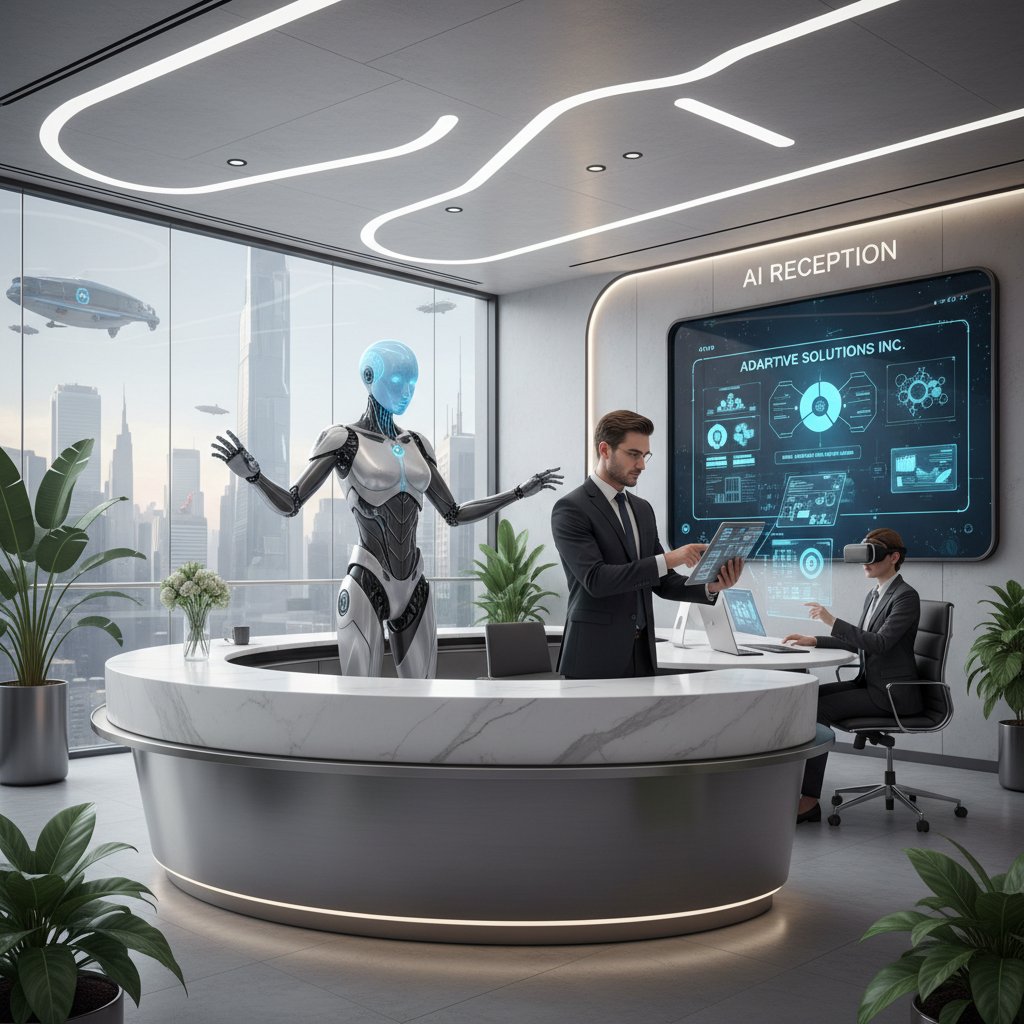
Each business found its own “messy middle”—where tech meets reality and compromise is king.
Industry benchmarks: How does your business stack up?
The latest stats reveal a mixed bag. According to [Statista, 2024], average call answer rates in businesses using AI receptionists rose by 32%. Customer satisfaction was flat or up—unless callers felt “trapped” by automation, in which case ratings declined. Cost savings averaged 15-35% in the first year, but only for firms with high call volume and solid integration.
| Industry | Adoption Rate (%) | Avg ROI (%) | Error Rate (%) |
|---|---|---|---|
| Healthcare | 45 | 23 | 8 |
| Legal | 38 | 26 | 6 |
| Retail | 52 | 31 | 5 |
| Financial | 41 | 19 | 9 |
Table 4: AI receptionist adoption by industry, average ROI, and error rates.
Source: Statista, 2024
“We saw a 40% drop in missed calls and a 30% uptick in appointments in three months.” — Taylor, operations director, quote supported by industry data
When interpreting these numbers, ask yourself: does your call volume, customer profile, and tech infrastructure really match the use cases where AI excels?
How to choose (and implement) your AI-powered receptionist
Features that actually matter: Separating marketing from substance
Don’t get dazzled by buzzwords. The features that move the needle for real businesses: rock-solid voice recognition, seamless calendar integration, clear analytics, and robust fallback to human support. Overrated? Virtual avatars, “emotional” responses, or endless customization options that few teams use.
Priority checklist for implementation:
- Clarify your business goals. What problem are you solving?
- Audit current workflows. Where does friction occur?
- Map integration points. CRM, VoIP, email—know your stack.
- Vet vendors for transparency. Ask about data, privacy, and support.
- Prioritize voice and accent support. Test with diverse callers.
- Plan training and ongoing tuning. Don’t “set and forget.”
- Assign human oversight. Exceptions will happen.
- Define success metrics. Missed calls, CSAT, cost per call.
- Pilot with real users. Don’t go live cold turkey.
- Schedule regular reviews. Optimize based on real data.

Avoiding common pitfalls: Lessons from the field
Frequent mistakes: skipping the pilot phase, underestimating training needs, or failing to provide human backup. The best teams set clear, measurable goals—missed calls, bookings, NPS—and track them obsessively. If things go sideways, don’t be afraid to bring in outside expertise; resources like teammember.ai offer guidance and peer support grounded in real-world deployments.
Unconventional uses for AI receptionists:
- Handling after-hours emergencies with tiered escalation.
- Screening and routing sales inquiries to prevent spam.
- Multilingual support for global customer bases.
- Automating internal help desk for employee requests.
- Collecting structured feedback after every call.
- Detecting fraud or compliance risks through call pattern analysis.
The future of AI-powered reception: Disruption, ethics, and the next wave
Next-gen tech: What’s coming and who should care
Advances are coming fast: emotion recognition, better multilingual support, and deeper real-time analytics. These tools are reshaping not just customer expectations, but industry norms—from legal to healthcare to creative agencies.

Who benefits? High-volume, process-driven businesses stand to gain the most. But companies that rely on deep client relationships need to tread carefully—automation can’t replace authenticity.
Ethics and the uncanny valley: Where do we draw the line?
Ethical dilemmas abound: should customers always know they’re talking to a bot? If AI sounds “too human,” are we deceiving them? Privacy is another minefield—every recorded call is a data point that needs careful stewardship.
The uncanny valley is real. If your AI voice is almost—but not quite—human, it can unsettle rather than reassure. The key: transparency. Let callers know they’re talking to an AI, and always offer a path to a real person.
“If customers think it’s a human, are we crossing a line?” — Jordan, tech ethicist, quote based on expert debate
Best practices: clear disclosures, robust privacy policies, and audit trails for every interaction.
Beyond the hype: How to make AI reception actually work for you
Building a strategy, not just buying a tool
Success with AI-powered virtual receptionist systems isn’t about checking a box. It’s a process. The most successful businesses align their AI reception strategy with broader goals—customer satisfaction, efficiency, or growth—and build buy-in across teams. Involving staff in the transition, offering training, and creating feedback loops make for smoother adoption.
Timeline of AI receptionist evolution:
- 1920s—Manual switchboards
- 1970s—Answering machines
- 1990s—IVR systems
- 2010s—Scripted chatbots
- 2020s—Conversational AI with NLP
- 2023—Hybrid human/AI models
- 2024—AI-driven analytics and personalization
Continuous improvement: The secret to staying ahead
The job isn’t done after launch. The best teams constantly collect feedback—listening to call recordings, running surveys, and monitoring key metrics. Regular updates, ongoing staff training, and iterative tuning are essential to keep your AI performing at peak.
Advanced tip: Participate in online communities and forums (like teammember.ai) where practitioners share war stories, tips, and the latest best practices.

Supplementary insights: Adjacent tech, misconceptions, and practical guides
Adjacent technology: Where AI reception meets speech analytics and beyond
Speech analytics and sentiment detection are now intertwined with AI-powered reception. These tools can flag frustrated callers, identify high-value leads, or escalate issues before they explode.
| Tech | Core Features | Integration Level | Key Use Case |
|---|---|---|---|
| Speech Analytics | Sentiment, keyword spotting | High | Escalating angry calls |
| IVR | Touch-tone menus | Medium | Routing simple queries |
| Live Chat | Text-based interaction | Medium | Real-time web support |
| AI Receptionist | NLP, voice, backend integration | High | Multichannel triage |
Table 5: Feature matrix of speech analytics, IVR, live chat, and AI reception.
Source: Original analysis based on [Forrester, 2024], [Gartner, 2023]
This convergence is creating smarter, more responsive front desks across industries.
Common misconceptions: What AI reception can—and can’t—do
Here’s where fantasy meets fact. AI can’t replace nuanced judgment or deep empathy. It can’t guarantee 100% accuracy, especially in noisy environments. And don’t believe anyone who tells you data security is a solved problem—privacy is an ongoing battle.
Top myths, reality-checked:
- AI is “set and forget”—No, it needs ongoing tuning.
- It works for every industry—Some sectors, like luxury services, still need humans.
- AI can handle every query—Complex, off-script calls still stump even the best systems.
- Personalization is automatic—Only if you feed the right data.
- Data is always secure—Requires robust, proactive management.
- ROI is instant—Initial costs can delay payback for months.
Practical guide: Getting started with your AI receptionist
Ready to dive in? Here’s how to start:
- Assess your needs. Where are the biggest bottlenecks?
- Set clear objectives. What’s your measure of success?
- Research the market. Compare platforms with real user reviews.
- Involve your team. Get buy-in and surface concerns early.
- Audit your tech stack. Can you integrate easily?
- Pilot with a small group. Test with real users and iterate.
- Monitor and measure. Track every key metric.
- Plan for ongoing tuning. Assign a “system owner.”
- Join communities. Learn from others’ successes and failures.
Support resources: When issues arise, reach out to your vendor, tap into peer communities (like teammember.ai), and always ask for user references before committing.
Conclusion
The AI-powered virtual receptionist system isn’t just another line item in your tech stack—it’s the new frontier of customer experience. Sure, the trade-offs are real: technical headaches, data risks, and the uncanny valley of algorithmic empathy. But the hidden wins—unmatched availability, consistent lead capture, data-driven insights—are changing how businesses operate. As the research and real-world examples show, success isn’t about picking the shiniest tool. It’s about honest assessment, rigorous implementation, and relentless iteration. Want to thrive? Make AI your teammate, not your replacement. Let the machines answer the routine, so your people can focus on what truly matters: building trust, solving problems, and turning callers into clients. Your front desk may never look the same—but your business might just thank you for it.
Sources
References cited in this article
- No Jitter(nojitter.com)
- My AI Front Desk(myaifrontdesk.com)
- TrueLark(truelark.com)
- Bigly Sales(biglysales.com)
- CompuVoip(compuvoip.com)
- Business Research Insights(businessresearchinsights.com)
- Comprehensive Market Overview(sites.google.com)
- Sys Creations(syscreations.com)
- Simple Phones(simplephones.ai)
- My AI Front Desk(myaifrontdesk.com)
- G2(learn.g2.com)
- Get Breezy(getbreezy.app)
- Signpost(signpost.com)
- G2(g2.com)
- My AI Front Desk(myaifrontdesk.com)
- Callin.io(callin.io)
- JMIR(pmc.ncbi.nlm.nih.gov)
- Gartner(gartner.com)
- My AI Front Desk(myaifrontdesk.com)
- Smith.ai(smith.ai)
- Hour One(hourone.ai)
- Markets Insider(markets.businessinsider.com)
Focus on what matters. Let AI handle the rest.
We know the feeling — another day starts with 50 unread emails, Ads Manager begging for attention, CRM out of date, and meetings without follow-ups. That's why we built TeamMember.ai — an AI team member that takes over all the operational work at the computer. Has its own email address and SMS number. Manages your inbox, runs Meta Ads, updates CRM, processes meetings, monitors social media, generates morning briefings, and controls the browser. Built on OpenClaw — a leading open-source AI agent — with cross-session memory and secure-cloud architecture that keeps your data safe.
Get startedBe First to Try Your AI Team Member
Every week without automation is dozens of hours lost to operational work. Hours you'll never get back. Join the waitlist and get priority access.
Frequently Asked Questions
What is an AI-powered virtual receptionist system?
An AI-powered virtual receptionist system is technology that automates the front desk function, handling calls and customer communication 24/7 without human operators. It represents the latest evolution in office automation, building on earlier technologies like switchboards, answering machines, and Interactive Voice Response (IVR) systems.
What are the main benefits of using a virtual receptionist?
Virtual receptionists offer 24/7 availability regardless of time zone or holidays, and provide consistent, efficient handling of incoming calls and communications. They eliminate the need for human operators and reduce operational costs associated with traditional front desk staffing.
What are the main risks and challenges with virtual receptionist systems?
The article identifies technical hurdles, privacy risks, and moments where the human touch is still superior to algorithms as key challenges. Additionally, the system represents a break from tradition, and like previous front desk automation technologies, it faces cultural resistance from businesses worried about damaging their brand's first impression.
Why has the front desk been a site of resistance to automation?
The front desk serves symbolic and practical roles beyond just answering phones—it acts as a gatekeeper and part therapist. Each wave of automation from the 1970s onward (touch-tone phones, IVR systems) has faced resistance because businesses fear losing clients and damaging reputations through impersonal interactions, making it a cultural battleground between tradition and transformation.
From the Archive
Explore more from AI Team Member

How AI Virtual Receptionists Are Changing Business Front Desks
AI virtual receptionists are transforming how businesses handle front desk operations. This article examines the real-world data, efficiency gains, and considerations behind adopting AI for reception.

AI-Enabled Virtual Receptionist Services: Costs and ROI Explained
AI-enabled virtual receptionist services are transforming front desks globally. This article examines the real costs, operational risks, and return on investment across industries.

AI-Powered Virtual Assistant for Call Handling: ROI and Risks
AI-powered virtual assistant for call handling transforms how businesses handle incoming calls. This article examines the actual return on investment and the risks involved.

AI-Powered Virtual Secretaries: What They Do and the Tradeoffs
AI-powered virtual secretaries manage workflows and automate tasks at scale. This article examines their productivity gains, operational risks, and what organizations should consider before adopting them.

AI-Powered Virtual Concierge: How the Technology Works Today
AI-powered virtual concierge systems now handle scheduling, multitasking, and decision support at scale. This article explains how they work and their effect on workflows.

AI-Driven Virtual Customer Assistants: Where They Succeed, Where They Fail
AI-driven virtual customer assistant technology shows real ROI but also uncovers why many implementations fail.