


Email-Based Research Assistant: Inbox AI That Actually Works
Written with AI assistance under our editorial guidelines
Email-based research assistants transform inboxes into productivity command centers by leveraging the universality and asynchronous nature of email, which remains backbone of knowledge work in 2025 despite receiving roughly 120 emails daily. These AI-powered tools help manage the overwhelming influx by acting as research hubs and workflow triggers, converting email from a source of chaos into an organized engine for professional focus and insight.
Picture your inbox. It’s probably a mess—120 unread emails, newsletters battling for your attention, reminders you’ll ignore until midnight, and that critical note from your boss lost somewhere between a lunch invite and a phishing attempt. Now, imagine your inbox as the ultimate command center—an arena not of chaos, but of sharp-edged productivity and insight. This is not some distant dream spun by Silicon Valley marketers; it’s the brutal, exhilarating reality of 2025’s email-based research assistant. These AI-powered entities are tearing up the rulebook of digital work, mixing ruthless efficiency with a strange kind of digital empathy. In this deep-dive, you’ll find the truths few are willing to say out loud—how these tools really work, the hidden dangers, the workflow hacks nobody tells you about, and why your inbox isn’t dying—it’s evolving into something far more powerful. Strap in: it’s time to get uncomfortably real about the AI assistant living in your email.
Why your inbox is still ground zero for productivity
The persistent power of email in 2025
If you thought Slack or Teams would kill email, think again. In 2025, email remains the backbone of knowledge work, threading together everything from executive decisions to late-night brainstorms. Despite the hype around instant messaging, the average professional still receives roughly 120 emails a day, according to Right Inbox, 2024. That’s over 8.8 hours a week spent on email wrangling—more than a full workday dedicated just to keeping up.

Why does email refuse to die? Its persistence lies in its universality: everyone, from interns to CEOs, uses it. Email is asynchronous, traceable, and legally binding in ways that chat apps aren’t. It’s the meeting ground for everything that matters—and a graveyard for your attention span.
But here’s the twist: as digital workloads swell and context switching becomes the silent killer of productivity, email is no longer just a communication tool. It’s morphing into a research hub, a workflow trigger, and—when supercharged by AI—the skeleton key to professional focus.
| Productivity Channel | Average Daily Use (minutes) | % of Knowledge Workers Relying On It |
|---|---|---|
| 74 | 96% | |
| Slack/Chat Apps | 48 | 72% |
| Project Mgmt Tools | 32 | 65% |
| Phone/Video | 26 | 41% |
Table 1: Usage of core productivity tools among knowledge workers, 2025.
Source: Original analysis based on Mailmeteor (2025), Right Inbox (2024), DigitalOcean (2025).
What everyone gets wrong about email-based workflows
Most people think email-based workflows are slow and outdated—a relic from the 2000s. The reality is more nuanced. Email is the only platform that can serve as a universal inbox, integrating messages from outside organizations, legal documents, calendar invites, invoices, and more, all in one place. That makes it uniquely positioned as a workflow powerhouse—if you can tame it.
- Myth: Email is just for correspondence. In truth, email is the backbone of approvals, research requests, document exchange, and transactional work.
- Myth: AI will make email obsolete. Instead, AI is making email smarter, not replacing it.
- Myth: Only boomers use email. Actually, Gen Z professionals report using email heavily for work, especially when dealing with external partners or compliance.
"Email is not dying. It's evolving. The smartest teams use it as a launchpad for action, not just a repository for unread newsletters." — Dan Gilmor, productivity strategist, BlazeToday, 2025
So, when you hear someone dismiss email-based research assistants as “just another filter,” know they’re missing the explosive potential lurking in plain sight.
The real cost of context switching (and how AI tries to fix it)
Multitasking is a productivity fairy tale. Each switch between tabs, apps, or communication channels nukes your focus—science says it can take up to 23 minutes to regain your original attention level, according to Stanford University. The toll on knowledge workers is savage: missed deadlines, shallow thinking, and a creeping sense that you’re always behind.
| Context Switching Source | Cognitive Cost (minutes lost per switch) | Frequency per Day |
|---|---|---|
| Email → Chat App | 3.1 | 17 |
| Email → Project Management | 2.7 | 13 |
| Email → Calendar | 2.1 | 9 |
| Email → CRM/Research Tool | 3.8 | 6 |
Table 2: Average focus loss from common context switches.
Source: Original analysis based on McKinsey (2025), Stanford HCI Lab (2024).
Enter the email-based research assistant: an AI that lives inside your inbox, fetching, sorting, and summarizing information so you don’t have to bounce between apps. According to Mailmeteor (2025), teams that deployed AI-powered email assistants reduced context switching by 27%, reclaiming hours otherwise lost to digital whiplash. The result? More deep work, less digital exhaustion.
Unpacking the email-based research assistant: More than just a fancy filter
What is an email-based research assistant, really?
Forget the image of a glorified spam filter. Today’s email-based research assistant is a high-functioning AI that integrates directly with your inbox, reading, categorizing, and extracting actionable insights from your daily deluge of messages. These assistants aren’t just deleting junk—they’re orchestrating workflows, scheduling meetings, and synthesizing research, all through plain-language interaction.
An AI-powered entity that operates within your email client, automatically drafting messages, filtering and summarizing content, extracting data, and triggering workflows based on context and user intent. Inbox orchestration
The process by which AI systems automate the sorting, prioritizing, and integration of incoming emails with business tools (CRM, calendars, project managers). Context-aware automation
Advanced capability where AI understands not just the content, but the intent and urgency of messages, enabling more intelligent workflow triggers.

Let’s get concrete. When a client emails you a market report, your assistant can summarize the key findings, plug the numbers into your CRM, and schedule a follow-up meeting—all before you’ve finished your coffee.
How AI transforms raw emails into actionable insights
AI email assistants do far more than sort messages. By using large language models (LLMs), these digital aides analyze the text in emails, grasp context, and even infer hidden needs. According to BlazeToday (2025), leading tools extract decision-critical data, draft replies, and integrate insights into tools like Slack or Google Calendar.
First, they classify and prioritize incoming messages based on urgency, people involved, and historical interactions. Then, they extract data such as due dates, action items, and key metrics. The system can also fetch research—like summarizing attachments or linking to relevant articles—without you needing to leave your inbox.
| AI Email Assistant Capability | Description | Typical Impact |
|---|---|---|
| Context Classification | Flags urgency, identifies projects, tags key people | Cuts triage time by 40% |
| Data Extraction | Pulls out dates, names, numbers, insights | Reduces manual copy-paste |
| Automated Drafting | Generates context-aware reply suggestions | Cuts writing time by 60% |
| Workflow Sync | Sends data to calendar, CRM, or chat apps | Enables instant follow-up |
| Research Integration | Summarizes docs, fetches related articles | Improves decision speed |
Table 3: Core functions of AI email-based research assistants.
Source: BlazeToday, 2025.
Behind the curtain: How it actually works (the technical bit)
So, what’s going on inside the black box? Modern email-based research assistants use state-of-the-art LLMs to parse messages, combined with natural language processing to interpret intent. They integrate with APIs from CRMs, calendars, and databases, pushing and pulling information with minimal human intervention.
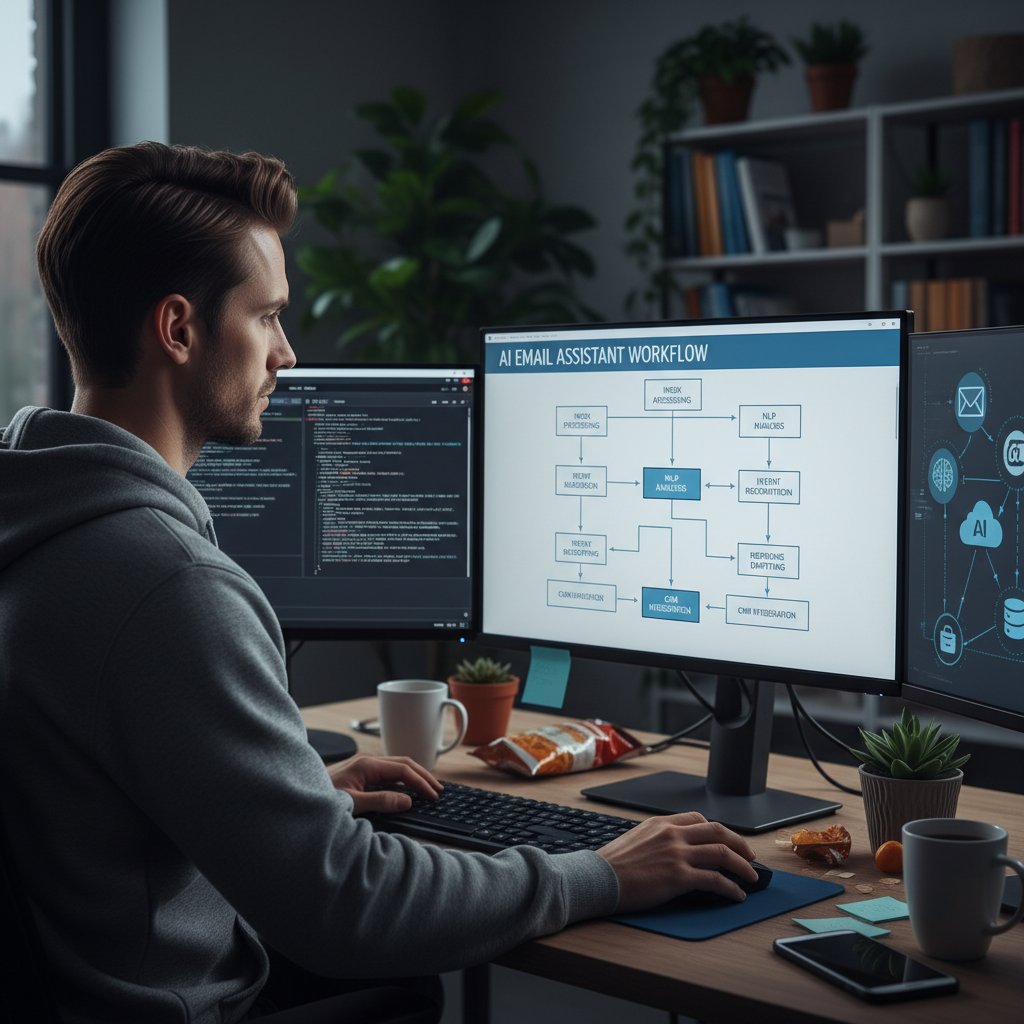
The secret sauce is context awareness: these assistants don’t just scan for keywords—they build a semantic understanding of your ongoing projects, relationships, and even your writing style. According to DigitalOcean (2025), the best systems continuously learn from your interactions, fine-tuning their responses and actions the more you use them.
In practice? You might receive an email with a contract attached. The assistant recognizes the sender is a vendor, scans the attachment for key clauses, suggests a reply, and adds a reminder for you to review the terms—all without you opening a new tab.
From myth to reality: Debunking big lies about AI research assistants
Why they’re not just glorified spam filters
The old narrative—AI as a glorified spam filter—isn’t just lazy, it’s misleading. These systems do much more than clean out junk mail.
- Semantic understanding: They process the meaning and context of messages, not just keywords.
- Integrated action: They initiate workflows—like scheduling, data entry, or research—directly from your inbox.
- Learning and adaptation: The best assistants improve as they learn your habits, team interactions, and organizational lingo.
Dismissing these assistants as mere automation tools misses the point. They are, in effect, digital teammates—sometimes sharper and less forgiving than the humans around you.
Top 5 misconceptions, shattered
- They only handle simple tasks. Fact: AI assistants now draft reports, run data analysis, and surface critical research.
- Privacy is always at risk. Truth: Most providers use end-to-end encryption and strict access controls—though you should always verify.
- They slow down workflows. Actually, studies show a 25-40% boost in productivity when assistants are fully integrated.
- Only large enterprises benefit. Small teams and freelancers often see the greatest ROI due to reduced manual overhead.
- They create more noise. The opposite is true—intelligent filtering means less clutter and more focus.
"AI email assistants aren’t just inbox janitors. They’re becoming the second brain for high-performing teams." — Jess Lee, tech analyst, Mailmeteor, 2025
The bottom line: these tools are as game-changing for a solo consultant as for a Fortune 500 executive. But as with any powerful tool, misuse or misunderstanding can backfire.
The nuance: What current AI can—and can’t—really do
Getting real about current capabilities is key. Today’s email-based research assistants excel at automating routine tasks, extracting data, and integrating with other apps. But they’re not infallible. They struggle with highly ambiguous requests, interpreting sarcasm, or handling deeply sensitive information without explicit context.
| What AI Email Assistants Do Well | Where They Still Struggle |
|---|---|
| Drafting, summarizing, sorting | Reading emotional subtext |
| Workflow integration | Handling legal nuance |
| Data extraction | Highly personalized judgment |
| Research aggregation | Sarcasm and cultural references |
| Scheduling and reminders | Multi-layered, open-ended queries |
Table 4: Capabilities and limitations of current-gen AI research assistants.
Source: Original analysis based on BlazeToday (2025), Mailmeteor (2025).
The upshot? Treat your assistant as a force-multiplier, not a replacement for human judgment or creativity.
Email-based AI in the real world: Stories from the trenches
Case study: Academia’s new secret weapon
In university research labs, the volume of literature and administrative email is suffocating. Dr. Lina Chen, a molecular biologist at a major university, used to spend hours a week sorting requests, sharing papers, and coordinating with her team. By adopting an email-based research assistant, she slashed her inbox time by 50% and improved paper submission turnaround by nearly 30%, according to her department’s internal metrics.

These assistants dig through journal alerts, summarize new research, and even flag grant deadlines. The impact? More time at the bench, less time in email purgatory.
- Paper triage: AI summarizes new journal articles, tagging only those relevant to current projects.
- Collaboration: It drafts and routes collaboration requests, pulling in CVs and bios automatically.
- Grant management: Automatic reminders for upcoming calls and deadlines, with attachment parsing for requirements.
- Research sharing: Integrates with cloud storage to share data and manuscripts instantly.
How journalists, lawyers, and marketers hack their inbox
It isn’t just academia feeling the impact. Journalists use AI assistants to surface breaking news, draft interview requests, and summarize complex reports. Legal researchers automate discovery, tagging sensitive documents and flagging conflicts of interest. Marketers deploy AI to mine customer feedback, generate campaign drafts, and sync insights with their CRM.
- Journalists: AI fetches backgrounders, summarizes press releases, and tracks embargoed news.
- Lawyers: Assistants classify contracts, extract clauses, and alert to compliance issues.
- Marketers: Campaign drafts, A/B testing results, and social sentiment—all surfaced in the inbox.
No matter the industry, the message is clear: AI-driven email assistants are the new secret weapon for professionals buried under digital overload.
What goes wrong: Confessions of a failed rollout
But it’s not all sunshine and streamlined workflows. When a mid-sized tech firm tried to deploy an email-based assistant company-wide, chaos ensued. Unclear permissions led to sensitive data being misrouted, and overzealous filtering meant critical messages were missed.
"We underestimated the complexity of our existing workflows. The AI did its job—but we hadn’t mapped out our permissions or clarified our escalation paths. It took weeks to clean up." — Anonymous IT manager, case study from DigitalOcean (2025)
The lesson? Even the smartest AI can’t fix a broken process. Implementation is as much about human strategy as digital smarts.
The dark side: Risks, privacy, and the AI paper trail
Security nightmares: What happens when AI reads your mail?
Let’s get blunt: letting AI crawl your inbox introduces risk. While top-tier assistants use encrypted channels and strict tokenization to process your data, vulnerabilities remain. According to a 2025 study by DigitalOcean, phishing attempts targeting AI-powered email systems have risen 16% year-over-year, with attackers looking to exploit integration points.
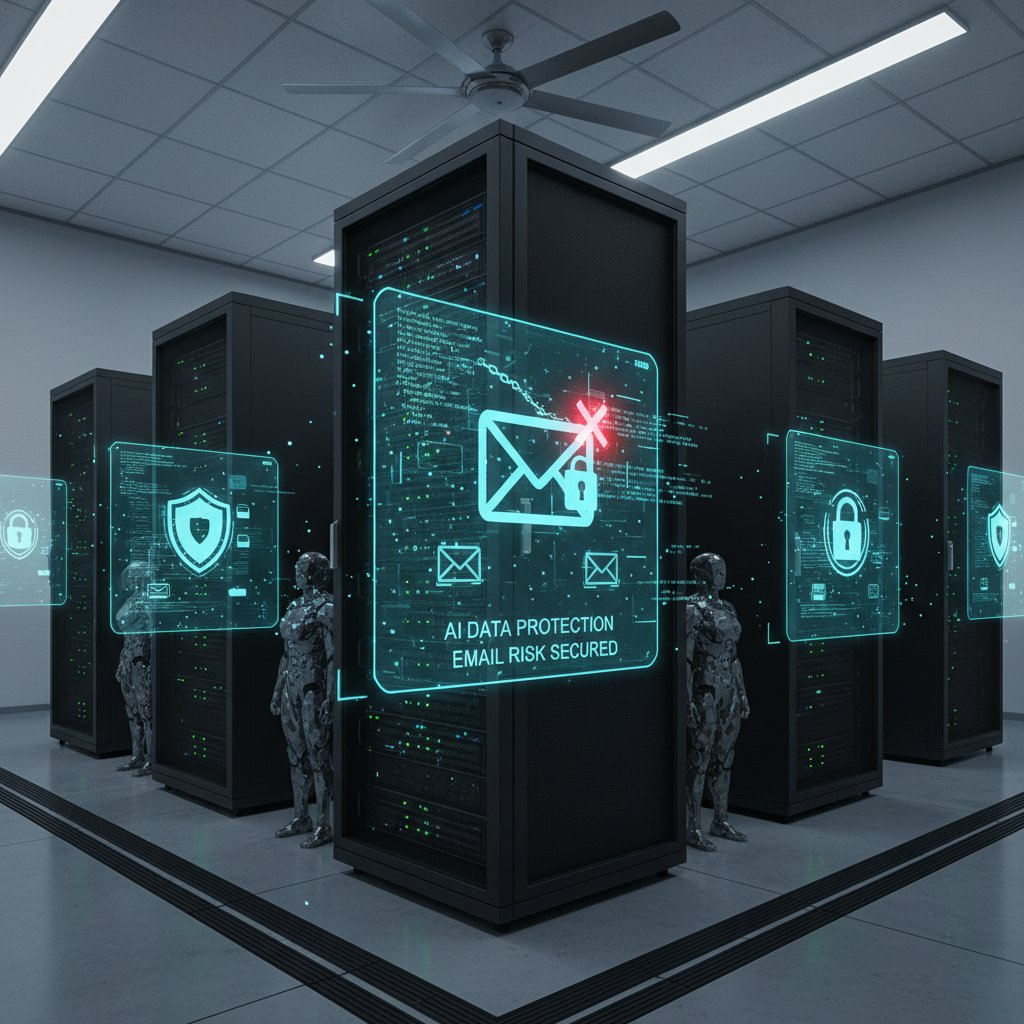
A breached assistant can expose not just emails, but anything synced—calendars, CRMs, sensitive files. That’s why due diligence is non-negotiable: verify your provider’s security protocols, demand transparency, and insist on granular access controls.
The bottom line: the convenience of a digital teammate can’t come at the expense of security.
Privacy trade-offs nobody talks about
Every new tech convenience comes with a price—and privacy is often on the chopping block.
- Data scraping: Most assistants need access to message content, attachments, and sometimes metadata to function.
- Third-party integrations: Connecting with external tools can broaden the attack surface, exposing data to more endpoints.
- Retention policies: How long is your data stored? What happens when you revoke access?
- Shadow IT risk: Employees adopting tools without IT supervision can create unmonitored vulnerabilities.
The trade-off is real: for every hour saved, consider what information you’re placing in a machine’s hands.
Mitigating risks: How to stay smart and safe
Staying ahead of risks means blending smart tech choices with vigilant human oversight.
- Vet your provider: Check for end-to-end encryption, compliance certifications, and public security audits.
- Limit permissions: Grant only the minimum required access. Use read-only modes where possible.
- Educate your team: Make security hygiene part of your onboarding and ongoing training.
- Monitor and audit: Regularly review access logs and integration points for anomalies.
- Have an escape plan: Ensure you can revoke access instantly if something goes wrong.
The best teams treat AI as an ally, not a scapegoat for sloppy security.
How to actually use an email-based research assistant (and not hate it)
Getting started: The practical setup
Onboarding an AI research assistant isn’t rocket science, but it’s not plug-and-play, either. Here’s how to do it right:
- Sign up with a verified provider. Look for real-world reviews, security credentials, and transparent pricing.
- Set preferences upfront. Specify your priorities: filtering, research, scheduling, or something else.
- Connect your email. Follow the provider’s integration guide—usually OAuth or API-based.
- Test basic workflows. Try sending sample emails, attachments, and requests to see how the assistant responds.
- Iterate and refine. Adjust your preferences as you spot gaps or opportunities.
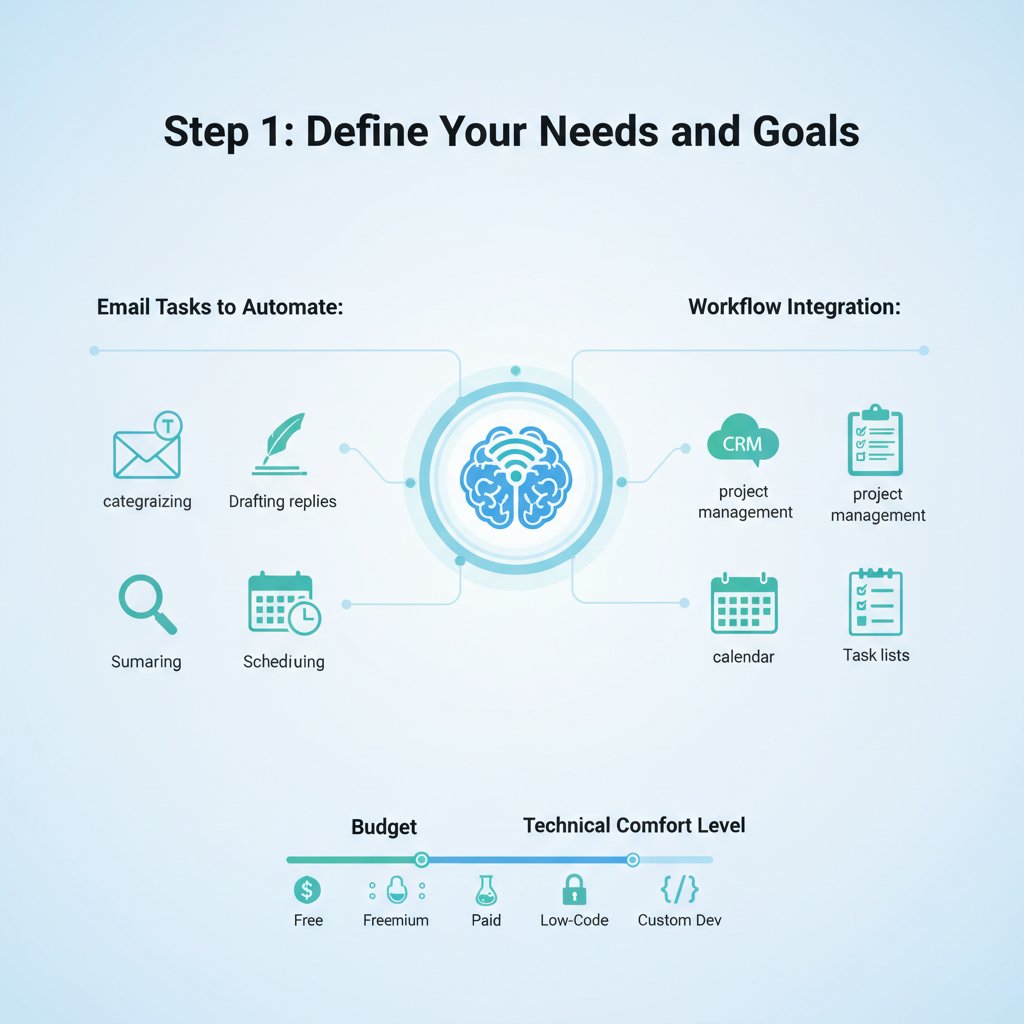
A little setup sweat up front pays massive dividends over time.
The advanced playbook: Pro tips and workflow hacks
Once you’re comfortable, it’s time to level up.
- Use custom triggers: Set phrases like “Action Required” or “FYI” to route emails automatically.
- Integrate external tools: Link your CRM, cloud storage, and calendar for seamless data flow.
- Leverage summaries: Have the assistant auto-summarize long chains and attachments.
- Delegate with precision: Grant access on a project-by-project basis, not blanket permissions.
Advanced users treat the assistant as a living workflow—not a static filter—constantly adapting rules to match reality.
Avoiding common mistakes: What power users do differently
Don’t fall into the rookie traps.
- Over-reliance: Don’t stop checking critical threads. AI is smart but not infallible.
- Ignoring alerts: Pay attention to system warnings, especially around failed syncs or permissions errors.
- Neglecting feedback: Regularly review output and correct misclassifications—AI learns best from human feedback.
- Skipping training: Take time to understand features and best practices. Rushing leads to errors and frustration.
The difference between power users and everyone else? Vigilance, constant tuning, and a willingness to learn from the AI’s hits and misses.
The human cost: Will AI make us sharper, lazier, or obsolete?
The productivity paradox—are we working smarter or just working more?
On paper, reclaiming hours from your inbox should unleash creativity and deep work. Yet, as teams plug in AI assistants, some report a darker side: pressure to respond faster, deliver more, and be “always on.” According to McKinsey (2025), while 34% of employees expect AI to handle over 30% of their workload, most still feel their cognitive load isn’t decreasing—just changing shape.

So, does AI make us sharper, or does it speed up the treadmill? The answer is complex—and often depends on how thoughtfully you wield the tool.
Burnout, creativity, and the new face of digital labor
- Burnout migration: AI can automate grunt work, but increased pace can lead to new forms of exhaustion.
- Creativity boost: Offloading repetitive tasks frees up time—and mental space—for innovation and strategy.
- Job anxiety: Some workers fear replacement, others see AI as a partner that levels the playing field.
- Skill shift: Demand for “AI literacy” is rising across professions, favoring those who can orchestrate hybrid workflows.
"The assistant didn’t replace my job—it made me indispensable. But it also raised the bar: now, there’s no excuse for missing a detail." — Marketing director, teammember.ai user
What real users are saying (the messy, unfiltered truth)
- “I got my evenings back, but now everyone expects instant replies.”
- “Setup was a pain, but the time saved on research is game-changing.”
- “I trust it with scheduling and summaries, but I double-check anything customer-facing.”
- “The assistant misses sarcasm—so do my colleagues, to be fair.”
The bottom line? AI magnifies your habits, good and bad. Used wisely, it’s a superpower. Used sloppily, it’s just another digital leash.
Email vs. everything else: How does it stack up against chatbots, apps, and virtual assistants?
Comparison table: Email-based vs. chat-based AI assistants
Email-based and chat-based assistants each have their die-hard fans. Let’s break it down.
| Feature/Capability | Email-Based Assistant | Chat-Based Assistant |
|---|---|---|
| Integration w/ legacy systems | Strong (universal protocols) | Moderate (custom APIs) |
| Asynchronous workflow | Excellent | Moderate (chat bias to real-time) |
| Traceability/audit | High (easily archived) | Lower (chat logs fragmented) |
| External collaboration | Universal (everyone uses email) | Limited (requires same platform) |
| Custom automation | High (email rules, triggers) | Moderate (requires scripting) |
| Natural conversation | Moderate (email tone) | High (chat tone) |
Table 5: Email-based vs. chat-based AI assistant feature comparison.
Source: Original analysis based on BlazeToday (2025), Mailmeteor (2025).
When email-based makes sense—and when it doesn’t
- Best for regulated environments: Legal, finance, and healthcare rely on email for audit trails and compliance.
- Universal access: External partners, clients, and vendors all use email—no need to onboard them to chat apps.
- Document-heavy workflows: Contracts, reports, and official correspondence benefit from email’s structure.
- Not ideal for real-time chat: If your team lives in Slack or MS Teams, chat-based may be faster for quick exchanges.
The decision isn’t binary: use the tool that matches the rhythm and requirements of your work.
The hybrid future: Why the best teams use both
Forward-thinking organizations blend both approaches. Email-based assistants handle research, formal correspondence, and workflow integration, while chatbots power real-time discussions and rapid-fire collaboration.
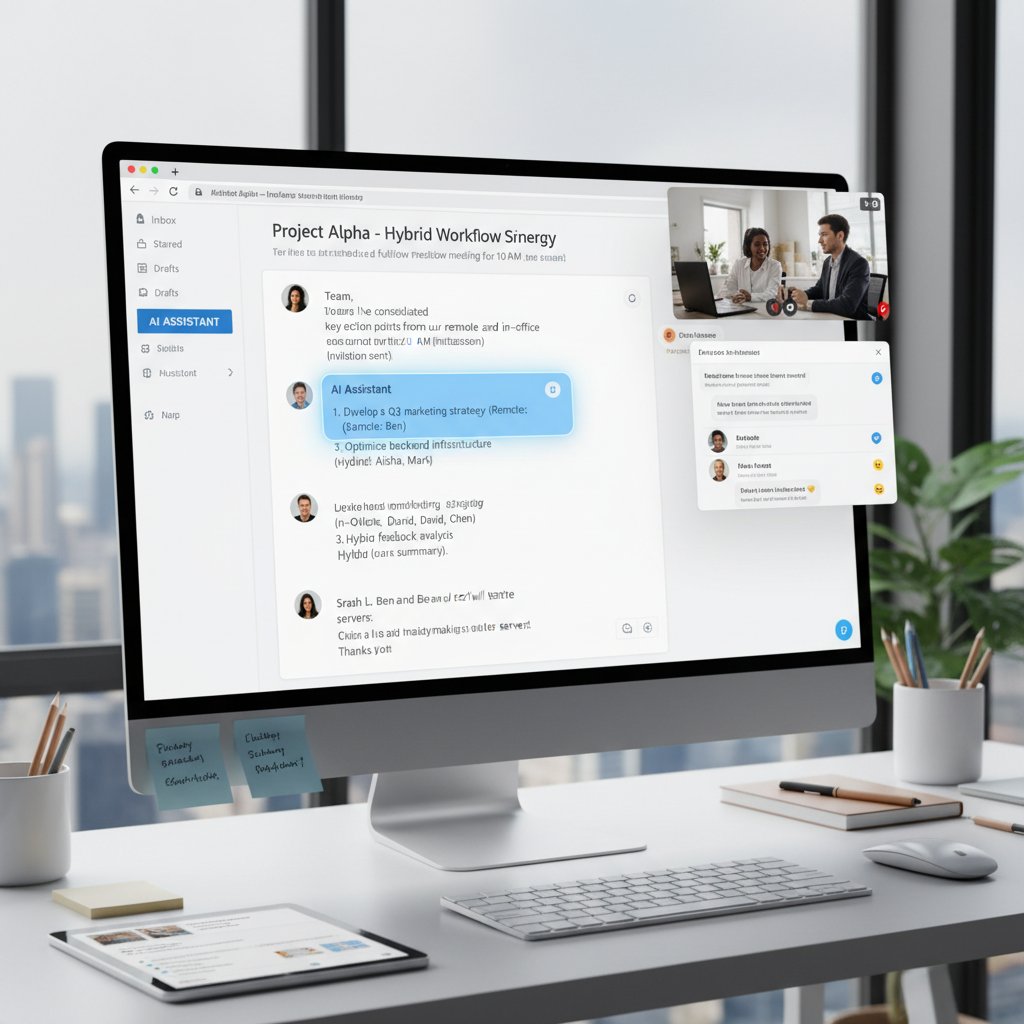
The result? Fewer silos, less duplication, and a workflow that adapts to the pace of both strategic and tactical work.
The future of research: Email as your AI teammate
Emerging trends: What’s next for email-based AI?
The arms race is on. As LLMs grow more capable, email-based assistants are developing:
- Deeper reasoning: Moving from keyword spotting to understanding argumentation and bias.
- Multimodal input: Parsing images, voice, and attachments natively.
- Cross-platform orchestration: Seamless handoff between email, chat, and workflow apps.
- Personalization engines: Adapting tone, style, and trigger rules to individual users.

- Hyper-personalized summaries for executives.
- Native language translation on the fly.
- AI-powered negotiation analysis.
- Autonomous workflow orchestration with minimal prompts.
How teammember.ai is changing the landscape
teammember.ai is part of the new guard—offering AI-powered assistants that live where you work, not in a separate app you’ll forget to check. By keeping the assistant inside your inbox, it minimizes context switching and maximizes integration with existing workflows—a fact that’s winning fans in industries from marketing to healthcare.
This isn’t about replacing people; it’s about freeing up professionals to do more meaningful work. According to case studies, teams using email-based AI assistants see measurable gains in engagement, customer satisfaction, and project turnaround time.
A virtual team member, available on-demand through email, equipped with specialized skills ranging from data analysis to content creation. Inbox-native integration
Directly embeds AI capabilities into your current inbox, bypassing the need to learn new platforms. Scalable automation
Grows with your team’s needs, adapting to volume and complexity without heavy IT lift.
Your action plan: Making the leap (or not) in 2025
Ready to transform your workflow? Here’s what to do:
- Audit your current workflow: Identify the most time-consuming and repetitive email tasks.
- Evaluate providers: Look for proven security, real-world testimonials, and active support communities.
- Pilot with a small team: Iron out issues before a full rollout.
- Track impact: Measure reduction in email volume, response times, and project turnaround.
- Iterate based on feedback: Tune rules, triggers, and integrations as you go.
This isn’t just about jumping on a trend. It’s about reclaiming your time, upgrading your workflow, and refusing to let your inbox run your life.
Beyond the inbox: Adjacent tech and the new research stack
AI-powered calendar, chat, and research platforms
The email-based assistant is just one weapon in the modern productivity arsenal. Savvy teams are blending:
- AI-driven calendar tools that auto-schedule meetings by parsing intent from emails.
- Chat-based research bots that surface real-time insights in Slack or Teams.
- Document summarizers that distill key points from PDFs and presentations.
- Voice-to-text assistants that turn voicemails and calls into actionable email summaries.

Integration nightmares: Real stories, real fixes
But layering new tools onto legacy systems isn’t always smooth sailing. A healthcare startup tried to connect its AI assistant to an outdated appointment system—resulting in missed meetings and duplicate reminders.
"Our error was assuming all APIs play nicely. The truth: integration is as much about negotiation as it is about code." — CTO, healthcare tech startup
The fix? Mapping every workflow before rollout, running pilots, and insisting on vendor support for custom integrations.
What to watch: Hot startups and future disruptors
- AI-native project management platforms blending email, chat, and workflow.
- Semantic search engines embedded in knowledge bases.
- Zero-UI assistants: AI that acts without user prompts, based on observed patterns.
- Security-centric research tools with next-gen encryption and compliance baked in.
The next wave of disruption isn’t about replacing one tool with another—it’s about orchestrating the entire research stack for speed, insight, and resilience.
Glossary: What you actually need to know (and what you can ignore)
An AI tool that operates within your email client, automating research, drafting, data extraction, and workflow orchestration.
The process of moving between different tasks or digital environments, often resulting in lost productivity and focus.
An AI model trained on vast datasets to understand, process, and generate human-like language (e.g., GPT-4).
Coordinating and automating inbox tasks—such as sorting, prioritizing, and integrating with other tools—using AI.
The AI’s capacity to interpret not just the literal meaning of text, but the intent, sentiment, and context.
Connecting AI assistants with customer relationship management tools to sync contacts, deals, and conversations.
Knowing these terms means you can cut through the hype—and focus on what matters: using email-based AI assistants to get real work done, faster and smarter.
Conclusion
The age of the email-based research assistant isn’t about replacing people—it’s about amplifying what humans do best and automating what we hate most. The reality, according to sources like Mailmeteor, 2025 and BlazeToday, 2025, is nuanced: these tools deliver transformational productivity, but not without risk or effort. The real win is for those willing to rethink their inbox—not as a digital junk drawer, but as the launchpad for smarter, faster, and more human work. As teammember.ai and its peers push the boundaries, the only question left is: are you ready to let AI into your inbox, or will you cling to the chaos a little longer? The choice, as always, is yours—just don’t pretend you weren’t warned.
Sources
References cited in this article
- BlazeToday: 7 Best AI Personal Assistants for Writing, Research, and Emails in 2025(blaze.today)
- Mailmeteor: Best AI Email Assistants in 2025(mailmeteor.com)
- DigitalOcean: AI Email Assistants 2025(digitalocean.com)
- McKinsey: Take control of your inbox(mckinsey.com)
- SoftActivity: Employee Productivity Stats 2024(softactivity.com)
- Right Inbox: Inbox Zero 2024(rightinbox.com)
- AWS: Benefits of Email-Based AI Virtual Assistant(aws.amazon.com)
- HeyMarvin: AI Research Assistant(heymarvin.com)
- Talonic: Turning Raw Email Data into Structured Reports(talonic.com)
- SendGrid: AI-Based Email Marketing(sendgrid.com)
- Salesforce: AI in Email Marketing(salesforce.com)
- Clarivate: Generative AI-Powered Web of Science Research Assistant(ir.clarivate.com)
- Springer: AI Research Assistants, Intrinsic Values(link.springer.com)
- Stanford HAI: AI Index 2025(hai.stanford.edu)
- Mailsoftly Case Studies(mailsoftly.com)
- Mosaikx: AI Marketing Campaigns 2024(mosaikx.com)
- Ascend2: State of Email and Automation 2024(ascend2.com)
- Forbes: 2024 AI and Tech Troubles(forbes.com)
- AideAI: 4 AI Email Assistants in 2024(aideai.app)
- VIPRE: Email Security in 2024(vipre.com)
- Validity: 2023–2024 Email Privacy Analysis(validity.com)
- ScienceNewsToday: Dark Side of AI(sciencenewstoday.org)
- Trustifi: AI Email Security 2024(trustifi.com)
- UW Graduate School: Effective and Responsible Use of AI in Research(grad.uw.edu)
- Clarivate: Research Assistant User Guide(clarivate.libguides.com)
- Indeed: Research Assistant Best Practices(indeed.com)
- OECD: AI and Productivity(oecdecoscope.blog)
- World Economic Forum: The Impact of AI on the Labour Market(institute.global)
- Yale News: Doing More, Learning Less—Risks of AI in Research(news.yale.edu)
- CustomerThink: Overcoming Email Burnout(customerthink.com)
- CNBC: AI Burnout(cnbc.com)
- Upwork Research: AI-Enhanced Work Models(upwork.com)
- TheCondia: Top AI Research Assistants 2024(thecondia.com)
- Clarivate: Web of Science Research Assistant Feedback(clarivate.com)
Focus on what matters. Let AI handle the rest.
We know the feeling — another day starts with 50 unread emails, Ads Manager begging for attention, CRM out of date, and meetings without follow-ups. That's why we built TeamMember.ai — an AI team member that takes over all the operational work at the computer. Has its own email address and SMS number. Manages your inbox, runs Meta Ads, updates CRM, processes meetings, monitors social media, generates morning briefings, and controls the browser. Built on OpenClaw — a leading open-source AI agent — with cross-session memory and secure-cloud architecture that keeps your data safe.
Get startedBe First to Try Your AI Team Member
Every week without automation is dozens of hours lost to operational work. Hours you'll never get back. Join the waitlist and get priority access.
Frequently Asked Questions
How much time do professionals spend on email daily?
According to Right Inbox 2024 data, the average professional receives roughly 120 emails a day and spends over 8.8 hours a week on email management—more than a full workday dedicated just to keeping up.
Why hasn't email been replaced by newer communication tools like Slack or Teams?
Email persists due to its universality (used by everyone from interns to CEOs), asynchronous nature, traceability, and legal binding status that chat apps lack. It remains the backbone of knowledge work and meeting ground for critical decisions.
What is an email-based research assistant?
An email-based research assistant is an AI-powered tool that transforms your inbox into a productivity command center by combining efficiency with digital insight, helping to manage the chaos of modern email overload and turning email into a research hub and workflow trigger.
What percentage of knowledge workers rely on email?
According to the article, 96% of knowledge workers rely on email, making it the most heavily used productivity channel compared to Slack/Chat Apps (72%) and Project Management Tools.
From the Archive
Explore more from AI Team Member

Best Email Assistant for Productivity: AI Tools and True Tradeoffs
The best email assistant for productivity reshapes how you work and communicate. This article compares top AI tools, exposes myths, and explains real gains and risks.

Email-Based Correspondence Assistant: Productivity Gains and Real Risks
Email-based correspondence assistants use AI to manage inbox overload. This article examines their productivity benefits, the risks experts worry about, and their real-world impact.

AI-Driven Virtual Assistant for Email Filtering: Benefits and Risks
AI-driven virtual assistant for email filtering systems filter billions of daily emails. This article explains the benefits, risks, and practical strategies for managing AI-assisted inboxes effectively.

How Email-Based Personal Assistants Reduce Inbox Overload
Email-based personal assistants help professionals reclaim time lost to inbox overload. This article explains how AI-powered email assistants reduce context-switching and restore focus.

Email Content Assistants and Productivity: What Research Shows
Email content assistant tools help professionals manage high message volumes. This article explains how AI-powered email assistants streamline workflows and address productivity challenges.

Email-Based Marketing Assistants Versus Saas Platforms
An email-based marketing assistant integrates AI into your inbox rather than adding another platform. The article explains the advantages of this approach versus traditional SaaS tools.


