

Why Email-Based Personal Assistants Reshape Productivity in 2025
Written with AI assistance under our editorial guidelines
Email-based personal assistants have become essential for professionals drowning in inbox overload. Rather than adding another app, these AI-powered tools work directly within email to handle tasks, prioritize messages, and reclaim lost productivity time. By operating in the space where work actually happens, they offer a practical solution to the 3+ hours daily wasted managing email.
It starts with a ping and ends with a pileup. Every modern professional knows the visceral dread of an inbox swollen with demands, reminders, and missed connections—a digital quicksand that, if left unchecked, will swallow your precious hours whole. But 2025 isn’t just another year of inbox misery. The quiet insurgency is here: the email-based personal assistant. These digital teammates, once niche novelties, now shape-shift into indispensable arbiters of order amid chaos for everyone from scrappy founders to corporate titans. This isn’t a story of shiny dashboards or yet another app promising salvation. It’s about reclaiming time, sanity, and autonomy right from the place you least expect—your email. Let’s rip open the envelope on how AI-powered personal assistants are rewriting the rules of work, productivity, and even identity itself. Are you ready to see your inbox in a way you never have before?
Why your inbox is ground zero for the AI revolution
The real cost of email overload
Let’s not sugarcoat it: email is the original productivity killer. According to recent data, professionals spend an average of 3.1 hours per day—over 15 hours a week—on email alone, with knowledge workers reporting even higher figures in industries like finance and law. The cost isn’t just in hours lost; it’s in the creative energy and focus siphoned by endless context-switching. In 2025, with inboxes averaging 121 new emails per day (according to Superhuman Blog, 2025), even the most organized workers feel the squeeze.

| Industry | Avg. Hours/Week on Email | Core Task Hours | % Time on Email |
|---|---|---|---|
| Finance | 17 | 28 | 38% |
| Legal | 20 | 31 | 39% |
| Marketing | 15 | 26 | 36% |
| Tech | 12 | 29 | 29% |
| Healthcare | 10 | 34 | 23% |
Table: Breakdown of time spent on email vs. core work by industry in 2025
Source: Original analysis based on Superhuman Blog (2025), LeadDev (2025)
"Nobody told me my career would be answering emails." — Alex, mid-career manager
The upshot? Email, once a tool for communication, has become an unrelenting taskmaster. For too many, it sets the rhythm of the workday, dictating what gets done—and what gets pushed off indefinitely.
The psychological toll of app fatigue
Here’s the kicker: even as new productivity apps flood the market, cognitive load is reaching a breaking point. Constantly toggling between Slack, Trello, Zoom, and half a dozen “solutions” breeds decision fatigue and erodes focus. In contrast, email remains stubbornly familiar. Its flaws are legion, but it’s also a trusted constant: accessible, searchable, and omnipresent—across devices, companies, and continents.
Consider these hidden benefits of sticking to email as your primary interface:
- Universal access: Unlike niche project management apps, email doesn’t lock you into a single ecosystem. It’s the lingua franca of modern business.
- Asynchronous workflow: Email supports deep work by enabling messages to be read and acted on at the recipient’s pace—critical for global teams and remote work.
- Archival power: No app matches email’s searchability and historic record-keeping, offering a paper trail with legal and operational value.
- Integration: Modern AI-infused email clients easily connect to calendars, CRMs, and more, forming the backbone of workflow automation.
Why email is the ultimate universal protocol
Despite the hype cycles, email endures. Its resilience comes from being protocol-based, decentralized, and not tied to any single vendor. Even the most cutting-edge teams—think AI startups, global consultancies, or creative agencies—inevitably default to email for key workflows. Why? It’s the only channel everyone checks, every day.
| Feature | Chat Apps | Dashboards | |
|---|---|---|---|
| Universal Adoption | ✅ | ❌ | ❌ |
| Searchability | ✅ | ✅ | ❌ |
| Asynchronous | ✅ | ⚠️ | ⚠️ |
| Integration Ease | ✅ | ✅ | ❌ |
| Automation Support | ✅ | ⚠️ | ❌ |
Table: Email vs. chat vs. dashboard—feature matrix for business workflows
Source: Original analysis based on LeadDev (2025), Qatalog (2025)
Even in 2025, despite waves of “email killers,” the protocol’s adaptability and ubiquity keep it at the heart of digital work. And now, with AI layered on top, it’s gaining new relevance—and new power.
What is an email-based personal assistant, really?
Beyond auto-responders: the anatomy of a modern AI assistant
Forget the old image of clunky auto-replies and rigid filters. Today’s email-based personal assistant is a shape-shifting, context-aware AI built on advanced Natural Language Processing (NLP) and deep learning. It parses your messages, understands nuance, and takes action—often before you know you need it.
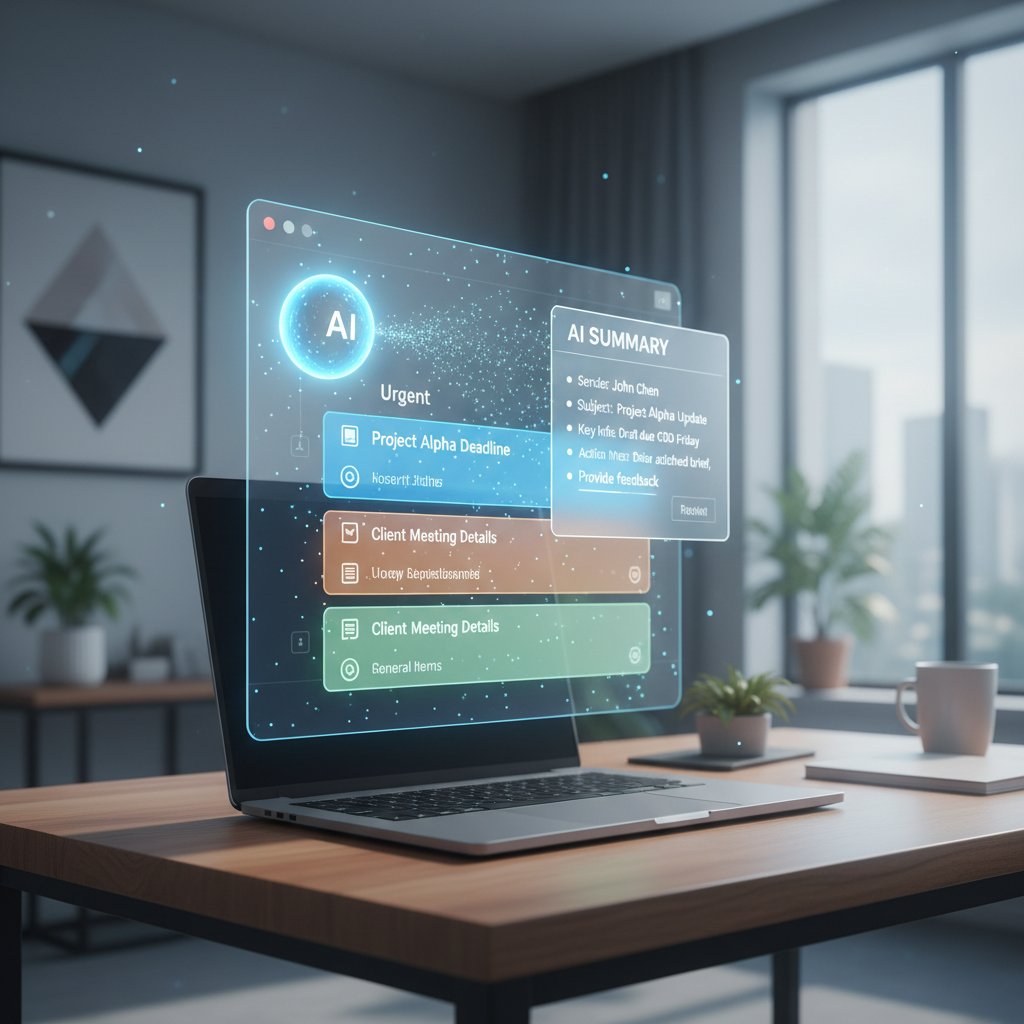
At its core, a modern assistant like those from teammember.ai or Superhuman ingests your email stream, analyzes context (subject, sender, thread history, time of day), and orchestrates actions: scheduling, drafting replies, summarizing threads, or syncing with your to-do list.
Definition list:
The computational technique enabling AI to read, understand, and generate human language in emails, including idioms and tone.
Systems that personalize responses and actions based on the history of interactions and current circumstances.
The process of scanning inbound and outbound messages for intent, attachments, tasks, and follow-up requirements.
What can (and can’t) an email-based assistant do?
Let’s get real: no tool is magic, and the best email-based personal assistants are no exception. Here’s what they can legitimately deliver:
- Draft, sort, and flag emails based on urgency and context
- Schedule meetings by parsing availability and preferences
- Summarize lengthy threads into actionable highlights
- Suggest or even send follow-up messages automatically
- Sync tasks, reminders, and calendars seamlessly
- Learn your preferred responses (“Thanks, but I’ll pass”) and replicate your tone
But there are limits. An AI assistant can’t read your mind (yet), handle nuanced negotiations, or make executive decisions that require deep business context. Red flags for overpromising tools include:
- Claims of “zero effort” setup with no training
- Promises to “understand any request” without onboarding
- Lack of visible privacy controls or transparent logs
According to real users cited in Qatalog, 2025, “AI assistants are incredible for triage and rote work, but I still review anything sensitive, like client negotiations or major deliverables.”
Debunking myths: Not just a glorified bot
Still think it’s another mindless script? Think again. With context awareness, these assistants learn your communication style, picking up on subtle preferences over time. As Jamie, a digital marketing director, notes, “My AI knows my style better than my colleagues do.” (Qatalog, 2025).
Security rightly gets the spotlight. Reliable platforms encrypt your messages, keep logs transparent, and offer granular controls over what’s automated. Pro tip: vet your assistant’s privacy policy, opt for platforms with a strong compliance record, and look for regular third-party audits.
Inside the black box: How email-based AI actually works
From NLP to context: decoding your intent
The secret sauce in every effective email-based personal assistant is context. Modern AI parses not just the words but the intent behind them—triaging “Please review ASAP” differently from “Let’s connect next week.” Thread analysis, sender reputation, and even time of day feed the algorithms.
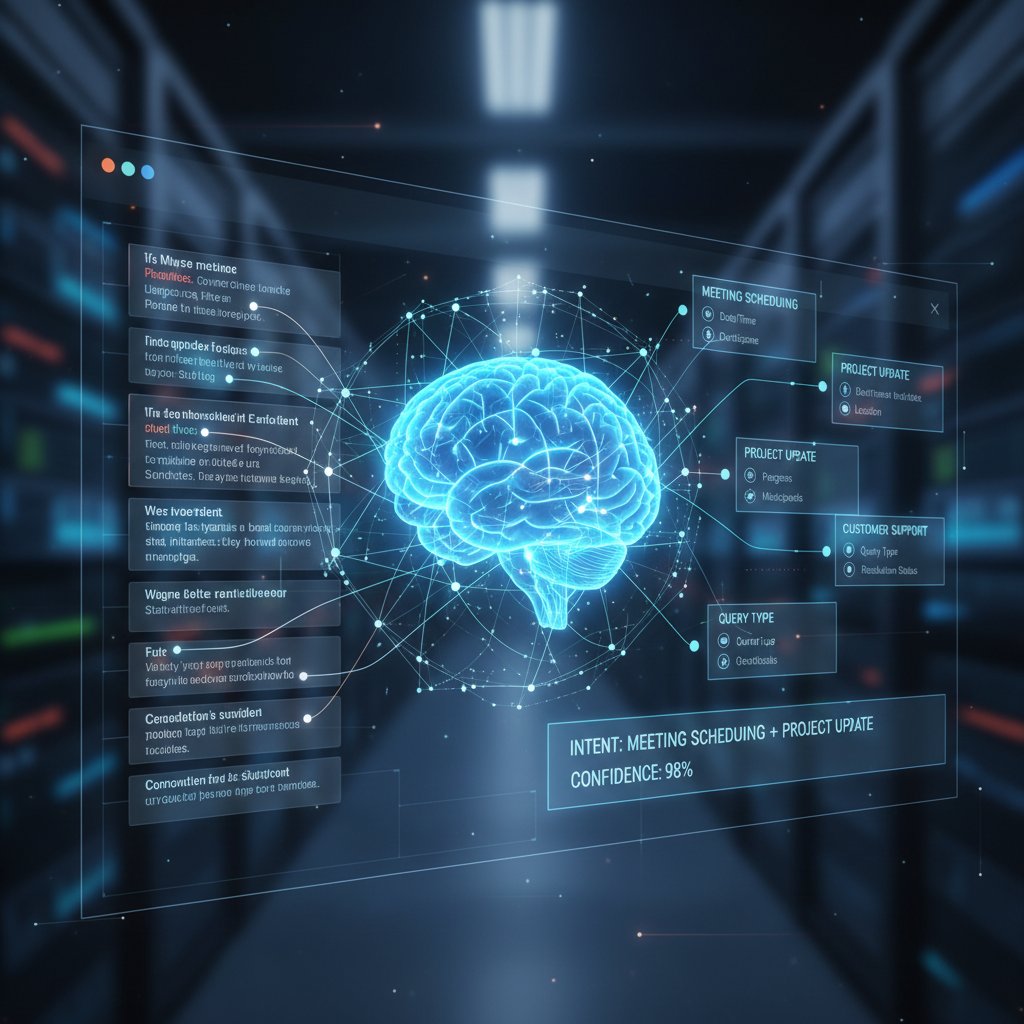
Context is built through relentless data crunching: analyzing thread depth, relationships, and even prior interactions. It’s not just linguistic—your assistant senses patterns of urgency, delegation, and follow-through, making smarter choices with each cycle.
Integrating with your daily workflow
Seamless integration is where email-based AI shines. It plugs into your calendar, notes app, and even project management tools without forcing you into a new UI. Here’s how you connect one to your workflow:
- Sign up with a trusted provider (like teammember.ai or Superhuman) and authenticate your email account via OAuth or secure login.
- Set preferences for automation depth—e.g., what gets auto-filed, what needs approval.
- Connect calendars and sync contacts to unlock scheduling and follow-up power.
- Test with non-critical emails to learn how it triages and drafts responses.
- Iterate settings as you observe real-world behavior, tightening rules or adding exceptions over time.
Common mistake: letting your assistant run wild without supervision. Always review automated actions for a week or two, and leverage built-in logs to catch misfires.
Security, privacy, and the trust paradox
No one wants a rogue AI emailing their boss at 2 a.m. Security is non-negotiable: reputable assistants use end-to-end encryption, role-based access, and granular permissions. User control is paramount—you decide what’s automated, what stays manual, and what gets deleted.
| Security Feature | Email-based Assistant | App-based Assistant |
|---|---|---|
| End-to-end Encryption | ✅ | ✅ |
| User Control Granularity | ✅ | ⚠️ |
| Third-party Audits | ✅ | ✅ |
| Data Stored On Device | ⚠️ | ❌ |
| Privacy Policy Clarity | ✅ | ⚠️ |
Table: Security features comparison—email-based vs. app-based assistants
Source: Original analysis based on industry standards and LeadDev (2025)
Automation’s promise is speed, but oversight is your shield. The best systems blend machine efficiency with just enough human review to prevent disaster.
The new productivity cult: Who’s really using email-based assistants?
Case studies from unexpected industries
It’s not just tech bros and marketing execs. Law firms, architects, and even artists now leverage email-based AI to obliterate their inboxes. A boutique law firm in London, for example, uses AI to parse incoming case documents, summarize key arguments, and flag deadlines—cutting admin work by over 30%. Meanwhile, a Parisian artist uses AI to coordinate gallery shows, respond to inquiries, and even send personalized thank-you notes, freeing up hours for creative work.

According to LeadDev (2025), measurable results are stacking up: users report an average of 7.6 hours reclaimed per week, error rates slashed by half, and, in some cases, a boost in creative output simply by offloading repetitive admin.
The surprising rise of 'email zero' subcultures
If you think Inbox Zero is an impossible fantasy, meet the diehards who treat it as gospel. Entire online communities obsess over workflow hacks, automation scripts, and AI routines that keep their inboxes at zero unread (or at least, zero anxiety). For these users, AI assistants are more than tools—they’re status symbols.
"Inbox zero isn’t about perfection—it’s about freedom." — Morgan, productivity coach
AI is redefining productivity for these zealots. The metric isn’t emails sent or received; it’s how little time they spend thinking about email at all.
Contrarian: When NOT to use an email-based assistant
There’s a dark side to automation. Some tasks demand human nuance—a delicate negotiation, a sensitive feedback session, or an emotionally charged announcement. Here’s where you should hit pause on AI:
- Complex client negotiations: Context may shift too quickly for AI to keep up.
- Sensitive HR matters: Empathy > efficiency.
- Creative brainstorming: AI can summarize, but it can’t replace the spark of collective creativity.
- First-time introductions: Some occasions demand a personal touch.
For optimal results, many professionals use a hybrid approach: automate the routine, but keep a human hand on the wheel for the rest.
Training your AI: Making it work for your quirks, not the other way around
Personalization: Teaching your assistant your voice
AI is only as good as the guidance you give it. Customizing your assistant—through preferred greetings, response templates, and even emojis—teaches it to mirror your style. Here’s how to start:
- Feed it your past emails (with consent) to analyze your tone.
- Set explicit rules for when to use formal or informal language.
- Review generated drafts and provide feedback.
- Whitelist and blacklist contacts for specific automations.
- Refine regularly as your communication style evolves.
A real-world example: A financial analyst who uses tailored sign-offs (“All best, — Sam”) and sector-specific jargon sees dramatically higher response rates from clients when the assistant mirrors these quirks.
Advanced hacks: Going beyond the default settings
Don’t settle for the basics. Power users set up conditional triggers (“If email subject contains ‘urgent,’ flag for SMS notification”), leverage custom templates for recurring requests, and even create multi-step routines (“Summarize, then schedule follow-up if no response in 48 hours”).
Unconventional uses include:
- Auto-sorting incoming newsletters into reading lists
- Auto-confirming appointments with unique Zoom links
- Filtering cold pitches for actionable leads only
- Triggering invoice creation on receipt of specific keywords
But beware: the more complex your automations, the greater the risk of unintended consequences. Test thoroughly before unleashing on mission-critical workflows.
Common mistakes—and how to fix them fast
Even seasoned users screw up. The biggest errors?
- Ambiguous instructions: AI can’t guess what “handle this” means. Be specific.
- Over-automation: Too many triggers can cause collisions—like double-sending the same reply.
- Ignoring logs: Missed notifications can lead to silent errors.
Definition list:
Vague commands that lack context, leading the AI to take incorrect or incomplete actions.
Setting up too many or conflicting routines that overwhelm the system or cause errors.
Regular review and tweaking of automations to enhance performance and correct mistakes.
Best fix: audit your setup weekly, review logs, and make small, incremental changes based on real outcomes.
The big showdown: Email-based vs. app-based assistants
Feature-by-feature: Who comes out on top?
Let’s get surgical. Speed? Email-based wins—no app launch required, just reply and go. Accuracy? Tied, when well trained. Integration? Email-based assistants edge ahead, piggybacking on existing protocols and calendars.
| Feature | Email-based Assistant | App-based Assistant |
|---|---|---|
| Speed | ✅ | ⚠️ |
| Ease of Setup | ✅ | ⚠️ |
| Customization | ✅ | ⚠️ |
| Integration Depth | ✅ | ❌ |
| Cross-platform | ✅ | ⚠️ |
Table: Feature comparison with clear winners and losers
Source: Original analysis based on Saner.AI (2025), Qatalog (2025)
Consider Taylor, a tech recruiter: “With an email-based assistant, I can schedule five interviews in as many minutes—no more juggling tabs or apps. It adapts to my workflow, not the other way around.”
Cost-benefit analysis: Money, time, and sanity
Onboarding an email-based assistant typically costs less: no need for new logins or training modules. Hidden costs? App-based tools often demand context switching and steep learning curves. Add up the hours lost to app fatigue, and the balance tips even further.
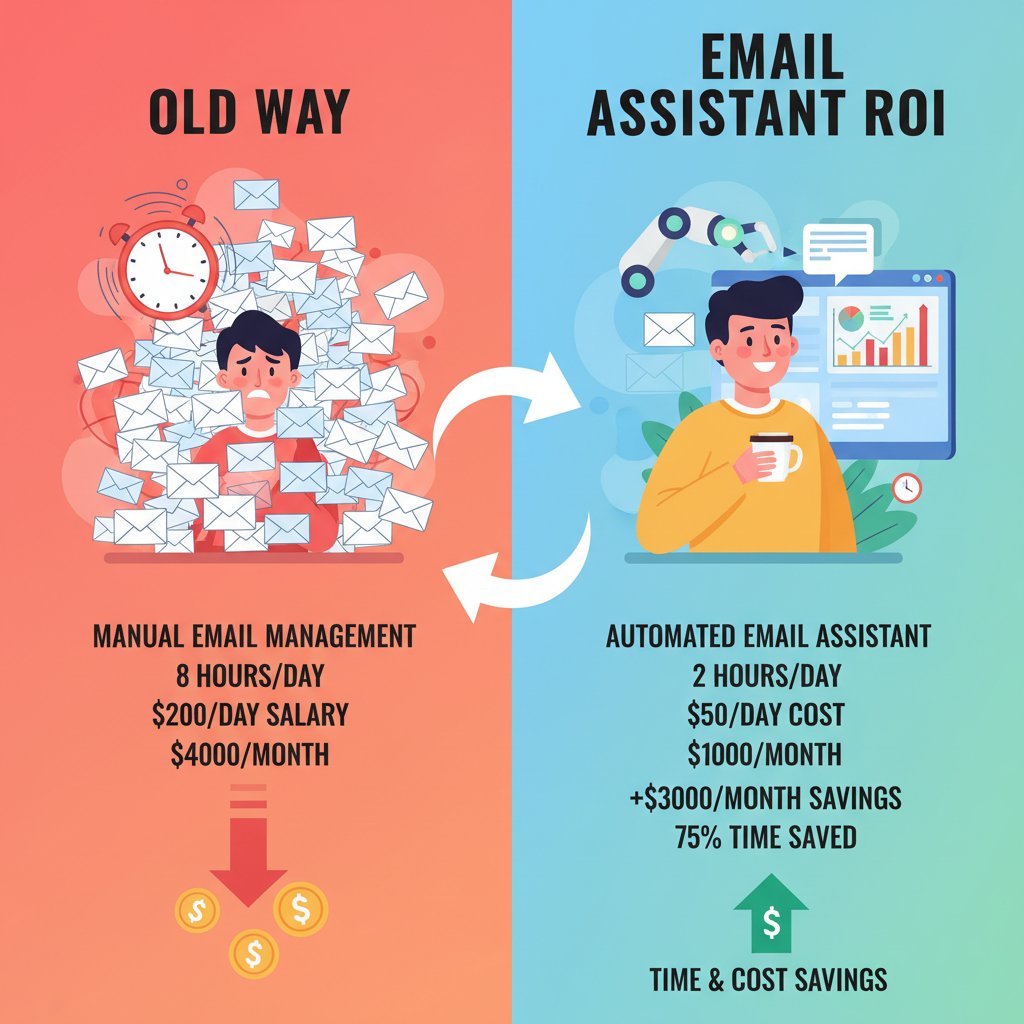
Licensing for premium assistants averages $20-50/month, compared to $50-100 for robust app-based platforms (as of 2025). But the real ROI is time: according to Reclaim.ai, users gain 7.6 productive hours weekly—worth hundreds of dollars per month in billable time.
Why email still wins in 2025 (for now)
Despite rumors of its demise, email is not just alive—it’s thriving as the digital backbone of enterprise. As Taylor puts it:
"Email’s not dead—it’s the new power tool." — Taylor, tech recruiter
Until company-wide standards shift and all partners adopt new protocols, email’s universality guarantees its dominance—for now. The question is not when email will die, but how you’ll leverage it while it reigns.
How to get started: Setting up your first email-based personal assistant
Choosing the right solution: What to look for
Not all assistants are created equal. Before jumping in, look for:
- Robust security and compliance: Encryption, audit logs, and clear privacy policies.
- Workflow integration: Support for your calendar, task manager, and file storage.
- Customization: Granular controls for what gets automated—and what doesn’t.
- Responsive support: Fast help for when things break.
- Transparent pricing: No surprise fees.
teammember.ai is a reputable resource for learning more about these criteria and exploring options tailored to your industry.
Step-by-step: From signup to inbox transformation
Ready to dive in? Follow these actionable steps:
- Register with your chosen provider—use a work email for best integration.
- Complete onboarding—let the assistant analyze a sample of your emails to learn patterns.
- Sync your calendars and task lists—unlock powerful cross-tool automations.
- Set up automations—start simple (auto-replies, meeting scheduling) before moving to advanced routines.
- Test thoroughly—review every automated action for the first week.
- Adjust privacy and security settings—ensure data is protected and only desired automations run.
- Iterate for improvement—regularly refine settings as your workflow evolves.
Security pro tip: Always check for two-factor authentication and regular security audits in your provider’s documentation.
Customizing for your workflow: Tips and tricks
Integrate your assistant with the rest of your digital ecosystem—connect it to Slack for notifications, Google Calendar for scheduling, and your CRM for lead triage.
Quick wins for instant productivity:
- Create canned responses for FAQs to speed up replies
- Route newsletters to a reading digest folder automatically
- Use conditional triggers (“If from CEO, always notify on mobile”)
- Set up recurring reports sent to your inbox weekly
Iterate regularly—your workflow is not static, and neither should your automations be.
Pitfalls, risks, and how to avoid an AI meltdown
Common failure points (and real-world horror stories)
No system is foolproof. AI misinterpretations have led to embarrassing outcomes—like the assistant that sent a blunt “Not interested” to a valued client due to a misread context trigger. Or the artist whose AI sent unfinished gallery invites after misparsing a draft.
Red flags your assistant needs retraining:
- Sudden drop in response accuracy
- Increase in “oops” follow-up corrections
- Colleagues flagging odd or irrelevant replies
- Automated actions outside intended scope
The lesson: vigilance pays. Regular review is your insurance policy.
Risk mitigation: Setting boundaries for your AI
Don’t let convenience become a liability. Set firm boundaries:
- Limit permissions—only grant access to the inboxes and calendars that need automation.
- Monitor activity logs—scan for unusual patterns or out-of-scope actions.
- Use sandbox mode for new routines until proven safe.
- Require manual approval for sensitive or high-impact automations.
- Schedule regular audits—make review part of your routine.
Feedback loops aren’t optional—they’re foundational to safe, effective automation.
The future of ethical AI in your inbox
Bias, transparency, and explainability aren’t academic debates—they’re daily realities. Choose platforms that prioritize visibility into decision-making and offer clear audit trails.
| Ethical Consideration | 2025 Standard | Description |
|---|---|---|
| Bias Reduction | ✅ | Algorithms are regularly audited for bias |
| Transparency | ✅ | All actions are logged and user-visible |
| Explainability | ⚠️ | Reasoning for AI actions available on request |
| Data Minimization | ✅ | Only essential data is processed |
| User Consent | ✅ | Clear opt-in and opt-out mechanisms |
Table: Key ethical considerations for 2025 and beyond
Source: Original analysis based on industry standards and Saner.AI (2025)
Look for industry certifications and ongoing compliance updates—trust is earned, not promised.
Beyond email: Adjacent tech and what comes next
Voice-based and chat-based AI: Complement or competitor?
The rise of voice assistants (think Alexa for Business) and chat-based bots complicates the landscape. Each has strengths—voice for hands-free, chat for rapid-fire back-and-forth, email for history and auditability.
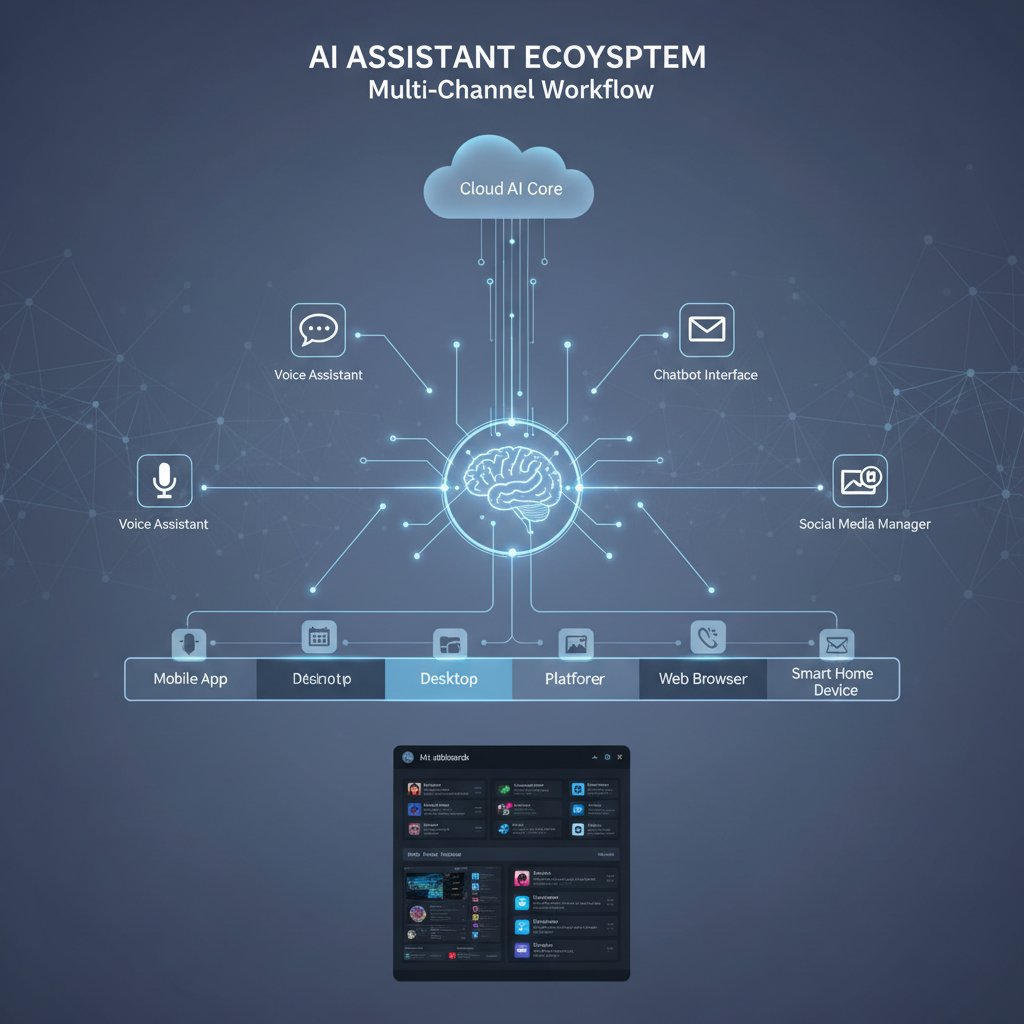
Hybrid solutions are gaining traction, especially in teams managing fieldwork (voice), high-velocity customer support (chat), and official documentation (email). The smart play is to mix and match, letting each channel do what it does best.
Cross-cultural adoption: How email-based AI plays out globally
From Tokyo’s high-context business etiquette to Berlin’s preference for documented communication, adoption patterns vary. In North America, email-based AI is prized for speed; in Europe, for GDPR compliance and archival rigor. Asia’s integration focuses on cross-platform interplay—often connecting email to chat superapps like WeChat.
Email-based AI quirks by region:
- North America: Automation for speed and volume management
- Europe: Emphasis on privacy, compliance, and language nuance
- Asia: Heavy integrations, multi-language support, cross-channel triggers
Local adaptation is key—successful rollout means tuning workflows to match cultural expectations and regulatory realities.
The next frontier: AI and the shape of work in 2030
Emerging trends point to deeper integration between AI, workflow, and even identity. As Riley, a workplace futurist, notes:
"Work won’t disappear, but it will mutate."
The skills needed? Adaptability, digital literacy, and the judgment to harmonize human and machine effort. The age of AI is not about replacement but about augmentation—and email remains the launchpad.
FAQ: Burning questions about email-based personal assistants
Is an email-based assistant safe for sensitive information?
Absolutely—if you pick wisely. Leading providers use end-to-end encryption, role-based access, and regular security audits. Always:
- Choose platforms with transparent privacy policies and clear compliance credentials
- Limit the assistant’s data access to what’s strictly necessary
- Audit activity logs regularly
- Enable two-factor authentication
- Stay updated on provider policies and certifications
Industry standards like SOC 2 and ISO 27001 are good benchmarks; teammember.ai and similar reputable vendors follow these rigorously.
What’s the learning curve for non-tech users?
Minimal. Modern assistants are built for plug-and-play onboarding, using familiar email workflows. To reduce friction:
- Use step-by-step guides from trusted sources like teammember.ai
- Leverage templates and defaults to get started quickly
- Train your assistant incrementally, adding complexity as comfort grows
Steps to train your assistant—no coding required:
- Link your email account securely
- Approve basic automations (e.g., summaries, scheduling)
- Review and tweak drafts regularly for a week
- Expand automation scope as you gain confidence
Support teams are standing by for troubleshooting.
Can I use more than one assistant at a time?
Yes, but with caveats. Running multiple assistants (say, for personal and work accounts) can create conflicts if not carefully segmented.
Pros:
- Specialize assistants for distinct roles (e.g., one for scheduling, another for analytics)
- Keep personal and professional workflows separate
- Test features in parallel for best fit
Cons:
- Overlapping triggers can cause confusion
- More complexity means more risk of mistakes
- Requires vigilant monitoring
Real-world scenarios: a marketing director may use one AI for campaign management and another for inbox triage, cross-referencing results to maximize efficiency.
Synthesis: The future hiding in your inbox
Key takeaways and next steps
Here’s the bottom line: email-based personal assistants aren’t just a fad—they’re rewriting the productivity playbook. The lessons?
- Automate the routine: Save your brain for the strategic.
- Personalize relentlessly: Teach your AI your quirks, demands, and style.
- Audit and adapt: The best workflows are never static.
- Balance automation with oversight: Trust, but verify.
- Act now: Don’t let inertia keep you in email purgatory.
By embracing email-based AI, you tap into the broader wave of digital transformation reshaping work in real time.
The cultural impact: Power, privacy, and the new productivity class
The rise of email-based AI is tilting power dynamics in the workplace. For some, it means freedom from drudgery; for others, anxiety about being left behind. Managers see new possibilities for efficiency, but also new challenges in oversight and trust.

Voices from across the spectrum agree: the new productivity class isn’t defined by how many hours you grind, but by how smartly you orchestrate your digital teammates.
Final reflection: Are you ready to make your inbox work for you?
The revolution isn’t coming—it’s already arrived. The risk is not in trusting automation, but in ignoring its potential. The subversive truth? Mastering your inbox with an email-based personal assistant is the next logical step in reclaiming your time, sanity, and professional edge. Will you seize this opportunity, or let the chaos win? The choice is hiding in plain sight—right in your inbox. Take it.
Sources
References cited in this article
- Automate tasks to reclaim your time in 2025 – LeadDev(leaddev.com)
- Best AI Personal Assistants in 2025 – Saner.AI(saner.ai)
- 7 Best AI Email Assistants You Must Try in 2025 – Qatalog(qatalog.com)
- Business Insider – AI Revolution in Email(businessinsider.com)
- Forbes – AI Will Revolutionize Your Inbox(forbes.com)
- GritDaily – Sensay AI Assistants(gritdaily.com)
- Zoho Mail – Email Protocols(zoho.com)
- UniOne – Why Email Is Still Important(unione.io)
- Abnormal AI – SMTP Protocol(abnormal.ai)
- Wikipedia – Personal Assistant(en.wikipedia.org)
- Klu – Intelligent Personal Assistant(klu.ai)
- AWS – Email-Based AI Assistants(aws.amazon.com)
- RAIA AI – Anatomy of a Robust AI Assistant(raiaai.com)
- Science News Today – What Is an AI Assistant?(sciencenewstoday.org)
- DigitalOcean – Best AI Email Assistants in 2025(digitalocean.com)
- MyScale – Challenges of AI-Powered Email Assistants(myscale.com)
- SendGrid – AI-Based Email Marketing(sendgrid.com)
- Salesforce – AI in Email Marketing(salesforce.com)
- LiveX – Personal AI Assistants and Workflow(livex.ai)
- GoHub Ventures – AI Personal Assistants Market Analysis(gohub.vc)
- Forster Boughman – Digital Assistants and the Privacy Paradox(forsterboughman.com)
- Deloitte – Consumer Data Privacy Paradox(www2.deloitte.com)
- Market.us – AI-Powered Email Assistant Market(market.us)
- AideAI – Top 4 AI Email Assistants in 2024(aideai.app)
- ScienceDirect – AI Assistant in Food Wholesale(sciencedirect.com)
- GetResponse – Email Marketing Case Studies(getresponse.com)
- A-Power – Training Your AI Assistant(a-power.com)
- CanaryMail – Best AI Email Assistant(canarymail.io)
- Superhuman – Intelligent Email Assistant(blog.superhuman.com)
- MaestroLabs – The Best AI for Writing Email(maestrolabs.com)
- Practically Perfect PA – Outlook Hacks for Assistants(practicallyperfectpa.com)
- UseMotion – Best AI Email Assistants(usemotion.com)
- BusinessCaseStudies – Comparative Analysis(businesscasestudies.co.uk)
- HostPapa – Best AI Email Assistants(hostpapa.com)
Focus on what matters. Let AI handle the rest.
We know the feeling — another day starts with 50 unread emails, Ads Manager begging for attention, CRM out of date, and meetings without follow-ups. That's why we built TeamMember.ai — an AI team member that takes over all the operational work at the computer. Has its own email address and SMS number. Manages your inbox, runs Meta Ads, updates CRM, processes meetings, monitors social media, generates morning briefings, and controls the browser. Built on OpenClaw — a leading open-source AI agent — with cross-session memory and secure-cloud architecture that keeps your data safe.
Get startedBe First to Try Your AI Team Member
Every week without automation is dozens of hours lost to operational work. Hours you'll never get back. Join the waitlist and get priority access.
Frequently Asked Questions
How much time do professionals spend on email per day?
According to the article, professionals spend an average of 3.1 hours per day—over 15 hours a week—on email alone, with knowledge workers in industries like finance and law reporting even higher figures.
What is an email-based personal assistant?
An email-based personal assistant is an AI-powered digital teammate that operates directly from your inbox to help manage demands, reminders, and communications, rather than requiring users to switch to separate apps or dashboards.
Why does email overload hurt productivity beyond just lost hours?
The article states that the cost of email overload isn't just in hours lost, but in the creative energy and focus siphoned by endless context-switching between email and other work tasks.
How many emails does an average professional receive per day in 2025?
According to the article, inboxes are averaging 121 new emails per day in 2025, based on data from the Superhuman Blog.
Which industry spends the most time on email relative to core work?
According to the table in the article, the legal industry spends the most time on email, with an average of 20 hours per week on email versus 31 hours on core tasks, representing 39% of work time.
From the Archive
Explore more from AI Team Member

Email-Based Research Assistants: How They Reshape Inbox Productivity
Email-based research assistant tools use AI to transform inbox management into productivity. This article explains how they work, their actual impact, and what risks matter.

Email Content Assistants and Productivity: What Research Shows
Email content assistant tools help professionals manage high message volumes. This article explains how AI-powered email assistants streamline workflows and address productivity challenges.

Email-Based Correspondence Assistant: Productivity Gains and Real Risks
Email-based correspondence assistants use AI to manage inbox overload. This article examines their productivity benefits, the risks experts worry about, and their real-world impact.

Email-Based Professional Helpers Reshape Modern Workflows
Email-based professional helpers are reshaping how teams work in 2025. This article explains how AI-powered email assistants reduce burnout and streamline workflows.

How Technology Email Support Assistants Reshape Email Management
Technology email support assistants use AI to reduce time spent managing emails and boost workplace productivity. This article examines their impact on workflows.

AI-Driven Virtual Assistant for Email Filtering: Benefits and Risks
AI-driven virtual assistant for email filtering systems filter billions of daily emails. This article explains the benefits, risks, and practical strategies for managing AI-assisted inboxes effectively.