


Why Email-Based Reporting Assistants Are Beating Dashboards
Written with AI assistance under our editorial guidelines
Email-based reporting assistants are outperforming traditional dashboards because email remains the dominant communication channel for business, handling over 300 billion messages daily. AI-powered assistants automate manual reporting tasks—data extraction, summary generation, and insight delivery—while leveraging email's universal, asynchronous nature and deep organizational integration. This approach eliminates friction by delivering actionable reports directly where users already work.
In a world where inboxes overflow and attention is currency, the phrase “email-based reporting assistant” sounds almost subversive. For decades, email was supposed to be dead—slain by chat apps, project management dashboards, or shiny new collaboration suites. Yet, here we are, deep in 2025, and email remains the pulse of global business. The real twist? Artificial intelligence is turning this venerable tool into a high-octane reporting engine, quietly slashing hours from workflows and exposing the hidden inefficiencies that teams have come to accept. No bombastic apps. No forced migrations. Just smarter, sharper, AI-driven reports sliding into your inbox—unmissable, actionable, and perfectly timed. Forget what you think you know about email: the email-based reporting assistant is not merely a convenience. It’s a seismic shift in how information moves through organizations, how decisions are made, and how productivity is defined. This isn’t just an incremental upgrade. This is the quiet, relentless revolution happening in your inbox right now.
The silent revolution: why email is the new frontier for AI reporting
The myth of email’s demise
Despite a decade of predictions to the contrary, email is still the backbone of business communication. Every year, analysts declare that chat platforms or dashboards will finally “kill” email, but the numbers laugh in their faces. According to McKinsey’s 2024 research, over 300 billion emails are sent and received daily, with business users accounting for the lion’s share. The reality is simple: email is universal, asynchronous, robust, and—crucially—deeply embedded in organizational muscle memory.

Email’s resilience is often overlooked by technophiles for one reason: it’s boring. But, as any productivity guru will tell you, boring is reliable. In a landscape littered with failed communication experiments, email endures. This underestimated channel is ripe for automation—not because it’s flashy, but because it’s where the real work happens. Leveraging this foundation, AI-powered reporting assistants are transforming email from a static archive into a dynamic, proactive data delivery hub.
AI steps into your inbox
Manual reporting—copy-pasting charts, wrangling spreadsheets, double-checking numbers—has always been a time sink. Today, AI-driven email assistants are automating the entire reporting pipeline: extracting data, generating human-readable summaries, and delivering insights directly to your inbox. The difference isn’t just speed—it’s a complete rewrite of what “reporting” means.
"It’s not about killing email. It’s about making your inbox work for you." — Jordan, AI researcher
Seamless integration is the secret sauce. AI reporting assistants, like those available through platforms such as teammember.ai, don’t force teams to change their workflows. Instead, they embed themselves invisibly into established routines, delivering reports, summaries, and alerts right where people already pay attention: their inbox. This quiet embedding is what lets organizations reap the benefits of AI without the pain of adoption.
The hidden labor of reporting
Hidden in every week’s workload are hours lost to manual report compilation and tedious data wrangling. Whether it’s a sales manager pulling numbers for the Monday meeting or an HR lead summarizing employee engagement, the effort is profound—and largely invisible.
| Aspect | Manual Email Reporting | AI-assisted Email Reporting | User Satisfaction |
|---|---|---|---|
| Time Spent (Weekly Avg.) | 5-8 hours | 2-3 hours | +30% over manual |
| Error Rate | 10-20% | 5-10% | Higher |
| Adoption | Moderate (requires discipline) | High (minimal behavior change) | Higher |
Table 1: Manual vs. AI-assisted email reporting: Time, error rate, adoption
Source: Original analysis based on McKinsey, 2024, Stanford HAI, 2025
The potential to reclaim lost productivity is staggering. According to McKinsey’s latest report, AI-driven email assistants save up to 40% of manual reporting time and cut errors by half. That’s not just better reporting—it’s organizational energy redirected toward creativity, strategy, and growth.
Inside the machine: how email-based AI reporting assistants actually work
Decoding the tech: parsing, automation, and delivery
Peel back the curtain on an email-based reporting assistant and you’ll find a technical symphony humming beneath the surface. It starts with parsing: AI algorithms scan incoming and outgoing emails, identify relevant data points, and extract essential information. Automation kicks in next, with machine learning routines transforming raw data into structured reports—be it sales numbers, project statuses, or customer feedback trends. Finally, delivery: the polished report lands in your inbox, ready for action.
Parsing is the process of automatically reading and understanding unstructured email content—numbers, dates, even attachments—and turning it into actionable data. Example: An assistant scans your team’s daily sales emails and aggregates totals for the week.
Automation refers to the use of AI routines to handle repetitive, rules-based tasks without human intervention. Example: Compiling weekly performance summaries at the same time every Friday.
Inbox integration means embedding reporting tools directly into your existing email workflow, with no extra logins or apps. Example: Generating and receiving a stakeholder report as a regular email thread.
What’s remarkable is the flexibility: AI adapts to diverse data sources and reporting formats, from CSV files to complex database exports. The reporting assistant doesn’t care if your spreadsheet is a mess or your CRM is quirky—it just gets the job done.
Security, privacy, and the AI inbox
With great automation comes great responsibility—especially when sensitive data is involved. The risks of mishandled reports, leaked information, or poor access controls are real. That’s why reputable AI email assistants prioritize security at every step.
- Unclear data ownership: If it’s not clear who has access to your reports, walk away.
- Lack of encryption: End-to-end encryption is non-negotiable for sensitive data.
- Poor audit trails: If you can’t see who accessed or altered a report, you’re inviting trouble.
- Weak authentication: Two-factor authentication should be the baseline, not the exception.
Reputable services address these risks with ironclad security protocols: strong encryption, transparent data policies, granular user permissions, and verifiable audit logs. Compliance with standards like GDPR, SOC 2, or HIPAA isn’t just a box checked—it’s a core business imperative for providers like teammember.ai.
Setup in minutes: myth or reality?
The promise of “instant setup” is everywhere, but is it real? The truth: onboarding a robust email-based reporting assistant is typically fast but not magical. Here’s how it breaks down for most platforms:
- Sign up: Register your organization and verify your email.
- Connect data: Link relevant sources—spreadsheets, databases, apps.
- Configure triggers: Decide when and how reports are sent (time, event, etc.).
- Test: Run a trial report to check accuracy and formatting.
- Refine: Adjust filters, templates, and recipients for precision.
Common hurdles include integrating messy legacy systems, setting up correct permissions, and overcoming initial user resistance. The good news? Most pitfalls are avoidable with clear documentation and support. The best platforms walk you through these steps with minimal technical jargon and plenty of guardrails.
Real-world impact: stories from the edge of adoption
Case study: logistics company slashes reporting time
Consider a mid-sized logistics firm drowning in spreadsheet chaos. Before adopting an AI-powered reporting assistant, their operations team spent 6+ hours a week compiling shipment statuses, error logs, and delivery times for their managers.
| Metric | Before AI | After AI Assistant | Change |
|---|---|---|---|
| Reporting Time | 6 hours/week | 2 hours/week | -66% |
| Error Rate | 18% | 8% | -55% |
| User Satisfaction | 3.5/5 | 4.7/5 | +34% |
Table 2: Before and After AI Implementation: Key Metrics
Source: Original analysis based on McKinsey, 2024, Stanford HAI, 2025
Staff initially expressed skepticism—fears of job displacement and data mishandling. But within two months, most team members reported feeling less stressed and more valuable, freed from mindless copy-paste routines and able to focus on improving logistics flows.
Creative industries: when data meets artistry
Artists and creative agencies seem like unlikely adopters of AI-powered email reporting. Yet, the need for accountability—deadlines, budgets, client approvals—remains universal. Agencies now use AI email assistants to automate project milestone updates, invoice reminders, and feedback loops.

This fusion of data and artistry helps non-traditional sectors harness the power of automated reporting without sacrificing their creative edge. The outcome? More time for ideation, less time lost to administrative drag.
The productivity paradox: too much of a good thing?
Here’s the dark side: when every possible metric is automated, inboxes risk devolving into a firehose of noise. More data doesn’t always mean better decisions.
"More data doesn’t always mean better decisions—it can mean more noise." — Alex, operations lead
The fix isn’t fewer reports—it’s smarter curation. Advanced assistants now allow users to prioritize reports by urgency, relevance, or actionability, ensuring that only the most vital information surfaces daily. The emphasis shifts from raw data to decision-ready insight.
Beyond dashboards: why traditional BI tools are missing the point
The accessibility problem
Dashboards are a staple of business intelligence (BI), but their complexity often excludes non-technical users. According to recent studies, nearly half of knowledge workers admit to “dashboard blindness”—they get overwhelmed, tune out, or simply ignore BI platforms.

Email, by contrast, is the great equalizer. Everyone knows how to open, read, and forward an email. By democratizing access to data, email-based reporting assistants bring critical insights to the front lines—no special training required.
Narrative reporting: telling stories, not just numbers
Numbers alone rarely move people. The rise of narrative-driven reporting—rich context, explanatory text, actionable recommendations—marks a pivotal shift in business analytics.
Narrative email reports offer more than bullet points:
- Better retention: People remember stories, not spreadsheets.
- Easier sharing: A compelling narrative can be forwarded, discussed, and debated without translation.
- Higher engagement: When reports read like a brief, not a data dump, teams actually act on them.
Context-rich email reports synthesize metrics into meaning, driving action where dashboards too often stall.
Email vs. dashboards vs. chatbots: the showdown
Different reporting formats serve different masters. Here’s how they stack up:
| Format | Speed of Delivery | Depth of Insight | Usability | Adoption Rate | Security |
|---|---|---|---|---|---|
| Immediate | High (with narrative) | Universal | Very High | Robust (with encryption) | |
| Dashboards | Real-time | Deep, complex | Moderate | Medium | High |
| Chatbots | On-demand | Medium | Mixed | Low-Medium | Variable |
Table 3: Reporting Formats Comparison Matrix
Source: Original analysis based on Stanford HAI, 2025, Statista, 2024
The bottom line? For most teams, email’s universality and narrative flexibility make it the optimal channel for meaningful, actionable reporting—especially when powered by AI.
Controversies and misconceptions: what everyone gets wrong about AI email reporting
Mythbusting: AI is just a fancy autoresponder
One persistent myth: email-based AI assistants are glorified autoresponders. In reality, the leap from rule-based replies to AI-powered analytics is night and day.
Early “autoresponders” simply sent canned replies on triggers. Today’s AI assistants extract, synthesize, and contextualize complex data sets—delivering business intelligence in plain English. For example, an AI assistant can analyze sales trends, flag anomalies, and recommend action steps—all via email.
Sends programmed, static responses to predefined triggers; limited to basic automation.
Understands natural language, extracts context, generates insights, and adapts to new data sources in real time.
Is email secure enough for sensitive reporting?
Security concerns around email are well-founded—but modern AI email reporting systems have evolved. Encryption, strict authentication, and detailed audit trails are industry standard for reputable providers.
- Use end-to-end encryption for sensitive attachments and content.
- Enforce multi-factor authentication for report access.
- Maintain robust audit logs to track report delivery, opening, and forwarding.
"The real risk isn’t email—it’s how you use it." — Morgan, IT consultant
Ultimately, security is less about the tool and more about the practices that surround it.
The “email is dead” fallacy
Despite the onslaught of new communication platforms, email refuses to die. Instead, it adapts, morphs, and—thanks to AI—comes back stronger.

The story isn’t about email fading away. It’s about email growing up—becoming proactive, integrated, and indispensable. In a landscape littered with the bones of forgotten apps, email, supercharged by AI, stands taller than ever.
Practical application: maximizing ROI with an email-based reporting assistant
Checklist: is your workflow ready for AI email reporting?
Not every workflow is ripe for AI-powered reporting via email. Here’s a quick assessment to gauge readiness:
- Data accessibility: Are your key metrics easily accessible in digital form?
- Stakeholder buy-in: Do decision-makers support automation?
- Workflow complexity: Are reporting processes repetitive and rule-based?
- Automation appetite: Are teams open to experimenting with new tools?
- Security needs: Are data privacy and compliance requirements clear?
A “yes” to most questions means your team is primed for automation. If you’re stuck, consider starting with a small pilot.
Common mistakes and how to avoid them
Rolling out an AI email reporting assistant isn’t foolproof. Watch out for these traps:
-
Unclear goals: Fuzzy objectives lead to useless reports.
-
Lack of training: Even the best tools fail if users don’t know how (or why) to use them.
-
Poor change management: Sudden rollouts breed resistance and confusion.
-
Red flags during rollout:
- Users ignore new reports or mark them as spam.
- Security settings are left on default.
- No feedback loop for continual improvement.
Strategies for troubleshooting include phased rollouts, clear communication of benefits, and regular review sessions to tweak automation rules.
Tips and hacks for advanced users
Want to go beyond the basics? Power users push email-based reporting assistants further by:
- Integrating with project management systems for richer, cross-referenced reports.
- Using conditional triggers (e.g., only send a report if KPIs drop below a threshold).
- Customizing templates for specific audiences (executives vs. technical leads).
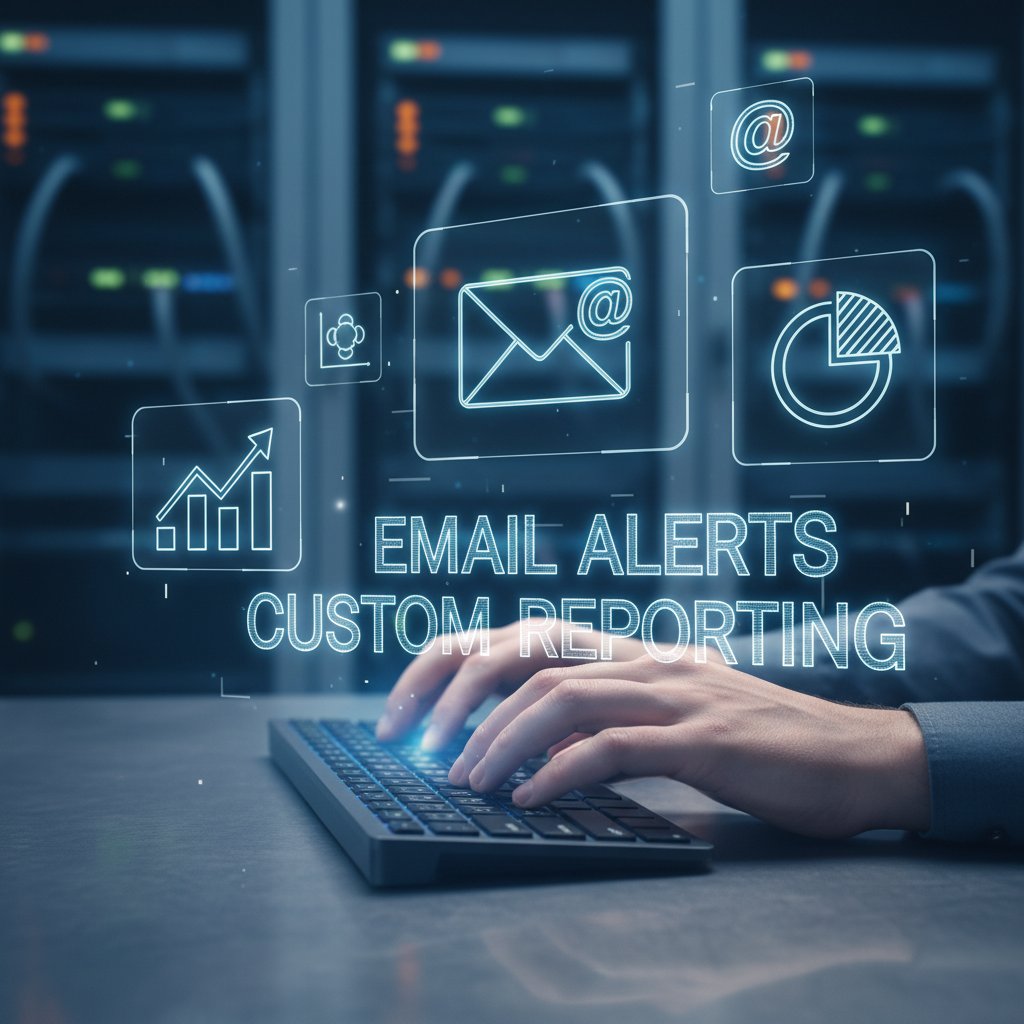
True workflow mastery comes from connecting your email assistant to a broader tool ecosystem—think Slack, Trello, or Asana—so reports flow exactly where they’re needed.
Industry deep-dive: who’s winning with email AI?
Top use cases by industry
Certain sectors are extracting outsized benefits from email-based AI reporting:
| Industry | Reporting Need | AI Benefits | Adoption Rate |
|---|---|---|---|
| Marketing | Campaign tracking | Faster insights, reduced prep | High |
| Finance | Portfolio analysis | Improved accuracy, faster decisions | High |
| Healthcare | Patient comms, compliance | Less admin, better satisfaction | Medium-High |
| Technology | Support ticket summaries | Faster response, actionable data | High |
Table 4: Industry Use Case Matrix
Source: Original analysis based on Statista, 2024, McKinsey, 2024
It’s not just the usual suspects—creative industries and logistics firms are jumping in, leveraging AI’s strengths in unique, sector-specific ways.
Future-proofing your reporting strategy
Staying ahead demands vigilance. To ensure your reporting stays relevant:
- Regularly audit reporting processes for redundancy or bottlenecks.
- Evaluate new tools with a pilot program before wide adoption.
- Watch for vendor lock-in; prioritize platforms that play well with others.
Teammember.ai and similar solutions enable ongoing innovation—allowing organizations to adapt as reporting trends shift and grow.
When not to use an email-based reporting assistant
AI email assistants aren’t a panacea. Some scenarios call for different tools:
-
Need for real-time, highly visual dashboards (e.g., trading floors).
-
Demand for instant, interactive chat analytics.
-
Strict regulatory environments requiring on-premise-only solutions.
-
Limitations and alternatives:
- Real-time alerts: Use dashboards or chatbots instead.
- Deep, exploratory data analysis: Dashboards with drill-downs.
- Visual storytelling: Data visualization tools.
The optimal reporting format depends on your goals, data type, and audience. Don’t force email where it doesn’t fit.
The cultural impact: email-based AI and the future of work
Democratizing analytics: data for the people
AI-powered email reporting lowers the technical barrier for data-driven decision making. No more gatekeeping—everyone in the organization, from interns to executives, can access actionable insights.

The societal impact? Smarter, faster decisions at every level, more inclusive cultures, and fewer bottlenecks. When analytics are democratized, companies move as one.
Cultural clashes: inbox-first vs. chat-first organizations
The battle lines are real: some teams live in their inbox, others in chat. AI reporting assistants have the power to bridge—or exacerbate—these divides.
The key isn’t the tool but the communication culture behind it. The best AI assistants adapt to both worlds, sending reports where people actually engage.
"It’s not about the tool, it’s about how teams communicate." — Jordan, AI researcher
Building a bridge between inbox-first and chat-first teams requires buy-in, training, and a willingness to experiment.
Invisible labor and the rise of AI teammates
AI-powered reporting assistants are shifting the burden of repetitive reporting off human shoulders. This “invisible labor” becomes the domain of your digital teammate—always on, never tired, endlessly precise.
The result? Human workers get to focus on creative problem-solving, strategic planning, and high-value initiatives. Teammember.ai exemplifies this new paradigm, standing as a digital teammate that quietly amplifies what teams can achieve.
Looking ahead: will email-based reporting assistants shape the next decade?
Trends to watch in 2025 and beyond
The current landscape is already rich with AI-powered reporting, but it’s getting even sharper. Expect continued improvements in natural language generation, context-aware insights, and frictionless integrations. Regulatory scrutiny is intensifying, pushing providers to up their compliance game, while user expectations for personalized, real-time insights keep climbing.

Staying current isn’t optional—it’s existential.
The big question: is this the future, or just a phase?
Will email-based reporting assistants remain the gold standard, or will the next wave of tech sweep them aside? Some experts predict continued dominance due to email’s ubiquity, while dissenters point to the lure of instant messaging and immersive dashboards.
Either way, the essential question is this: Is your workflow as smart as it could be? Are you leveraging the tools that actually move the needle for your team and your business?
Your move.
Final synthesis: reclaiming the inbox
Here’s the real takeaway: the email-based reporting assistant isn’t just a tool. It’s a philosophy—a challenge to the status quo. Email’s comeback, supercharged by AI, is a testament to the power of simple, familiar platforms that adapt to new realities. If you’re tired of the noise, the labor, the constant juggling, consider what your inbox could be: a command center, a source of clarity, a driver of real progress. The AI revolution isn’t coming—it’s already waiting in your inbox. Time to open the (digital) envelope.
Sources
References cited in this article
- McKinsey: The state of AI(mckinsey.com)
- Stanford HAI: 2025 AI Index(hai.stanford.edu)
- Statista: Global opinions on AI(statista.com)
- Pew Research: AI in daily life(pewresearch.org)
- Medium: The Silent Revolution in AI(medium.com)
- Cambridge Judge: AI trends and risks(jbs.cam.ac.uk)
- Elite Brands: Is Email Marketing Really Dead?(elitebrands.org)
- DataReportal: Email is still essential(datareportal.com)
- EmailToolTester: Email Usage Statistics 2025(emailtooltester.com)
- MarkTechPost: Top AI Email Assistants 2024(marktechpost.com)
- Analytics Insight: Top 10 AI Email Automation Tools(analyticsinsight.net)
- MRFR: AI Email Assistant Market(marketresearchfuture.com)
- Myscale: 2024's Top Email AI Agents(myscale.com)
- Datamine: Data, Analytics, Reporting, BI, and AI in 2024(datamine.com)
- SpikeNow: Best AI Email Assistants(spikenow.com)
- Whatagraph: 9 Best AI Reporting Tools in 2025(whatagraph.com)
- McKinsey: State of AI in early 2024(mckinsey.com)
- Userlist: SaaS Email Case Study Examples(userlist.com)
- Logistics Brief: Industry Case Studies(logisticsbrief.com)
- CodeXTeam: AI and Supply Chain Optimization(codex.team)
- DATAVERSITY: Why Companies Should Transition to AI for Better Business Monitoring(dataversity.net)
- Yodaplus: AI-First Reporting vs Traditional BI(yodaplus.com)
- MetricsWatch: Email vs Dashboard Reporting(metricswatch.com)
- StationIA: Chatbot Statistics 2024(stationia.com)
- Freshworks: Chatbot Statistics(freshworks.com)
- VIPRE: Q2 2024 Email Threat Trends(aithority.com)
- FTC: Concerns about AI in phishing(ftc.gov)
- EmailTree: The Future of Email Security(emailtree.ai)
- INKY: 2024-2025 Email Security Annual Report(inky.com)
- Mimecast: State of Email and Collaboration Security 2024(mimecast.com)
- Forbes: Email Isn't Dead—In Fact, It's Thriving(forbes.com)
- Omnisend: Is Email Marketing Dead?(omnisend.com)
- EmailIsNotDead.com(emailisnotdead.com)
- MailerLite: Email Marketing ROI(mailerlite.com)
- Nielsen: 2024 Annual Marketing Report(nielsen.com)
- Mailmodo: Email Marketing ROI Statistics(mailmodo.com)
- Stova: Event Analytics Case Studies(stova.io)
Focus on what matters. Let AI handle the rest.
We know the feeling — another day starts with 50 unread emails, Ads Manager begging for attention, CRM out of date, and meetings without follow-ups. That's why we built TeamMember.ai — an AI team member that takes over all the operational work at the computer. Has its own email address and SMS number. Manages your inbox, runs Meta Ads, updates CRM, processes meetings, monitors social media, generates morning briefings, and controls the browser. Built on OpenClaw — a leading open-source AI agent — with cross-session memory and secure-cloud architecture that keeps your data safe.
Get startedBe First to Try Your AI Team Member
Every week without automation is dozens of hours lost to operational work. Hours you'll never get back. Join the waitlist and get priority access.
Frequently Asked Questions
Why are email-based reporting assistants considered better than dashboards?
Email-based reporting assistants deliver actionable, perfectly-timed reports directly to your inbox without requiring forced migrations or new apps, while automating manual reporting tasks like copy-pasting charts and wrangling spreadsheets. They transform email from a static archive into a dynamic, proactive data delivery hub that integrates seamlessly into existing workflows.
Is email really still used as much as the article claims?
Yes, according to McKinsey's 2024 research cited in the article, over 300 billion emails are sent and received daily, with business users accounting for the lion's share. Email remains the backbone of business communication despite decades of predictions that chat platforms or dashboards would replace it.
What specific tasks do AI-powered email reporting assistants automate?
AI-driven email assistants automate the entire reporting pipeline, including extracting data, generating human-readable summaries, and delivering insights directly to your inbox, eliminating manual tasks like copy-pasting charts and wrangling spreadsheets.
Why has email survived despite being predicted to be replaced?
Email endures because it is universal, asynchronous, robust, and deeply embedded in organizational muscle memory. Despite being overlooked as "boring" by technophiles, this reliability makes it a dependable foundation for automation and business communication.
From the Archive
Explore more from AI Team Member

Email-Based Reporting Tools: Why They Outpace Dashboards
Email-based reporting tools leverage ubiquity and accessibility to outperform dashboards. This article examines their resurgence, operational advantages, and integration with modern automation.

Email-Based Analytics Reports Vs Dashboards: Where Insight Wins
Discover insights about email-based analytics reports

Email-Based Data Analyst: How AI Democratizes Analytics
Email-based data analyst tools automate data extraction and pattern detection directly in your inbox. This article explains how AI-powered assistants surface insights and flag risks within everyday workflows.

Automatic Report Delivery Via Email at Scale
Automatic report delivery via email eliminates manual reporting inefficiencies. This article explains the hidden costs of manual workflows and strategies for scaling email reports reliably.
How Email-Based Financial Assistants Reshape Modern Finance
An email-based financial assistant can outperform traditional finance apps. This article explains how AI-powered email assistants are reshaping financial workflows.

Email Report Generation Tools in 2026: Automation Without Chaos
Discover insights about email report generation tool




