


AI Administrative Support in 2025: How Offices Are Actually Changing
Written with AI assistance under our editorial guidelines
By 2026, AI now handles nearly two-thirds of repetitive office tasks, fundamentally reshaping workplace dynamics. This shift offers significant efficiency gains for executives and administrative staff, but introduces new risks and challenges that organizations are only beginning to understand. Success requires moving beyond viewing AI administrative support as simple automation and grappling with its deeper implications.
Walk into any serious office in 2025, and you’ll feel it—the hum isn’t just the air conditioning. It’s a silent, relentless algorithmic pulse. AI administrative support isn’t just a new software fad or a glitzy chatbot on the company intranet. It’s a revolution that’s quietly remapped the DNA of how we work. Nearly two-thirds of repetitive office tasks are now automated by AI, according to the World Economic Forum’s most recent breakdown. For the battle-weary admin staff and overburdened execs, this is a seismic recalibration. But it’s not a bloodless coup. Underneath the buzzwords and tech optimism lurk new risks, tough realities, and an entire set of rules the business world is just starting to grasp. This is not the future we were promised—it’s the one that snuck up behind us, already in progress. If you want to thrive (not just survive) in this new office ecosystem, forget the old playbook. Here’s what’s really happening with AI administrative support and why pretending it’s just “helpful automation” is the fastest way to get left behind.
Why AI administrative support is suddenly everywhere
The cultural moment: from secretaries to algorithms
Once, the rhythm of office life was dictated by the click of typewriters, the rustle of Rolodexes, and the desk-bound mastery of seasoned human assistants. Fast forward to 2025, and the gatekeepers of order are invisible—algorithms, not personalities. Take a look around: the vintage Rolodex is a prop, nostalgia at best. The glowing laptop displays an AI interface that juggles ten times the workload, minus the attitude. The migration from flesh-and-blood assistants to digital surrogates didn’t happen overnight, but the cultural whiplash is undeniable. According to the World Economic Forum, 2025, 63% of all automatable office tasks now fall squarely in the AI camp.

The collision of corporate culture and relentless tech advancement has made AI admin support not just mainstream but practically mandatory. Legacy hierarchies, where access and influence flowed through the assistant’s desk, are vanishing. In their place: a hyper-efficient, emotionless, always-on system that tracks, schedules, and triages. This is the era of “productivity at any cost,” and the algorithm is king. As Jordan, a project lead at a mid-size tech firm, put it:
"We didn’t realize how fast admin work would change until it was already everywhere." — Jordan, Project Lead, Executive Support Magazine, 2025
The ground shifted while we were busy with our morning coffee.
How AI slipped into your workflow (and you barely noticed)
AI administrative support didn’t storm the gates. It infiltrated, quietly, in the guise of helpful features. According to recent reports, the average professional now interacts with at least six AI-driven admin tools per day—often without realizing it. Think about it: your calendar auto-suggests optimal meeting slots, your inbox auto-prioritizes client emails, and draft responses appear before you’ve even blinked. AI’s reach is subtle but thorough, seeping into every crevice of routine office life.
7 hidden ways AI is already running your office
- Automated scheduling assistants: Tools like AI-powered calendar management not only book meetings but resolve scheduling conflicts, send reminders, and even negotiate times with external partners.
- Smart email triage: Email clients now leverage natural language processing (NLP) to sort, flag, and sometimes even respond to routine inquiries, slashing response times and reducing human error.
- Data entry bots: Monotonous form-filling and spreadsheet updates are now performed by RPA (Robotic Process Automation) agents, improving accuracy and freeing up human hours.
- Document management: AI scans, tags, and archives incoming documents—making retrieval instant and compliance headaches far rarer.
- Meeting transcription: Virtual meeting platforms use AI to record, summarize, and distribute action items, ensuring nothing gets lost in translation.
- Task prioritization engines: AI systems assess urgency, deadlines, and dependencies, nudging users toward the next critical task.
- Research assistants: From market analysis to competitive intelligence, AI collects, synthesizes, and presents findings faster than any intern ever could.
Despite this, most employees still underestimate AI’s impact on their day-to-day work. It’s become so normalized—so woven into the digital fabric—that “admin support” is now less an assigned role and more a distributed background presence. Ignoring its influence is as naïve as ignoring the Wi-Fi signal: invisible but omnipresent.
Beneath the buzz: what AI admin support actually does
Core functions: beyond the hype
Let’s cut through the marketing haze. At its core, AI administrative support tackles the same functions that once chained junior staff to their desks: calendar management, data entry, internal communications, document generation, and workflow coordination. The difference? Speed, scale, and—sometimes—lack of context. Platforms like teammember.ai now embed directly into email and project management systems, seamlessly bridging old-school habits with new digital realities. What once took a bustling support team can now be executed by a single AI system in seconds.
Table 1: Comparison of traditional admin tasks vs. AI-powered alternatives
| Task | Human Approach | AI Approach | Hybrid Model | Key Insight |
|---|---|---|---|---|
| Calendar Management | Manual scheduling | Automated, 24/7 | AI suggests, human confirms | Drastically reduces scheduling conflicts and frees up time |
| Data Entry | Tedious, error-prone | Instant, precise | Human oversight on exceptions | Far fewer mistakes and faster turnarounds |
| Email Triage | Subjective, slow | NLP-based auto-sorting | AI flags, human replies to critical | Speeds up inbox zero, improves response consistency |
| Document Generation | Template-based, slow | AI drafts, instant | Human edits AI drafts | Content quality increases, turnaround decreases |
| Task Prioritization | Gut feeling | Data-driven, real time | AI ranks, manager approves | Priorities reflect actual urgency, not perception |
Table 1: Original analysis based on World Economic Forum (2025), Executive Support Magazine (2025), and teammember.ai case studies.
Modern AI admin platforms don’t just bolt onto your workflow—they act as the connective tissue, integrating with legacy systems and making silos obsolete. According to Gartner, 2024, 79% of strategists now see AI and analytics as essential for business success.
Not just for big tech: real-world applications in small businesses
The myth that AI admin support is only for Silicon Valley giants doesn’t hold up. Consider a small marketing consultancy in Berlin that onboarded new clients using AI-powered intake forms. Here’s how it played out: the owner set up an AI assistant to collect client data, schedule kickoff meetings, and file documents. Within two weeks, onboarding time dropped from 7 days to less than 48 hours. The process: (1) client receives auto-generated form, (2) AI parses responses, (3) appointments are scheduled, (4) docs are uploaded, (5) human reviews edge cases. The owner estimates a 60% reduction in admin workload.

For non-tech businesses, the pros are clear: time savings, fewer mistakes, and a smoother client experience. But there are cons: up-front setup, potential integration headaches, and the need for staff to develop new digital skills. Still, it’s a trade-off most small business owners are choosing to make, especially as competitors race to streamline their own workflows.
Myths, fears, and the brutal reality of AI admin
Debunking the top 5 misconceptions
The AI apocalypse isn’t quite what you’ve been told, especially in admin support.
-
Myth 1: “AI will steal your job.”
Reality: AI takes over repetitive, rule-based tasks, but demand for roles requiring emotional intelligence, judgment, and context increases. According to the World Economic Forum, 2025, administrative roles are evolving, not vanishing. -
Myth 2: “You need to be a tech whiz to use AI admin.”
Reality: Most tools are designed for non-technical users, with intuitive interfaces and email-based workflows. -
Myth 3: “AI always gets things right.”
Reality: Algorithmic errors, especially in ambiguous situations, still require human oversight. -
Myth 4: “AI is too expensive for small businesses.”
Reality: SaaS pricing models and competition have driven costs down, making basic AI admin accessible to even solopreneurs. -
Myth 5: “AI admin is all hype, no substance.”
Reality: 99% of Fortune 500 companies now use some form of AI solution, with measurable gains in productivity and satisfaction (Jotform, 2024).
The nuanced truth? Human-AI collaboration is not a zero-sum game. Research from WEF, 2025 shows that teams using AI admin support report higher job satisfaction—provided they’re trained to collaborate, not compete, with their digital colleagues.
The dark side: data privacy, bias, and burnout
Risks haven’t evaporated—they’ve just mutated. Data leaks, algorithmic bias, and decision fatigue have climbed to the top of the worry list. “When you trust an AI with your scheduling, you’re also trusting it with a map of your priorities and relationships,” says Dr. Erika Wu, cybersecurity expert. Mistakes aren’t just embarrassing—they can be catastrophic.
Table 2: Risks of AI admin vs. mitigation strategies
| Risk | Likelihood | Potential Impact | Prevention Tip |
|---|---|---|---|
| Data privacy breaches | Medium | High (reputation/legal) | Choose vendors with end-to-end encryption |
| Algorithmic bias | Medium | Medium | Regularly audit and retrain AI on diverse data |
| Decision fatigue | High | Medium | Set boundaries for auto-suggestions; human review |
| Workflow breakdowns | Low | High | Maintain manual override options |
| Vendor lock-in | Medium | Medium | Favor solutions with open APIs and portability |
Table 2: Original analysis based on Gartner (2024), Executive Support Magazine (2025), and cybersecurity best practices.
Vetting AI admin platforms for security and transparency isn’t optional—it’s existential. Look for third-party audits, clear data retention policies, and user control over permissions. If a vendor can’t explain how their AI makes decisions, walk away.
Inside the machine: how AI admin support really works
Natural language processing: making sense of chaos
The heart of modern AI admin support is natural language processing (NLP). It’s what lets an algorithm decode, “Can you set up a catch-up with Sam for next week—oh, and make sure it’s not on a Monday?” Instead of brute-force keyword matching, NLP models learn context, intent, and nuance, parsing ambiguous requests with eerie precision. The difference? A human assistant might send a clarifying email; the AI cross-references your calendar, emails Sam, and suggests three viable options in minutes.
Key technical terms defined
-
NLP (Natural Language Processing):
Algorithms that allow computers to understand, interpret, and respond to human language with context. -
Intent recognition:
The AI’s ability to discern the underlying aim or command behind a user’s message—even if phrased ambiguously. -
Entity extraction:
Identifying key pieces of information (dates, names, locations) from unstructured text. -
Contextual filtering:
Using past interactions and current workflow to interpret the right response or action. -
Machine learning fine-tuning:
Continuously updating algorithms based on user feedback and new data for improved accuracy.
A simple email like, “Let’s move the 3PM review to after lunch, and loop in marketing,” triggers a cascade of parsing, cross-referencing, and scheduling—no human bottleneck required.
Integration: connecting your digital ecosystem
AI admin tools work best when they’re the glue tying together your fragmented workflow. They sync with calendars, email, project management apps, and even HR systems—turning chaos into cohesion. But smooth integration isn’t automatic; it’s a process. Here’s how to make it happen:
Step-by-step guide to integrating AI admin support
- Assess your workflow: Map out current tools and manual processes.
- Select the right AI platform: Evaluate options based on compatibility, security, and features.
- Get leadership buy-in: Secure support from key decision-makers.
- Set clear goals: Define what success looks like (time saved, errors reduced, etc.).
- Data migration: Import contacts, calendars, and documents.
- Configure settings: Tailor permissions, integrations, and automation triggers.
- Train your team: Provide hands-on onboarding and resources.
- Monitor and iterate: Use analytics to tweak workflows for continuous improvement.

The result? Fewer silos, faster information flow, and a digital ecosystem that feels less like a patchwork and more like a living, breathing organism.
Who’s using AI admin support—and what happens next?
Case studies: startups, law firms, and creatives
The revolution isn’t one-size-fits-all. At a Berlin-based startup, replacing their human office manager with an AI solution led to a 40% increase in operational efficiency—but only after a rocky adjustment period where staff had to re-learn delegation and trust. At a boutique law firm in Chicago, AI-driven document management cut the time spent on filing and retrieval by 70%, according to internal audits. The partners reported less “admin drag” and more billable hours.
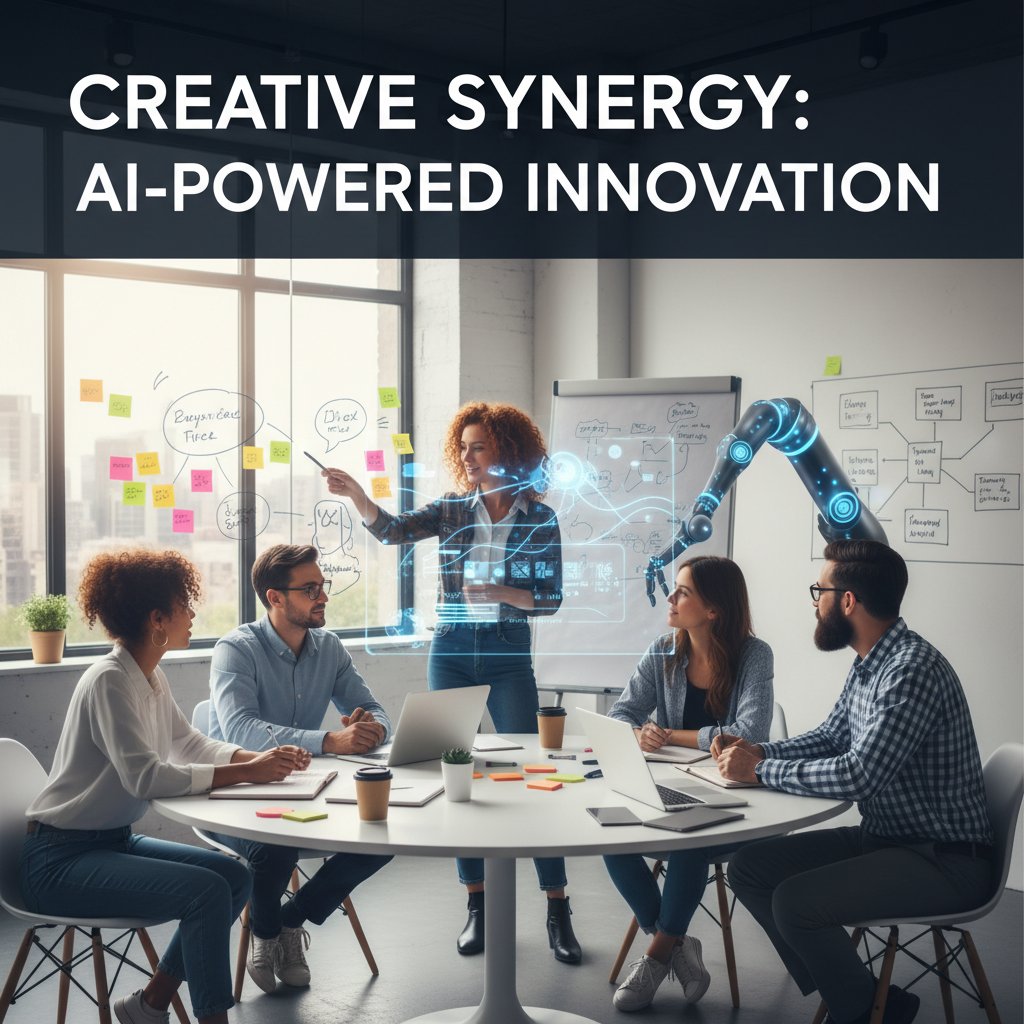
Creative agencies, always allergic to bureaucracy, now use AI not just for scheduling but for brainstorming prompts, meeting recaps, and client follow-ups. In a recent campaign, an agency used AI to generate 20 concept drafts in the time it once took to brief a team. The common thread: measurable gains, but only when teams redefined their relationship with admin work—from gatekeeper to enabler.
Unexpected winners and losers
Not everyone comes out ahead. Industries with rigid compliance needs (think healthcare, government) face steeper regulatory hurdles. Creative sectors and startups, however, thrive on the flexibility AI admin offers.
Table 3: Winners vs. losers in AI admin adoption
| Industry | Adoption Rate | Efficiency Gains | Employee Satisfaction |
|---|---|---|---|
| Tech Startups | High | High | High |
| Legal | Medium | High | Medium |
| Healthcare | Low | Medium | Low |
| Manufacturing | Medium | Medium | High |
| Creative Agencies | High | High | High |
| Government | Low | Low | Medium |
Table 3: Original analysis based on World Economic Forum (2025), Gartner (2024), and teammember.ai industry insights.
The difference? Teams that embrace continuous learning and treat AI as a creative partner tend to thrive, while those clinging to legacy power structures often struggle.
How to choose the right AI administrative support for you
Key questions to ask before buying in
With a flood of vendors on the market, picking the right AI admin solution is a minefield. Essential criteria include:
- Security. Is the platform compliant with relevant regulations (GDPR, HIPAA)?
- Compatibility. Does it integrate smoothly with your existing stack?
- Scalability. Can it handle growth without breaking the bank?
- Transparency. Are AI decisions explainable, or is it a black box?
- User experience. Is it intuitive, or will your team revolt?
- Support. Is real help available when things go sideways?
- Customization. Can you tailor workflows to fit your business?
- Data ownership. Who really controls your information?
- Vendor reputation. Are they stable, or a flash in the pan?
9-point checklist for evaluating AI admin platforms
- Confirm regulatory compliance (GDPR, SOC2, etc.)
- Check integration options for calendars, email, and project management
- Review pricing model for hidden fees
- Test user interface with real staff
- Assess vendor’s data security track record
- Request transparency on AI training data
- Analyze analytics and reporting features
- Evaluate customer support responsiveness
- Read independent reviews and case studies
Beware of platforms that overpromise or dodge hard questions about privacy. A “set it and forget it” attitude is a red flag.
DIY, off-the-shelf, or full-service? Pros and cons
Businesses face three main choices: build your own AI admin, buy a ready-made tool, or hire a full-service provider. Each path has trade-offs.
Table 4: Features, costs, and maintenance by approach
| Approach | Features | Cost | Maintenance |
|---|---|---|---|
| DIY (Build Yourself) | Fully customizable | High (upfront) | Ongoing, complex |
| Off-the-Shelf | Standardized, fast | Low to medium | Minimal |
| Full-Service | White-glove, tailored | Premium | Included |
Table 4: Original analysis based on Gartner (2024) and teammember.ai product landscape.
Match your solution to your size and ambition. Startups may prefer off-the-shelf for speed, while enterprises with complex needs might opt for full-service or hybrid approaches.
Optimizing your workflow: advanced strategies and hacks
Level up: unconventional uses for AI admin support
Some teams don’t just automate—they innovate. Here’s how the bold are redefining the limits of AI admin:
- Crisis response coordination: AI rapidly mobilizes teams during incidents, auto-assigning roles and tracking updates.
- Onboarding new hires: Automated checklists, scheduled trainings, and real-time Q&A reduce ramp-up times.
- Hybrid meetings logistics: AI handles room bookings, virtual links, follow-ups, and even time zone coordination.
- Cross-team project audits: AI flags missed deadlines, suggests course corrections, and compiles project retrospectives.
- Conference planning: From invite lists to travel bookings, AI keeps large-scale events on track.
- Internal surveys and feedback loops: Instant surveys with auto-generated reports for management.
- Vendor management: AI tracks contract renewals, compliance paperwork, and invoice approvals.
Blending human intuition with AI’s brute efficiency leads to results no single approach can match.
Pitfalls to avoid and expert tips
Teams stumble when they treat AI as a cure-all or ignore the human element. Training, clear guidelines, and continuous review are non-negotiable.
"The trick is to treat AI as a collaborator, not a replacement." — Riley, Workflow Consultant, Executive Support Magazine, 2025
For maximum ROI, invest in onboarding and foster a culture where feedback (from both humans and machines) is acted upon—not just collected.
The future of AI administrative support: bold predictions and evolving risks
Where AI admin goes next: 2025–2030
Today’s AI admin platforms are just the beginning. Expect current breakthroughs—emotion AI, hyper-personalization, global remote team orchestration—to reshape the landscape, making AI not just a silent assistant but a visible, strategic partner.

Emerging tech is blurring the line between admin and decision-maker, raising fresh questions about trust, bias, and the role of human judgment.
From hype to reality: what to watch in the next wave
Regulators and ethicists are catching up, forcing vendors to prioritize explainability and fairness.
Timeline: major milestones in AI admin evolution
- Early email bots (2010s)
- NLP-powered scheduling assistants (2017)
- Full-suite AI admin platforms (2022)
- Seamless multi-tool integrations (2023)
- Emotion and sentiment analysis features (2024)
- Industry-specific compliance modules (2025)
- Standardized explainability and transparency protocols (2026)
Businesses that invest now in training, security, and collaborative workflows will be best positioned to shape—not just react to—the new workplace order.
Adjacent trends: AI in HR, project management, and beyond
Crossing boundaries: AI’s growing role outside admin work
The rise of AI admin support is catalyzing changes beyond traditional admin silos. HR departments now rely on AI-generated reports to track employee engagement, while project managers automate routine updates and milestones.

At one logistics company, AI-admin tools now oversee onboarding, payroll, and engagement surveys—functions once scattered across three departments. The result: less confusion, faster response times, and a data trail that actually means something.
The blurred line between admin and strategy
When does an assistant become an advisor? As AI systems handle more complex, context-rich workflows, the distinction between admin support and business strategy is fading.
Key terms defined:
-
Decision intelligence:
AI-driven systems that offer recommendations based on predictive analytics, not just task automation. -
Workflow orchestration:
The coordination and automation of complex processes across teams and tools. -
Augmented analytics:
Leveraging AI to uncover insights from large datasets, driving faster, better decisions. -
Shadow IT:
The trend of employees deploying tech solutions (including AI tools) outside official channels, often for productivity gains.
As AI moves up the value chain, businesses must reconsider what “support” really means—and who (or what) is calling the shots.
Checklists, resources, and next steps
Self-assessment: is your team ready for AI admin support?
Before diving in, evaluate your readiness:
- Chronic backlog of routine admin work, despite hiring efforts.
- Manual workflows causing delays and errors.
- Poor visibility into task status or project progress.
- Siloed data making cross-team collaboration a nightmare.
- Lack of standardized processes for onboarding, reporting, or compliance.
- Low morale among employees stuck doing repetitive tasks.
- Customer complaints about slow response times.
- Difficulty scaling operations without extra headcount.
If two or more red flags sound familiar, it’s time to consider AI admin support. Successful adoption depends on clear communication, phased rollouts, and ongoing training—get buy-in from all levels, not just the C-suite.
Trusted resources and further reading
For unbiased reviews and up-to-date research, look to:
- World Economic Forum, 2025
- Executive Support Magazine, 2025
- Tanka.ai Blog, 2025
- User communities on LinkedIn and industry forums
- Vendor-neutral review platforms
For industry best practices and case studies, platforms like teammember.ai regularly publish actionable guides and success stories.
"Don’t wait for the perfect moment—start experimenting now." — Morgan, Business Operations Lead, Tanka.ai Blog, 2025
In a world where the only certainty is acceleration, AI administrative support stands as both disruptor and lifeline. The headlines may scream about job-stealing robots, but the reality is more complex, more human—and far more interesting. The offices that adapt will discover not just new efficiencies, but entirely new ways of working. Are you in, or already left behind?
Sources
References cited in this article
- World Economic Forum(weforum.org)
- Tanka.ai Blog(tanka.ai)
- Executive Support Magazine(executivesupportmagazine.com)
- Yarddiant(yarddiant.com)
- SwipedOn(swipedon.com)
- Simpleshow(simpleshow.com)
- WorkflowOTG(workflowotg.com)
- Office Dynamics(officedynamics.com)
- AI-Admin(ai-admin.com)
- Numerous.ai(numerous.ai)
- Brickwork India(brickworkindia.com)
- Algolia(algolia.com)
- Digital Learning Institute(digitallearninginstitute.com)
- Forbes Tech Council(forbes.com)
- Forbes Business Council(forbes.com)
- Coalfire(coalfire.com)
- Lindy.ai(lindy.ai)
- Comidor(comidor.com)
- AtlasUp(atlasup.com)
- Microsoft News(news.microsoft.com)
- AIIM(info.aiim.org)
- VKTR(vktr.com)
- Biz4Group(biz4group.com)
- Microsoft AI(microsoft.com)
- Business Insider(businessinsider.com)
- Wiley Journal(onlinelibrary.wiley.com)
- Single Grain(singlegrain.com)
- AlwaysAI(alwaysai.co)
- Trailblazer Garage(trailblazergarage.com)
- BotsCrew(botscrew.com)
- OTAKOYI(otakoyi.software)
Focus on what matters. Let AI handle the rest.
We know the feeling — another day starts with 50 unread emails, Ads Manager begging for attention, CRM out of date, and meetings without follow-ups. That's why we built TeamMember.ai — an AI team member that takes over all the operational work at the computer. Has its own email address and SMS number. Manages your inbox, runs Meta Ads, updates CRM, processes meetings, monitors social media, generates morning briefings, and controls the browser. Built on OpenClaw — a leading open-source AI agent — with cross-session memory and secure-cloud architecture that keeps your data safe.
Get startedBe First to Try Your AI Team Member
Every week without automation is dozens of hours lost to operational work. Hours you'll never get back. Join the waitlist and get priority access.
Frequently Asked Questions
What percentage of office tasks are now automated by AI according to the article?
According to the World Economic Forum's 2025 data cited in the article, nearly two-thirds (63%) of all automatable office tasks now fall in the AI camp.
How has the role of human administrative assistants changed in 2025?
The article describes a shift from human gatekeepers and seasoned assistants to invisible algorithms that handle administrative tasks, with AI systems now juggling significantly more workload than traditional human assistants.
What has replaced traditional office hierarchy structures according to the article?
The article states that legacy hierarchies where access and influence flowed through the assistant's desk are vanishing, replaced by a hyper-efficient, emotionless, always-on system that tracks, schedules, and triages tasks.
Is AI administrative support presented as purely beneficial in this article?
No, the article emphasizes that while AI administrative support offers real benefits, it also 'lurks new risks, tough realities, and an entire set of rules the business world is just starting to grasp,' and is not simply 'helpful automation.'
From the Archive
Explore more from AI Team Member

How AI-Driven Administrative Tasks Reshape Modern Offices
AI-driven administrative tasks have transformed office workflows. This article examines productivity gains, real risks, and how teams can integrate AI effectively without ceding critical judgment.

AI-Driven Virtual Assistant for Admin Work: Myth, Risk, ROI
An AI-driven virtual assistant for administrative tasks can automate emails, scheduling, and data entry. This article examines the real productivity gains, limitations, and implementation risks.

AI-Powered Virtual Administrative Assistant: Benefits and Real Pitfalls
AI-powered virtual administrative assistant tools reshape modern workflows. This article examines their actual benefits, inherent limitations, and the ethical considerations knowledge workers face in 2025.

Artificial Intelligence Virtual Secretary: Power, Risks and What’s Real
Discover insights about Artificial intelligence virtual secretary

How AI-Powered Virtual Administrative Support Transforms Office Workflows
AI-powered virtual administrative support automates up to 40% of admin workloads and increases workflow efficiency by 30%.

AI-Driven Virtual Assistant Technology: Workplace Impact in 2025
AI-driven virtual assistant technology is reshaping workplace dynamics in 2025. This article examines productivity gains, privacy concerns, and the cultural shifts organizations face.