
AI-Driven Productivity Improvement When More Automation Backfires
Written with AI assistance under our editorial guidelines
While AI promises productivity gains, reality lags expectations. McKinsey found only 1% of organizations are truly AI-mature, with most stuck in pilot stages. Automation can backfire when implementation lacks clear strategy, proper integration, or understanding of how tools actually fit business workflows. Sustainable improvement requires moving beyond hype to focus on deliberate, measurable adoption aligned with organizational needs.
There’s a seductive myth spreading through boardrooms and Slack channels alike: that AI-driven productivity improvement is the silver bullet for every business bottleneck and burnout. But behind the glossy dashboards and the endless parade of “AI productivity” headlines, a starker reality is hiding in plain sight. In 2025, even as the market for AI smashes through the $184 billion mark and generative tools infiltrate everything from email to executive decision-making, only a sliver of organizations truly see radical gains. According to recent research from McKinsey, just 1% of companies call themselves “AI-mature.” Meanwhile, the rest are stuck in pilot purgatory, chasing the next chatbot fix while missing the deeper playbook for sustainable, measurable improvement.
In this unfiltered guide, we’re going to rip apart the most persistent myths, dissect what actually works, and draw the line between AI-fueled hype and authentic, bottom-line transformation. Whether you’re a startup founder obsessed with workflow automation, a C-suite exec hunting for operational leverage, or just someone desperate to wrestle your inbox into submission, the raw truths and radical strategies here will challenge everything you think you know about AI productivity in the real world.
Why AI-driven productivity improvement is not what you think
The hype cycle: How expectations outpace reality
It’s easy to believe that AI is a panacea for productivity. From LinkedIn posts gushing about AI-powered breakthroughs to vendors promising you’ll “do more with less,” the hype cycle is relentless. But when the dust settles, the disconnect between expectation and workplace reality is impossible to ignore. The truth, according to a 2025 McKinsey survey, is that only about 1% of organizations are truly “AI-mature.” The rest? They’re either struggling with implementation, stuck at the pilot stage, or discovering that the magic wand they were sold is, at best, a blunt instrument.

"AI isn’t a magic bullet. It’s a tool—sometimes a blunt one." — Alex, AI consultant
This reality check isn’t meant to kill your ambition. Instead, it’s a necessary first step. Understanding the real limitations of AI in productivity—especially when so many guides gloss over the messy middle—positions you to actually win with the technology, not just chase its shadows.
What most guides get wrong about AI productivity
Mainstream productivity advice about AI is often dangerously simplistic. Many “ultimate guides” will tell you to just plug in the latest chatbot or automate a handful of mundane tasks. Here’s what they don’t say:
- AI productivity advice rarely addresses context: What works for a SaaS startup might wreck workflows in a manufacturing plant.
- Oversold automation ignores the human element: Productivity isn’t just about speed—it’s about purpose and alignment.
- Implementation pain is underreported: The cost and complexity of onboarding AI tools can quietly eat your margins.
- One-size-fits-all tools often underdeliver: Your specific bottlenecks may not be solved by the latest generative AI fad.
- Ethical and data privacy landmines abound: Most guides barely touch on these until it’s too late.
- Skills gaps are ignored: AI’s real value emerges only when teams are upskilled to collaborate with it.
- ROI promises don’t reflect hidden costs: From shadow IT to “ghost work,” the hidden labor behind AI is real.
Instead of offering shallow “five-minute” fixes, a smarter approach is to interrogate your own workflows. Where is time genuinely being lost? Who stands to benefit—or be left behind—if you add more automation? The deeper questions are always the most uncomfortable, but they’re the ones that lead to real productivity improvement.
The 'automation paradox': When more AI means less productivity
Ironically, the blind pursuit of AI can create the very inefficiencies it claims to solve. When tools are haphazardly integrated, workflows become bloated and teams spend more time troubleshooting bots than doing valuable work. According to the St. Louis Fed (2025), only 5.4% of firms have formally adopted generative AI, and informal use often results in fragmented, ad hoc productivity gains—or outright losses.
| Scenario | Pre-AI Productivity | Post-AI Productivity |
|---|---|---|
| Routine email management | 1 hour per 100 emails | 35 minutes per 100 emails (well-implemented) |
| Project workflow with poorly integrated AI | 5 projects/week | 4 projects/week (due to rework and confusion) |
| Data analysis (with upskilled workers + AI) | 4 hours/dataset | 1.5 hours/dataset (proper workflow) |
| Customer support (AI-only, no human backup) | 100 tickets/day | 80 tickets/day (high error + customer frustration) |
Table 1: Comparison of productivity before and after AI implementation—results depend on integration, training, and workflow alignment. Source: Original analysis based on St. Louis Fed 2025, NN/g 2023, Microsoft 2025.
The lesson? AI alone doesn’t guarantee progress. In some cases, it creates new friction points that quietly sap performance. The only real solution is smarter, more strategic adoption—a theme we’ll explore in the next section.
Breaking down AI-driven productivity: What really moves the needle
The anatomy of AI-powered workflows
At its best, AI weaves itself into the fabric of everyday work—not as a replacement for people, but as an amplifier of their strengths. Effective AI-powered workflows hinge on seamless data flow, clear human-AI collaboration points, and algorithms that don’t just spit out answers, but improve through feedback.

A comparative look at how leading AI productivity tools outperform manual processes:
| Feature/Process | Manual Workflow | Top AI Productivity Tools (e.g., teammember.ai, Copilot) |
|---|---|---|
| Email triage | Manual sorting, high error | Automated prioritization, >30% time saved |
| Data analysis | Spreadsheet crunching, slow | Instant dashboards, 4x faster insight generation |
| Content creation | Manual drafting, iterative | AI-generated drafts, 2x output, human editing |
| Scheduling | Multiple back-and-forth emails | Automated calendar sync, 70% less friction |
| Customer support | Human-only, bottlenecked | Hybrid AI+human, 50% faster resolution |
Table 2: Feature matrix of top AI productivity tools vs. manual processes. Source: Original analysis based on Microsoft 2025, NN/g 2023, teammember.ai case studies.
The difference isn’t just speed or cost. It’s about creating a feedback-rich environment where AI and humans each elevate the other.
Identifying bottlenecks: Where AI shines (and fails)
AI isn’t a cure-all. Its magic is felt most in bottlenecks defined by volume, repetition, or complexity that outpaces human bandwidth. For example, processing a flood of customer emails, parsing dense datasets, or keeping up with relentless market shifts.
Step-by-step guide to finding workflow issues ripe for AI:
- Map your end-to-end process: Document each step, including routine and decision-heavy tasks.
- Identify time sinks: Use time tracking or audit logs to pinpoint bottlenecks.
- Assess task complexity: Single out repetitive, rule-based, or high-volume tasks.
- Gauge error rates: Where are mistakes most costly or frequent?
- Evaluate employee pain points: Gather feedback on tedious or draining tasks.
- Analyze data volume and frequency: Is information arriving faster than teams can process?
- Prioritize for impact: Target areas with both high friction and clear business value.
But tread carefully. Over-automating creative or context-rich work can backfire. There are cautionary tales of teams that automated too much and lost the human edge that made their product or service unique.
The feedback loop: Self-improving teams and algorithms
Productivity gains don’t come from a single software update. They’re the result of relentless iteration. Teams that thrive on AI-powered productivity build feedback loops: algorithms learn from team input and vice versa, creating a virtuous cycle of continuous improvement.

To make this a reality:
- Establish regular check-ins to review AI outcomes and user satisfaction.
- Encourage team members to flag workflow friction or suggest improvements.
- Use analytics dashboards to surface unexpected patterns.
- Allow AI tools to collect anonymized feedback and adapt accordingly.
This culture of iterative feedback keeps productivity gains compounding over time, rather than stagnating after the initial AI rollout.
Case studies: The brutal wins and quiet failures of AI at work
When AI turbocharged productivity: Real-world wins
The headlines aren’t all smoke and mirrors—when AI lands right, the gains are staggering. According to Microsoft’s 2025 research, 70% of users of Microsoft 365 Copilot save between 2.5 and 5 hours per week. At Bancolombia, deploying GitHub Copilot led to a 30% increase in code generation. But these results didn’t happen by accident—they required thoughtful integration, robust upskilling, and relentless measurement of real business outcomes, not just vanity metrics.
Specific strategies used in these successes include embedding AI into existing workflows, focusing on augmentation rather than replacement, and investing in staff training to maximize human-AI collaboration.

When AI fell short: Lessons from expensive mistakes
It’s not all celebration and soaring KPIs. Many organizations have stumbled, and the costs aren’t just financial. One failed AI onboarding project at a regional bank wasted six months and nearly $500,000, while data accuracy plummeted due to hasty automation of critical processes.
Red flags spotted too late:
- Lack of clear objectives: No specific KPIs or business goals for AI adoption.
- Poor stakeholder buy-in: Resistance from teams never addressed until after rollout.
- Overreliance on automation: Human oversight stripped out, leading to errors.
- Inadequate training: Staff left scrambling to adapt to alien workflows.
- Data quality ignored: AI fed with incomplete or biased data.
- Ethics overlooked: Customer trust damaged due to privacy missteps.
Each of these red flags could have been caught with slower, phased rollouts and transparent communication. Failures are rarely about the technology—they’re about the human systems surrounding it.
Unexpected heroes: Small teams, big AI wins
If you think AI success is reserved for tech giants, think again. Small businesses and lean teams are often best positioned for big leaps, precisely because they can move fast and focus AI where the pain is sharpest.
"We didn’t need a million-dollar budget—just the right tool." — Jamie, operations lead
Fast-moving teams at startups have used AI to automate market research, compress report generation from days to minutes, and even outmaneuver enterprise competitors in customer support response times. The secret? Strategic focus, affordable tool selection, and a willingness to experiment—something teammember.ai has repeatedly highlighted in its guides for underdog teams seeking an edge.
AI-driven productivity myths, debunked
Myth 1: AI always saves time
The promise is seductive, but the reality is messier. Initial setup, training datasets, configuring integrations, and troubleshooting bugs can eat up weeks or months. Only after ironing out these wrinkles do the time savings materialize. According to St. Louis Fed data, generative AI users save an average of 5.4% of work hours weekly—hardly the overnight revolution some expect.
AI onboarding vs. ongoing optimization:
The process of initial tool selection, integration, user training, and data migration. Typically resource-intensive, requiring weeks of effort and adjustment.
Continuous fine-tuning of AI models, feedback loops, and process review to maintain or improve productivity gains over time. Often involves less disruption but steady attention.
The typical timeline for ROI stretches longer than most guides admit, with true productivity improvement only emerging after the learning curve is conquered.
Myth 2: AI eliminates the need for skilled workers
Automation shifts the skills landscape—it doesn’t erase the need for human intelligence. While repetitive, low-skill work may shrink, demand for AI-literate, context-savvy talent soars. NN/g’s 2023 research found less-skilled workers saw the largest relative improvements from AI, but also required the most support.
| Skill | Pre-AI Rollout | Post-AI Rollout |
|---|---|---|
| Data interpretation | Basic analytics | Advanced analytics + AI literacy |
| Communication | Routine reporting | Translating AI insights to action |
| Creative problem-solving | Ad hoc | Collaboration with AI suggestions |
| Ethics | Implied | Active risk monitoring |
Table 3: Skills needed before and after AI implementation. Source: Original analysis based on NN/g 2023, McKinsey 2025.
Human judgment remains the final arbiter—especially when AI gets it wrong or faces novel scenarios.
Myth 3: All AI tools are created equal
The market is flooded, but quality and fit vary wildly. Not every AI tool is a Copilot, and a flashy demo doesn’t always translate into real-world results.
Priority checklist for AI tool selection:
- Verify security certifications and data privacy compliance.
- Check for transparent, explainable algorithms.
- Demand real user testimonials—not just canned marketing.
- Look for integration support with your existing stack.
- Assess available training resources and user support.
- Review update and patch history for reliability.
- Scrutinize pricing transparency (no hidden “AI tax”).
- Prioritize tools with robust feedback and analytics dashboards.
Sound daunting? It should be. That’s why the next section spotlights how to separate hype from substance—with real expert insights.
The dark side: Hidden costs and silent risks of AI automation
What the glossy brochures won’t tell you
AI’s promise is double-edged. Beyond upfront licensing fees, hidden financial, cultural, and ethical costs can creep in. These include mounting shadow IT expenditures, workforce alienation, and the slow erosion of trust if algorithms go unchecked.
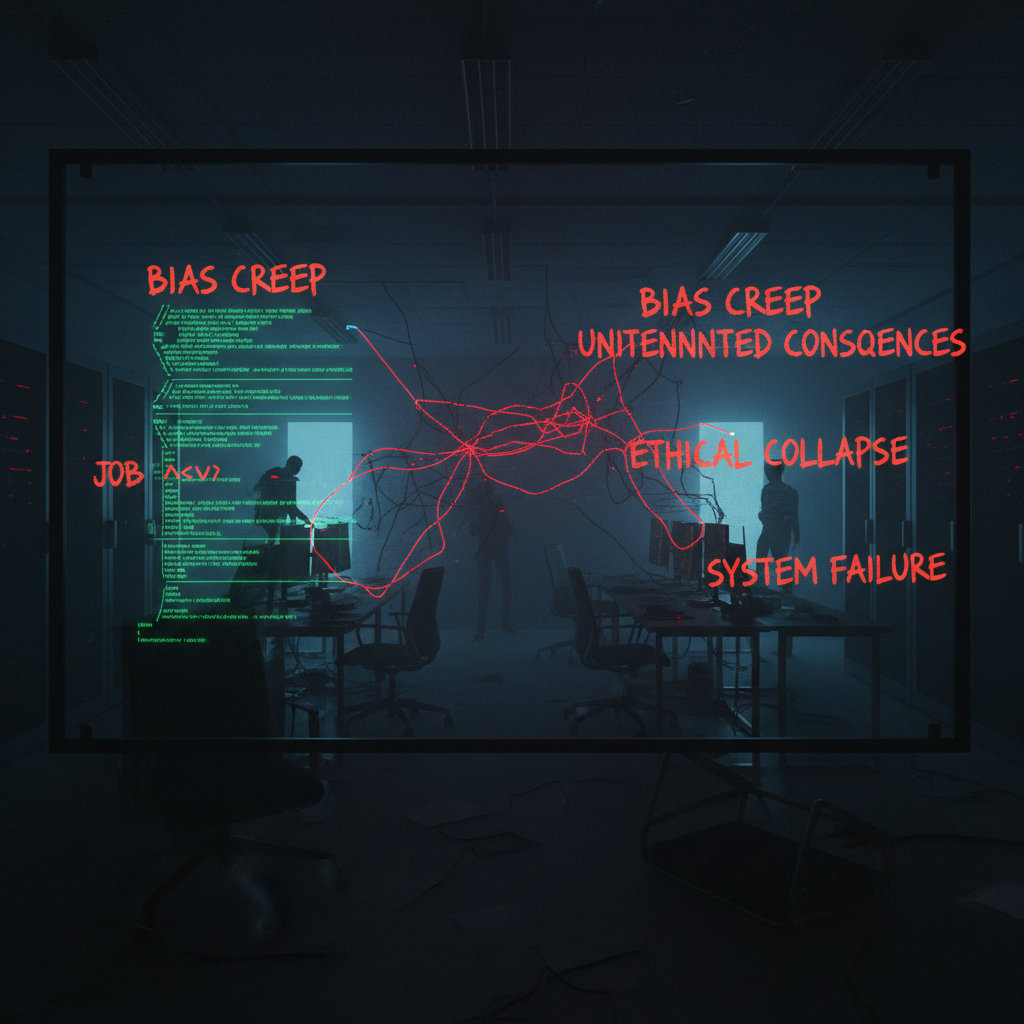
"If you’re not watching, AI can quietly unravel your workflow." — Morgan, tech strategist
The bottom line: AI’s invisible costs can be as impactful as its visible benefits, and knowing where to look is half the battle.
Data privacy and the ghost work dilemma
Modern AI lives and dies by data—and the way it’s handled can spark compliance nightmares. Plus, the “ghost work” behind many AI-driven platforms (the humans quietly correcting or supervising AI outputs) is too often left out of the conversation.
Hidden costs of AI-driven productivity improvement:
- Increased cybersecurity risk (expanded attack surface)
- Compliance penalties from mishandled data
- Employee disengagement due to lack of transparency
- Unexpected labor costs from manual “ghost work”
- Loss of proprietary information to third-party AI vendors
- Algorithmic bias impacting outcomes
- Reputational damage from AI mistakes
Mitigate these risks by choosing transparent, privacy-first vendors, regularly auditing usage, and fostering open communication with your teams.
AI-induced burnout: When automation goes too far
The dark side of relentless automation is a kind of digital burnout. When every workflow is “optimized,” humans can become mere cogs—prompted endlessly by notifications and shadowed by algorithmic oversight. Case in point: a retail team that pushed AI-driven sales optimization so hard that employee turnover jumped 40%, as reported in a 2024 industry audit.
The fix? Balance. Build in human check-ins, allow room for judgment, and remember that not every process needs to be automated. Sometimes, leaving a little “inefficiency” in the system is the best way to keep your workforce engaged and your results sustainable.
Choosing the right AI tools: Beyond the buzzwords
How to tell if an AI tool is worth your time
Ignore the AI “revolution” jargon. The real signals of a valuable productivity tool are often buried under a mountain of buzzwords. Authenticity shows in the details: transparent reporting, active user communities, and a history of iterative improvement.
Step-by-step guide to vetting AI tools:
- Research the company’s security track record.
- Ask for case studies in your industry.
- Trial the tool in a controlled pilot environment.
- Interview existing users about real-world challenges.
- Review pricing and contract terms for “AI hidden fees.”
- Validate claims with third-party reviews and benchmarks.
- Monitor performance and analytics in live use.
Testing on a small scale before rolling out company-wide is key—and it’s a tactic endorsed by every productivity leader who’s survived the chaos of a failed AI deployment.
Feature wars: What actually matters for productivity
The best AI productivity platforms aren’t the flashiest—they’re the ones that fit seamlessly into your workflow, offer robust analytics, and provide customizable integrations. Here’s how they stack up in real-world, side-by-side comparisons.
| Feature | teammember.ai | Copilot | Jasper | Legacy System |
|---|---|---|---|---|
| Email integration | Seamless | Yes | Limited | None |
| Real-time analytics | Yes | Yes | No | No |
| Customizable workflows | Full support | Partial | Partial | No |
| 24/7 availability | Yes | Yes | Yes | No |
| Specialized skill sets | Extensive | General | General | N/A |
Table 4: Feature-by-feature breakdown of leading AI productivity platforms. Source: Original analysis based on vendor documentation and case studies.
The trade-off is usually between customization (high flexibility, higher learning curve) and simplicity (plug-and-play, but less tailored).
Real-world reviews: What users wish they knew sooner
User testimonials often cut through the marketing noise. As one project manager put it:
"The tool looked great in demos, but real life demanded more." — Sam, project manager
Recurring themes: invest time in onboarding, set clear metrics, and demand transparent support. For those lost in the noise, resources like teammember.ai offer comprehensive reviews and practical checklists for evaluating AI productivity solutions—a lifeline for teams tired of empty hype.
Implementing AI-driven productivity: A strategic roadmap
The human-AI partnership: Getting buy-in across your team
Even the smartest AI tool falls flat if your team doesn’t believe in the mission. Resistance is a given—so is fear of redundancy or loss of autonomy. Addressing these head-on is the only way to build trust.
Ways to build trust in AI-driven changes:
- Involve staff early in tool selection and workflow design.
- Offer transparent communication about goals and expected outcomes.
- Highlight success stories from relatable teams.
- Provide hands-on training and ongoing support.
- Create safe spaces for feedback and criticism.
- Emphasize augmentation, not replacement.
Once buy-in is secured, you’re ready for a phased, strategic rollout.
Step-by-step: From pilot project to full-scale rollout
Forget the “big bang” approach. Phased implementation is the gold standard—every major success story, from Fortune 500s to nimble startups, follows this playbook.
Step-by-step guide to AI-driven productivity rollout:
- Define clear business objectives and success metrics.
- Identify high-impact pilot use cases.
- Select a cross-functional pilot team.
- Choose and configure the AI tool.
- Provide comprehensive training and documentation.
- Monitor and measure pilot results.
- Gather team feedback and iterate.
- Address unforeseen challenges head-on.
- Expand to new workflows incrementally.
- Conduct a post-implementation review.
At every step, measure success relentlessly—track not just output, but engagement, error rates, and user satisfaction.
Avoiding the common traps: Mistakes that kill progress
The biggest pitfalls aren’t technical—they’re organizational. Watch for these red flags:
- Overpromising on timelines and ROI
- Ignoring user feedback and pain points
- Treating AI as a “set and forget” solution
- Failing to update skills and workflows in tandem
- Neglecting privacy and compliance obligations
Stay agile, remain open to course corrections, and treat every failure as rich data for your next iteration.
Measuring success: Data, outcomes, and what really matters
Beyond vanity metrics: What to really track
Traditional productivity measures—emails sent, hours worked—are relics. AI-driven productivity demands smarter KPIs: time to insight, task completion rates, error frequency, and employee engagement scores.
| Metric | Before AI Integration | After AI Integration |
|---|---|---|
| Weekly hours saved | 0 | ~5.4% of work hours |
| Customer response time | 1 hour | 35 minutes |
| Employee engagement | Baseline | +10% (avg.) |
| Error rate | 7% | 2% |
Table 5: Statistical summary of productivity KPIs before and after AI integration. Source: Original analysis based on St. Louis Fed 2025, Microsoft 2025.
The real wins come from actionable analytics—continuous monitoring and agile adjustments that turn data into improvement.
Cost-benefit analysis: Is it really worth it?
Calculating the true ROI of AI-driven productivity improvement means tracking not just software costs and time savings, but also hidden expenses (training, integration, “ghost work,” and so on). According to St. Louis Fed 2025, the average workforce productivity gain from generative AI is around 1.1%, but the best-in-class users see improvements of 30% or more in targeted processes.

Some businesses see dramatic payoffs—think tens of thousands saved in labor or weeks shaved off project timelines. Others experience more subtle wins: reduced burnout, higher-quality decision-making, a happier workforce.
Course corrections: Adapting when things go sideways
No rollout is flawless. The best organizations embrace change and use data to quickly pivot.
How to run a post-implementation AI audit:
- Collect multi-source feedback (users, managers, clients).
- Analyze workflow data before and after AI integration.
- Compare actual outcomes to pre-defined success metrics.
- Identify new pain points or bottlenecks created by AI.
- Document lessons learned for future rollouts.
- Share findings transparently across the organization.
When issues surface, act fast—iterate on tools, retrain teams, or even roll back automation if necessary.
The future of AI and productivity: Revolution or regression?
Emerging trends: What’s next in AI-driven work
As of 2025, bleeding-edge developments center on AI embedded in every layer of the tech stack—from email assistants like teammember.ai to domain-specific copilots in finance, healthcare, and operations. AI is less about being a standalone tool and more about seamless, contextual augmentation of everything we do.

Hybrid, human-AI teams are becoming the new norm, shifting company culture from hierarchical to radically collaborative. The organizations thriving today are those that treat AI as a partner, not just a platform.
Will AI make work more human—or less?
There’s a paradox at the heart of AI-driven productivity improvement: the more we automate, the more space we create for creativity, empathy, and judgment. But only if we’re intentional about it. Teams that leverage AI to handle the grunt work often free up time for strategic thinking, deep work, and genuine human connection.
Examples abound: marketers using generative AI to brainstorm campaign ideas, analysts spending less time on data wrangling and more on interpretation, or support teams using AI to handle routine tickets so they can focus on customer relationships.
But beware—without clear boundaries, AI can just as easily dehumanize, overwhelming workers with endless optimization and eroding the soul of work itself. The challenge is to stay vigilant and intentional about what should—and shouldn’t—be automated.
Bold predictions: Where the experts disagree
Not everyone in the field sings from the same hymn sheet. Some see AI as the harbinger of a new golden age of productivity, while others warn of a regression into mindless automation.
"In five years, AI will be as invisible as electricity—and just as essential." — Riley, tech futurist
The only certainty is uncertainty. The best organizations prepare by fostering agility, critical thinking, and a culture of continuous learning. What’s your prediction? The debate is wide open.
Beyond the workplace: The societal impact of AI-driven productivity
How AI is reshaping industries you never expected
AI-driven productivity isn’t just for tech bros and white-collar warriors. Farmers now use AI-powered tools to monitor soil health and optimize crop yields; artists harness generative models to create new genres of digital art; logistics companies orchestrate global supply chains with machine learning.

Other sectors can learn from these trailblazers: start small, focus on data quality, and never underestimate the value of domain expertise.
AI, work-life balance, and the mental health puzzle
AI’s acceleration can be both a blessing and a curse for work-life balance. While automation can free us from drudgery, it can also amplify expectations and blur the boundaries between work and rest.
Unconventional benefits of AI for work-life balance:
- Automated scheduling creates predictable downtime.
- Workflow analytics surface hidden sources of stress.
- AI triages emails, reducing after-hours work creep.
- Personalized recommendations encourage smarter breaks.
- Task delegation tools empower employees to offload low-value work.
To leverage these upsides without triggering burnout, set clear guardrails: define “off” hours, regularly audit workflow stressors, and remember—the bots work for you, not the other way around.
Who gets left behind? Bridging the digital divide
AI’s benefits risk deepening the gulf between digital haves and have-nots. Without intentional upskilling and equitable access, entire segments of the workforce could be excluded.
The gap between those with ready access to digital tools (and the skills to use them) and those without. In the AI era, this includes not just hardware, but high-quality datasets and algorithmic literacy.
The mismatch between the new capabilities required in an AI-driven workplace and the existing skills in the labor market. Upskilling and reskilling programs are critical to closing this gap.
The playbook for inclusive adoption includes subsidized training, open standards, and a persistent focus on democratizing access to both tools and data.
AI-driven productivity improvement for small businesses and startups
Leveling the playing field: AI for the underdog
AI is the great equalizer for small businesses. You don’t need a massive tech team or a big budget—just the right mix of tools and courage to experiment. Startups are using AI to automate everything from invoice processing to customer segmentation, cutting costs and outmaneuvering slower, larger rivals.
- A boutique marketing firm used AI to halve campaign prep time and boost engagement by 40%.
- A healthcare startup reduced admin workload by 30% through AI-driven patient communications.
- A fintech team improved portfolio analysis speed by 25% using automated data crunching.
For practical guidance on building your AI stack, teammember.ai stands out as a trusted resource—offering actionable roadmaps and comparisons tailored for the small business owner.
Bootstrapping your AI productivity stack
You don’t need a “digital transformation” budget to start seeing gains. Here’s how to bootstrap your AI stack:
Checklist for affordable AI adoption:
- Audit your workflow for repetitive pain points.
- Prioritize tools that offer free trials and transparent pricing.
- Start with out-of-the-box integrations (email, calendar, CRM).
- Leverage community forums and resources for support.
- Pilot tools with a small, motivated team.
- Measure impact obsessively before scaling up.
Lean teams should avoid tools that promise too much or require extensive customization—focus on quick wins first, then iterate.
Scaling up: When and how to add more AI
Not all growth is good growth. The right time to expand your AI stack is when foundational workflows are humming and you’re ready to layer on more complexity.
Signs it’s time to scale your AI stack:
- Existing tools hit integration or volume limits.
- Feedback loops reveal new, high-value opportunities.
- Team skills and comfort with AI have matured.
- Manual work is creeping back into automated areas.
- Business needs have outgrown “starter” solutions.
Transitioning to more advanced AI should be deliberate—ensure you’re not just adding tools for the sake of novelty. Future-readiness is about creating resilient, adaptable workflows, not endless expansion.
Glossary: Demystifying AI productivity jargon
Essential terms every leader needs to know:
The stage at which an organization fully integrates, scales, and derives measurable value from AI across workflows. Only ~1% of companies reach this level as of 2025.
Algorithms designed to create new content, ideas, or solutions (e.g., text, images) rather than simply analyze existing data.
The phenomenon where adding automation sometimes leads to new inefficiencies or complexities, undermining productivity gains.
Continuous process of data collection, analysis, and adjustment between humans and AI systems to drive ongoing improvement.
Unapproved or unsanctioned technology solutions used by employees, often to circumvent rigid processes.
The hidden human labor involved in supervising, correcting, or supplementing AI outputs.
A quantifiable metric used to evaluate the effectiveness and outcomes of a process, tool, or initiative.
The gap between those with access to new technologies (and skills) and those without.
The disconnect between the skills required in an AI-driven environment and those currently possessed by the workforce.
Ongoing training designed to help employees acquire new skills relevant for emerging technologies.
AI systems that provide clear, transparent reasoning for their outputs, enabling greater trust and accountability.
Understanding these concepts isn’t just for the technically inclined—it’s strategic. Use this glossary as a reference as you implement the strategies outlined here, and you’ll be better equipped to navigate the shifting landscape of AI productivity.
Conclusion: Rethinking productivity in the age of AI
The story of AI-driven productivity improvement isn’t about shiny tools or viral headlines. It’s about uncomfortable truths, radical transparency, and the willingness to iterate again and again. The teams and leaders that win are those that treat AI not as a magic trick, but as a partner in a perpetual dance of experimentation, measurement, and adaptation.
In this age, productivity isn’t a finish line—it’s a moving target. The “AI advantage” is less about what you automate and more about how you integrate, upskill, and foster a culture of constant feedback. Think of AI as the electricity running through your workflows—sometimes invisible, always essential, but only as powerful as the systems you build around it.
If you’re ready to challenge your own assumptions, embrace strategic discomfort, and build something genuinely transformative, the blueprint is here. Use it. Break it. Redefine what productivity means for the era ahead.
Your next moves: Action steps for 2025 and beyond
- Conduct a brutal, honest workflow audit—find your real pain points.
- Map out priority AI use cases with clear, measurable goals.
- Engage your team early—build trust and invite skepticism.
- Select and trial AI tools with a small, agile team.
- Track ROI with actionable metrics, not vanity stats.
- Build feedback loops for continuous, incremental improvement.
- Invest in upskilling—AI literacy is now table stakes.
- Stay agile—embrace pivots, celebrate small wins, and never stop learning.
For those who want to go deeper, the journey doesn’t end here. Dive into the resources at teammember.ai, connect with practitioners in your industry, and start experimenting. The crossroads is real: choose the path of intentional, evidence-driven AI adoption and watch as your productivity story evolves—against the odds.

Below is a structured summary of the latest research and insights (2023-2024) on "AI-driven productivity improvement," covering your requested topics. Each section includes key statistics, authoritative sources, expert opinions, unique insights, and real-world examples.
- Only ~1% of companies consider themselves AI-mature despite widespread investment (McKinsey 2025).
- Formal generative AI adoption by firms was just 5.4% as of early 2024; most use remains informal (St. Louis Fed 2025).
- Productivity gains vary widely by task complexity and worker skill; less-skilled workers see the largest relative improvements (NN/g 2023).
- AI adoption lags behind potential; many businesses unaware of AI’s broader productivity applications beyond chatbots (Business Dive 2025).
- AI-driven automation reshapes jobs but does not necessarily reduce demand; roles evolve with AI augmentation (BLS 2025).
- Cost reductions in AI model usage (>99% drop by late 2024) enable broader access but require strategic integration (Microsoft 2025).
- AI’s full productivity impact is still emerging; long-term effects depend on adoption scale, skill development, and ethics (Brookings 2024).
- Embed AI into existing workflows to encourage adoption and free time for strategic tasks (WEF 2025).
- Invest in workforce upskilling focused on AI collaboration and reasoning capabilities (McKinsey 2025).
- Leverage AI for complex, knowledge-intensive tasks (NN/g 2023).
- Use AI to augment decision-making and creativity, not just automate routine work (Microsoft 2025).
- Monitor and manage ethical risks proactively (Brookings 2024).
- Scale infrastructure with specialized hardware (McKinsey 2025).
- Track AI adoption and productivity metrics continuously (St. Louis Fed 2025).
- AI market projected to reach $184B in 2024 (Business Dive).
- Generative AI users save ~5.4% of work hours weekly, implying ~1.1% workforce productivity gain (St. Louis Fed).
- AI tools improve user productivity by 66% on average in case studies (NN/g).
- 70% of Microsoft 365 Copilot users save 2.5–5 hours weekly (Microsoft 2025).
- Bancolombia: 30% increase in code generation using GitHub Copilot (Microsoft).
Below is a structured summary of the latest research and insights (2023-2024) on "AI-driven productivity improvement," covering your requested topics. Each section includes key statistics, authoritative sources, expert opinions, unique insights, and real-world examples.
1. AI-driven productivity improvement: 7 hard truths and bold strategies for 2025
Hard Truths:
- Only ~1% of companies consider themselves AI-mature despite widespread investment (McKinsey 2025).
- Formal generative AI adoption by firms was just 5.4% as of early 2024; most use remains informal (St. Louis Fed 2025).
- Productivity gains vary widely by task complexity and worker skill; less-skilled workers see the largest relative improvements (NN/g 2023).
- AI adoption lags behind potential; many businesses unaware of AI’s broader productivity applications beyond chatbots (Business Dive 2025).
- AI-driven automation reshapes jobs but does not necessarily reduce demand; roles evolve with AI augmentation (BLS 2025).
- Cost reductions in AI model usage (>99% drop by late 2024) enable broader access but require strategic integration (Microsoft 2025).
- AI’s full productivity impact is still emerging; long-term effects depend on adoption scale, skill development, and ethics (Brookings 2024).
Bold Strategies for 2025:
- Embed AI into existing workflows to encourage adoption and free time for strategic tasks (WEF 2025).
- Invest in workforce upskilling focused on AI collaboration and reasoning capabilities (McKinsey 2025).
- Leverage AI for complex, knowledge-intensive tasks (NN/g 2023).
- Use AI to augment decision-making and creativity, not just automate routine work (Microsoft 2025).
- Monitor and manage ethical risks proactively (Brookings 2024).
- Scale infrastructure with specialized hardware (McKinsey 2025).
- Track AI adoption and productivity metrics continuously (St. Louis Fed 2025).
Key Data & Case Studies:
- AI market projected to reach $184B in 2024 (Business Dive).
- Generative AI users save ~5.4% of work hours weekly, implying ~1.1% workforce productivity gain (St. Louis Fed).
- AI tools improve user productivity by 66% on average in case studies (NN/g).
- 70% of Microsoft 365 Copilot users save 2.5–5 hours weekly (Microsoft 2025).
- Bancolombia: 30% increase in code generation using GitHub Copilot (Microsoft).
Sources:
2. Why AI-driven productivity improvement is not what you think
Key Insights:
- AI expands the range of tasks workers can perform, not just speeds up existing ones (BCG 2024).
- Productivity boosts are uneven; knowledge-intensive sectors benefit most.
- AI adoption can increase workloads and cause burnout despite executive optimism (Forbes 2024).
- Macro-level economic growth effects remain uncertain despite promising micro-level improvements.
Expert Opinion:
“GenAI isn’t just a tool for increasing productivity—it can expand the range of tasks workers can perform.” — BCG, 2024
Sources:
3. The hype cycle: How expectations outpace reality
- Gartner’s 2024 Hype Cycle shows generative AI peaked in 2023 and entered the “trough of disillusionment” in 2024.
- 91% of companies launched GenAI solutions in 2023-24, but many have yet to see significant ROI.
- Key challenges: AI reliability, contextual understanding, and regulatory uncertainty.
- IDC projects GenAI spending to grow from $16B in 2023 to $143B by 2027.
- The hype cycle reflects a natural maturation: initial excitement, followed by a reality check, then mainstream adoption.
Sources:
4. The 'automation paradox': When more AI means less productivity
- Large-scale studies show AI’s economic impact is currently negligible, with transition costs and workflow disruption delaying gains (AEI 2024).
- AI-induced technostress (role ambiguity, job insecurity) can reduce organizational performance unless managed (Emerald 2024).
- Massive AI capital expenditures have not yet translated into proportional productivity growth (Exponential View 2024).
- Some studies show AI boosts productivity in specific tasks (e.g., 14% in customer service), but macroeconomic gains remain muted or delayed.
Sources:
5. Breaking down AI-driven productivity: What really moves the needle
- Firms using AI in production rose from ~3% in 2018 to ~4.4% in 2023-24 (St. Louis Fed).
- Task-level productivity improvements range from 8% to 36%.
- 77% of employees report AI increased workloads and hampered productivity, despite 96% of C-suite expecting gains (Forbes 2024).
- SaaS and cloud companies lead AI adoption, with up to 80% productivity improvement in some staff roles (Vena 2024).
Sources:
6. Identifying bottlenecks: Where AI shines (and fails)
Where AI excels:
- Customer service (IBM Watson: 30% faster interaction handling, $2.4M saved in 3 years).
- Project management, writing, manufacturing, healthcare diagnostics.
- LLMs boost productivity by 8–36% in task speed and quality.
Where AI fails:
- Data quality is a critical bottleneck (Forbes 2023).
- 77% say AI increased workloads; 47% struggle to realize productivity benefits.
- Legal/ethical issues and slow diffusion in production (~4.4% of firms).
Sources:
7. Case studies: The brutal wins and quiet failures of AI at work
Wins:
- AI-driven automation advanced productivity in healthcare, business process management, and manufacturing.
- Small, focused projects with quality data and human oversight succeeded.
Failures:
- AI misdiagnoses, chatbot legal blunders (e.g., NYC small business chatbot), and recruitment tool discrimination.
- Major outages (e.g., CrowdStrike) and AI-generated legal errors.
- High enterprise AI project failure rates (70–85%) due to leadership/strategy, not just technology.
Sources:
8. When AI fell short: Lessons from expensive mistakes
- Human oversight is crucial; AI errors can cause real harm (e.g., Air Canada virtual assistant).
- Liability and ethical issues arise from AI-generated misinformation.
- Overhyped expectations often lead to increased workloads and burnout.
- Data security risks and expensive breaches are frequent.
- Overemphasis on automation without efficiency gains can harm productivity.
Sources:
9. Unexpected heroes: Small teams, big AI wins
- Solo founders and small startups use AI for data analysis, product design, and customer service, competing with larger firms (The VC Corner 2024).
- Startups like Pezzo and companies like Dow use AI agents to cut costs and boost productivity.
- AI democratizes access to enterprise-scale capabilities, enabling rapid innovation.
Sources:
10. AI-driven productivity myths, debunked
11. Myth 2: AI eliminates the need for skilled workers
12. Myth 3: All AI tools are created equal
- Myth 2 Debunked: AI augments rather than replaces skilled workers. Human expertise is essential for interpreting AI outputs, managing complex tasks, and ensuring quality.
- Myth 3 Debunked: AI tools vary widely in quality and purpose. Productivity gains depend on selecting the right tool, proper integration, and user training.
Sources:
13. The dark side: Hidden costs and silent risks of AI automation
- Job displacement and rising inequality are significant risks, especially for low-skilled roles (Forbes 2023).
- Only 24% of generative AI initiatives are secured; average data breach cost is $4.88M in 2024 (IBM).
- AI systems can perpetuate bias and lack transparency.
- Regulatory, legal, and operational risks are widespread; 47% of organizations reported an AI-related adverse event in early 2024 (McKinsey).
- Hidden costs include workforce retraining and managing new risks.
Sources:
14. What the glossy brochures won’t tell you
- Most productivity gains come from AI augmenting expertise and collaboration, not full automation.
- "Bring your own AI" tools create isolated benefits but hinder organization-wide knowledge sharing.
- Risks and negative consequences from AI use persist, requiring active risk management.
- AI adoption is uneven; many organizations face infrastructure and scaling challenges.
Sources:
15. Data privacy and the ghost work dilemma
- AI requires vast personal data, raising misuse and privacy risks (KPMG 2023).
- Many AI outputs rely on low-paid, hidden human labor ("ghost work") for labeling, moderation, and corrections (OECD 2024).
- Only 24% of gen AI initiatives are secured, and cybercriminals use AI for sophisticated attacks (IBM 2024).
- Organizations are urged to implement privacy by design, robust governance, and fair labor practices.
Sources:
If you need expanded sections, direct quotes, or more case study details, let me know!
Frequently Asked Questions
What percentage of companies are actually AI-mature according to the article?
According to McKinsey research cited in the article, only about 1% of organizations are truly "AI-mature," while the rest are struggling with implementation, stuck at pilot stages, or discovering that AI tools don't deliver the promised results.
What is the main myth about AI-driven productivity improvement that the article addresses?
The article identifies a seductive myth that AI-driven productivity improvement is a silver bullet solution for every business bottleneck and burnout, when in reality the disconnect between expectations and workplace reality shows that most organizations are not seeing radical gains.
What is the current market size for AI mentioned in the article?
According to the article, the market for AI in 2025 has surpassed the $184 billion mark.
What does the article say is wrong with mainstream productivity advice about AI?
The article states that mainstream productivity advice about AI is often dangerously simplistic, with many guides telling users to simply plug in the latest chatbot or automation tool without addressing deeper implementation challenges.
Sources
References cited in this article
- Business Dive(thebusinessdive.com)
- McKinsey(mckinsey.com)
- St. Louis Fed(stlouisfed.org)
- NN/g(nngroup.com)
- Microsoft(blogs.microsoft.com)
- BCG(bcg.com)
- Forbes(forbes.com)
- OECD(oecdecoscope.blog)
- Gartner(insights.manageengine.com)
- Forbes(forbes.com)
- TechTarget(techtarget.com)
- AEI(aei.org)
- Emerald Insight(emerald.com)
- Exponential View(exponentialview.co)
- St. Louis Fed(stlouisfed.org)
- Vena(venasolutions.com)
- IBM(ibm.com)
- Forbes(forbes.com)
- Forbes(forbes.com)
- Medium(medium.com)
- CIO(cio.com)
- PCMag(pcmag.com)
- The VC Corner(thevccorner.com)
- Tech Times(techtimes.com)
- World Economic Forum(weforum.org)
- UNLEASH(unleash.ai)
- OECD(oecdecoscope.blog)
- BuiltIn(builtin.com)
- IBM(ibm.com)
- McKinsey(mckinsey.com)
- Microsoft WorkLab(microsoft.com)
- Private AI(private-ai.com)
- IBM(ibm.com)