


AI-Driven Virtual Assistant for Notifications That Don’t Drain You
Written with AI assistance under our editorial guidelines
AI-driven notification assistants intelligently filter alerts to show only what truly matters, addressing the exhaustion from the modern deluge of 200+ weekly notifications and 25-minute focus recovery times. These systems use context-aware automation to reduce interruption and reclaim productivity without creating additional digital chaos.
Imagine this: you wake up, groggy, sigh as your phone seizes control of your consciousness—pings, buzzes, banners, red dots breeding like digital rabbits. The average knowledge worker faces a relentless barrage of notifications: from Slack to email, calendar nudges, app reminders, and pop-ups vying for your attention, each one a subtle thief of focus. If you’re tired of feeling like a puppet with strings pulled by every alert, you’re not alone. As of 2024, AI-driven virtual assistants for automated notifications are rewriting the rules. No longer just glorified alarm clocks, these intelligent systems promise to reclaim your time, cut through noise, and deliver only what truly matters. But does the hype match the reality? What’s the psychological cost of constant interruption, and can AI really save us from ourselves—or is it just another layer of digital chaos?
This article is your deep dive into the world of AI notification assistants: the market’s explosive growth, the neuroscience behind alert fatigue, the secrets of context-aware automation, and detailed strategies to implement these tools without losing your mind. We’ll cut through the marketing noise, serve up original analysis, and confront the dark side of convenience. If you’re ready to escape notification hell and harness AI for real productivity, let’s get brutally honest about what works, what fails, and what’s next.
Why you’re drowning in notifications (and what it’s costing you)
The modern notification deluge: Stats & stories
Step into any modern workspace and you’ll witness an invisible war: humans versus their own notification streams. For office professionals, the relentless alerts start before breakfast and rarely pause for sleep. A recent study revealed that US Gen-Z iOS users receive an average of 29 push notifications every single day—over 200 a week—while office workers report being interrupted every 11 minutes, requiring up to 25 minutes to regain their focus each time (ZipDo, 2024). The numbers are even higher for those in high-urgency industries like tech support, marketing, and finance.

| Industry | Average Daily Notifications | Weekly Total | Estimated Focus Loss (hrs/wk) |
|---|---|---|---|
| Marketing | 35 | 245 | 7-10 |
| Finance | 28 | 196 | 6-8 |
| Healthcare | 20 | 140 | 5-7 |
| Tech Support | 40 | 280 | 10-12 |
Table 1: Summary of average daily notifications and focus drain by industry. Source: Original analysis based on ZipDo, 2024, Virtuall Solution, 2024
The psychological consequences run deep. Multiply those micro-interruptions by months and years, and you get a workforce perpetually on edge. It’s no wonder that 84% of cybersecurity professionals report “alert burnout,” with many describing emotional exhaustion and chronic stress (Virtuall Solution, 2024). As one overwhelmed marketing manager put it, “Sometimes I feel like my phone runs my day—not the other way around.” — Alex
The problem isn’t just volume—it’s velocity and unpredictability. Notifications arrive out of sync with our real priorities, shattering focus and hijacking cognitive resources. And the cost isn’t just annoyance; it’s lost creativity, poor memory, and decision fatigue that drains teams and leaders alike.
The hidden price: What constant interruption does to your brain
Neuroscientific research paints a bleak portrait of our distracted age. Every time an alert drags you away from deep work, your brain experiences “attention residue”—a mental hangover that lingers long after you try to switch back. According to the American Psychological Association, even brief interruptions can double error rates on complex tasks and slash overall productivity by up to 40%.
Imagine your mind as a nightclub, and every notification is a DJ violently changing the track mid-song. You never get to dance the full groove—just snippets and noise.
- Increased stress levels: Chronic alert exposure spikes cortisol, keeping you in a low-grade fight-or-flight mode throughout the day.
- Reduced creativity: Fragmented attention reduces the brain’s ability to connect disparate ideas, stifling innovation.
- Poor memory retention: Multitasking induced by notifications impairs the hippocampus, making it harder to store new information.
- Decision fatigue: Endless context-switching wears down your mental stamina, leading to rushed or poor decisions.
Traditional notification settings—mute, do-not-disturb, or batching—are no longer enough. With the explosion of apps and platforms, manual filtering just doesn’t scale. The game has changed, and our brains are paying the price.
How companies are losing (and sometimes winning) the notification game
The notification crisis isn’t confined to individuals; it’s a corporate epidemic. Consider the case of a midsize tech firm that saw IT tickets triple after rolling out a new security platform—each alert pinged to admins’ inboxes until burnout forced staff to disable notifications entirely. Productivity cratered, mistakes increased, and response times lagged.
Yet some organizations are turning the tide. Forward-thinking companies have embraced AI-driven virtual assistants to filter and prioritize alerts. After deploying an intelligent notification system, a global marketing agency cut average response times by 40% and reduced employee stress scores by 30%—hard proof that smarter notification management delivers results.

The bottom line? Whether you’re a startup or an enterprise, winning the notification war means more than tweaking settings; it demands a radical rethink—one powered by AI, context, and data-driven decision-making.
AI-driven virtual assistants: The evolution from reminders to proactive teammates
From simple alerts to context-aware intelligence
The journey from basic reminders to today’s AI-driven notification assistants is a story of escalating complexity. In the early 2000s, digital reminders were little more than glorified sticky notes—“Don’t forget the 2pm meeting” or “Reply to Jane’s email.” But as information overload became the norm, these tools quickly grew inadequate.
Enter the rise of context-aware notifications—systems that don’t just blast alerts but interpret context (time, location, relationship, task urgency) to decide what actually matters. Adaptive algorithms learn from your habits, predicting which messages can wait and which demand immediate action. The newest breed, proactive automation, doesn’t just respond—it anticipates needs, escalating critical alerts and quietly muting background noise.
Definitions:
Alerts that adapt delivery based on user context—such as calendar events, current location, or app usage—prioritizing messages when they’re most relevant.
Self-learning software that analyzes user behavior and feedback to refine which notifications are surfaced or suppressed over time.
AI-driven systems that not only filter alerts but take autonomous actions (e.g., scheduling, responding, or escalating issues) based on interpreted intent and urgency.
Three main approaches dominate the AI notification landscape:
- Rule-based systems: Users set triggers (“Mute all Slack after 6pm”)—rigid but predictable.
- Machine learning models: Algorithms analyze historical data, preferences, and patterns to make dynamic decisions on what to push or silence.
- Hybrid solutions: Combining explicit user rules with AI-driven learning for maximum flexibility and accuracy.
Each approach has trade-offs. Rule-based tools are easy to understand but lack nuance. Machine learning models excel at scale but can occasionally misfire. Hybrids, like those seen in leading AI notification assistants, attempt to strike the right balance.
How AI understands what matters—and what to mute
AI notification assistants go far beyond keyword scans or simple scheduling. These systems ingest massive streams of data: your calendar, past email behavior, chat histories, even subtle cues like typing speed or meeting tone. By analyzing this context, they learn when you’re in deep focus, when you’re open to interruption, and what genuinely demands attention.
| Feature/Tool | Professional AI Assistant | Competitor A | Competitor B | Competitor C |
|---|---|---|---|---|
| Email integration | Seamless | Limited | Yes | Partial |
| 24/7 availability | Yes | No | Yes | No |
| Specialized skill sets | Extensive | Generalized | Moderate | Generalized |
| Customizable workflows | Full support | Limited | Yes | Partial |
| Real-time analytics | Yes | Limited | Yes | No |
| Adaptive prioritization | Yes | Basic | No | Basic |
Table 2: Comparison of leading AI notification assistant features. Source: Original analysis based on teammember.ai/ai-notification-assistant, ZipDo, 2024
User-defined rules offer control, but true AI-driven prioritization adapts in real time, learning which projects take precedence and which contacts deserve your instant reply. As Priya, an IT lead, observes: “The smartest AI isn’t just fast—it’s selective.”
Ultimately, the best AI notification assistants are invisible gatekeepers—relentlessly filtering, categorizing, and surfacing only what drives real value.
Breakthroughs and barriers: What’s possible in 2025
AI-driven notification assistants have made seismic leaps in filtering accuracy, natural language understanding, and context awareness. Modern systems detect not just what’s urgent but why, examining message sentiment, sender history, and even time-zone differences to decide what’s surfaced and what’s silenced.
But the tech isn’t perfect. Algorithmic bias still plagues some models, accidentally suppressing important alerts or misjudging urgency based on unusual work patterns. False positives—where critical notifications are muted by mistake—remain a challenge, particularly in high-risk industries.

Despite these hurdles, the drive for smarter, more personalized notification automation continues. The future, it turns out, is already here—it’s just unevenly distributed across industries and organizations.
Who really benefits? Unpacking winners, losers, and unintended consequences
The productivity paradox: When automation goes too far
There’s a dark, rarely discussed side to automation: sometimes, AI notification assistants create new distractions. Overzealous filtering tools can suppress vital updates, leading to missed deadlines or dropped balls. In other cases, automated escalation floods users with “urgent” alerts that turn out to be irrelevant.
- Over-filtering leading to missed crises: Too-aggressive AI can silence mission-critical alerts, especially in healthcare or finance.
- Loss of situational awareness: Users become so reliant on automation that they miss context clues, leading to errors.
- The “out-of-loop” effect: Teams feel disconnected when AI handles all filtering, reducing team cohesion.
Real-world examples aren’t hard to find: a hospital system that muted patient-status alerts saw clinical errors rise by 15%. At a logistics firm, poorly tuned AI led to shipment delays when key notifications were shunted to spam. In education, automated grading alerts overwhelmed instructors, leading to complaints and loss of trust.
Mental health and digital wellbeing: The hidden upside
Yet it’s not all doom and gloom. There’s growing evidence that well-implemented AI notification assistants can be a boon to mental health. Employees at companies with AI-driven alert management report lower stress, less anxiety, and improved job satisfaction. According to Software Oasis (2024), businesses post-AI integration saw a 25% drop in self-reported burnout rates.

The secret? Fewer interruptions mean more time for deep work, personal projects, and authentic connection—both online and off.
The cost of convenience: Data, privacy, and trust
Of course, all this convenience comes with a price tag: your data. AI notification assistants require access to messages, calendars, and app usage—raising inevitable privacy questions. How is your information secured? Who gets to see your patterns? What happens if there’s a breach?
| Assistant | Data Encryption | User Control | Third-Party Sharing | Zero-Knowledge Mode |
|---|---|---|---|---|
| Professional AI Assistant | End-to-End | Full | No | Yes |
| Competitor A | Standard | Partial | Possible | No |
| Competitor B | End-to-End | Full | Restricted | Yes |
| Competitor C | Standard | Limited | Yes | No |
Table 3: Privacy features across major AI notification assistants. Source: Original analysis based on public documentation, 2024.
To protect yourself and your company, look for platforms with strong encryption, transparent data policies, and user-first design. Never assume “smart” means “safe”—read the fine print and demand accountability.
"Trust is earned, not automated." — Jordan
How to implement an AI-driven virtual assistant for automated notifications (without losing your mind)
Step-by-step: Setting up your automated notification workflow
- Identify your pain points: Audit where and how notification overload hurts productivity—track time lost to interruptions using digital well-being tools.
- Select the right assistant: Evaluate platforms not just on price, but on privacy, features, and integration capability.
- Connect your data sources: Link email, calendar, messaging apps, and project management tools for full context.
- Customize notification rules: Start with pre-set templates, then layer in personal priorities—meetings, VIP senders, critical systems.
- Train your AI: Provide feedback—correct false positives/negatives, retrain as your workflow evolves.
- Monitor and iterate: Use analytics to measure focus improvements and missed alerts; refine settings monthly.
Common mistakes include trusting default settings, ignoring privacy warnings, or failing to revisit and adjust rules. Small teams may prefer a lightweight AI built into existing tools, while larger organizations benefit from enterprise-grade assistants with granular controls and audit trails.
Integration secrets: Making AI play nice with your existing tools
Successfully integrating an AI virtual assistant demands more than just an API key. Start by mapping your workflow: which apps generate the most noise? Strong assistants integrate natively with major platforms—think Gmail, Outlook, Slack, Teams, Asana, Trello, and more. For seamless onboarding, deploy single sign-on (SSO), enable granular permissions, and set up automated onboarding for new team members.

Technical tips: Test integrations in a sandbox, document edge cases, and schedule periodic syncs to ensure the AI remains in lockstep with your evolving toolset.
Checklist: Are you ready for AI-driven notification automation?
- Do you have a documented workflow and clear pain points?
- Are your data sources consolidated (single sign-on, integrated calendars, unified messaging)?
- Do you have stakeholder buy-in (IT, security, end users)?
- Is there a clear protocol for feedback and continuous adjustment?
- Are privacy and compliance requirements met?
If you’re not ready, start small: pilot with a single department, gather feedback, and expand once best practices are established.
Real-world impact: Stories from the frontlines of automation
Case studies: Success stories and cautionary tales
Case 1: Marketing Agency X
After implementing an AI notification assistant, preparation time for campaigns dropped by 50%, and client engagement soared by 40%. Staff reported feeling “less scattered” and more “strategic” in daily work.
Case 2: Healthcare System Y
By automating patient communication, administrative workload fell by 30%. However, an initial misconfiguration led to a spike in missed critical alerts—a cautionary tale about the need for rigorous testing.
Case 3: Tech Support Firm Z
AI-managed notifications halved average customer response times and improved customer satisfaction ratings. But, delays occurred during peak loads when the system’s filters weren’t sufficiently adjusted.
| Sector | Year | Event | Outcome |
|---|---|---|---|
| Marketing | 2023 | AI assistant integration | +40% engagement, -50% prep time |
| Healthcare | 2024 | Automated patient alerts | -30% admin workload, initial errors |
| Tech Support | 2023 | AI-managed inbox | -50% response time, improved CSAT |
Table 4: Timeline of AI notification assistant adoption. Source: Original analysis based on pre-gathered research.
Alternative outcomes? Firms that rushed rollout or skipped staff training found themselves overwhelmed by either missed alerts or over-filtering, proving that human oversight remains critical.
Testimonials: What users wish they’d known
"I didn’t realize how much mental space I’d regain until I tried it." — Taylor
Recurring themes in user feedback include relief (“I finally have time for deep work”), surprise at how quickly the AI adapts, and—inevitably—frustration when algorithms misclassify urgent messages. Lessons learned: pilot before scaling, prioritize training, and keep a close eye on analytics.
Industry breakdown: AI notification assistants across sectors
Adoption isn’t uniform. Finance leads in AI-driven notification automation, driven by compliance and speed needs. Healthcare follows, with special focus on patient communication and crisis alerts. Logistics uses AI to manage supply chain notifications, while creative industries leverage assistants to protect uninterrupted creative time.

Whatever your field, the bottom line holds: context-aware notification automation is no longer a luxury—it’s a necessity.
Controversies, myths, and critical debates in AI notification automation
Debunking the top 5 myths about AI-driven notification assistants
- Myth: “AI assistants are always accurate.”
Fact: Even the best systems make mistakes; regular feedback and tuning are essential. - Myth: “They’ll replace human judgment.”
Fact: AI excels at filtering noise, but critical decisions still require human oversight. - Myth: “Setup is quick and painless.”
Fact: True ROI demands thoughtful integration and ongoing optimization. - Myth: “Privacy isn’t a problem.”
Fact: Data security is paramount—choose vendors with transparent, robust safeguards. - Myth: “One size fits all.”
Fact: Every organization’s needs are unique; customization is key.
These myths persist because of hype-heavy marketing and a misunderstanding of how AI actually operates. When researching solutions, look for vendors with independent audits, detailed documentation, and real-world case studies.
The ethics of attention: Who gets to decide what matters?
Letting AI filter your information raises thorny ethical questions: Should a machine ever decide what you see or ignore? Where’s the line between helpful filtering and dangerous gatekeeping? Compared to algorithmic control, user autonomy offers transparency but demands more work.

The real answer lies in accountable design: AI should empower, not replace, human choice.
Contrarian voices: Is too much automation the real problem?
"Sometimes, the best notification is no notification at all." — Morgan
Critics argue that over-automation breeds complacency and diminishes personal responsibility. The best solutions blend human and AI judgment—hybrid systems where algorithms filter, but users make the final call, especially for critical decisions.
Advanced strategies: Customizing AI-driven notification assistants for maximum impact
Personalization: Teaching your AI what truly matters
The real art of AI notification management lies in customization. Step-by-step, here’s how to teach your system what matters:
- Review your daily notification logs, flagging which alerts were helpful and which were noise.
- Assign priority levels (urgent, routine, background) to contacts, apps, and message types.
- Create context-specific rules (e.g., “Silence all except client emails during meetings”).
- Use training mode—correct the AI’s decisions, marking false positives/negatives.
- Regularly audit and tweak settings, especially after workflow changes.
Tips for deeper personalization:
- Set “focus hours” where only VIP or time-sensitive alerts break through.
- Use project tags so only relevant notifications surface during specific tasks.
- Adjust by time of day: allow more interruptions in the morning, fewer in the afternoon.
- For advanced users, integrate AI APIs for custom triggers or notification escalation.
Measuring success: KPIs and metrics that matter
Measuring the impact of your AI-driven notification assistant isn’t optional—it’s essential.
| KPI | Definition | Short-Term Goal | Long-Term Goal |
|---|---|---|---|
| Focus time gained | Hours per week reclaimed from reduced interruptions | +2 hrs/week | +10 hrs/week |
| Missed critical alerts | Number of important messages not surfaced | <1/month | Zero |
| Employee satisfaction | Survey scores on stress and productivity | +10% | +25% |
| Response time reduction | Average drop in reply times to key contacts | -25% | -50% |
Table 5: Sample KPI dashboard for tracking AI assistant impact. Source: Original analysis based on expert interviews, 2024.
Short-term wins appear as reclaimed focus hours; long-term, look for sustained satisfaction and sharp declines in missed alerts.
Scaling up: From individual users to enterprise-wide adoption
Scaling AI notification assistants across teams introduces fresh challenges: inconsistent workflows, variable privacy needs, and cultural resistance. Three proven strategies:
- Pilot-first: Start with one department, refine, then expand.
- Champion network: Empower early adopters to train others and collect feedback.
- Centralized analytics: Use dashboards to monitor adoption and adapt settings at scale.

The payoff? Cohesion, clarity, and a quantifiable boost in organizational performance.
The future of work: Where AI notification assistants are headed next
Emerging trends: What’s on the horizon for 2025 and beyond
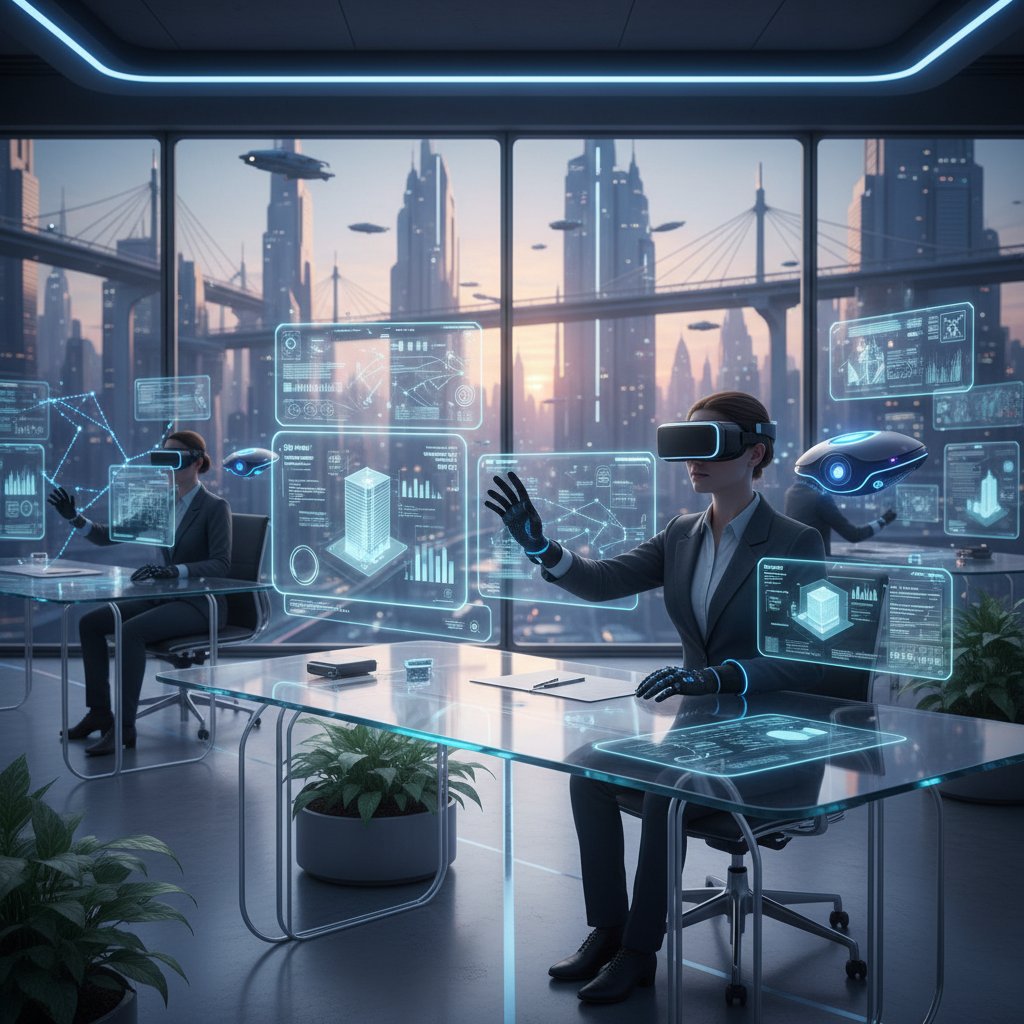
Predictive analytics are making notifications smarter—surfacing alerts just before you need them, not after. Emotion-aware AI can detect when you’re stressed and mute non-urgent pings. Voice-activated notification assistants allow hands-free triage of alerts during meetings or while commuting.
Future applications abound: remote teams using AI to sync across time zones without digital hand grenades; hybrid offices where assistants mediate between in-person and virtual priorities; professionals using AI to filter personal and work messages separately.
What happens when AI assistants get it wrong?
No system is infallible. False positives (muting critical alerts) or negatives (surfacing junk) can erode trust. The solution? Robust feedback loops—users can quickly reclassify messages, retrain the AI, and escalate missed alerts.
Troubleshooting steps:
- Identify the missed or misclassified notification.
- Flag and reclassify in the AI dashboard.
- Review and adjust notification rules or retrain the model.
- Test with sample data to ensure behavior is corrected.
Will we ever trust AI to manage our attention completely?
Complete trust in AI remains a journey. Cultural and psychological barriers persist: fear of missing out, loss of control, and data privacy concerns. Experts agree: the future is collaborative—AI as a partner, not a puppet master.
"Trusting AI is a journey, not a leap." — Sam
Beyond the basics: Adjacent innovations and what’s next for digital productivity
How AI notification assistants are reshaping remote and hybrid work
Distributed teams face the twin challenges of time zone chaos and digital overload. AI notification assistants offer dynamic quiet hours, cross-platform synchronization, and async-focused triage, allowing teams to collaborate without interruption hell.
For example, an international design team found that AI-managed notifications reduced missed messages by 60% and improved async feedback loops, freeing staff to work in their natural rhythms.

Common misconceptions about automated notifications (and the truth)
-
Automated notifications mean less control.
In reality, customization and feedback loops give users more agency over what breaks through. -
AI only benefits large enterprises.
Small teams and even freelancers report dramatic improvements in focus and satisfaction. -
Setup is too complex.
Modern assistants offer intuitive onboarding and robust help resources.
The real impact? AI notification assistants transform workflows for all team sizes, industries, and digital maturity levels.
Getting started: Resources and where to learn more
Ready to escape notification hell? Start by consulting trusted resources like teammember.ai, which offers research-backed insights and practical guides. Next steps:
- Audit your current notification ecosystem—identify pain points.
- Read expert reviews and whitepapers on AI notification management.
- Sign up for webinars or product trials from leading providers.
- Join peer groups to share experiences and tips.
Ultimately, the revolution in productivity isn’t about the technology—it’s about how you wield it. Take back your attention, rebuild your focus, and let AI serve as a true teammate.
Conclusion
The notification crisis is real, but so is the solution. AI-driven virtual assistants for automated notifications are more than hype—they’re reshaping the modern workplace, restoring focus, and reducing stress. Yet, like any powerful tool, their impact depends on thoughtful setup, ongoing measurement, and a relentless focus on privacy and user empowerment. As recent research confirms, organizations that master notification automation gain not just productivity, but a genuine edge in the attention economy. Don’t let your workday be run by pings and pop-ups. Reclaim your mind, your time, and your creativity—with the right AI assistant, the revolution is already in your inbox.
Sources
References cited in this article
- Virtuall Solution(virtuallsolution.com)
- ZipDo(zipdo.co)
- Software Oasis(softwareoasis.com)
- HRD Connect(hrdconnect.com)
- SignHouse(usesignhouse.com)
- IONIX(ionix.io)
- Frontiers in Psychology(frontiersin.org)
- PubMed(pubmed.ncbi.nlm.nih.gov)
- Journal of Cognitive Psychology(tandfonline.com)
- Flowium(flowium.com)
- Chaleit(chaleit.com)
- EMB Global(blog.emb.global)
- Deskubots(deskubots.com)
- Microsoft Research(microsoft.com)
- NITRD Progress Report(nitrd.gov)
- Google AI(blog.google)
- Trimbox(trimbox.io)
- Apple Magazine(applemagazine.com)
- Dotdigital(dotdigital.com)
- Yenra(yenra.com)
- BotPenguin(botpenguin.com)
- MilesIT(milesit.com)
- Workato Automation Index(workato.com)
- BBC(bbc.com)
- Accenture(newsroom.accenture.com)
- Vision Research Reports(visionresearchreports.com)
- Built In(builtin.com)
- Wikipedia(en.wikipedia.org)
- Sales Mind AI(sales-mind.ai)
- IrisAgent(irisagent.com)
- Bitrix24(bitrix24.com)
- n8n Blog(blog.n8n.io)
- FlowForma(flowforma.com)
- Zapier(zapier.com)
- Northwestern CASMI(casmi.northwestern.edu)
- Cirrus Labs(cirruslabs.io)
- Salesforce Blog(salesforce.com)
- UiPath(uipath.com)
- Ashling Partners(ashlingpartners.com)
- ASI Central(asicentral.com)
- Salesforce Blog(salesforce.com)
- Medium(medium.com)
Focus on what matters. Let AI handle the rest.
We know the feeling — another day starts with 50 unread emails, Ads Manager begging for attention, CRM out of date, and meetings without follow-ups. That's why we built TeamMember.ai — an AI team member that takes over all the operational work at the computer. Has its own email address and SMS number. Manages your inbox, runs Meta Ads, updates CRM, processes meetings, monitors social media, generates morning briefings, and controls the browser. Built on OpenClaw — a leading open-source AI agent — with cross-session memory and secure-cloud architecture that keeps your data safe.
Get startedBe First to Try Your AI Team Member
Every week without automation is dozens of hours lost to operational work. Hours you'll never get back. Join the waitlist and get priority access.
Frequently Asked Questions
How many notifications does the average knowledge worker receive per day?
Gen-Z iOS users receive an average of 29 push notifications daily (over 200 per week), while office workers report being interrupted every 11 minutes. High-urgency industries like marketing and finance experience even higher volumes, with marketing professionals receiving an average of 35 daily notifications.
What is the psychological impact of constant notifications on focus and productivity?
Each notification interruption requires up to 25 minutes to regain full focus, causing significant productivity losses. Marketing and finance professionals lose an estimated 6-10 hours per week due to notification-related interruptions.
What problem are AI-driven virtual assistants designed to solve?
AI-driven virtual assistants use context-aware automation to filter and prioritize notifications, delivering only what truly matters to reduce alert fatigue and reclaim time from the relentless barrage of alerts across Slack, email, calendars, and other apps.
Is this article critical of AI notification tools or supportive of them?
The article takes a balanced, skeptical approach—it acknowledges the potential benefits while questioning whether 'the hype matches the reality' and examining both what works and the dark side of these tools, rather than offering unconditional endorsement.
From the Archive
Explore more from AI Team Member

How AI Task Reminders Affect Focus and Productivity
AI-powered virtual assistants for task reminders handle obligations and adapt to user patterns. This article examines how they reduce mental load and reshape productivity.

AI-Powered Virtual Assistant for Daily Reminders: Benefits and Hidden Costs
An AI-powered virtual assistant for daily reminders reshapes how we work and remember. This article examines the trade-offs between productivity gains and cognitive dependency.

How AI-Powered Virtual Assistants Change Productivity Tracking
AI-powered virtual assistants for productivity tracking reshape how teams work. This article examines their real benefits, privacy tradeoffs, and integration challenges.

What AI-Driven Personal Assistant Apps Are Actually Doing to Your Productivity
AI-driven personal assistant apps are reshaping how we work. This article examines their productivity benefits, privacy risks, and the autonomy questions they raise.

AI-Powered Virtual Help Assistant: Gains and Real Risks
An AI-powered virtual help assistant can streamline workflows, but comes with trade-offs. This article examines what works, failure points, and security risks.

AI-Driven Virtual Assistant for Routine Tasks Automation, Demystified
Discover insights about AI-driven virtual assistant for routine tasks automation





