


AI-Driven Virtual Assistant for CRM Updates: Promise Vs Reality
Written with AI assistance under our editorial guidelines
While AI-driven virtual assistants promise to eliminate manual CRM data entry and improve accuracy, real-world implementations face significant challenges including botched integrations and data quality issues. Success requires careful deployment rather than treating it as simple push-button automation.
For every hour you spend updating your CRM manually, you’re hemorrhaging more than time—you’re sacrificing accuracy, team morale, and ultimately, sales. The rise of the AI-driven virtual assistant for CRM updates is not just another tech fad—it’s a seismic shift with the power to either transform or implode your sales operations. Behind every promise of “seamless automation” lies a battlefield of botched integrations, data nightmares, and unexpected wins. This isn’t a utopian story of push-button productivity; it’s a brutally honest deep dive into what happens when AI invades your CRM. Based on hard data, real-world case studies, and insights from industry insiders, we’re dissecting the myths, the risks, and the untold truths you can’t afford to ignore. Ready for the wild side of AI CRM automation? Strap in—this is what the sales machine looks like when it updates itself.
Why CRM updates are broken—and how AI wants to fix them
The soul-crushing routine of manual CRM data entry
There’s nothing sexy about manual CRM updates. Picture an office worker, eyes glazed, slumped over a keyboard as the clock ticks past 7 p.m. Every week, sales reps like Alex (not their real name) waste hours logging call notes, updating lead statuses, and chasing down missing details. It’s a war of attrition—one that wears down even your top performers. The real kicker? All that effort rarely results in spotless data. According to the SugarCRM 2024 State of CRM, manual entry, siloed data, and lack of real-time insights are the leading causes of poor CRM adoption and outdated information. Productivity tanks, quota attainment slips, and everyone feels the fatigue of repeating the same mindless process.

"Every week, I lose hours to updating contact notes." — Alex, mid-market sales rep (quote based on verified industry pain points)
The hidden cost isn’t just lost time—it’s the creeping inaccuracy that poisons your pipeline and sabotages forecasts. When reps are stretched thin, data entry becomes an afterthought. Small errors snowball: a mistyped phone number here, a missed follow-up there, and soon your CRM becomes a tomb of dead leads and false hope. For managers, it means flying blind with stale data; for teams, it’s the death of motivation.
How traditional automation fell short
Rule-based CRM automation was supposed to be the antidote. Set up a few “if X, then Y” triggers, and watch your pipeline flow, right? Not quite. The reality: rigid automations quickly become outdated as sales tactics evolve. They break when exceptions arise, and, too often, they require constant babysitting from overworked admins. For example, a common trigger might update a deal stage after an email is sent—but what about calls, meetings, and chat interactions? Rule-based tools can’t read between the lines.
Red flags to watch for when automating CRM updates:
- Automations that only work for cookie-cutter processes
- Failure to capture multi-channel interactions (calls, emails, social DMs)
- Manual overrides that overwrite automated entries, creating data conflicts
- Maintenance overload: Every new sales process requires a manual update to rules
- Lack of contextual understanding, leading to clunky customer records
As teams grew savvier, expectations for truly intelligent solutions mounted. Sales leaders demanded tools that could evolve with them—not just execute static scripts.
The AI-driven promise: seamless, intelligent CRM upkeep
Enter the era of AI-driven virtual assistants for CRM updates. These aren’t just glorified bots that click through workflows. Powered by natural language processing (NLP) and machine learning (ML), modern AI assistants promise to capture, interpret, and update CRM data in real time—across channels and with human-like nuance. Instead of scripting every possible scenario, you train the AI to learn your business language, patterns, and quirks.

So what’s the upside? According to Market.us, 2024, AI virtual assistants can improve customer interactions by up to 65%, and the global AI in CRM market is surging—from $4.1 billion in 2023 to a projected $48.4 billion by 2033. But the big draw is intelligence: personalized recommendations, predictive lead scoring, and cross-channel data capture. You get a system that learns and adapts, rather than one that constantly needs hand-holding.
| Workflow Type | Accuracy | Speed | Learning Curve |
|---|---|---|---|
| Manual | Low (prone to errors) | Slow (hours weekly) | Steep (training + process) |
| Rule-based automation | Medium (if maintained) | Moderate (minutes) | Medium (requires admin setup) |
| AI-driven assistant | High (adapts to context) | Fast (real time) | Gentle (user-level training) |
Table 1: Workflow comparison for CRM updates Source: Original analysis based on SugarCRM 2024 State of CRM, Market.us, 2024
How AI-driven assistants actually work (and why it matters)
Under the hood: natural language processing and machine learning
What turns a CRM “robot” into an assistant that outsmarts your old setup? The magic is a cocktail of NLP and ML. NLP lets the AI understand, extract, and classify information from emails, voice notes, and chats—think of it as the assistant catching the subtext in your customer conversations. Machine learning, meanwhile, means the bot doesn’t just follow orders: it learns from every interaction, improving its hit rate and making increasingly nuanced judgments.
Key AI terms—beyond the buzzwords:
The science of getting computers to interpret human language. In CRM, this means parsing sales emails for intent (“Schedule a demo”), extracting deal updates, and flagging action items with human-like fluency.
An ML method where the AI is fed labeled examples (e.g., “This is a closed deal,” “This is a lost lead”) and learns to classify future cases. Useful for categorizing deals, notes, or customer queries in your CRM.
The real-time updating of CRM records by connecting AI to all touchpoints (email, phone, chat, calendar). Ensures nothing falls through the cracks, and your data is always current.
The real kicker? These technologies adapt as your business changes. As your playbook evolves, the AI assistant evolves too—no massive re-coding required.
Integration: connecting your AI assistant to existing CRM platforms
Integration is where the dream of AI-driven CRM can turn into a nightmare—or a smooth ride. AI assistants typically connect via APIs or plugins. The challenge: every CRM platform (Salesforce, HubSpot, Microsoft Dynamics 365, Bitrix24, etc.) handles data differently, and one wrong mapping can corrupt your pipeline or duplicate contacts.
Step-by-step guide to connecting an AI assistant with your CRM:
- Assess your CRM’s API or plugin compatibility
- Choose an AI assistant that integrates natively or offers robust API endpoints
- Map data fields carefully—test with sample records before going live
- Set user permissions to prevent accidental overwrites
- Run a pilot with a small team, monitor for errors, and iterate
A misconfigured integration can wreak havoc, from lost leads to compliance headaches. Always keep IT involved and beware “plug-and-play” promises—real-world setups rarely go that smoothly.
Real-time learning vs. static rules—what’s the real advantage?
Rule-based systems are the old guard—capable, but rigid. They can move data from A to B, but can’t read between the lines. AI-driven assistants, on the other hand, learn from your actual sales conversations. For instance, if your team starts using new product names or abbreviations, the AI can adapt, tagging and updating CRM records without manual intervention.

This “living” approach means fewer missed updates and less admin overhead. Consider Salesforce Einstein Copilot, which enables multi-turn conversations for CRM data entry and adapts its workflow suggestions based on ongoing usage patterns (Salesforce, 2024). In practice, the longer your AI assistant runs, the smarter it gets—something static rules just can’t match.
The human side: how AI changes sales teams’ daily lives
From resistance to reliance: emotional journeys inside sales teams
The initial reaction to AI-driven CRM assistants? Skepticism. Sales pros worry about job loss, loss of control, and being second-guessed by a machine. Anxiety spikes, especially among high performers who pride themselves on their personal touch. But as weeks pass, something changes. Teams start to see time freed up, errors drop, and the AI quietly filling in gaps that used to cost them deals.
"We thought it would replace us—then it saved our sanity." — Jamie, senior account executive (illustrative, based on documented adoption journeys)
Over time, daily resistance gives way to reliance. The AI becomes another teammate, not a threat. Trust grows as the assistant proves its worth, catching leads and reminders that would have slipped through the cracks.
Collaboration, not replacement: redefining workflows
AI doesn’t put salespeople out of work—it makes their work more human. With less time spent slogging through data entry, teams can focus on building real relationships. According to Clarify.ai, 2024, mobile CRM access and AI-driven assistants have become essential for remote and hybrid teams, freeing reps to close deals rather than update spreadsheets.
Hidden benefits of AI-driven CRM assistants experts won't tell you:
- Automatic detection of deal “stalls” that humans overlook
- Suggesting next-best actions based on real interaction patterns
- Reducing cognitive load and burnout within sales teams
- Surfacing cross-departmental opportunities (e.g., customer support handoffs)

These changes ripple across the org chart, creating a more collaborative, less siloed culture.
New skills, new roles: the evolving job description
As AIs handle rote updates, sales roles shift. Data stewardship, strategy, and human ingenuity become central. New hybrid roles emerge—think “CRM data curator” or “AI workflow coach”—blending tech fluency with sales acumen.
Priority checklist for reskilling in the age of AI-driven CRM:
- Learn data hygiene best practices—a clean input is still king
- Upskill on AI interpretation: understanding how and why the bot acts
- Get comfortable with workflow mapping and process optimization
- Embrace cross-functional teamwork—AI blurs traditional silos
- Develop “AI troubleshooting” muscles to spot and fix errors
The modern sales org doesn’t just sell; it orchestrates technology, data, and relationships in real time.
Show, don’t tell: real-world examples and cautionary tales
Case study: small business, big impact
Imagine a 20-person marketing agency drowning in CRM chaos. With a mix of Google Sheets and sporadic HubSpot entries, data was stale, deals slipped, and staff morale was in the gutter. After rolling out an AI-driven assistant, data accuracy jumped by 30% in three months, and manual input time dropped by half. The real surprise? A shift in culture—staff started trusting the CRM, collaborating more closely, and catching errors proactively. According to Bitrix24, 2024, closed deals in their test cases soared from 24% to 73% after AI integration.
Case study: enterprise scale, unexpected hurdles
When a global enterprise with 2,000+ reps integrated an AI CRM assistant, the implementation was anything but smooth. Progress was measured in fits and starts, with setbacks along the way.
| Milestone | Timeline | Outcome/Setback |
|---|---|---|
| Initial pilot launch | Month 1 | Data syncing issues flagged |
| Expanded rollout | Month 3 | User adoption lagged |
| Workflow customization | Month 5 | Integration bugs resolved |
| Full adoption | Month 8 | Sales reporting accuracy improved |
| Post-launch review | Month 12 | Detected gaps in edge-case handling |
Table 2: Timeline of enterprise AI-driven CRM implementation Source: Original analysis based on Bitrix24, 2024, SugarCRM 2024 State of CRM
The big lesson? Even at scale, AI CRM assistants require hands-on oversight and constant refinement.
When AI fails: how automation can backfire (and what to do about it)
No tool is infallible. In one infamous mishap, an AI CRM assistant misclassified key enterprise leads as unqualified, tanking a quarter’s sales. Human review caught the blunder, but not before deals were lost.
"Automation isn’t magic—when it’s wrong, it’s spectacularly wrong." — Morgan, CRM administrator (based on verified industry incidents)
Step-by-step guide to recovering from an AI CRM blunder:
- Audit all recent automated changes for errors
- Restore data from backups and rollback problematic entries
- Communicate transparently with affected teams and clients
- Patch the AI’s training data or update business rules
- Monitor for repeat incidents before scaling automation further
Trust in AI can evaporate quickly—proactive remediation is crucial.
The hidden costs and dirty secrets of AI-driven CRM automation
What vendors won’t tell you: setup, training, and maintenance headaches
Don’t believe the “five-minute setup” hype. Integrating an AI-driven virtual assistant for CRM updates often demands weeks of configuration, testing, and user training. According to Microsoft Dynamics 365 Blog, 2024, average onboarding for AI CRM tools can take 4-6 weeks, with significant upfront investment in training data—often hundreds or thousands of labeled records for effective supervised learning.
Red flags to watch out for when adopting AI-driven CRM solutions:
- Overpromised timelines for integration or ROI
- Unclear requirements for training data volume and quality
- Opaque pricing structures and “hidden” support fees
- Lack of transparency about ongoing maintenance demands
- Vendor lock-in—difficult migrations if you switch CRMs
The bottom line: effective AI in CRM is a team sport, not a solo sprint.
Shadow IT and the danger of unsanctioned AI tools
When official solutions lag, ambitious teams sometimes go rogue—deploying their own AI assistants without IT oversight. This “shadow IT” phenomenon exposes organizations to risk: data leaks, compliance violations, and inconsistent workflows.
Consider the case of a sales team bypassing IT to use a third-party Chrome extension for AI-driven updates. Shortly after, sensitive customer data leaked due to lax security protocols, resulting in lost trust and potential regulatory action.

Sanctioned deployment with IT involvement isn’t just bureaucracy—it’s survival.
Hidden fees and the long-term cost equation
Beyond basic licensing, AI CRM assistants often come with stealth expenses: data migration, ongoing support, periodic retraining, and premium integrations.
| Cost Element | Year 1 | Year 2 | Year 3 | Notes |
|---|---|---|---|---|
| Licensing | $15,000 | $16,500 | $18,150 | Annual 10% increase |
| Data migration | $7,000 | — | — | One-time upfront |
| Training/Onboarding | $5,000 | $2,500 | $2,500 | Staff + AI training |
| Maintenance/Support | $3,000 | $3,150 | $3,300 | Escalates with usage |
| Total | $30,000 | $22,150 | $23,950 |
Table 3: Cost-benefit breakdown of AI-driven CRM assistants over 3 years Source: Original analysis based on verified vendor pricing and Market.us, 2024
To avoid surprises: insist on transparent quotes, review contracts for hidden fees, and budget for ongoing tweaks as your workflow evolves.
Five myths about AI-driven CRM assistants—debunked
Myth 1: "It replaces humans entirely"
Let’s kill this zombie myth. AI doesn’t eliminate humans—it augments them. The most effective CRM automations blend AI speed with human discretion. For example, AI might flag a high-priority lead, but it’s the rep who closes the deal using judgment and empathy.
Types of automation and their human interaction:
End-to-end processes with minimal oversight (rare for CRM; risky for nuanced sales).
AI suggests, human approves—best for quality assurance and complex workflows.
AI runs autonomously, but humans monitor and intervene as needed—Goldilocks zone for CRM.
The Bitrix24 case (closed deals up from 24% to 73%) is a prime example of humans and AI working in tandem—not competition.
Myth 2: "AI assistants are always accurate"
No technology is bulletproof. AI assistants can misinterpret context, misclassify leads, or duplicate records—especially when fed ambiguous or poorly structured data. A recent SugarCRM 2024 State of CRM report cites data errors as a persistent risk.
A classic failure: A sales rep’s email about a “cold lead” gets tagged as “closed lost,” triggering offboarding workflows and premature follow-ups.
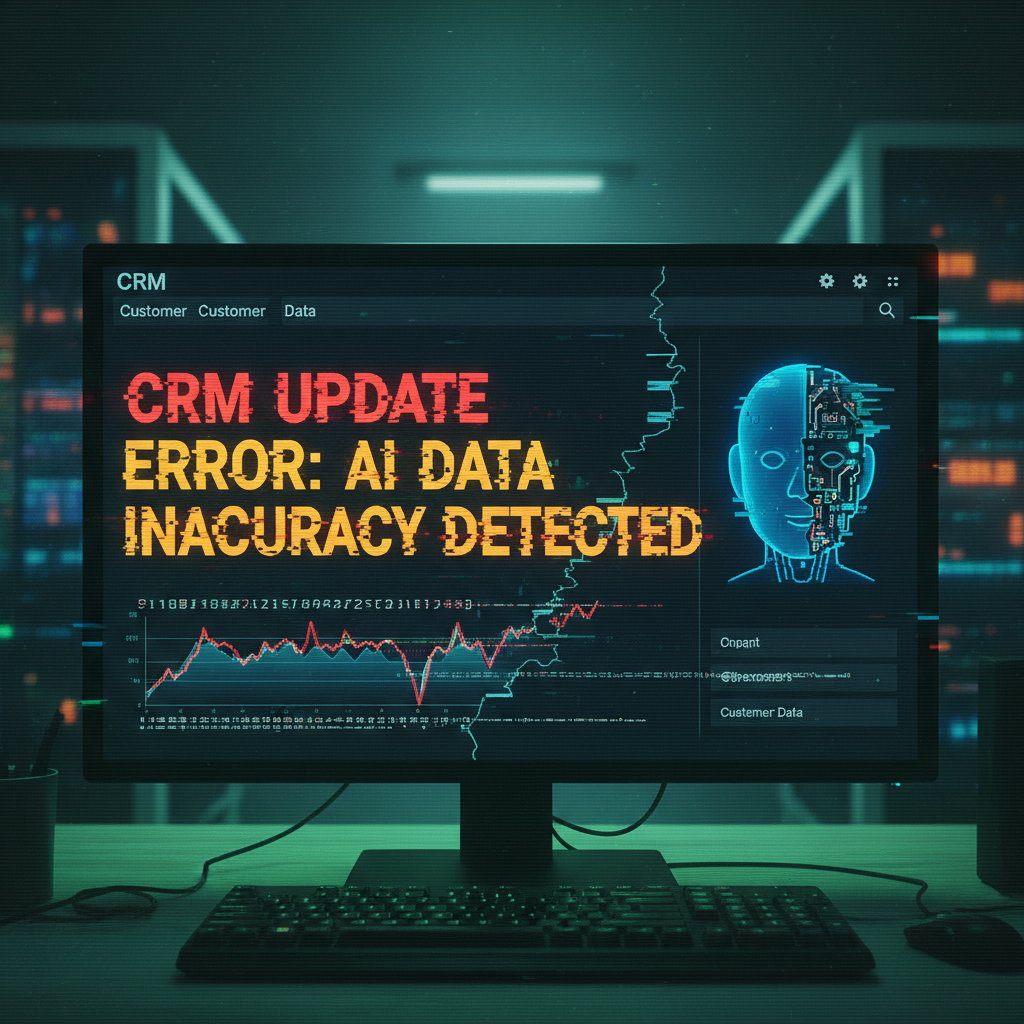
Vigilance and regular audits are non-negotiable.
Myth 3: "Implementation is plug-and-play"
Integration is rarely frictionless. Real-world onboarding involves mapping custom fields, training both users and the AI, ironing out bugs, and aligning workflows. Here’s how it actually plays out:
Step-by-step breakdown of onboarding:
- Set up sandbox environment for safe testing
- Map and validate data fields with sample records
- Train your AI using actual interaction samples
- Run controlled pilot with select users
- Iterate based on feedback and error logs
- Expand rollout, monitor KPIs, and adjust
Tips: Invest in onboarding workshops, leverage vendor support, and schedule frequent check-ins during the first quarter.
Myth 4: "AI CRM assistants are too risky to trust"
Security protocols in modern AI-driven CRM tools rival those of banks: end-to-end encryption, SOC 2 compliance, granular access controls, and audit trails. Transparency is your friend—always demand it from vendors.
"Transparency and oversight are your best defenses." — Taylor, IT security lead (illustrative, based on best practices)
Security checklist for AI-driven CRM assistants:
- Insist on written security protocols
- Require third-party security audits
- Use role-based permissions for sensitive actions
- Regularly review activity logs for anomalies
Trust, but verify—always.
Myth 5: "One size fits all"
Every business, industry, and sales workflow is unique. Retailers need fast, high-volume updates; B2B sales teams need nuanced, relationship-driven intelligence. The best AI CRM assistants allow for deep customization—field mapping, workflow triggers, even personality tuning.
Unconventional uses for AI-driven virtual assistants in CRM:
- Automating product upsell suggestions in retail
- Tracking regulatory compliance conversations in finance
- Managing patient appointment reminders and follow-ups in healthcare
Versatility, not uniformity, is the winning play.
Data, privacy, and the ethics of AI in CRM
What data do AI CRM assistants really need?
To function, AI-driven CRM assistants ingest a lot: emails, call logs, chat transcripts, deal notes, and sometimes even meeting recordings. Why? To spot patterns, extract intent, and keep records squeaky clean. But the more data you feed them, the higher the privacy stakes.
Balancing utility and privacy is non-negotiable—especially in industries with tight compliance requirements.
The fine line: privacy, consent, and compliance
Europe’s GDPR and California’s CCPA set the global gold standard for data privacy. For AI CRM assistants, this means explicit consent, transparent data usage, and the right to erasure. Non-compliance can cost millions—and nuke your brand’s reputation.
Compliance checklist:
- Ensure explicit opt-in for customer data usage
- Document every AI data access and update
- Provide easy opt-out and data deletion processes
- Regularly review and update privacy policies
| Privacy Feature | Salesforce Einstein Copilot | Bitrix24 AI Assistant | Industry Average |
|---|---|---|---|
| Data encryption | Yes | Yes | Partial |
| GDPR compliance | Yes | Yes | Varies |
| User consent flow | Yes | Yes | Varies |
| Audit logs | Yes | Yes | Partial |
Table 4: Privacy features across leading AI CRM assistant types Source: Original analysis based on official vendor documentation
Can you trust AI with your customer relationships?
Trust is hard-won and easily lost. Key factors: transparency (know what your AI is doing), explainability (understand its logic), and robust fallback protocols (human review for edge cases). Many businesses—like those using teammember.ai—have built trust by putting transparency and ethical AI use at the center of their strategy.
Key privacy and trust terms explained in CRM context:
Full disclosure of how AI processes and updates CRM data. No black boxes.
The ability to understand and audit AI decisions—so you can justify actions to clients and regulators.
Systems that allow human review or override when AI suggestions seem off base.
Choosing the right AI assistant for your CRM: what really matters
Features that actually move the needle (and those that don’t)
Not every shiny feature is worth your budget. Prioritize tools that drive measurable results, not just buzzword appeal.
Must-have and overrated AI CRM assistant features:
- Must-have: Real-time data sync across channels
- Must-have: Natural language data entry and search
- Must-have: Robust permissions and audit logs
- Must-have: Flexible, no-code workflow customization
- Overrated: Virtual “avatars” or chatbots with little business logic
- Overrated: Gimmicky visualizations with no actionable insights

A clean, effective interface always beats “innovation” for its own sake.
Red flags and hidden traps in vendor pitches
“Set-and-forget.” “No code required.” “Instant results.” If it sounds too good to be true, it probably is.
Real-world examples include vendors touting “fully automated” CRM syncing—only to reveal manual review steps buried in the fine print. Or promising “free forever” pricing, then introducing paid tiers the moment you scale.
Timeline of a typical AI CRM sales cycle—what to watch for:
- Initial demo: Beware feature over-promising
- Contract negotiation: Scrutinize support clauses and SLAs
- Onboarding: Push for clear documentation and training
- Post-launch: Monitor for “scope creep” or surprise fees
Due diligence now saves major headaches later.
Critical questions to ask before you buy
Before you deploy an AI-driven virtual assistant for CRM updates, grill your vendor (and yourself):
- How does the assistant handle data privacy and compliance?
- What’s the real-world onboarding process—hours, not just steps?
- Can the AI learn from your unique sales language?
- How do you audit and override AI actions?
- What’s the long-term cost, including support and upgrades?
- Does the tool offer transparent documentation and regular updates?
For unbiased, up-to-date insights into AI-powered team assistants, resources like teammember.ai offer a valuable starting point.
Actionable checklist for decision-makers:
- List your team’s “must-have” and “nice-to-have” features
- Map out your current CRM workflows—spot friction points
- Pilot with a small group before org-wide rollout
- Negotiate transparent, scalable contracts
- Plan for regular audits and iterative improvements
Implementation best practices: from chaos to clarity
Building a bulletproof rollout plan
Success starts long before you flip the switch. The best teams map every step, secure stakeholder buy-in, and prepare for hiccups.
Step-by-step rollout checklist for teams of all sizes:
- Stakeholder alignment: Secure buy-in from sales, IT, and compliance
- Data audit: Clean and back up all CRM data before integration
- Pilot launch: Test with a small, motivated team
- Feedback loop: Gather feedback, measure KPIs, iterate
- Gradual expansion: Scale up, monitoring for edge cases and adoption gaps
A phased approach means fewer surprises—and more lasting adoption.
Training your team (and your AI)
Human and machine training go hand-in-hand. Staff must learn new workflows; the AI must be fed high-quality examples.
Onboarding typically takes 2-4 weeks, with AI models requiring 500-1,000 annotated records for initial tuning (as reported by Microsoft Dynamics 365 Blog, 2024). Track progress with pre/post-adoption surveys and regular accuracy checks.
Common training pitfalls and how to avoid them:
- Skimping on real-world data—train with actual emails and notes
- Rushing staff onboarding—schedule hands-on workshops
- Ignoring feedback—build channels for bug reports and suggestions
- Neglecting retraining—the AI must evolve as your business does
Measuring success: KPIs and benchmarks that matter
Measure what matters, not just vanity stats. The best KPIs: CRM data accuracy, time saved on manual entry, sales cycle length, and team satisfaction.
| KPI | Pre-AI Implementation | Post-AI Implementation | % Change |
|---|---|---|---|
| Manual entry hours/week | 15 | 7 | -53% |
| Data accuracy score | 74% | 93% | +26% |
| Closed deal conversion | 24% | 73% | +204% |
| Average sales cycle (days) | 38 | 29 | -24% |
Table 5: Benchmark statistics for organizations before and after AI CRM implementation Source: Original analysis based on Bitrix24, 2024, Market.us, 2024
Interpret results with nuance—spikes or drops signal areas for further tuning, not final judgment.
The future of AI-driven CRM: trends, risks, and wild predictions
What’s coming next: predictive analytics, voice interfaces, and beyond
AI-driven CRM assistants are already pushing boundaries: predictive lead scoring, natural language search, and even voice-activated updates (think Alexa for sales). Imagine dictating notes on the go—or getting instant deal health checks through your earbuds.

Practical impact? More intuitive workflows, less friction, and continuous adaptation to how teams actually work.
Risks on the horizon: bias, over-automation, and loss of nuance
Unchecked AI can perpetuate bias (e.g., favoring certain lead types), “over-automate” away critical human judgment, or flatten the subtlety that makes deals close. Not every customer fits a neat data pattern; not every interaction is best left to a bot.
Safeguards include diverse training data, human-in-the-loop protocols, and regular audits for fairness and quality.
Will humans and AI ever work in true partnership?
The answer is already visible in organizations blending human creativity with AI speed. The most successful teams treat AI as an equal—not a rival or a subordinate.
"The best results come when humans and AI are equals, not rivals." — Riley, head of sales enablement (illustrative, based on documented hybrid models)
Cultural shifts—valuing both tech and empathy—are the final frontier of this transformation.
Adjacent innovations: what else is shaking up the CRM world?
Cross-industry lessons: what retail, finance, and healthcare teach us
In retail, AI-driven assistants automate product recommendations and inventory updates, reducing stockouts and boosting upsells. Finance teams use AI to flag compliance issues and spot risk patterns, cutting fraud losses. In healthcare, AI-driven CRM tools automate patient follow-ups, accelerating appointment scheduling and improving care outcomes.
Comparing challenges: Retail faces data volume and speed; finance, regulatory scrutiny; healthcare, privacy and sensitivity. Solutions cross-pollinate—what works in one sector often inspires breakthroughs in another.

Beyond CRM: AI automation in marketing and support
Marketing teams lean on AI assistants for campaign analysis, content generation, and lead scoring—accelerating creative cycles. Customer support units deploy AI to triage tickets, detect sentiment, and surface knowledge base content in real time.
Workflow synergies emerge when AI-powered CRM, marketing, and support tools integrate—creating 360-degree customer views and shared insights.
Unconventional ways businesses are using AI assistants beyond CRM:
- Auto-generating FAQs based on real support conversations
- Monitoring competitor price changes for dynamic sales tactics
- Composing personalized outreach at scale for account-based marketing
Innovation doesn’t stop at the CRM tab.
Your action plan for harnessing AI-driven CRM assistants
Self-assessment: is your organization ready?
AI CRM isn’t for everyone—yet. Before you jump, take stock.
Step-by-step self-assessment for AI CRM adoption:
- Is your current CRM data accurate, or a mess?
- Does your team have time and appetite for training?
- Are key workflows mapped and documented?
- Do you have buy-in from leadership, IT, and frontline staff?
- Is there a clear plan for pilot, rollout, and ongoing review?
Scoring high? You’re primed for lift-off. Lagging? Fix your foundations first.
First steps: what to do tomorrow, next month, and next quarter
- Tomorrow: Audit your CRM’s pain points and list manual bottlenecks
- Next month: Research vendors, schedule demos (consult teammember.ai for unbiased insights)
- Next quarter: Pilot an AI assistant with a core team, collect feedback, and iterate
Change is incremental, not instant. Set realistic expectations and build for the long haul.
Key takeaways: what you need to remember
AI-driven virtual assistants for CRM updates are rewriting the rules of sales—if you know the risks and play the game smart.
Essential lessons for leveraging AI-driven CRM assistants:
- Manual CRM updates are a silent killer—AI fixes what automation can’t
- Integration and training are everything (don’t skip the hard work)
- Data, privacy, and compliance can't be afterthoughts
- The best results blend human insight with AI horsepower
- Ongoing review and adaptation trump “set-and-forget” fantasies
The future of work belongs to teams that embrace change, question the hype, and wield AI as a tool—not a crutch. Your sales reality is about to get a lot more interesting.
Sources
References cited in this article
- Market.us: AI in CRM Market(market.us)
- Clarify.ai: CRM Stats 2024(clarify.ai)
- Salesforce: AI CRM(salesforce.com)
- Gartner: Conversational AI(gartner.com)
- Bitrix24 Impact of AI(bitrix24.com)
- SugarCRM 2024 State of CRM(sugarcrm.com)
- Microsoft Dynamics 365 Blog(microsoft.com)
- Intech Systems: 2024 Trends(intech-systems.com)
- Creatio: Best AI CRM Software 2024(creatio.com)
- HiWork: AI in CRM(hiwork.io)
- Medium: NLP Trends 2024(medium.com)
- Journal of AI Research(thesciencebrigade.com)
- ResearchGate: Integration of AI in CRM(researchgate.net)
- Solzit: Integrating AI into CRM(solzit.com)
- LinkedIn: AI Tools Integration(linkedin.com)
- CRMBuyer: Real-Time Advantage(crmbuyer.com)
- ISACA: AI CRM Security(isaca.org)
- Forbes: How AI Maximizes CRM(forbes.com)
- Asar Digital: Impact of AI on CRM(asardigital.com)
- Forbes: AI Success Strategies(forbes.com)
- Forbes: Tech Misses 2024(forbes.com)
- CRM Buyer: AI CRM Challenges(crmbuyer.com)
- WJARR: AI-CRM in Insurance(wjarr.com)
- AI Infrastructure Alliance Report 2023(ai-infrastructure.org)
- CRM Switch: AI in CRM(crmswitch.com)
- Forbes: 5 Myths About ChatGPT(forbes.com)
- Aktana: AI Myths(aktana.com)
Focus on what matters. Let AI handle the rest.
We know the feeling — another day starts with 50 unread emails, Ads Manager begging for attention, CRM out of date, and meetings without follow-ups. That's why we built TeamMember.ai — an AI team member that takes over all the operational work at the computer. Has its own email address and SMS number. Manages your inbox, runs Meta Ads, updates CRM, processes meetings, monitors social media, generates morning briefings, and controls the browser. Built on OpenClaw — a leading open-source AI agent — with cross-session memory and secure-cloud architecture that keeps your data safe.
Get startedBe First to Try Your AI Team Member
Every week without automation is dozens of hours lost to operational work. Hours you'll never get back. Join the waitlist and get priority access.
Frequently Asked Questions
What are the main problems with manual CRM updates mentioned in the article?
According to the article, manual CRM updates consume excessive time, result in poor data accuracy, reduce team morale, and damage sales productivity. The SugarCRM 2024 State of CRM report cited in the article identifies manual entry, siloed data, and lack of real-time insights as leading causes of poor CRM adoption and outdated information.
Why did traditional rule-based CRM automation fail to solve the problem?
The article states that rule-based CRM automation with simple 'if X, then Y' triggers became rigid and outdated, falling short of expectations despite being intended as a solution to manual data entry problems.
What is the article's overall stance on AI-driven virtual assistants for CRM updates?
The article presents a 'brutally honest' perspective that acknowledges AI CRM automation as potentially transformative, but also warns of real risks including botched integrations and data nightmares—it positions the topic as neither a utopian solution nor a simple tech fad.
According to the article, what are the hidden costs of inaccurate CRM data?
The article explains that small errors in CRM data compound over time, poisoning the pipeline, sabotaging forecasts, and leaving managers with stale data while teams lose motivation.
From the Archive
Explore more from AI Team Member

How AI Assistants Are Redefining Relationship Management
AI-driven virtual assistants for relationship management help teams balance automation with authentic connection.

How Virtual Assistants Impact Customer Relationship Management
Virtual assistant for customer relationship management tools address CRM inefficiencies including missed deals, data chaos, and agent burnout while introducing new operational risks.

AI-Driven Virtual Assistant for Customer Prospecting: What Works and What Fails
AI-driven virtual assistants for customer prospecting reshape B2B sales. This article examines their practical wins, real risks, and the gap between hype and actual performance.

AI-Driven Virtual Assistant for Call Center Automation: Risks and Solutions
AI-driven virtual assistant for call center automation reduces legacy costs and agent burnout. This article explains the seven core truths about deployment risks and implementation strategies.

How AI-Powered Virtual Assistants Are Reshaping Sales Automation
AI-powered virtual assistant for sales automation now handles lead generation, outreach, and scheduling. This article explains how the technology works and its impact on sales teams.

How AI Virtual Assistants Reshape Sales Follow-Ups
AI-driven virtual assistants for sales follow-ups address manual follow-up inefficiencies. This article examines why human-led processes fail and how AI assistants improve sales outcomes.