


Why Your Next CMO Might Be an Email-Based Campaign Assistant
Written with AI assistance under our editorial guidelines
Email-based campaign assistants are reshaping marketing by consolidating campaign management directly into inboxes, eliminating the need for multiple dashboards and tools. These AI-driven systems integrate with CRMs and analytics platforms to parse, automate, and personalize campaigns at scale, transforming the inbox into a unified operational command center while reducing context-switching and cognitive load for marketers.
It’s time to admit it: the war for your attention is being fought in your inbox, and the old rules of digital campaigning are burning. Forget the myth that email is where productivity goes to die—email-based campaign assistants are rewriting the script, taking the chaos of thousands of daily messages and turning it into something almost subversively efficient. This isn’t just about automation or AI for its own sake. It’s about reclaiming control, slicing through the noise, and turning your inbox into an operational war room—whether you’re a marketer chasing engagement, a founder fighting for relevance, or an overworked manager trying to do more with less. In this guide, we dig beneath the polished dashboards and shiny SaaS promises to uncover what an email-based campaign assistant truly is, what it can (and can’t) do, and how to harness its power without getting burned. Get ready for a critical, unvarnished look at the tech, the tricks, and the hidden traps shaping the next era of campaign management.
The email revolution nobody saw coming
Why your inbox is the new campaign command center
Once dismissed as a digital dumping ground, the email inbox has re-emerged as the stealthy epicenter of modern productivity. The rise of the email-based campaign assistant signals a shift away from clunky dashboards and scattered tools toward a consolidated, frictionless hub—right where the real work happens. No more tab-hopping, no more chasing logins. Now, your inbox is your mission control.
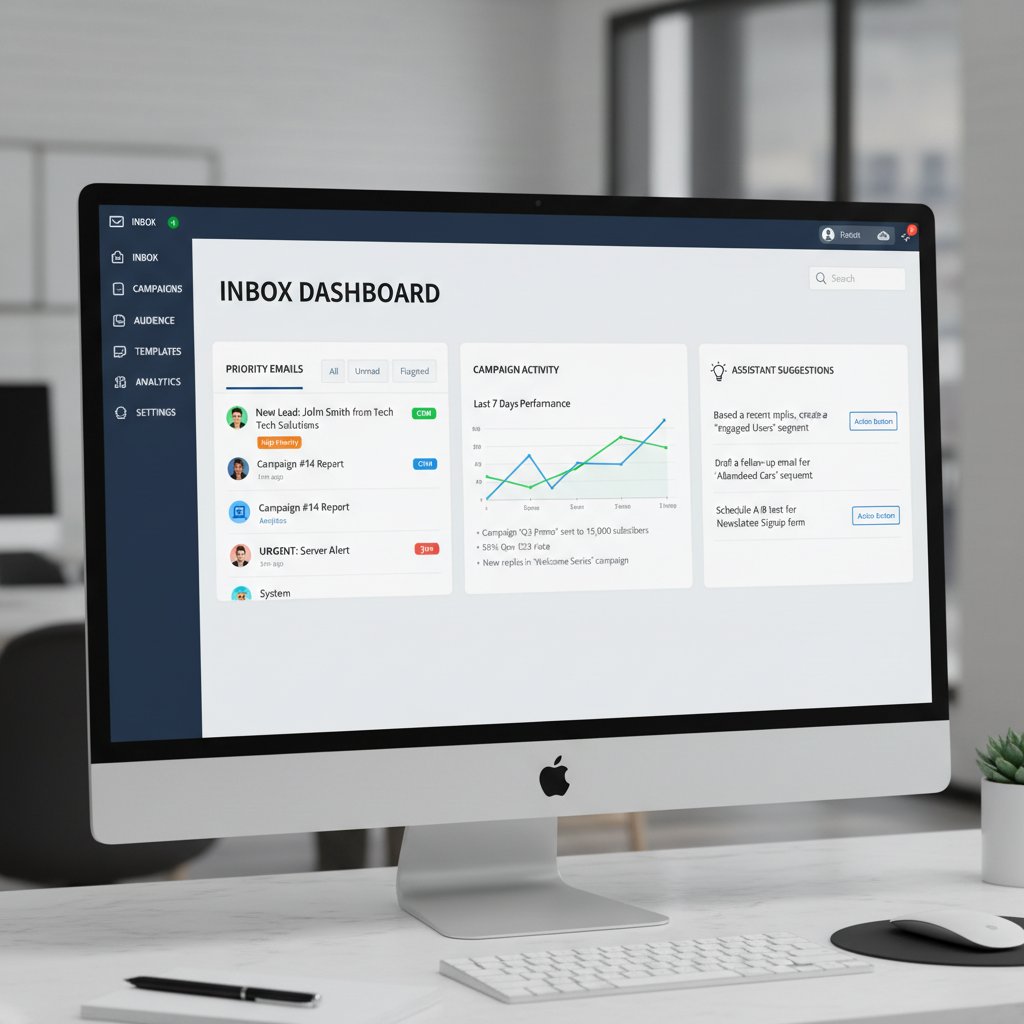
"Email's not dead—it's just getting started." — Avery
This resurgence isn’t nostalgia—it’s radical pragmatism. According to research by Neo Blog (2024), email-based campaign assistants like HubSpot Campaign Assistant and teammember.ai are breaking down silos, integrating with CRMs, analytics, and even legacy platforms to create a unified campaign experience. They parse, automate, and personalize at scale—right from the inbox, making campaign execution not just faster but smarter.
Hidden benefits of using email as your campaign nerve center:
- Context switching is dead: No more toggling between fragmented dashboards, calendars, and analytics suites. Everything comes to you—requests, approvals, assets, analytics—right in your inbox, streamlining your focus and reducing cognitive drag.
- Personalization at scale: Modern email-based assistants leverage AI to craft messaging so tailored, it blurs the line between automation and real human touch—driven by CRM segmentation and live behavioral data.
- Instant onboarding: Onboard new team members or VAs in minutes. If they know how to use email, they’re already halfway there. No steep learning curve, no sprawling user manuals.
- Audit trail by default: Every action, approval, and feedback loop is naturally archived for compliance and accountability—no extra effort required.
- Real-time collaboration: Forget clunky project management handoffs; campaign updates, creative reviews, and analytics land directly in your inbox, ready for instant response.
This is not just convenience. It’s a tactical edge—one that’s invisible to competitors still stuck in legacy habits.
A brief timeline: Campaign management’s wild evolution
Campaign management tools didn’t start sleek—and they definitely weren’t smart. In the beginning, it was all brute force: spreadsheets, mass BCCs, and a lot of crossed fingers. The stakes have changed, and with them, the tools.
| Year | Milestone | Description |
|---|---|---|
| 2000 | Spreadsheet campaigns | Early adopters wrangled campaigns with Excel—manual, error-prone, but groundbreaking for its time. |
| 2005 | The rise of ESPs | Email Service Providers (Mailchimp, Constant Contact) standardize blasts and basic analytics. |
| 2012 | Marketing automation platforms | HubSpot, Marketo introduce workflow automations, but require learning new complex dashboards. |
| 2018 | AI enters the chat | Natural language processing (NLP) and AI-driven analytics start to shape targeting and segmentation. |
| 2022 | Inbox as platform | Email-based campaign assistants integrate fully with CRMs, analytics, and productivity apps. |
| 2024 | Human-AI hybrid | AI-powered assistants like teammember.ai deliver campaign execution, analysis, even creative—directly via email. |
Table 1: Evolution of campaign management from spreadsheets to fully integrated AI email assistants. Source: Original analysis based on Neo Blog, 2024, HubSpot/LinkedIn, 2024
Key moments that shaped the rise of email-based assistants:
- The spreadsheet era: Campaigns lived and died on manual data entry—and human error.
- The dashboard explosion: Marketers juggled a dozen platforms, growing disconnected from the real work.
- The AI arms race: Predictive analytics and advanced targeting became accessible, but often siloed.
- The return home: The inbox takes center stage, with AI-driven campaign assistants consolidating workflows and eliminating bloat.
This is campaign management—unplugged, reimagined, and wired directly into the flow of real work.
How email-based campaign assistants really work
The nuts and bolts: Under the hood of AI-powered email workflows
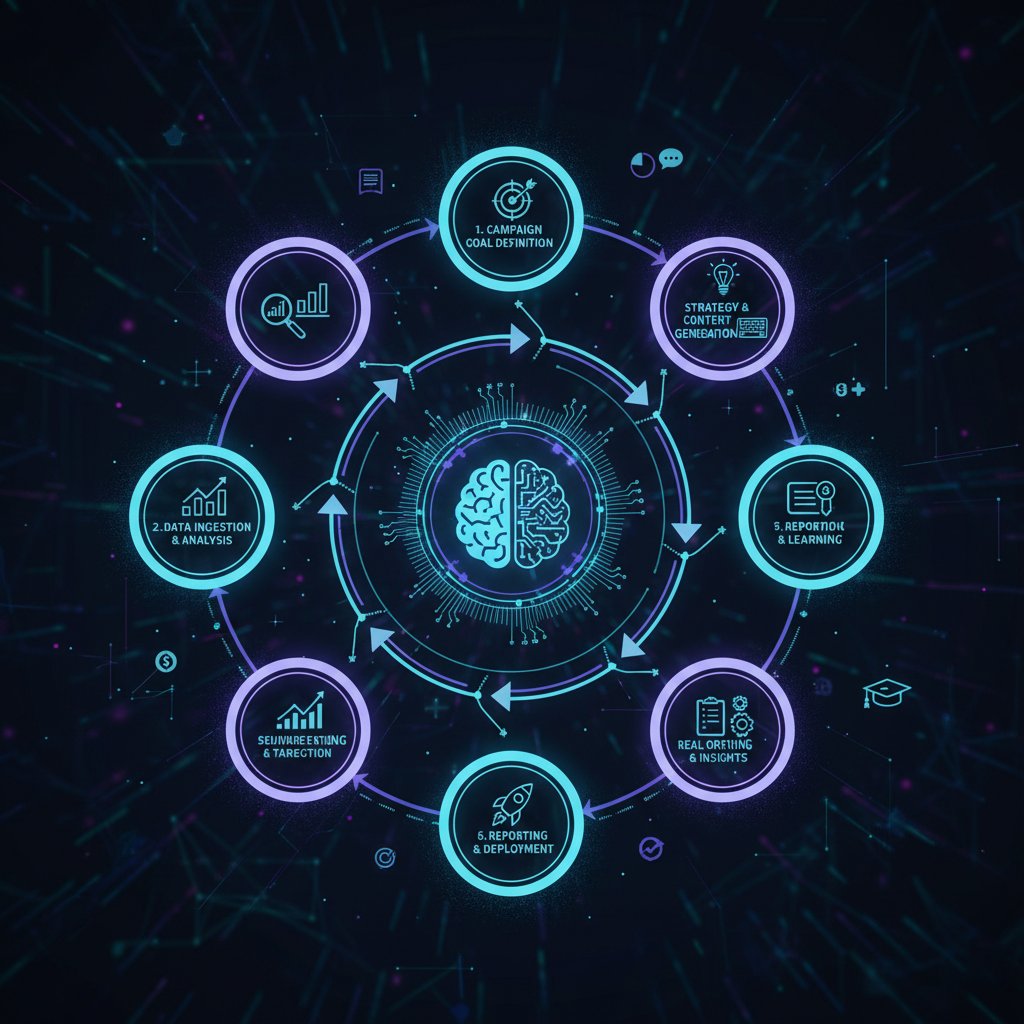
Underneath the simplicity lies serious technical muscle. An email-based campaign assistant isn’t just a glorified autoresponder. It’s a blend of machine learning, NLP, secure integrations, and workflow logic—all working behind the scenes to translate your plain-English email requests into campaign magic.
The process starts when you send a request—“Draft a follow-up sequence for our new product launch”—to your assistant’s email. AI parses intent, references integrated CRM data, and crafts tailored content. It schedules, segments, personalizes, and even A/B tests, looping you in for approvals or feedback—all without you ever leaving the inbox.
Key technical terms in AI email automation:
- Natural Language Processing (NLP): The core technology allowing assistants to “understand” your requests and context, extracting actionable commands from casual language.
- Integration Layer: Connects the assistant to your CRM (think Salesforce), analytics, or project management tools for seamless data flow.
- Automated Personalization Engine: Uses segmentation, behavioral triggers, and templates to generate messages that feel hand-crafted.
- Feedback Loop: Gathers campaign performance data in real time—subject line opens, click-throughs, conversions—and refines tactics accordingly.
- Security Protocols: Encryption and compliance modules to protect sensitive campaign and customer data.
According to HubSpot (2024), the proliferation of these advanced assistants isn’t limited to big enterprises—SMEs and even solopreneurs now wield this power, democratizing effective campaign management.
Integration or invasion? How assistants play with your existing stack
Let’s cut to the chase: integration is where most tools overpromise and underdeliver. An email-based campaign assistant, done right, plugs into your CRM, analytics, and even legacy databases with surgical precision—no more “just export a CSV and pray.”
But friction is inevitable. Some platforms resist change, breaking automations or losing sync. According to industry experts, the solution is twofold: choose assistants designed for open APIs—and maintain active human oversight.
"You want seamless, not soulless." — Jordan
A feature matrix comparing integration depth:
| Feature | Email-based campaign assistant | Traditional campaign tools |
|---|---|---|
| CRM integration | Deep, often with native connectors | Limited, often manual |
| Analytics sync | Real-time, direct in inbox | Batch exports, delayed reports |
| Workflow automation | Contextual, triggered from emails | Siloed, requires separate login |
| Legacy system support | API/SMTP/IMAP adaptable | Often inflexible |
| Personalization | Dynamic, AI-driven | Template-based, static |
Table 2: Comparison of integration features. Source: Original analysis based on HubSpot Campaign Assistant, 2024, Neo Blog, 2024.
The key is balance—automation should empower, not erase, the uniquely human elements that make your campaigns resonate.
What nobody tells you: Hidden costs and overlooked risks
The real price of ‘easy’ campaign automation
Beneath the hype, AI campaign assistants introduce new kinds of labor and risk. Sure, tasks that once took hours can now be executed in minutes, but oversight remains essential. Blind trust in automation? That’s where things unravel.
Red flags to watch out for when deploying an email-based assistant:
- False positives: AI can misunderstand requests if context is vague, producing off-brand messaging or targeting the wrong segment.
- Hidden learning curve: Initial setup is fast, but ongoing calibration (think: updating templates, training on nuanced brand voice) requires consistent attention.
- Automation fatigue: Over-automating can alienate users with robotic, impersonal touches and lead to “unsubscribe” spikes.
- Invisible drift: Without regular audits, campaign logic can veer off course, leading to compliance violations or missed opportunities.
- Shadow IT risk: When teams bypass official workflows with personal automations, data security and oversight suffer.
On privacy and data security: Don’t fall for the myth of “total automation.” Stricter regulations (GDPR, CCPA) demand vigilant oversight. According to Giant Partners (2024), even best-in-class tools can open gaps if not vigilantly managed.
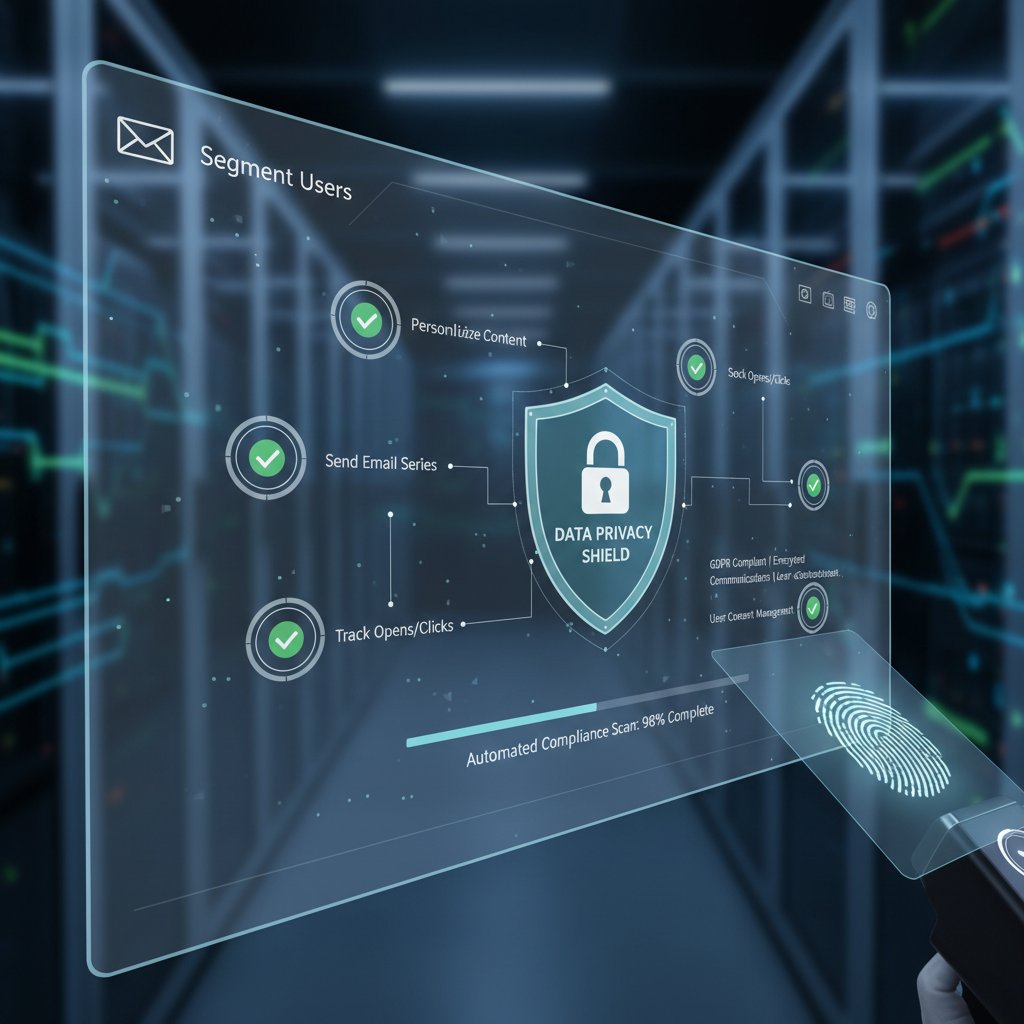
The promise of “set it and forget it” is a siren song—easy to believe, dangerous if unexamined.
When AI gets it wrong: Cautionary tales from the field
Consider the cautionary tale of a retail startup whose assistant misinterpreted a “flash sale” request as a site-wide clearance—sending discount codes to their entire database, including VIPs and lapsed customers. The fallout: lost revenue, customer confusion, and a strained support team.
Root causes? A vague trigger phrase, outdated segmentation data, and a lack of final approval steps. The recovery involved emergency reversion emails, manual audits, and a week spent cleaning up the brand mess.
Steps to audit and safeguard your campaigns against AI misfires:
- Clarify triggers: Use precise language and standardized commands for critical workflows.
- Implement approval gates: Always route outbound campaigns for human review before launch.
- Schedule routine audits: Regularly review campaign logs, segment definitions, and automation rules.
- Monitor analytics: Set up alerts for anomalous spikes—opens, bounces, complaints—that may signal an error.
- Provide escalation paths: Ensure team members know how to halt or revert automated actions quickly.
The bottom line? The best assistants are only as smart—and safe—as the humans guiding them.
Beyond the hype: What email-based campaign assistants actually deliver
Productivity unleashed: Data-driven outcomes
It’s not just theory—real stats back the shift. According to Neo Blog (2024), teams using AI-powered email campaign assistants report productivity increases of 30-50%, with campaign preparation times cut by half and engagement rates up to 40% higher.
| Metric | Manual campaign management | Email-based AI assistant |
|---|---|---|
| Average prep time (hours) | 10 | 4 |
| Engagement rate (%) | 15 | 22 |
| Error rate (%) | 7 | 2 |
| Cost per campaign ($) | 1200 | 700 |
Table 3: Comparative performance statistics. Source: Original analysis based on Neo Blog, 2024, Giant Partners, 2024.
These gains are not universal. Industry context and team size matter: large enterprises may see more dramatic savings in labor and error reduction, while smaller outfits benefit most from speed and agility.

But the trend is undeniable—when managed well, email-based campaign assistants are rocket fuel for ambitious teams.
Who’s winning? Real-world case studies across industries
A tech startup struggling with fragmented outreach adopted an email-based assistant, integrating it directly into their Gmail workflow. Within two months, campaign cycles shrank from weeks to days, and leads increased by 35% as automated follow-ups closed gaps in their funnel.
An NGO seeking cost-effective outreach used an assistant to segment donor lists, personalize appeals, and schedule follow-ups—all via email. The result: open rates climbed 28%, while volunteer engagement doubled.
Retail isn’t left out. A mid-sized apparel brand discovered their “abandoned cart” emails, crafted and sent by an AI assistant, reclaimed 18% of lost revenue—without extra staff hours.
"It’s not magic, it’s muscle memory for your inbox." — Taylor
The through line? When used intentionally, the right AI email assistant doesn’t replace marketers—it amplifies their impact, regardless of sector.
Debunking myths and challenging assumptions
Myth #1: AI can’t handle complex, multi-step campaigns
Dismiss this myth at your peril. Modern email-based campaign assistants use advanced parsing to execute multi-layer logic: from triggered nurture sequences to audience-specific branching—all by interpreting natural language instructions.
Unconventional uses for email-based campaign assistants:
- Multi-channel orchestration: Trigger SMS, push, or web actions based on email engagement—all from your inbox.
- Dynamic segmentation: Automatically move contacts between segments as behaviors change, personalizing journeys in real time.
- On-demand reporting: Summon campaign analytics via a simple email request, delivered as an easy-to-digest summary.
Edge cases do exist—hyper-nuanced campaigns may require custom scripting or manual oversight. But for 90% of workflows, today’s assistants can handle complexity that would have stumped last year’s tech.
AI campaign management jargon busted:
The engine allowing your assistant to understand unstructured requests—translating “Can you draft a re-engagement campaign for our lapsed users?” into a concrete, multi-step action plan.
Rule-based sorting of contacts by behavior, demographics, or engagement—crucial for hyper-personal campaigns.
The continuous process of gathering campaign data, analyzing outcomes, and refining future actions—automatically or with your intervention.
Myth #2: Email automation is outdated and insecure
Reality check: modern email automation is anything but outdated. According to Giant Partners (2024), leading assistants employ cutting-edge encryption and comply rigorously with GDPR, CCPA, and other privacy mandates.
Today’s top tools feature:
- End-to-end encryption: Safeguarding campaign data both in transit and at rest.
- Role-based access: Ensuring only authorized team members can execute sensitive actions.
- Audit logging: Every action is tracked and retrievable, supporting compliance and forensic analysis.
Steps for securing your email-based campaign workflow:
- Use unique, strong credentials for assistant integrations.
- Enable MFA (multi-factor authentication) wherever possible.
- Regularly review access logs and revoke unused permissions.
- Ensure your assistant is updated to the latest security standards.
- Educate your team on phishing and social engineering threats—automation can’t fix human lapses.
In the cold light of 2024, email-based AI campaign assistants are as secure—and often more so—than their dashboard-driven peers.
Step-by-step: Mastering your own email-based campaign assistant
Getting started: The essential checklist
Preparation is the difference between chaotic automation and operational nirvana. Before deploying your assistant, take these steps:
- Define campaign objectives: Are you chasing leads, nurturing relationships, or driving direct sales? Clarity here shapes your entire setup.
- Audit your data: Clean, accurate CRM data is your foundation. Fix duplicates, resolve conflicts, and segment meaningfully.
- Choose your assistant: Evaluate for compatibility with your tech stack (email provider, CRM, analytics).
- Establish approval protocols: Decide what can run on autopilot, and what requires human sign-off.
- Train your assistant: Feed sample requests, test edge cases, and iterate on messaging templates.
- Monitor and adjust: Launch small, measure impact, and refine before scaling.
The importance of initial setup can’t be overstated: a sloppy start compounds errors, while a deliberate, calibrated approach pays dividends in speed and accuracy.
From basic to advanced: Leveling up your workflow
Evolving from basic automations to nuanced, high-ROI workflows is a process—one best approached as a series of deliberate steps.
- Automate routine triggers: Start with simple follow-ups, confirmations, or reminders—low risk, high familiarity.
- Segment and personalize: Layer in CRM-driven segmentation, crafting distinct messages for each audience slice.
- Integrate analytics: Set up regular performance summaries delivered straight to your inbox—no dashboard required.
- Launch A/B testing: Experiment with subject lines, calls-to-action, and timing, relying on real-time feedback.
- Refine and expand: As confidence grows, add complexity—multi-stage drips, cross-channel triggers, and conditional logic.
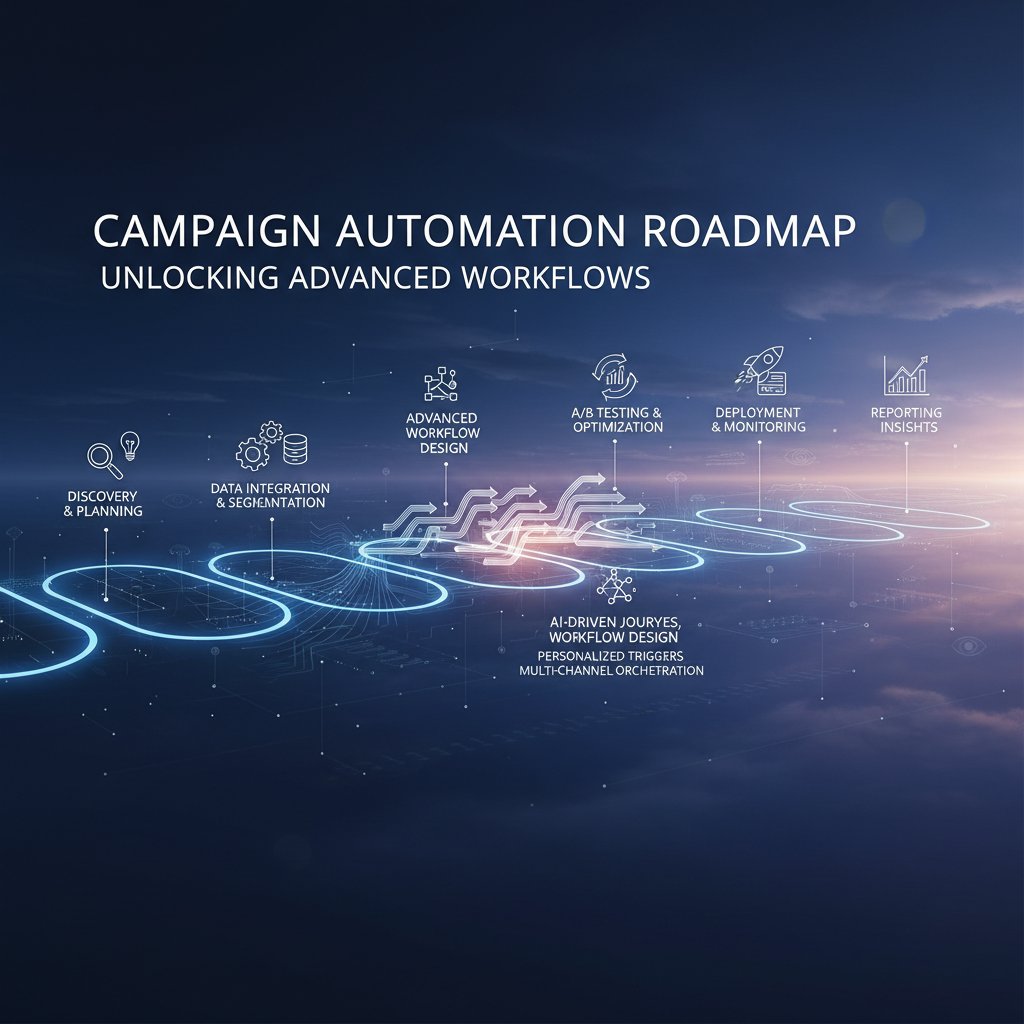
Avoiding common mistakes starts with vigilance: don’t over-automate, resist the urge to “set and forget,” and always keep human review in the loop.
The future is hybrid: Human intuition meets AI automation
Why the best campaigns still need a human touch
AI may ace the repetitive stuff, but even the smartest assistant can’t match your intuition for nuance, context, and timing. The limits of AI are real—brand voice, strategic pivots, crisis response, and creative conceptualization still demand a human brain.
Hybrid workflows are the new gold standard: rely on AI for 90% of the grunt work, but keep people in the loop for the final polish.
"AI gets you 90% there—the last 10% is all you." — Morgan
Signs you need to intervene in your automated workflow:
- Responses feel generic, not on-brand.
- Unusual campaign results (spikes, drops) appear without clear cause.
- Automated follow-ups miss subtle context shifts (e.g., market events, public sentiment).
- You’re unsure how a message was generated—time to audit!
Knowing when to step in is the hallmark of a modern campaign leader.
What’s next? Trends shaping the next generation of campaign assistants
Emerging features are redefining the edge:
- Predictive analytics: Real-time recommendations for send time, subject, and segmentation, based on live data feeds.
- Emotional intelligence: Sentiment analysis and context awareness, ensuring responses aren’t just timely, but tonally appropriate.
- Live content adaptation: On-the-fly tweaks to messaging based on recipient behavior, without human input.
The cultural shift is just as powerful—email is reclaiming its place as the universal productivity layer, dissolving the boundaries between marketing, sales, support, and operations.
| Capability | Current assistants | Next-gen assistants |
|---|---|---|
| Personalization | Template-driven | Real-time, behavior-based |
| Analytics | Summary reports | Predictive, prescriptive |
| Integration | Email + CRM | Multi-channel, context-aware |
| Security | End-to-end encryption | Adaptive, threat-aware AI |
| Human oversight | Optional | Built-in hybrid workflows |
Table 4: Market analysis of campaign assistant capabilities. Source: Original analysis based on Neo Blog, 2024, Giant Partners, 2024.
The upshot? The best campaigns will blend relentless AI efficiency with the irreplaceable spark of human creativity.
The teammember.ai perspective: A trusted resource in the AI campaign world
How to leverage professional AI assistants for your team
teammember.ai has emerged as a trusted ally in navigating the new campaign landscape. Whether you’re integrating campaign automation for the first time or looking to scale complex workflows, the platform’s expertise and resources can demystify the process.
Best practices for onboarding an AI-powered team member:
- Start with a pilot: Test core workflows with a small team, collect feedback, and iterate.
- Prioritize documentation: Keep a living record of triggers, templates, and escalation paths.
- Invest in training: Ensure everyone knows not just how to “use” the assistant, but how to collaborate with it.
- Establish a feedback culture: Encourage continuous improvement—AI thrives on iteration.
Ways to maximize value from an email-based campaign assistant:
- Build modular templates that can be quickly customized.
- Use analytics-driven feedback to tune your messaging and timing.
- Set regular review cadences to refine workflows and surface new opportunities.
- Cross-pollinate learnings between marketing, sales, and support teams—email is the universal connector.
What to expect from a future-proof workflow
The campaign landscape is shifting—faster, more fragmented, less forgiving. To thrive, you’ll need both technical chops and adaptive mindsets.
Skills and mindsets for thriving with AI-powered workflows:
- Agility: Rapidly adapt campaigns based on data, not hunches.
- Critical thinking: Question automation outcomes; don’t just trust the bot.
- Collaboration: Humans and AI work best when they play to each other’s strengths.
- Transparency: Keep every stakeholder in the loop—no “black box” decisions.

A future-proof workflow isn’t about chasing every new feature—it’s about building resilient systems and mindsets that bend, not break, when the world shifts.
Supplementary deep dives: Adjacent issues and next-level insights
Inbox overload: Can automation save us, or make it worse?
Automation promises relief, but left unchecked, it can flood your inbox with even more noise. The key is selective deployment—automate what matters, suppress what doesn’t.
Strategies for maintaining clarity and focus:
- Daily triage: Use folder rules or labels to separate critical campaign updates from routine notifications.
- Digest mode: Batch non-urgent updates into summary emails, reducing notification fatigue.
- Regular pruning: Schedule monthly audits to eliminate redundant automations and trim distribution lists.
Steps to audit and declutter your inbox workflow:
- Inventory all active automations and their triggers.
- Review campaign email frequency—are you sending too many updates?
- Solicit team feedback on noise vs. value.
- Use analytics to identify low-engagement messages—consider cutting or merging.
- Document changes to avoid reintroducing clutter.
A lean, focused inbox is the mark of automation done right.
Controversies in AI: Friend, foe, or just another tool?
AI in campaign management isn’t universally loved. Detractors argue it erodes authenticity or centralizes too much power. Proponents see it as a democratizing force, leveling the playing field for small teams.
"It’s not about trust—it’s about transparency." — Alex
The real answer? AI is neither savior nor threat. It’s a tool—a powerful one that magnifies both strengths and weaknesses. The question isn’t whether to use it, but how.
Practical applications beyond marketing: Surprising use cases
Email-based AI assistants are escaping the marketing silo:
- HR: Automate candidate follow-ups, schedule interviews, and process feedback—directly from email, boosting recruiter throughput.
- Education: Schedule parent-teacher communications, distribute course materials, and manage feedback loops, reducing admin overhead.
- Non-profits: Personalize donor appeals, coordinate volunteers, and synthesize reports—amplifying impact without extra staff.
Unconventional uses for email-based campaign assistants:
- Internal change management campaigns
- Automated compliance reminders and audits
- Cross-departmental project tracking
- Customer onboarding journeys
The expanding role of AI email tools is a reminder: campaign management is just the beginning.
Conclusion: Rethink your campaign future—one email at a time
Let’s call it what it is: the inbox is no longer a dumping ground—it’s the new seat of power for campaign management. The email-based campaign assistant is your rebel weapon for fighting through digital chaos, leveraging AI not to replace you, but to let you play at your highest level. As we’ve seen, the rewards are real—faster campaigns, smarter segmentation, fewer mistakes—but so are the risks. It’s up to you to steer with intention, blending automation with human oversight, and never losing sight of the context.

In the end, the smartest move isn’t to chase every trend—it’s to build workflows that are resilient, transparent, and fiercely human. The revolution is happening, inbox by inbox. The only question is: are you in control, or just along for the ride?
Sources
References cited in this article
- HubSpot unveils AI-based Campaign Assistant(linkedin.com)
- How to utilize a VA for email campaigns(linkedin.com)
- AI in Email Marketing: 8 Ways to Use It in 2024(neo.space)
- Email Marketing in 2024: Changes and Strategies(giantpartners.com)
- 2023 Email Marketing Trends + Predictions for 2024 | Enchant(enchantagency.com)
- Marketing Automation Trends for 2023 | Constant Contact(constantcontact.com)
- Top 4 AI Email Assistants in 2024(aideai.app)
- How to use AI email marketing in 2024: Complete guide(blog.superhuman.com)
- The Biggest Hidden Cost Impacting Marketing Teams in 2023 | Marketing Dive(marketingdive.com)
- The Hidden Costs of Email Review Errors(proofjump.com)
- Email Marketing ROI in 2024(mailercloud.com)
- 2024 Guide To Data-Driven Email Marketing - Robly(blog.robly.com)
- Email marketing best practices in 2024 | Insider(useinsider.com)
- New Myths in Email Marketing in 2024: Debunking Common Misconceptions(vbout.com)
- Is Email Marketing Legit? Debunking Myths(oyova.com)
- The Ultimate Guide to AI Marketing Campaigns in 2024(expertbeacon.com)
- Top 10 AI Myths Debunked: Expert Guide for 2024(fullstackai.co)
- Mastering Email Marketing: Your Digital Guide to Expert Campaigns(panachehq.com)
- Inboxroad Step-by-Step Guide(inboxroad.com)
- Email Checklist 2024: Launch a Successful Email Campaign - WPFunnels(getwpfunnels.com)
- 10 Step Checklist for Email Marketing Campaign Launch(bizway.io)
- Hybrid intelligence: human–AI collaboration in marketing analytics(link.springer.com)
- What is AI marketing in 2024?(growthtribe.io)
- The Human Touch: What Marketing Campaigns Still Need in the AI Era(linkedin.com)
- Why The Human Touch Is Still Vital in AI Digital Marketing(seovendor.co)
- Perspective - 3 ways to use AI in 2024 earned first campaigns - AdNews(adnews.com.au)
- How consultants are thinking about AI for 2024 - POLITICO(politico.com)
- GURU Conference 2024 - Future Proof Your Email Marketing Program - Validity(validity.com)
Focus on what matters. Let AI handle the rest.
We know the feeling — another day starts with 50 unread emails, Ads Manager begging for attention, CRM out of date, and meetings without follow-ups. That's why we built TeamMember.ai — an AI team member that takes over all the operational work at the computer. Has its own email address and SMS number. Manages your inbox, runs Meta Ads, updates CRM, processes meetings, monitors social media, generates morning briefings, and controls the browser. Built on OpenClaw — a leading open-source AI agent — with cross-session memory and secure-cloud architecture that keeps your data safe.
Get startedBe First to Try Your AI Team Member
Every week without automation is dozens of hours lost to operational work. Hours you'll never get back. Join the waitlist and get priority access.
Frequently Asked Questions
What is an email-based campaign assistant?
An email-based campaign assistant is a tool that consolidates campaign management directly into your inbox, integrating with CRMs, analytics, and other platforms to create a unified campaign experience. It handles parsing, automation, and personalization at scale, allowing marketers to manage campaigns without switching between multiple dashboards.
Why is email becoming the center of campaign management?
Email is re-emerging as a campaign command center because it eliminates context switching between fragmented tools and dashboards. By bringing requests, approvals, assets, and analytics directly to the inbox, email-based assistants streamline focus and reduce cognitive drag while creating a frictionless, consolidated hub where real work happens.
What are some examples of email-based campaign assistants mentioned?
According to the article, HubSpot Campaign Assistant and teammember.ai are examples of email-based campaign assistants that are breaking down silos and integrating with CRMs and analytics platforms to create unified campaign experiences.
What is one key benefit of using email as a campaign nerve center?
One key benefit is that context switching is eliminated—there's no need to toggle between fragmented dashboards, calendars, and analytics suites since everything comes directly to your inbox, reducing cognitive drag and streamlining focus.
From the Archive
Explore more from AI Team Member

Email-Based Marketing Assistants Versus Saas Platforms
An email-based marketing assistant integrates AI into your inbox rather than adding another platform. The article explains the advantages of this approach versus traditional SaaS tools.

AI-Powered Virtual Assistant for Email Outreach: Hype Vs Reality
Discover insights about AI-powered virtual assistant for email outreach

AI-Driven Virtual Assistants Reshape Email Marketing Workflows
An AI-driven virtual assistant for email marketing transforms how teams manage campaigns, tackling manual burnout and personalization at scale.

Email-Based Professional Helpers Reshape Modern Workflows
Email-based professional helpers are reshaping how teams work in 2025. This article explains how AI-powered email assistants reduce burnout and streamline workflows.

Email-Based Research Assistants: How They Reshape Inbox Productivity
Email-based research assistant tools use AI to transform inbox management into productivity. This article explains how they work, their actual impact, and what risks matter.

Email Marketing Assistant: Stop the Hype, Start Getting Real ROI
Discover insights about email marketing assistant


