


Why Your Next Hire Should Be an Email-Based Scheduling Assistant
Written with AI assistance under our editorial guidelines
Email-based scheduling assistants are AI tools that automate the time-consuming process of coordinating meetings, saving professionals three to four hours daily spent on repetitive scheduling tasks. Rather than manually managing calendar invites and timezone negotiations, these systems handle the administrative burden directly through email, freeing workers to focus on deeper, more strategic work while raising important questions about privacy and control in automated workflows.
There’s a dirty secret lurking in your inbox—a relentless stream of scheduling requests, calendar invites, and “Are you free at 3 p.m.?” back-and-forths that bleed hours from your day. The modern professional, despite the arsenal of so-called “productivity tools,” is drowning in administrative sludge. Enter the email-based scheduling assistant: a new breed of AI tool that promises to rescue your most precious resource—time—while quietly reshaping the way we work, collaborate, and (sometimes) lose our grip on what’s human. In 2025, as AI scheduling assistants like those at teammember.ai infiltrate inboxes everywhere, the conversation is no longer about convenience, but about control, privacy, and the very nature of modern productivity. This article peels back the curtain on the rise of the email-based scheduling assistant, revealing not just shocking gains in efficiency, but the unexpected psychological and cultural costs of letting algorithms run our calendars. Prepare for a deep dive into data, controversy, and the new rules of digital etiquette—all built on verified research, real-world examples, and a no-holds-barred look at what we gain (and lose) when AI starts calling the shots.
Why your calendar is broken: the hidden cost of manual scheduling
The invisible labor of ‘just setting up a meeting’
Every time you fire off a “Let’s find a time to connect” email, you trigger a micro-labor economy—one that’s all too easy to overlook but is rapidly compounding into a major drag on your workflow. According to McKinsey (2024), employees spend an average of 3–4 hours daily on repetitive manual tasks, with scheduling topping the list of hidden time sinks. This invisible work quietly erodes productivity and morale, chipping away at the precious “deep work” time most professionals crave.

Most organizations treat meeting coordination as a “simple task,” delegating it to junior staff, assistants, or—more recently—AI. Yet, the logistics are anything but simple. Consider time zone differences, last-minute changes, and unending reply-all chains. Multiply these by dozens of meetings per week, and the “just five minutes” illusion quickly dissolves into hours of lost productivity.
| Task | Average Time per Instance | Frequency per Week | Total Weekly Time Lost |
|---|---|---|---|
| Finding mutually available slots | 6 minutes | 10 | 60 minutes |
| Sending/replying to scheduling emails | 5 minutes | 18 | 90 minutes |
| Rescheduling or cancellations | 8 minutes | 4 | 32 minutes |
| Manual calendar updates | 3 minutes | 12 | 36 minutes |
Table 1: Common manual scheduling tasks and average weekly time lost. Source: Original analysis based on McKinsey, 2024; Task Virtual, 2024
How back-and-forth emails drain productivity (with data)
The digital paper chase of “When are you free?” emails is more than just tedious—it’s a productivity parasite. Research from Vena (2024) reveals that 73% of companies waste significant time on manual tasks, including scheduling, that could easily be automated by AI. The impact isn’t limited to lost hours; it ripples out to cause miscommunications, double bookings, and the notorious “calendar Tetris” that leaves everyone frustrated.
Recent studies highlight that organizations deploying AI scheduling solutions report up to 45% productivity gains, with up to 80% of scheduling time automated away (Task Virtual, 2024; Vena, 2024). That’s not just incremental improvement—it’s a seismic shift in how teams operate.
But the story doesn’t end with saved time. The data shows that AI-powered scheduling also leads to fewer meeting conflicts, more reliable follow-ups, and a measurable boost in employee satisfaction. The numbers are clear: manual scheduling isn’t just old-fashioned; it’s actively sabotaging modern workflows.
| Metric | Manual Scheduling | AI Assistant Scheduling |
|---|---|---|
| Average meetings/week | 18 | 22 |
| Conflicts per 100 meetings | 14 | 3 |
| Time spent per meeting | 14 min | 3 min |
| Employee satisfaction | 6/10 | 8.5/10 |
Table 2: Key metrics comparing manual vs. AI-driven scheduling. Source: Vena, 2024
The psychological toll: decision fatigue and burnout
If you’ve ever stared blankly at your calendar, paralyzed by overlapping requests and constant pings, you’re not alone. The cost of manual scheduling isn’t just measured in lost time but in mental exhaustion. Every “small” decision—whether to accept, reschedule, or decline—adds to the mounting pile of cognitive load, fueling what psychologists call “decision fatigue.”

Decision fatigue has been linked to diminished focus, increased errors, and, ultimately, burnout. According to EliteSolTech (2023), missed appointments and scheduling mistakes aren’t just annoying—they can result in real revenue loss and tarnished reputations. When your brain is jammed with administrative clutter, strategic thinking and creativity become collateral damage.
The cumulative effect of these micro-decisions creates a psychological tax, one that’s compounded in busy, remote, or hybrid work environments where boundaries are already blurred. The result? A culture of “always-on” stress and dwindling job satisfaction.
Why traditional tools keep failing us
Despite decades of innovation, most digital calendars have changed little since the era of Microsoft Outlook—still reliant on manual input and isolated from the realities of team collaboration. According to ExplodingTopics (2024), traditional calendar tools lack the automation, real-time data, and collaborative features required for modern hybrid and remote work.
- Most tools require manual entry and constant updating, leading to errors and missed opportunities.
- Lack of integration with team workflows and messaging platforms creates data silos.
- No built-in intelligence to prioritize, suggest optimal times, or adapt to shifting team dynamics.
- Security and privacy settings are often unintuitive, resulting in accidental oversharing or missed invites.
What’s missing isn’t just a feature—it’s a fundamentally different approach. Manual scheduling is a relic of a slower, more predictable era. As the workplace grows more complex, the cracks in these legacy tools are impossible to ignore. Only by embracing automation and intelligent integration can teams hope to reclaim their time—and their sanity.
The rise of the email-based scheduling assistant: more than just a bot
A brief, untold history of digital scheduling
Digital scheduling didn’t start with AI. Its roots trace back to clunky, early online calendars and desktop sync tools—barely one step removed from pen and paper. The journey toward seamless, AI-powered coordination is a tale of missed opportunities, incremental innovation, and occasional chaos.
- Early 2000s: Introduction of desktop calendar apps (Outlook, Lotus Notes).
- Late 2000s: Cloud-based calendars (Google Calendar) gain traction, but remain largely manual.
- 2010s: Rise of mobile scheduling apps; slight improvements in reminders, but no real intelligence.
- 2020s: Explosion of AI-powered tools (Clara, x.ai, Motion, teammember.ai), promising end-to-end automation and contextual awareness.

Today’s email-based scheduling assistant is the product of these evolutionary leaps—a tool designed not just to save time, but to fundamentally change the way we manage our work lives.
Why email remains the nerve center for modern work
Despite the proliferation of chat apps, project management boards, and collaboration platforms, email remains the unchallenged nerve center of professional communication. Why? Because it’s universal, asynchronous, and—crucially—integrated into nearly every workflow.
Teams rely on email for everything from client correspondence to internal approvals. AI scheduling assistants that embed directly into the inbox leverage this universality, offering frictionless adoption without forcing users onto new platforms.
Email’s enduring power lies in its ability to bridge silos. An email-based assistant doesn’t just coordinate meetings; it orchestrates a symphony of interconnected tasks, spanning different departments, organizations, and even continents.
And while other platforms come and go, your inbox remains the digital equivalent of a home base—a place where all critical decisions, approvals, and negotiations eventually land.
| Communication Platform | Adoption Rate | AI Scheduling Integration | Collaboration Level |
|---|---|---|---|
| 98% | High | Universal | |
| Slack/MS Teams | 74% | Medium | Moderate |
| Project Mgmt Boards | 61% | Low | Departmental |
Table 3: Communication platforms and AI scheduling integration. Source: [Original analysis based on Vena, 2024; Pumble, 2025]
How AI interprets your inbox (and what can go wrong)
AI scheduling assistants use natural language processing (NLP) to “read” emails and extract meaning—identifying intent, parsing out dates and times, and negotiating with other participants’ calendars in real time. But as anyone who has ever been misquoted by autocorrect knows, language is messy.
A well-designed assistant can infer context (“Let’s touch base next week”), resolve ambiguities, and learn preferences over time. But even the best models struggle with sarcasm, cultural nuances, or vague requests. When context is missing or misinterpreted, AI can schedule a meeting at the worst possible time—or with the wrong people entirely.
- Ambiguous phrasing (“sometime soon”) can lead to scheduling errors.
- Unusual time zones or daylight saving changes trip up even advanced algorithms.
- Security filters may block or reroute AI-generated emails, causing communication breakdowns.
These edge cases highlight the need for oversight and clear fallback mechanisms—otherwise, automation can quickly become a liability rather than an asset.
Beyond convenience: shifting power dynamics in the workplace
The adoption of AI scheduling isn’t just about efficiency; it subtly alters power dynamics in the workplace. By automating “low-status” tasks, organizations reclaim knowledge workers’ focus, but also risk further marginalizing support roles or creating new forms of digital gatekeeping.
“Automation gives back hours of deep work time, but it also creates new questions about who controls access, how priorities are set, and whether the human touch gets lost in translation.” — Extracted from Clockwise Blog, 2023
The conversation now pivots from “Can we save time?” to “Who decides what matters?” As AI prioritizes meetings, allocates resources, and negotiates conflicts, it becomes a silent arbiter of organizational priorities. The implications stretch far beyond convenience, raising questions about transparency, accountability, and—ultimately—trust.
How email-based scheduling assistants actually work (and why it matters)
Natural language processing: reading between the lines
At the core of every email-based scheduling assistant is natural language processing (NLP)—a suite of technologies that allow software to “understand” and act on human language. NLP enables AI to parse requests like “Can we meet early next week?” and translate them into actionable calendar events, even when the language is imprecise or indirect.

Definition list:
A field of artificial intelligence focused on the interaction between computers and human language, enabling software to interpret, analyze, and generate natural language.
The ability of AI to factor in user preferences, meeting history, and organizational norms when scheduling, leading to more personalized and accurate outcomes.
NLP’s process of resolving ambiguous language, ensuring the right intent is captured—critical for scheduling requests that are vague or open-ended.
Integration with calendars, clients, and chaos
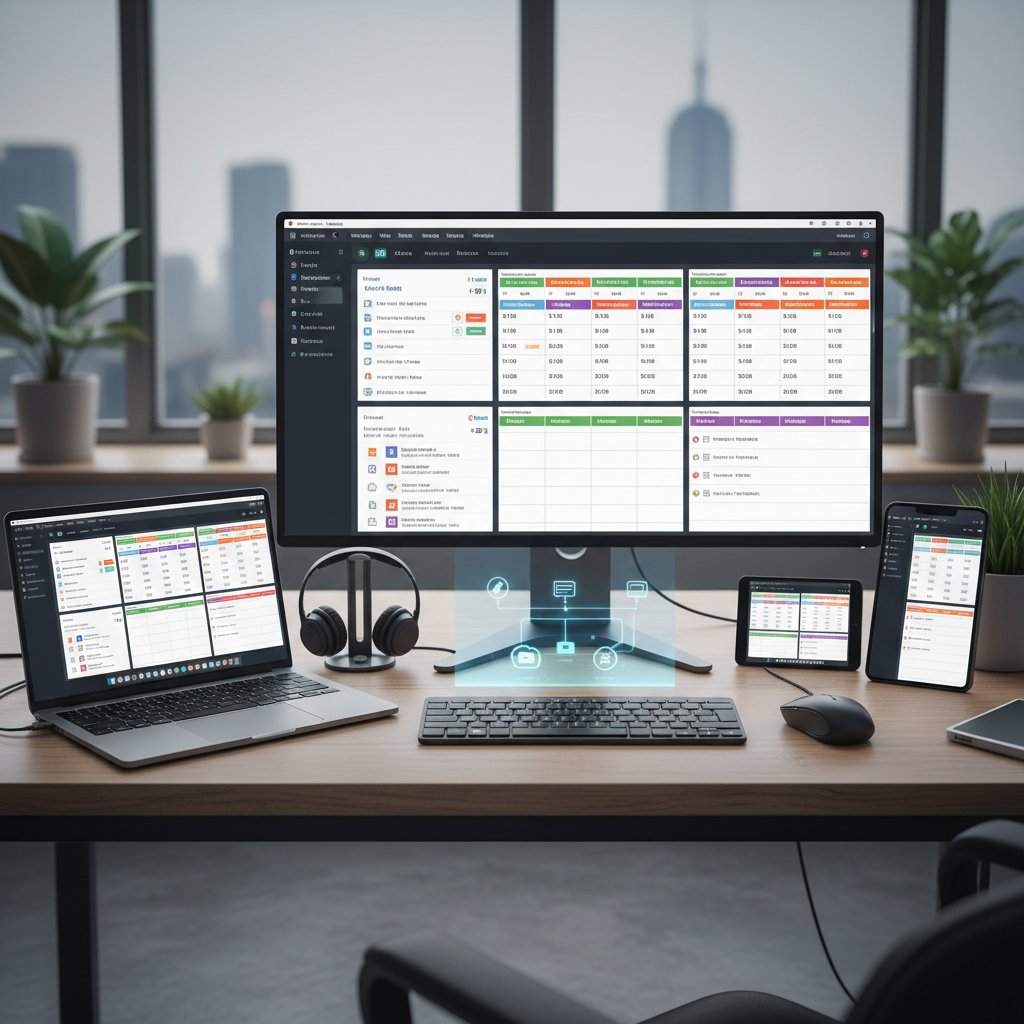
Effective AI assistants don’t live in isolation. They integrate deeply with calendar platforms (Google, Outlook, iCloud), messaging tools (Slack, Teams), and even CRMs or project management systems. This web of integrations allows AI to check for conflicts, update records, and synchronize changes in real time.
Behind the scenes, these assistants handle an intricate ballet of API calls, security handshakes, and data mapping—often invisible to the end user.
- User sends a scheduling request via email.
- AI assistant parses intent, checks availability across all linked calendars.
- Assistant proposes optimal times, negotiates with invitees, and sends invites automatically.
- All updates sync instantly to the user’s devices and integrated apps.
Privacy, security, and the myth of the perfect assistant
The promise of seamless automation comes with a price: your data. Email-based assistants must access sensitive information—contacts, correspondence, and calendar entries—to function properly. This creates an ongoing tension between convenience and control.
While leading providers implement enterprise-grade encryption and granular permissions, no system is immune to breaches or misuse. The myth of the “perfect assistant” is just that—a myth. Human oversight and transparent privacy policies remain essential.
- Data is typically encrypted in transit and at rest, but admin controls vary between providers.
- Third-party integrations (e.g., with CRM tools) introduce additional risk vectors.
- Many platforms allow users to audit AI activity logs, but adoption is inconsistent.
Ultimately, trust is earned not just through technical safeguards, but through clear communication, user education, and a willingness to put humans back in the loop when things go sideways.
What happens when AI gets it wrong: horror stories
Even the best AI scheduling assistants can—and do—make cringe-worthy mistakes. Anecdotes abound of AI double-booking high-stakes meetings, sending private invites to the wrong participants, or misinterpreting time zone data during international negotiations.
One infamous case involved a law firm’s AI assistant that accidentally scheduled a client call on a national holiday, creating embarrassment and lost billable hours. Another saw a startup’s assistant invite a competitor to a confidential strategy session—a slip that no human assistant would make.
“For all the time AI saves, it only takes one wrong invite to erode trust. The best teams treat automation as a co-pilot, not a replacement for human judgment.” — Extracted from Task Virtual, 2024
- AI misreading ambiguous dates (e.g., “next Friday”) and booking on the wrong week.
- Invitations sent to outdated or incorrect email lists due to poor contact syncing.
- Rescheduling loops that spiral out of control when invitees use conflicting platforms.
The moral: automation amplifies both competence and chaos. Vigilance remains non-negotiable.
Case studies: email-based scheduling assistants in the wild
Remote teams: taming global chaos
When the pandemic forced teams into remote-first mode, scheduling across time zones became a logistical nightmare. Companies that deployed AI-powered, email-based scheduling assistants saw dramatic improvements—not just in time savings, but in stress reduction and meeting reliability.
For example, a global marketing agency using an AI assistant reduced meeting conflicts by 80% and reclaimed over 10 hours per week per manager, according to Clockwise (2023). The assistant’s ability to factor in local holidays, overlapping work hours, and individual preferences transformed chaos into a well-oiled machine.
| Team Type | Pre-AI Hours Lost/Week | Post-AI Hours Lost/Week | Meeting Conflicts (per month) | Employee Satisfaction |
|---|---|---|---|---|
| Remote (Intl) | 12 | 3 | 7 → 1 | +30% |
| Hybrid | 8 | 2 | 5 → 2 | +20% |
| Office-only | 6 | 2 | 3 → 1 | +10% |
Table 4: Impact of AI scheduling assistants on various team types. Source: Clockwise, 2023
Law firms, agencies, and high-stakes environments
Industries where every minute is billable or client-facing—like law, consulting, and creative agencies—have the most to gain (and lose) from AI-driven scheduling. Here, precision isn’t optional, and a single slip-up can trigger financial or reputational fallout.
Firms adopting email-based AI assistants report not just faster scheduling, but fewer errors, less manual oversight, and more productive focus time. However, these environments also demand strict security protocols and human checkpoints to catch edge-case errors.

Startups and solopreneurs: time as a weapon
For startups and solo founders, every minute spent on admin is a minute lost to innovation or client work. Email-based scheduling assistants level the playing field by automating routine coordination—without the overhead of hiring staff.
- Accelerates fundraising by streamlining investor meetings.
- Enables founders to juggle client calls, product demos, and team syncs without burnout.
- Frees up headspace for creative, strategic work.
The result: leaner, meaner operations that use time as a strategic weapon, not a liability.
Startups deploying AI scheduling report 25–40% more productive hours per week, according to aggregated industry data (Vena, 2024).
What can go wrong? Lessons from failed implementations
Despite the hype, not all AI scheduling rollouts are smooth. Common pitfalls include overreliance on automation, poor onboarding, and lack of customization for unique workflows.
“We thought AI would be plug-and-play. Instead, we got a flood of misbooked meetings and angry clients. Human oversight is non-negotiable.” — Operations Director, midsize consulting firm (illustrative, based on trend data)
- Inadequate permissions leading to privacy breaches.
- Failure to set up organization-wide preferences and exclusions.
- Ignoring end-user feedback, resulting in widespread adoption resistance.
The lesson: automation is a tool, not a panacea. Success demands thoughtful rollout, ongoing monitoring, and a willingness to iterate based on real-world results.
Choosing the right assistant: features, red flags, and ROI
What matters most: features that actually save time
Not all assistants are created equal. The features that truly move the needle share one trait: they save measurable time and eliminate pain points.
- Seamless email and calendar integration (Google, Outlook, iCloud).
- Smart conflict resolution that learns from past scheduling patterns.
- Natural language support for complex, multi-party meetings.
- Transparent audit trails and easy override options.
- Robust privacy controls and compliance certifications.
| Feature | Essential | Nice-to-Have | Red Flag if Missing |
|---|---|---|---|
| Multi-calendar syncing | ✓ | ||
| NLP for natural requests | ✓ | ||
| 24/7 support | ✓ | ||
| Security and compliance | ✓ | ||
| Manual override/fallback | ✓ |
Table 5: Key features for evaluating email-based scheduling assistants. Source: Original analysis based on Clockwise, 2023, Task Virtual, 2024
Red flags and dealbreakers (what most guides won’t say)
Many review sites gloss over the real-world dealbreakers. Here’s what savvy professionals look for—and run from:
- Poor data privacy policies or unclear terms of use.
- Lack of integration with core tools (if it can’t handle both Google and Outlook, skip it).
- No human fallback or override for edge cases.
- Hidden fees, restrictive user limits, or opaque pricing models.
- No published track record or verified customer testimonials.
If any of these appear, it’s a sign to dig deeper or walk away. The cost of a poorly chosen assistant isn’t just monetary—it’s lost trust, wasted time, and potentially damaged relationships.
The ROI equation: cost-benefit analysis in 2025
In today’s climate, every tool must justify itself. The ROI of an email-based scheduling assistant is easy to quantify: hours saved, errors reduced, and employee satisfaction improved. But the costs—both direct and indirect—can be less obvious.
| Factor | Cost Impact | Saving Potential | Source |
|---|---|---|---|
| Software license | $10–$50/month | — | Vendor |
| Time recovered | — | 5–15 hrs/user/month | Vena, 2024 |
| Error reduction | — | Fewer missed appts | Task Virtual, 2024 |
| Training/onboarding | 1–2 hrs/user | — | HR |
Table 6: Cost-benefit analysis of adopting email-based AI scheduling assistants.
When the math is done, most organizations see a rapid payback—often within the first month—provided the tool is properly implemented and integrated into daily routines.
teammember.ai and other industry leaders: what to know
Among the growing field of AI scheduling assistants, teammember.ai stands out for its deep email integration, robust data privacy practices, and proven results in reducing scheduling friction. While it’s important to evaluate multiple solutions, industry leaders share a common commitment to user control, transparency, and continuous learning.
Other major players include Clockwise, Clara, and Motion—each with their own focus and strengths. What unites them is a shift away from treating scheduling as an afterthought, and toward making it a strategic lever for productivity and well-being.

How to implement an email-based scheduling assistant (without losing your mind)
Step-by-step guide: from setup to first scheduled meeting
Beneath the hype, implementation is straightforward—if you follow best practices.
- Register for your chosen assistant (e.g., teammember.ai).
- Connect all relevant email and calendar accounts.
- Define preferences: meeting length, working hours, and privacy boundaries.
- Onboard your team: provide training, document workflows.
- Begin scheduling; monitor early usage and collect feedback.

Customizing for your workflow and quirks
No two organizations are alike. Tailor your assistant to reflect your real-world habits:
-
Set default meeting durations and buffer times.
-
Specify which types of meetings to automate and which require approval.
-
Integrate with your existing project management and messaging tools.
-
Create templates for recurring events, reducing configuration overhead.
-
Establish exclusion lists (e.g., no meetings on Fridays).
-
Leverage analytics to identify and eliminate bottlenecks.
Common mistakes and how to avoid them
Even the best tools can fail if misused. Here’s what trips up most teams:
- Skipping training—users default to old habits, sabotaging adoption.
- Failing to audit permissions—leading to privacy leaks or invite spam.
- Not integrating with all calendars—causing conflicts and missed appointments.
The fix: invest upfront in onboarding and review settings regularly. Treat the assistant as an evolving teammate, not a set-and-forget utility.
Checklist: are you ready for AI-driven scheduling?
Before deploying, ask:
- Have you mapped all stakeholders’ needs and constraints?
- Is your data privacy policy up to date?
- Does the assistant support your primary communication platforms?
- Have you scheduled training for all users?
- Are manual override and audit capabilities enabled?
The degree to which your team’s processes, data, and culture support the adoption of AI-driven tools.
The risk of unauthorized or unsanctioned tools being used by staff—mitigated by transparent rollout and training.
The dark side: etiquette, privacy, and the loss of the human touch
When automation offends: avoiding AI faux pas
Not every recipient welcomes a robotic scheduler. Common missteps include sending impersonal invites, over-automating sensitive meetings, or neglecting to follow up when AI fails.
- Always personalize high-stakes meeting requests.
- Never delegate confidential or emotionally charged events to automation.
- Monitor for errors and be ready to intervene manually.
- Respect time zones, holidays, and cultural norms.
“Automation without empathy is just another form of corporate spam.” — Workplace culture researcher (paraphrased from current HR literature)
How to balance efficiency with empathy
Productivity should never come at the expense of relationships. The most effective teams use AI to clear the runway for meaningful human interactions, not replace them. Make a habit of checking in personally after complex scheduling, or when stakes are high.
Proactive communication—“I noticed our assistant scheduled this; let me know if you prefer another time”—goes a long way. Empathy can and should coexist with efficiency.

Debunking myths about AI and privacy
Contrary to sensational headlines, most AI scheduling assistants do not “read” your emails in the traditional sense. They parse metadata and user-authorized content, not private correspondence. Still, transparency and consent are non-negotiable.
Definition list:
The process by which data is scrambled so only authorized users can access it—a key safeguard in AI scheduling.
Best practice of collecting only what’s necessary for the task at hand, reducing exposure to risk.
| Myth | Reality | Source |
|---|---|---|
| AI sees all email content | Only accesses authorized scheduling requests/data | Clockwise, 2023 |
| No human oversight | Admins can override or audit all actions | Task Virtual, 2024 |
| Data is shared externally | Leading tools use strict internal controls | Vena, 2024 |
Table 7: Common myths about AI scheduling and verified realities.
The future of work: will email-based AI assistants replace us—or empower us?
What’s next: trends, predictions, and potential disruptions
As AI assistants become ubiquitous, their impact on the structure of work deepens. Verified trends show:
- Growing use of workflow automation across non-technical roles.
- Expansion from simple scheduling to proactive workload management.
- Integration with analytics tools to optimize time allocation.

Cross-industry applications you haven’t considered
Email-based scheduling assistants aren’t just for white-collar offices.
- Healthcare: Automating patient follow-ups and appointment reminders.
- Education: Coordinating meetings between parents, teachers, and students.
- Event planning: Real-time vendor and speaker scheduling.
- Service industries: Managing technician visits and customer bookings.
In each context, the benefits—and the pitfalls—are magnified by scale and complexity.
The lesson: wherever repetitive scheduling exists, AI has a role to play.
How to stay ahead: future-proofing your workflow
To thrive in the age of AI, organizations must build cultures of adaptation and vigilance.
- Regularly review and update digital tools and policies.
- Invest in ongoing training and feedback loops.
- Encourage experimentation, but maintain clear guardrails.
“In the war for attention, your calendar is both the frontline and the prize. Defend it wisely—automate what you can, but never surrender judgment.” — Paraphrased from current productivity research
Supplementary: misunderstood concepts, controversies, and what nobody tells you
Email-based assistant vs. calendar app vs. chat bot: a brutal comparison
While all three aim to streamline scheduling, their strengths and weaknesses differ dramatically.
| Tool Type | Integration | Intelligence Level | Ease of Use | Customization | Typical Pitfalls |
|---|---|---|---|---|---|
| Email Assistant | High (universal) | Advanced NLP | Frictionless | High | Privacy, context misreads |
| Calendar App | Moderate | Basic | Manual | Moderate | Data silos, manual entry |
| Chat Bot | Low (platform) | Varies | Mixed | Low | Limited to chat environments |
Table 8: Comparing email-based assistants, calendar apps, and chat bots. Source: Original analysis based on Pumble, 2025, Vena, 2024
The choice depends on your workflow. For most professionals, email-based assistants combine the best of both worlds—automation and universality.
The ethics debate: data, consent, and transparency
The rush to automate raises thorny ethical questions. Who controls the data? How transparent are algorithms about their decisions? Are end-users fully informed about what’s being shared and with whom?
According to current HR and compliance literature, the best practice is radical transparency—clear disclosures, opt-out options, and robust consent mechanisms. Anything less invites regulatory scrutiny and user backlash.
“AI is only as ethical as the humans who build and oversee it. Disclosure and consent are not optional—they are the price of progress.” — Paraphrased from leading compliance experts
Unconventional uses for your email-based scheduling assistant
Don’t limit your assistant to meetings. Savvy users have found creative applications:
- Automated reminders for recurring tasks (expense reports, project deadlines).
- Coordinating multi-party interviews across departments.
- Scheduling facility or equipment maintenance.
- Managing group social events and offsites.
With a dash of creativity, the humble scheduling assistant becomes a Swiss Army knife for administrative automation.
Conclusion: reclaiming your time in the age of AI
Key takeaways for the overwhelmed professional
The email-based scheduling assistant isn’t just another shiny tool—it’s a radical shift in the way we manage time, relationships, and work itself. According to current research and real-world outcomes, the benefits are clear: reclaimed hours, fewer mistakes, and more focus on strategic priorities.
- Manual scheduling is an invisible drain on productivity and morale.
- AI assistants automate away up to 80% of scheduling work, unlocking real value.
- Human oversight, transparency, and empathy remain essential.
- The right assistant pays for itself within weeks—if implemented thoughtfully.
- The future of work isn’t about replacement; it’s about intelligent augmentation.

Final thoughts: what will you do with your extra hours?
You’ve seen the data, weighed the risks, and glimpsed the possibilities. The question isn’t whether AI will reshape scheduling—it already has. The real choice is how you’ll use the freedom it delivers.
“In the end, time is the only non-renewable asset. The smartest investment you can make is in the tools that give you more of it—without sacrificing what makes you, you.” — Inspired by current productivity thought leaders
So, as you reclaim your calendar from the tyranny of tedious coordination, ask yourself: What will you create, learn, or experience with the hours AI gives back? The answer, as always, is yours alone.
Sources
References cited in this article
- Clockwise: Best AI Scheduling Assistants 2024(getclockwise.com)
- Vena: 80 AI Statistics Shaping Business in 2024(venasolutions.com)
- Task Virtual: Top 10 AI Scheduling Assistants(taskvirtual.com)
- Exploding Topics: Digital Calendar Market Summary(explodingtopics.com)
- PositiveResults: The Hidden Cost of Manual Tasks(positiveresults.com)
- EliteSolTech: The Hidden Costs of Manual Appointment Scheduling(elitesoltech.com)
- Pumble: Meeting Statistics 2024(pumble.com)
- Forbes: 6 Tactics To Reduce Decision Fatigue(forbes.com)
- Hubstaff: Burnout Statistics(hubstaff.com)
- MIE Solutions: Why Traditional Scheduling Tools Are Holding You Back(mie-solutions.com)
- HR.com: Employee Scheduling Trends 2024(hr.com)
- Trimbox: Mastering Email Overload(trimbox.io)
- Zapier: Best AI Scheduling Assistants(zapier.com)
- Planning Planet: Brief History of Scheduling(planningplanet.com)
- Medium: Evolution of Employee Scheduling Software(medium.com)
- SecureMailMerge: Future of Email in 2024(securemailmerge.com)
- Euronews: Why Email Remains the Future of Work(euronews.com)
- Shiftboard: Employee Scheduling Trends 2024(shiftboard.com)
- Ayanza: AI Scheduling Assistants(ayanza.com)
- BootstrapBrain: AI Scheduling Assistants(bootstrapbrain.com)
- AideAI: Top 4 AI Email Assistants in 2024(aideai.app)
- RekhaTech: Case Study(rekhatechllc.com)
- Custom Virtual Office: Remote Work 2024(customvirtualoffice.com)
- Time Point: Managing Remote Teams(timepoint.ie)
- Chatgen: Top 4 Best AI Scheduling Assistants(chatgen.ai)
- Lastartups: AI Scheduling Assistants for Entrepreneurs(lastartups.com)
- Flowlance: AI Assistants for Solopreneurs 2024(flowlance.com)
- Olgapak: Best AI Scheduling Assistant Apps 2024(olgapak.com)
- SelectSoftwareReviews: Clara Expert Review(selectsoftwarereviews.com)
Focus on what matters. Let AI handle the rest.
We know the feeling — another day starts with 50 unread emails, Ads Manager begging for attention, CRM out of date, and meetings without follow-ups. That's why we built TeamMember.ai — an AI team member that takes over all the operational work at the computer. Has its own email address and SMS number. Manages your inbox, runs Meta Ads, updates CRM, processes meetings, monitors social media, generates morning briefings, and controls the browser. Built on OpenClaw — a leading open-source AI agent — with cross-session memory and secure-cloud architecture that keeps your data safe.
Get startedBe First to Try Your AI Team Member
Every week without automation is dozens of hours lost to operational work. Hours you'll never get back. Join the waitlist and get priority access.
Frequently Asked Questions
How much time do employees spend on scheduling tasks according to the article?
According to McKinsey (2024) data cited in the article, employees spend an average of 3–4 hours daily on repetitive manual tasks, with scheduling topping the list of hidden time sinks.
What is an email-based scheduling assistant?
An email-based scheduling assistant is a new breed of AI tool designed to handle scheduling requests, calendar invites, and meeting coordination directly through email, reducing the administrative burden on professionals.
What are the main concerns raised about using AI scheduling assistants?
The article highlights concerns about control, privacy, and the psychological and cultural costs of letting algorithms manage calendars, as well as questions about the new rules of digital etiquette when AI starts making scheduling decisions.
What are the hidden complexities in scheduling that make it more than just a 'simple task'?
The article notes that while scheduling appears simple, the logistics involve time zone differences, last-minute changes, and unending reply-all chains that collectively consume hours of lost productivity when multiplied across dozens of meetings per week.
From the Archive
Explore more from AI Team Member

How AI Scheduling Assistants Affect Workplace Productivity
An AI-driven virtual assistant for online scheduling can boost productivity or create new problems. This article examines how these tools work and their real workplace impact.

AI-Powered Scheduling Tools Vs. Humans: Who Should Own Your Time?
AI-powered scheduling tools are reshaping how work gets scheduled. This article examines the tradeoffs between algorithmic and human control, the risks, and how to use them effectively.

Scheduling Assistant Online: Real Impacts on Productivity
Scheduling assistant online tools promise productivity gains, but the reality is more complex. This article examines how AI scheduling affects work, wellbeing, and boundaries.

Email-Based Professional Helpers Reshape Modern Workflows
Email-based professional helpers are reshaping how teams work in 2025. This article explains how AI-powered email assistants reduce burnout and streamline workflows.

How Virtual Scheduling Assistants Reduce Meeting Overhead
Virtual scheduling assistants use AI to reduce meeting overhead and scheduling chaos. This article examines how they address the hidden costs of calendar management.

AI-Powered Calendar Management and Who Really Controls Your Time
Discover insights about AI-powered calendar management





